The Ultimate Guide to Back-to-School SMS Templates: Tips and Examples

The time has come – another new school year. And with it comes the idea of new school stationary, sports tryouts, and sharpened pencils. But with every new school year comes a massive amount of communication between businesses and parents. Business owners should be jumping with excitement because the back-to-school season provides vast opportunities to promote your business and boost its sales going into Fall. At this time of year, people spend a good amount of money. In fact, Statista shows that Americans’ estimated total planned back-to-school expenditure is roughly 41.5 billion USD. That’s exactly why SMS messages are required during this time. That’s right, you can use SMS marketing tools to help share information and promote your business in seconds. Our tips for effective back-to-school SMS message communication can help you when it means the most. In this post, we’ve also included a few SMS template examples to help you in your business SMS marketing endeavor.

Tips for Effective Back-to-School SMS Communication

Regardless of how you decide to formulate your SMS message marketing strategy for the back-to-school season, here are a few tips to keep in mind:

Keep your messages short and sweet

Avoid the temptation of overthinking how you’ll actually connect with your audience using SMS marketing during this time of year. Chances are that your customers will likely be very busy getting them and their kids back into a routine after the summer. So, it’s essential you share a clear and very concise message to get your point across to them. There should be zero room for misinterpretation here.

Use forms and shortcodes to boost sign-ups

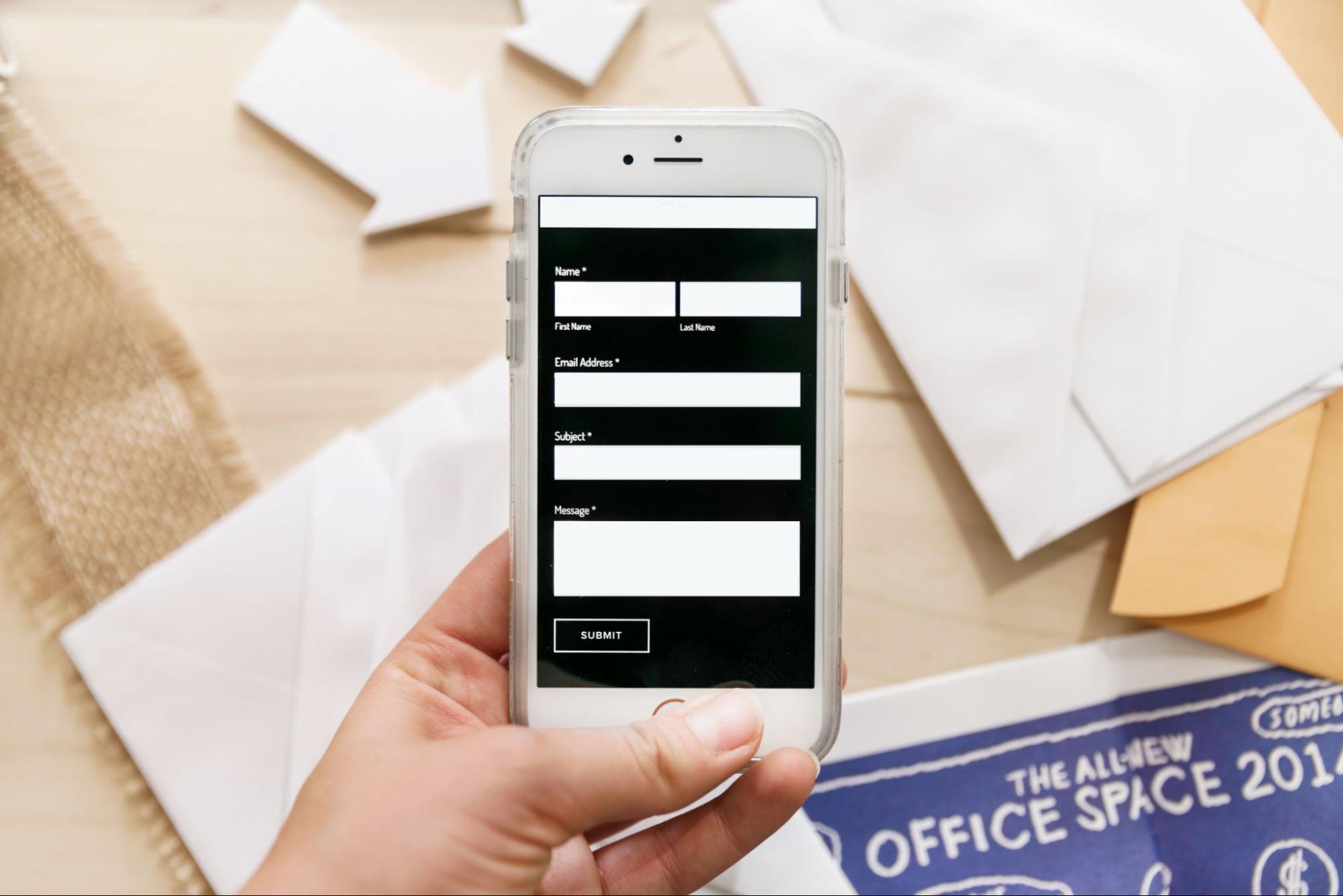
Before running SMS marketing campaigns, you must gain sign-ups and create an opt-in contact list. These audience members are people who have chosen to receive texts from you. You can boost your SMS sign-ups by adding sign-up forms to your website or using a dedicated short code that is displayed in high-traffic areas around your business premises (e.g., at the entrance of a gym if you own one or at the pay point of a store). People can use this shortcode to sign up for SMS announcements quickly and seamlessly.

Segment your audiences

Customer segmentation goes a long way when creating effective and advanced SMS marketing campaigns. You can tailor SMS messages for various segmented audiences, allowing you multiple lists for multiple communication styles. For example, one segment could be for customers who have recently signed up for a membership, and another could be for your most loyal and long-term members. The message style and tone will be varied for those two customer segments, making your back-to-school promotional messaging much more appropriate to each group.

Connect your messages to your value propositions

The last tip on this list is to always ensure your SMS messages are connected back to your USP (unique selling point) as well as your value proposition. This means that your SMS should always convey your company’s unique value, whether you’re attempting to solve a customer pain point, answer a question, or sell something.

Crafting Impactful Back-to-School SMS Messages

Before we dive into SMS templates for back-to-school campaigns, let’s look at how to craft impactful texts. The tricky part is that an SMS has a character and word limit. This means you can’t word it how you would an email. Instead, you would need to keep it short and punchy and still get all your information across. In addition to this, you don’t want to come across as sounding spammy, so your SMS needs to be written smartly. When crafting a text, remember these crucial factors:
  • Always state your business name
  • Address the recipient by name
  • Stay within the character limit
  • Keep the message short and to the point
  • Include a link or CTA (call-to-action)
  • Include an opt-out option

Sample SMS Templates for Back-to-School

And now it’s time to look at some sample SMS templates you can use for this year’s back-to-school campaign. The most crucial element of SMS templates is to ensure they provide the information required to the audience but simultaneously are creative and intriguing. Let’s have a look at some of these SMS marketing templates your business can use.

Generic Back-to-School Messages

No matter what type of industry your business is in, these back-to-school SMS marketing messages could work for your company. Let’s take a look at them now:
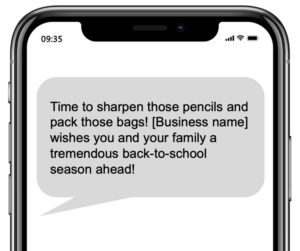
“[Business name] wishes you a happy back-to-school season! Click here to view our deals today! [link]” “Time to sharpen those pencils and pack those bags! [Business name] wishes you and your family a tremendous back-to-school season ahead!” “Class is back in session! At [business name], we’ve got all your wellness needs covered for the season. Click [link] to shop.”
Generic Back-to-School Messages

Gratitude Back to School Messages

The next SMS template is all about gratitude. That’s right, you should take the time to thank your customers for their ongoing support. Pairing this thank you message with a gift is a good idea. Here’s an example of what this text message template could look like:
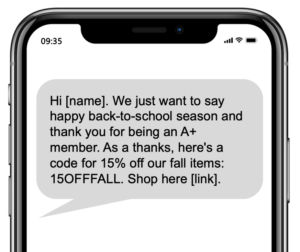
“Hi [name]. We just want to say happy back-to-school season and thank you for being an A+ member. As a thanks, here’s a code for 15% off our fall items: 15OFFFALL. Shop here [link].”
Gratitude Back to School Messages

Back to School Event Messages

This SMS template can be very handy for upcoming events at your store or studio. The idea here is that your SMS communication shares information about your back-to-school event. Here’s an example of what this business SMS marketing message could look like:
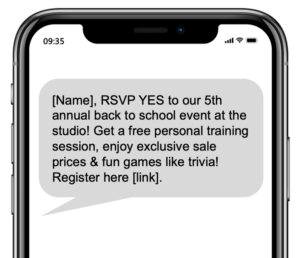
“[Name], RSVP YES to our 5th annual back to school event at the studio! Get a free personal training session, enjoy exclusive sale prices & fun games like trivia! Register here [link].”
Back to School Event Messages

Customer Feedback Messages

This is an SMS message template most people forget about – and it’s a handy one! As we all know, customer feedback is an area that can really help improve your business – whether that’s related to operations, customer service, product reviews, etc. Below is an example of what this text message template could look like:
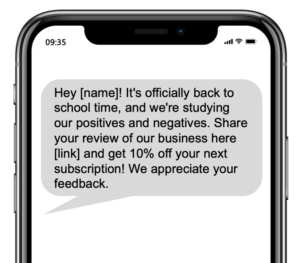
“Hey [name]! It’s officially back to school time, and we’re studying our positives and negatives. Share your review of our business here [link] and get 10% off your next subscription! We appreciate your feedback.”
Customer Feedback Messages

Back to School Giveaway Messages

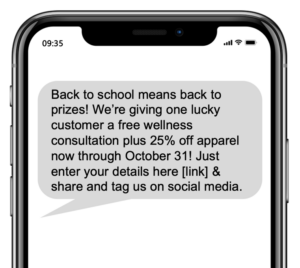
You can also create business SMS marketing templates referring to giveaways. Everyone loves a giveaway, and it’s a great way to keep your audience engaged and excited about your brand. The one tip to remember about prizes is to ensure that all your prizes are well worth it for customers. Prizes should also be easily redeemable. This will ensure that the experience is seamless for the entrants and the winner. Below is an example of how you can remind customers to sign up for your giveaway during the back-to-school season:
“Back to school means back to prizes! We’re giving one lucky customer a free wellness consultation plus 25% off apparel now through October 31! Just enter your details here [link] & share and tag us on social media.”
Back to School Giveaway Messages

Back-to-School Sales Messages

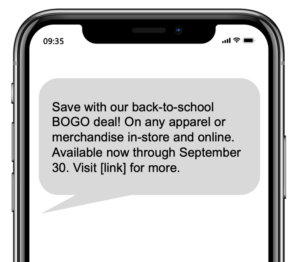
When looking at SMS marketing to help boost sales, it can get very exciting indeed. You can create an entire SMS marketing sales campaign around it. Your campaign should always have specific goals and objectives, so your SMS marketing efforts stay true to the original vision. Messages can be a series pertaining to one type of sale or a variety of messages, all speaking to various elements of your business. Here’s an example of a sales back-to-school message:
“Save with our back-to-school BOGO deal! On any apparel or merchandise in-store and online. Available now through September 30. Visit [link] for more.”
Back-to-School Sales Messages

Back-to-School Service Messages

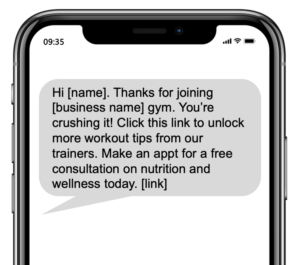
Another major aspect of marketing can be leveraging the opportunity to improve your overall customer service. This means you can spend time using SMS messages to help customers learn more about a product or service you offer that is complementary to what they already have. This can be tailored to your business and industry – every business is different, so don’t be afraid to get creative here! Here’s an example of how a gym owner could use this SMS marketing tactic:
“Hi [name]. Thanks for joining [business name] gym. You’re crushing it! Click this link to unlock more workout tips from our trainers. Make an appt for a free consultation on nutrition and wellness today. [link] ”
Back-to-School Service Messages

Back-to-School Messages for Students

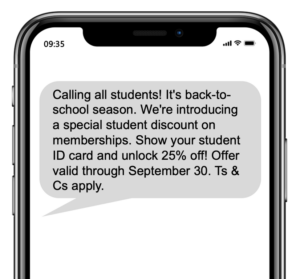
The last SMS marketing template we have for the back-to-school season is all for the students. These campaigns should be designed with students in mind first. So you want it to be an enticing offer with a good discount attached to it. This way, you can be sure that you’ll receive a good number of sign-ups or sales. Here’s an example of what this could look like:
“Calling all students! It’s back-to-school season. We’re introducing a special student discount on memberships. Show your student ID card and unlock 25% off! Offer valid through September 30. Ts & Cs apply.”
Back-to-School Messages for Students

Tools and Platforms for Efficient SMS Communication

Now that you’ve seen all the SMS templates for back-to-school communication, you may be wondering how to implement your SMS marketing campaigns for your business. And the answer to this is easy – use a premium and automated SMS marketing tool. That’s right, online SMS marketing software is designed to help you import contacts, manage contact lists, create SMS templates, and bulk send texts in minutes. The best part is that everything is housed on one platform, so many of your team members can access it from their computers, too. SMS marketing software is also designed for any type of business – whether that is small, medium, large, enterprise, or franchise. You can also manage emails with text messages so that your communication strategy is clear and concise to all audience segments for your business (newcomers versus long-term customers, as an example). Moreover, everything can be automated and measured so that you have a consistent and data-driven communication strategy for everyone involved.

Conclusion

Are you ready to leverage SMS marketing for your business this back-to-school season? If you are, look no further. Gleantap challenges traditional business communication methods by enabling you to connect with customers directly from one platform – no matter what size or how old your business may be. More importantly, you can enjoy marketing automation while at it – so the days of manually messaging people are gone! Everything is based on data and customer behavior – so the guessing work is totally gone, and your marketing strategy is based on true value and numbers. Schedule a demo to see firsthand how this platform can help you keep everyone on track and fully informed every step of the way this season.

FAQs

1. How can SMS templates improve back-to-school communication? SMS is an ideal communication channel for keeping customers informed as well as reminding them of critical upcoming events and promotions. It’s also an excellent tool, as once your SMS templates are set up, you can reuse them and send texts to customers in bulk. 2. Is it possible to automate the sending of SMS messages? Yes, you can automate your texts using an SMS marketing tool. Create and adjust SMS templates, then choose your contact list and navigate to the automation section to select your desired date and time for sending. 3. Can I use multimedia in SMS templates, such as images or links? Yes, a premium SMS marketing tool can help you add images, links, and more to each SMS. You should also receive guidelines and best practices for SMS marketing so that your texts are influential and technically sound each time you send one. Schedule a Demo Get the full story here:

Text Message Reminders: The Easy Way to Stay on Track

In an increasingly mobile-first world, text messaging has become one of the most effective ways for businesses to communicate with customers. While emails often go unread and phone calls are frequently ignored, SMS messages deliver information instantly and are far more likely to be seen. This makes text message reminders a powerful tool for reducing no-shows, improving customer engagement, and streamlining communication across industries such as healthcare, fitness, beauty, retail, and professional services. Whether reminding customers about appointments, upcoming events, deliveries, or outstanding payments, automated text reminders help businesses stay connected while saving valuable time and resources. In this guide, we’ll explore the benefits of text message reminders, best practices for creating effective messages, and how businesses can use SMS automation to improve customer experiences, increase efficiency, and drive better business outcomes.

Related guide: automated text messaging for business — how it works, costs & compliance (2026)

It’s 2023 – the era of limited phone calls – replaced by texting and social media messaging. So, what does this mean for businesses?

If you think about the traditional forms of customer communication – phone calls, email, letters, in-person chats, etc. it all feels a little too far from home today. And that’s because it really is.

People have become accustomed to ignoring emails in their inboxes and letting phone calls go to voicemail. This has made it challenging for companies to be able to quickly and effectively communicate with customers – especially when it comes to appointment reminders. And sending reminders is a massive of text marketing today. After all, no-shows cost a lot of money.

Webinar Care shared an interesting study that showed health clinics suffered from a no-show rate of 3%. But this percentage is usually much higher (19%) in health clinics that do not use text message marketing software. This shows how imperative text marketing software is and how it can directly impact your bottom line.

So now that we understand the importance of automated text reminders, let’s know how to write and use them in your marketing strategy today.

What are text message reminders?

Text message reminders are messages used to alert a person about something that will happen in the future. This can be anything from an appointment reminder to an expiring deal. Text message reminders can also be helpful for event reminders. Furthermore, they’re instrumental when attempting to avoid no-shows and time on rescheduling appointments. Text message marketing software can automate your messages, saving you and your business time and effort.

How to write a reminder text message

When it comes to writing a reminder text message, there are a few rules you should adhere to:

Keep it short

You want your message to be a reminder, so inform the recipient of what they must do. Refrain from overwhelming them with too much information in that automated text.

Keep it clear

Use clear and simple language that the recipient will understand without any room for confusion. Reminder texts should be very clear and to the point. Avoid using slang or abbreviations that people may not be familiar with.

Include all relevant information

While keeping it short, include all relevant information, such as dates, locations, and times. This will be an easy go-to text for the recipient when they need to access all information about that appointment or event at any given time.

Be polite

The last point is to ensure you come across as respectful to the recipient. Thank them for their support, and ensure your tone is always friendly and polite.

What can you use text message reminders for?

Generally, text message reminders can be used for the following purposes:

Step 1: Event reminders

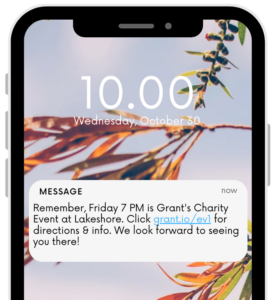
Remind people of an upcoming in-person or virtual event you’re hosting. This can be a reminder a few days before the event or even the night before. If you’re hosting a virtual event, you can send reminders to attendees when you’re live. When sending event reminders, it’s a good idea to include the event details such as date, time, venue, or a link to the live stream if applicable. Here’s an example of an event text message reminder:

Reminders

Step 2: Appointment reminders

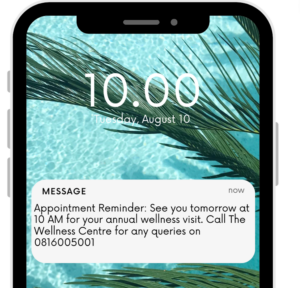
This is possibly the most common use for reminder text messages. Often businesses use automated text message software to help them manage these texts because they can be integrated with online booking systems. This works well for spas, salons, and gyms. Essentially, you send customers a reminder about their appointment before it. Most people like to send a reminder the day before an appointment. This gives the recipient enough time to remember it and plan the rest of their day around the appointment. Here is an example of an appointment reminder text message:

Appointment reminders

Step 3: Internal reminders

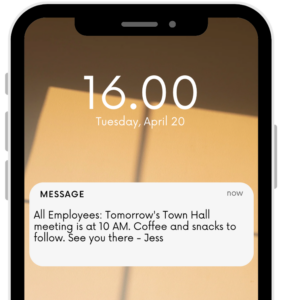
Texts can also be used internally within businesses. And nowadays, it’s probably the best way to remind employees of an important event or meeting quickly. Although, this should be used sparingly. Instead, try to incorporate it into your internal communications strategy for large meetings such as town halls or company updates. Below is an example of an internal reminder text message:

Internal reminders

Step 4: Delivery reminders

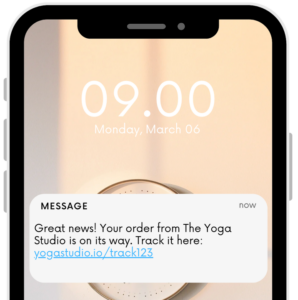
If you own a business where you need to ship products to customers, delivery reminder text messages can be great for you. These automated texts are essentially alerts about a package being shipped or en route to a customer. It’s a good idea to include the product and tracking information in the reminder text. This way, all the necessary information is in one SMS. Here’s an example of how you could draft this automated text message:

Delivery reminders

Step 5: Missed payment reminders

In business, there are great things to share and sometimes not-so-great things to communicate, too. Missed payments fall into the latter. But when you use automated texts on your text marketing software, you can set up reminders encouraging customers to make an outstanding payment. If you’re looking for an idea on how to word this, check out the example below:

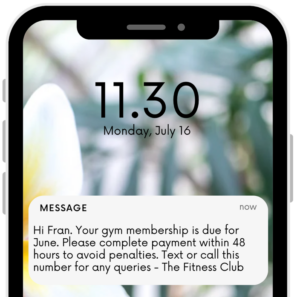
Payment reminders

How can text message reminders help?

If you’re wondering how text message reminders help businesses and customers, you’ve come to the right place. We’ve listed a few ways below.

1. Remembers important tasks and appointments

Using automated texts allows businesses and recipients to forget about little reminders manually. Instead, campaigns can be set up on text marketing software that helps map out a journey and trigger texts at certain user journey stages. This way, businesses and customers both get informed with little effort. For example, if you own a gym, you can set up an automated text campaign to send members an appointment reminder text one day before their fitness class. This automatically happens, so your staff doesn’t have to text anyone manually. This is the beauty of text message marketing software.

2. Keeps people motivated and on track

In our daily lives, things get busier and busier as the years go by. This is where the power of reminders comes in. Think about it – when you’re active in the middle of your day and receive a text reminding you of that wellness appointment you set up ages ago, it helps you stay on track. More importantly, reminders help you stay motivated about a specific commitment. This could be anything from attending an event you said yes to months ago to your weekly yoga class. No matter the commitment, your text reminder will help you stay motivated about it and prevent no-shows.

3. Reduces stress and anxiety

Having many moving parts in life seems to be the norm today. But it can also be extremely stressful. With text message reminders, as a company, you want to be able to send reminders to customers without much manual labor automatically. This reduces stress and anxiety for you and your team. But as a recipient, your stress levels are also lowered as you can feel assured that text reminders can help organize your schedule efficiently. Generally, text message reminders always have all the necessary information, so using them as a point of reference also helps.

4. Improves productivity

In a fast-paced work and life environment, letting the finer things slip through the cracks is so easy. In order to stay on top of it all, it’s a good idea to use reminders. These could be daily, weekly, or by-appointment text message reminders. By using reminders, recipients can feel more organized and use their time wisely. For example, if a text message reminder says not to forget your doctor’s appointment tomorrow at 10 AM, the recipient can quickly add that to their calendar directly from their phone and organize their day based on that appointment. Suddenly, scheduling one appointment has helped manage the balance of the day. This increases overall productivity for businesses and customers.

5. Saves time and energy

Using automated text message reminders saves people time and energy. As a company, you can be sure that all your campaigns will run automatically – all you have to do is set the parameters and then let the campaign run. Fitness, spa, and salon businesses enjoy integrating automated texts with their online booking system. This way, text reminders can be sent based on bookings. The best part is that this can all be done automatically, leaving your staff with time to spend on the more critical tasks in the business. Text message reminders also save time because they prevent no-shows, saving your team the hassle of rescheduling appointments.

Text message reminders

How to set up automated text message reminders

As we’ve seen, text message reminders can have a direct positive impact on your business and revenue. Below is a five-step guide to how you can set up automated text message reminders with ease.

Step 1: Choose a reminder app or service

First things first – select a desired reminder app or text message marketing software/service. Your reminder app should be able to host a customer database, text that database using automation, and measure the success of each campaign. If your text message marketing software can integrate email with text messages, that’s even better. You want to look for intelligent and integrated text marketing software. Some apps even have AI content assistance which helps you easily generate content. The more integrated features, the better for you in the long run.

Step 2: Create your reminder

Once you have your text marketing software, it’s time to start creating reminders. Each reminder should be related to a specific action within your user journey. For example, as a gym owner, create a reminder for members reminding them about their fitness class the day before their class. Remember, each reminder should have its parameters and rules. The more specific you are, the better it will be when measuring your text reminder campaign performance. You can use text message templates for each reminder. This allows you to set up diverse messages for different campaigns, which can be accessed quickly from your text marketing software.

Step 3: Set up the automated reminder

Now that your reminder is created, it’s time to set an automated reminder. You can do this by creating a new auto-reminder and setting up dates and times you’ll want your text reminder to be sent to recipients. For example, if you own a gym and want to set up automatic text reminders for new members, you can set a reminder for 30 days after they sign up. This reminder could share information about your referral campaign, encouraging them to refer a friend to your gym.

Step 4: Test your reminder

At this stage, most business owners are excited and want to start running their text message reminders. But it’s essential to remember the testing stage. You want to be able to run a test campaign before sending texts to recipients. This way, you can easily be sure that everything is running smoothly and error-free. This also helps you test any templates you may be using and if the text, links, or images you include are loading correctly.

Step 5: Adjust your settings as needed

Once your tests are done, it’s time to adjust your settings as required. To do this, you should analyze your tests, make a note of what needs attention, and adjust accordingly. Try adding your mobile number and some of your team’s numbers to a test segment. Make sure all text reminders are loading correctly on all phones. Now you can tweak based on a more extensive testing base. Once you’ve adjusted and retested successfully, it’s time to send your reminder text. Once your reminders run, measure your results and keep track of engagement levels. After all, you can build on engagement to help upsell and resell.

FAQs

1. How do text message reminders work?

This is a broadcast reminder text message to an opted-in contact list. Once you have an opt-in contact list, you can create a text reminder campaign and send it to your contact list at a specific date and time.

2. What are the benefits of text message reminders?

It helps prevent no-shows, saving you time and avoiding rescheduling. It also saves your team time, as reminders are automated texts. Overall, it boosts productivity and helps you and your recipients stay organized.

3. What types of events or tasks can be set up for text message reminders?

Confirm or remind contacts about appointments. Remind attendees about upcoming events. Inform people about delivery information, or remind employees about internal meetings or notices.

4. Is there a limit to the number of text message reminders I can set up?

There’s no limit to how many reminders you can set up, but the general recommendation is to remind people the day before or the day of an appointment or event.

5. Can I customize the content of my text message reminders?

Yes, your text message marketing software will allow you to customize the content of each reminder, set up text message reminder templates, and edit content as you wish.

Are you ready to learn more about text message reminders with Gleantap? If so, why not schedule a demo with our team to learn more?

Text message reminders have evolved from a simple communication tool into an essential component of modern customer engagement strategies. By delivering timely, relevant, and actionable information directly to customers, businesses can reduce no-shows, improve attendance rates, increase productivity, and strengthen customer relationships. Automated SMS reminders eliminate the need for manual follow-ups, allowing teams to focus on higher-value activities while ensuring important messages reach recipients at the right moment. Whether you’re sending appointment confirmations, event notifications, delivery updates, payment reminders, or internal communications, SMS automation provides a reliable and scalable solution for keeping people informed and engaged. As customer expectations continue to favor fast and convenient communication, businesses that incorporate automated text reminders into their marketing and operational workflows will be better positioned to improve customer experiences, boost retention, and drive long-term growth.

schedule a demo

Get the full story here:

Maximizing Your Group Text Service: Tips and Tricks

Group text messaging has become one of the most effective ways for businesses to communicate quickly, build stronger relationships, and create real-time engagement with customers and teams. With significantly higher open rates than email and the ability to spark instant conversations, group texting offers brands a simple yet powerful channel for community building and customer interaction. But while sending a group text may seem straightforward, creating conversations that are organized, engaging, and valuable requires thoughtful planning and strategy. From setting clear guidelines to using notifications wisely, businesses that optimize their group messaging approach can turn simple text threads into meaningful communication channels that drive loyalty and engagement.

Related guide: automated text messaging for business — how it works, costs & compliance (2026)

According to Salesforce, businesses that use group text to communicate with consumers get an average open rate of 98%. Compared to the 21% open rate of emails, that’s a pretty incredible open rate.

Sending a group text can be a powerful and easy way to provide information to multiple people simultaneously. If there is an issue you want to bring to your clientele or colleagues, group texas allows you to start the conversation. 

A group text is an SMS message that is sent to multiple people over a single text thread. This works the same way as a “reply-all” email response. Everything that is said in the text thread will be received by every person in the thread. This helps to create a community conversation rather than simply sending an individual text. 

Group texting allows businesses, community groups, schools, and other organizations to engage and organize a large number of people. Group texting appeals to companies because it is simple, inexpensive, and–most importantly–effective.

Much like any other marketing or communication strategy, creating a group text thread for a business can be nuanced. There are some things you will need to know before you hit send. 

In this article, we’ll go over:

  • Best practices for Group text
  • Strategies to optimize group text dynamics
  • How to use notifications strategically 
Group text message

Tips for getting the most out of your group text service

Group text messaging is similar to making an exciting announcement to a room full of people. Getting the most out of your group text service is easy when you follow these ten simple steps for building a group text message thread. 

Keep the group focused

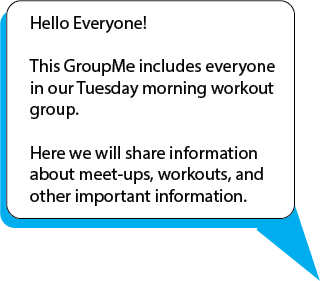
While group text messages are great for getting members involved in the conversation, they can quickly become a zoo. Before creating your group text, identify a goal or focus. Focuses can be broader (i.e. Lifting) or specific (i.e. Tuesday morning workout group). 

Whatever the focus is, it’s important to identify that focus in your initial creation text. As a facilitator, this will help you to stay organized and relay necessary information. This also helps to keep off-topic conversations from clogging up GroupMe–an issue that may annoy other members and make it more difficult for them to get the information they need. 

 Group Text

Name your group

Another important aspect of staying organized is naming your group chat. If you are managing numerous group conversations this. Is. Crucial. Naming your Groupchat can keep you from incorrectly sharing information and confusing members. 

If it is appropriate and fitting, you can even allow the members to choose a fun name for the group. The name should be short, specific to the focus of the group, and appropriate. 

Some fun group names you could choose are: 

  • All We Do Is Lift
  • Going with the (vinyasa) Flow
  • WOFH: Workouts From Home

Establish guidelines

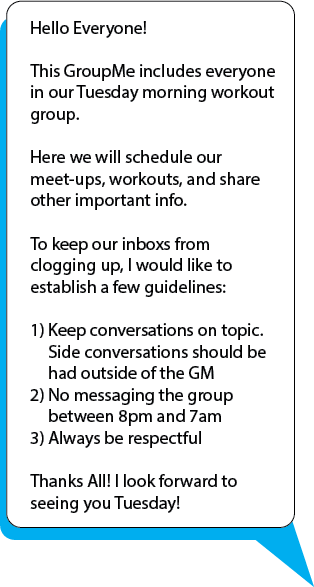
Establishing guidelines within your text thread is important for ensuring that everyone remains respectful. By establishing guidelines, you also create an understanding of what the group chat is for and an expectation for how it should be used. 

Guidelines can address things like: 

  • The focus and goal of the group
  • Appropriate language and posting
  • The hours between which it is appropriate to send messages
  • Ground rules for keeping the group focused
  • Adding individuals
Group Chat

Each group text’s guidelines will be different to fit the needs of each unique group. As a facilitator, you may want to establish some basic and general guidelines that can be applied to all groups. This will help you maintain your professional brand identity and ensure that members who may be in multiple groups have consistent etiquette standards. 

Text Notifications

Use notifications strategically

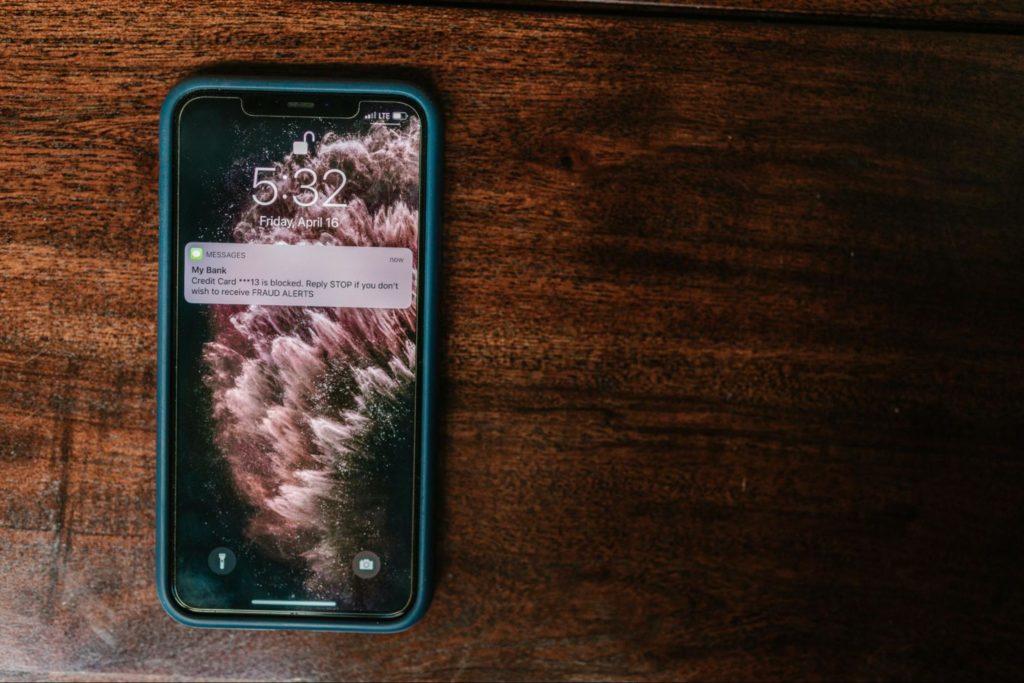
Notifications can be a great way to bring your content to the forefront of someone’s attention. Whether they are informative or entertaining, these notifications build trust between you and those who you are messaging. 

It’s important to remember that text notifications will pop up every time you or someone else sends a message. 

Think of it like a bank. You have a finite number of messages you can send each week without causing members to leave. Each text you send is a “spent” notification.

This means that you should be using your texts strategically as notifications. Be aware of the time, place, and content that you are sending to ensure that it’s worth the notification. 

Text Message

When it comes to texting, be sure you’re not spamming your colleagues or customers with information. A single, short, and sweet text is going to be most effective. The last thing you want is for your group members to put you on mute. 

Keep messages concise

One of the key factors that make texts such a potent marketing strategy is its ability to present information in simple, easy-to-access packets. Group message texting should be no different. 

Less is more when it comes to communicating with groups over text. You want to use the least number of words possible without compromising important information. Also, you want to include short sentences. This helps you communicate with clarity and avoid confusion caused by run-on sentences. 

A good rule of thumb to follow is three to six lines per paragraph. Additionally, breaking up paragraphs, using numbered lists, bullet points, or even subheadings is critical for improving readability. 

Furthermore, cut down on unnecessary filler words such as too and very. While there is nothing wrong with using these words occasionally, they can easily become space fillers rather than emphasizers. 

Use emojis and GIFs sparingly 

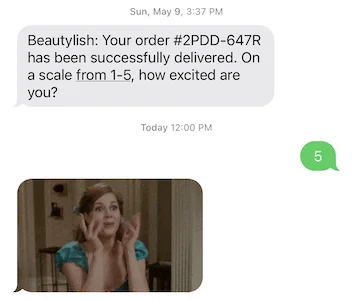
Emojis and GIFs are a trendy way to bring some fun into your group message. They can also help you communicate tone, mood, or emotion more clearly. 

A recent study showed that 71% of mobile users add emojis and Gifs to messages. 77% of adults say that those visual expresssions (i.e. GIFs and Emojis) improve their ability to communicate. 

Gifs to messages

From a marketing standpoint, sending messages with emojis and GIFs boost click-through rates but upwards of 200%. Now, before you go adding GIFs and emojis to every message, consumers are often wary of messages with too many GIFs and emojis. 

While Gifs and emojis are great tools to build effective communication, overuse can cause your texts to look unprofessional or spammy. On top of this, there is a tendency for marketers to lean heavily on emojis or GIFs to convey a message rather than writing it out clearly. This can then cause your message to appear ambiguous or even offensive. 

 Gifs and emojis

When selecting the right emoji or GIF, consider your audience, goals, and your personal brand voice. You want to make sure that whatever GIF or emoji you include adds to your message without compromising clarity. 

Furthermore, be sure that whatever type of media is attached to your text is compatible and displayable on different devices.

Group Messages

Avoid sending sensitive information

Group Messages are for sharing information that pertains to the whole group. If you have something to share with only a single or few individuals, have that conversation on a different text thread. This is especially important for sharing sensitive or personal information. 

You should never send private information through a group chat. In some cases, this could leave you in violation of the law. Beyond the legal repercussions of sharing sensitive information, you also run the risk of alienating or losing a client.

If you need to share sensitive information that may impact the group, contact the individual privately to discuss: a) if it is okay that you disclose the information to the group, b) how you should go about disclosing the information, c) how the individual would like to handle any potential follow-up after the information has been shared. 

Double-check who you are messaging

If you are managing multiple group chats, it can quickly become confusing. In order to determine that you are messaging the correct people it is essential to double-check who you are messaging each time you start or sent a message in a group chat. 

Double-checking your messages before sending them also helps prevent adding anyone who may not have opted in or be an appropriate fit for the group message you’re organizing. 

This also helps ensure that your messages aren’t bouncing and that they are actually reaching those who they are intended for. 

You wouldn’t want a customer or colleague to feel left out in the same way you wouldn’t want to miss out on their business by mistakenly adding a stranger to your text thread. 

Don’t create a new thread if you don’t have to

When it comes to staying organized and on top of your group text message plan, it’s important to stay simple. When creating a new group message, make sure that you’re not recreating a thread that already exists. This can not only be confusing for you, but also for your members or colleagues. 

With that being said, there are some instances where it may be necessary to create a new thread. If, for instance, you switch group messaging software, there is a substantial change in members who should be included in the thread or other unique circumstances of your discretion. 

The key here is to help streamline the ways members, clients, or colleagues are able to find or obtain important information regarding your services. 

Be respectful

Perhaps one of the most important rules of group texting is to be respectful. One way to do this is to ensure you have received permission for addition to the message from all members. Asking for opt-ins allows members to be as involved as they would like and lowers the chances of them feeling resentment or ill feelings towards your business. 

Additionally, it’s important to limit the number of text messages you send and be discerning about how and what materials you are sending over the group message. Constant buzzing from a group chat can quickly become annoying and may result in lower participation from group members. 

Finally, it’s important to be aware of what time you are sending out texts. Text messages can often give the illusion of being unintrusive, but sending messages late at night or in the early morning can be disruptive and annoying. Send most of your texts during business hours. This also helps to keep the feeling of the group message business oriented and avoid mindless chatter. 

Text messages

Final thoughts…

Text marketing is a powerful way to build connections and trust between businesses and their clientele or staff–group messages are an extension of that. Of course, group messaging will not be the ideal strategy for every scenario and you will need to use your expertise to determine when it will be necessary and effective. 

For fitness businesses, using a group text can be an effective way to build a strong gym community. Having a strong community means higher retention and greater growth. As a gym or fitness club owner, you cannot afford to be missing out on group texts. 

Because gyms and fitness clubs rely heavily on memberships, group messages can be the perfect way to engage and build a community to create a more loyal membership base. 

With group messaging, you are able to increase your customer buy-in and social value. This will help you strengthen your customer base, build a more positive foundation, and draw in more like-minded customers to help your business grow. 

Interested in learning more? Gleantap can help you implement group text message marketing strategies to help turbocharge your business’s growth. Find out how by contacting Gleantap today and scheduling your demo. (P.S. It’s free!)

When used strategically, group text messaging can become far more than just a communication tool—it can help businesses build communities, strengthen customer relationships, and improve engagement in a direct and personal way. By keeping messages clear, respectful, and purposeful, brands can create conversations that customers actually want to be part of. Whether you’re managing fitness communities, coordinating teams, or nurturing customer loyalty, following best practices for group texting ensures your messages remain effective rather than overwhelming. With the right balance of organization, personalization, and value, group texting can become a powerful extension of your overall marketing and customer engagement strategy.

Start Free Trial

FAQs

What kind of guidelines should I establish for my group text?

Guidelines will be group text specific. However, things like staying on topic, only sending texts during business hours, and avoiding foul language can be effective. 

Is it okay to use emojis and GIFs in a group text?

It is okay to use emojis and GIFs in group texts as long as you are using them appropriately and sparingly.

Get the full story here:

 

The 5 Best Automated Text Message Marketing Software for Small Business

Text message marketing has quickly become one of the most effective ways for small businesses to connect with customers, drive engagement, and increase sales in real time. With open rates significantly higher than email and consumers increasingly preferring direct communication from brands, SMS marketing offers businesses a fast, personal, and highly impactful channel for customer outreach. The good news is that you no longer need a massive marketing team or enterprise-level resources to launch successful SMS campaigns. Today’s automated text message marketing platforms make it easier than ever for small businesses to send personalized messages, automate follow-ups, manage customer relationships, and scale communication efficiently. In this guide, we’ll explore five of the best automated text message marketing software solutions that can help small businesses grow faster and build stronger customer connections. Think of some of your favorite big-name brands. Chances are, they send you text messages. You may be thinking that you need an elaborate team to start sending your own marketing texts—but you don’t. Nowadays, a wide variety of texting apps let you send messages to your customers. However, there’s a catch. Not all text apps are created equal. There are many business SMS platforms, and not all are for small businesses. To help you wade through the choices, we’ve supplied a list of text message marketing software for small business owners.

Is Text Message Marketing Worth It For Small Businesses?

The short answer is…yes. People want to get automated SMS messages from businesses—including small, emerging ones like yours. A 2022 survey revealed that 75% of consumers are eager to receive brand text messaging services. And 30% indicated that they made a purchase in response to text marketing. Leveraging SMS messaging can give you an advantage over companies that aren’t using text marketing software. About 61% of marketers don’t use SMS. So, if you adopt this tactic now, you’ll have a competitive edge over many other businesses. SMS marketing platforms for small businesses also makes it easier to grow and retain your customer base. When you use text to communicate with your audience, you bond with them. What’s more, personalized texts help you build trust with your customers. As your trustworthiness grows, so does your customer satisfaction and retention. So, if you’re not using SMS marketing, you’re missing out on fostering a loyal customer base.

start a free trial

What are the Most Important Features of a Text Message Marketing App

You know the importance of adopting SMS for marketing. But the platform you choose to send those messages is just as critical. You want to opt for an app that allows you to adjust your scale and gain subscribers. In addition, the right automated text message system for businesses will provide assistance to guide you through campaigns.  Below are four essential features you should look for:

Contact Management

The contact management feature allows you to send bulk and individual SMS messages, segment your audience, and send personalized texts. A contact management tool also lets you see your most valuable segments. And once you’ve identified your most valuable customers, you can engage them with special offers. Or you can adapt your messaging to liven up underperforming segments.

Automation

An excellent automated appointment reminders software will allow you to create and send automated messages. These SMS messages are triggered when a subscriber takes action. So, for example, when someone signs up for your list, with SMS automation in place, they’ll receive a welcome text.

Integrations

You probably use other services and tools if you’re a small business owner. Your automated text messaging software should make it easy to sync the tools you’re already using. Integrating your preferred customer relationship management software lets you track different interactions with customers. It also gives you a clearer picture of what’s working in your overall marketing strategy.

Support

Business SMS marketing can present quite the learning curve for some people. And there’s nothing more frustrating than paying for complicated software to navigate. Therefore, choose a service that provides customer support and assistance. Agents and consultants help save you time, resources, and energy.

5 Best Automated Text Message Marketing Software for Small Business Owners

Now that you know what to look for in an SMS marketing service let’s get into some of the best. Below are platforms that boast the features we discussed (and more).  Text Message Marketing

1. Gleantap

Not to toot our own horn, but this list wouldn’t be complete without Gleantap. Gleantap allows business owners to connect with customers via multiple channels—including SMS. But what sets Gleantap apart from the others is that it’s designed to reduce churn rate and boost repeat customers. In addition, our business SMS marketing platform delivers everything you need to carry out a successful campaign. A few other key features include:
  • Automated text campaigns
  • Media and image messaging
  • Contact management
  • Multiple Inbound Keywords
  • Personalization
  • Link tracking
  • A/B Testing
  • Auto replies
  • Comprehensive analytics
  • Churn management
Gleantap’s onboarding is simple and you have access to a customer success team to help you get fully setup. We schedule onboarding kick-off calls to help you jump-start your first campaign. You’ll also receive monthly check-ins that ensure you take advantage of everything Gleantap offers. Beyond that, you also have access to 24/7 support. Once you sign up for an account, you can add contacts by enabling our one of many integrations or uploading CSV files. Our integrations make it possible for you to stay in constant sync with your customer database. You’ll also find that the dashboard is streamlined and easy to use. Everything about your SMS campaign, audience, and notifications is located on the main page.  Gleantap was designed for fitness and wellness brands, but eCommerce, spas, and salons also benefit from the platform. Our analytics help you engage users and prevent them from bouncing to a competitor. For instance, you can identify subscribers who don’t engage with your texts. From there, you can target them with personalized content. We recommend Gleantap for…
  • Small businesses who are looking for a solution to high churn rates.
  • Brands who want to use business text messaging services to re-engage their audience.

2. EZ Texting

Want to incorporate photos and media-filled messages? Consider EZ Texting. The platform boasts an array of tools that help small business owners create unique SMS marketing campaigns.  Some of the key features include:
  • Contact management
  • Groups and segmentation
  • Design templates
  • Media library (courtesy of Shutterstock)
  • Automation
  • API Access
  • Link shortening and tracking
  • Toll-free number
  • Mass texting
What makes EZ Texting different from the other platforms on this list is its Shutterstock integration. This text software for business lets you search for and insert high-quality stock images into your messages. It also includes a web sign-up form and link shortener, making capturing leads easier. And as the name implies, EZ Texting is easy to use. The functions are simple to navigate, and the user interface is straightforward. First, you’ll be directed to a video explaining the features when you open the platform. And then, you’ll be guided through how to use each tool. After the short introduction, you’ll be taken to the dashboard, which displays all your SMS marketing essentials. You’ll also be able to access integrations with Constant Contact, MailChimp, Squarespace, Shutterstock, and Zapier. The platform only has six native integrations, but you have the option to build custom integrations through API. We recommend EZ Texting for…
  • Small businesses who’ve graduated from basic features and something a little more advanced.
  • Those who want a tool that’s straightforward to set up.

3. SimpleTexting

SimpleTexting lives up to its name. This platform makes it easy for small businesses to run campaigns and send individual or large-scale messages. What stands out about SimpleTexting is its array of customization tools. For example, you can craft custom keywords—which isn’t a standard on many other platforms.  Other highlight features include:
  • Toll-free texting
  • Landline texting
  • Shortcodes
  • Autorepsonders
  • Automation
  • Link shortening and tracking
  • Custom fields
  • Advanced data collection and segmentation
  • Self-cleaning lists
  • Media and image messaging
As with the other platforms we’ve discussed, SimpleTexting is beginner-friendly. It typically takes you no more than 10 minutes to add keywords, your contacts list, and auto-replies. If you’re integrating other apps, the setup will take a little longer. You’ll find that the dashboard is easy to maneuver. Everything you need to create your first campaign is visible on the homepage. But if you get stuck, the platform provides 10 instructional videos in the help center. And if you sign up for the 7,500 credit plan, you get an account success manager. As we briefly mentioned earlier, you get advanced customization tools. For instance, custom keywords let you appoint your own sign-up words. You also get to group subscribers based on the keywords you create. In addition, SimpleTexting allows you to connect each word to apps and track engagement. We recommend SimpleTexting for…
  • Small businesses who need consultants to help guide their SMS marketing efforts.
  • Business owners who want to incorporate embedded SMS subscription forms on their websites.

4. TextMagic

TextMagic provides all the basic features you need to get started with SMS marketing tool. But if you already have a strategy, the platform lets you take it to the next level. For instance, TextMagic helps you establish two-way communication with subscribers. You also send automated SMS messages through email. Some other highlights include: 
  • A dedicated phone number
  • Media and image messaging
  • SMS opt-out management
  • SMS surveys and polls
  • API Access
  • Sub-accounts for team members
  • Global coverage
  • Detailed reporting and analytics
After you sign up for an account on TextMagic, you’ll find that the experience is simple and intuitive. Everything you need is located on the SimpleTexting homepage. You’ll also receive timely notifications to help you and your team stay on top of tasks and SMS messages. Once you acclimate to the platform, you can begin synching apps. A few SMS integrations include MailChimp, Salesforce, Zapier, HubSpot, Instagram, Shopify, and WordPress. Like other tools on this list, SimpleTexting allows you to create your own integration through API. What’s unique about TextMagic is that you and your team communicate with subscribers through multiple channels. In addition to email, you and your team can send and receive SMS messages via iOS and Android devices. TextMagic also provides a flexible non-commitment pricing model. Instead of a preset monthly plan, you pay as you go. This is ideal for small businesses that are growing their subscriber list. We recommend TextMagic for…
  • Small businesses who want a budget-friendly service that provides straightforward SMS services.
  • Businesses that want to send text messages to customers abroad.

5. Textedly

Textedly is another user-friendly automated text message marketing software for small business owners. It includes everything you need to get started with SMS marketing platforms —including MMS messaging, a toll-free number, and other features.  Key features include:
  • Webforms
  • Mass group texting
  • Text keywords
  • Autoresponders
  • Text automation
  • Two Way SMS
  • 300+ character text limit
  • Unlimited subscribers
  • Comprehensive analytics
  • Email capture
  • Photo messaging
The great thing is that you don’t have to jump through hoops to begin using Textedly. Getting started is simple. After you sign up, your account is ready to use. You’ll already have a generated toll-free number. From there, you can add new subscribers manually or by uploading a CSV file. And what about when you add more customers to your list? As your business grows, the number of text messages you need to send will change. With Textedly, you can quickly shift between their 12 reasonably priced plans. The platform’s scalability is a draw for small businesses. Scaling also won’t break the bank. And as you scale, Textedly will always afford you an unlimited number of subscribers. So the sky’s the limit—literally. And it’s easy to upload new subscribers with a click of a button.  The platform is also easy to use. You’ll see your plan, the remaining monthly messages, and the total available keywords on the dashboard. The dashboard also displays the number of subscribers, total messages delivered, unsubscribe rates, and click-throughs.  You’ll find the integration option in the navigation panel if you have other tools you want to sync. Some integrations for Textedly include Zapier, Slack, HubSpot, Mailchimp, and Salesforce. We recommend Textedly for…
  • We recommend Textedly for small businesses who want software that scales with them.
  • Businesses that need an affordable platform with high text message allowances.
  • Businesses who wish to have a toll-free number with voice calling capabilities.

Discover the Text Message Platform for You

You have many choices when choosing the text message app for you. The platform you land on depends on your business type, marketing goals, and your comfortability with SMS. Each tool we’ve gone over today offers you what you need to execute a successful automated text message marketing software campaign. But the only way to know the right platform is to try it out. So schedule a free Gleantap demo today. Our team is waiting to hear from you! Choosing the right automated text message marketing software can make a significant difference in how effectively your business engages, converts, and retains customers. From automation and personalization to analytics and CRM integrations, the best SMS marketing platforms empower small businesses to create meaningful customer experiences without adding operational complexity. Whether you’re looking to reduce churn, improve customer communication, increase sales, or scale your outreach efforts, investing in the right SMS solution can provide a major competitive advantage. As consumer preferences continue shifting toward instant and personalized communication, businesses that embrace SMS marketing today will be better positioned to build stronger relationships and drive long-term growth in the future. Schedule a Demo Get the full story here:
TEXT MESSAGE MARKETING
Put SMS marketing on autopilot

Two-way texting, automated campaigns, and AI-drafted replies — Gleantap’s text marketing is built for businesses that run on repeat visits.

Related guide: automated text messaging for business — how it works, costs & compliance (2026)

Explore Text Message Marketing →

SMS vs MMS Marketing: The Best Strategy

In the world of text message marketing, there is now a growing debate on whether to use SMS vs. MMS for marketing purposes. Although both present unique advantages and can work well together, many still want to know which one is better: SMS or MMS? Here at Gleantap, we have experience working with both standard short messaging services and multimedia messaging services. What we have discovered is that the question of SMS vs. MMS marketing is irrelevant. Instead, marketers should be using both services to get the most out of their business text messaging campaigns. In this article, we are going to look at a few different situations that mobile marketers may encounter that require either an SMS message or MMS. We will then walk you through which service you should use for each situation so that you are better prepared to run your next campaign.  But before we get into the situations to make the choice, let us see what should influence the decision to choose either of the two. When choosing between MMS and SMS marketing, you should consider the following things:
  • Your budget: It should be given a serious thought as SMS marketing is usually cheaper. So if you are a bit tight on the budget, SMS could be the best option.
  • Are your messages information based or promotional: Promotional messages work with SMS or MMS, while informational messages are best suited to SMS. Does your marketing campaign involve selling visually appealing products or does the simple text can help deliver your message to the customers.
  • The length of the messages: Depending on your campaign communication, you should choose between the two. Know that the length of the message that you are sending is more restricted when it comes to SMS messaging.
Now let’s look at the best situations in regards to each of SMS and MMS marketing:

SMS vs. MMS Marketing: 3 Best Situation To Use MMS Over SMS

When you have a lot to say

The first scenario that we will look at is when you want to reach your customers with a tailored, branded message quickly, but you have a lot to say. This could be for many different reasons, including explaining a process or giving a run-down of a recent product alteration. While SMS marketing only allows for 160 characters, MMS can go up to 500 including images and videos. Although we recommend keeping text blasts short, sometimes 160 characters aren’t enough to say everything you want to. In this situation, the winner of SMS vs. MMS is MMS marketing.

When you want to grab your audience’s attention

Sometimes marketers are unable to get the attention of their audience in the way that they hope with email marketing or other traditional means. In this case, they often turn to mass text marketing, which boasts a 98% open rate, almost guaranteeing customers will see what they are saying. In these scenarios, we must again measure SMS vs. MMS. Although SMS can get to the point of the message faster than MMS, MMS can grab the attention of the user with either an image or video. This extra bit of flash might be exactly what your customers are looking for. Read also: 4 secrets to running a successful SMS advertising campaign.  For this match-up of SMS vs. MMS, both options will work, but MMS marketing is the best for capturing the attention of your audience. MMS also allows you to write a subject line for your message, so make sure that you craft an enticing subject to increase that click-through rate!

When highlighting a product or service

There is another situation that mobile marketers find themselves coming across when running text messaging campaigns is that of trying to highlight a product or service. This can be incredibly effective in getting your audience excited about a recent addition to your offerings or simply letting them know about a service you provide they may not already know about. This sort of message is all about engaging the customer and really wow-ing them with your product. Although you can go either way here, MMS messages provide the ability to entice your audience visually. Not that you can’t create visually appealing SMS messages, but you can take things to the next level by attaching an image or video displaying the product or service. In this battle between SMS vs. MMS, we recommend MMS marketing for its versatility.

start free trial

4 Best Situation To Use SMS Over MMS

When you want a customer to take action

Part of the reason why SMS and MMS have become so popular in recent years is the immediacy of the platforms. Since most consumers today keep their phones within an arm’s reach at almost all times, mobile marketing professionals can deliver messages to their audience faster than ever. Sometimes this immediacy means that you can send a message to customers just before you want them to complete an action. Although a good SMS marketing best practice is to always include a call-to-action, we are specifically talking about a call-to-action with a short time scale. Start an SMS campaign today!

In this scenario, the winner of SMS vs. MMS is SMS marketing. Keep your message short, build value, and get to the point. Your customers expect SMS to be efficient, so make sure that it is.

Using SMS Over MMS

When you are running support

Another customer retention strategy that we recommend when running an SMS or MMS marketing campaign is to run support through texting. The speed and efficiency of texting for this purpose helps to keep your customers engaged and show that you care about any issues they are facing. Since the key aspect of running support through text messages is the quickness of response and the ability to get to the heart of the issue, SMS marketing is a better choice here. When most support can be done through simple text-only messages, adding images and videos would only aid in distracting the customer, not helping them. 

When you are collecting feedback

Along with support, collecting customer feedback is another recent marketing revelation in the world of mass text messaging. Analyzing user engagement metrics has become increasingly more valuable for brands, so finding efficient means of collecting data is vital. And yet, the question again arises: do you use SMS or MMS for this task? While some brands have seen success with using SMS shortcodes, they don’t work as well for an in-depth feedback survey. On the other hand, sending an MMS with a long survey attached doesn’t fit well with the speed and efficiency of the platform. This can make it difficult to decide between SMS vs. MMS for this situation.

We recommend using SMS marketing for short surveys and MMS for an in-depth follow-up should your audience be receptive to the first messages. So, in short, use SMS first and if it works, then move on to MMS.

When you are sending reminders

The final case we will look at when deciding when to use SMS vs. MMS marketing is a common text messaging technique: sending reminders. These automated messages can be life-savers for customers prone to forget their scheduled activities. Although these are primarily done with SMS, there are times when MMS is applicable. For instance, if you need customers to fill out a form before they show up to their appointment, you could send it to them directly with a reminder. Not only does this cut down on time spent at the time of the meeting, but customers will know what information they need available. However, as a general rule when sending reminders, SMS marketing is the better choice. It’s short, to the point, and most reminders should not be longer than 160 characters anyway. SMS and email marketing

Conclusion: SMS vs. MMS Marketing

We hope that this exploration of SMS vs. MMS has been insightful for you and that it has better prepared you for your next SMS or MMS campaign. Like any mobile marketing tool, the trick is not only knowing how to use it but when to do so as well. From SMS and MMS, deciding which option is right for you is a function of your marketing goals. You may want a more visually appealing campaign. If that’s the case, then MMS marketing is going to be the right choice. This is also particularly beneficial if you are promoting a product that has a visual appeal. In contrast, your marketing campaign requires you to provide users with clear, concise information. If that’s the case, then SMS marketing is the way ahead. This is great if your campaign doesn’t require images, video or gifs to get your message across. Always remember, the goal of any marketing campaign is to improve on the ROIs and the same applies for SMS and MMS marketing as well. And that’s the underlying principle of Gleantap, wanna try it?

sign up nowhttps://gleantap.com/schedule-a-demo/

Related guide: automated text messaging for business — how it works, costs & compliance (2026)

Get the full story here: