How to Improve Conversions: Strategies, Tools & Real Examples

If your website traffic isn’t turning into paying customers, you need a playbook that fixes both the front-end experience and the back-end handoff. This guide shows how to improve conversions, sales pipelines, and Conversion Rate with practical, testable tactics, the right tools, and measurement you can implement in weeks. You will get step-by-step checklists, experiment templates, and two real playbooks you can replicate for a gym-style business and a high-impact landing page test.

1. Map the conversion funnel and choose the right KPIs

If you cannot draw your funnel in one page you do not have a conversion problem you can fix. Map every handoff and micro conversion that moves a prospect toward paid: first touch, landing page visit, lead capture, qualification, trial or demo, paid conversion, and renewal.

Sketch stages and the data you need

Concrete map: draw stages as rows and add columns for metric, event name, owner, and SLA.** This forces decisions: who owns a lead at each stage, what event marks the stage, and what response time is acceptable.

  • Typical funnel stages: awareness > landing page visit > lead capture > lead qualified > booked trial/demo > trial attended > paid conversion
  • Columns to include: event name, tracking method (client or server), CRM field, responsible team, SLA in minutes/hours
  • Segment dimensions: source/campaign, landing page, device, audience, first touch date

Pick KPIs that connect to revenue

Primary metrics should be funnel conversion rates and pipeline velocity, not just clicks. Track conversion rate at each stage, time-to-conversion, lead-to-opportunity rate, opportunity-to-close rate, and revenue per visitor or lead. Micro metrics like CTR or bounce rate are diagnostic, not goals.

Tradeoff to accept: optimizing a high-volume stage with low revenue impact wastes time. Focus first on stages with both traffic and meaningful revenue impact – a 10 percent lift on a primary landing page is better than 50 percent on a rarely visited thank you page.

GA4 implementation checklist

  • Events to capture: ___CODE0, CODE1, CODE2, CODE3, CODE_4___, and custom pipeline stage events that mirror CRM stages
  • Naming: use consistent, lowercase event names and one taxonomy for pipeline stages across GA4 and CRM
  • Funnel reporting: build both exploratory funnels in GA4 and weekly funnel cohorts; see GA4 funnel docs for event setup

Concrete example: A midmarket gym tracks an ad click to landing page, ___CODE0 for class signups, CODE1 when a calendar event is created, and CODE_2___ in the CRM. After instrumenting these events they discovered the largest dropoff was between trialbooked and trialattended; shifting to an automated SMS reminder plus a one tap reschedule link moved trial-attended conversion up 18 percent.

Key takeaway: Start with one north star KPI – revenue per visitor or paid conversion rate – plus 3 stage conversion rates. Instrument those first, then expand segmentation and secondary metrics.

Next consideration: once the funnel is mapped and KPIs defined, prioritize tests and automations against the stages that leak the most value – use lift times traffic to rank opportunities and avoid chasing vanity metrics.

2. Quick wins to improve on-page conversion rate

Immediate priority: remove friction where visitors make a decision. Small, focused changes to the page that cut cognitive load or make the next step obvious will move the needle faster than a redesign.

High-impact page changes to prioritize this week

  • Headline clarity: replace clever or vague headlines with one sentence that states the offer and benefit. Visitors decide in seconds; headline mismatch kills intent.
  • Single primary CTA: make one action visually dominant and use explicit language (Book Free Class, Start Trial, Reserve Spot). Avoid multiple CTAs above the fold.
  • Shorten forms: cut fields to essential data only. If you need qualification data, collect it after the initial conversion using a progressive capture flow.
  • Remove distractions: hide non-essential navigation, auto-play media, and competing links on landing pages and checkout screens.
  • Speed and mobile: prioritize page weight and touch targets. A fast, responsive page converts more on mobile—optimize images and defer third-party scripts.

Practical trade-off: fewer form fields usually increases conversion but reduces lead information and can raise cost per qualified lead. If you shorten forms, pair the change with a scoring or nurture sequence so sales still gets high-quality leads.

Simple A/B test template you can run in one sprint

VariationChangePrimary metricMinimum duration guidance
ControlExisting pageLanding page Conversion RateRun until sample size reached (typically 2–4 weeks)
Treatment AClear benefit headline + single CTALanding page Conversion RateSame duration as control
Treatment BShort form (remove 3 fields) + trust badgeLead Submit Rate; Lead Quality (qualified leads / total leads)Same duration; track downstream pipeline metrics

Note on measurement: don’t stop at the micro-conversion. Tie the test back to pipeline metrics like lead-to-opportunity rate and time-to-contact so you avoid optimizing for low-quality volume.

Concrete example: a local gym swapped a generic Join Now headline for Book a Free Class and reduced the sign-up form from six fields to three. The test showed the new page increased qualified trials and shortened time-to-show for first sessions.

Quick win checklist: headline, single CTA, shortest possible form, trust signals above the fold, and page speed under 3 seconds.

Benchmark context: average landing page conversion rates commonly sit around 2–5% but focused on-page improvements often produce double-digit relative lifts for the tested cohort. See the CXL guide to CRO and HubSpot landing page benchmarks for reference.

3. Optimize the sales pipeline: lead routing, cadence, and SLA

Direct action beats theoretical funnel maps. If leads sit in unassigned queues or wait hours for contact, conversion rate and pipeline velocity collapse. Focus first on routing rules, enforceable SLAs, and a simple multi-channel cadence you can A/B test.

Routing matrix: keep it simple and testable

  • Primary rule by lead signal: route based on ___CODE0 then CODE1___ – e.g., paid search leads with score >= 60 go to senior reps; organic inbound leads go to inside sales queue.
  • Geo and capacity controls: send local leads to local reps, but include overflow rules if rep capacity is exceeded to avoid dead leads.
  • Skill matching for high intent: route demo or enterprise queries to reps with relevant experience, but do not build dozens of micro-routes that increase maintenance cost.
  • Implementation tip: codify rules in the CRM (HubSpot or Salesforce) and mirror them in automation tools; use Zapier or native connectors to push to Gleantap when routing changes.

Tradeoff to accept: finer routing raises conversion marginally but increases technical debt. Start with three to five rules that cover 80 percent of leads, measure lift, then expand.

SLA and measurement you can enforce

Define a strict SLA: target time-to-first-contact under 5 minutes for high-intent inbound leads and under 1 hour for warm marketing-qualified leads. Track SLA breaches as a revenue risk metric, not just an operational KPI.

Measure the right things: instrument time_to_first_contact, contact rate within SLA, show-rate to demo or trial, and lead-to-paid conversion. Use GA4 for funnel attribution and complement it with CRM cohorts to measure pipeline velocity and revenue impact.

Practical cadence: a testable 7-day sequence

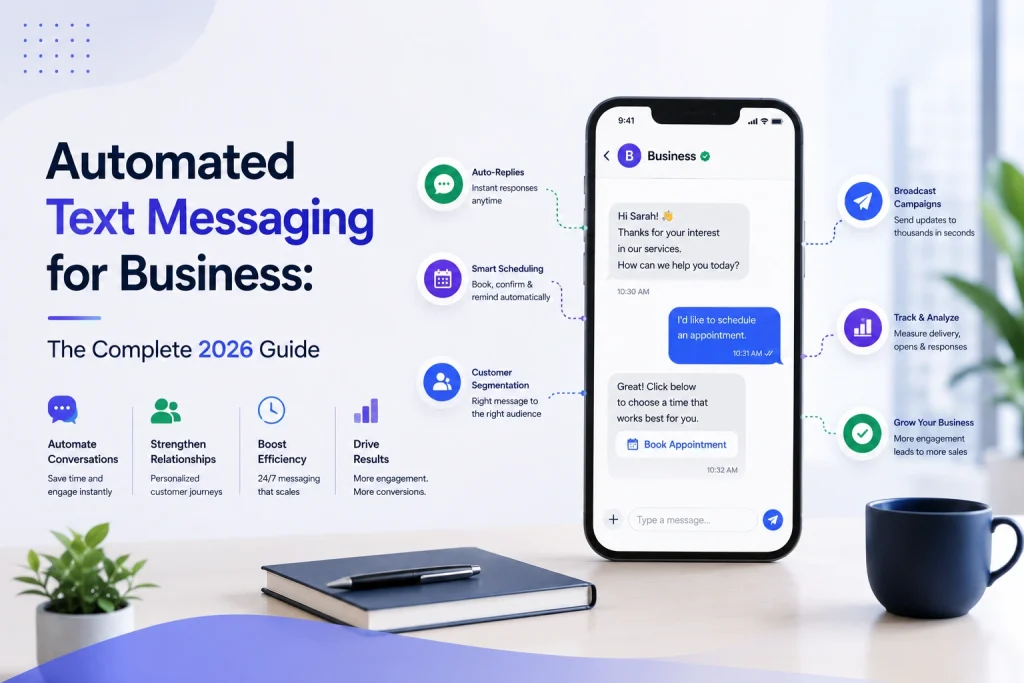
  1. T0 (immediate): send an SMS with simple next step – Sample: Hi Jane, thanks for signing up. Reply YES to book your free trial or tap this link to choose a slot: [booking link].
  2. T+15 minutes: send a confirmation email with details and a calendar link – Subject: Your trial slot – quick next steps.
  3. T+24 hours: call attempt 1 and leave a short voicemail if no answer.
  4. T+48 hours: SMS reminder with social proof – Sample: Only a few trial spots left this week. See class schedule and reserve: [link].
  5. T+5 days: targeted email with FAQ and testimonial video.
  6. T+7 days: final SMS with urgency offer – Sample: Last call to upgrade with 20 percent off for new members. Ends tomorrow.

Limitation: aggressive cadences lift short-term response but increase opt-outs and rep workload. Run the sequence as an experiment against a control and monitor opt-out and complaint rates alongside conversion metrics.

Concrete Example: A mid-size gym routed paid-search trial signups to a senior sales rep queue and used Gleantap to trigger an immediate welcome SMS and create a task for a same-day call. The workflow sent Day 1 and Day 3 nurture SMS, created a Day 5 upgrade task, and logged events to the CRM so GA4 could attribute conversions to the workflow. The implementation required cleaning phone number formats and adding a single routing rule to avoid split assignments.

Key metric to watch: track percentage of leads contacted within SLA plus conversion after contact. Aim to improve contact-within-SLA by 20 percent before adding routing complexity.

Judgment: invest first in enforceable rules and measurement, not in perfect personalization. Clear routing and fast contact will yield reliably higher Conversion Rate and pipeline velocity; personalized flows are worth building only after SLAs and baseline cadences prove effective. 

Next step: instrument time-to-first-contact and run a controlled A/B test that compares immediate SMS plus task routing versus email-only follow-up to measure real lift in Conversion Rate and pipeline velocity.

4. Use messaging channels strategically: email, SMS, and retargeting

Channel choice should match intent and timing. Use SMS for time-sensitive nudges and confirmations, email for multi-step education and longer sequences, and retargeting ads to re-catch people who dropped off before conversion.

Channel orchestration patterns that actually move the needle

Orchestration pattern matters more than single-channel optimization. Sequence channels to match the customer moment: immediate – SMS, short-term reengage – retargeting, longer-term nurture – email. When channels overlap without coordination you create message fatigue and wasted spend.

  • Immediate conversion push: Send an SMS within 10 minutes of a high-intent action (booking flow start or lead form submission) with a one-click CTA. Follow with a single confirmation email for record keeping.
  • Abandon recovery stack: Email one hour after drop, SMS four hours after drop if no response, and retargeting ads beginning 24 hours after with a different creative (social proof vs discount).
  • Nurture + retargeting: Use email for education and sequenced value content; use retargeting to reinforce social proof and urgency when readers open but do not act.

Practical limitation to plan for. SMS gives fast lift but scales poorly if your contact data is low quality or consent is incomplete. Retargeting needs sufficient audience size to be cost-effective – small lists will drive high CPMs and poor frequency control.

Measurement and experiment approach. Do not rely solely on last-touch. Use a 3-week holdout test: expose a cohort to your multi-channel stack and compare pipeline conversion and time-to-purchase against a control cohort that gets email only. Tie results to GA4 funnel events and revenue recorded in the CRM.

Concrete Example: A local gym captures a trial signup but the user drops off at booking. The gym sends an SMS within 8 minutes: Book your free class now – one tap to confirm. If no response, an email with class schedule and instructor social proof goes out the same day. Retargeting ads showing class photos run for three days to users who visited the booking page but did not convert. This sequence improved trial show rate in practice because SMS closed the immediacy gap and ads reinforced trust later.

Important: Always implement suppression lists and frequency caps across channels to avoid messaging the same person with conflicting creatives or excessive cadence.

Use utm tagging on every email and ad link, track events in GA4, and run a holdout lift test to measure true impact across channels. See Google Analytics 4 and Twilio SMS best practices for setup and compliance.

Judgment call most teams miss. Marketers chase open rates for email and immediacy for SMS without coordinating creatives or measuring cross-channel assists. The better play is a small, instrumented stack – send fewer, clearer messages across channels and measure lift with a holdout cohort.

Next consideration: Build the simplest cross-channel experiment you can run in two weeks – a treated cohort that gets SMS + email + retargeting versus email only – and measure conversion rate lift and pipeline velocity before expanding.

5. Experimentation and data-driven testing program

A disciplined experimentation program is how you stop guessing and start making consistent, measurable gains in Conversion Rate across your funnels. Small one-off tweaks can help, but a repeatable process that connects tests to pipeline revenue changes decision-making from opinion to evidence.

A compact experimentation workflow you can run every sprint

Set a test backlog and prioritize. Capture hypotheses in a shared spreadsheet: page, hypothesis, primary metric, expected impact, required effort, owner. Use ICE or PIE to rank tests so you work on high-impact, low-effort items first.

  1. Design: write a clear hypothesis (if X change, then Y metric will move by Z) and pick one primary metric tied to revenue or pipeline (e.g., lead-to-opportunity rate).
  2. Implement: use client-side A/B tools or, for reliable attribution and fewer instrumentation errors, server-side flags. Integrate with GA4 and your CRM so experiment cohorts map to revenue events.
  3. Run & monitor: calculate sample size up front with a calculator, run to completion, and avoid early peeking. For low-traffic pages, prefer sequential tests or qualitative research instead of underpowered A/Bs.
  4. Analyze: report primary + secondary metrics and cohort revenue impact; log learnings to the backlog.
  5. Rollout: promote winning variants and convert lessons into standard templates or automation (for example, automate a winning follow-up cadence in your CRM).

Practical trade-off: speed versus statistical confidence.** Fast iterations matter, but pushing underpowered tests produces noise and false positives. If you need speed, run high-frequency micro-tests on modular elements (CTA copy, button color) on your highest-traffic pages and reserve big structural changes for full-powered tests.

Concrete Example: A gym landing page test.** Hypothesis: reducing lead form fields from six to three will increase trial signups and reduce time-to-first-class. Primary metric: conversion to 14-day trial. Secondary metrics: lead quality (lead-to-opportunity rate) and demo show rate. Implement A/B on the page, tag GA4 events for trial_signup and pipeline_stage in your CRM, and compare 30-day cohort revenue between variants to validate business impact.

Another real-world test you should run in parallel: an inbound-lead SMS experiment. Send an SMS within 5 minutes to half your inbound leads and keep the other half as control. Measure lead-to-opportunity, opportunity-to-close, and time-to-first-contact. In practice, SMS often speeds pipeline velocity; the judgment call is to balance higher contact rates against potential opt-outs and frequency fatigue.

Common mistake people make: treating lifted micro conversions as wins without checking downstream effects. A headline that increases form fills can still worsen revenue if it attracts low-intent leads. Always validate experiments with at least one downstream pipeline metric.

Key takeaway: Prioritize tests that can be tied back to pipeline revenue, instrument cohorts end-to-end (page -> GA4 -> CRM), and avoid underpowered tests.

6. Tools stack and integration playbook

Most conversion problems are integration problems. You can have best-in-class tools for A/B testing, CRM, analytics, and messaging but conversions stall when those tools do not share clean events, identifiers, and handoff logic.

Integration patterns that actually move the needle

Pattern 1 – Capture to CRM to workflow engine. Lead captured on a landing page (___CODE0 or CODE1) -> push to CODE2 or CODE3___ -> trigger Gleantap SMS/email workflow and create sales task. This is the simplest reliable flow for SMBs.

Pattern 2 – Event-first attribution with server-side capture. Send form submits and checkout events server-side to GA4 and your CRM to avoid lost conversions from ad blockers and browser tracking limits. Use this when revenue attribution matters and you need consistent pipeline velocity metrics.

Pattern 3 – Experiment-control loop. Run A/B tests in ___CODE0 or CODE1, record experiment ids as events to CODE_2___ and your CRM, then let Gleantap trigger follow-ups only for winners. This prevents messaging noise from corrupting test results.

  • Pattern 4 – Lightweight glue for fast wins. Use Zapier only for early validation; move to native connectors or APIs for scale because zaps are rate limited and fragile.
  • Practical tradeoff. Native integrations reduce latency and failure rates but require more engineering time; server-side tracking improves accuracy but increases complexity and cost.
RoleTool exampleWhy it matters
CRM and pipelineHubSpot or SalesforceSingle source of truth for lead status and SLA enforcement
Messaging automationGleantap / TwilioHigh-read channels for immediate follow-up and pipeline nudges
Analytics and funnelsGoogle Analytics 4Funnel metrics, cohort analysis, and experiment tagging
Qualitative insightsHotjarHeatmaps and session recordings to inform test hypotheses
A/B testingOptimizely or VWOStatistically controlled changes to landing pages and funnels
GlueZapierRapid integrations for proof of concept

Concrete example: A local gym runs an Unbounce landing page that posts leads to HubSpot. HubSpot triggers a Gleantap workflow: immediate SMS with class availability, an automated 24-hour reminder, and a task for a sales rep if no booking. GA4 receives server-side events so the team can attribute paid conversions to the landing page and measure pipeline velocity accurately.

Common mistake to avoid. Adding another tool rarely increases Conversion Rate by itself. The real lift comes from clear event contracts, normalized identifiers (email, phone), deduplication rules, and a short reliable path from capture to human or automated follow-up.

Governance checklist before you flip the switch

  1. Event taxonomy. Define ___CODE0, CODE1, CODE2, CODE3___ and experiment ids across systems and document naming conventions.
  2. Phone and email normalization. Enforce E.164 phone format server-side to prevent SMS failures and duplicate records.
  3. Consent and retention. Capture opt-in timestamps and tie them to messaging workflows to stay compliant with local rules and carrier requirements.
  4. Deduplication and source priority. Decide which system wins when the same lead arrives from multiple channels and implement merge rules.
  5. Monitoring and alerting. Track integration failures, SMS delivery errors, and experiment tag mismatches.

Key takeaway: Start with a small, reliable stack (landing page -> CRM -> Gleantap -> GA4). Use server-side events for attribution when revenue accountability matters, and replace zaps with native connectors once a flow proves its business value.

Further reading: For experimentation and proper funnel measurement see CXL conversion optimization guide and the GA4 measurement docs at Google Analytics Help. For SMS best practices review Twilio guidance at Twilio SMS resources.

7. Real examples and reproducible playbooks

Practical premise: ready-made playbooks are the fastest route to improve conversions because they force measurement at the pipeline level and give a repeatable experiment you can run this week. Below are two reproducible plays you can copy, run a holdout test against, and measure in GA4 and your CRM.

Gleantap playbook — convert 14-day trial to paid

  1. Trigger: when a 14-day trial is created push an event to the CRM and start the automation in Gleantap.
  2. Immediate touch: send an SMS within 30 minutes: Hey {firstName}, welcome. Book your intro session: [booking link].
  3. Nurture cadence: Day 3 educational email, Day 7 targeted class invite with social proof, Day 12 scarcity SMS offering a discounted first month, Day 14 outbound call task for reps.
  4. Lead scoring and routing: add +10 score for booking a session, +5 for attending; when score > 15 assign to local rep and move opportunity to demo_scheduled.
  5. Measurement: create cohorts for automated vs holdout (suggest 20 percent holdout). Primary metric: trial-to-paid Conversion Rate tracked in GA4 and CRM. Secondary: time-to-conversion and average revenue per converted trial.

Tradeoff and limitation: using a 20 percent holdout reduces short-term conversions but gives a clean business-level lift measurement. If you skip a holdout you will never know whether the automation cannibalized sales or actually improved pipeline velocity.

Concrete Example: a regional gym implemented this exact Gleantap flow and ran a 20 percent holdout. The team measured faster time-to-paid in the automated cohort and used the cohort result to justify expanding SMS touches into their broader sales pipelines.

Landing page A/B playbook — increase Conversion Rate for trial signups

  1. Hypothesis: shortening the form to name + phone and adding one-click booking will increase Conversion Rate and improve lead quality.
  2. Variant setup: Control = current page. Variation A = 2-field form + booking widget. Variation B = control copy + social proof strip + urgency line above CTA.
  3. Tech and tracking: run the test in Optimizely or VWO, fire lead_submit event to GA4 and send lead to CRM with a source tag. Ensure server-side capture if you use client-side blockers.
  4. Metrics and stop rules: primary metric = Conversion Rate (lead_submit). Secondary = lead-to-opportunity rate, demo show rate. Stop when sample size meets power calculation or after 4 weeks.

Practical insight: A/B tests commonly improve micro metrics but not revenue unless you tie the test to pipeline outcomes. Always back an on-page win with a short controlled pipeline test so you measure whether new leads convert downstream.

  • Sample SMS copy: Hey {firstName}, we saved a spot for your intro class tomorrow at {time}. Reply YES to confirm.
  • Sample email subject: Save your spot for a free intro class this week
  • Sample CTA text to test: Book my intro vs Get started

Key metric to watch: measure Conversion Rate at the funnel stage that maps to revenue. Track trial-to-paid over 30 days and pipeline velocity so you validate real business impact, not just higher form fills.

Final consideration: pick one playbook, implement a holdout, and instrument the pipeline events before you judge success. If you skip pipeline-level measurement you will chase micro wins that do not move revenue.

Frequently Asked Questions

Direct answers for implementers. Below are the concrete, operational questions teams ask when trying to improve conversions, run tests, and connect messaging to pipeline outcomes.

Short, actionable answers

  • Which single change moves the needle fastest? Tighten the end-to-end handoff between marketing and sales so leads are qualified and contacted predictably; this is about process and automation more than creative tweaks.
  • How do I pick tests when traffic is limited? Prioritize changes that affect the most valuable visitors (paid channels, high-intent landing pages) and run sequential small experiments rather than many simultaneous low-power tests.
  • How long should tests run and when are results reliable? Run until you hit the pre-calculated sample size for your minimum detectable effect and avoid peeking. If traffic is small, use directional pilots plus qualitative signals rather than pretending you have conclusive stats.
  • Can SMS be used without annoying people or risking compliance issues? Yes, if you only message opted-in numbers, limit frequency, and send clear opt-out language; use SMS for immediacy (reminders, booking confirmations), not for heavy-handed promotions.
  • Which metrics actually prove business impact? Move beyond clicks and micro-conversions — measure lead-to-opportunity, opportunity-to-close, time-to-close, and revenue per visitor or per campaign.
  • How do I measure the effect of an automation like an SMS sequence? Use cohort and funnel comparisons: create matched cohorts (exposed vs unexposed), track identical GA4 events or CRM stage changes, and measure conversion rate and time-to-convert differences.

Practical trade-off: Speed versus statistical certainty.** Quick pilots give fast directional answers and let you iterate, but they can deceive you if you treat a small lift as definitive. When resource-constrained, run short pilots to validate an idea, then scale with a properly powered A/B test.

Concrete example: A local gym tested a booked-trial workflow where inbound leads received an immediate SMS confirmation plus a one-hour reminder. The team measured show-rate and trial-to-paid movement using a GA4 funnel and CRM cohort test; they used the SMS campaign only for half of new leads to create a clean comparison and routed conversions back to the sales pipeline for revenue attribution.

Common mistake to avoid. Teams obsess over lifting landing page conversion rate in isolation while ignoring pipeline friction: long lead-response times, manual handoffs, and unclear ownership kill downstream conversions even when on-page metrics improve. Tie experiments to revenue or pipeline velocity early.

Key takeaway: Focus tests and automation on high-leverage choke points where messages or process changes move leads into paid stages faster. For measurement, use matched cohorts and funnel events in GA4 and track outcomes in your CRM.

  1. Action 1: Run one 2–4 week pilot that compares existing follow-up to an automated SMS + email sequence; instrument both groups in GA4 and your CRM.
  2. Action 2: Pre-calculate sample size or set a pilot acceptance rule (directional lift + qualitative confirmation) before launching.
  3. Action 3: If the pilot is positive, convert it to a powered A/B test and configure revenue attribution so pipeline revenue maps back to the test cohorts.

Business Automation Use Cases: Where Automation Delivers the Most ROI

Not every automation moves the needle. This article maps business automation use cases to where they deliver the most ROI and shows the metrics, tool options, and six-step checklists you need to make fast, defensible investments. Expect concrete benchmarks, common failure modes, and practical implementation steps for lead routing, sales outreach, onboarding, billing, support triage, and re-engagement so you can prioritize automations that pay back in weeks, not quarters.

1. Lead Capture, Qualification, and Immediate Routing

High-impact fact: reducing lead response time is one of the fastest ways to increase conversion; automation that captures, qualifies, and routes inbound leads cuts lead decay and recovers opportunities that slip away within minutes.

Key metrics to watch: track lead response time, qualification rate, conversion to demo or opportunity, cost per converted lead, and sales cycle length. These map directly to pipeline velocity and CAC dilution.

Tools that work in practice: use ___CODE0 or CODE1 for native routing, CODE_2___ for lightweight integrations, and platform messaging via Twilio or Gleantap for an instant multichannel first-touch. For high volume, replace ad-hoc zaps with an event-driven connector or middleware to avoid latency and duplicate processing.

6-step implementation checklist

  1. Map sources: inventory every lead source and add a canonical source field to your CRM.
  2. Normalize data: enforce required fields (email/phone/utm) and run dedupe logic before routing.
  3. Define qualification rules: simple, measurable rules first (score threshold, firmographic gate).
  4. Build routing with SLAs: route in real time to queues and set SLA alerts for >X minutes unassigned.
  5. Automate first-touch: send an immediate multichannel acknowledgement (email + SMS or WhatsApp via Gleantap/Twilio) and schedule follow-up tasks for reps.
  6. Shadow test and measure: run shadow routing for 1–2 weeks, compare manual vs automated assignments, then toggle live and A/B the first-touch message.

Concrete example: a mid-market SaaS setup uses HubSpot workflows to score inbound marketing leads. Leads scoring >=15 are routed to an SDR queue and trigger an automated WhatsApp message via Gleantap within 90 seconds, with an email and calendar link sent simultaneously. In pilot runs this pattern typically improves demo conversion and shortens time-to-first-meeting noticeably versus email-only outreach.

Practical trade-off: speed versus accuracy. Fast routing without reliable identity matching creates misassignments and frustrated reps. Prioritize canonical identifiers and dedupe before optimizing for sub-minute response times. If your data is noisy, modestly slower routing with better matching wins long-term.

Operational constraint: lightweight automations (simple zaps or email rules) get you quick wins but break at scale. Plan the second phase to move rules into CRM-native workflows or an integration layer so you avoid duplicated leads, missed SLAs, and reporting gaps — a point reinforced in Zapier’s playbook on what to automate first.

Measure uplift with a holdout: route 70% of leads automatically and keep 30% as manual control for 4–8 weeks to calculate true conversion lift and payback.

Key takeaway: aim for a multichannel first-touch inside 5 minutes and validate with an A/B or holdout test. Expect measurable ROI on lead routing automations within 4–12 weeks if you track conversion lift and cost per converted lead.

Next consideration: after you lock response time and matching, invest in conditional scoring and multi-touch sequences that escalate high-intent leads — but only after you have clean source mapping and reliable SLAs in place.

2. Sales Outreach Sequences and Automated Follow-up

Direct point: High-volume outreach succeeds only when sequences automate predictable work and preserve the human moments that win deals. Automating follow-up increases meetings per rep and recovers stalled opportunities, but it must be designed around channel timing, consent, and easy human takeover.

Why this delivers ROI

ROI drivers: Faster, consistent follow-up increases reply rates and booked meetings while freeing reps to negotiate and close. Track meetings booked per sequence, response rate, time saved per rep, and opportunities created from automated touches.

Trade-off to manage: Automation scales outreach but amplifies mistakes. Poorly synced contact data leads to duplicate touches and customer annoyance. Sequence complexity also raises maintenance cost – plan for content ownership and quarterly reviews.

A practical 6-step checklist

  1. Define outcome: meetings booked, demo attendance, or reply rate.
  2. Segment: build persona-based lists – do not use one-size-fits-all templates.
  3. Design cadence and channels: combine email + SMS/WhatsApp + a call at measured intervals.
  4. Integrate: sync CRM lead_id, calendar, and messaging platform to prevent duplicate outreach.
  5. Enable two-way handoff: route replies to the owning rep or a shared inbox within 5 minutes.
  6. Measure and iterate: run 2-week A/Bs on subject, cadence, channel mix; decommission failing paths.

Concrete example: A mid-market SaaS sales ops team implemented a three-touch sequence using ___CODE0 email, CODE1___ WhatsApp for SMS-like urgency, and a calendar-linked call. Within eight weeks they saw a measurable lift in demo attendance and a 30 percent reduction in manual follow-up time per rep because automated reminders handled no-shows and reschedules.

What most teams get wrong: They treat automation as a fire-and-forget. In practice you need dynamic templates, conditional branching for intent signals, and clear escalation rules. Multichannel is not additive unless identity and suppression lists are correct.

Quick benchmark: expect 8-20 percent reply rates from well-targeted email sequences, 20-40 percent when you add SMS or WhatsApp in the first three touches.

Implementation caveat: Ensure opt-in and compliance for WhatsApp and SMS. Use transactional vs promotional messaging rules appropriately and track deliverability separately from open/reply metrics.

Tools to consider: ___CODE0 or CODE1 for heavy cadence orchestration, CODE2 Sequences for SMBs, and CODE3___ when WhatsApp/SMS must be first-class channels. For lightweight integrations, use Zapier to bridge calendar and CRM events.

Takeaway: Automate the routine follow-ups and preserve the human touch for qualification and negotiation. If you cannot guarantee clean CRM identifiers and fast routing, postpone high-volume sequences until the data plumbing is fixed.

3. Customer Onboarding and Activation Automation

Direct point: Automating onboarding moves the largest slice of near-term value for most subscription and service businesses because it shortens time-to-value and prevents the early churn that kills lifetime revenue. Activation is not a single email sequence — it is a set of milestone-triggered interactions, measurement hooks, and human handoffs.

Key metrics to instrument: track time to first value, activation at 7 and 30 days, completion rate for onboarding checklist items, and the percent of users needing a human-assisted step. Those micro-conversions are the only way to tie an automated sequence to revenue impact.

6-step implementation checklist for high-impact onboarding

  1. Map the activation path: identify 3 to 5 critical actions that predict retention and tag them in your analytics.
  2. Build milestone triggers: fire messages on events not elapsed time – account created, first project, first API call, first payment.
  3. Use multichannel sequencing: combine email, in-app prompts, and SMS or WhatsApp for critical prompts; pick channels by user preference.
  4. Define escalation rules: when a user fails two milestones, route to a CS rep with context and last-touch history.
  5. Measure with holdouts: run a small control group to measure uplift before full rollout and track attribution.
  6. Iterate on content and cadence: A/B test subject lines, timing, and CTA clarity; drop anything that increases uninstalls or opt-outs.

Trade-off to accept: multichannel onboarding drives higher engagement but increases operational complexity and compliance risk. If you add WhatsApp or SMS, you must manage consent, template approvals, and message frequency. Investing in good identity stitching and consent flags up front saves time and reduces unsubscriptions.

Concrete example: A mid-market SaaS product used HubSpot to detect account creation and pushed events to Gleantap. Gleantap sent a WhatsApp welcome with a three-step checklist and a one-click scheduler for a 15-minute walkthrough; users who completed the checklist within 7 days converted to paid at 2.4x the rate of those who received email-only onboarding. The hardware of that result was simple: event wiring, a short multichannel sequence, and an automatic rep handoff on stalled users.

Practical insight: Prioritize automating the single most predictive activation action first. Do not build a full orchestration before proving that completing action X correlates with retention.

Benchmarks to target: 7-day activation 20-50% depending on product touch level; onboarding completion 40-70% for guided flows. Expect initial iterations to underperform; aim for 20-40% relative improvement after two optimization cycles.

Measurement nuance: Attribution is messy — use randomized holdouts or time-based A/B tests rather than before/after comparisons. Small holdouts (5-10%) expose whether your messages causally lift activation or just accelerate already-willing users.

Next consideration: Once the core flow moves activation metrics, expand into behavior-based nudges for power-users and a recovery path for stalled customers.

4. Billing, Invoicing, and Subscription Management

Direct ROI driver: Automating billing and collections reduces days sales outstanding and prevents involuntary churn more quickly than almost any other finance automation. Manual invoicing and one-channel reminders leak revenue at scale; multi-step, multichannel recovery sequences recover payments and preserve customer relationships.

Key metrics to watch: days sales outstanding (DSO), failed payment recovery rate, churn caused by payment failure, AR automation coverage, and time spent per invoice. Aim to tie recovered revenue directly to each automation run so you can calculate payback on implementation.

Practical tradeoffs and constraints

Tradeoff: Aggressive dunning increases recovered revenue but damages customer trust if done without proper cadence, channel choice, or human-touch windows. Balance recovery with retention by segmenting customers by lifetime value and payment history before applying hard dunning rules.

Integration constraint: Billing automation only scales if entitlement and CRM systems are synchronized. If invoices, access rights, and support tiers are not aligned you will either cut off paying customers or keep nonpaying customers active. Implement a canonical identifier for accounts before full automation.

Compliance and channel selection: Email-only notices fail for many customers. Use SMS or WhatsApp for urgent payment attempts, but ensure consent and local rules are in place.

Concrete example: A mid-market SaaS vendor moved from single-email running to Stripe Billing for retry rules plus a Gleantap WhatsApp and SMS sequence. Within eight weeks they recovered roughly 40 percent of failed card charges that had previously gone uncollected, and involuntary churn dropped materially in the following quarter. The key change was adding short, personal messages and a one-click payment link rather than more email reminders.

6-step implementation checklist

  1. Map account identifiers: Ensure billing, CRM, and entitlement systems share a canonical account ID and currency/proration rules.
  2. Select tooling for your complexity: Use ___CODE0 for straightforward subscriptions, CODE1 or CODE2 for complex product catalogs and metered billing, and CODE3___ or your ERP for accounting sync.
  3. Design multichannel dunning: Create tiered retry and messaging rules that combine email, SMS, and WhatsApp; include one-click pay links and self-serve portals.
  4. Implement retry logic upstream: Configure payment gateway retries and webhook handling so system retries and messaging are coordinated and idempotent.
  5. Segment escalation rules: Only escalate to hard suspension or collections for high-risk segments; give high-value customers more recovery touchpoints and human outreach.
  6. Instrument and report: Track recovery per channel, recovery cost per dollar, DSO delta, and churn attribution; run a 90-day pilot and measure lift against a holdout group.

Common pitfalls: Ignoring tax and invoice compliance across regions, failing to handle partial payments and refunds correctly, and not throttling message frequency. Another frequent mistake is routing disputes straight to collections instead of to a human specialist for rapid resolution.

A realistic benchmark: multichannel dunning plus gateway retries often recovers 30 to 60 percent of failed payments within two weeks and can reduce DSO by 5 to 15 days for subscription businesses.

Final judgment: Billing automation is low risk and high impact when you treat it as both a technical integration and a customer experience problem. Automation that prioritizes quick, frictionless payment links and appropriate human escalation recovers cash without destroying lifetime value.

5. Customer Support Triage and Case Routing

Automation here pays off fast. Automating triage and routing reduces first response time and cost per ticket more predictably than many other service initiatives—but only when you standardize inputs and enforce SLAs at the routing layer.

What to measure. Track first response time, mean time to resolution (MTTR), tickets per agent, ticket deflection rate, and SLA breach percentage. These are the metrics that map directly to cost savings and CSAT improvements.

Practical trade-off. NLP and AI categorizers accelerate routing but introduce classification drift and false positives. If you rely on machine tagging, add conservative fallbacks: human review for edge cases, periodic retraining, and an easy one-click escalation path for customers.

6-step implementation checklist

  • Standardize taxonomy: Define 8–12 ticket categories, associated SLAs, and required metadata fields.
  • Instrument sources: Ensure every inbound channel creates a canonical customer id and context payload.
  • Build routing rules: Combine keyword, intent, and skill-based rules; use workload-based balancing rather than pure round-robin.
  • Ship KB-driven auto replies: Implement automated answers for the top 10 reasons and include knowledge base links in the initial response.
  • Auto-escalation & SLA alerts: Create event-based escalations when SLAs are at risk and route high-priority cases to senior queues immediately.
  • Monitor and iterate: Run weekly confusion-matrix reviews for NLP tags, sample escalations, and tune rules with real ticket data.

Concrete example: Configure Zendesk to ingest WhatsApp conversations through Gleantap, run an NLP classifier to tag intents, and auto-respond to common queries with KB links. Tickets tagged billing or refund are routed to the finance queue with a 1-hour SLA and an automated escalation to a manager if unassigned in 45 minutes.

In practice, teams that combine KB deflection with smart routing commonly cut first response time from hours to under 30 minutes and deflect 20–40% of repetitive tickets. That translates to fewer hires or the ability to reallocate senior agents to high-value work.

KPI targets: first response <30 minutes for priority 1, MTTR <24 hours for noncritical issues, ticket deflection 20–40%, SLA breach <2%.

Key takeaway: High-quality routing depends on data quality and observability. Automations that ignore missing metadata or lack monitoring will reduce cost briefly and create customer friction later — instrument everything and schedule weekly reviews.

6. Re-engagement, Upsell, and Churn Prevention Sequences

High-value rule: retaining and reactivating existing customers costs far less than acquiring new ones, so small percentage improvements move the profit needle quickly. Build sequences that treat churn as a behavior signal, not a calendar event.

Practical trade-off: deep behavioral segmentation improves lift but raises integration and data-quality costs. If your CRM lacks reliable usage or transaction events, simpler rules based on recency and spend often beat noisy, overfitted models.

Sequence design and channel strategy

Design principle: combine content and offer signals — product value reminders, social proof, and time-limited incentives — and sequence them across channels. Start with high-context channels like WhatsApp or SMS for one-to-one outreach, then follow up by email for details and documentation.

  1. Identify churn signals: recency, drop in usage frequency, failed payments, NPS declines, support ticket spikes
  2. Map by value: target customers with high LTV or strategic accounts first to protect the biggest revenue lines
  3. Select channels and cadence: 1–2 immediate, personalized messages on WhatsApp/SMS in the first 7 days, then an email summary and a human reach-out trigger if they fail to respond
  4. Offer design: prefer value-based offers (free consult, feature walkthrough, add-on credit) over blanket discounts to avoid margin erosion
  5. Measure with holdouts: always run a control group to measure incremental lift and avoid confusing correlation with seasonal behavior

Concrete example: a mid-market SaaS operator flags accounts with zero active usage for 21 days and ARR above threshold. The automated flow sends a personalized WhatsApp message showing recent activity metrics, followed by an SMS offering a 15-minute success call, then schedules an account manager task if there is no response. This reduced churn among targeted accounts and improved upsell-ready leads without wide discounting.

Common pitfall: blanket reactivation campaigns kill margin and train customers to wait for discounts. A better pattern is tiered interventions: non-monetary re-engagement first, targeted promotional offers only for high-value or high-susceptibility cohorts.

Measurement and governance: use holdout cohorts to report incremental revenue, not absolute conversion. Track reactivation rate, churn delta (percentage point change), upsell conversion within 90 days, and cost per recovered customer. Expect modest but meaningful lifts: typical reactivation rates land between 5 and 15 percent depending on channel mix and offer.

Benchmarks to aim for: reactivation rate 5–15%, upsell conversion 2–8%, churn reduction 1–4 percentage points. Use these as initial targets and validate with a 4–8 week holdout test.

Integration note: these sequences rely on reliable event plumbing between product telemetry, billing, and CRM. If you need a practical starting point, map a minimal event schema and automate the first two signals.

Takeaway: prioritize targeted, data-driven sequences that escalate from low-friction value nudges to selective offers and human outreach; measure with holdouts and avoid broad discounting that erodes lifetime margins.

7. Gleantap-Powered Customer Lifecycle Automations

Direct claim: Gleantap is a practical choice when you need two-way, multichannel lifecycle automations that start from CRM events and actually reach customers on the channels they use most — WhatsApp, SMS, and email — without a months-long engineering project.

What Gleantap brings that matters

Channel orchestration: Gleantap stitches CRM triggers to WhatsApp template messages, SMS, and email and preserves conversational state so follow-ups are context-aware. That matters because multichannel sequences outperform single-channel playbooks for onboarding and reactivation.

Practical trade-off: WhatsApp delivers higher open and response rates but requires template approvals, explicit opt-in, and stricter cadence controls. Expect a short setup overhead for template registry and compliance — but once defined, engagement gains typically justify the effort for high-value flows.

Integration limits to plan for: CRM sync latency, record-matching gaps, and webhook reliability are the usual failure modes. Build canonical identifiers in your CRM and test end-to-end events before switching live traffic to automated Gleantap workflows.

Concrete example

Concrete Example: A mid-market SaaS sales team used Gleantap to send an automated WhatsApp first-touch, follow-up SMS reminders, and two-way rescheduling messages tied to HubSpot demo-booked events. The pilot pushed lead response time under two minutes, lowered demo no-shows materially, and produced a clear uplift in demo-to-deal conversion within 8 weeks.

  1. Map stages: Identify the CRM events that should trigger messages (lead capture, demo booked, first-login, churn signal).
  2. Connect data: Link HubSpot or Salesforce via direct integration or ___CODE0 and verify CODE1___ consistency.
  3. Templates & consent: Create WhatsApp-approved templates and capture opt-in at point of lead entry.
  4. Build multichannel flows: Compose primary WhatsApp message, fallback SMS, then email; add conditional branches for no-response or negative responses.
  5. Human handoff: Route two-way replies to reps with SLAs and an escalation path for complex issues.
  6. Measure & iterate: Track lead response time, demo attendance, activation rate, and revenue influenced; hold a 10–20% control group for lift measurement.

Key takeaway: Start Gleantap pilots on high-volume, high-value triggers (inbound leads, demo reminders, billing dunning) where faster, two-way contact immediately moves revenue or retention metrics.

Practical judgment: Use Gleantap when you need speed-to-contact and conversational continuity without building a custom messaging stack. If your use case is low-volume or tightly regulated messaging, the setup and per-message costs may not pay back quickly — choose targeted pilots, not full-scope rollouts.

Note: Review WhatsApp Business API policies and ensure opt-in flows are captured in your lead forms to avoid compliance issues.

If you want a launch plan, run a 6–8 week pilot tied to inbound leads and measure lead response time, demo attendance, and conversion lift before expanding across lifecycle stages.

Frequently Asked Questions

Key point: Nearly every FAQ about business automation use cases collapses to two practical checks: can you measure the current manual cost, and can automation change it reliably at scale. If you cannot answer both, you are guessing the ROI.

How to validate ROI quickly

Fast pilot blueprint: Run a time bound test with clear baselines and owners. Capture current cost per transaction or time per task, set a conservative target lift, run the automation on a statistically meaningful slice, and compare conversion, time savings, or error reduction after 4 to 8 weeks.

  1. Baseline: record current volume and time or cost per unit
  2. Target: set a realistic uplift percentage and an absolute KPI threshold
  3. Sample: pick a representative channel or segment, not the easiest one
  4. Run: enable monitoring, logging, and rollback rules for 4 to 8 weeks
  5. Analyze: calculate savings minus implementation and monthly operating costs

Concrete example: Automating reconciliation between Stripe and QuickBooks using Zapier + a ruleset reduced a small finance teams manual reconciliation from 10 hours per week to 2 hours. At a fully loaded rate of 50 per hour that is 2,000 in annual savings; with a 1,200 integration and 50 monthly operating cost the payback came under three months.

Operational, governance, and compliance FAQs

  • Who owns the automation: assign a single process owner and a technical owner for integrations – diffusion of responsibility kills automations over time
  • Monitoring: instrument success and failure rates and surface them in a weekly ops dashboard; log and alert on exceptions
  • Data and identity: ensure canonical identifiers across systems before automating routing or billing
  • Consent and messaging: for WhatsApp and SMS implement explicit opt in, template approvals, and fallbacks to email to protect deliverability and compliance
  • Rate limits and throttling: design retry and backoff logic for APIs to avoid outages

Practical tradeoff: Automation reduces human work but increases operational maintenance. Expect to allocate about 10 to 20 percent of projected annual savings to runbooks, monitoring, and periodic updates. Skimping here converts initial ROI into technical debt.

Takeaway: Validate with a short, measurable pilot, assign a process owner, and budget for ongoing operations. Without those three the best use cases for business automation use cases fail to sustain value.

Reputation & Review Monitoring: Tools, Strategies & Business Impact

Customer reviews and online mentions are a revenue lever, not just a reputation headache. This practical guide to reputation review monitoring, case use walks through the tools, repeatable response playbooks, integrations, and KPIs you need to turn reviews into measurable revenue and retention gains. You will get platform recommendations, ready-to-use templates, and three step-by-step case scenarios for gyms, restaurants, and medical practices that you can operationalize this quarter.

1. Why reputation and reviews directly affect revenue and retention

Direct statement: Reputation and reviews are not soft branding KPIs — they move search visibility, click-through, conversion rates, and repeat business in measurable ways, often at lower marginal cost than equivalent paid acquisition.

How it works in practice: Reviews change three levers that drive revenue: discoverability (local SEO and rich snippets), conversion (star ratings and review content change click behavior), and retention (public responses and follow-up repair churn and increase lifetime value).

  • Discoverability: Better average rating and fresh reviews improve local pack rankings and organic CTR on Google Business Profile; more clicks mean more low-cost traffic.
  • Conversion: Consumers use star rating and sentiment as a trust filter; a small star improvement can disproportionately raise booking or purchase probability on listing pages.
  • Retention and referrals: Handling negative feedback publicly and privately reduces churn and increases word-of-mouth; unresolved negative reviews compound retention loss.

Practical limitation: Attribution is noisy. You cannot reliably prove causation from star changes alone without controlled tests — combine UTM-tagged links, review-request A/B tests, and cohort analysis before declaring ROI. Platforms can also penalize aggressive solicitation; scale review volume with contextual personalization, not bulk prompts.

Evidence and realistic expectations

Key evidence: Consumers consult reviews before visiting — see the BrightLocal data — and academic analysis shows ratings correlate with revenue and demand (BrightLocal and HBR). Use those correlations as directional benchmarks, not guarantees.

Observed changePractical business effect (typical range)
+0.1 average star2–10% lift in listing CTR or trial-booking conversion when combined with active responses and new reviews
+0.2 to +0.4 average star10–25% reduction in churn risk over 6 months for service businesses that act on feedback
Increase review volume (30–50%)Stronger SEO, more keyword-rich review content, and steady conversion improvement

Concrete example: A mid-size gym chain tied automated, post-visit review requests to completed bookings and tracked UTM-tagged clicks from Google listings. Over three months they prioritized responding within 24 hours and saw higher trial-to-paid conversion in cohorts that received both the solicitation and a follow-up manager outreach. The lesson: rating improvements matter most when you pair solicitation with timely, personalized responses and CRM linkage.

Judgment call: If you must prioritize effort, focus first on review quality and response SLAs for platforms that drive the most direct bookings (usually Google Business Profile, Facebook, and industry sites). Volume without authenticity wastes resources and risks platform penalties; response speed and CRM linkage deliver the most predictable retention gains.

Key stat: Over 90 percent of consumers consult reviews for local businesses — use that as the baseline for investment decisions.

Next consideration: After accepting that reputation impacts revenue, your next step is to measure it correctly — set up UTMs on listing links, capture review-sourced leads in CRM, and run short A/B tests to isolate the effect of review-driven changes.

2. Key platforms and what to monitor on each

Prioritize by impact. For most local service businesses the single biggest source of discoverable traffic and conversions is Google Business Profile, followed by the industry-specific site that customers trust (Yelp for restaurants in many markets, TripAdvisor for travel, Healthgrades or Zocdoc for some medical practices). Build your reputation review monitoring, case use list around where customers actually choose you — not every site that exists.

Local listing platforms — what to track

Google Business Profile. Monitor average star rating, review velocity (new reviews/week), reviewer photos, owner responses, Q&A items, and clicks-to-call or booking link conversions. Watch for flagged reviews and follow Google review policies when escalating removal requests.

Yelp and Facebook Pages. Track sentiment trends, complaint categories, response time, and the conversion actions (reservations, messages). Yelp noise is higher and their removal process is stricter — assume some disputes will be rejected and plan public responses instead.

TripAdvisor and industry sites. Prioritize these for tourist-facing or professional-service verticals. Monitor rank and category-specific badges (e.g., traveler favorite), as those drive visibility differently than simple star averages.

Aggregators and reputation platforms

Birdeye, ReviewTrackers, Reputation.com, Trustpilot. These tools aggregate, deduplicate, run sentiment analysis, and automate review solicitation and routing. Use them to centralize alerts, attach reviews to customer records, and apply consistent SLAs across locations.

Trade-off. Aggregators save time but obscure platform-specific features — you might miss a Yelp owner-only option or TripAdvisor private message flow. Also check API rate limits and whether the aggregator preserves original meta (review id, permalink, timestamps) for dispute evidence.

Social listening and mentions

Mention, Sprout Social, native platform monitoring. Track @mentions, shares, stories, and influencer posts that don’t appear as reviews but shape public perception. Prioritize monitoring spikes and sentiment shifts — social issues often become review problems if left unaddressed.

Practical example: A three-location restaurant group routes reviews from Google and Yelp into ReviewTrackers which pushes them into Gleantap customer profiles. Negative reviews tagged as service issues automatically create a task for the location manager; within four weeks the group reduced unresolved complaints and increased review volume by asking customers to re-evaluate after remediation.

Competitor and score tracking. Monitor competitor average ratings and review velocity monthly to spot market shifts. Use reputation score tracking only as a directional metric — different platforms weight reviews and recency differently, so compare like with like.

Risk signals to watch. Rapid bursts of five-star or one-star reviews, identical language across reviewers, or reviews from new accounts clustered by IP are red flags for fake reviews. Log evidence and follow platform removal steps before escalating legally.

Key takeaway: Start with Google Business Profile + one industry site + Facebook. Add an aggregator when you need routing, sentiment analysis, and CRM linkage. Tie everything into your customer profile system so reviews become actionable signals, not noise.

3. Build an end-to-end monitoring stack and integration map

Start with the data pipeline mindset: treat reputation review monitoring as an event stream — ingestion, normalization, enrichment, routing, action, and measurement. If you skip any stage you will either drown in noise or miss the events that actually move revenue.

Core components and recommended sequence

  • Ingestion: capture reviews and mentions via platform webhooks, official APIs, or a managed aggregator (Birdeye, ReviewTrackers) to avoid rate-limit headaches.
  • Normalization & dedupe: canonicalize fields (platform, location id, rating, text, timestamp), deduplicate cross-posts, and attach transaction_id or visit metadata when available.
  • Enrichment: add location, service line, staff id, and customer profile link; run a lightweight sentiment pass and tag severity for negative intent.
  • Routing & SLAs: map events to channels — Slack for manager alerts, Zendesk/Gleantap tasks for customer follow-up, legal queue for harassment or defamation flags.
  • Response automation: use templates for acknowledgements but require human review for escalations and high-severity negatives.
  • Measurement & storage: persist raw events and derived metrics in a BI-ready store for dashboards and attribution.

Practical trade-off: choose webhooks over polling when you can — lower latency and fewer API calls — but expect sporadic delivery. Polling is simpler to implement for small pilots and more predictable for platforms without reliable webhooks.

Limitation to plan for: automated sentiment and severity tags are noisy. Do not trust sentiment alone to trigger refunds or legal escalations; use it to prioritize human review. Invest 2–4 weeks of manual review labeling to tune thresholds before automating high-impact actions.

Event TypePrimary Integration & ActionRouting / SLA
New 1- or 2-star reviewWebhook -> Gleantap customer profile + Slack alertRoute to location manager within 1 hour; public reply within 24 hours
Negative social mention with influencer reachSocial listener (Sprout Social) -> PR/Comms queueEscalate to Head of Marketing within 2 hours
Positive 5-star reviewAggregator -> automated thank-you + ask-for-referralAuto-acknowledge; add to testimonial queue

Concrete example: a mid-market gym chains the post-visit review request to a Gleantap workflow that appends ___CODE0 and trainer id to the outgoing link. When a negative review arrives on Google, the ingestion webhook attaches the CODE1___, creates a ticket in Gleantap, and sends a Slack alert to the location manager with a 4-hour SLA. This reduced time-to-first-contact from 48 hours to under 6 hours in the pilot and made it possible to recover memberships before churn decisions were final.

Integration sequencing for small teams: start with Google Business Profile + Gleantap + Slack + a simple BI view. For growing programs add an aggregator and Zendesk for ticketing. For enterprise-level volume, insert a durable event bus and a data warehouse for historical analysis.

Key point: attaching transaction or visit metadata to every review event is more valuable than an extra sentiment model. Metadata enables attribution, targeted recovery, and staff-level coaching.

Operational rule: implement a light governance layer: one owner for platform credentials, defined SLAs per severity, and a 30-day review of false positives from automated routing.

Final judgment: most teams underbuild the enrichment and routing layers. If you can only fund one thing, invest in reliable customer linkage and clear SLAs — automation without context wastes time and risks mishandling sensitive reviews. Next consideration: design your pilot around measurable SLAs and a 60-day labeling window to establish reliable automation thresholds.

4. Operational playbooks: response templates, escalation, and workflows

Most reputation programs collapse from inconsistent execution, not lack of strategy. A compact playbook fixes three things: who owns every new review, the SLA for public and private outreach, and the exact language teams should use. Without those, response times slip, tone varies, and saved customers are lost to process confusion.

Playbook components you must formalize

  • Ownership and routing: map review types to roles (front-desk, manager, ops, legal) and to channels (___CODE0, CODE1___, or CRM task).
  • SLA matrix: public acknowledgement target, private outreach window, resolution target, and escalation timers.
  • Tone & policy: approved voice (empathetic, concise), compensation policy limits, and platform-specific constraints (Google, Yelp rules).
  • Templates and scripts: short public replies, private outreach, phone scripts for recovery calls, and win-back offers.
  • CRM recording: required fields (review id, transaction id, action taken, resolution notes) and tagging for reporting.
  • Audit & governance: periodic template review, legal sign-off where needed, and tamper-proof audit trail.

Practical trade-off: automation speeds acknowledgement but erodes authenticity if overused. Use automated replies for initial acknowledgement and review requests; switch to human responses for any negative review that meets your escalation threshold. That mix preserves scale while keeping the responses real.

Concrete templates you can copy and adapt

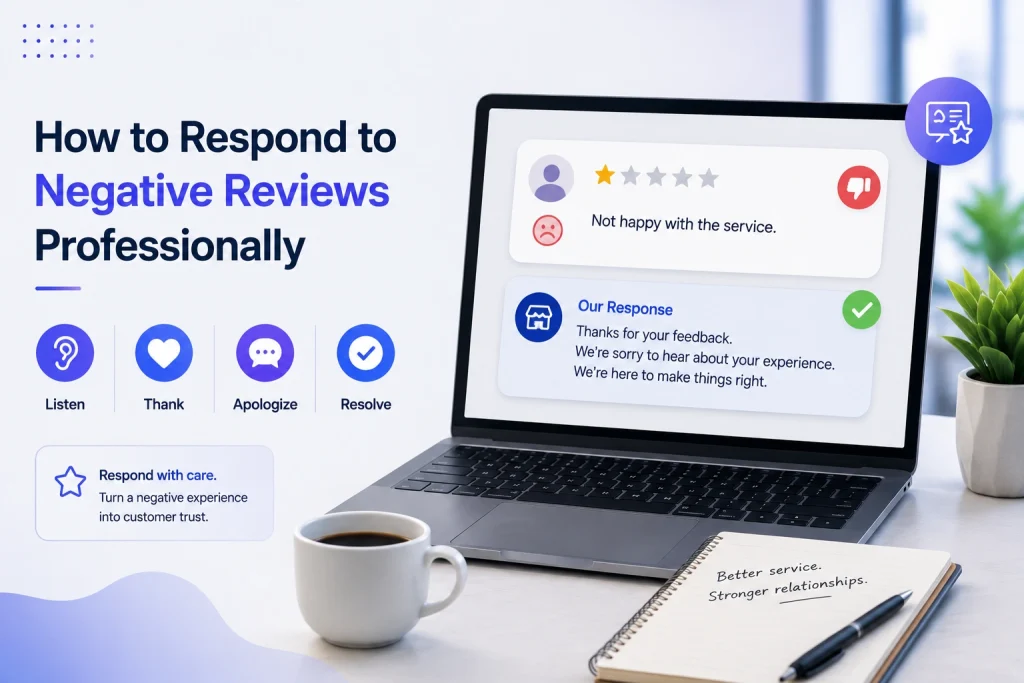
Positive public reply: Thanks for the kind words! We loved having you at [location] — tell us what stood out so we can share with the team. Positive private invite: Hi Name, thanks for your visit — would you mind sharing your experience on Google? Here is a short link: Google Business Profile help.

Neutral public reply: Thanks for taking the time to leave feedback. We want to improve — can you DM us the visit date and staff name so we can follow up? Negative public & private flow: Public: We’re sorry to hear this and appreciate the flag. Please DM your visit date so we can investigate. Private: Hi Name, I’m [Manager Name], I’m sorry we missed the mark. Can I call or schedule a time to fix this? If applicable, offer a specific remedy within the policy.

Example in action: A 12-location gym chain automated post-class review asks via Gleantap, set public acknowledgement within 24 hours and private outreach by the location manager within 48 hours. If the issue is unresolved after 72 hours, the case escalates to regional ops with a mandatory recovery call recorded in the member profile. That sequence raised response rate and reduced member churn in pilot locations.

Escalation rules and workflow mechanics

  1. Classify severity: low (feedback), medium (service failure), high (safety, legal, PHI).
  2. Automated routing: low goes to location inbox; medium to manager task queue; high triggers immediate alert to regional ops and legal with evidence bundle.
  3. Evidence collection: capture screenshots, transaction id, staff shifts, and any consented customer communications before escalating.
  4. Resolution and closure: manager logs remedy, customer confirms resolution, case closed and tagged in CRM for 30/60/90-day follow-up.

SLA targets: public acknowledgement within 24 hours, private outreach within 48–72 hours, escalate to regional ops after 72 hours for unresolved medium/high issues.

Treat healthcare and privacy-sensitive reviews differently: avoid discussing clinical details on public replies and route these immediately to compliance. Review platform removal and legal processes before public statements.

Next consideration: connect this playbook to measurement—instrument the CRM fields and dashboards to track response-rate, time-to-resolution, and recovery conversions so you can iterate playbook thresholds based on real business impact.

5. Measuring impact: KPIs, attribution, and dashboards

Measurement is the control lever you use to convert review activity into predictable revenue and retention gains. If you can’t link review signals to outcomes, you will optimize the wrong things – more reviews that don’t move conversion, faster replies that don’t change retention, or sentiment scores that miss critical service issues.

Core KPIs to track

  • Average star rating – track store-level and aggregated brand rating; target improvements of 0.2 to 0.4 points within six months for active programs
  • Review volume – new reviews per week per location; aim for 30 to 50 percent growth year one for programs that automate asks
  • Response rate and response time – percent of reviews replied to and median time to first public reply; target >70 percent response rate and median <24 hours for critical locations
  • Sentiment score / review sentiment analysis – normalized positive/negative ratio and trend of top topics
  • Review-sourced leads and conversion – number of inbound leads or bookings that originated from review pages or review request flows
  • Retention delta and cohort lift – repeat visit or churn change among cohorts exposed to improved ratings or proactive responses

Practical insight: automated sentiment scores are useful for triage but not for decisions that require precision. Use sentiment for routing and tagging, not as the sole justification for refunds, terminations, or legal escalation.

Attribution that works in the real world

Start with lightweight experiments rather than full attribution models. Practical methods that scale: UTM-tagged review-request links, A/B tests of solicitation timing or message variation, and cohort analysis that compares conversion and retention before and after a program roll-out.

Concrete Example: run an A/B test at two gym locations where group A receives a post-visit review request immediately with a UTM-tagged link and group B receives the same message 48 hours later. Measure review conversion, sign-up rate from listing clicks, and 90-day retention for both cohorts. In practice, immediate asks increase review conversion but the 48-hour ask produced slightly higher conversion to class bookings at our clients because it allowed follow-up personalization.

Limitations and tradeoffs: attribution will rarely be clean. Reviews correlate with business performance, but star rating changes interact with seasonality, promotions, and SEO. Expect noise – use rolling windows, control groups, and multiple signals before declaring causation.

Dashboard design – what to put where

WidgetPurpose
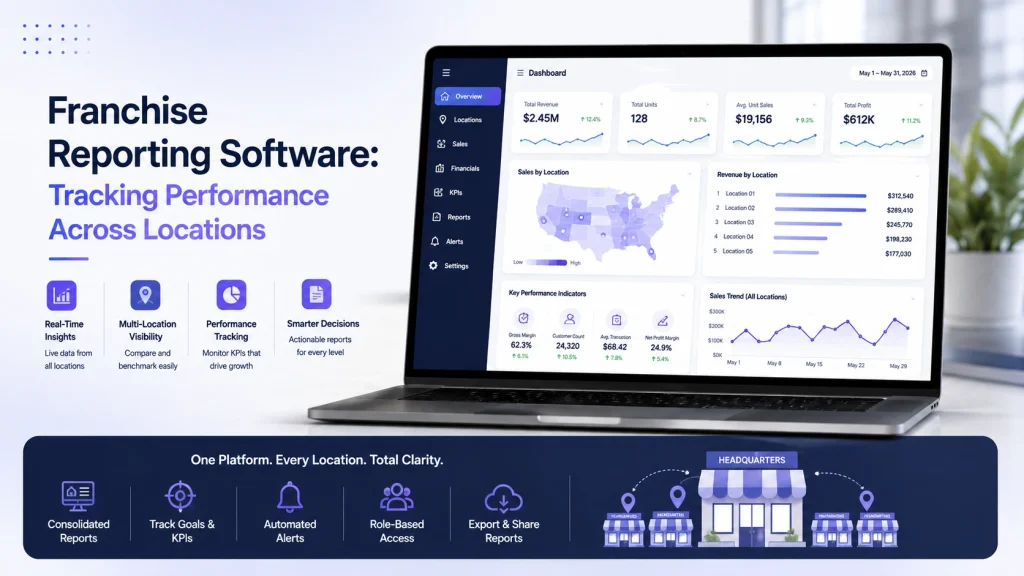
Overview KPI stripSnapshot of star rating, new review count, response rate, sentiment trend
Trend charts30/90/365 day trends for rating, volume, and sentiment with annotations for campaigns
Location drilldownTop and bottom locations by rating and response SLA, with owner and recent reviewer list
Review impact funnelListing click -> booking/call -> conversion attributable to review traffic (UTM)
Issue heatmapTop complaint categories from review text and their change over time

Judgment call on cadence and ownership: operational teams need near-real-time alerts for negative spikes and SLA misses; executives want weekly rollups showing trend and revenue impact. Assign a single owner for dashboard accuracy – someone who can reconcile CRM leads to review events and defend the numbers.

Important: sentiment models typically misclassify 10 to 25 percent of short reviews. Audit automated tags weekly and surface a sample of false positives to improve rules or retrain models.

Benchmarks to use: target >70% response rate, median public reply <24 hours, review volume growth 30-50% first year, and a rating lift of 0.2-0.4 points in six months for an active, automated program.

Final consideration: avoid dashboards that only show smoothed trends. If you smooth away spikes you lose signal for urgent escalation and local operator coaching.

6. Practical case use scenarios you can replicate this quarter

Start small, measure quickly. Run timeboxed pilots that prove the mechanics of reputation review monitoring, case use — not an idealized program. Each pilot below is designed to deliver measurable lifts in review volume, faster responses, and at least one conversion signal you can track back into CRM within eight weeks.

Multi-location gym chain — automated post-visit asks and trainer-level routing

Scope and tools: Pick 3 representative locations, use Gleantap for post-visit SMS automation, and aggregate listings into ReviewTrackers or native Google Business Profile API.**

  • Week 0–1: Configure Gleantap webhook from POS or check-in system to fire review-request SMS 24 hours after visit.
  • Week 2–4: A/B test two request templates (short ask vs. short ask + staff mention). Use UTM-tagged links to track clicks from listings.
  • Week 5–8: Route negative or neutral feedback into a private queue for manager outreach; escalate recurring complaints to operations.
  • KPIs to track: review conversion rate, review volume by trainer, click-through from listing, and member retention delta for cohorts who left a review.

Concrete Example: A 12-location chain ran this pilot for two busy clubs. Automated SMS increased review conversion from 0.6% to 3.1% in eight weeks and identified two trainers responsible for most positive mentions; management used that insight to replicate training and staff incentives.

Restaurant group — real-time mentions and converting negatives into bookings

Tactics: Prioritize TripAdvisor and Yelp plus Google. Use ReviewTrackers or Birdeye for mentions; push alerts to a Slack channel for on-shift managers with a short response script and voucher redemption flow.

  • Quick win: Create a one-click manager response template for night managers and a private follow-up flow offering a table reservation or voucher.
  • Trade-off to accept: Faster public acknowledgements are shallow; invest manager time only for near-real escalations to recover revenue.
  • Metric: negative-to-recovered rate (guest rebookings or voucher redemptions) and same-location revisit rate within 60 days.

Concrete Example: A regional group used real-time alerts to convert 18% of negative reviews into rebookings over six weeks — revenue recovered exceeded the cost of vouchers, and negative reviews decreased by 22% at pilot sites.

Medical or dental practice — privacy-safe review collection and escalation

Constraints: You must avoid disclosing PHI when responding and be careful where you solicit reviews. Use appointment reminders to include a neutral review request link and store consent records in CRM.**

  • Pilot steps: pick two clinics, add review requests to post-visit SMS with wording cleared by compliance, monitor Healthgrades/Zocdoc and Google.
  • Escalation rule: any review mentioning an adverse event or clinical harm triggers private outreach from the clinical manager within 24 hours and documentation in the patient record when appropriate.
  • KPIs: review volume, average rating, time-to-private-touch on negative mentions, and appointment retention rate for patients who received outreach.

Concrete Example: One dental group reduced negative public mentions by offering a private clinical callback within 24 hours; they saw a 15% improvement in 3-month retention for patients who received outreach, with no PHI shared publicly.

Practical limitation and judgment: Pilots expose operational bottlenecks more than tool deficiencies. Expect the first eight weeks to reveal staffing and process gaps — not platform failures. If you do not assign clear owners and SLAs at launch, the pilot will fail even with the right tools.

Key takeaway: Run an 8-week pilot, assign one owner per location, instrument UTM-tagged review links, and measure review conversion + one revenue or retention metric.

Next consideration: Pick the pilot that maps to your weakest operational link — if response speed is poor, start with restaurants; if review volume is low, start with gyms. Assign the owner and instrument tracking this week.

7. Implementation roadmap and operational checklist

Start small, instrument tightly. A focused pilot protects budget and surfaces the real operational gaps most programs miss: access, data mapping, and human response capacity. Treat the pilot as a measurement exercise first and a rollout exercise second.

Phase 1 – Pilot (6 to 8 weeks)

Pilot scope: pick 2 locations or one service line, one review channel set (Google Business Profile plus one industry site), and a single review-solicitation workflow. Keep variables low so you can learn fast.

  • Setup and access: obtain API/manager access for Google Business Profile and chosen aggregator, create service accounts, and store keys in a vault.
  • Data mapping: map ___CODE0, CODE1, CODE2, and CODE3___ to your customer profile store; confirm sample size and data quality.
  • Baseline KPIs: capture average star rating, weekly review volume, response rate, and NPS or CSAT for the pilot cohort.
  • Workflows: configure a timed review request (48 hours post-visit), routing rules for negative reviews to manager Slack channel, and tagging conventions.
  • Legal and templates: get legal to sign off on response templates if you handle protected health information; finalize 3 public and 2 private templates.

Phase 2 – Scale (3 to 6 months)

Automate selectively. Automate ingestion, enrichment, and routing, but keep public responses human for any negative or mid-score review. Prioritize automation that reduces manual triage work, not that replaces judgment.

  • Integrations: push review events into CRM and Gleantap profiles so each review becomes a follow-up task or retention trigger.
  • SLAs and training: set public acknowledgement SLA at 24 hours, private outreach SLA at 48 hours, and train managers on escalation thresholds.
  • Quality QA: run weekly spot checks on responses for tone and compliance; add a feedback loop to update templates every 30 days.
  • Reporting cadence: publish a consolidated weekly dashboard and a monthly executive summary tying review trends to conversion and retention cohorts.

Operational checklist (deploy this on day one of scaling)

  1. Confirm ownership: assign an accountable owner and deputies for each region – name, contact, and backup.
  2. Platform credentials: centralize logins and API keys in a secure store.
  3. Field map: a documented table mapping review fields to CRM attributes and tags.
  4. Templates approved: public and private response templates with legal sign-off where required.
  5. Routing rules: automated rules for severity, location, staff, and sentiment.
  6. Escalation roster: contact list for operations, legal, and executive escalation.
  7. Training session: 60 to 90 minute practical training and one live QA session per month.
  8. Audit log: enable logging of all review responses and edits for compliance and coaching.
  9. Dashboard: live dashboard with star rating trend, response rate, time to first response, and review-linked leads.

Practical tradeoff: faster responses reduce visibility damage but increase risk of canned-sounding replies. The rule that works in practice is to automate detection and routing but reserve public negative responses for a human who follows a short, approved template.

Concrete Example: A multi-location gym ran the pilot described above: two clubs, Google Business Profile and SMS review requests via Gleantap. After eight weeks they increased weekly review volume 35 percent and dropped average response time from 72 to 14 hours; managers used the routing rules to convert two at-risk members through personalized outreach tied to trainer follow-ups.

Key consideration: prioritize data hygiene and role-based access in the first 2 weeks; poor customer ID matching is the single biggest reason review responses become meaningless or misattributed.

Pilot success targets: +30% review volume, response rate >70%, average rating lift of 0.2 within 3 months for active locations. Use these as stop/go criteria before full rollout.

Next consideration: once scale is stable, focus on attribution experiments – UTM-tagged review-request links and cohort comparisons – to prove ROI before expanding channels or increasing budget.

Frequently Asked Questions

Key point: Treat this FAQ as an operational checklist for decisions you actually need to make when running a reputation review monitoring program, not as high-level theory.

reputation review monitoring, case use — concise answers with action

  • Which platforms should I prioritize if time and budget are limited? Start with Google Business Profile and whichever review site drives bookings in your sector — Yelp for restaurants, Healthgrades or Zocdoc for medical. Add Facebook Pages for social validation. Once you have consistent volume, add an aggregator like ReviewTrackers or Birdeye to reduce manual checks. See BrightLocal for consumer behavior context: BrightLocal Local Consumer Review Survey.
  • How quickly should we respond to negative reviews? Public acknowledgement within 24 hours, private outreach within 48 to 72 hours, and immediate escalation for legal, safety, or regulatory issues. The trade-off is speed versus quality: a fast templated reply protects public perception, but a late, thoughtful private resolution improves retention. Set SLAs and measure both response time and follow-up outcome.
  • How do I measure revenue impact from reputation work? Use A/B tests on review-solicitation flows, UTM-tagged links in listing profiles, and track review-sourced leads in CRM. Correlate cohort retention before and after rating shifts rather than assuming causality from star changes alone.
  • Are automated responses acceptable? Use automation for confirmations and simple thank-yous, but personalize negative-review replies with specific visit details and an agent name. Over-automation damages credibility; under-automation wastes time. Deliver a hybrid: templates plus tokenized personalization.
  • How should I handle fake or defamatory reviews? Follow platform removal processes first — Google has a removal path: Google Business Profile review guidelines. Collect timestamps, order IDs, and communications before escalating to legal. If removal fails, respond publicly with facts and an invitation to resolve privately.
  • What are realistic benchmarks for response rate and rating improvement? Aim for a response rate above 70 percent on new reviews and plan for a 0.2 to 0.4 star lift over six months after an active program. Smaller businesses should prioritize review volume growth first; rating gains follow when operations fix recurring issues exposed by feedback.

Practical trade-off: Speed of response and depth of investigation compete for the same resources. In practice, map reviews into triage buckets — auto-acknowledge, assign to local manager, escalate — and staff accordingly rather than trying to do everything at once.

Concrete Example: A 12-location fitness studio ran a pilot that A/B tested two post-visit review request templates and used UTM-tagged links. The variants showed which phrasing lifted response rate and which audiences required a different channel (SMS vs email). The pilot also made attribution possible because review replies were tied back to customer records in the CRM.

Important: If you operate in healthcare or regulated industries, build privacy-safe workflows and legal sign-off into your review response playbook before scaling. Mishandling patient details in public replies is a faster way to create problems than ignoring reviews.

  • Three concrete next actions: 1) Add Google Business Profile, your industry site, and Facebook to a single monitoring inbox this week. 2) Run an 8-week pilot with two locations, using UTM-tagged review requests and one templated response plus one personalized flow. 3) Create triage rules in your CRM to route negative reviews to a human within 24 hours and log outcomes for attribution.

Franchise Software: Features, Benefits & Best Solutions for Scaling Brands

Scaling a franchise means fighting fragmented customer data, inconsistent local marketing, and manual royalty and compliance headaches; the right franchise software replaces those fire drills with repeatable processes. This guide breaks down the core features you cannot skip, the measurable business benefits and KPIs to expect, and the best vendor fits by use case so you can compare franchise management software options side by side. Read on for a practical, phased rollout checklist, a sample ROI worksheet, and vendor comparisons that help you choose a solution that actually scales.

Why franchise software is a strategic investment for scaling brands

Hard reality: fragmented operations cost growth. Without a franchise management system, customer records, marketing assets, and financial reporting live in different places and decisions get made with partial data. That adds variable customer experiences, slow lead follow up, and heavy manual work at corporate and franchisee levels.

What franchise software fixes. A focused franchise management system centralizes customer data, enforces multi-level permissions, automates local marketing, and standardizes reporting and royalty calculations. Those are not cosmetic changes; they convert operational drag into measurable levers such as lead response time, conversion rate, and hours spent on reconciliation.

Practical tradeoff you must accept. Buying franchise software is not only a license cost. Expect integration work with POS and accounting systems, governance overhead to lock down data ownership, and change management to bring franchisees on board. Overcustomizing early reduces upgradeability and raises total cost of ownership – choose configurable templates over bespoke builds unless you have enterprise scale and budget.

When a full franchise management system is the right next step

Use a full system when scale and complexity create measurable loss. If the network is above 10 to 15 locations, if royalty and compliance tracking are manual, or if marketing results vary wildly by location, a dedicated solution is the correct strategic move. For smaller groups with simple flows, a CRM plus marketing platform may be more cost effective until those pain points emerge.

Concrete example: A regional fitness brand piloted messaging-driven lead management across 4 locations using a messaging automation vendor. Integration with scheduling and POS cut lead response time from 24-48 hours to under 1 hour, lifted appointment conversion by about 35 percent, and reduced corporate reporting time by roughly 60 percent in the pilot window. The brand used that pilot to justify a phased rollout and tighter integration with payroll and accounting.

  • Measure these outcomes during any pilot: lead response time, lead to appointment conversion, same-store revenue change, time spent on royalty reconciliation, and weekly active users by franchisee
  • Integration priorities: POS, accounting (QuickBooks or Xero), scheduling, and marketing channels are must haves for accurate rollups
  • Governance rule: define data ownership and SLA enforcement before integrations begin to avoid disputes later

Choosing franchise software is a strategic buy when the expected operational savings and revenue lift outweigh implementation complexity within 12 to 24 months.

Key action: run a 3 to 5 location pilot that includes POS and scheduling integration, track the five core KPIs above, and use results to negotiate scope and integration credits with vendors.

Next consideration: define pilot success criteria and the minimum integrations required to produce reliable KPI measurement. That step decides whether franchise software will be a cost center or a growth engine.

Core features to prioritize and why each matters

Start with the single source of truth. A centralized CRM that unifies contacts, transactions, and activity across locations is the foundation everything else builds on — without it you get duplicate work, conflicting customer records, and broken campaign measurement.

Feature breakdown and why it matters

  • Centralized CRM: single customer view across stores and channels so marketing, support, and regional managers can target and measure consistently.
  • Multi-level permissions & franchisee portal: role-based access that protects corporate data while giving franchisees the tools and autonomy they need; this prevents franchisee workarounds that create shadow systems.
  • Marketing automation with templated campaigns: corporate-controlled templates plus controlled local edits — preserves brand voice while enabling local promos and compliance with local regulations.
  • Lead capture, intelligent distribution & SLA enforcement: automated routing by territory, capacity, or round robin plus SLA timers so leads reach the nearest owner in minutes, not days.
  • Royalty and fee tracking or accounting integrations: built-in royalty modules or tight integrations with accounting software mean fewer manual reconciliations and fewer royalty disputes.
  • Reporting & dashboards with rollups: location, region, and corporate rollups for the KPIs you actually act on, not 100-page reports nobody reads.
  • APIs & prebuilt integrations: POS, scheduling, payroll, and accounting connectors reduce data mapping work and keep downstream numbers correct.
  • Security, data ownership & compliance controls: GDPR/CCPA support, encryption, and clear data ownership clauses — nonnegotiable for franchisors consolidating customer data.
  • Mobile & offline capability: mobile franchise software features that keep sales and service functioning when connectivity is poor or field staff are on the go.

Practical trade-off: choosing an all-in-one franchise management system will simplify vendor management but usually forces compromises in best-of-breed functionality. If local messaging and lead handling are mission critical, pair a specialist messaging stack with your franchise management system rather than over-customizing one platform.

Integration nuance: prioritize data models and unique identifiers during vendor selection. If leads or customers can’t be reliably deduplicated between POS, CRM, and scheduling, your analytics and loyalty programs lie. Demand sample data mappings from vendors and test with real records during the pilot.

Concrete example: A 25-location fitness brand used a cloud-based franchise software CRM plus a messaging-focused platform for lead distribution. Online leads were captured, assigned to the nearest trainer within 2 minutes, and tracked back into the CRM; conversion rose because response time dropped and regional managers could see which messaging sequences worked. 

What teams should prioritize first: if customer acquisition is your bottleneck, lock in lead capture/distribution and CRM deduplication. If royalties and compliance are chaotic, prioritize accounting integrations and reporting rollups. You cannot optimize both effectively without sequencing the rollout.

Key takeaway: prioritize Centralized CRM, Lead Distribution with SLA enforcement, Reporting rollups, and prebuilt POS/accounting integrations. These four reduce duplicate work, speed conversions, improve royalty accuracy, and give leadership actionable visibility.

Business benefits with real operational metrics and examples

Real change shows up in minutes, not reports. The clearest, fastest ROI from franchise software comes from reducing lead response time, standardizing reporting, and cutting manual admin for royalties and marketing. Expect measurable gains inside the first 3 to 6 months if you prioritize the right modules and run a proper pilot.

Key operational metrics and realistic targets

  • Lead response time: target reduction from 24-72 hours down to under 1 hour for inbound leads. Faster responses commonly lift conversion by 20 to 40 percent when combined with automated follow up.
  • Lead to sale conversion rate: an uplift of 15 to 35 percent is realistic when lead distribution SLAs and messaging automation are enforced.
  • Administrative hours per location: expect a 30 to 60 percent reduction in weekly hours spent on reporting, royalty reconciliation, and manual campaign deployment after integrations with POS and accounting.
  • Royalty/fee accuracy: move from error-prone manual spreadsheets to automated calculations and reconciliations to reduce disputes by 50 to 90 percent.
  • Customer retention and LTV: automated reengagement flows and centralized CRM typically increase 12-month retention 5 to 15 percent, lifting lifetime value materially over 12 to 24 months.

Tradeoff to plan for: best-of-breed franchise software components such as messaging and lead management deliver faster business impact but require reliable integrations and governance. Full-suite franchise management systems reduce integration work but cost more up front and slow time to value. Choose based on your integration capability and how quickly you need the metrics to move.

Concrete example: A 45-location boutique fitness network implemented a messaging and lead distribution layer and integrated it with their POS and franchise CRM. Lead response time fell from roughly 36 hours to 10 minutes, lead to sale conversion climbed 28 percent, and franchise reporting time per week dropped from 10 hours to 3 hours per location. The brand used the messaging layer as a front end while retaining its existing accounting stack.

MetricBeforeAfter (typical pilot)
Average lead response time36 hours10 minutes
Lead to sale conversion6%7.7% (+28%)
Admin hours per location per week10 hours3 hours
Royalty reconciliation disputesMonthly disputesQuarterly minor reconciliations

Key takeaway: If you can only measure two things during a pilot, measure lead response time and royalty accuracy. Those move revenue and reduce friction between franchisor and franchisee.

Practical next step: run a 3 to 5 location pilot that tracks the metrics above, include a baseline period, and test both automation rules and integrations.

Implementation checklist and phased rollout plan

Reality check: most failures happen during rollout, not purchase. A tight checklist and a staged rollout remove risk and create measurable momentum across corporate, regionals, and franchisees.

Preselection and contract checklist

  1. Stakeholder alignment: Confirm executive sponsor, regional owners, IT lead, and a small group of franchisee champions.
  2. Define success metrics: Pick 3 primary KPIs (for example lead response time, lead-to-sale conversion, and weekly active users) and methods for measurement.
  3. Data audit: Inventory customer, lead, and financial data sources; note formats (___CODE0, CODE1___, export limitations).
  4. Must-have integrations: Prioritize POS, accounting (QuickBooks/Xero), scheduling, and SMS/email channels.
  5. Security & data ownership: Require data export rights, role-based access, and an incident response SLA.
  6. Contract terms: Ask for pilot pricing, integration credits, and staged payments tied to milestones.

Pilot stage: scope, timeframe, and success criteria

Pilot scope: Run 3 to 5 representative locations for 8 to 12 weeks — include one high-volume site, one low-volume site, and one atypical market. Keep the pilot limited: core CRM + lead routing + messaging automation before broader integrations.

  • Define acceptance criteria: exact targets for each KPI and acceptable data sync error rates.
  • Data migration plan: Migrate a subset of records first; validate with sampling and reconciliation rules.
  • Support model: Vendor provides a dedicated onboarding manager and weekly status calls during the pilot.

Trade-off to accept: Integrating everything at once looks efficient but increases failure modes. Staged integrations cost time up front but reduce rollback risk and keep franchisees engaged.

Scale: integrations, training, and governance

  1. Integration order: Connect POS and CRM first (customer and transaction data), then accounting, then scheduling and marketing channels.
  2. Training model: Use train-the-trainer, role-based sessions, short video snippets, and an in-app help center. Schedule refresher sessions at 30 and 90 days.
  3. Governance: Create a steering committee, define data owners, and set a change-control process for templates, automations, and local marketing permissions.

Practical limitation: Franchisees vary in tech adoption. Expect ~10–20% of locations to need extra hand-holding; budget for field visits or paid onboarding credits rather than assuming remote training will be enough.

Concrete example: A regional fitness brand ran a pilot using a messaging-focused layer to manage inbound leads at four clubs. They enforced a 30-minute SLA, trained staff with two 60-minute sessions, and measured conversion lift and response time weekly — the pilot identified a single data mapping bug that, once fixed, removed 40% of duplicate leads during full rollout.

Key takeaway: Lock a short pilot with clear KPIs, require vendor support and integration credits in the contract, and stage integrations to protect franchisee operations.

If you want practical templates, use an RFP that includes integration mapping and SLA requirements, and review vendor responsiveness during the pilot.

Best franchise software solutions and where each fits

Direct point: Vendors fall into three practical buckets – full lifecycle suites, midmarket operations platforms, and best-of-breed specialty tools – and your choice should map to the single problem you need solved first, not the vendor logo. Scale and integration capability are the filters that expose which bucket you belong in.

VendorBest fitStrengthsLimitations
FranConnectEnterprise franchisors 250+ locationsComprehensive franchise lifecycle features – onboarding, compliance, reporting, franchise salesHigher cost, longer implementation, can be heavy to customize
NarangaMidmarket brands 50-250 locationsStrong operations, onboarding, and compliance workflowsLess flexible for highly unique workflows or deep CRM customizations
FranchiseSoftSmall to midmarket under 100 locationsAffordable franchise management and CRM basicsSimpler reporting and fewer integrations out of the box
FranchiseBlastBrands prioritizing royalty accuracy and auditFocused financial reconciliation and royalty reportingNarrow scope – needs integrations for engagement and CRM
SalesforceEnterprise needing deep CRM customizationUnlimited customization, advanced reporting, enterprise integrationsHigh implementation cost, requires consultants and governance
GleantapMulti-location brands prioritizing messaging and lead managementFast lead distribution, messaging automation, multi-location engagementNot a full franchise accounting or royalty system – pairs best with an ops suite

Tradeoffs that matter in real deployments

Integration tradeoff: Choosing a suite reduces the number of integrations you manage but increases vendor lock and setup time. Choosing best-of-breed reduces lock and lets you pick best functionality per domain, but you must own the data model and identity of truth – that is where projects fail in year two.

  • When to pick a suite: You have complex franchise sales, strict compliance, and need consolidated onboarding and royalties across countries.
  • When to pick best-of-breed: Your primary pain is customer engagement or lead response and you already have accounting and POS systems you trust.
  • Must-check integrations: POS, accounting, scheduling, SMS/email, single sign on – if the vendor lacks a reliable API expect costly middleware work

Concrete example: A 120-location fast casual chain used FranConnect for franchise onboarding and royalty rollups while deploying Gleantap for lead distribution and SMS campaigns. The result was clearer financial reconciliation at corporate and a measurable drop in lead response time at store level, because messaging responsibilities rested with a specialist tool rather than shoehorning communications into the ops suite.

If you must choose one area to prioritize first, pick customer data and lead distribution. Even robust royalty reporting is ineffective if you cannot respond to or convert leads consistently at the local level.

Judgment call: For 50 to 200 locations I usually recommend a modular approach – a midmarket ops platform plus a dedicated engagement layer – because it balances cost, speed, and control. For more than 250 locations or heavily regulated franchises, bite the complexity of an end-to-end suite or an enterprise CRM like Salesforce, but budget heavily for implementation and governance.

Next consideration – map the vendor fit to the problem you will measure in the first 90 days. Pick the tool that moves that needle fastest, not the tool with the most features.

Pricing, total cost of ownership, and sample ROI worksheet

Start with a hard number: most franchisors underbudget implementation and integration by 25–40%. Budgeting license fees alone is a dead end — TCO for franchise software is dominated by integrations, data cleanup, change management, and the first 12 months of support. If you skip those, you will miss the true payback timeline.

What to include in your three-year TCO

  • Direct licensing: per location or per user fees and any tiered feature costs
  • Implementation & integrations: mapping, API work, POS/accounting connectors, and middleware
  • Data migration & cleanup: the hidden hours to consolidate customer and transaction histories
  • Training & change management: initial sessions, role-based materials, and follow-up coaching
  • Ongoing support & maintenance: SLA levels, premium support, and upgrade costs
  • Hardware or terminals: if on-prem components or kiosks are required
  • Opportunity costs / soft savings: reduced admin hours, faster lead response, higher conversion, lower churn

Practical tradeoff: buying a single-suite enterprise franchise management system reduces integration scope but raises license and customization costs. Choosing best-of-breed pieces like a messaging-first tool plus a franchise accounting connector keeps per-seat fees lower but increases integration and governance effort. Pick the path that matches your in-house integration capacity and how fast you need value.

Sample ROI worksheet (3-year view)

Line itemYear 1Year 2Year 3
License & hosting$60,000$60,000$60,000
Implementation & integrations$75,000$10,000$10,000
Data migration & cleanup$20,000$0$0
Training & change management$15,000$5,000$5,000
Annual support & maintenance$12,000$12,000$12,000
Hardware / terminals$8,000$2,000$2,000
Total costs$190,000$89,000$89,000
Saved admin hours (value)$45,000$60,000$60,000
Net new revenue (conversion + retention)$120,000$180,000$200,000
Net benefit (revenue + savings – costs)$-25,000$151,000$171,000
Cumulative ROI-13%69%151%

Concrete example: a 75-location fitness brand with average monthly revenue per location of $25,000 invested in cloud-based franchise software plus a messaging layer. Year 1 includes heavy integration to POS and scheduling and shows a small net loss while conversion and reengagement automation are fine-tuned. By Year 2 faster lead response and automated reengagement flow deliver measurable revenue lift and cover the initial investment — this mirrors real rollouts where Year 1 is stabilizing, Year 2 is scaling.

  1. How to use this worksheet: plug your license quote, one-time implementation estimate, and conservative revenue lift (start with 5–10% conversion improvement) then model payback months.
  2. Negotiation levers: ask vendors for pilot discounts, integration credits, and staged payments tied to success criteria. Vendors expect negotiation on integration scope — be explicit about which POS/accounting integrations are critical.
  3. Measurement guardrails: require the vendor to support exportable reports for lead response time, conversion, and royalty accuracy during the pilot (evaluate support responsiveness during this period).

Key takeaway: treat Year 1 as an operational investment with modest net benefit; real ROI usually arrives in Year 2 once integrations, training, and automated campaigns reliably reduce lead response time and administrative load.

Common implementation pitfalls and how to avoid them

Direct observation: implementation failures rarely come from the software itself; they come from mismatched expectations, incomplete processes, and unresolved operational edge cases. Address those first and the technology will follow.

Top implementation pitfalls and practical fixes

  • Poor data mapping and hidden quality issues: migrating customer and location data without validating identifiers, address formats, or franchisee ownership history causes royalty and reporting errors. Fix: run a scoped data audit, map keys (location ID, tax IDs) and reconcile a sample set before full migration.
  • Faulty lead routing and SLA gaps: ambiguous routing rules or lack of SLA enforcement turns leads into noise. Fix: implement deterministic routing, fallback rules, and automated SLA alerts tied to conversion KPIs.
  • Neglecting local workflows and mobile UX: corporate desktop demos look fine until franchisees try tasks on a phone during peak service hours. Fix: test on real devices and include the busiest franchisees in usability tests.
  • Early overcustomization: customizing workflows for a handful of locations creates upgrade blockers and long-term maintenance debt. Fix: lock a set of core templates and allow limited, versioned local overrides.
  • Underestimating integration effort and costs: vendors promise APIs but actual mapping to POS, scheduling, and accounting is work. Fix: secure integration scoping and credits in the contract and require sandbox access for end-to-end tests.
  • No clear data ownership or rollback plan: without exportable data and documented ownership, you’re stuck if you change vendors. Fix: contract explicit data export formats and a rollback timeline into the SOW.
  • Low franchisee adoption: lack of incentives or visible value means the platform sits unused. Fix: attach a simple KPI to compensation or marketing funds and publicize quick wins to peers.

Concrete example: a 75-location fitness brand routed new leads to a central inbox without SLA rules. Local clubs saw fewer qualified tours and conversions dropped 30% in two months. After implementing deterministic routing, SLA timers, and local fallback routing, response time dropped under 1 hour and conversions recovered within six weeks.

Practical trade-off: moving fast reduces time-to-value but increases rework risk. Spend 10–20% of project time on verification (data samples, routing tests, mobile UX) to avoid 3x rework later.

Key takeaway: require sandbox environments, exportable data, and measurable acceptance criteria in the contract; those three items prevent 60–80% of vendor-related implementation headaches.

Judgment call: choose a vendor that supports iterative deployment and rollback rather than a single big-bang flip. If you must go big-bang, budget double for QA and have finance and franchisee leads sign off on acceptance gates. For vendor comparisons and categories, see G2 and vendor lifecycle guidance on FranConnect.

Frequently Asked Questions

Short answer: The questions you ask vendors should separate marketing polish from operational reality — focus on data ownership, integration points, and measurable pilot KPIs rather than feature checklists.

Practical FAQs operations teams actually need answered

  • How is franchise software different from a standard CRM: Franchise systems are multi-tenant by design: they provide franchisee portals, hierarchical permissions, royalty and fee reporting, and rollup dashboards that a standard CRM does not deliver out of the box.
  • Can I use Gleantap as my primary franchise platform: Gleantap is purpose-built for messaging automation and lead management; it works well as the customer engagement layer and can integrate with full franchise management suites for accounting and compliance.
  • What KPIs should a pilot prove: Track lead response time, lead-to-sale conversion, weekly active franchisee users, and hours saved on manual reporting. Target reductions: lead response under 1 hour and a conversion lift in the 10-20% range are realistic benchmarks for engagement-focused pilots.
  • How long will a rollout take and what cadence works: Expect 3 to 9 months. Run a 6- to 12-week pilot (3–5 representative sites), then a 60–120 day phased regional rollout with predefined success gates for integrations and adoption.
  • Which integrations are nonnegotiable: POS, accounting (QuickBooks/Xero), scheduling/booking, and SMS/email channels. Confirm real-time syncing capabilities and whether the vendor supports webhooks or prebuilt connectors.
  • Who owns the data and how portable is it: Demand contractual clarity on data ownership and a documented export process. Vendors that gate exports or charge for raw data dumps create real migration risk and increase TCO.
  • What is the customization tradeoff: Customizing workflows or UI speeds initial adoption but slows vendor upgrades and increases support costs. Prioritize configurable templates and preserve minimal custom code to avoid long-term lock-in.
  • Do I need offline or mobile-first features: If franchisees operate in areas with intermittent connectivity, pick a solution with mobile-first UX and offline caching for critical actions (lead capture, payments) — otherwise adoption collapses in day-to-day use.

Concrete Example: A 40-location regional fitness brand ran a 10-week pilot that layered a messaging-first tool onto their existing scheduling and POS. They reduced average lead response time from ~24 hours to ~45 minutes and reported a 12% lift in trial conversions; that pilot also exposed two missing POS fields the vendor had to add for proper revenue attribution.

Practical judgment: Best-of-breed solutions win when you have clear integration standards and internal ownership for the data model; if your IT resources are limited and you need one vendor responsible for everything, pick a suite and accept slower innovation but simpler governance.

Pilot KPI checklist: Lead response <1 hour | Lead-to-sale +10–20% | Weekly active franchisee users >70% | Reporting time per location reduced by 30%.

  1. Run three focused vendor demos using the same ops scenarios (lead routing, royalty report, POS exception).
  2. Negotiate a 90-day pilot with clear success metrics and a documented data export clause before signing long-term.
  3. Require a technical runbook from the vendor showing APIs, webhook behavior, and sample data mappings for your POS/accounting systems.

Customer Loyalty: What It Is, Strategies, Tools & Real Business Impact

If acquisition costs are climbing and repeat behavior is inconsistent, this guide turns customer loyalty from a marketing slogan into a measurable growth lever. You will get a practical playbook for designing loyalty programs, where to apply loyalty & Gamification so it actually moves the needle, the tooling patterns (including Gleantap for messaging and automation), and exact ways to measure lift using Retention Rate and CLV. Expect cohort tests, ROI formulas, and a 30–90 day checklist you can run with limited engineering resources.

1. Why customer loyalty matters for growth

Retention rate drives economics. Small improvements in retention change customer lifetime value and CAC payback more than equivalent cuts in acquisition cost. Treat customer loyalty as a lever for unit economics, not a marketing vanity metric like program enrollments or social followers.

Retention math made concrete

Simple formula to use every time: CLV ≈ ARPU / churn_rate when churn is measured for the same period as ARPU. Use cohort-based churn for accuracy. This makes the impact of a retention change immediate and measurable.

Worked example: A gym charges average revenue per user (ARPU) of $50 per month. If monthly churn is 6 percent, average lifetime is about 1 / 0.06 = 16.7 months and CLV ≈ $50 * 16.7 = $835. Lower churn to 5 percent and lifetime rises to 20 months, CLV ≈ $1,000. That 1 percentage point improvement in monthly churn increases CLV by ~20 percent and shortens CAC payback by four months if CAC is $200.

Practical tradeoff to watch. Loyalty programs raise retention but cost money and operational complexity. Rewarding price sensitive behavior with discounts can inflate short term frequency while compressing margin. Design rewards to reinforce profitable actions like higher spend per visit, referrals, or subscription upgrades rather than just lowering price.

How to use this in planning. Make retention rate the north star for loyalty initiatives and predict ROI by converting expected retention lift into incremental CLV and payback months. Run a holdout test and report cohort retention delta at month 1 and month 3 before rolling out rewards broadly.

Concrete example: A mid sized boutique gym launched a tiered rewards pilot that combined a 30 day visit streak badge and a referral credit. After a 60 day pilot with a 20 percent member holdout, the pilot group showed a 3 percentage point higher month to month retention and 12 percent higher spend from referral credits being used on add ons. The business used those cohort numbers to justify expanding the program and automating flows in Gleantap to reduce manual work.

  • Measure what matters: Track cohort retention, revenue per active customer, and CAC payback rather than member count.
  • Align rewards to margin: Prioritize rewards that increase visit frequency, AOV, or referrals over straight discounts.
  • Experiment before scale: Use randomized holdouts or geo tests to measure incremental retention lift and avoid assuming correlation is causation.

Key stat: A 5 percent improvement in retention can increase profits by 25 to 95 percent depending on industry mix. See Bain and the analysis summarized in HBR for industry context.

Takeaway: If your loyalty effort cannot produce a testable retention lift that converts to increased CLV and faster CAC payback, it is a tactical distraction. Next consideration is how to measure the lift reliably with cohorts and instrument messages so you can attribute improvements to the program.

2. Measuring loyalty and retention: metrics, formulas, and dashboards

Start here: if you want to prove a loyalty program, measure cohort retention not aggregate active users. Cohorts tell you whether the same customers keep returning — which is the behavior loyalty programs are meant to change.

Core formulas you will use

Retention rate (period): (Customers active in period t+n who were active in period t) / (Customers active in period t). Example: 1,000 members billed in January and 830 billed in April = 83% retention over 3 months. Churn rate: 1 – retention. Repeat purchase rate: customers with 2+ purchases / total customers in a period. Simplified CLV: Average order value purchase frequency per period average lifetime (periods) – acquisition cost. Use these consistently across cohorts.

Practical tradeoff: choose cohort granularity based on business rhythm – weekly cohorts for daily-transaction businesses, monthly for subscriptions and gyms. Smaller cohorts give faster signals but more noise; larger cohorts reduce noise but slow decision cycles.

Cohort analysis template and a SQL starter

What to capture: cohort_date, user_id, event_date (purchase or visit), revenue, channel, loyalty_status. Track month 0 through month 12 retention as a heatmap and export the raw cohort table for statistical testing.

SQL starter (BigQuery style): SELECT cohort_month, MONTH_DIFF(event_date, cohort_date) AS months_after, COUNT(DISTINCT user_id) AS active_users FROM events WHERE event_type IN (purchase,visit) GROUP BY cohort_month, months_after Use this to build a heatmap matrix of retention proportions.

  • Dashboard widgets to build: cohort heatmap (month 0-12), retention curve line for top acquisition channels, repeat purchase rate by cohort, revenue per active customer by cohort.
  • Segments to compare: loyalty members vs non-members, paid acquisition vs organic, top 20% spenders by cohort.
  • Alert rules: flag cohorts where month 1 retention drops by >5% vs prior cohort — investigate quickly.

Concrete example: A mid-market gym ran a 90 day pilot giving recurring-visit badges. Baseline cohort month 1 retention was 78%. After the pilot, the treated cohort showed 84% month 1 retention – an absolute lift of 6 percentage points. Translating that lift into CLV showed payback within 6 months because incremental visits increased membership add-ons and referrals.

Common blind spot: teams use before/after comparisons without a holdout. That overstates program impact. Always run a randomized holdout or geographic control when possible and measure incremental retention difference.

Key takeaway: focus on cohort retention and channel segmentation. Small retention lifts compound — as Bain shows, a few percentage points can swing profitability considerably. See Bain Company insights on loyalty and retention.

Next consideration: build the cohort table into your primary BI pipeline now so every loyalty test, gamification element, or membership change can be measured against the same baseline.

3. Loyalty program design that impacts retention

Key point: A loyalty program only impacts Retention Rate when its mechanics change actual customer behavior – not when it simply promises discounts. Design needs an explicit behavior-to-reward map, an economics check, and operational rules that keep redemption feasible.

Core components to design

  • Program model: Choose tiered, points, or membership and align to your revenue cadence and margins.
  • Target actions: Specify the exact behaviors you want to increase – visit frequency, spend per visit, referrals – and prioritize one or two to avoid diluting impact.
  • Reward economics: Calculate break even cost per incremental visit or transaction before launch.
  • Redemption UX: Keep redemption friction minimal – immediate, local, and trackable.
  • Data and measurement: Capture events that map to cohort retention and instrument a control group for experiments.
  • Fraud and expiry rules: Protect margins with sensible expiries and abuse detection.

Trade-off to accept: Simplicity wins operationally but can limit personalization. Complex tier rules or many earn paths increase perceived value for customers but also raise support load and implementation time. If you have limited engineering bandwidth, prefer a straightforward points-per-action model and add tiers later.

Practical break-even example

ActionRewardCost per actionAverage margin per actionNet per action
Gym visit10 points (redeemable for a $10 reward at 500 points)$0.20$8.00$7.80
Referral sign-up$25 credit$25.00$50.00$25.00

Concrete example: A midsize fitness studio gave 10 points per visit and 100 bonus points for a five-week streak, with 500 points = $10 credit. Using Gleantap for automated streak reminders and POS integration to record visits, the studio measured a 6 percent lift in month 2 retention among members who entered the streak funnel. Reward cost stayed within margin because average spend per visit was high and redemptions clustered on slow days.

Misunderstanding to avoid: Gamification is not the same as meaningful incentives. Progress bars and leaderboards increase engagement only when tied to measurable business outcomes such as higher visit frequency or referrals. Do not add gamified layers that customers enjoy but that do not move cohorts in your retention dashboard.

Implementation rule: Start with a single north-star behavior, run a 30 day pilot with a holdout, and measure cohort retention at month 1 and month 3 before expanding mechanics.

Design reminder: A small retention lift scales. Bain analysis shows a 5 percent retention increase can materially boost profits in many industries; build your break-even model with that leverage in mind. See Bain insights.

Next consideration: pick the primary retention metric your program will move, wire the event schema into analytics and Gleantap, and schedule a controlled pilot with a clear break-even calculation.

4. Where gamification belongs and how to apply it

Practical rule: use gamification only when it maps directly to a measurable retention or frequency behavior. If the mechanic does not change visit cadence, repeat purchase, or membership renewal it is decoration — pretty, distracting, and expensive.

When gamification is the right tool

  • Behavior is repeatable and observable: customers take the same action regularly (visits, orders, workouts) so you can measure frequency changes.
  • Short feedback loop: the reward or progress update happens soon after the action so the user sees cause and effect.
  • Low redemption friction: customers can claim rewards without handoffs or long waits — otherwise the mechanic becomes a barrier.
  • You can A/B test it: you can build holdouts (geo, cohort, or randomized) and measure Retention Rate and repeat purchase lift.

Useful gamification patterns and what they signal

  • Progression bars (progress to next tier): signals that nudges customers to close the gap — effective for increasing visit frequency but weak if the gap is unrealistic.
  • Streaks: build habit formation; best for daily/weekly actions. Risk: streak fatigue if rewards are too small.
  • Missions or short challenges: good for re-engagement windows (7–30 day missions) and measurable with cohort retention.
  • Social proof and leaderboards: drives community and advocacy in competitive categories (fitness, gaming); excludes casual users and can backfire if leaderboard leaders are unreachable.
  • Tiered status: increases spend/AOV when tiers have clear, attainable benefits; costs escalate if benefits are too generous.

Trade-off to accept: gamification increases engineering and product complexity. Each mechanic requires event tracking, state management, customer messaging, and fraud controls — plan for maintenance, not just launch.

Implementation checklist (practical steps)

  1. Map actions to business outcomes: pick 1–2 behaviors (visit frequency, referral, AOV) and define the retention metric you expect to move.
  2. Choose the simplest mechanic that can move that metric: start with a progress bar or a 14-day streak before adding leaderboards.
  3. Instrument events and identity: capture events in your analytics and stitch identity to CRM/pos so you can measure cohort Retention Rate lift.
  4. Automate messaging for nudges and redemptions: use messaging to surface progress and reduce redemption friction — see content=null&utmsource=null&utmcampaign=null&utmmedium=null target=_blank>Maximizing Customer Loyalty for examples.
  5. Run a controlled experiment: use a randomized holdout and measure month 1 and month 3 retention cohorts before full rollout.

Concrete example: A boutique gym implemented a 21-day visit streak with a visible progress bar and automated SMS nudges for members who missed two scheduled sessions. The stack used the membership system to emit visit events, Gleantap for SMS triggers, and cohort analysis to compare a holdout group; the program increased 30-day retention in the test cohort and paid for its small reward budget within six weeks.

Misunderstanding to avoid: teams assume gamification equals engagement. In practice it often raises superficial metrics (app opens, badge counts) without moving Retention Rate or CLV. Design for the business outcome, not the badge.

Key judgment: prefer short, measurable mechanics tied to a single retention KPI. Expand complexity only after proven lift.

Hard fact: a small percentage lift in retention scales dramatically — even a 5% improvement can materially change LTV and payback. See Bain for the underlying economics: Bain Company insights on loyalty and retention.

5. Tools and integration patterns for loyalty and retention

Start with events and identity, not features. Your stack should be designed around a clean event schema and deterministic identity stitching so rewards, messaging, and analytics all reference the same customer record. Without that, points get lost, messages appear off, and cohort-based Retention Rate calculations are meaningless.

Core integration patterns

  • CDP-first pattern: Capture all client and server events into a CDP (Segment, Rudderstack) then fan out to analytics (Snowflake/Looker), loyalty engine (Smile.io, LoyaltyLion, Annex Cloud), and messaging (Gleantap or Klaviyo). Best when you need unified identity and analytics.
  • Event-driven, real-time pattern: Checkout or visit triggers a server-side event to a loyalty engine API and returns updated balance instantly; a webhook notifies your messaging layer to send a receipt or reward. Use this when immediate feedback (stars, points) affects on-site behavior.
  • Batch-sync pattern for legacy POS/membership systems: Export daily transactions to a middleware (Airbyte / ETL) that writes to your loyalty ledger and analytics. Lower engineering cost but expect up to 24-hour delay in reward state.
  • Middleware microservice pattern: Run a small, hosted service that handles idempotency, reconciliation, and mapping between POS, membership systems (Mindbody, Zen Planner), loyalty engine, and Gleantap. This reduces vendor coupling and eases future vendor swaps.

Identity stitching rules matter. Use a stable primary key (company customer_id), then fall back to phone and email. Persist device IDs and reconcile with periodic fuzzy-matching routines to avoid duplicate accounts — duplicates are where fraud and bad redemption rates hide.

Concrete Example: A mid-size gym uses ___CODE0 for memberships, CODE1 for points, CODE2 as the CDP, and CODE3___ for SMS automation. When a member checks in, Mindbody emits a server event to Segment; Segment forwards it to Smile.io to award points and triggers a webhook to Gleantap to send a streak reminder. Analytics in Snowflake shows the cohort Retention Rate lift at day 30 and 90.

Trade-offs and limitations you must decide on. Real-time integrations give better customer experience but require engineering time and robust idempotency controls; batch syncs are cheaper but blur the impact timing of loyalty mechanics on visit frequency. Vendor-managed loyalty engines speed time-to-value but can limit custom gamification and create data export friction.

Operational pitfalls to watch for. Offline POS reconciliation, simultaneous redemptions, and gift-card style semantics create race conditions. Require idempotent APIs on your middleware, add server-side checks in the loyalty engine, and log all state changes for auditability so your Retention Rate and redemption KPIs are trustworthy.

Quick vendor checklist: API-first + webhook support; raw event export to warehouse; SDKs for web/mobile; offline import and reconciliation; SLAs for webhooks; pricing aligned to your metric (transactions vs MAUs). Start with an MVP: messaging + points ledger + cohort dashboard before adding tiers or complex missions. See the Gleantap partner program for implementation help: content=null&utmsource=null&utmcampaign=null&utmmedium=null target=_blank>How to Become a Partner – Gleantap.

Implement the cheapest integration that proves retention lift. If it moves Retention Rate at a cohort level, invest in real-time polish next.

6. Measuring incremental impact and calculating ROI

Start with a clean counterfactual. The only defensible claim about a loyalty program is the incremental change versus what would have happened without it. That means a randomized holdout or a comparable geo holdout, predefined primary metric, and a measurement window long enough to capture delayed effects on repeat customers and churn.

Experiment design essentials

Design rules. Use randomized assignment when you can. If engineering or UX constraints prevent randomization, use geo holdouts or time-based rollouts with matched cohorts. Pre-register the test window, primary metric (retention_rate by cohort at month 1, month 3, month 6), sample size, and success threshold so you avoid post hoc reasoning.

  • Primary metric first: Choose a retention definition that maps to value for your business – active membership for gyms, repeat purchase within 90 days for retail. Use cohort retention curves rather than single-point snapshots.
  • Power and sample size: If baseline month-to-month retention is 60 percent and you want to detect a 4 percentage point lift with 80 percent power and 5 percent alpha, expect to need several hundred customers per arm. Use a sample size calculator rather than eyeballing.
  • Intermediate signals: Track engagement events that should move first – open rates, mission completions, redemption rate. They are useful diagnostics but not substitutes for the primary retention outcome.
  • Duration and contamination: Run long enough to see sustained effects and watch for cross-over where holdout customers get exposed through referrals or marketing.

Converting retention lift to CLV and profit

Step by step conversion. Convert absolute retention lift into incremental customers, then multiply by expected future revenue per customer and margin to get incremental gross profit. Subtract program cost and compute ROI and payback period. Use conservative assumptions for remaining lifetime and margin to avoid overclaiming impact.

MetricValueExplanation
Treated customers1,000Customers in the loyalty pilot arm
Absolute retention lift at month 34 percentTreated retention 64 percent vs control 60 percent
Incremental retained customers401,000 * 0.04
Avg monthly revenue per customer$50Revenue averaged over recent cohort
Gross margin50 percentContribution margin on incremental sales
Expected remaining months10Conservative estimate based on churn analysis
Incremental gross profit$10,00040 $50 10 * 0.5
Program cost$2,500Rewards, tooling, agency or engineering
Net incremental profit$7,500Incremental gross profit minus program cost
Payback period2.5 monthsProgram cost / (incremental gross profit / expected months)

Concrete example: A boutique gym runs a 1,000-member pilot with a tiered streak reward. After 90 days the pilot arm shows a 4 percent absolute lift in active membership versus holdout. Using average monthly dues of $50 and 50 percent margin, the gym converts that lift into $10,000 incremental gross profit and recovers program cost in under three months. For a small business this is fast, measurable payback and justifies scaling.

Practical tradeoffs and limits. Short tests favor detectability but miss long tail effects like lifetime loyalty or advocacy. Larger, longer tests cost time and capital. Be skeptical of small absolute lifts reported without confidence intervals or without accounting for cannibalization where rewards simply shift timing of purchases rather than creating net new revenue.

Attribution pitfalls to watch for. Redemption cannibalization, selection bias from voluntary enrollment, and concurrent marketing campaigns are the usual offenders. Use intent-to-treat analysis to avoid overstating effects, and run sensitivity checks that subtract estimated cannibalized revenue.

  1. Report what matters: retention by cohort with confidence intervals, incremental revenue per retained customer, redemption rate, program cost per incremental retained customer, CLV uplift, and payback period.
  2. Automate the dashboard: push cohort tables and ROI calculations into your BI tool and use messaging platforms like content=null&utmsource=null&utmcampaign=null&utmmedium=null target=_blank>Gleantap for experiment targeting and operational tracking.
  3. Read the evidence: Ground your business case in sources such as Bain for retention economics and HBR for experience to value linkage.

Key takeaway: Run randomized holdouts where possible, convert absolute retention lift into incremental customers, and use conservative lifetime and margin assumptions. Program ROI must be reported as net incremental profit and payback period, not just higher engagement metrics.

7. Real world examples and a 90 day implementation roadmap

Direct observation: most loyalty pilots fail not because the idea is bad but because teams try to build the entire program at once. Start small, measure retention rate impact, then scale. Prioritize implementable mechanics that map to a single behavior you can measure.

Real examples that inform your roadmap

Concrete Example: A regional gym chain reduced 30 day churn by 18 percent using a two-pronged approach: automated SMS check-in nudges for members with zero visits in 14 days and a simple visit-streak reward that unlocked a free personal training session after four consecutive weeks. Implementation required no loyalty engine – just Gleantap for messaging, membership data from the POS, and a small webhook to flag streak completion.

Use case to copy: a boutique e-commerce brand launched a two-tier VIP program limited to repeat buyers. Tier benefits were operationally simple – free expedited shipping and early access – and the brand tracked increase in average order value and repeat purchase frequency rather than chasing vanity metrics like app opens.

Practical trade-off: prioritize speed-to-value over completeness. A 30 day MVP that changes one measurable behavior is far more informative than a 6 month build with unclear KPIs. The downside is you may need to refactor data models later – accept that cost and budget it into the 60 day work.

90 day implementation roadmap – clear owner roles and checkpoints

  1. Day 0-14 – Discovery and baseline: define your north star cohort and capture baseline retention rate, repeat purchase rate, and CLV for that cohort. Assign owners: marketing for creative, analytics for cohort queries, engineering for integrations.
  2. Day 15-30 – MVP build and small holdout: pick one high-impact mechanic – onboarding bonus, reengagement SMS, or referral credit. Implement messaging flows in Gleantap or your messaging tool, create a 10-20 percent randomized holdout for measurement, QA redeem flows, and soft-launch to 20 percent of target users.
  3. Day 31-60 – Measure and iterate: analyze early lift at day 7 and day 30 using cohort windows. Fix friction points in redemption and identity stitching. If reward economics look poor, lower reward cost or raise the behavior threshold. Prepare expanded engineering work for loyalty datastore if needed.
  4. Day 61-90 – Scale with guardrails: expand to full audience, add a second mechanic if justified (referrals or tiering), enable automations for lifecycle stages, and finalize fraud and expiry rules. Present retention lift, incremental CLV, and payback timeline to stakeholders.

Measurement note: always run a holdout. Observational before-after comparisons will mislead you when seasonality or marketing spend changes. Use the experiment frameworks in section 6 and report retention rate by cohort to prove causality.

CheckpointPrimary KPISuccess threshold
Day 30Month-1 retention for exposed cohort+3 to 5 percentage points vs holdout
Day 60Repeat purchase rate+5 to 10 percent relative lift
Day 90Incremental CLV and payback periodPositive incremental margin within 6-12 months

Key stat: a small retention uplift scales. Bain analysis shows a 5 percent retention increase can raise profits 25 to 95 percent depending on industry – use this when prioritizing budget. See Bain insights.

Operational warning: if your customer identity is fragmented across POS, CRM, and web, fix identity stitching before launching complex rewards. Bad data creates reward abuse, inaccurate retention measurement, and wasted spend.

Next consideration: after day 90, convert learnings into a prioritized backlog – data fixes first, then reward economics, then richer gamification. See the gym implementation guide for tactical messaging examples: content=null&utmsource=null&utmcampaign=null&utmmedium=null target=_blank>Your Complete Guide to Opening a Successful Gym Business.

Frequently Asked Questions

Quick orientation: These answers skip definitions and go straight to what you must decide, measure, and avoid when you run loyalty, gamification, and retention experiments.

  • Retention rate vs churn: Track retention as your north star. Churn is a useful diagnostic but not the operating metric for experiments because retention shows the positive change you can monetize.
  • When to use gamification: Use gamification when behavior has a measurable habit path (visit frequency, weekly workouts, recurring purchases). If you cannot link the mechanic to a concrete event you can track, stick to simple points and rewards.
  • Metrics to judge a 90 day pilot: Look for cohort retention at month 1 and month 3, repeat purchase frequency, and active member rate (customers who took a target action in the period). Also measure reward cost per incremental retained customer to check unit economics.
  • Minimum tech for an MVP: A messaging automation tool (___CODE0 or CODE1___), a simple points store (can be a dedicated loyalty engine or a tracked table), and one analytics table for cohort queries is sufficient.
  • Sample size and test duration: For a retention lift target of 2–3 percentage points, block randomize at the user level and run 8–12 weeks. If weekly activity is low, extend to 12 weeks. Underpowered tests generate false negatives more often than useful signals.

Practical tradeoff: Faster launches favor vendor solutions; custom mechanics favor building. Vendors reduce engineering time but constrain future product differentiation and add recurring costs and potential data reconciliation overhead.

Concrete example: A 1,800-member gym built a simple pilot: members were split into holdout and treatment. Treatment received automated SMS triggers for 7-day missed visits plus a 3-week visit streak challenge with a free guest pass at completion. After 90 days the team saw a 3 percent absolute lift in active members in the treatment cohort, which paid back the guest pass and messaging cost inside two months.

Attribution and common mistakes: Do not attribute all revenue lift to the loyalty mechanic. Control for promotional cadence, seasonality, and acquisition channel. Also watch enrollment vs engagement: high enrollment with low usage is a vanity metric.

Tactical threshold: For an MVP, aim for a 1–3 percentage point absolute monthly retention lift or a 5–10 percent relative lift. If you cannot detect that with your cohort sizes, either lengthen the test, raise treatment intensity, or reduce noise sources.

Next actions: 1) Pick one measurable behavior to change, 2) design a holdout test (8–12 weeks) with tracked events, 3) set a realistic retention lift target and reward cost ceiling, 4) instrument cohort dashboards and run the pilot.

The State of B2C Customer Engagement 2026

Why the next era of growth belongs to brands that turn customer data into real-time action

Executive Summary

B2C customer engagement is entering a new era.

For the last decade, most brands tried to win customers with better campaigns: more emails, more SMS messages, more automations, more loyalty programs, more dashboards, and more channels.

But the market has changed.

Customers now expect every interaction to feel timely, relevant, and connected. They expect brands to remember context, respond instantly, respect privacy, and make their experience easier—not noisier. At the same time, businesses are under pressure to grow with leaner teams, fragmented systems, rising acquisition costs, and customers who are quicker to leave after poor experiences.

The result is a major shift:

B2C engagement is moving from campaign management to autonomous revenue systems.

The winning brands will not simply send more messages. They will build systems that can identify customer intent, understand behavior, predict the next best action, and automatically engage customers across the right channel at the right moment.

This report explores six major shifts shaping B2C customer engagement in 2026:

  1. Customer loyalty is more fragile than companies think.
  2. Personalization is moving from “nice to have” to revenue infrastructure.
  3. AI is shifting from content generation to customer action.
  4. First-party data is becoming the foundation of customer engagement.
  5. Omnichannel is no longer about channel count—it is about continuity.
  6. Local and multi-location businesses need enterprise-grade engagement without enterprise complexity.

1. The customer loyalty gap is widening

Many companies believe they are doing a good job with loyalty. Customers disagree.

PwC’s 2025 Customer Experience Survey found that 70% of executives say customer expectations are evolving faster than their company can adapt, while 29% of consumers say they stopped using or buying from a brand due to poor customer experience, either online or in person. PwC also found that more than half of consumers stopped using or buying from a brand because of a bad experience with its products or services.

This is the first major warning sign for B2C brands: customer experience is no longer a soft metric. It is a revenue protection system.

Forrester’s 2025 Global Customer Experience Index tells a similar story. In the U.S., 25% of brands’ customer experience rankings declined in 2025, compared with only 7% that improved. Forrester also noted that CX quality declined across effectiveness, ease, and emotion in most U.S. industries.

That matters because most B2C businesses are fighting margin pressure from all sides:

  • Paid acquisition is expensive.
  • Labor is expensive.
  • Retention is harder.
  • Customers have more choices.
  • Switching costs are low.
  • Expectations are shaped by the best digital experiences, not just direct competitors.

For a gym, wellness studio, clinic, spa, amusement park, restaurant, or local service business, a poor experience may not look dramatic. It may simply look like:

  • A lead inquiry that sits unanswered overnight.
  • A missed follow-up after a trial class.
  • A member who stops attending and never gets re-engaged.
  • A failed payment that becomes a cancellation.
  • A customer complaint that goes unresolved.
  • A prospect who visits the pricing page but never gets contacted.
  • A review that receives no response.
  • A staff member who forgets to call a high-value lead.

These are small moments. But they compound into revenue leakage.

The new engagement reality

The old assumption was:

“If customers like us, they’ll stay.”

The new reality is:

“Customers stay when the experience keeps proving value.”

Loyalty is not a program. It is the cumulative result of every touchpoint.

That means B2C companies need to stop thinking of engagement as a marketing function alone. Engagement now spans sales, service, retention, operations, reviews, payments, loyalty, and customer support.


2. Personalization is now a growth engine, not a marketing tactic

Personalization used to mean adding a first name to an email.

That version of personalization is dead.

Today, customers expect brands to understand context:

  • What did I look at?
  • What did I ask about?
  • What location do I visit?
  • What have I purchased?
  • What class did I attend?
  • When was my last visit?
  • Am I at risk of churning?
  • Did I already speak with someone?
  • Am I a new lead, active customer, past customer, or VIP?

Twilio’s 2025 State of Customer Engagement Report says AI is creating a new era where customer experiences can become more personal, relevant, and connected—but it also notes that many consumers still feel like “just another number.” Twilio frames the opportunity as closing the gap between customer insight and customer action.

Salesforce’s State of Marketing report makes the same point from the marketer side. Salesforce surveyed nearly 4,500 marketers worldwide and reported that 83% of marketers recognize the shift toward personalized, two-way messaging, but only one in four are satisfied with how they use data to power those moments.

That is the personalization gap.

Most brands have more data than ever, but they still struggle to use it in real time.

Why personalization fails

Personalization fails when data is trapped in disconnected systems:

  • POS data lives in one place.
  • CRM data lives somewhere else.
  • Website behavior is separate.
  • Email and SMS engagement are separate.
  • Reviews are separate.
  • Staff notes are separate.
  • Membership data is separate.
  • Support conversations are separate.

The result is “personalized” communication that does not feel personal.

A customer cancels and still gets a renewal campaign.
A lead already booked a tour and still gets “book a tour” texts.
A high-value customer complains and still receives a generic promo.
A member at risk of churn receives a birthday coupon but no retention outreach.

That is not personalization. That is automation without intelligence.

The next stage: behavior-aware engagement

The next era of B2C personalization will be based on behavioral signals, not static segments.

Examples:

  • A pricing-page visitor receives a helpful follow-up within minutes.
  • A prospect who viewed class schedules gets a message about the best intro class.
  • A member who has not visited in 14 days gets a personalized check-in.
  • A customer with a failed payment gets a recovery message before collections.
  • A lead who asked about family plans gets routed into the right offer.
  • A customer who leaves a positive review gets a referral prompt.
  • A customer who leaves a negative review gets escalated to a manager.

This is where engagement becomes a revenue system.


3. AI is shifting from content generation to customer action

The first wave of AI in marketing was mostly about productivity: write this email, summarize this conversation, generate this ad, create this campaign.

That was useful, but limited.

The next wave is about action.

Gartner predicts that by 2029, agentic AI will autonomously resolve 80% of common customer service issues without human intervention, leading to a 30% reduction in operational costs. Gartner describes agentic AI as a shift from tools that merely generate text to systems that can take autonomous action to complete tasks.

McKinsey’s 2025 State of AI survey also shows that AI adoption is broadening, but most organizations are still early in scaling impact. McKinsey found that 88% of respondents report regular AI use in at least one business function, while roughly one-third say their companies have begun scaling AI programs. McKinsey also found that 23% of respondents report scaling agentic AI somewhere in the enterprise, while another 39% are experimenting with AI agents.

The message is clear: AI is no longer experimental, but value capture is still uneven.

Why most AI engagement efforts underperform

AI does not create business value simply because it exists.

It creates value when it is connected to:

  • Customer data
  • Business rules
  • Real-time triggers
  • Approved actions
  • Human escalation paths
  • Channel orchestration
  • Measurement loops

McKinsey’s research highlights that high-performing AI organizations are more likely to redesign workflows, define human validation processes, build technology and data infrastructure, and embed AI into business processes.

For B2C businesses, that means the question is not:

“Can AI write our campaigns?”

The better question is:

“Can AI help us identify who needs attention, decide what should happen next, and take action before revenue is lost?”

The rise of AI revenue agents

B2C companies will increasingly use AI agents for specific growth and retention jobs.

Examples:

Lead Response Agent

Responds instantly to new leads, answers questions, qualifies interest, and books appointments.

Website Visitor Agent

Identifies high-intent website visitors, tracks behavior, and triggers personalized outreach.

Failed Payment Recovery Agent

Detects failed payments, sends recovery messages, creates staff tasks, and escalates unresolved accounts.

At-Risk Customer Agent

Monitors behavior such as declining visits, inactivity, sentiment, or missed appointments and triggers retention outreach.

Review Response Agent

Responds to reviews, escalates negative feedback, and prompts happy customers for referrals.

Class or Event Fill Agent

Identifies underfilled classes, events, or appointment slots and engages the right audience.

Referral Generation Agent

Finds happy, engaged customers and prompts them to invite friends at the right moment.

This is the move from automation to autonomy.

Automation follows rules.
Autonomy uses context to decide the next best action.


4. First-party data is becoming the foundation of engagement

Privacy changes, platform restrictions, and consumer expectations are pushing brands away from rented data and toward direct customer relationships.

Deloitte lists first-party data as one of the major marketing trends shaping the immediate future, recommending that brands transform privacy into opportunity by using privacy-friendly data strategies to build trust and customer loyalty. Deloitte also highlights omnichannel experiences, automation, generative AI, and hyper-personalized experiences at scale as major trends.

Qualtrics XM Institute’s 2025 research on privacy and personalization, based on more than 23,000 consumers globally, found that consumers want personalization but remain highly concerned about data privacy. The report also notes that purchase history and site visits are among the top candidates for personalization, and that trust in data practices corresponds to comfort with data usage.

This creates a clear mandate:

Customers will share data when they believe it improves the experience. They will punish brands that misuse it.

PwC reinforces this point: 53% of consumers say it is worth sharing personal information if it makes interacting with a brand smoother, but 93% say a brand would lose their trust if it mishandled that data.

The first-party data advantage

For B2C brands, first-party data includes:

  • Contact information
  • Membership status
  • Purchase history
  • Visit frequency
  • Website activity
  • Appointment history
  • Class attendance
  • Email/SMS engagement
  • Reviews and feedback
  • Support conversations
  • Lead source
  • Location preferences
  • Payment status
  • Customer lifecycle stage

The brands that win will not necessarily have the most data. They will have the most usable data.

The new data question

The old question was:

“Do we have the data?”

The new question is:

“Can we act on the data in time?”

A churn signal is useless if no one acts on it.
A pricing-page visit is useless if sales never follows up.
A failed payment signal is useless if it becomes a cancellation.
A customer complaint is useless if it never reaches the right person.

First-party data becomes valuable when it powers action.


5. Omnichannel is no longer about being everywhere

For years, “omnichannel” meant having multiple channels: email, SMS, chat, phone, social, web, app, and maybe push notifications.

But customers do not care how many channels a brand has.

They care whether the experience feels connected.

Deloitte defines the opportunity as creating unified experiences and one-to-one relationships by stitching together journeys across digital and physical interactions.

That phrase—digital and physical—is especially important for local and multi-location B2C businesses.

A fitness club, clinic, spa, or amusement park does not operate purely online. The customer journey moves between:

  • Website
  • Search
  • Ads
  • Reviews
  • Forms
  • Phone calls
  • Texts
  • Emails
  • Front desk
  • Sales team
  • In-person visit
  • Membership or purchase
  • Support
  • Retention
  • Referral

If those moments are disconnected, the customer feels the friction.

The broken omnichannel experience

A prospect fills out a form.
Then they call the business.
Then they visit the location.
Then they get a generic email.
Then a staff member texts them without knowing they already called.
Then they receive another promo that ignores their actual interest.

This is not omnichannel. It is multi-channel chaos.

The connected omnichannel experience

A prospect visits the pricing page.
The business identifies the visit as high intent.
The CRM checks whether they are a known lead.
The AI agent sees they previously asked about family membership.
The prospect gets a helpful SMS offering the right membership option.
If they reply, the AI answers questions or books a tour.
If they do not reply, a sales task is created.
If they book, the system suppresses redundant promotions.
If they show up, the staff has context.

That is omnichannel engagement.

The difference is not the number of tools.
The difference is continuity.


6. Small and mid-sized B2C businesses are ready for AI—but need simplicity

AI is no longer just an enterprise trend.

PayPal and Reimagine Main Street’s 2025 small business survey found that 25% of small businesses have already integrated AI into daily operations, while over 50% are exploring AI implementation. The same survey found that 66% of small business owners believe adopting AI is essential for staying competitive.

The U.S. Chamber of Commerce’s 2025 small business technology report found that 58% of small businesses self-identified as using generative AI, up from 40% in 2024 and 23% in 2023. It also found that 84% plan to increase their use of technology platforms.

JPMorganChase Institute’s 2026 research notes that small firms have historically adopted new technologies more slowly than larger counterparts because of barriers such as capital constraints, limited technical expertise, and integration costs. The report also notes that AI tools promise productivity gains, better decision-making, and competitive advantages through improved customer engagement.

This is the key tension for B2C companies:

They want AI.
They need AI.
But they cannot afford complex enterprise implementations.

What B2C businesses actually need

Most local and multi-location operators do not need another complicated dashboard.

They need systems that help them answer:

  • Who needs attention today?
  • Which leads are most likely to convert?
  • Which customers are at risk?
  • Which failed payments need follow-up?
  • Which reviews need a response?
  • Which campaigns are actually driving revenue?
  • Which locations are underperforming?
  • Which staff tasks need to happen now?
  • Which customers should receive which message?

The future of B2C engagement will belong to platforms that hide complexity behind intelligent action.


7. Industry spotlight: Fitness and wellness

Fitness is a strong example of how B2C engagement is changing.

The Health & Fitness Association’s 2025 Fitness Industry Benchmarking Report found that in 2024, the sector had median revenue growth of 9.9%, net membership growth of 5.5%, and a member retention rate of 66.4%.

That means the industry is growing—but retention still leaves significant room for improvement.

For fitness and wellness operators, customer engagement directly affects:

  • Lead conversion
  • Trial-to-member conversion
  • Visit frequency
  • Class attendance
  • Failed payment recovery
  • Upgrade opportunities
  • Referral generation
  • Review volume
  • Member retention
  • Lifetime value

The challenge is that the member journey is full of signals that often go unused.

A member attends three times in week one, then disappears.
A prospect asks about pricing, then never books.
A member visits the cancellation page.
A parent asks about kids’ classes.
A customer leaves a five-star review.
A member’s payment fails twice.
A former member clicks a reactivation offer.

Each of these moments should trigger action.

Most businesses still rely on staff to notice.
The next generation of businesses will rely on systems that never miss the signal.


8. The B2C engagement maturity model

To understand where the market is heading, it helps to break B2C engagement into five maturity stages.

Stage 1: Manual Engagement

The business relies on staff memory, spreadsheets, inboxes, and one-off campaigns.

Common symptoms:

  • Leads fall through the cracks.
  • Follow-up is inconsistent.
  • Customer data is scattered.
  • Staff manually tracks tasks.
  • Campaigns are generic.
  • Reporting is limited.

Business risk: Revenue leakage is high because action depends on human consistency.


Stage 2: Basic Automation

The business uses scheduled campaigns and simple triggers.

Common symptoms:

  • Welcome emails
  • Birthday messages
  • Basic nurture sequences
  • Simple SMS reminders
  • Generic win-back campaigns

Business risk: Automation improves consistency but lacks context. Customers may still receive irrelevant messages.


Stage 3: Segmented Engagement

The business uses customer segments based on lifecycle, behavior, or attributes.

Common symptoms:

  • New leads vs active customers
  • High-value customers
  • Inactive members
  • Past-due accounts
  • Former customers
  • Location-level targeting

Business risk: Segmentation improves relevance, but most action is still pre-planned rather than real time.


Stage 4: Predictive Engagement

The business uses data to anticipate customer needs and risks.

Common symptoms:

  • Churn risk scoring
  • Lead conversion scoring
  • Visit frequency alerts
  • Revenue opportunity detection
  • High-intent website visitor alerts
  • Location health analytics

Business risk: Insights are valuable, but only if teams act quickly.


Stage 5: Autonomous Engagement

The business uses AI agents and workflows to identify, decide, act, and learn.

Common symptoms:

  • AI responds to leads instantly.
  • AI identifies high-intent prospects.
  • AI routes conversations.
  • AI creates staff tasks.
  • AI recovers failed payments.
  • AI detects churn risk.
  • AI personalizes outreach.
  • AI escalates sensitive issues.
  • AI measures outcomes.

Business advantage: Engagement becomes always-on, context-aware, and revenue-focused.


9. The new operating model: System of Record + System of Action

Most B2C businesses already have systems of record.

Examples:

  • POS system
  • Billing system
  • CRM
  • Booking platform
  • Membership database
  • EHR/EMR for clinics
  • Ticketing or support system
  • Website analytics
  • Review platforms

These systems store what happened.

But storing data is not enough.

B2C brands now need a System of Action—a layer that turns data into engagement.

System of Record

The system of record answers:

  • Who is the customer?
  • What did they buy?
  • What is their status?
  • What location do they belong to?
  • What is their payment history?
  • What appointments or visits happened?

System of Action

The system of action answers:

  • What should happen next?
  • Who should we engage?
  • What should we say?
  • Which channel should we use?
  • Should AI handle it or should staff step in?
  • Did the action drive revenue?
  • What should we do differently next time?

This is the strategic gap in most B2C businesses.

They have the data.
They have the channels.
They have the staff.
But they lack the intelligence layer that connects everything.

That is where the category is moving.


10. The highest-impact engagement plays for 2026

Below are the plays B2C brands should prioritize in 2026.

Play 1: Instant lead response

Speed still matters.

When a prospect submits a form, asks a question, visits a high-intent page, or replies to an ad, the business should respond immediately.

The goal is not to “automate everything.” The goal is to prevent high-intent demand from going cold.

Recommended workflow:

  1. Capture the lead source and intent.
  2. Match the lead to existing CRM data.
  3. Trigger an immediate SMS or chat response.
  4. Let AI answer basic questions.
  5. Offer the next best conversion step.
  6. Create a staff task if the lead is high value or unresponsive.
  7. Suppress redundant campaigns once the lead books or converts.

Play 2: Website visitor identification and intent-based outreach

Website traffic is often treated as anonymous until a form is submitted.

That leaves revenue on the table.

For B2C businesses with high-intent pages—pricing, schedules, membership options, services, locations, booking, demo, or contact pages—visitor behavior can reveal buying intent.

Recommended workflow:

  1. Install a website tracking pixel.
  2. Identify known or matched visitors where permitted.
  3. Track page-level behavior.
  4. Score intent based on pages viewed and repeat visits.
  5. Trigger personalized outreach.
  6. Route high-intent prospects to sales or AI.
  7. Measure conversion from visit to conversation to purchase.

This is especially powerful for businesses where customers research before visiting in person.


Play 3: Failed payment recovery

Failed payments are not just billing issues. They are retention risks.

A failed payment can quickly become:

  • Lost revenue
  • Staff follow-up burden
  • Customer frustration
  • Membership cancellation
  • Collections activity

Recommended workflow:

  1. Detect failed payment immediately.
  2. Send a friendly recovery message.
  3. Include a direct payment update link.
  4. Follow up across SMS/email if unresolved.
  5. Create a staff task after a defined threshold.
  6. Pause outreach once payment is resolved.
  7. Track recovery rate and revenue saved.

Play 4: At-risk customer re-engagement

Most churn does not happen suddenly. It shows up as behavior change first.

Signals may include:

  • Declining visit frequency
  • Missed appointments
  • No class attendance
  • No recent purchases
  • Negative sentiment
  • Support complaints
  • Failed payments
  • Reduced email/SMS engagement
  • Cancellation page visits

Recommended workflow:

  1. Define risk signals by business type.
  2. Score customers based on recency, frequency, monetary value, and sentiment.
  3. Trigger personalized check-ins.
  4. Offer helpful next steps, not just discounts.
  5. Escalate high-value customers to staff.
  6. Track save rate, return visits, and retained revenue.

Play 5: Review response and reputation growth

Reviews are no longer just social proof. They are part of the customer engagement loop.

A review can signal:

  • A happy customer ready for referral
  • An unhappy customer who needs intervention
  • A location-level service issue
  • A staff performance opportunity
  • A product or experience gap

Recommended workflow:

  1. Monitor reviews across major platforms.
  2. Use AI to draft or publish brand-safe responses.
  3. Escalate negative reviews.
  4. Tag themes such as staff, cleanliness, pricing, billing, or experience.
  5. Trigger referral asks for happy customers.
  6. Feed insights into location performance dashboards.

Play 6: Location-level engagement intelligence

For multi-location businesses, the future is not just “how are campaigns performing?”

The better question is:

“Which locations are healthy, which are leaking revenue, and why?”

Location-level engagement should track:

  • Lead response time
  • Lead-to-visit conversion
  • Visit-to-purchase conversion
  • Member/customer retention
  • Review volume and sentiment
  • Failed payment recovery
  • Campaign engagement
  • Staff task completion
  • Revenue per customer
  • Customer lifecycle health

This lets leadership identify whether a location has a demand problem, conversion problem, retention problem, staffing problem, or experience problem.


11. Metrics that matter in the new era

B2C brands need to move beyond vanity metrics.

Open rates and click rates still matter, but they are not enough.

Revenue metrics

  • Revenue influenced by engagement
  • Revenue recovered from failed payments
  • Revenue from reactivated customers
  • Revenue from referrals
  • Revenue per customer
  • Customer lifetime value
  • Net revenue retention by location

Conversion metrics

  • Lead response time
  • Lead-to-conversation rate
  • Conversation-to-appointment rate
  • Appointment-to-purchase rate
  • Trial-to-member conversion
  • Website visitor-to-lead conversion
  • High-intent visitor conversion

Retention metrics

  • Churn rate
  • Save rate
  • Visit frequency
  • Inactive customer recovery
  • At-risk customer engagement
  • Retention by location
  • Retention by lifecycle stage

Experience metrics

  • Review rating
  • Review response time
  • Sentiment trend
  • Support response time
  • Complaint resolution rate
  • NPS or satisfaction score

Operational metrics

  • Staff task completion
  • AI resolution rate
  • Escalation rate
  • Campaign setup time
  • Automation coverage
  • Channel response time
  • Cost per retained customer

The best engagement teams will measure not just activity, but action and outcomes.


12. What this means for B2C leaders

For CEOs, CFOs, CMOs, and operators, the takeaway is simple:

Customer engagement is becoming a core revenue function.

It is no longer enough to buy a CRM, send newsletters, run ads, and hope staff follows up.

The new mandate is to build an engagement system that can:

  • Capture demand
  • Identify intent
  • Personalize communication
  • Respond instantly
  • Recover lost revenue
  • Prevent churn
  • Improve experience
  • Support staff
  • Measure business impact

This is especially important for local and multi-location businesses because execution inconsistency is one of the biggest growth killers.

A great campaign does not matter if one location follows up and another does not.
A great lead source does not matter if response time is slow.
A great customer experience does not matter if churn signals are ignored.
A great AI tool does not matter if it is disconnected from the business workflow.

The future belongs to brands that can turn every customer signal into the right action.


13. The Gleantap perspective: From campaigns to autonomous engagement

At Gleantap, we believe the next generation of B2C growth platforms will not be defined by who sends the most messages.

They will be defined by who helps businesses take the smartest actions.

That means moving beyond traditional marketing automation and toward an intelligent engagement layer that connects data, AI, communication, and operations.

For B2C businesses, the goal is not more software.

The goal is:

  • More leads converted
  • More customers retained
  • More payments recovered
  • More reviews generated
  • More conversations handled
  • More staff time saved
  • More revenue captured

The future of customer engagement is not another campaign calendar.

It is an always-on system that knows who needs attention, what should happen next, and how to take action before the opportunity is lost.


Conclusion: The new rule of B2C engagement

The old rule was:

Send the right message to the right person at the right time.

The new rule is:

Take the right action for the right customer at the right moment.

That distinction matters.

A message is only one possible action. Sometimes the right action is a text. Sometimes it is an email. Sometimes it is a phone call task. Sometimes it is a payment recovery workflow. Sometimes it is an AI conversation. Sometimes it is a manager escalation. Sometimes it is doing nothing because the customer already converted.

The future of B2C customer engagement will be won by brands that understand this difference.

Campaigns will not disappear.
Automation will not disappear.
Human teams will not disappear.

But the center of gravity is shifting.

The next era belongs to businesses that build intelligent, connected, AI-assisted engagement systems that turn customer data into revenue-producing action.

That is the state of B2C customer engagement in 2026.


Suggested SEO Title

The State of B2C Customer Engagement 2026: AI, Personalization, and the Shift from Campaigns to Autonomous Revenue Systems

Suggested Meta Description

Explore the major customer engagement trends shaping B2C businesses in 2026, including AI agents, personalization, first-party data, omnichannel engagement, and revenue automation.

Suggested Featured Image Concept

A premium illustration showing customer signals flowing from website, SMS, email, reviews, POS, and CRM into an AI-powered “System of Action” that triggers personalized outreach, staff tasks, and revenue recovery workflows.

Suggested Charts to Add

  1. The B2C Engagement Maturity Model
    Manual → Basic Automation → Segmented → Predictive → Autonomous
  2. System of Record vs System of Action
    POS/CRM/Billing stores data; Gleantap activates it.
  3. Revenue Leakage Map
    Missed leads, failed payments, inactive customers, poor reviews, slow follow-up.
  4. AI Agent Use Cases for B2C Businesses
    Lead Response, Website Visitor, Payment Recovery, Review Response, Retention, Referral.
  5. Metrics That Matter
    Activity metrics vs revenue metrics vs retention metrics.

The future of B2C growth will not be driven by brands that simply send more campaigns. It will belong to businesses that can turn customer signals into real-time action. Every missed lead, failed payment, ignored review, or inactive customer represents lost revenue hiding in plain sight. The opportunity in 2026 is not just to automate communication, but to build intelligent engagement systems that proactively convert, retain, and re-engage customers at scale. Brands that unify their data, activate AI-driven workflows, and create connected omnichannel experiences will outperform competitors still relying on disconnected tools and manual follow-up. The question is no longer whether customer engagement matters—it is whether your business can act fast enough to keep customers from leaving and revenue from slipping away.

Integrating Customer Service Automation with CRM Systems

If your support team feels buried under booking questions, payment issues, and routine requests, the right automation wired into your CRM can cut response times and lift resolution rates without turning customers into numbers. Customer Service Automation: What It Is, Use Cases, Tools & Real Business Impact explains how businesses streamline support while improving efficiency and customer experience. This guide shows how to plan, implement, and measure CRM customer service automation for B2C operations — with concrete integration patterns, data-model rules, pilot steps, and KPIs tailored to fitness clubs, wellness studios, retail, healthcare clinics, and family entertainment centers. Expect step-by-step recipes you can pilot in 6-8 weeks, plus the compliance and rollback controls needed to keep personalization and data quality intact.

Why integrate customer service automation with your CRM

Key point: CRM customer service automation is not about replacing agents, it is about making every automated touch carry CRM context so customers get correct, timely outcomes instead of generic replies.

What changes when you integrate: When automation can read membership status, last purchase, consent flags, and recent tickets from the CRM you stop building blind automations. That context lets you route high value customers to human agents, suppress unnecessary outreach, and surface the right KB article or form without a human in the loop.

Where the business value shows up

  • Faster correct responses: Automated replies that use CRM context reduce back and forth and fix simple cases in-channel.
  • Higher agent throughput: Agents spend less time on repetitive tasks and more time on complex issues that need judgement.
  • Better personalization at scale: Using CRM fields produces automated messages that read like human replies and preserve brand tone for members and VIPs.
  • Lower misrouting and escalations: Identity stitched across POS, booking, and CRM prevents duplicate tickets and erroneous closures.

Practical limitation: Real-time, bi-directional sync is ideal but costly to build and maintain. Native connectors give speed to deployment but often fail on edge cases like merged profiles or custom CRM objects. Plan for a hybrid approach where critical events are pushed in real time via webhooks and historical enrichment happens with periodic syncs.

Concrete example: A mid sized fitness chain wires automated waitlist messaging into its CRM so class openings only notify eligible members. The automation checks membership tier and recent attendance before sending the invite and auto-creates a ticket if the member replies with issues. That prevents false positives, reduces agent triage, and preserves the member experience.

Judgment call: Teams often over automate early. Start by automating read only actions and confirmations, not irreversible operations like refunds or membership cancellations. Include mandatory human handoffs for edge cases and surface the CRM record and rationale to the agent to speed resolution.

Quick checklist: Ensure a canonical customer ID exists, store consent flags in the CRM, map the small set of canonical fields automation needs, pick an integration pattern that matches engineering capacity, and instrument telemetry for containment and escalation rates.

Next consideration: If you need implementation details, examine connector options in your CRM ecosystem and read integration patterns from vendors and platforms like Gleantap Features, Zendesk, and Twilio before committing to a design.

Core integration patterns and when to use them

Core point: Pick the integration pattern to match the problem you need to solve, not the technology your team prefers. Prioritize how fresh the data must be, how many systems must participate, and who will own ongoing maintenance.

Pattern breakdown at a glance

PatternWhen to choose itTypical latencyMaintenance profileKey trade-off
Native connector (built-in CRM integrations)Small teams or simple use cases where the CRM already supports the channelNear real-time to minutesLow — vendor maintains the connectorFast to deploy but limited when you have custom objects or complex routing
API-first (REST/webhook bi-directional sync)Enterprises with custom CRM schema, strict identity needs, or high message volumeSub-second to secondsHigh — needs engineering and monitoringPowerful and precise but requires robust error handling and mapping logic
Middleware (Zapier, Make, integration platform)Rapid proofs-of-concept or teams with no engineering bandwidthSeconds to minutes depending on platformMedium — less code but connectors can break and scale poorlyEasy to build but often brittle at scale and for complex data transformations
Hybrid (batch enrichment + event-driven hooks)When historical data fuels decisions but live events drive conversationsEvents real-time, enrichment hourly/dailyMedium-high — requires orchestration and schema governanceGood balance, but you must manage two sync modes and reconcile conflicts

Practical insight: If your automations need customer context to decide routing or to suppress outreach (for example membership status or recent charge failures), treat the CRM as the system of record and surface only the minimal fields the automation platform needs. That reduces mapping drift and makes retries simpler when webhooks fail.

  • Low engineering capacity: Start with native connectors or middleware to validate the use case, but instrument production logs so you can see missed matches and edge cases.
  • High volume or compliance needs: Invest in API-driven syncs with idempotent endpoints and replayable event queues; cheap connectors will break under load and during audits.
  • Custom objects or loyalty tiers: Use API-first or hybrid. Connectors rarely understand bespoke membership business logic and will misroute or omit critical attributes.

Concrete example: A regional wellness studio used a webhook-driven API sync to enforce eligibility for discounted rebooking. The webhook carried the booking event to the automation layer which queried the CRM for membership tier and last visit; ineligible requests were blocked and a ticket created for manual review. This prevented incorrect discounts and cut manual verification time by more than half.

Judgment: Many teams over-index on low-cost quick wins and never switch to a durable integration. Budget for a staged migration: validate with connectors, then harden the top 3 flows with API-driven integration and monitoring.

Action checklist: map your critical events, pick the simplest pattern that meets latency and compliance needs, implement observability (event replay, DLQs), and plan a rollback where the automation can be paused without data loss.

For implementation references, review connector capabilities in your CRM and consider platforms purpose-built for B2C orchestration like Gleantap Features. If you plan conversational channels, check message delivery and webhook behavior against Twilio messaging docs before committing to a pattern.

Data model, identity stitching, and canonical fields

Hard truth: most automation failures trace back to bad identity work. If your automation platform and CRM do not agree on who a customer is and which fields are authoritative, automated routing, suppressions, and personalization will produce errors that look like bugs to customers and audits.

Canonical customer record: what to store and who owns it

Minimum canonical schema: Keep this small and explicit so every integration can implement it fast. At minimum you need external_id(CRM contact id), primary_phone, primary_email, membership_status, last_activity_date, consentsms, and consent_email. Add lifetime_value, preferred_channel, and last_ticket_id only if you will use them to change routing or escalation logic.

Ownership model: Declare the system-of-record per field in the schema as fieldsource. Store a last_synced_at_timestamp and a source_origin tag with every profile. That makes it trivial to debug which system overwrote a value and prevents the automation layer from accidentally becoming the canonical source for membership_status or billing flags.

Identity stitching strategies and trade-offs

Deterministic first, probabilistic second: Use exact matches on external_id, phone, or email to link records. Only fall back to probabilistic joins (name + address + recent booking) for enrichment, and never use those matches to authorize irreversible actions like refunds or cancellations. Probabilistic matches reduce manual merge work but carry false-merge risk—treat low-confidence matches as suggestions for manual review.

Merge governance: Never auto-merge on a single changing field such as phone number. Implement a merge queue with confidence scores, an audit trail, and a rollback path. For B2C membership businesses, incorrect merges are more damaging than duplicate profiles because they misattribute payments and loyalty.

Event taxonomy and canonical fields mapping

Standardize events: Define a small event vocabulary your automation expects: message_received, ticket_created, payment_failed, appointment_booked, check_in, no_show, refund_initiated. Each event must carry event_id, external_id (customer), source_system, and time_stamp so retries do not create duplicate tickets or messages.

Mapping rule: For each event map exactly which canonical fields the automation will read and which it may write back to the CRM. For example, a payment_failed_event should read membership_status, last_payment_date, and consent_sms and write a last_ticket_id and escalation flag only after human review for high-value accounts.

Operational limitation: Real-time bi-directional syncs are ideal but introduce complexity: race conditions, out-of-order events, and schema drift. Avoid trying to sync every CRM field; instead publish a stable contract of 8–12 fields and version it. Versioning prevents surprise failures when a CRM admin renames a custom field.

Example in practice: A regional retail chain used a hashed externalidtied to POS receipts and the booking system. When a customer submitted a return via chat, the automation layer used the hashed id to attach the correct purchase history and check membership_status before approving an instant refund. Cases that failed the deterministic check were routed to a fraud specialist with the candidate matches and confidence scores.

Quick implementation checklist:

– Define the canonical fields and assign field_source for each.

– Implement deterministic matching first (external_id, phone, email).

– Add probabilistic joins with confidence scores and manual merge flow.

– Require eventid + idempotencykey on all events to avoid duplicates.

– Version your schema and expose lastsyncedat for troubleshooting.

Judgment: Conservative identity rules win in B2C. Prioritize correct routing for high-risk actions over broad automated coverage. It is better to escalate a case to a human than to automate an irreversible action on a low-confidence match.

Next consideration: after you lock the canonical schema and matching rules, instrument merge failures and low-confidence matches as KPIs so the team can measure whether your stitching is improving or creating new manual work.

Automation recipes and sample workflows for B2C verticals

Practical premise: Deliver automations as tiny, testable transactions that read CRM state, decide, act, and write a minimal result back. Large, all-in-one flows fail more often than they succeed because of race conditions, edge cases, and data mismatches.

Fitness clubs — membership-driven class and billing workflows

Workflow sample: Automate membership renewal nudges and class rescheduling using a three-step orchestration: (1) event membershipexpires30d triggers a targeted offer, (2) automation reads membership_tier, last_attended, and consent_sms from the CRM, (3) if member engages, create a task follow_up_sales or complete renewal via human-approved link. Keep the automation read-heavy; require human approval for discounts or refunds.

Wellness studios — appointment confirmations and no-show containment

Workflow sample: Send an initial confirmation, a prep reminder 48 hours before, and a two-way check-in 1 hour before class. On a negative reply (reschedule or cancel) the automation checks cancellation_policy, opens a ticket, and offers rebooking. Trade-off: richer conversational flows increase engineering and QA effort — build the two-way state machine only for high-value appointment types first.

Healthcare clinics — intake, consent, and urgent escalation

Workflow sample: Patient completes a pre-visit intake form; the automation validates consent flags before writing the record to the CRM and creating an appointment note. If the intake contains urgent keywords, promote the ticket to an escalation queue and attach an audit trail. Limitation: for regulated data never persist free-text clinical answers in ephemeral logs — route them through a secure EHR integration or hashed references only.

Retail and family entertainment — order flows and incident reports

Workflow sample: After a purchase or visit, trigger an order-status sequence that syncs POS sales with CRM external_id, sends delivery/update messages, and auto-creates return tickets when the customer replies with return intents. For in-venue incidents, staff scan a QR to open a prefilled form; automation assigns severity, notifies the manager channel, and schedules a follow-up survey.

  • Idempotency and state: Use an idempotency_key for every inbound event so retries do not create duplicate tickets or messages.
  • Human-in-loop thresholds: Define clear signal thresholds (value, ambiguity, regulatory risk) that force manual review before irreversible actions.
  • Channel cost vs. value: Reserve SMS for time-sensitive or revenue-impacting messages; use email or app push for low-urgency communications to control costs.
  • Testing edge cases: Simulate merged profiles, delayed webhooks, and partial consent to discover brittle branches before production.

Pilot recipe: Choose one high-frequency, low-risk flow (appointment reminders or order status). 1) Map the minimal CRM fields required. 2) Implement deterministic matching only. 3) Add idempotencykeyand eventid. 4) Release to 10% of users, instrument failures and false positives, then expand. For orchestration tooling see Gleantap Features and check delivery behavior with Twilio messaging docs.

Judgment: The best early wins are automations that prevent obvious manual steps and expose a clear rollback path. Do not attempt full conversational automation across every product line at once — validate with a narrow flow, bake observability into the code path, and harden the small number of automations that move the needle.

Implementation roadmap and pilot plan

Start small and treat the integration like a release pipeline. Build a minimal, testable automation that reads a handful of canonical CRM fields, performs one safe action, and writes back a single result. Rapid feedback beats grand designs that fail under real traffic and mixed data quality.

  1. Phase 0 — Discovery (1 week): Inventory systems, message volumes, top customer journeys, and the owner for each field in the canonical record. Produce a heatmap of high-frequency, low-risk flows to prioritize — pick the one that reduces agent touchpoints without requiring irreversible actions.
  2. Phase 1 — Contract and build (2 weeks): Declare a stable contract: 8–12 fields, external_id, and consent_flags for events. Implement deterministic matching only, add webhook retries and a dead-letter queue, and create smoke tests that simulate merged profiles and delayed events.
  3. Phase 2 — Canary pilot (2–4 weeks): Release to a small slice of customers (5–15%) or a couple of locations. Run live monitoring for delivery failures, match confidence, unintended escalations, and customer replies. Use canary metrics to decide whether to rollback, iterate, or expand.
  4. Phase 3 — Harden and automate observability (ongoing): Add replayable queues, alerting on webhook error rates and false-match incidents, and SLA dashboards for containment, escalation, and CSAT. Create runbooks for pause, rollback, and manual takeover.
  5. Phase 4 — Scale (variable): Migrate the highest-value flows to durable API-driven syncs, version the field contract, and schedule monthly reviews to retire flaky automations or add new deterministic joins.

Pilot timeline and governance checkpoints

Week 0–1: finalize contract, map RACI, and prepare test data. Week 2–3: deploy canary to 5–15% and run daily triage for false positives. Week 4+: expand only after meeting acceptance criteria and stabilizing webhook/retry errors. Stop criteria must be explicit — e.g., a spike in misrouted tickets, consent violations, or webhook failure rate above your error budget.

Practical trade-off: Speed of deployment is tempting, but expanding before fixing identity and DLQ behavior creates operational debt. Opt for slower, validated rollouts over broad botched launches that increase manual work and customer complaints.

Concrete example: A fitness chain piloted a membership renewal automation for two branches. They targeted expiring members with confirmed consent_sms and deterministic matches only, routed ambiguous matches to a manual queue, and limited the offer to a standard renewal (no discounts). The pilot ran as a 6-week canary: engineers tracked webhook retries and match confidence; CSAT and manual touch volume were the go/no-go signals for expansion.

Key judgment: Do not automate irreversible actions in the pilot. Prove read-heavy automations first, then add write capabilities behind approvals and human-in-loop gates.

Next consideration: after a successful pilot, schedule a technical debt sprint to convert brittle connectors to durable APIs, lock the schema version, and add governance so each new automation is treated as a monitored product with clear rollback and escalation paths.

Instrumentation, KPIs, and measurement templates

Start by instrumenting decisions, not only outcomes. When automation reads CRM fields to decide routing or to suppress outreach, you must log the decision inputs, the rule evaluated, and the action taken. Without that telemetry you will never know whether failures come from bad data, brittle rules, or delivery failures.

What to capture for every automated interaction

Minimum event payload: record event_id, external_id, rule_id, decision_outcome, timestamp, channel, delivery_status, and match_confidence. Match confidence is the single field that separates safe automation from risky automation—treat anything below your threshold as a human handoff.

KPIDefinitionPrimary data sourceQuick calculationOperational target (example)
First response time (FRT)Time from customer message to first automated or human response[CRM] message events + automation logsmedian(response_time) grouped by channelUnder 15 minutes for digital channels
Automation containmentShare of inbound conversations resolved without human agentAutomation outcomes + ticketing systemresolved_by_automation / total_inbound20–40% for mature knowledge-backed bots
False-positive escalation rateAutomations that created a ticket unnecessarilyAutomation logs + ticket dispositionsunnecessary_tickets / automation_runsUnder 3% for high-volume flows
Incremental renewal liftRevenue or renewals attributable to automated outreach vs controlA/B experiment cohorts in CRM + billing(renewal_rate_treatment – renewal_rate_control) * avg_revenue_per_memberDepends on cohort; show as absolute $ and %
Match-confidence failure rateEvents routed to manual review due to low identity confidenceMatching service + automation logslow_confidence_count / total_matchesTrack trend toward 0; accept short-term higher during migration

Practical trade-off: heavy instrumentation increases storage and analyst work. Capture raw payloads for 7–14 days, then persist only hashed identifiers and aggregated metrics for long term. This keeps audits reproducible while limiting PII proliferation.

Measuring impact: experiment design and attribution

Design experiments at the customer level, not the message level. Randomize cohorts in the CRM by external_id and hold routing, timing, and offer constant between variants. Measure both short-term support load (tickets avoided, handle time saved) and downstream revenue signals (renewals, upgrades) with at least one billing cycle of lag.

Concrete Example: A fitness chain A/B tests an automated renewal sequence. Group A receives the sequence, Group B receives a manual email. After one billing cycle calculate incremental renewal lift with renewal_rate_treatment – renewal_rate_control and multiply by avg_lifetime_value to get incremental revenue. Track also ticket volume and CSAT for the same cohorts to avoid revenue gains that degrade experience.

  • Alert rules to add immediately: high webhook failure rate, automation containment below expected floor, sudden spike in false-positive escalations.
  • Sampling and logging policy: full logs for canary cohorts, aggregated metrics for production; purge raw text that contains PII after the retention window.
  • Attribution caution: do not claim revenue uplift from outreach unless cohorts are randomized and you control for seasonality and channel overlap.

Key recommendation: instrument decisions-first (inputs + rule + outcome) and run controlled experiments before expanding write-capable automations.

Measurement template starter: store an events table with columns event_id, external_id_hash, rule_id, decision, confidence_score, action_sent, delivery_status, ticket_id, created_at. Use this table to compute containment, false-positive escalations, and match-confidence trends. For delivery testing, compare against provider docs like Twilio messaging docs. For orchestration capabilities see Gleantap Features.

Next step: pick three indicators to watch during your canary—match-confidence failure rate, automation containment, and false-positive escalations—and make them gating metrics. If any one of them breaks your stop criteria, pause the automation, review decision logs, and roll back the single rule rather than the whole system.

Security, consent, and compliance controls

Immediate reality: failed consent and sloppy logging are the single biggest operational risk when you put CRM customer service automation into production. Automations that send the wrong channel, to an opted-out contact, or that retain regulated free-text can trigger complaints, fines, and lost trust far faster than any uptime incident.

Controls that stop incidents before they start

  • Consent registry: persist per-channel consent with consent_source, consent_timestamp, and consent_version in the CRM so every automation can check the exact legal basis before sending.
  • Channel suppression sync: maintain live suppression lists (SMS, WhatsApp, email) and push them to the messaging provider via API; never rely on local caches longer than your retry window.
  • Signed webhooks and mutual TLS: authenticate inbound events to prevent spoofed triggers and ensure idempotency keys are validated before any write-back to the CRM.
  • Role-based write gates: require elevated approvals for automations that perform irreversible actions (refund, cancel_membership) and log the approver id with the action.
  • PII minimization and hashing: store only the fields needed for routing; use hashed external_id in operational logs and redact free-text that contains health or payment details.
  • Immutable audit trail: stream decisions (inputs, rule_id, outcome) to a tamper-evident log for audits and fast forensics; keep raw payloads short-term only.

Trade-off to accept: keeping detailed consent receipts and raw payloads makes audits straightforward but increases PII surface and storage costs. The pragmatic approach is layered: keep full payloads for 7–14 days for debugging, then persist a hashed event summary and the consent proof indefinitely.

Practical limitation: many connectors and middleware do not propagate opt-outs reliably under error conditions. If your integration layer can lose a suppression update, assume the worst: design automations to check live consent from the CRM for any outbound campaign rather than relying on cached provider lists.

Concrete example: A family entertainment center sells tickets online and uses WhatsApp for delivery messages and promos. At checkout the system records explicit WhatsApp opt-in with a consent_version and legal text. The automation reads that field before sending a promotional sequence; if the message contains a safety incident (staff report of injury), the flow writes a secure case to the CRM, redacts the incident text in ephemeral logs, and elevates the ticket to a human with the unredacted record only accessible to clinicians and compliance via RBAC.

Judgment: prioritize detection and safe-fail behavior over automation reach. It is better to pause a campaign when consent checks fail or a webhook behaves oddly than to attempt complex recovery later. Teams routinely underestimate the operational burden of post-hoc consent reconciliation.

When you implement this: store consent as canonical fields in the CRM and propagate them via bi-directional API to your messaging provider, authenticate webhooks per Twilio messaging docs, and keep a visible consent history in the agent UI so human reviewers can validate decisions quickly. For orchestration and consent propagation tools see Gleantap Features.

Key control bundle: live consent checks + per-channel suppression sync + signed webhooks + RBAC for irreversible actions. Log decisions with hashed ids for audits and retain raw payloads only short-term.

Next consideration: wire legal and ops into change control so every automation that touches personal data has an approved consent policy, a test that simulates opt-out scenarios, and a rollback plan that can be executed in minutes.

Common pitfalls, troubleshooting checklist, and operational playbooks

Immediate reality: Automation behaves perfectly in a sandbox and imperfectly in production. The failure modes are operational — not theoretical — and you need reproducible playbooks before the first canary blows up.

Top failure patterns I’ve seen

Failure pattern – identity drift: When the automation and CRM disagree about who the customer is, messages go to the wrong person or automations apply incorrect business rules. Consequence: misrouted tickets, inappropriate refunds, and damaged trust. Fixing this later costs more than building conservative matching rules up front.

Failure pattern – consent mismatch: Opt-out changes in one system that never propagate to the other. Consequence: regulatory exposure and unhappy customers. Treat the CRM consent flag as canonical and make live checks mandatory for outbound sequences.

Practical troubleshooting checklist (ordered)

  1. Verify identity confidence: Query recent match scores for affected external_id and confirm deterministic joins; if scores are low, mark events for manual review.
  2. Check the DLQ and replay queue: Inspect dead-letter items, note failure reasons, and attempt controlled replays to a staging path before replaying to production.
  3. Inspect decision logs: Pull the rule evaluation trace (inputs, rule_id, outcome) for the failing interaction to see whether bad data or a logic change caused the action.
  4. Validate consent at send time: Cross-check per-channel consent fields in the CRM; if a mismatch exists, pause the campaign and run remediation.
  5. Provider health check: Correlate delivery failures with provider status pages and rate-limit errors; if provider throttling is the issue, throttle the automation or switch channels.
  6. Roll-forward mitigation: If the flow is harmful, toggle the automation to read-only or route to a manual queue; document the exact change and the person who made it.

Trade-off to accept: Pausing an automation reduces short-term throughput and may push volume to agents, but continuing a broken automation amplifies errors and customer harm. Err on the side of containment over coverage.

Operational playbooks you can adopt today

Playbook – incident triage (5 steps): 1) Scope the blast radius (affected customers, flows, channels). 2) Freeze the offending rule or move it to a manual queue. 3) Create a dedicated incident thread with RACI (ops, eng, product, legal). 4) Prioritize remediation (data fix, replay, schema rollback). 5) Communicate to stakeholders and affected customers with a precise, traceable message.

Playbook – backfill and customer remediation: When messages were missed or incorrect, do not bulk resend without human review. Instead: identify impacted external_id hashes, create templated personal outreach (with apology and corrective action), and log the remediation in the CRM with a public audit note.

Playbook – manual takeover: Equip agents with a single-click takeover button that pauses automation for the customer, attaches the decision trace to the ticket, and records the agent id and reason. This reduces toggling and supports quick recovery.

Concrete example: A mid-sized fitness operator experienced duplicate class invites after a webhook broker started re-delivering events. They paused the invite rule, inspected the DLQ, and replayed deduplicated events to a staging path. They then sent a targeted apology and a single free class credit to affected members; ticket volume dropped and CSAT recovered in two days.

Key judgment: Build cheap, executable playbooks before you scale automations. Real-world resilience comes from quick containment, clear ownership, and decision-level logs — not from hoping your connector never fails.

Real-world integrations and examples

Direct observation: In production the integration that survives is the one built around operational realities — who owns fixes at 2am, how failures are surfaced, and which system is allowed to make irreversible changes.

How teams actually wire automation to CRMs

Common architecture in practice: Teams combine a lightweight event bus, a short-term enrichment lookup to the CRM, and a small set of write-back actions gated by human approval. That keeps the automated decision path short and observable while preventing accidental writes to billing or membership state.

Practical trade-off: Using a middleware or native connector accelerates pilots but creates blind spots for observability and replay. In other words, you can get to market fast, but you will pay later in longer incident triage and more manual remediation unless you add explicit event logging and a dead-letter process.

  • When low friction matters: Use native connectors for simple notification flows (confirmations, reminders) so ops can own changes without engineering involvement.
  • When auditability matters: Use API-driven, event-first architectures that persist event_id and decision_trace for each automated action.
  • When scale or custom objects matter: Build durable syncs and idempotent write endpoints; connectors will mis-handle bespoke membership logic and loyalty tiers.

Concrete Example: A regional fitness club implemented Gleantap to orchestrate SMS reminders and track failed payments. The automation listens for a payment_failed event, queries the CRM for membership status and recent payments, and only creates a ticket if the deterministic match is strong; ambiguous cases are queued for agent review. This reduced noisy agent work and avoided false refund approvals.

Another real use case: A multi-location clinic uses Twilio conversational flows linked to Salesforce so appointment reminders are two-way. When a patient replies reschedule, the bot checks availability via a lightweight API call, tentatively holds the slot, and writes a pending change to the CRM while flagging the case for human confirmation if conflicts appear. The key is short-lived holds and explicit human gating for final writes to the calendar.

Judgment you should apply: If your business tolerates occasional manual fixes better than customer-facing errors, prioritize fast pilots with connectors but plan to harden the top 2–3 flows to API-driven integrations within the first two quarters. Do not treat a connector proof as production architecture without adding decision logs, DLQs, and role-based write gates.

Key takeaway: Design for failure and for human takeover. Ship fast with connectors or middleware, but instrument every decision, dead-letter every ambiguous event, and convert high-impact flows to API-first integrations. For orchestration that understands membership logic see Gleantap Features and validate delivery/webhook behavior against Twilio messaging docs.

Frequently Asked Questions

Direct point: This FAQ focuses on operational tradeoffs and decision criteria you will actually need when wiring CRM customer service automation into production, not marketing talk.

Q: How does CRM customer service automation move the needle on membership retention? A: Automations that use CRM context to target at risk members and trigger timely touchpoints reduce friction in the renewal path. Practical caveat: the lift comes from correct targeting and sequencing, not message volume. If identity or consent is wrong, you amplify churn instead of preventing it.

Q: Which integration approach should a small chain choose first? A: Start with built in connectors or an integration platform to prove value quickly. Reserve engineering time to harden only the highest impact flows into API driven syncs. The tradeoff is speed now versus operational debt later; plan for a staged migration so pilots do not become fragile long term.

Q: What minimal fields must be synchronized between CRM and automation? A: At minimum sync a canonical id, primary phone, primary email, membership status, last activity date, and per channel consent flags. Treat additional enrichment fields as optional until you have stable matching and clear use cases that justify the added mapping work.

Q: Can automation handle two way conversations and bookings reliably? A: Yes, but only with explicit conversational state, conflict detection, and human handoff gates. Implement short lived holds for tentative bookings and require manual approval for final writes when match confidence is low.

Concrete Example: A multi location clinic connected Twilio conversational flows to Salesforce so patients can reschedule by message. The bot places a tentative hold via a lightweight availability API and writes a pending change to CRM; conflicts escalate to staff with the decision trace attached. This reduced call volume while keeping staff in the loop for final confirmations.

Q: How do I avoid automation feeling impersonal? A: Use CRM attributes to drive message variants and show the reason for an automated action in the message (for example membership tier or last visit). Always include a clear, low friction path to human help and instrument the handoff so agents see why the automation acted.

Q: What are the most important measurement and safety checks during a pilot? A: Gate on match confidence failures, automation containment, and false positive escalations. Log decision inputs and outcomes so you can diagnose whether failures are caused by data, rule logic, or delivery.

Key judgment: Prioritize conservative, observable automation that reduces agent work without increasing risk. Automate confirmations and read only flows first, then add writes behind approvals and clear telemetry.

Actionable next steps: 1) Pick one low risk, high frequency flow to pilot; 2) Define the 8 canonical fields and set field ownership in the CRM; 3) Run a 6 week canary with decision logging, DLQ, and explicit stop criteria.

Next concrete actions you can implement now: 1) Add a match confidence score to your events and block automated final writes below your threshold. 2) Expose the decision trace to agents in the ticket UI. 3) Create a one click pause for any automation per customer so agents can take over immediately.

Customer Attrition in SaaS: Causes, Metrics & Prevention

SaaS customer attrition quietly eats revenue and inflates acquisition costs; a few percentage points of churn change the math for every growth plan. Customer attrition starts earlier than you think—here’s how to spot it before it impacts your numbers. This guide delivers a practical, data driven playbook to measure root causes, build predictive signals, and run targeted prevention campaigns you can operationalize with Gleantap and common data tooling like Stripe, Segment and Mixpanel. You will get exact formulas, SQL snippets, campaign templates and a 30 to 90 day roadmap to prioritize actions that move retention and deliver measurable ROI.

1. Why customer attrition matters for B2C SaaS and how to quantify its financial impact

Concrete point: A few percentage points of monthly churn change unit economics more than equivalent increases in acquisition. Use simple math now so decisions about pricing, onboarding, and billing are grounded in revenue impact, not intuition.

Key formulas to quantify impact

Formulas: Monthly Churn Rate = (Customers lost in month) / (Customers at start of month). Annual Churn ≈ 1 – (1 – Monthly Churn)^12. Logo Churn = count of customers lost over period. MRR Churn = (MRR lost from cancellations + downgrades) / MRR at period start. Net Revenue Retention = (MRR end of period from existing cohort) / (MRR start of period from same cohort). Customer Lifetime Value (simplified) = ARPA / Monthly Churn Rate.

InputValueNotes
ARPA$20Average revenue per account per month
Monthly churn (baseline)6%Observed for cohort
Customer lifetime (months)1 / 0.06 = 16.67Simplified inverse of churn
LTV (baseline)$20 * 16.67 = $333Simplified LTV without margin or discounting
Monthly churn (improved)4%Reasonable target after fixes
LTV (improved)$20 * 25 = $500LTV increases 50 percent when churn drops 6% to 4%
CAC$80Acquisition cost per customer
Payback and marginBaseline payback ~0.24 months of LTV after CACShows how sensitive payback and ROI are to churn

Practical insight and tradeoff: The simplified LTV = ARPA / churn formula is useful for scenario planning but overstates value when you ignore gross margin, discounting, and cohort effects. Use it for quick prioritization, then replace with a discounted cash flow LTV when you present estimates to finance.

Voluntary versus involuntary churn: Voluntary churn is behavioral or value driven – poor onboarding, product mismatch, price sensitivity. Involuntary churn is payment related – card declines, expired cards, failed webhook handling. They require different fixes: product and messaging for voluntary, billing infrastructure and retry logic for involuntary.

  • Why this distinction matters: Involuntary churn can often be reduced quickly with engineering and communications work, delivering high ROI within 30 days.
  • Tradeoff to accept: Focus first on involuntary fixes and 7 day onboarding rescue flows – they are low friction and high return. Larger product changes reduce long term voluntary churn but take longer and cost more.

Concrete example: A mid sized fitness studio with ARPA = $20 and CAC = $80 measured monthly churn at 6 percent. After fixing failed payment retries and adding a 7 day activation SMS flow, monthly churn fell to 4 percent. That single change increased simplified LTV from roughly $333 to $500, shifting the CAC to LTV ratio from marginal to profitable and freeing budget to scale acquisition.

Actionable next step: Compute current ARPA, CAC, Monthly Churn, and LTV in a simple spreadsheet. Use the numbers to model 1 and 2 percentage point churn improvements and show revenue lift for the next 12 months. If you want a template, connect billing to Gleantap and export a basic cohort table to start.

Final takeaway: Treat churn percentages as levered controls. Fixing low hanging billing and onboarding issues yields quick, measurable LTV gains; reserve larger product investments for problems that persist after these tactical wins.

2. Root cause taxonomy: common drivers of churn in B2C SaaS and how to detect them

Concrete point: Most churn falls into a short list of failure modes you can detect with a handful of events — onboarding gaps, declining use, billing problems, price or packaging friction, support breakdowns, and competitive defections. Instrument those signals first; everything else is a refinement.

Why this matters in practice: Detecting the right driver lets you choose an automated prevention play (billing retry, onboarding nudge, targeted discount, or CS escalation) instead of guessing. False positives are the real cost here — too many alerts and you waste channels and goodwill.

DriverHigh-signal events or attributesQuick detection / sample query
Onboarding failureNo key activation events in first 7 days (no session.started, profile.completed, or first_booking)SELECT user_id FROM events WHERE event_date BETWEEN sign_up_date AND DATEADD(sign_up_date, INTERVAL 7 DAY) GROUP BY user_id HAVING COUNT(CASE WHEN event_name IN (session.started,profile.completed,first_booking) THEN 1 END)=0;
Product disengagementDecline in weekly active sessions, falling DAU/MAU ratio, long gap since last sessionSELECT user_id FROM activity WHERE last_session_date < DATESUB(CURRENT_DATE, INTERVAL 30 DAY);
Price sensitivity / downgrade activityRecent plan downgrade, coupon usage, or abandoned upgrade checkoutSELECT user_id FROM subscriptions WHERE change_type=downgrade AND change_date > DATESUB(CURRENT_DATE, INTERVAL 60 DAY);
Billing / payment issuesCard declines, multiple failed charges, or unresolved invoice.status != paidSELECT customer_id FROM invoices WHERE status=failed AND failed_attempts>=2 AND invoice_date > DATESUB(CURRENT_DATE, INTERVAL 14 DAY);
Support frictionHigh SLA response time, repeated reopenings of tickets, NPS <=6SELECT customer_id FROM tickets WHERE reopened_count>1 OR avg_resolution_hours>72;
Competition / feature gapSpike in cancellations following competitor campaigns, or feature usage below cohort peersCompare cancellation_delta by acquisition_source and correlate with external campaign dates (requires mapping source and campaign windows).

Practical tradeoff: Be explicit about detection sensitivity. A conservative rule set minimizes false outreach but misses early risk; an aggressive set finds more at-risk users but increases campaign volume and costs. Start conservative for paid channels like SMS, then widen once you validate uplift with A B tests.

  • Detection latency: Billing signals can appear immediately; behavioral signals often require a 7–30 day lookback. Don’t treat both the same for trigger cadence.
  • Signal hygiene: Reconcile user IDs across billing and product data first. Mismatches create either invisible churn or phantom risk flags.
  • Channel cost consideration: Triggered SMS and calls are expensive — reserve them for high-probability scores or high ARPA customers.

Concrete example: A regional fitness studio instrumented class.booked and visit.logged. They flagged members with no visits and no bookings for 30 days, then ran a two-step campaign: a behavioral email with a personalized class suggestion, followed by an SMS with an easy rebook link for those who didn’t open. Within six weeks they recovered a measurable share of at-risk members and identified coaches whose classes drove reactivation.

Priority next step: Implement the three simplest detectors now: 7-day activation = 0, any invoice.failed in last 14 days, and lastsessiondate > 30 days. Pipe those attributes into profiles in Gleantap and measure false positive rate over two weeks before expanding triggers.

Judgment to apply: Don’t chase exotic signals before your basics are solid. Most meaningful churn reduction comes from fixing payment flows and rescuing poor first-week experiences. Once those stop being the largest contributors, invest in richer cohort or attribution signals to address more subtle product-market fit issues. For a compact read on the upside of retention, see the HBR stat on retention value: The Value of Keeping the Right Customers.

3. Metrics, dashboards and reproducible queries to measure churn and retention

Direct point: A reliable retention program starts with a small, versioned set of queries that everyone trusts. If dashboards are hand edited, thresholds drift, or queries are unreproducible, your retention team will argue about the numbers instead of acting on them.

Minimum schema to make metrics reproducible

Required fields: Store these core columns in a canonical table or materialized view: customer_id, signup_date, subscription_id, plan_price, invoice_id, invoice_status, invoice_amount, charge_attempts, event_date, event_name, channel_optin_flags. Keep billing and behavioral events in the same warehouse schema or a joined view to avoid ID mismatch. Use Gleantap profiles as the downstream target for scores and flags.

PurposeBigQuery snippet (condensed)
Monthly cohort retention (users active each month since signup)WITH cohorts AS ( SELECT customer_id, DATETRUNC(signup_date, MONTH) AS cohort_month FROM project.dataset.customers ), activity AS ( SELECT customer_id, DATETRUNC(event_date, MONTH) AS active_month FROM project.dataset.events WHERE event_name IN (session.started,class.booked) ) SELECT c.cohort_month, a.active_month, COUNT(DISTINCT a.customer_id) AS active_users FROM cohorts LEFT JOIN activity a USING (customer_id) GROUP BY cohort_month, active_month ORDER BY cohort_month, active_month;
Gross and net MRR churn for periodSELECT period, SUM(CASE WHEN change_type=cancellation OR change_type=downgrade THEN deltamrr ELSE 0 END) / start_mrr AS gross_mrr_churn, (SUM(delta_mrr * -1) + SUM(expansion_mrr)) / start_mrr AS net_mrr_churn FROM project.dataset.mrr_movements WHERE period BETWEEN DATESUB(CURRENTDATE(), INTERVAL 12 MONTH) AND CURRENT_DATE() GROUP BY period, start_mrr;
Rolling 12-month logo churn tableSELECT month, COUNT(DISTINCT CASE WHEN cancelled_between(month, DATEADD(month, INTERVAL 12 MONTH)) THEN customer_id END) / active_start AS rolling_logo_churn FROM UNNEST(GENERATEDATEARRAY(DATETRUNC(DATESUB(CURRENTDATE(), INTERVAL 11 MONTH), MONTH), DATETRUNC(CURRENT_DATE(), MONTH), INTERVAL 1 MONTH)) AS month JOIN project.dataset.subscriptions USING (customer_id) GROUP BY month, active_start;

Practical tradeoff: Short lookbacks (7–30 days) surface early behavioral risks but increase noise; longer windows (90–365 days) give stability but delay detection. Use short windows for triggers and longer windows for executive reporting—both must come from the same, versioned SQL so numbers reconcile.

  • Dashboard minimum (6 KPIs): Monthly churn rate, Net revenue retention (cohort), 30-day activation rate, 90-day cohort survival, share of involuntary churn, distribution of customer health score.
  • Operational rule: Back every KPI with a single source-of-truth query stored in Git and scheduled (dbt, Airflow, or your warehouse scheduler).
  • Alerting cadence: Weekly thresholds for product and billing teams; daily for payment failure spikes.

Concrete example: A multi-location fitness operator implemented the cohort retention query above, scheduled it to run every Monday, and exported the flagged cohort (30-day no-activity + invoice.failed) into Gleantap. That weekly handoff fed an automated billing-retry plus a personalized 3-step SMS reengagement flow; within eight weeks the ops team reduced recoverable involuntary churn and stopped manual triage.

Actionable next step: Put three queries into version control this week: cohort retention, gross/net MRR churn, and an involuntary churn detector (invoice.failed > 0 in last 14 days). Schedule them and wire outputs to profile attributes in Gleantap so campaigns trigger from the same, auditable source of truth.

Judgment: Teams waste time debating metric definitions more than they fix root causes. Invest a day to lock definitions, automate the SQL, and enforce simple tests (row counts, null checks). That discipline produces the consistent signals necessary to run reliable experiments and scale prevention plays.

4. Building predictive signals and lightweight churn models without hiring a data science team

Direct assertion: You can produce reliable, actionable churn signals with a few SQL queries and a transparent model; you do not need a full data science org to start preventing churn. The goal is a repeatable score that surfaces the right customers for automated prevention, not a perfect model that explains every edge case.

Feature recipe and labeling

Core features to build first: recency (days since last session), short term frequency (visits in 7 and 30 days), trend slope (change in visits week over week), tenure (days since signup), payment friction count (invoice.failed count), support contacts (tickets in last 30 days), NPS or survey score, and plan ARPA. Keep features interpretable and fast to compute so product owners can validate them.

Label choice and lookback: Define churn as cancelled or not renewed within a defined horizon – common choices are 30, 60 or 90 days depending on cadence. Short horizons surface immediate risk but create class imbalance. Pick one, document it, and stick with it for evaluation.

Model approaches, tradeoffs and evaluation

Start simple: a rule based score or a logistic regression gives transparency and is easy to operationalize. If you need better accuracy later, move to a tree based model. Tradeoff to accept – simple models are easier to explain and debug; complex models usually improve lift but require monitoring and retraining.

  • Rule based baseline: weighted sum of 3 signals, easy to tune and low risk for false outreach
  • Logistic regression or decision tree: use BigQuery ML or scikit-learn for a first production model, export coefficients or simple decision rules for product teams
  • What to measure: precision at top 10 percent, recall for flagged segment, ROC AUC, and calibration across score buckets

Operational cadence: run scoring daily for payment related signals and weekly for behavioral risk. Persist scores to customer profiles and create attributes like churn score and churn bucket so campaign tools can consume them. For bi directional sync use your warehouse to update profiles in Gleantap product or push via webhooks.

Practical limitation: labeled training data often contains survivorship bias. If you only train on customers who reached cancellation, the model learns the end state rather than early signs. Mitigate by including negative examples from the same cohort windows and by holding out a time based validation set.

Concrete use case: A regional fitness operator computed visits in the prior 7 and 30 days, invoice.failed count, and tenure. They trained a logistic model in BigQuery ML, scored weekly, and pushed top 8 percent into Gleantap. Automatic SMS sequences to that bucket produced measurable rebookings and reduced avoidable cancellations for mid tier plans within 60 days.

Starter build checklist: 1) Define churn label and horizon, 2) Create feature SQLs for recency, frequency, billing fails, support counts, 3) Train a logistic model (BigQuery ML or sklearn), 4) Evaluate precision@10%, 5) Export scores to profiles and wire a top-decile campaign in Gleantap product. Aim to complete steps 1-4 in two weeks.

Judgment: Most teams spend too long chasing marginal accuracy gains. Focus first on operational reliability – reproducible feature queries, transparent models, and a small A B test that measures incremental retention. If a simple model finds high value customers consistently, scale the workflow before investing in more complex modeling.

Next consideration: pick a single threshold and run a small holdout experiment for 30 to 60 days to validate precision and uplift before widening outreach.

5. Prevention playbook: automated campaigns and interventions mapped to root causes

Direct point: Prevention is tactical — map one clear automated sequence to each root cause, then measure lift from that single sequence before adding complexity. Automation without tight mapping wastes channels and masks which fixes actually move retention.

Core play patterns and when to use them

Play patterns: Use short, deterministic flows for billing problems, timed onboarding drips for activation gaps, and personalized reactivation for behavioral decline. Tradeoff: deterministic flows are low risk but hit fewer customers; personalization improves conversion but increases engineering and data cleanup work.

  • Billing recovery (automated, high priority): trigger on invoice.failed or card.expiry, escalate by retry attempts, reserve human outreach for VIPs.
  • Activation rescue (time-based): start within 24 hours, add behavioral checks at day 7 and 14, convert to CS handoff when low engagement persists.
  • Behavioral reactivation (personalized): use last product touch, top recommended item/class, and a small incentive; prefer SMS for immediate CTAs and email for richer context.

Practical consideration: Prioritize flows by expected recoverable revenue, not raw customer count. An automated billing flow that recovers mid-tier subscriptions will usually beat a broad discount blast aimed at low-ARPA users. Reserve paid channels for segments where the expected lift exceeds communication and support cost.

Three copy-and-run campaign templates

  1. Onboarding rescue (fitness clubs): Day 0 SMS: Welcome to [Studio]. Book your first class with one tap: book.link. Day 1 Email: short how-to + 3 recommended classes based on signup. Day 7 SMS if no booking: We miss you — complimentary guest pass for a friend if you book this week. Book: book.link. Escalate to CS on day 14 for persistent non-activation.
  2. Billing recovery (Stripe/Chargebee webhook): Immediately on first fail: Email with one-click update card link + retry schedule. After second fail (48 hours): SMS: Quick — update card to keep access: update.link. After third fail (96 hours): Phone outreach for ARPA above threshold. Use exponential backoff for retries and log every contact attempt into profile.
  3. Behavioral reactivation (high value customers): Segment: last activity 30-60 days, top-class missed. Day 0 Email with personalized suggestion and 48-hour limited discount. Day 3 SMS reminder with direct booking link. Day 10 VIP offer: one free session + CS call for members in top revenue quartile.

Concrete example: A multi-location studio ran the onboarding rescue above. They triggered the Day 1 email and Day 7 SMS only for customers with zero bookings. Within six weeks they reduced 30-day cancellations in the cohort by capturing members who had signed up but never scheduled, and they discovered that one specific class type and instructor had disproportionate reactivation power.

Judgment: Avoid blanket incentives. Heavy discounting erodes LTV and trains customers to wait for offers. Use targeted, time-limited incentives tied to behavioral signals and escalate to human outreach only for high-ARPA or high-likelihood-to-convert segments.

Actionable next step: Implement the billing recovery flow first. Wire invoice.failed into Gleantap via webhook, create the 3-step messaging sequence above, and measure recovered MRR after 30 days. If recovery rate is low, audit retry logic and update-card UX before changing messaging.

Important: test one flow at a time with a holdout. If you start five interventions simultaneously you will not know which one actually reduced churn.

6. Technical checklist to ensure reliable data and integrations

Concrete point: Data plumbing—not model quality or messaging—causes more lost attribution and wasted campaigns than any other technical issue. If your customer profiles drift, your best churn model will surface the wrong people and your retention automations will fire at the wrong time.

Minimum technical steps (prioritized)

  1. Canonical IDs first: Pick one customer identifier (recommended: internal customer_id) and map every external id to it. Persist the mapping in a single canonical table so billing, product events, and CRM always join to the same key.
  2. Event contract and versioning: Define a minimal event schema and a changelog. Enforce required fields and types at the producer level so downstream queries never break when an event changes shape.
  3. Webhook resilience and idempotency: Implement retries, dedupe by event id, and log every webhook delivery. Treat transient 5xx failures as temporary and queue them instead of dropping—billing signals need near-zero loss.
  4. Reconciliation jobs: Run daily batch reconciles between billing and analytics (see SQL example). Reconciles should check counts, sums (MRR), and foreign key presence; surface deltas to a Slack channel for immediate action.
  5. Latency SLOs and tradeoffs: Use real-time webhooks for billing failures and score updates that must trigger immediate outreach; use scheduled batch scoring for heavier features (30 day trends). Real-time is faster but demands stricter error handling.
  6. Schema monitoring and alerting: Track schema drift, NULL spikes, and sudden drops in event volume. Alert on percent changes (not absolute) to avoid noise when traffic is low.
  7. Syncing back to execution tools: Persist final attributes (churn_score, billing_status, last_active_date) into the engagement profile store (for example sync to Gleantap) with clear TTLs and update cadence.

Practical tradeoff: Prioritize billing and identity fixes before optimizing model features. Fast reconciliation and robust webhooks recover involuntary churn quickly; sophisticated behavioral features add value only after identity and event loss are solved.

Weekly SQL audit (single quick check)

Run this each Monday: a simple mismatch query that finds customers in billing with no recent product activity or no mapped analytics id. Use it to catch integration gaps early.

— BigQuery style: find billing customers without a matched analytics user in last 90 days

SELECT b.customerid, b.email, b.latestinvoicedate, COUNT(e.eventname) AS eventslast90d

FROM billing.customers b

LEFT JOIN analytics.events e ON b.customerid = e.customerid AND e.eventdate >= DATESUB(CURRENT_DATE(), INTERVAL 90 DAY)

GROUP BY b.customerid, b.email, b.latestinvoice_date

HAVING eventslast90d = 0;

Limitation to watch: This audit flags false positives when you have deliberate offline customers (seasonal users) or when identifiers differ (email vs phone). Have a short whitelist and a manual review queue to avoid noisy alerts.

Concrete example: A regional fitness operator discovered 9 percent of Stripe cancellations had no matched analytics id because their booking vendor sent phone as the primary key while billing used email. They added a hashed-phone mapping step at ingestion, repaired the backfill, and the next weekly audit fell to under 1 percent—improving attribution for billing-recovery campaigns and reducing wasted SMS sends.

Key takeaway: Lock identity mapping and webhook durability before you invest in more churn features. Reliable data amplifies every other retention effort and shortens the path from signal to saved revenue.

Next step: schedule the weekly reconcile and webhook health checks this week, and push the canonical ID mapping into a shared table so product, billing, and marketing use one source of truth.

7. Experimentation, measurement and scaling the retention program

Start with a single, pre-registered question. Run one clean experiment that ties a precise trigger (for example invoice.failed or churn_score > 0.8) to one intervention and one primary outcome. Everything else in the program should be organized to answer that question reliably.

Designing holdouts and power for retention tests

Sample size reality check: if your baseline 90-day churn is 20 percent and you want to detect a 10 percent relative reduction (20% -> 18%) with alpha=0.05 and power=80%, the per-arm sample is on the order of ~6,000 customers. Use the standard two-proportion sample size formula n = (Zα+Zβ)^2 * (p0(1-p0)+p1(1-p1)) / (p1-p0)^2 to compute for your numbers. Small businesses will be underpowered for modest lifts; plan for larger effect sizes or run longer-duration experiments.

Tradeoff to accept: a test sized to detect small relative improvements takes time and limits how many variants you can try. If you lack volume, optimize for bigger, higher-confidence plays (billing fixes, VIP outreach) and use leading metrics (14-day rebooking) for early signals.

Operational steps to run a retention experiment

  1. Register the experiment: create a single row in an experiments registry with id, hypothesis, primary metric, holdout size, start/end dates, and owners (product, marketing, CS).
  2. Lock the metric and SQL: store the exact SQL that calculates the primary outcome in Git and schedule it. No ad hoc dashboard edits once the test starts.
  3. Segment and randomize deterministically: randomize at the customer_id level and persist assignment so retries and re-enrollments don’t contaminate results.
  4. Define early readouts and stopping rules: pick a 14-day behavioral proxy (rebook rate, payment update clicks) for sanity checks and a 90-day final outcome for primary analysis.
  5. Instrument attribution and cost tracking: capture cost per contact (SMS, call time) and recovered MRR so you can compute net ROI, not just relative lift.
  6. Run a scoped holdout: keep a non-zero holdout (5–15%) to measure natural drift and to ensure results scale when you roll out.

Concrete example: a chain of studios randomized 12,000 at-risk members to control or an SMS-first reengagement sequence. Baseline 90-day churn was 20%. The test produced an absolute 1.5 percentage point lift (20% -> 18.5%) in retention in the treatment arm, saving ~180 customers. With ARPA = $25 that translated to roughly $4,500 monthly in retained MRR — enough to fund the SMS spend and a part-time CS follow-up.

Scaling playbooks and naming conventions: store every successful play in a library with a consistent ID. Use a pattern like retention/{play}/{segment}/{variant}/{YYYYMMDD} and tag profiles with last_experiment_id, variant, and experiment_start. That makes rollbacks and audits straightforward when campaigns multiply.

90-day roadmap (practical checklist):

1) Week 0: register experiment, lock SQL, map owners. 2) Week 1–2: run a small pilot (5–10% of eligible) and verify instrumentation; monitor 14-day proxy metrics. 3) Week 3–8: scale to full sample; maintain daily health checks on assignment and messaging logs. 4) Week 9–12: finalize 90-day outcome, compute incremental MRR and cost-per-retained-customer, decide go/no-go for roll out into retention/library and full automation (e.g., push variant to Gleantap).

Next consideration: pick the single primary metric you will defend to leadership and build the experiment registry before you send the first message. Without that discipline you will scale noise, not repeatable wins.

8. Industry specific examples and mini case templates

Direct point: Industry context changes which churn signals are actionable and which prevention plays are worth the cost. Don’t treat every vertical the same — match detection windows, channel mix, and escalation rules to customer cadence, regulatory constraints, and per-customer value.

Fitness clubs and studios

Nuance: For multi-location fitness brands the real problem is scheduling friction and coach-driven retention. Members who stop booking across any single location are at elevated risk, but the root cause is often availability mis-match rather than product-market fit. Detect by joining class.booked with location.capacity and flagging members who attempted to book but hit full classes three times in 30 days.

Practical tradeoff: Aggressive SMS nudges work fast but burn budget and goodwill if the real friction is supply (no open spots). Prefer a two-step approach: a low-cost email with alternate recommendations, then SMS only if the member previously converted from SMS outreach.

Family entertainment centers and retail subscriptions

Behavioral pattern: These businesses are seasonal and often driven by one-off visits. Use season-aware windows (lookbacks tied to school holidays and local events) and map membership usage to redemptions, not just sessions. A season pass holder who redeems zero vouchers in a season is higher priority than a casual monthly subscriber who missed one month.

Operational consideration: Loyalty and tiers matter. A small, targeted free add-on (companion ticket, free rental) will usually recover a high-value member more effectively than a site-wide discount that trains customers to wait.

Concrete example: A regional family entertainment center correlated pass redemptions with local school calendars. They built a 14-day pre-holiday push that reminded pass holders of unused vouchers and offered a one-time add-on for weekday visits. The campaign revived bookings during slow pockets and revealed that weekday availability was the main limiter to retention, not pricing.

Healthcare memberships and compliance constraints

Regulatory constraint: Healthcare outreach must respect consent and PHI boundaries. Prioritize appointment reminders and administrative nudges over promotional incentives, and keep message content minimal to avoid exposing health information. Use email-first for clinical details, SMS for logistics only, and record consent dates as part of the profile.

Tradeoff: Tighter privacy reduces your channel flexibility. Expect lower immediate reactivation rates compared with consumer verticals but fewer regulatory risks and higher long-term trust.

Mini case templates you can copy

  1. Involuntary churn remediation (payment failure – all verticals): Segment: customers with invoice.failed >= 1 and last_successful_payment within 90 days. Trigger: webhook on invoice.failed -> immediate email with update payment link -> 24 hour email reminder -> 48 hour SMS for high-ARPA tiers -> 96 hour CS phone for VIPs. KPIs: recovered MRR (30 days), recovery rate by channel, cost per recovered customer. Measurement window: 30 days post-failure. Implementation note: prioritize user experience on the update flow (one-click card update) — message volume without a clean UX wastes spend.
  2. Product disengagement reactivation (fitness studios): Segment: members with zero bookings and lastvisit > 28 days AND churnscore in top 15%. Trigger: personalized email recommending 2 nearby classes + coach name -> 48 hour SMS with one-tap booking link and a limited free guest pass -> if no action, CS outreach offering a scheduling consultation. KPIs: rebooking rate within 14 days, incremental lifetime value at 90 days, conversion by coach. Implementation note: reserve human outreach for segments with projected recovered LTV above outreach cost.

What practitioners misunderstand: Teams often assume the same trigger cadence works across locations and products. In practice, a uniform 30-day detector either misses seasonal churn or over-sends during off-peak windows. Tune lookbacks to the actual customer rhythm of each vertical and validate with a holdout before full roll out.

Key takeaway: Build one vertical-specific detector and one prevention play this quarter. Measure recovered revenue, not just click rates, and escalate only when the economics justify higher-cost channels or human time. For execution, sync flags and scores to profiles in Gleantap so campaigns are auditable and repeatable.

Start small: implement the involuntary remediation template first. It is the fastest to operationalize and often has the clearest ROI across verticals.

9. Implementation timeline, KPIs to monitor and expected outcomes

Concrete plan: execute retention work in waves: fix what immediately costs you revenue, instrument what proves causality, then scale the highest ROI plays. You want measurable wins inside 30 days, an operational model and A/B evidence by 60–90 days, and a repeatable library for scale thereafter.

Weeks 0–4: unblock revenue and establish signal hygiene

  • Immediate engineering fixes: repair webhook retries, idempotency, and the card update flow so billing failures can be resolved without manual intervention.
  • Low-friction campaigns: launch a 3-step billing recovery automation and a minimal onboarding SMS drip for users with zero activation within the first week.
  • Measurement foundation: wire three production queries (cohort retention, invoice failures, 7-day activation) into scheduled jobs and sync outputs to profiles in Gleantap.

Days 31–90: build, test, and validate

  1. 30–60 days: train a simple, transparent churn score (rule or logistic), push top-risk buckets into Gleantap, and pilot an automated reengagement sequence against a small holdout.
  2. 60–90 days: run a powered A/B or holdout test for the best performing sequence, collect 14-day proxies and the 90-day retention outcome, then iterate messaging and thresholds.
  3. Operationalize: create a retention playbook entry for any test that exceeds your minimum ROI (see info box) and add it to a campaign library with naming conventions and owners.

KPIs to monitor at each stage

  • Weekly cohort churn: run the same cohort query weekly and track directional change; use short windows for triggers and longer windows for stability.
  • Involuntary churn share: percent of cancellations attributable to payment failures — this is the fastest lever for near-term revenue recovery.
  • Activation conversion (7–14 day): proportion of new signups that complete the key activation event within the window; improvement here is a leading indicator.
  • Precision of top-risk bucket: percent of flagged users who exhibit the negative outcome within the horizon — monitor precision to control outreach cost.
  • Recovered revenue per campaign dollar: incremental retained MRR divided by campaign spend and human outreach time — the primary ROI gauge for rollout decisions.

Practical tradeoff: prioritize fixes that move recovered revenue quickly (billing, activation). Predictive models and heavy personalization drive incremental gains but require clean identity and repeatable labeling; don’t invest in model complexity until your precision and reconciliation are reliable.

Concrete example: a regional studio repaired webhook retries and launched an onboarding SMS in the first month. In month two they trained a transparent churn score and ran a holdout A/B test for a targeted reengagement flow. By month three they had enough lift and ROI data to automate the sequence for specific segments and add a CS escalation for high-value members.

How to present outcomes to leadership: show recovered MRR as a simple scenario: recovered_customers × ARPA = monthly retained revenue, then convert that to LTV uplift using your standard horizon and margin assumptions. Present net benefit after campaign costs and CS time so the decision is about profitable retention, not vanity metrics. If you need a wiring reference for campaign audit trails, use Gleantap integrations to demonstrate the end-to-end flow.

Key judgment: quick operational wins are necessary but not sufficient. Expect diminishing returns from the first 30 days; the real scaling decision should be based on repeatable precision and a defensible cost-per-recovered-customer threshold.

10. How Gleantap fits into this retention architecture

Direct placement: Gleantap is the execution and profile layer in the stack — it takes canonical IDs, billing and event attributes, and turns them into actionable segments, scheduled automations, and audit trails for retention work. Connect your billing system and analytics upstream, and Gleantap becomes the single place you push scores, flags, and messages so campaigns are consistent and traceable. See the product integrations for connection options: Gleantap product and Gleantap integrations.

Integration surface and what to expect

Gleantap covers three practical responsibilities: ingest (webhooks and warehouse syncs from Stripe/Chargebee, Segment, Mixpanel/Amplitude), persistent profiles (store churn_score, billing_status, last_active with TTLs), and orchestration (multi-channel flows across SMS, email, and push with escalation rules). It also provides prebuilt templates so you can audit which trigger and message saved a customer.

Tradeoffs to plan for: Using Gleantap speeds operationalization but it is not a substitute for owning your canonical data or training a bespoke model in the warehouse. Expect small delays when pushing large batch scores, and validate that sync cadence meets your trigger requirements — real-time billing events need webhook paths, not nightly syncs. Keep model training and versioning in your data stack so you can reproduce scores independent of any vendor UI.

Practical operational insight: Treat Gleantap as the enforcement layer for campaign guardrails. Push conservative thresholds for SMS or phone escalation from your model (for example, require both a high churn signal and an invoice.failed flag) and use Gleantap rate limits and opt-out handling to prevent channel fatigue and compliance risk.

Concrete example: A multi-location fitness chain wired Stripe webhooks into Gleantap, synced their event stream via Segment, and exposed a churn_score attribute computed weekly in their warehouse. They built a billing-first automation in Gleantap that attempted card update links via email, followed by an SMS for profiles with high scores and recent invoice.failed events, and routed VIP customers to CS for phone follow-up. The change eliminated much of the manual triage and let the CS team focus on true high-touch rescues.

  • Pilot checklist: Connect billing webhooks and analytics sources, validate canonical ID mapping with a sample of 500 customers, sync initial churnscore and billingstatus attributes, enable three automations (payment recovery, activation rescue, top-risk reengage) with conservative sending caps, and define a 10–15% holdout for measurement.
  • Operational guardrails: Set per-customer daily message caps, require double-confirmed opt-in for SMS, and configure escalation rules so only customers above a set projected-recovery LTV receive phone outreach.
  • Data discipline: Keep a copy of all scoring SQL in your repo and export a nightly snapshot to Gleantap so you can repro the profile state that triggered any automation.

Important: vendor convenience should not replace ownership — maintain an auditable score snapshot in your warehouse even when you operationalize in Gleantap.

Pilot success criteria: 1) Recovered revenue per dollar spent on outreach > 1.0 (net), 2) Precision of targeted bucket sufficient to keep SMS volume within budgeted caps, 3) Reduction in manual triage time for CS teams, 4) No privacy or consent incidents during the pilot. Use these criteria to decide whether to widen segments or tighten thresholds.

Next consideration: before you scale, define the escalation economics — the expected recovered LTV that justifies human outreach — and enforce that rule in Gleantap so automation scales without draining support budgets.

Frequently Asked Questions

Direct answer up front: focus on the metric that changes decision-making for your business this quarter. Don’t chase every churn definition at once — pick the one that ties to budget and ops. For most B2C SaaS with varied plan sizes that means prioritizing revenue churn (MRR churn) for finance conversations and customer churn (logo churn) when you measure product-market stability.

How often should I score customers for churn risk?

Short answer: frequency depends on the trigger. Payment events justify immediate scoring and near-real-time action; behavioral decline is properly evaluated on a daily-to-weekly cadence. Running payment-driven scoring in real time and behavioral scoring weekly is a pragmatic tradeoff between accuracy and operational cost.

Can we reduce churn without a data science team?

Yes. Start with transparent rules or a logistic model built in BigQuery ML or scikit-learn. The practical tradeoff is explainability versus marginal accuracy: simple models let product and CS teams validate why someone is flagged; complex models can add a few percentage points of lift but create operational debt.

What is the quickest win for recoverable revenue?

Fix the payment path. Engineering plus one short campaign usually beats tactical product changes in the short term. Improve retry logic, send a one-click update-card flow, and run a targeted multi-step message sequence for recent invoice.failed events — that combo recovers value fast with predictable ROI.

Concrete example: A single-city yoga studio added an immediate webhook handler for invoice.failed, sent an email with a prefilled update-card link, and followed with a timed SMS for customers who didn’t update. Within 30 days they recovered enough monthly recurring revenue to cover the SMS spend and one part-time CS hour; the key win was reducing manual follow-up.

How should I measure campaign ROI for retention?

Measure incremental retained revenue net of costs. Use a holdout or randomized test to calculate recovered MRR attributable to the campaign, subtract channel and human costs, and present the net as retained MRR per dollar spent. If you lack sample size, use short-term behavioral proxies (update-card clicks, rebooking within 14 days) but treat them as directional, not decisive.

Minimum data I need to start right now?

Minimum viable inputs: canonical customer_id, subscription status and invoice events, last activity timestamp, and at least one contact channel (email or phone). Missing any of these breaks attribution and campaign targeting — fix identity mapping before building models.

Practical tradeoff to accept: invest the first engineering hour in canonical ID mapping and webhook durability rather than in fancy features. Clean input yields better downstream lift than marginal model improvements.

When in doubt: run one small experiment. Pick a single trigger, a simple intervention, and a 10–15% holdout. If your incremental retained revenue per dollar is positive after 30–60 days, scale. If not, iterate on the trigger or the UX.

  • Immediate actions (this week): schedule a weekly reconcile between billing and analytics; wire invoice.failed webhooks to an automated recovery flow in Gleantap.
  • Next 30 days: run a small randomized pilot of the recovery flow, capture recovered MRR and cost, and persist churn scores to profiles for campaign targeting.
  • 30–90 day: lock definitions and SQL in version control, scale the flows that show positive net ROI, and add a conservative SMS cap for outreach to control spend.

Don’t expand channels until you can prove the baseline play returns more retained revenue than it costs. That discipline prevents expensive, noisy programs from eroding LTV.

How Club24 Concept Gyms Reduced Past Due Members by 33% and Drove High-Converting Campaigns with Automation

How Club24 Concept Gyms Reduced Past Due Members by 33% and Drove High-Converting Campaigns with Automation

Club24 Concept Gyms

Club24 Concept Gyms is a growing fitness chain operating 7 locations positioned as a budget-friendly gym ($3–$6/week), their business relies heavily on:

  • High member volume
  • Consistent recurring payments
  • Efficient operations at scale

The Challenge

Club24 was previously using GymSales, which limited their ability to:

  • Build advanced automation workflows
  • Run multi-step collections journeys
  • Trigger campaigns based on real-time behavior
  • Scale personalized engagement across locations

Key Problem: Rising Past Due Members

  • ~180 members consistently falling into collections
  • Manual follow-ups + basic automation = inefficient recovery
  • Revenue leakage directly impacting cash flow and profitability

The Solution: Intelligent Automation with Gleantap

After switching to Gleantap, Club24 implemented data-driven, multi-step journeys – starting with their highest-impact use case:

Past Due Collections Journey

Smart Segmentation

Members were automatically segmented based on how long they were overdue:

  • 0–60 days
  • 61–90 days
  • 90+ days

Multi-Step Automated Flow

  • 9–10 touchpoints per journey
  • Mix of:
    • Email
    • SMS
    • Staff task reminders (calls)

Intelligent Automation Logic

  • Members are auto-enrolled when they become past due
  • Messaging cadence adapts based on time overdue
  • Staff tasks triggered only when needed
  • Auto-unenroll when payment is made

No manual tracking. No missed follow-ups.

The Results

33% Reduction in Past Due Members

  • Before Gleantap: ~180 members in collections
  • After a few months: ~120 members

33% improvement in collections efficiency

Business Impact

  • Increased recovered revenue
  • Improved cash flow predictability
  • Reduced write-offs and churn risk
  • Lower dependency on manual collections effort

Bonus Win: High-Converting Prospect Campaigns

Beyond collections, Club24 also leveraged Gleantap for targeted prospect engagement campaigns, seeing anywhere from 15–24% increase in conversions for prospects to members.

What Drove These Results

  • Precise audience targeting
  • Automated multi-touch follow-ups
  • Personalized messaging
  • Timely engagement across channels

Why It Worked

1. Automation at Scale

Every member and prospect gets the right message at the right time – automatically.

2. Behavioral Intelligence

Journeys are triggered by real-time data, not static lists.

3. Multi-Channel Engagement

Combining SMS + Email + Staff Tasks ensures higher response rates

4. Zero Leakage

Auto-unenrollment ensures:

  • No over-messaging
  • Clean workflows
  • Better member experience

Customer Voice

“The unlimited options for automations… coming from GymSales, that has been the best addition. We were unable to do past due automations before. Gleantap is helping us with automations and also the ability to have AI.”

The Outcome

With Gleantap, Club24 transformed their operations from:

❌ Manual, reactive processes
➡️ ✅ Automated, intelligent revenue engine

Key Takeaways

  • Collections can be automated and optimized – not just managed
  • Even budget gyms can unlock significant revenue gains with the right system
  • Automation doesn’t just save time – it directly drives revenue

Ready to Do the Same?

If you’re running a multi-location fitness business and struggling with:

  • Past due collections
  • Member engagement
  • Manual follow-ups

👉 Gleantap can help you turn these into automated, revenue-driving workflows

AI Lead Qualification: How Conversational AI Replaces Manual Screening

If your team is losing leads to slow responses and inconsistent screening, conversational AI can replace manual screening and stop the leak, a shift that highlights why conversational AI is replacing static forms and funnels. This hands-on guide shows how to implement AI lead qualification and sales automation AI workflows, including copyable SMS and web chat scripts, CRM and booking integrations, scoring rules, KPIs, and governance so you can cut response time, increase qualified lead throughput, and hand off only sales ready prospects to humans. Read on for step by step owners, timelines, and A B tests you can run in a 4 to 8 week pilot.

Why conversational AI beats manual screening for B2C lead flows

Immediate advantage: conversational AI collapses the time between capture and qualification from hours to seconds, and that alone changes outcomes. Research on response velocity and channel engagement underpins this – faster replies raise conversion probability – and many teams see meaningful lift when they automate initial screening. In practice, sales teams using AI have reported up to a 50% increase in leads and appointments as they eliminate slow human triage and catch intent while it is fresh (Salesforce).

Consistency and coverage: automated flows apply the same script, scoring rules, and consent capture 24/7 which removes the common failure modes of manual screening – inconsistent question order, after-hours blind spots, and leads dropping between channels. The tradeoff is upfront work: you must design deterministic rules, tune intents, and accept that some nuance gets lost unless you build deliberate handoff triggers.

Practical limitation: conversational AI is not a replacement for human judgment on complex objections or relationship building. Its real value is reducing noise and routing sales ready leads. This requires reliable integrations – without a synced CRM or CDP your automation will create fragmentation, not efficiency. If your stack lacks tight two-way sync to booking systems like Mindbody or your CRM, plan for that integration first; see how Gleantap features approach this problem.

Concrete Example: a mid-size fitness club routes all web and SMS leads into an SMS-first conversational flow via Twilio. The bot asks name, interest (classes, membership, trial), preferred location, and readiness to start, captures explicit SMS consent, writes those fields to HubSpot, and if the lead score crosses a threshold schedules a trial into Mindbody and notifies a sales rep. Result: same-day bookings rise and staff only handle leads with verified intent and a booked timeslot.

  • Speed wins: catching leads within minutes prevents drop-off that humans rarely beat during busy hours.
  • Predictable qualification: rule-based scoring ensures equal treatment across channels and reduces bias from individual agents.
  • Scale at lower marginal cost: automated screening costs are front-loaded; each additional lead costs cents, not staff hours.
  • Measurable and improvable: you can A/B test opening prompts, scoring thresholds, and handoff triggers and measure lift in booked trials.

Important: prioritize accurate consent capture and clear opt out language in automated SMS and chat flows to protect deliverability and compliance – follow Twilio best practices.

Key takeaway: conversational AI replaces manual screening by accelerating contact, standardizing qualification, and lowering cost per qualified lead – but only if you integrate it with your CRM/CDP and design explicit handoff rules.

Next consideration: pick one high-volume channel to pilot – SMS or web chat – instrument time to first response and qualified lead conversion, and treat early iterations as measurement work not perfection work. If integrations are missing, stop; glueing automation to a fragmented data model is the most common practical failure.

Core conversational AI capabilities you must require

Start here: treat capability requirements as a safety checklist — if the automation stack fails any of these, it will create more work than it saves. For effective AI lead qualification and scalable sales automation AI, insist on capabilities that preserve context, capture consent, and close the loop with your CRM and booking systems in real time.

Capabilities, what they solve, and how to validate them

CapabilityWhat problem it solvesPractical validation
Multichannel orchestration (SMS, web chat, IG DMs)Prevents lead leakage and preserves a single conversation record across channelsSimulate a lead via each channel and confirm a single lead id, transcript, and last-touch timestamp in the CRM
Intent + entity extraction with confidence scoresTurns messy replies into structured fields used for scoring (preferred location, timeframe, party size)Trigger low-confidence paths and verify fallback to human handoff within X minutes
Dynamic qualification & AI lead scoring (rules + ML)Prioritizes leads automatically and reduces false positives sent to repsCompare automated scores to historical conversions on a 500-lead sample before trusting thresholds
Real-time two-way CRM/CDP syncKeeps booking availability, lead status, and consent consistent across systemsCreate a test lead, update a field in CRM, and confirm change reflects in the chat flow within seconds
Seamless handoff with context transferAvoids repeating questions and preserves transcript, score, and consent for agentsMeasure mean time to resolution after handoff and inspect that transcript + score accompany every transfer
Consent capture + rate limiting for SMSProtects deliverability and legal risk; required for SMS-first flowsConfirm explicit opt-in is logged and opt-out flows block future sends
Observability, testing, and versioningAllows A/B testing of prompts, regression testing on intents, and rollback if a change breaks flowsRun a canary test on a subset of traffic and track drop-off and opt-outs before full rollout

Trade-off to plan for: building robust qualification often mixes deterministic rules with ML scoring. Deterministic rules give immediate, auditable behavior for early pilots — use them for booking constraints and legal checks. ML scoring is valuable for prioritization but requires labeled outcomes and ongoing calibration; do not swap in a black-box model for routing until you have at least several hundred labeled conversions and a rollback plan.

Concrete example: a family entertainment center automates party inquiries from Instagram DMs and web chat. The flow extracts party date, headcount, and room preference as structured fields, applies rule-based capacity checks, then runs an ML score that accounts for repeat visits and promo clicks. Leads that pass the threshold get an immediate booking link and a sales-ready flag written to the CRM; ambiguous replies route to staff with the transcript and the model confidence score.

  • Red flag: a system that only writes to CRM asynchronously — real-time updates are non-negotiable for bookings.
  • Red flag: no NLP confidence or no fallback path — low-confidence queries must go to a human, not be auto-classified.
  • Practical check: require opt-in logging visible on the lead record and an automated opt-out suppression list synced across channels.

Action item: before purchasing or piloting any conversational AI, run a 3-day validation script that tests channel capture, one-way and two-way CRM sync, consent logging, and at least three handoff scenarios. If any fail, pause the pilot and fix integration gaps—fragmented data kills conversion lift. See how Gleantap features approach orchestration and consent capture.

Final judgment: vendors often oversell NLP polish. In practice, prioritize tight integrations, auditable scoring, and clear human handoffs over chasing perfect language models. That combination delivers reliable reductions in manual screening time and a measurable increase in qualified throughput for AI-powered sales tools and sales pipeline optimization AI.

Designing the lead qualification model and scoring rules

Treat the qualification model as a decision engine, not a questionnaire. Design it to drive a deterministic action at each score band: immediate schedule, human handoff, nurture sequence, or archive. That focus forces clarity on which attributes matter and how much uncertainty you will accept before routing to a person.

Build scoring from three layers: explicit answers, behavioral signals, and system context.** Explicit answers are things you ask in conversation – intent, start timeframe, budget, location. Behavioral signals come from web activity, email opens, or promo clicks. System context is availability in booking software, past visits in the CRM, and membership status from your CDP. Combine these into a single score but keep the components visible for audits and handoffs.

Scoring components and practical tradeoffs

Practical tradeoff: heavy weighting on explicit answers reduces false positives but misses valuable behavioral intent from browsing or multiple touchpoints.** If you rely too much on behavior, you increase false positives and rep fatigue. Start with conservative thresholds and raise automation coverage incrementally as you validate outcomes.

  1. Core fields to capture: name, contact channel, purchase intent, timeframe to start, preferred location, budget bracket, referral source.
  2. Behavioral signals to include: page views for pricing, repeated promo clicks, email opens, abandoned booking attempts, past visit count from the CRM.
  3. System checks: calendar availability via Calendly or Mindbody, existing membership flags in the CDP, and SMS consent state.
  4. NLP confidence rule: if intent confidence < 0.65 then route to human or run a short clarification step before scoring.

Concrete example: a wellness studio assigns points like +30 for explicit buy intent this week, +20 for a recent pricing page view, +10 for having visited before, and -15 for budget below minimum.** Thresholds: >=60 auto-schedule a trial, 40 59 send a high-touch nurture sequence and alert staff, <40 go into a 14-day drip. After six weeks the team reviews conversion from each band and rebalances weights. This single practice uncovers that repeat visitors with low explicit intent still convert at a rate worth a mid-level score.

ML versus rule based scoring: use deterministic rules for early pilots because they are auditable and easy to tune.** Bring in ML scoring once you have labeled outcomes for several hundred conversions and a process to retrain on a regular cadence. ML helps prioritize within a threshold band but should not be used as a silent gate without explainability and rollback.

Operational considerations that matter: persist score, reason codes, and the last touch timestamp on the CRM lead record.** Make handoff messages contain the score breakdown and NLP confidence so agents focus on the open questions rather than repeating screening. Require an audit log for every automated decision for compliance and model debugging.

Quick checklist: define fields, choose point values, set 3 action bands, require NLP confidence checks, log score + reason codes to CRM, review real conversions weekly, and keep deterministic fallback paths for uncertain cases.

Judgment: teams obsessing over perfect scoring formulas waste cycles.** Practical gains come from visible, auditable scores and ruthless discipline on actions tied to score bands. Expect to iterate weekly during a pilot and to shift weight from explicit answers toward behavior as your labeled dataset grows. For vendor capabilities, validate two-way writeback to your CRM or CDP – see Gleantap features – and confirm calendar integration before relying on auto-scheduling.

Next consideration: after you set initial rules, run a labeled validation on 200 past leads to measure precision and recall for each band before shifting workload from humans to automated scheduling.

Step by step implementation roadmap with owners and timeline

Direct claim: you can move from manual screening to a repeatable, automated AI lead qualification process without a year-long project — if you sequence integrations, conversational design, and pilot measurement in the right order and assign clear owners. Rushing parallel rollouts across locations is the single biggest cause of failure.

Phase plan with owners, timebox, and acceptance criteria

  1. Week 0 — Discovery (Owner: Marketing Ops, 3–5 business days): audit lead sources, identify single pilot channel (SMS or web chat), and lock minimal data schema: leadid, channel, consentflag, score, intent, preferred_location. Acceptance: test file of 20 leads mapped to schema.
  2. Weeks 1–3 — Flow design + QA (Owner: Product/Automation + Sales SME, 2–3 weeks): build core conversational flows, question order, and scoring rules. Acceptance: scripted end-to-end test where a lead completes the flow and the system writes structured fields to the CRM.
  3. Weeks 2–4 — Integrations (Owner: Engineering or Integrations Partner, 1–2 weeks overlapping): implement two-way sync with CRM/CDP, calendar/booking (Calendly, Mindbody, Zen Planner), and messaging (Twilio). Acceptance: a test lead updates booking availability in real time and a change in CRM reflects back to the conversation within X seconds.
  4. Weeks 4–10 — Pilot (Owner: Operations + Sales, 4–6 weeks): run in one location or channel. Monitor lead volume, qualification accuracy, time-to-first-response, and conversion to trial. Acceptance: defined KPI improvement or a hypothesis-driven stop/go decision at week 4.
  5. Weeks 8–12 — Iterate and scale (Owner: Ops + Marketing, 2–4 weeks): tune prompts, scoring thresholds, and handoff triggers, then expand to additional locations. Acceptance: consistent score precision across locations and fewer than Y% opt-outs post-expansion.

Practical tradeoff: choose between integration-first and flow-first approaches. Integration-first reduces risk for bookings and consent but delays customer-facing testing. Flow-first gets quick learning on language and drop-offs but can create data fragmentation if CRM syncs are later bolted on. My recommendation: lock the minimal data contract and consent capture first, then iterate on conversation copy.

Concrete example: a mid-size fitness club assigned Marketing Ops to run discovery in 4 days, Product built a two-question SMS flow in week 1, and Engineering completed HubSpot and Mindbody sync in week 2. The pilot ran in week 3 at a single location using Twilio for messaging and Gleantap for orchestration; by the end of week 6 the team had enough labeled outcomes to raise the auto-schedule threshold and reduce human screening by 60% during peak hours.

Must-have acceptance checklist for each phase: explicit SMS consent logged, real-time CRM writeback tested, NLP confidence fallback defined, booking calendar verified, handoff notification to agents includes transcript + score, and dashboard tracking time-to-first-response.

Operational detail many teams miss: assign a single integration owner with the authority to block rollout until the CRM/CDP contract is stable. Daily standups during the pilot shorten feedback loops and prevent textbook failures where flows work in isolation but create orphan records in the CRM.

Start small, instrument aggressively, and require measurable acceptance criteria at the end of each timebox — that discipline separates pilots that produce repeatable automation from pilots that create more work.

Conversation scripts and templates you can copy now

Cut-to-the-chase templates: below are ready-to-deploy conversation scripts for SMS-first and web chat that prioritize quick qualification, explicit consent, and clean CRM writeback. Practical constraint: every extra question reduces completion rate — design flows to capture the minimum fields that trigger an action (schedule, handoff, nurture).

SMS-first qualification (copy/paste)

How to use: send Message 1 immediately, then branch on replies. Map each answer to CRM fields: intent, availability, start_timeline, consent.

  • Message 1 (auto-reply to form or ad click): Hi [First_Name] — thanks for reaching out to [Location_Name]. Quick check: are you interested in a single class, a membership, or a free intro? Reply 1=Class 2=Membership 3=Intro. Reply YES to opt in to SMS updates. Msgs: 3–5/week. Reply STOP to opt out.
  • If 1/2/3 chosen: Great — what are the best 2 days/times for you this week? Reply like Tue 6pm or Sat 10am.
  • If they give times: Thanks — is this to start within 2 weeks? Reply YES or NO.
  • On YES and available slot: I can lock a spot. Book now: [Calendly/booking link]. I saved your consent on the record.
  • Low-confidence or messy reply: Sorry, I didn’t get that—please type the number that matches your goal (1, 2, or 3), or reply HELP to talk to staff.

Web chat flow for event or birthday bookings

Design pattern: use buttons for common intents to reduce free-text parsing errors. Collect the key booking facts first, then surface availability and price.

  1. Greeting + options (buttons): Book party | Pricing | Hours
  2. If Book party: capture party date, headcount, and room preference using quick replies; validate capacity via booking API before confirming.
  3. If Pricing: show 2 tiered options with a CTA to schedule a walkthrough or request a quote (email capture).
  4. If ambiguous text: run one clarification prompt and, if confidence < 0.6, escalate to human within the workflow.

Follow-up sequence (timing and copy to increase conversion)

  • T+0 (immediate): Sent after initial qualification with booking link and explicit consent note.
  • T+24 hours: Friendly reminder: You left a spot open — still want the Tue 6pm slot? Reply YES to confirm or BOOK to get another time.
  • T+3 days: Value nudge: See how others enjoy their first class — [short testimonial link]. Reply BOOK to schedule.
  • T+7 days: Final soft nudge with opt-out: Still interested? Reply YES or reply STOP to opt out of messages.

Human handoff message template

Send to agent inbox (copyable): New hot lead: [First_Name], channel: SMS, score: [score]. Intent: [intent]. Preferred times: [times]. NLP confidence: [conf]. Transcript: [last 3 messages]. Suggested action: call to confirm and complete booking / follow script #2. CRM link: [open lead].

Concrete example: a wellness studio replaced an email autoresponder with the SMS-first script above, integrated the booking link to Calendly, and moved straightforward scheduling out of staff queues. The team noticed same-day bookings rose and agents spent noticeably less time on initial screening, letting them focus on conversion conversations.

Judgment you should apply: keep early questions binary or multiple-choice and push nuance to later stages. Progressive profiling wins: capture minimal actionable data up front, then use behavior and follow-ups to enrich the record. Too many required fields in Message 1 will tank completion.

Quick implementation checklist: copy templates into your SMS/chat provider, map response tokens to CRM fields, add explicit consent logging, set an NLP confidence cutoff for handoff, and test the entire route from message to calendar booking in a staging environment.

Next step: pick one of these templates, run a 2-week live test with real traffic, and measure completion rate for Message 1 plus time-to-book — treat those metrics as your go/no-go for expanding the flow to more channels.

Integrations, data architecture, and systems to connect

Integrations are the project — not an afterthought. If your conversational AI can answer questions but cannot reliably write a booking, update consent, or change a lead status in the CRM, you have automation that creates more work than it removes.

Design decisions that determine success

Single source of truth: pick one system to own each critical field (consent, booking, lead score). Two systems trying to resolve schedule or opt-out state is the common cause of double books and illegal sends. Prefer CDP/CRM ownership for profile and consent, booking system for availability, and the orchestration layer for conversation state.

Field / EventTypical OwnerWrite pattern
Lead identity and profileCRM or CDP (HubSpot / Gleantap)Master write on create; updates from chat flow via API
Booking availability and reservationBooking system (Mindbody / Zen Planner / Calendly)Read before write; atomic reservation call with confirmation
Consent and opt-outCDP / CRMImmediate write on explicit opt-in/opt-out; propagated to messaging provider
Conversation transcript and eventsOrchestration layer (Gleantap) + archival in CRMEvent stream with webhook fan-out; store last 30 messages on lead record
  • Latency trade-off: Real-time webhooks are essential for booking and handoffs; nightly batches are acceptable for analytics and ML retraining.
  • Idempotency matters: every integration must tolerate retries. Implement request ids and last-applied timestamps to prevent duplicate bookings or score churn.
  • Failure modes to plan for: message delivery failures, booking API rate limits, and conflicting updates from human agents. Build clear rollback and reconciliation jobs.

Concrete example: A six-location studio used Twilio for messaging, Gleantap features as the orchestration/CDP, and Mindbody for scheduling. They set Gleantap as the authoritative lead record, checked Mindbody availability before any Calendly-like link was shown, and wrote an immutable consent flag to the CRM. That prevented double-bookings and ensured every handoff included score, transcript, and consent.

Integrations are fragile in three areas: consent propagation, calendar race conditions, and score ownership. Make these explicit before you route live traffic.

Operational checklist (minimum): define owners for consent/booking/score, require real-time availability checks before showing book link, implement idempotent APIs and dead-letter queues for failed events, and surface reconciliation dashboards that compare chat-derived state to CRM nightly.

Next consideration: before widening the pilot, run a deliberately destructive test (simulated API failures, duplicate requests, and opt-out writes) and verify your reconciliation catches and corrects every class of error without manual surgery.

Metrics, optimization, and governance

Hard measurement wins over good intentions. If conversational automation is going to replace manual screening, you need a small set of operational metrics that trigger decisions, not dashboards that make you comfortable.

Metrics hierarchy — what to watch and why

  1. Accuracy banding (precision / false-positive handoff rate): track what fraction of auto-qualified leads are actually sales-ready when a human reviews them. In B2C scheduling, precision matters more than recall — a high false-positive rate wastes rep time.
  2. Automation coverage and completion rate: percent of inbound leads fully processed by the bot without human intervention, and completion rate for the first two questions. Low completion is often a copy or channel problem, not an AI problem.
  3. Drop-off by step (funnel-level failure rate): measure the proportion of leads who abandon at each question or API call (consent capture, calendar check, booking write). These are your fastest levers for improvement.
  4. Operational latency indicators: CRM writeback lag, booking API round-trip time, and handoff queue wait. Any sustained handoff queue over your SLA is a governance failure, not a product bug.
  5. Safety and trust signals: opt-out rate, SMS deliverability, and NLP low-confidence count. Rising low-confidence or opt-outs are early warning signs of copy or segmentation issues.

Practical trade-off: increasing automation coverage reduces staff hours but raises the volume of edge-case errors and audit work. Expect initial audits to increase; budget 1–2 dedicated hours per week for reconciling system decisions until precision stabilizes.

Optimization practices that actually move the needle

Do experiments that answer operational questions. Don’t A/B test copy in isolation — test copy + threshold + handoff rule together so you know which change cut handoffs or improved bookings.

  • Use holdout cohorts: keep 10–20% of traffic routed to humans for baseline comparison while the rest runs automation.
  • Minimum detectable effect and sample size: plan experiments to detect a 10–15% lift in booked trials; underpowered tests will mislead you.
  • Labeling cadence: tag outcomes (booked, no-show, converted) and retrain ML scoring or re-weight rules every 4–8 weeks using real labels.

Judgment call: add ML prioritization only after you have reliable labeled outcomes. Rule-based routing gets you 70–80% of the gains quickly; ML should be used to fine-tune within bands, not to make silent gate decisions.

Governance checklist — ownership, audit, and compliance

  • Clear owners: assign a single owner for consent state, booking authority, and lead score. One owner prevents conflicting writes and double books.
  • Decision audit trail: persist score, reason codes, NLP confidence, and the last 10 message events on the CRM record for every automated decision.
  • SLA and escalation matrix: define max handoff queue wait, who gets alerted when opt-outs spike, and a runbook for booking API failures.
  • Data retention and privacy rules: centralize opt-out suppression, keep consent records immutable, and align retention windows with GDPR/CCPA requirements; see Twilio SMS best practices for deliverability notes.
  • Change control: require canary rollouts for copy or scoring changes with an automatic rollback if low-confidence or opt-outs exceed thresholds.

Concrete example: a three-location wellness studio tracked a 28% low-confidence rate in weekend inquiries. They introduced a single clarification question and a stricter NLP confidence cutoff, then held a 15% traffic holdout to compare. Within two weeks the false-positive handoff rate dropped by half and same-day bookings increased because reps spent their time on higher-quality conversations.

Action to take this week: assign an owner for lead score and consent, enable a 10–20% human holdout, and instrument precision and drop-off by step. If you cannot capture score and reason codes on the CRM record, pause automation expansion until you can.

Monitoring is governance: without clear owners, autobots create noise. Make measurement and an incident playbook the gating criteria for expanding automation coverage.

Frequently Asked Questions

Practical framing: the questions below are the ones that determine whether conversational AI reduces work or creates more work. Focus on ownership, measurement, and the smallest live test that proves a routing decision.

Will AI remove the need for human sales staff? No. Conversational AI removes repetitive screening and surfaces higher quality, time‑bound prospects. Humans retain the final close for complex objections, negotiation, and high lifetime value opportunities. Design explicit handoff points so agents receive context, score breakdowns, and the transcript to avoid repeating questions.

Which channel should get automation first for fastest returns? Prioritize the channel that both drives the most bookings and supports immediate two‑way actions – commonly SMS for B2C or web chat if it feeds real time availability. The real test is not channel novelty but whether a booking or status update can be written back synchronously to your booking system.

How do I validate the qualification rules are accurate? Run a short pilot with a human holdout and label outcomes. Keep 10 to 20 percent of traffic routed to humans as the baseline, log both automated decisions and final human disposition, and measure precision of the auto-qualified band before you widen automation.

Which integrations are absolutely non negotiable? A single source of truth for profile and consent (CRM or CDP), a booking or calendar system that supports atomic reservations, and a reliable messaging provider for the chosen channel. Without those in place, automation will create orphan records and double bookings.

How do I keep SMS and chat flows compliant? Capture explicit opt in and write it immediately to your consent store, surface clear opt out text in every outbound message, and propagate suppression lists to the messaging provider. Follow Twilio best practices for rate limits and consent handling.

Quick operational wins for the first 30 days: Implement an immediate auto reply that sets expectations and captures a core action field, route any explicitly ready leads to an agent with booking authority, and ensure every transcript and consent flag is written to the CRM on message receive.

How should I set escalation triggers for handoff? Use a mix of score thresholds and signal triggers: score above X, explicit booking request, NLP intent confidence below 0.65, or keywords indicating urgency. Prefer simple numeric thresholds during early pilots and require a human confirmation step for any auto scheduled booking until your reconciliation shows zero race conditions.

Concrete example: A two location dental practice deployed an SMS triage flow that asks for treatment type and urgency, captures insurance status, and checks appointment slots in the scheduling API before offering an immediate booking link. Urgent cases and high score patients were auto scheduled; ambiguous replies were routed to staff with the transcript and score. The practice reduced call volume and freed staff time for cases requiring clinical conversation.

Common misunderstanding: Teams often assume perfect NLP will solve low completion. In practice, completion rises when you reduce friction – use buttons or numbered replies and postpone optional questions. Accuracy comes from good data contracts and a rapid labeling loop, not fancy language models.

Non negotiable action: implement a 10 to 20 percent human holdout, persist score plus reason codes on the CRM record, and log every consent change. Do not expand automation until precision on auto qualified leads converges with your target within two measurement cycles.

Next concrete steps you can run this week:

  1. Run a 14 day pilot on one high volume channel with a 15 percent human holdout and capture outcome labels for each lead.
  2. Lock the data contract: specify owner for consent, lead score, and booking status and test real time writeback to CRM and booking system.
  3. Set three escalation rules – score threshold, explicit booking request, and NLP low confidence – and test each with simulated failures to verify reconciliation.