Automated Lead Nurturing Workflows for Gym Trial Sign-Ups

If your trial sign-ups look healthy on paper but attendance and follow-through lag, gym marketing automation is the tool that closes that gap by systematically turning leads into attended trials and paid members. Fitness Marketing Automation Drives Trials, Check-Ins, and Retention by orchestrating timely reminders, personalized nudges, milestone-based offers, and behavior-triggered follow-ups that keep prospects engaged from first click to long-term membership. This guide gives step-by-step workflows, exact timing and channel mixes (SMS, email, push), integrations with common booking and POS systems, personalization tokens and segmentation rules, plus KPIs and A/B tests you can implement in weeks.

1. Map the trial sign-up funnel and define conversion goals

Start with exact stage names. Vague or overlapping stages are the single biggest reason automated workflows fail measurement. Define each micro-stage you will track and trigger off of: sign-up captured, booking confirmed, pre-visit engaged, attended first visit, active trial window, trial expired, converted to paid, and re-engaged after no-show.

Compact funnel diagram (text description)

Picture a vertical funnel where every stage is an event on the lead profile. The left side is event-driven triggers from Mindbody, Glofox, or your booking tool; the right side is the primary KPI you watch to decide whether the contact moves forward, goes to a recovery flow, or gets human follow-up.

Funnel StagePrimary KPI
Sign-up capturedValid contact + consent recorded
Booking confirmedConfirmation delivery rate (SMS or email)
Pre-visit engagedClick-to-open or click-to-calendar-add
Attended first visitCheck-in recorded
Active trial windowReturn visits within 14 days
Trial expiredConversion to paid within 30 days
No-showReschedule rate after recovery message
  • Targets to adopt quickly. Use these as initial goals and revise from your baseline data: trial show rate target 60-75%, first-return within 14 days target 30-40%, trial-to-paid target 15-35%.
  • Measurement windows matter. A check-in within 24 hours is different from a meaningful return visit; map each KPI to a precise timebox so comparisons are valid.
  • Attribution rule. Choose a single attribution model for conversion credit (last-touch from paid channel, or sequence-driven for organic). Inconsistent attribution creates noise and kills optimization.

Operational reality: If your booking data has missing phone numbers or consent flags, do not build multi-channel flows yet. Fix data capture first or your KPIs will be tracking noise instead of behavior.

Concrete example: A three-location studio using Mindbody and a CDP grouped incoming trial leads by source and assigned an immediate-confirmation trigger. They enforced a validation step that blocks automation for leads without consent or a phone number, then routed validated leads into the 48/24-hour reminder sequence. That small gating rule reduced wasted sends and made show-rate improvements visible within two weeks.

Trade-off to accept. Tight stage definitions increase measurement accuracy but add tagging and QA work up front. If you skip the tagging, you get automation faster but blind optimization and likely higher opt-outs or mis-targeted messages.

Common mistake people make. Teams often collapse booking confirmed and pre-visit engaged into one stage and then wonder why reschedules and no-shows are misattributed. Separate delivery metrics (was the message sent and delivered) from engagement metrics (did the person act).

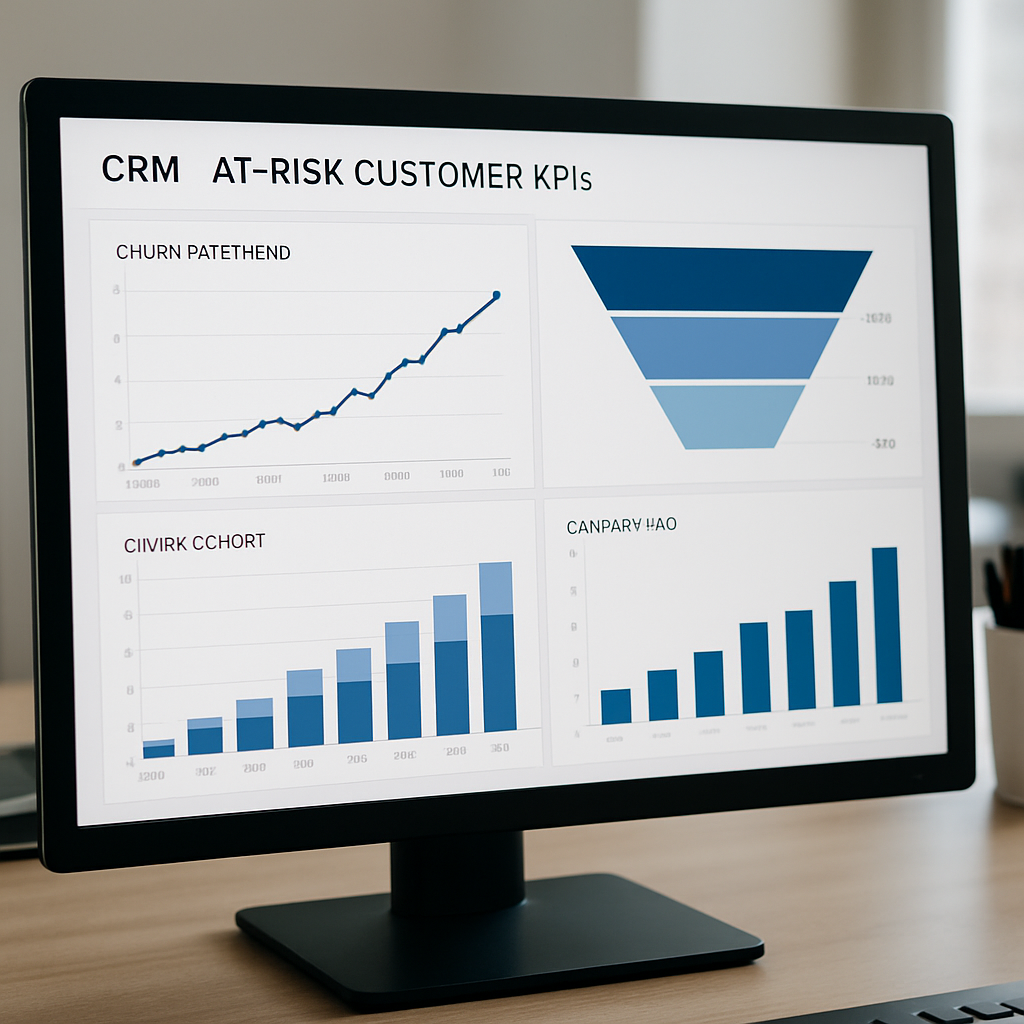
A clear, photo realistic funnel diagram for gym trial sign-ups showing vertical stages: sign-up, booking confirmed, pre-visit reminders, attended first visit, trial engagement window, conversion to paid, and re-engagement; include small icons for SMS, email, check-in, and calendar add; professional, clean, analytical mood.

Next consideration. Once you have the stage map and baseline KPIs, move straight into a data-and-integrations checklist so your triggers fire reliably across Gleantap and your booking system; without that, automation will underperform and produce misleading KPI signals. For integration steps, see Gleantap features and review your booking tool documentation such as Mindbody.

2. Data and integrations checklist for real-time automation

Hard rule: your automation is only as good as the event stream behind it. If sign-ups, bookings, and check-ins do not arrive in near real time and with consistent identity fields, workflows will either misfire or generate noise that hides what actually works.

Core profile and event attributes to capture

AttributeTypical sourceWhy it matters for automation
lead_id (stable)CDP or booking toolAllows cross-system joins and prevents duplicate profiles when a lead re-submits a form
phone (E.164)Sign-up form / POSPrimary channel key for SMS-based reminders and two-way responses
consent_flags (sms,email)Form checkbox with timestampRequired for compliance and to choose channel fallbacks
scheduled_slot (ISO datetime + timezone)Class booking APIDrives pre-visit timing and day-of nudges accurately across locations
booking_sourceUTM / landing page / paid networkEnables channel- and campaign-level ROI measurement
attendance_eventCheck-in system / POSTriggers onboarding flows and updates lead score in real time
paymenttokenpresentPOS / payment gatewayUsed to tailor conversion offers (no-token leads get low-friction sign-up prompts)

Integration checklist (practical steps to run through before you turn flows on):

  1. Enable webhook events from your booking tool for new sign-ups, cancellations, and check-ins; avoid waiting for nightly CSVs where possible.
  2. Normalize identity fields: enforce E.164 phone formatting, lowercase emails, and a persistent lead_id mapped to your CDP.
  3. Map consent fields explicitly and store a consent timestamp and source; use this to gate SMS sends and to populate opt-out logic in the orchestration layer.
  4. Synchronize timezones: store scheduled_slot with timezone metadata and run your reminder logic in the member’s local time to prevent odd send windows.
  5. Deduplication rules: choose one authoritative source for profile merging (usually your booking system) and set dedupe thresholds for name+phone+email.
  6. Fallback channels: define channel preference order (e.g., SMS then email then push) and configure fallback triggers when the preferred channel is unavailable.
  7. Test harness: create a staging webhook target that returns test events and validate round-trip latency, then run a 48-hour smoke test before production.

Practical trade-off: webhooks deliver speed and accuracy but often require engineering time to secure, retry, and validate payloads. If your team lacks engineering bandwidth, a middle-layer (like a CDP connector or Zapier) will accelerate deployment but expect more latency and occasional duplicates — budget QA cycles for that.

Troubleshooting checklist for common sync failures:

  • Duplicate leads after form resubmission: enforce idempotency with leadid and ignore events with identical eventid.
  • Missing phone numbers: block automated SMS paths and instead queue leads for an immediate email asking for a preferred contact method.
  • Timezone drift causing reminders at wrong local times: backfill timezone on profiles using location metadata and re-run scheduling logic.
  • Payment token mismatches: map gateway tokens to profile only after tokenization succeeds; do not store raw card data in the CDP.

Concrete example: A four-studio operator running Glofox routed bookings to an orchestration platform via a third-party connector. Latency from the connector meant 24-hour reminders reached some leads after the class had started. They switched to direct webhooks into their CDP, normalized timezone fields, and added an event replay for missed reminders; within two weeks the missed-reminder incidents dropped to near zero.

Judgment call: prioritize identity and consent accuracy over fancy personalization at launch. Personalized tokens and AI-driven recommendations are useful, but they produce little lift if messages land to the wrong person or without consent. Get clean, real-time signals first; personalization scales more reliably after that.

Key takeaway: Build automation on real-time, normalized events with clear ownership for identity and consent. Use webhooks where possible, add a tested fallback for batch syncs, and enforce simple dedupe rules before you enable multi-channel sequences. For connector reference and orchestration capabilities, see Gleantap features.

Photo realistic integration diagram showing a gym tech stack: booking systems (Mindbody, Glofox) sending webhooks into a CDP, which normalizes data and triggers SMS/email/push via messaging providers; include icons for payment gateway, calendar, and front-desk dashboard; professional analytical mood

3. Core automated workflows with exact timing, channels, and personalization

Start here: implement a small set of event-driven workflows that cover confirmation, pre-visit reminders, day-of check-in, no-show recovery, post-visit onboarding, and conversion sequences. Each workflow must declare a single trigger, preferred channel, one fallback, and the KPI you’ll watch to judge it.

Workflow blueprints — trigger, timing, channel, personalization, KPI

  • Immediate confirmation (trigger: new trial sign-up): send an SMS within 60 seconds containing class time, studio address, and a one-click calendar add; if no SMS consent or phone number, fall back to email. Track delivery rate and calendar-add CTR as the primary KPIs.
  • Two-touch pre-visit reminders (trigger: scheduledslot): first reminder ~48 hours before via SMS with prep tips; second reminder ~24 hours before that includes staff name, classtype, and a short video link. Use email for richer directional content if the contact prefers it. KPI: click-to-directions and reduced last-minute cancellations.
  • Day-of arrival nudge (trigger: local morning of class): send a morning push or SMS with a mobile check-in link and expected arrival window; if no check-in by class start, send a 15-minute follow-up nudge. KPI: check-in within scheduled window and on-the-day show rate.
  • Immediate no-show recovery (trigger: missed check-in): within 60–90 minutes send an empathetic SMS offering a single-click reschedule and a small, time-limited incentive if they rebook within 48 hours; tag the profile for human follow-up if they ignore the message. KPI: reschedule CTR and recovery-to-attend rate.
  • Post-visit onboarding (trigger: first check-in): sequence of three touches over 10 days—welcome email from coachname, class recommendations based on attended classtype, and an invite to a complimentary consult. KPI: return visit rate within 14 days and consult bookings.
  • Conversion sequence (trigger: trialenddate minus X days): escalate across 7–14 days from reminder to limited-time membership offer; include a variant that auto-extends the trial for leads with visits_count >= 2. KPI: trial-to-paid conversions attributed to the flow.

Practical insight: SMS-first works for time-sensitive touchpoints because of visibility, but it requires explicit opt-in and conservative frequency. Limit SMS across a trial lifecycle and rely on email for content-heavy messages. Use Gleantap features to centralize consent flags and channel fallbacks before you turn on high-frequency sends.

Trade-off to accept: aggressive personalization (deep class recommendations, dynamic coach promos) lifts conversion when your identity data is clean; if phone, email, or timezone are unreliable you will mis-personalize and harm trust. Prioritize identity and consent accuracy over advanced personalization for the first rollout.

Concrete example: A three-location studio using Mindbody and a CDP implemented the immediate SMS confirmation, two pre-visit reminders, and a one-hour no-show recovery nudge with a reschedule link. They gated the flows so messages only send when phone and consent flags are present; leads without valid contact info were queued for a one-off email asking for preferred contact. That gating prevented wasted sends and made the flows measurable.

Common misstep: teams often assume push notifications are a free extension of SMS. Push requires an installed app and different consent model; if you don’t have a reliable app user base, do not design day-of critical nudges around push alone.

Operational checklist before enabling flows: ensure leadid, phone (E.164), email, scheduledslot with timezone, consentflags, and visitscount are available; configure channel fallback order; create a human-escalation tag for hot leads; and define one KPI per workflow so you can A/B test send timing and CTA.

Photo realistic image of a gym manager dashboard showing live workflows: immediate SMS confirmation, 48/24-hour reminders, day-of check-in status, and no-show recovery with reschedule link; include icons for SMS, email, push, and calendar add; professional analytical mood

Final judgment: start narrow, measure the one workflow driving the biggest leak in your funnel (usually pre-visit reminders or no-show recovery), iterate on timing and message intent, and only then expand personalization and incentive complexity. Focused automations that respect consent and channel limits win more often than feature-heavy sequences that fire to poor data.

4. Segmentation and AI-driven lead scoring for prioritized outreach

Priority first: treat segmentation and scoring as your traffic triage. Not every trial lead deserves the same sequence or human touch – build simple, reliable segments first, then layer AI to escalate the highest-propensity contacts.

Segmentation that actually reduces noise

Practical segments to implement immediately: create mutually exclusive buckets based on identity, behavior, and commercial signals. Use a primary dimension (contact quality) and a secondary dimension (behavioral engagement) so routing rules are deterministic and auditable.

  • Contact-quality: Valid phone + SMS consent, Valid email only, No valid contact (queue for manual follow-up).
  • Acquisition source: Paid search, Facebook/Meta ads, Organic landing page, Referral program.
  • Behavioral: Clicked confirmation, Opened reminders, Attended check-in, Booked additional class during trial.
  • Commercial signals: Card-on-file present, Promo code used, Referred a friend.

A concrete, interpretable scoring model

Score by additive signals. Start with an explainable, weighted model you can tune weekly instead of a black-box that needs months of data. Keep scores on a 0-100 scale so thresholds map cleanly to actions.

  • Signals and example weights (initial): Check-in recorded = +30, Booked extra class during trial = +20, Clicked confirmation link = +10, Responded to SMS = +10, Referred friend = +25, No-show = -25, No consent/invalid phone = -50.
  • Thresholds and routing: 70+ = Hot (trigger concierge call + priority SMS cadence); 40-69 = Warm (standard trial nurture + limited-time offer); <40 = Cold (email drip + light retargeting).
  • Time decay: reduce older signals by 50% after 14 days so cold leads don’t accumulate stale score.

Trade-off to accept: simple additive scores are explainable and fast to act on, but they miss interactions between signals (for example: check-in + paid ad source may be stronger than either alone). Use the simple model to prioritize outreach and pilot a supervised propensity model once you have several hundred labeled conversions.

Operational guardrail: never trigger a human outbound call without a score audit trail and consent check. Log the score, which signals contributed, and the consent timestamp on the profile before creating a task for front-desk staff. See Gleantap features for routing examples.

Concrete example: a boutique studio routed leads scoring 70+ into a two-hour SLA for a membership advisor call and a priority SMS sequence offering a same-week consult. Over six weeks they reduced time-to-first-contact from 48 hours to under 4 hours and saw the hotline of hot leads convert at a 2x higher rate than the warm cohort.

What most teams get wrong: they rely solely on AI propensity scores and stop checking inputs. In practice models drift when your ad mix, pricing, or class schedule changes. Keep a short feedback loop: review false-positives weekly and reweight signals, not just thresholds.

Key decision: start with an interpretable score to route actions; add a machine-learning propensity layer only after 90 days of clean event data and a documented validation set.

Photo realistic diagram of a gym lead-scoring flow: incoming trial sign-ups flow into a scoring engine that shows signals (check-in, click, referral), outputs a score (0-100), and routes contacts to automated sequences, priority SMS, or front-desk tasks; clean UI, professional analytical mood

5. A/B testing and optimization framework

Start with the metric that pays the bills. If your tests do not move the check-in or trial-to-paid metric, they are academic. Design experiments to change behavior you can measure in the booking or POS system and ensure the orchestration layer (CDP or Gleantap) can attribute events back to the variant.

Priority constraints and practical trade-offs

Small-to-medium gyms face two hard limits: sample size and seasonality. You cannot reliably detect small lifts with 50–100 trials per variant. That means prioritize tests with larger expected effects (channel changes, incentive presence, timing shifts) rather than tiny copy tweaks. Also, avoid running major tests across black-Friday-like windows where consumer behavior shifts — results will be noisy and misleading.

Trade-off to accept. Run fewer, higher-impact experiments and iterate winners across segments instead of attempting many simultaneous low-impact tests. Multi-armed bandits can speed winners on high-volume streams, but they complicate attribution and are risky when your volume is low or data flows are delayed.

Essential test design checklist

Before you flip a switch, confirm these: (1) the CDP tags variant exposure and returns that event to the booking system; (2) you have a clear primary KPI and one safety KPI (e.g., opt-out rate for SMS); (3) sample size is feasible within the test window; (4) the test does not change consent logic or message frequency limits.

Practical limitation: if your orchestration latency exceeds 10 minutes, avoid experiments that depend on minute-level timing (like 15-minute day-of nudges). A slow event stream will blur variant boundaries and bias results toward null.

Five high-value A/B test ideas (how to run them)

Below are focused experiments with the action to take, the primary metric, and a conservative sample-size note so you can judge feasibility.

Test 1 — Channel priority: Variant A = SMS-first confirmation then email; Variant B = email-first then SMS. Metric: attended first visit. Sample size: target at least 200 per variant in mid-size studios; run longer if volume is lower.

Test 2 — Timing of pre-visit reminder: Variant A = 48-hour reminder; Variant B = 24-hour reminder. Metric: same-day cancellations and check-ins. Note: stagger cohorts to control for day-of-week effects.

Test 3 — Incentive vs extension: Variant A = small discount for immediate sign-up; Variant B = 7-day trial extension if they attend twice. Metric: trial-to-paid conversion within 30 days. Use a holdout to measure incremental lift.

Test 4 — Personalization signal: Variant A = include coach name + short intro video link; Variant B = generic logistics-only. Metric: click-to-directions and first-visit attendance. Ensure coach attribution is accurate in the profile before testing.

Test 5 — CTA framing: Variant A = book a consult at front desk; Variant B = one-click online sign-up. Metric: membership sign-ups attributed to flow. For low-volume clubs, aggregate results across similar locations with identical pricebooks to reach significance.

FieldExample entry
HypothesisSMS-first reminders increase first-visit attendance vs email-first
Primary metricFirst-visit attendance rate within scheduled slot
Test size400 total (200 per variant) or run for 4 weeks, whichever comes first
Decision ruleWinner = >95% confidence and >3 percentage-point absolute lift; else extend or stop

Concrete example: A three-studio operator split new trials evenly into SMS-first and email-first buckets for five weeks, logging exposure events in their CDP. The test infrastructure recorded variant IDs and checked attendance events back to those IDs; the winning variant was promoted to production only after a 14-day holdout confirmed persistent lift across two cohorts.

Keep a measurement holdout: always reserve 5–10% of traffic as an untested control so you can measure net incremental impact of your automation program.

Key takeaway: Focus experiments on changes that affect behavior (channel, timing, incentives). Ensure your CDP or Gleantap captures exposure and outcome events reliably, control for seasonality, and accept that low-volume clubs must run longer tests or pool similar cohorts to detect meaningful lifts.

6. Compliance, deliverability, and best-practice guardrails

Hard truth: compliance failures and poor deliverability silently kill gym marketing automation programs long before message copy or incentives do. Build your automation with legal-proof audit trails, sender reputation controls, and operational limits baked in — not as afterthoughts.

Practical consent and legal controls you must capture

Record the who/what/when/where. Save the contact, the exact opt-in wording presented, a timestamp, and the source (landing page, front-desk tablet, ad click). For US SMS, capture explicit affirmative consent and a way to show it quickly if a TCPA complaint arrives; for EU contacts, store lawful-basis notes and a link to your privacy policy. A simple opt-in line that works in practice: Yes, I agree to receive automated booking and membership messages at the number provided. Msg & data rates may apply. Reply STOP to opt out.

Trade-off to accept. Double opt-in reduces usable audience by a percentage but dramatically lowers spam complaints and false numbers. If you need scale fast, use single opt-in with immediate confirmation plus a visible opt-out; if your funnel volume is lower and regulatory risk matters, use double opt-in and keep the consent proof.

Deliverability basics you cannot skip. Authenticate marketing email domains with SPF/DKIM/DMARC and use a dedicated subdomain for outgoing email. For SMS, register your brand and campaign where required (for example, 10DLC in the US). Warm up IPs and sending domains gradually — sudden spikes trigger carrier and ISP throttles.

What to monitor daily. Track deliverability metrics that matter: inbox placement or carrier delivery rate, complaint rate, soft and hard bounce rates, SMS opt-outs per 1,000 sends, and response latency. Set hard thresholds (for example: pause a campaign if complaint rate > 0.3% or hard-bounce > 2%) and automate a cooldown workflow when thresholds are breached.

SMS sender choices — a real-world trade-off. Short codes allow high throughput but cost more and require separate provisioning; long codes are cheap but limited and more likely to be filtered at scale; toll-free numbers and registered 10DLC are the pragmatic middle ground for most gyms. Choose based on campaign volume and whether two-way replies are essential for your workflow.

Operational guardrails for human workflows. Block any automated outbound call or high-frequency SMS unless the profile shows recent consent and a score-based justification. Tag and surface complaint keywords (STOP, HELP, UNSUBSCRIBE) to front-desk staff as tickets, and require a documented SLA for human follow-up on all escalations.

Retention and defensibility. Keep message transcripts, consent records, and exposure events for at least 24 months; many operators keep three to five years to defend disputes. This increases storage and privacy obligations — redact payment or sensitive PII from logs and restrict access to a small set of admins.

Concrete example: A regional gym chain ran a high-frequency SMS promo that produced quick sign-ups but a sharp rise in carrier complaints. They paused sends, registered their brand on 10DLC, reduced cadence to three messages per trial lifecycle, and executed a short re-permission campaign. Deliverability and opt-in rates recovered inside six weeks and long-term unsubscribe rates fell by half.

Judgment call you need to make. If you must choose between short-term volume and long-term channel health, choose channel health. A smaller, trusted audience that reliably receives messages and responds will convert better than a larger list that carriers throttle or that repeatedly opts out.

Quick compliance checklist: capture timestamped consent and source, register SMS sending (10DLC/short-code/toll-free), authenticate email domains (SPF/DKIM/DMARC), implement automated throttles on complaint/bounce thresholds, retain consent and message logs 24+ months, and run a weekly deliverability dashboard. For orchestration and consent gating, see Gleantap features.

Next operational step: build a simple deliverability dashboard and an automated safety net that pauses sequences when thresholds hit. Then run a phased rollout — low send-volume for two weeks, review metrics, then increase cadence. That cadence discipline preserves the channel you need to convert trials into long-term members.

7. Measurement, dashboards, and a 30-60-90 day rollout plan

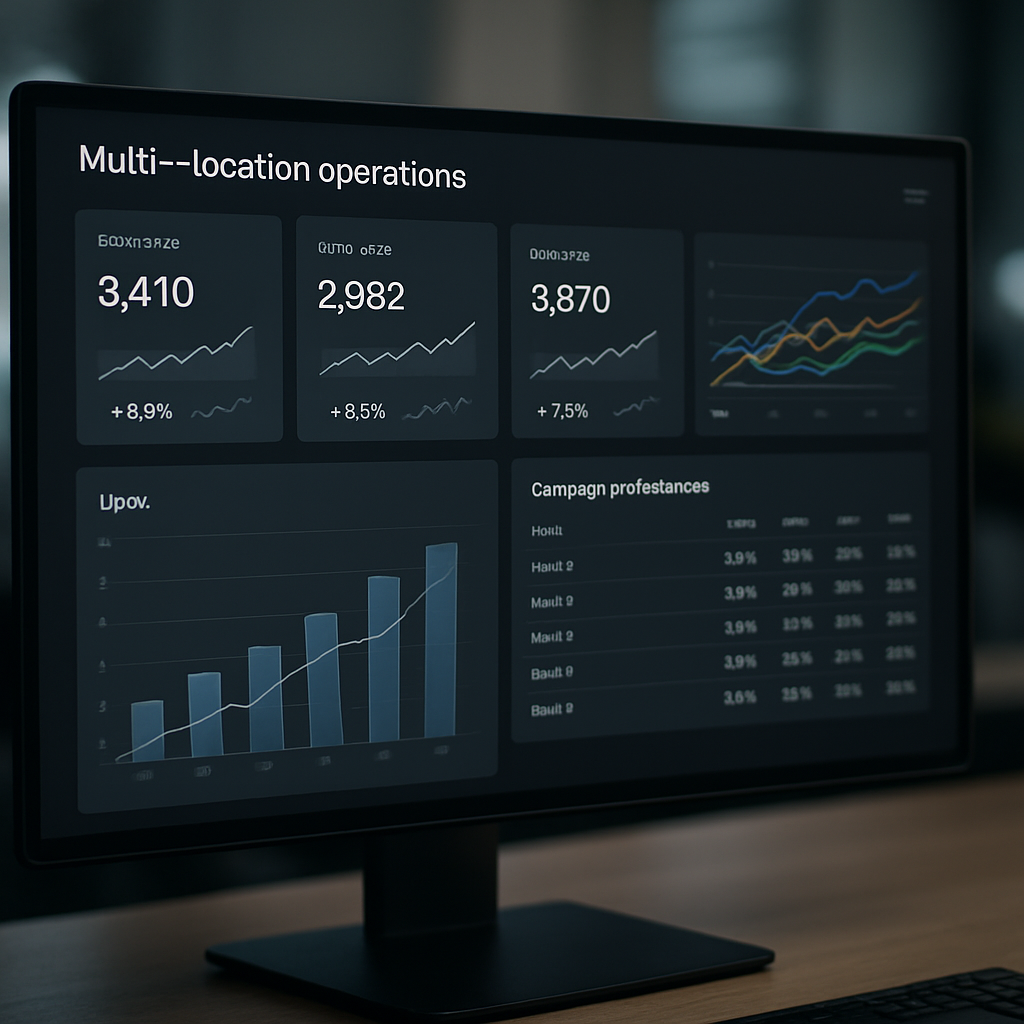
Measurement must change what you do next. Build dashboards that answer operational questions—where leads are dropping off, which workflows actually move people to visit, and whether your message cadence is costing you future access to SMS or inbox placement. Treat dashboards as control panels for decisions, not trophy boards.

Daily, weekly, and monthly widgets to prioritize

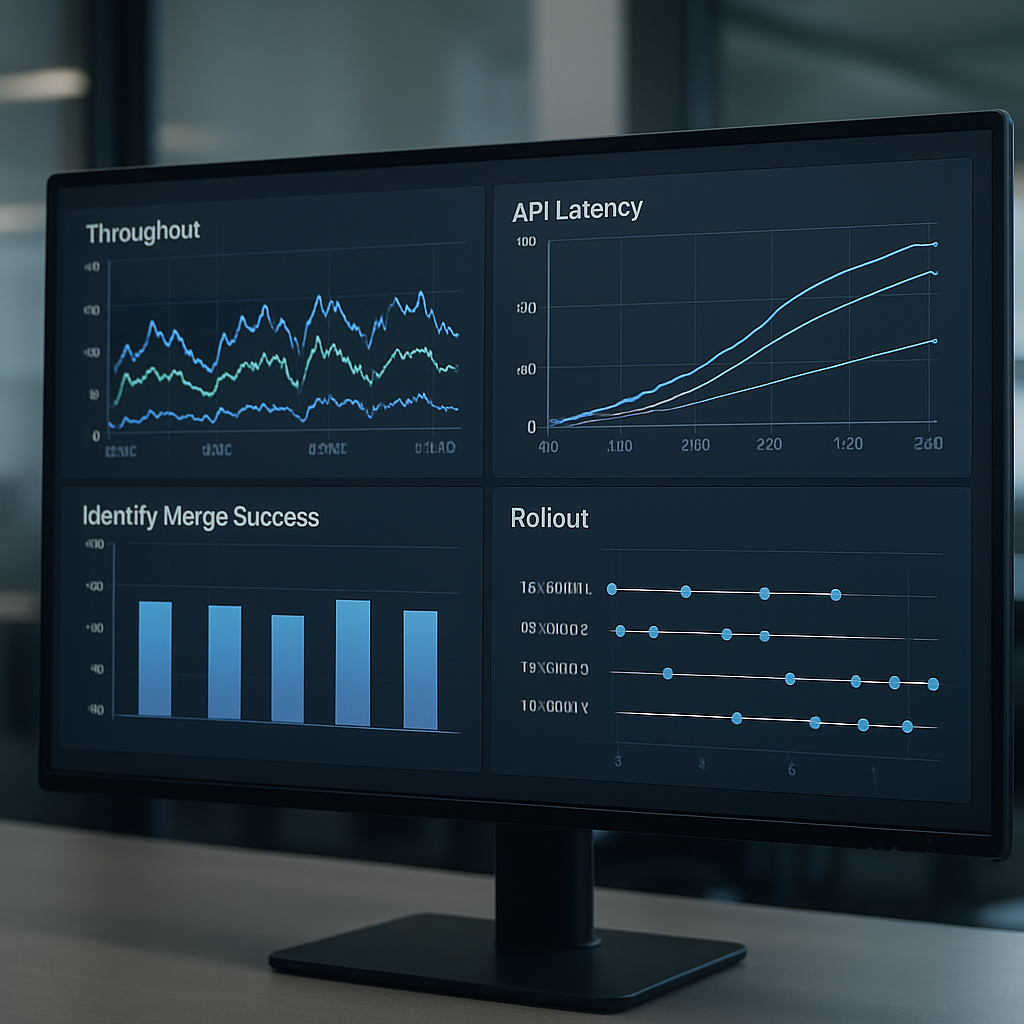
  • Real-time ingestion latency: show the percent of events (sign-up, booking, check-in) delivered within your SLA window and surface the oldest pending events. If webhooks or connectors lag, A/B tests and day-of nudges will misattribute outcomes.
  • Contact-quality pass rate: percent of new trials with usable contact + consent. This is the gating metric for any multi-channel outreach; low pass rates mean your automation will waste sends and dilute lift.
  • Funnel leak heatmap: visual mapping of conversion velocity between micro-stages (capture -> confirmed -> checked-in -> repeat visit). Color-code by campaign or acquisition source so you can see which channels underperform.
  • Workflow effectiveness matrix: rows = workflow name, columns = lift-oriented KPIs (reschedule CTR, on-day check-ins, trial-to-paid lift). Flag flows with negative or neutral lift for rapid iteration or pause.
  • Channel health scoreboard: delivery and complaint indicators by channel (SMS delivery %, email inbox placement proxy, opt-outs per thousand). Use this to throttle cadence automatically.
  • Front-desk SLA panel: open tasks, response times for hot leads, and outcomes from human follow-ups so you can correlate automation with manual touches.

Practical trade-off: more metrics create more false positives. Start with the smallest set that can trigger action: latency, contact-quality, and one funnel-leak view. Expand only when those signals are stable and useful.

Concrete example: A regional chain instrumented an ingestion-latency metric and discovered many check-in events arriving after their day-of nudge expired. Fixing the webhook retries and enforcing timezone normalization reduced missed nudges and produced a clear uptick in same-day check-ins within three weeks.

  1. Days 1–30 — Baseline and guardrails: validate identity and consent fields, enable real-time event streams to your analytics layer, and publish the three core widgets (latency, contact-quality, funnel-leak). Run a 7-day smoke test and freeze sends to any flow that shows automated complaints or spikes in bounces.
  2. Days 31–60 — Controlled experiments and ops training: deploy the confirmation and pre-visit reminders to 50% of traffic, start 1–2 A/B tests from your experiment backlog, train front-desk on SLA tasks and how to mark outcome events so your attribution is clean.
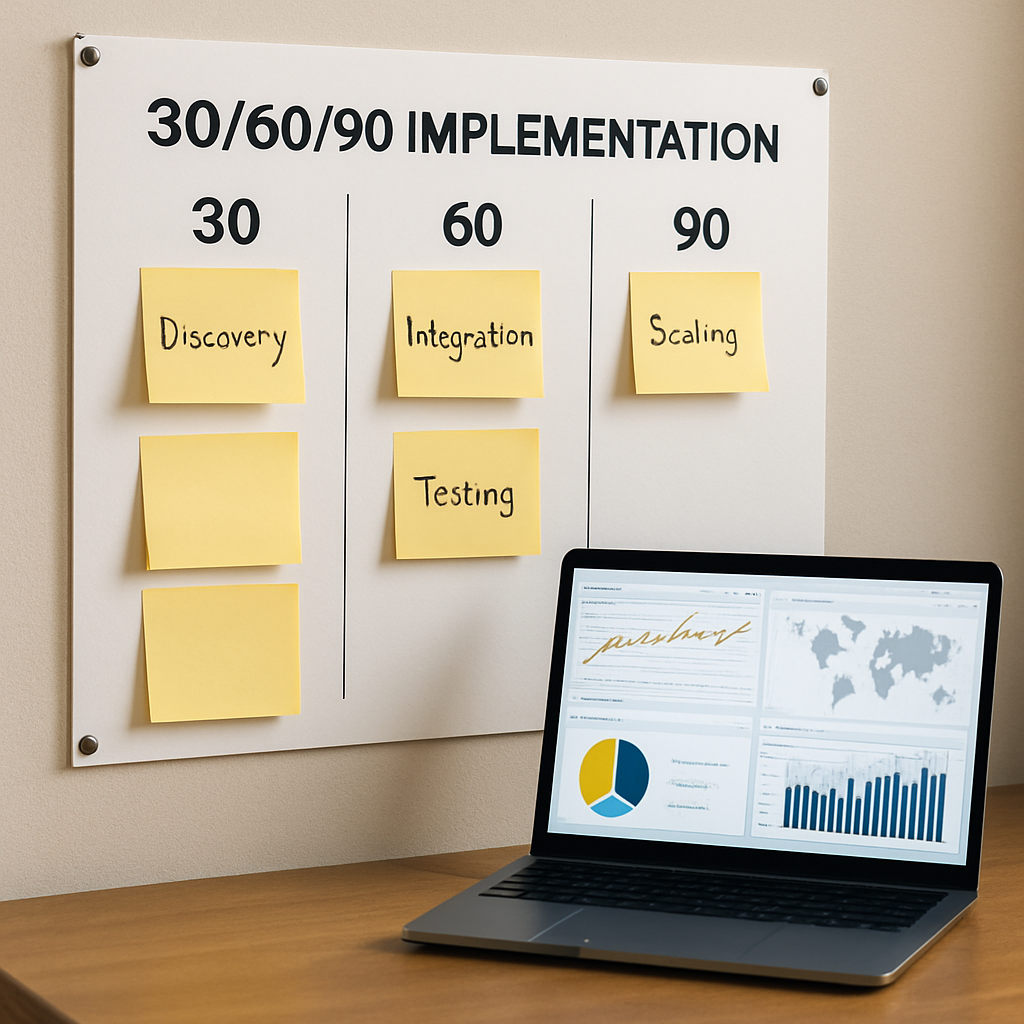
  3. Days 61–90 — Scale and harden: expand winning variants to full traffic, enable no-show recovery broadly, add the workflow effectiveness matrix, and codify acceptance criteria for new locations (data quality, complaint thresholds, and conversion lift).

Rule of thumb: do not expand to new locations until your contact-quality pass rate and ingestion latency meet YOURSLA for two consecutive weeks.

Limitation to accept up front: attribution will remain imperfect if your booking and POS systems batch-sync or have delayed writes. In that case, prioritize event-level tagging in the orchestration layer and use a conservative holdout control to measure net incremental impact of automation. Avoid declaring a winner on noisy or partially-attributed data.

Quick operational acceptance checklist: owner assigned for data QA, dashboards published and validated, one working A/B test running, front-desk trained on SLA workflow, and automated throttles set for channel health. If any item fails, pause expansion and fix the root cause before scaling. For orchestration and dashboard templates, see Gleantap features.

Final judgment: measurement is useful only if it shortens decision loops. Keep dashboards tightly scoped, require action on every red flag, and treat the 30-60-90 plan as a gating process: pass a milestone by demonstrating reliable data and measurable behavior change before you move to the next phase. If you cannot get the baseline in 30 days, stop automating new sequences and fix the data plumbing first.

Frequently Asked Questions

Direct answer up front: these FAQs resolve the recurring operational trade-offs that slow gym marketing automation rollouts: consent capture, timing precision, channel sequencing, and reliable attribution.

Minimum data to get started: you need a contact method that can be used for time-sensitive delivery (phone or email), a timestamped booking or scheduled slot, a location identifier, and an explicit record of consent for the channel you plan to use. Without those four pieces you will be firing messages you cannot attribute or defend.

Which channel first for reminders: prioritize the channel that gives you timely visibility into behavior. For most operators that is SMS for short, urgent nudges and email for richer onboarding content. Make the preferred channel configurable per lead and ensure your orchestration falls back automatically when a consent flag or contact field is missing. See Gleantap features for consent gating examples.

Timing precision and system latency: aim for near-real-time sends for confirmation and day-of nudges, but only if your event stream reliably arrives within your required SLA. If webhooks or connectors regularly lag, shift critical sends to conservative windows (for example, send the day-of nudge in the morning rather than minutes before class) to avoid losing attribution and creating confusion.

Acceptable SMS cadence during a trial: keep total promotional or operational SMS to a small handful per trial lifecycle and treat each as high-value. Over-messaging trips carrier filters and drives opt-outs; under-messaging misses opportunities. The right balance depends on your consent quality and audience expectations—test cautiously and monitor opt-out and complaint signals closely.

Measuring lift from automation: rely on cohort comparisons with a held-out control rather than trying to infer impact from raw conversion numbers. Tag exposure events (which variant received which message) and attach those tags to booking and POS events for clear attribution. If your booking system batches writes, extend your observation window or use event-level reconciliation in your CDP.

When to route leads to a human: use an explainable score and a short SLA. If a lead crosses a hot threshold (for example, a recent check-in plus a referral signal), create an immediate task for a staff member with the contact, recent events, and consent timestamp visible. Do not create outbound call tasks without the consent audit — that is asking for complaints.

Practical limitation to plan for: personalization only meaningfully helps if identity and consent are accurate. Adding coach names, tailored offers, or dynamic videos before your data is clean increases the chance of wrong-person personalization and harms trust faster than it helps conversions.

Concrete example: A four-studio operator added a single no-show recovery SMS that included a one-click reschedule link and a 48-hour incentive. They gated the send so it only went to profiles with a valid phone and recent consent, and they logged the exposure event in their CDP. Over eight weeks the reschedule link CTR climbed to a measurable lift in recovered visits, and the team used that data to justify staffing a short follow-up window for high-value leads.

Quick judgment: prioritize reliable identity and consent over incremental personalization when you start. Clean signals make every downstream optimization faster and less risky.

What people misunderstand: many teams treat automation as a way to scale messaging rather than to direct human effort where it matters. The right approach is hybrid: automate low-touch confirmations and reminders, and use simple, auditable signals to route the handful of genuinely high-intent trials to staff for personal conversion efforts.

Next concrete steps you can implement this week: (1) validate that new trials have contact, scheduled slot, location, and consent captured on the profile; (2) configure a consent-gated confirmation flow in your orchestration tool; (3) instrument exposure events for every message so you can run a control vs exposed cohort; and (4) define a single score rule that triggers a human follow-up task with a 4-hour SLA. Execute these and you’ll have the minimum control needed to iterate safely.

How SaaS Companies Use Customer Support Automation

Customer Support Automation is how B2C SaaS companies stop support from becoming a cost sink by automating repeatable workflows, enabling self-service, and routing the right cases to human agents. It also plays a critical role in strengthening customer service automation strategies that improve consistency, scalability, and overall experience quality. This article shows product and operations leaders how to design, implement, and measure automation that reduces cost per ticket, speeds resolution, and protects retention, with concrete use cases, tooling recommendations, and an ROI template you can apply.

Why customer support automation is a strategic priority for SaaS and B2C businesses

Strategic point: Customer Support Automation stops support from being only an operational expense and turns it into a lever for retention and revenue. When automation is designed around real customer context and measurable outcomes, it reduces repeat contact, shortens resolution time, and creates predictable capacity you can plan against.

Trade-off to manage: Automation improves unit economics only if containment and escalation are balanced. High containment with poor escalation creates angry customers; aggressive escalation policies with weak automation erode cost savings. Set machine confidence thresholds and require contextual checks (membership status, recent transactions, upcoming bookings) before automations take irreversible actions like refunds or cancellations.

Concrete example: A B2C subscription app automates payment-failure recovery with a 3-step sequence: immediate email with retry link, an SMS the next day, and a personalized in-app notice with one-tap retry. The automation pre-populates the customer context for an agent if the flow fails, cutting manual triage time and shortening the payment recovery window without removing the human fallback.

Where automation delivers the most strategic value

  • Cost containment: Automate highly repeatable tasks (billing status, password resets, booking confirmations) to lower cost per ticket while keeping agents for complex issues.
  • Retention and revenue: Trigger timed, personalized outreach for churn-risk customers—automation that saves a subscription is worth many times the cost of a single ticket.
  • Speed and consistency: Use automation to guarantee SLAs for first response and to remove variance between agents during peak periods.
  • Surge capacity and seasonality: Automated flows handle spikes (promotions, holidays, cancellations) without proportional headcount increases, which matters for location-based businesses.

Common misunderstanding: Teams assume a chatbot alone will solve high volume. In practice, bots succeed only when they have a live link to reliable knowledge bases and a synchronized customer profile (CDP or CRM). Without those integrations, containment rates drop and customers escalate to phone or email, creating hidden operational churn.

Evidence to act: Industry research from Zendesk Customer Experience Trends and Forrester shows that the fastest ROI comes from automating high-frequency, low-complexity workflows and by coupling bots with seamless human handoffs.

Practical next consideration: Before buying tools, map your top five repeatable support flows, list the minimal customer attributes required for correct automation, and measure current handle time and volume—those inputs will determine whether you need conversational AI, workflow automation, or a CDP-first approach.

Core components of an effective customer support automation stack

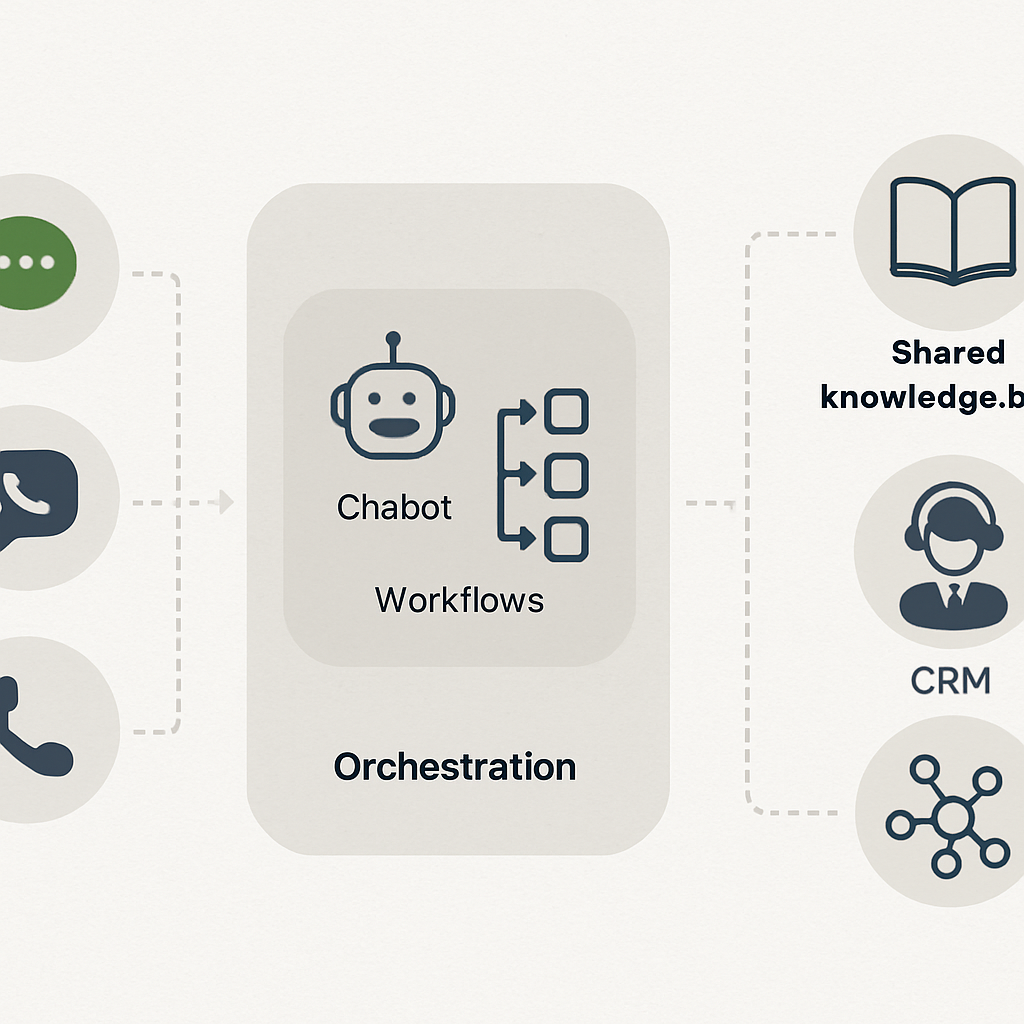
Direct point: A reliable Customer Support Automation stack is not a single bot or ticketing system — it is a small set of interoperable layers that together give automation context, control, and recoverability. Treat the stack as assembly lines, not islands.

The pragmatic stack — six interoperable layers

  • Customer data layer (CDP/CRM): unified profile and event stream with customerid, subscriptiontier, last_activity, and consent flags.
  • Knowledge layer: searchable KB, FAQ content, and templated responses exposed via API so all channels serve the same answers.
  • Conversational layer: chatbots or virtual customer assistant that handle intents, slot-filling, and confidence scoring; use both rule-based flows and AI-driven intent classification.
  • Orchestration & workflow engine: sequenced steps, retry logic, wait conditions, and agent handoff rules to make automations safe and reversible.
  • Ticketing and routing layer: automated ticket creation, priority tagging, and pre-filled context for agents in your help desk.
  • Channel & action adapters: SMS/voice gateways, in-app messaging, email, and webhooks so the same automation can run across channels.

Practical insight: The single biggest failure mode is missing context at handoff. If a bot escalates without pre-populating the ticket with recent events and a predicted intent, agents spend minutes stitching together history. Invest in the CDP-to-ticket sync first; sophisticated NLU without context is just a faster gate to frustration.

Trade-off to accept: More data improves personalization but raises maintenance and compliance work. Sync only the attributes that change decisioning (membership status, unpaid invoice ID, upcomingbookingid) and keep retention windows and consent rules explicit. Over-syncing every event creates brittle automations and makes debugging expensive.

Concrete example: A regional studio chain uses Gleantap as the customer data layer to push upcomingbookingid and membership_tier into its conversational platform. The bot confirms or reschedules classes and, on failed flows, opens a ticket in the help desk with the booking context and last three interactions pre-attached — agents immediately see why a human takeover is needed and resolve the issue faster.

Integration patterns and developer checklist

  • API-first sync: prefer webhook/event streams and two-way APIs over batch CSV exports to keep real-time decisions accurate.
  • Idempotent actions: design automation calls so retries don’t duplicate refunds or bookings.
  • Confidence thresholds: surface suggestions when intent confidence is medium and take irreversible actions only when confidence is high or after explicit consent.
  • Observability: emit standardized events for every automated step so you can trace containment, handoffs, and failures.

Key takeaway: For most B2C SaaS and location-based businesses, prioritize a CDP + orchestration engine + ticketing integration before upgrading NLU. That combination raises containment and makes escalation predictable.

Where teams waste time: Buying the most advanced AI without locking down identity resolution and event fidelity. Real-world AI-in-customer-service works only when the system reliably knows who it is talking to and what action the customer is trying to take.

Next practical step: Map three core automations you want to deploy (example: billing retry, appointment reminder, refund request) and list the minimal fields each needs from your CDP. Use that list to scope integrations with your vendor of choice — for platform guidance see Gleantap features and conversational design notes from Google Dialogflow.

High-value use cases for customer service automation by function and vertical

Direct point: Focus automation where repeatability and customer friction align. The fastest, lowest-risk wins are transactional tasks that customers expect to be instant and that currently generate predictable agent load.

Function-to-vertical playbook

FunctionHigh-value verticalsTypical automation patternOutcome to measure
Onboarding and setupB2C SaaS, fitness studios, wellness chainsAutomated multi-step welcome flows with progressive verification, how-to micro-lessons, and in-app checklist completionTime-to-first-successful-use, activation rate
Billing and subscription managementSubscription apps, retail memberships, healthcare plansAutomated retry sequences, dunning messages by channel, one-click invoice view and self-serve plan changesRecovery rate after payment failure, support costs for billing
Scheduling and capacityClinics, class-based studios, family entertainment centersTwo-way SMS/WhatsApp confirmations, smart waitlists that auto-offer freed slots, and no-show follow-upsNo-show rate, utilization of slots
Retention and churn interventionSubscription retail, recurring wellness membershipsTriggered outreach based on inactivity signals and staged offers or support callbacksChurn rate change for treated cohort vs holdout
Order and fulfillment updatesRetail chains, e-commerce addonsAutomated shipment alerts, exception notifications, and self-serve return initiationsInbound tracking inquiries, return completion time
Post-service feedback and routingAll verticals, especially hospitality and family venuesSegmented NPS or CSAT flows that route detractors to high-touch recovery workflowsResponse rate, detractor-to-resolution time

Practical insight: Channel choice changes effectiveness more than the AI model. Time-sensitive items like reminders land best over SMS or push; complex plan changes work better in-app or email where you can present choices. That means orchestration must be channel-aware and consent-driven, not single-channel by default.

Trade-off to accept: Prioritizing containment will cut volumes quickly, but aggressive containment without contextual data increases repeat contacts. Start by automating safe, reversible actions and ensure every automated path either records intent and recent events or pre-populates a ticket for smooth human takeover.

Concrete example: A regional clinic chains automated pre-visit screening and paperwork via SMS and an in-app link. Patients who completed pre-screening online arrived with forms already processed, reducing front-desk time by 40 percent and cutting same-day cancellations because required information was validated ahead of the appointment.

Key takeaway: Automations that reduce task friction at predictable touchpoints (payments, bookings, confirmations, and delivery updates) deliver the most reliable ROI. Reserve predictive, ML-driven interventions for when you have stable signals and a measurement plan.

Implementation judgment: Use deterministic automations first, then layer machine learning. Predictive churn or intent classifiers are powerful but fragile: they need clean event streams and regular retraining. If you lack that data hygiene, ML will misfire and create unnecessary agent work.

Measurement note: Validate each use case with a holdout or A/B test and tie results to business metrics, not just containment. Track downstream effects like retention lift, recovered revenue, or incremental bookings to justify scaling beyond ticket-cost savings. For tooling guidance see Gleantap features at Gleantap features and conversational design notes from Google Dialogflow.

Tools and platforms to build customer support automation

Direct point: For effective Customer Support Automation you need purpose-built layers, not a single silver-bullet vendor. Pick components by role: unified customer data, conversational surface, orchestration, and ticketing — then evaluate vendors on how well they hand context between those layers.

Where each vendor fits in a pragmatic stack

ToolPrimary roleBest fitPricing signalNotable constraint
GleantapCDP + campaign & orchestrationB2C and location-based businesses that need customer context and messaging automationOften priced by contacts and active segmentsRequires integration work to feed ticketing platforms for agent context
ZendeskHelp desk & ticketing backboneLarge contact centers and structured escalation workflowsPer-agent + add-on productsRigid UI and higher incremental cost for omnichannel routing
IntercomIn-app conversational layerProduct-led apps needing contextual, proactive chatPer-seat and conversation-based tiersCan get expensive as conversations scale; less suited for heavy voice
AdaNo-code AI bot for self-serviceTeams wanting quick self-service without ML opsInteraction or conversation volume pricingLimited custom NL capability for unusual intent sets
DriftConversational marketing and routingSales-driven flows and lead qualificationConversation-based with enterprise add-onsFocuses on revenue capture; support workflows need extra mapping
Salesforce Service CloudEnd-to-end enterprise support stackComplex orgs with CRM-first architecturePer-user enterprise licensingHigh implementation cost and long change cycles
TwilioProgrammable SMS/voice and channelsCustom channel stacks and voice automationPer-message and per-minute usageLow-level building blocks require developer effort
Google DialogflowConversational NLU and voiceTeams needing strong speech and language integrationsUsage-based for requests and audio processingOut-of-the-box intent models need tuning and contextual data
RasaOpen-source conversational platformControl, privacy, and deep customizationSelf-hosting or enterprise support feesRequires ML and infra expertise to operate

Practical judgment: No-code bots accelerate time-to-value, but they plateau. If you expect complex routing, refunds, or privacy-sensitive workflows, plan for a CDP-driven context layer (for example Gleantap) feeding either a commercial bot or a custom engine like Rasa or Dialogflow. Maintain the trade-off awareness that customization increases maintenance and operational cost.

  • Integration checklist for production readiness: Ensure realtime identity sync, canonical event names, schema versioning, and consistent customer identifiers across systems.
  • Operational safeguards to build: Rate-limit external actions, add idempotency keys for transactional calls, and require explicit confirmation for irreversible steps such as refunds.
  • Cost signals to watch: Per-conversation pricing can balloon with proactive messaging; per-agent licenses affect scaling differently than per-message models.

Concrete example: A mid-market retail chain used Gleantap as the single source of truth, pushing order status and consent flags into an Ada bot for self-service shipment lookups and into Twilio for SMS exception alerts. When the bot could not resolve a case, the orchestration layer created a prefilled ticket in the help desk with the last four events and suggested intents, so agents saw context immediately and closed calls faster.

Key decision criterion: Prioritize the integration surface area you need first — channels you must cover, the minimal customer attributes for correct decisioning, and the acceptable latency for lookups — then pick tools that minimize the amount of custom plumbing between those points.

Limitation to accept: Vendor ecosystems are uneven. Intercom or Ada may solve chat fast but will not replace a ticketing system for complex escalations; Dialogflow gives better voice NLU but needs contextual data from a CDP. Expect to run hybrid stacks for years rather than a single vendor sweeping everything.

Next consideration: Build a short pilot that connects your CDP to one conversational channel and to ticket prefill. Measure containment, escalation time, and agent triage time. If those three improve, expand channels; if not, the issue is missing context not the bot model.

Implementation roadmap: from discovery to monitored rollout

Start with real tickets, not theoretical use cases. Pull a representative sample of three weeks of support interactions across channels and tag them by intent, outcome, and repeat rate. That raw snapshot tells you which automations will reduce agent load versus which require human nuance.

Phase 1 — Discovery and sizing

Action: quantify frequency and cost per request for your top 10 intents. Use ticket metadata and a quick transcript skim to estimate average handling time and percent repeat contacts. Practical insight: a medium-volume intent with high re-open rates is usually a better short-term win than a very high-volume one with low repeat contact.

Phase 2 — Prioritization (do this decisively)

  1. Rank by expected ROI: multiply annual volume × average handle time × cost per hour, then estimate achievable containment percent.
  2. Risk check: mark actions that are irreversible (refunds, cancellations) and treat them as second-stage automations.
  3. Customer impact filter: prefer automations that improve speed for time-sensitive requests (scheduling, payment retries).

Phase 3 — Design, integrations, and safety

Integration blueprint: define the minimal attributes your automation needs and where they live. Common fields are customerid, subscriptionstatus, lastchargeattempt, upcomingbookingid, and consent.sms. Keep the sync one-way for initial pilots and add two-way updates after you verify idempotency. Trade-off: broader sync gives better personalization but increases test surface and regulatory risk.

Safety rules to bake in: require explicit confirmation for irreversible steps, add confidence thresholds for ML suggestions, and log every automated decision so agents can audit actions without guessing. Observability beats perfect NLU on early pilots.

Phase 4 — Build, test, and pilot

  1. Implement a narrow MVP: one channel, one intent, one cohort (for example, new customers in a single region).
  2. QA checklist: edge-case prompts, internationalization, rate limits, idempotency, and escalation wiring with prefilled context.
  3. Pilot metrics: containment rate, escalation time, ticket re-open rate, and CSAT for handoffs.

Concrete example: A regional retail chain piloted automated return-status lookups via SMS for 15% of online orders. The pilot reduced related inbound calls by 30% and cut average agent triage time because returned-ticket creations included order history and last-shipment event.

Phase 5 — Monitor, iterate, and govern

Operational cadence: run weekly containment reviews, capture failed automations for a rapid-fix backlog, and gate wider rollouts on stable CSAT and re-open rates over a 30-day window. Limitation to accept: some intents will never reach high containment without significant investment in data quality; treat those as ongoing hybrid flows rather than full automation targets.

Quick guardrail: deploy change flags and a 1% holdout cohort in every rollout to detect unintended downstream effects on churn or conversion.

Integration note: use your CDP to push essential attributes into chatbots and ticketing systems. If you need reference, see how Gleantap features recommends mapping event fields, and consult Dialogflow docs for NLU webhook patterns when you require intent enrichment.

Final consideration: treat the first full rollout as an operational change, not just a technical release. Train agents on how the bot surfaces context, set SLAs for human takeover, and budget 10 to 20 percent of initial savings for the first-year optimization effort.

Measuring business impact and calculating ROI

Bottom line: tie Customer Support Automation to money and retention metrics, not just fewer tickets. The real business case is a combination of reduced support spend, recovered revenue, and improved lifetime value from faster, more reliable customer journeys.

Which metrics to instrument first: use a small set of actionable KPIs you can measure end-to-end — containment rate, support cost per ticket, first response time, CSAT for handoffs, and a business metric such as churn rate or recovered revenue. Capture these as events so every automated step, handoff, and downstream conversion is queryable.

Practical ROI template and worked example

Assumption / FormulaValue (example)
Annual human-handled tickets120,000
Average cost per human-handled ticket (labor + overhead)$9
Expected containment uplift from automation18%
One-time implementation cost (integration, design, training)$60,000
Annual operating & tuning cost$18,000
Avoided tickets = annual tickets × containment uplift21,600
Gross annual savings = avoided tickets × cost per ticket$194,400
Net first-year benefit = gross savings – implementation – ops$116,400
Simple payback period≈ 0.5 years

Trade-off to recognize: quick wins usually come from high-volume, low-complexity intents. Those drive fast containment and clear cost savings. But focusing only on containment can obscure value from revenue-focused automations such as payment recovery or retention journeys, which deliver slower but larger returns. Measure both kinds of outcome and give the latter time to show impact.

How to attribute impact in practice: run a holdout or randomized A/B test for the pilot cohort and measure both direct ticket cost savings and downstream outcomes (retention, recovered revenue, upsell). Prefer a 5 to 10 percent holdout to detect changes in churn or revenue; smaller holdouts catch immediate quality regressions but miss longer-term business effects. Use time-series checks and seasonality controls when you cannot randomize.

Concrete example: a subscription fitness app automated billing retries for 5,200 failed payments per year. After deploying a three-message retry sequence with prefilled payment links and in-app prompts, recovered payments rose by 9 percent, producing roughly $14,040 in recovered subscription revenue the first year, on top of reduced billing-related tickets. The automation also pre-populated any unresolved cases into the help desk so agents could close remaining disputes 35 percent faster.

Common measurement pitfalls: teams commonly undercount the cost of running automation. Include vendor fees, message costs (SMS or voice), ongoing model tuning, and the time product and ops spend iterating flows. Also watch for leakage: customers who get automated messages and then call anyway produce hidden triage cost unless you capture and reconcile those paths in your events.

Key action: build a minimal ROI workbook now: list intent volume, current handle time, cost per hour, expected containment uplift, implementation cost, and projected revenue impacts. Use that workbook to decide whether to pilot a ticket-containment flow or a revenue recovery flow first. For integration patterns and field mapping see Gleantap features and for automation design notes consult Zendesk Customer Experience Trends.

Reporting cadence and dashboards: report fast-moving operational signals weekly (containment, escalation rate, re-open rate) and business outcomes monthly (retention lift, recovered revenue, net support spend). Hook those events into your BI tool or embedded analytics — Looker or Tableau work, or use built-in dashboards in your CDP — so finance and product can see the financial impact, not just operational improvement.

Next consideration: after you have baseline ROI, commit a small ongoing budget for data quality and model maintenance. Measurement will show you where automation breaks down; fund the fixes rather than pausing automation at the first sign of noise.

Common pitfalls and operational guardrails

Straight talk: Customer Support Automation fails more often from weak operations than weak models. Teams that treat automation as a deployment instead of an ongoing operating model end up with rising repeat contacts, confused agents, and brittle customer experiences.

Failure modes and concrete fixes

Failure modeHow it shows up in operationsPractical guardrail
Bots answering without contextCustomers get generic replies; agents see empty tickets with no historyRequire a minimal context payload (customerid, recenteventsummary, upcomingbooking_id) on every escalation and validate presence before escalation
Automation acting on irreversible itemsIncorrect refunds or cancellations that need manual reversalUse an approval queue for transactions above a dollar threshold and add idempotency keys for action calls
Escalation that loses the conversational threadAgent must ask the customer to repeat information or run duplicate checksAuto-create tickets with the full transcript, predicted intent, confidence score, and the last three events attached
Over-aggressive containmentCustomers attempt the same request across multiple channels, increasing total workLimit proactive messages per user in a time window and add clear CTA to reach a human; monitor re-open and cross-channel repeat rates
Silent degradation after rolloutContainment drifts down after model updates or data-schema changesAdd health checks and alerting for containment, escalation rate, and botfallbackrate with automated rollback flags

Trade-off to accept: Faster automation rollouts reduce ticket volume quickly but increase operational debt unless you budget time for maintenance. Expect at least one full-time equivalent worth of effort across product, ops, and data for the first six months after a major rollout.

Operational judgement: Confidence scores are useful but dangerous when treated as binary. Use three bands: high (automate), medium (suggest and require confirmation), low (route to agent). Tune thresholds per intent rather than globally; a missed password reset is different from a missed billing dispute.

Example in practice: A multi-location wellness operator automated class rescheduling and allowed the bot to issue refunds up to a small amount. When idempotency was missing, a handful of customers received duplicate refunds during a holiday spike. The fix combined a short manual approval window for any refund above the low threshold, added transaction idempotency, and surfaced pending refund candidates to a single ops dashboard for quick reconciliation. After that change the number of manual reversals dropped and agent time returned to planning work rather than firefighting.

Immediate guardrail to add: block irreversible actions behind confirmation + idempotency and require a prefilled ticket with transcript before any human takeover.

Measurement blind spots to close: Most teams track containment and CSAT but forget to correlate automated flows with downstream business signals like retention, payment recovery, or reactivation. Instrument every automated step as an event and link those events to the same user identifier your analytics use so you can run holdout tests and time-series checks.

Privacy and compliance constraint: Messaging across SMS, in-app, and email creates different consent obligations. Bake consent flags into your CDP and refuse to message on channels where consent is absent. For legal rules, consult Zendesk Customer Experience Trends and map your messaging cadence to documented consent states.

Operational checklist: 1) Validate minimal context fields on every escalation; 2) Enforce idempotency for transactional calls; 3) Add confidence bands and per-intent thresholds; 4) Expose transcripts and recent events to agents; 5) Monitor containment, fallback rate, and cross-channel repeat contacts weekly.

Final consideration: Treat guardrails as living rules, not a one-time spec. As you add channels, ML models, or business rules, expect new failure modes. Use small holdouts and a change-flag system to detect regressions before they reach all customers. If you want implementation patterns for safe context sync and orchestration, start with the integration examples in Gleantap features and the webhook patterns in Dialogflow docs.

Real-world examples and vendor-documented case studies

Practical observation: Vendor case studies are useful signal but not gospel. They show what is possible when automation sits on a clean data foundation, tight integrations, and an ops team committed to tuning flows. In plain terms: the headline gains in vendor write-ups assume you do the integration and governance work that most teams skip.

What vendors typically highlight: Case studies from vendors like Intercom, Ada, and Zendesk emphasize faster routing, higher self-service rates, and fewer routine tickets. Those successes almost always pair automated surfaces with prefilled context pushed into the help desk and clear escalation rules — the bot does the easy lift, the human finishes the edge cases.

Limitations to watch for: Vendor-reported containment improvements often omit the downstream costs: additional message fees, more complex agent workflows, and the work of reconciling failed automations. Expect trade-offs: high containment reduces ticket counts but can increase average triage complexity when the remaining issues are noisier or more ambiguous.

Concrete example: A national telehealth SaaS deployed a no-code bot for intake and symptom triage while routing anything above a confidence threshold to its ticketing system. The bot handled routine intake and pre-validated insurance and appointment data; when escalation occurred the ticket opened with the triage transcript and insurance verifier attached, so clinicians and agents spent less time gathering basics and more time on care decisions.

Judgment from practice: If your automation lacks realtime identity and event sync from your CDP, expect containment to stall. Vendors can build great NLU models, but without customer attributes like membership status, outstanding invoices, or recent booking history, bots make plausible-seeming but incorrect responses. Prioritize the small set of attributes that change decisioning rather than trying to sync everything at once.

How Gleantap fits in the evidence mix: For B2C and location-based operators, documented patterns show the fastest wins come from combining a unified customer layer with channel-first automations: booking confirmations, reminders, and payment-retry journeys. See real deployments and customer stories at Gleantap case studies for examples of that integration pattern in action.

Key takeaway: Validate vendor claims with a small pilot that measures agent triage time and downstream business metrics (retention, recovered revenue), not just initial containment. Require ticket prefill and transcript capture on every escalation before expanding a bot to more customers.

Frequently Asked Questions

Direct answer layout: Below are concise operational answers to the questions teams ask most when deploying Customer Support Automation. These are practical, no-fluff responses focused on what to do, what to avoid, and what to measure.

What is the difference between customer support automation and self-service

Short answer: Customer support automation covers proactive workflows, conversational bots, automatic routing, and backend orchestration that act or triage on behalf of agents. Self-service is a component of that system — searchable articles, FAQs, and portals where customers complete tasks without interacting with a system. They overlap but are not interchangeable: automation wires triggers, channels, and actions; self-service provides the canonical answers and UI customers rely on.

Which support tasks should I automate first

Priority rule: Automate high-frequency, low-ambiguity tasks that return clear time savings. Examples are credential resets, booking confirmations, invoice lookup, and shipment status. These reduce routine load quickly and let agents focus on exceptions. Trade-off: fast wins often plateau; reserve some effort and budget for the trickier, higher-value flows like payment recovery or churn interventions.

How do I measure whether automation actually reduced churn or increased revenue

Measurement approach: Use randomized holdouts or A/B cohorts and track both operational KPIs and business outcomes. Instrument automated steps as events tied to a single customer identifier, then compare retention, recovered payments, or LTV between treated and control groups. Practical insight: short pilots can show cost savings; only multi-week holdouts will reveal retention lift because churn is delayed and noisy.

How should automation handle conversations it cannot resolve

Handoff mechanics: When automation fails, hand off immediately with a prefilled ticket that includes the transcript, predicted intent, confidence score, and the last few customer events. Agents must see the why, not just the what. Limitation: if the system lacks identity or recent-event sync, handoffs still force agents to rebuild context. Fix the data flow before expanding escalation volume.

Do I need in-house AI expertise to implement conversational bots

Reality check: No-code platforms let you launch functional bots without ML teams. Use them for deterministic flows and clear-cut intents. For complex routing, speech, or private data workflows, expect to need engineering and data resources. Judgment: investing in a CDP and reliable identity sync produces more durable returns than early investment in custom NLU models.

What data do I need to feed automation to make responses personalized and accurate

Minimum fields to prioritize: customer_id, subscription or membership status, recent transactions or bookings, outstanding tickets, and channel consent. These let automation make correct routing and avoid embarrassing or incorrect actions. Trade-off: do not over-sync every event. Start with what changes decisioning and expand once observability is in place.

Concrete example: A city gym automated class rescheduling through SMS and in-app prompts. The automation verified membership status and recent bookings before offering reschedule slots. If the flow failed, it opened a ticket prefilled with the attempted rebooking options and the last two interactions; agents then resolved the case in a single exchange instead of asking for the same details twice.

Quick rule of thumb: prioritize data visibility and safe handoffs over model sophistication. Observability and prefilled context reduce agent triage time more reliably than marginal NLU improvements.

Next actions you can implement this week: 1) Pull your top ten intents and mark which require identity or a transaction id; 2) Build one pilot flow for a single channel that includes prefilled handoff data; 3) Add a 5 percent holdout cohort to measure downstream retention. These steps expose whether you need better data plumbing or smarter models.

Customer Attrition vs Customer Churn Key Differences Explained

Too many teams only recognize churn after a cancellation occurs, but the real warning signs appear much sooner. Customer Attrition Starts Earlier Than You Think — it’s the quieter decline in engagement, usage, or purchase frequency that precedes formal loss and can begin weeks or even months before a customer officially leaves. By tracking early behavioral shifts such as reduced session frequency, lower feature adoption, longer gaps between purchases, or declining interaction depth, teams can surface risk before revenue disappears. Understanding the differences in timing and measurement between attrition and churn — and applying cohort analysis, survival-curve diagnostics, and a focused 30/60/90-day operational playbook within your CDP or engagement platform — enables a proactive, data-driven retention strategy instead of a reactive response to cancellations.

1. Distinct Definitions and Formulas: Attrition versus Churn

Clear distinction: Customer attrition is a behavioral decline you can measure before a customer formally leaves; customer churn is the realized exit event – cancellation, non-renewal, or permanent lapse. Measuring one without the other produces blind spots: attrition gives you early warning and actionable time, churn gives you the final financial hit.

Core formulas you must instrument now

  • N-day attrition rate: customers who become dormant during period / starting active customers – where dormant = no qualifying activity in N days.
  • Customer churn rate (count): customers lost during period / customers at start of period.
  • Revenue churn (MRR churn): MRR lost during period / starting MRR. Track gross vs net.
  • Gross vs net churn: net churn = (gross MRR lost – expansion MRR gained – reactivation MRR) / starting MRR.

Concrete example: A fitness club starts the month with 1,000 active members. Eighty members stop visiting for 30 days – an 8 percent 30-day attrition signal. Forty members cancel in the month – a 4 percent monthly churn. If average revenue per member is $40/month, immediate MRR loss from those 40 cancellations is $1,600, while the 80 dormant members represent a leading risk that can convert to additional churn if not addressed.

Gross vs net churn in practice: starting MRR $50,000, gross MRR lost $5,000 = 10 percent gross churn. If upsell and reactivations add $2,000 MRR, net churn is (5,000 – 2,000) / 50,000 = 6 percent. That gap matters – you can have consistent customer-count churn but stable or even negative net churn if expansion offsets losses.

Quick analytics steps (pseudocode): SELECT customerid, MAX(eventdate) as lastactivity FROM events GROUP BY customerid; then compute WHERE lastactivity < currentdate – interval 30 days to count 30-day attrition. For monthly churn use membershipcanceldate in the period divided by startingmembercount. For MRR churn sum mrr_change by lost subscriptions and compare to starting MRR.

  • Practical tradeoff: shorter N for attrition (7-30 days) finds early risk but produces more false positives; longer N reduces noise but shrinks your intervention window.
  • Measurement limitation: customer-count churn masks value differences – losing 1 high-value client can outweigh many small churns, so always pair count and revenue metrics.
  • Operational consideration: define activity events conservatively – a single low-value click should not reset inactivity for retention purposes.

Key takeaway: Instrument both N-day attrition and churn concurrently, and treat attrition as your operational lever – it buys time for targeted interventions. For practical tooling and automated workflows, consider a CDP or platform that lets you tie last_activity and billing events together, for example see Gleantap product.

Customer Attrition Starts Earlier Than You Think — Here is How to Spot It

Judgment: Teams that only report monthly churn are responding too late. Start by choosing one N that fits your vertical – 7-14 days for high-frequency retail, 30 days for fitness and wellness trials – and use that attrition signal to power at least one automated play. If you must prioritize, fix data joins between activity events and billing first; everything else is weaker without a single customer timeline.

2. Customer Attrition Starts Earlier Than You Think – Here’s How to Spot It

Direct point: customer attrition almost always appears as a pattern of declining behaviors long before a cancellation event shows up in billing. That window is where you buy time to act – but only if your detection is framed around activity decay, not only around billing or open rates.

Operational signals to instrument immediately

You need three types of signals wired into one timeline: recency and frequency of core actions, value changes (basket size or paid sessions), and engagement friction (failed payments, missed appointments). Treat these as events in a single customer record and compute short rolling deltas rather than absolute thresholds. Rolling percent change is both simpler and more comparable across cohorts than raw counts.

  • Recency shift: last qualifying visit moves from daily/weekly to >X days compared to the customer baseline – use cohort baselines rather than global averages.
  • Value slip: average spend or session length drops 20 percent vs the first 30 days for that customer – this often precedes disengagement.
  • Engagement friction: sequence of two failed charges or two no-shows within 45 days – high predictive weight and immediate workflow trigger.

Tradeoff to manage: shorter windows catch risk earlier but increase false positives and operational cost for outreach. If your ops team can only handle a small queue, calibrate for precision – prioritize multi-signal flags (for example, recency drop plus value slip) rather than single-signal triggers. If you overreact to noise you will burn incentives and exhaust staff effort without measurable retention gains.

Concrete example – real-world application

Concrete Example: A neighborhood wellness studio tracks class check-ins and sees that new trial customers who attend fewer than two classes in their first 14 days have a 4x higher chance of lapsing by month three. They implemented a 14-day reactivation flow combining an instructor match email and a one-time add-on credit; the targeted segment responded at three times the rate of a blanket newsletter. The team limited outreach to customers whose class frequency dropped and whose first-class NPS was below the cohort median to avoid wasting offers on healthy accounts.

Judgment: many teams rely too heavily on opens and clicks as early warning signals. Those metrics are useful but weak – they are noisy and easily gamed by subject line changes. Real retention improvements come from prioritizing behavioral events that require time and effort from the customer – visits, purchases, bookings – and using engagement metrics only as secondary confirmation.

Key tactic: Build a composite risk score that weights recency, value, and friction. For example, assign +3 for failed payments, +2 for a 40 percent drop in visits, +1 for two consecutive non-opens. Use a short pilot to choose the threshold that yields a manageable outreach queue. For tooling, tie event streams into your CDP and create automated workflows in your engagement platform, for instance see Gleantap product.

Small validation experiment you can run this week – split customers flagged by your composite score into treatment and control. Send a low-cost, behavior-focused intervention to the treatment group and measure reactivation over 30 days. This test tells you two things fast: whether your signal is predictive in your business context and whether your chosen intervention produces incremental value.

A final operational consideration: account for seasonality and onboarding effects in your definitions. New customers naturally settle into a usage pattern; label their early activity as baseline to avoid false attrition signals. If you calibrate with cohorts and re-run thresholds monthly, your attrition alerts will remain actionable rather than noisy.

For context on the value of keeping customers, remember that small improvements in retention scale profit disproportionately. See the classic analysis at The Value of Keeping the Right Customers for why early detection and targeted intervention are high-leverage activities.

3. Measurement Techniques: Cohort Analysis, Survival Curves, and Segmentation

Direct point: Good measurement separates where attrition begins from when churn happens. Use cohort curves to pinpoint the moment behavior decays, survival curves to quantify lifetime risk, and segmentation to prioritize intervention queues.

How to set up the analysis pipeline

Start with three clean inputs on a single customer timeline: an acquisition or cohort timestamp, a stream of qualifying engagement events, and billing/exit markers. Keep event definitions consistent across cohorts: a visit must mean the same thing for everyone, a purchase must include the same revenue fields, and a missed booking must be a named event in your source system.

  1. Step 1 – Build cohorts by acquisition week or first-paid date: group customers by their first qualifying event so you can compare identical-aged customers over time.
  2. Step 2 – Compute N-day retention per cohort: count customers who have at least one qualifying event in each N-day window (D7, D30, D60) and express as percent of cohort size.
  3. Step 3 – Produce Kaplan-Meier survival curves: treat a cancellation or permanent lapse as an event, censor active customers at analysis date, and report median survival and hazard spikes.
  4. Step 4 – Layer segmentation: slice cohorts by initial engagement level, revenue tier, or channel to reveal which groups drive early attrition versus late churn.

Practical trade-off: finer-grained cohorts (daily) show fast-moving problems but require larger samples and amplify noise. If your sample is small, use weekly cohorts and longer windows to avoid chasing statistical ghosts.

Pseudocode and analysis notes (use your SQL engine)

A compact approach: compute cohortid, then produce a grid of days-since-cohort with active flags. Example pseudocode: WITH base AS (SELECT customerid, MIN(firsteventdate) AS cohortdate FROM events GROUP BY customerid), activity AS (SELECT b.cohortdate, e.customerid, DATEDIFF(day, b.cohortdate, e.eventdate) AS days FROM base b JOIN events e USING (customerid)) SELECT cohortdate, days, COUNT(DISTINCT customerid) AS activecount FROM activity GROUP BY cohortdate, days ORDER BY cohort_date, days; Use that grid to build retention matrices and then derive survival by treating the first censoring event as churn.

Limitation to watch: survival models assume the event definition is final. If you rely on short inactivity thresholds to mark attrition, you will artificially shorten apparent survival. Keep churn events strictly tied to cancellations or long-term lapses and use separate attrition metrics for early warning.

Cohort WindowWhat it revealsOperational priority
D7-D30 retentionEarly engagement decay and onboarding gapsHigh – trigger onboarding nudges and instructor matches
D31-D90 retentionSustained usage patterns and second-month drop-offsMedium – targeted incentives and content flows
>D90 survivalLong-term loyalty and revenue riskLow-to-medium – membership recovery and VIP outreach

Concrete example: A mid-size fitness chain constructed weekly cohorts and found a consistent increase in drop-off between weeks 2 and 4 for customers acquired through a promotion channel. They prioritized that channel for a tailored onboarding sequence and re-measured cohort survival; the re-targeted cohorts showed a clear right-shift in median survival compared with historical cohorts.

Customer Attrition Starts Earlier Than You Think — Here’s How to Spot It is not just a slogan; the right visualization will show a knee in the retention curve before any cancellation spikes. Use that knee to design timeboxed plays.

Judgment: many teams stop at a single monthly churn number and miss the signal timing. Cohort retention matrices and Kaplan-Meier plots force you to see when attrition accelerates and which segments create downstream churn. Prioritize actions where a small percentage shift in early retention meaningfully reduces later churn – that is higher ROI than broad-based winbacks.

Key takeaway: Build cohort matrices and survival curves from event-level data, then map segments to operational queues. If you need tooling, stream events into a CDP and automate the top-priority cohorts into your engagement platform, for example see Gleantap product and the economic case in Bain.

Next consideration: set a cadence for re-running cohorts and re-calibrating segments. Measurement without governance becomes stale; schedule a monthly review that ties cohort shifts to specific experiments so you convert analysis into reduced customer turnover.

Measurement is an operational tool, not a report. Use cohort timing and survival hazards to choose where to spend limited outreach capacity.

4. Leading Signals and Data Sources for Early Detection

Direct point: To catch attrition before it becomes churn, instrument signals that reflect real customer effort and tie them together into a single timeline. Passive metrics like opens matter less than actions that cost the customer time or money.

Which signals actually predict loss and how reliable each one is

  • Transaction gaps: purchase or visit absence relative to the customer’s baseline – high predictive value because it shows stopped behavior
  • Failed payments and billing declines: billing failure events – very high immediacy and should trigger recovery flows
  • Booking and attendance drops: cancellations, no-shows, or reduced booking frequency – stronger than opens because they indicate friction
  • Product or feature falloff: drop in core feature usage (class check-ins, prescription refills) – medium-to-high signal depending on feature importance
  • Engagement signals with context: low email opens alone are weak; low opens plus falling visits form a stronger indicator
  • Customer feedback changes: sharp NPS or CSAT declines – actionable for high-touch outreach but noisy at scale

Data sources to prioritize: POS and loyalty systems for spend and AOV trends, membership platforms such as Mindbody or Zen Planner for attendance and bookings, billing feeds from Stripe or Recurly for payment health, and engagement channels for confirmation or corroboration. Stream these into a timestamped event store so every signal can be compared against the same customer clock.

Practical scoring approach: combine signal strength and recency into a confidence-weighted score. For example, treat a recent failed payment as a near-certain trigger, while a 20 percent drop in app sessions is a medium-confidence signal that needs corroboration. Use simple Bayesian updating or multiplicative confidence to reduce false positives when you have limited outreach capacity.

Concrete example: A retail chain merged POS, app sessions, and marketing engagement into a single feed. Customers with no in-store transactions for 45 days, app sessions down 50 percent, and a single billing decline were placed into a high-priority outreach queue. The first 2-week pilot showed those customers were 3.2 times likelier to convert from a targeted 20 percent discount than customers only flagged by email inactivity.

Tradeoff to manage: maximize precision when operational capacity is tight – prefer multi-signal triggers – or maximize recall if you have automated low-cost touches. Over-alerting burns incentives and staff time; under-alerting loses early intervention benefit. Choose thresholds based on available outreach bandwidth and measure incremental lift with a randomized holdout.

Key takeaway: Customer Attrition Starts Earlier Than You Think — Here’s How to Spot It. Prioritize effort-based signals, centralize event timestamps, and use confidence-weighted scoring to turn noisy inputs into actionable queues. Start by wiring billing and attendance streams into your CDP and run a quick treatment/control pilot to validate signal precision. For implementation, see Gleantap product for an example of tying these streams into automated workflows.

5. Vertical Playbooks with Concrete Campaign Templates

Direct point: Build playbooks that map specific attrition signals to a single, measurable action path — not a generic drip. Each vertical has predictable behavioral failure modes; the playbook must match the failure mode, the cheapest effective channel, and a tight success metric you can test within 30 days.

Fitness clubs — convert early habits into routines

Play template: Trigger a 3-step sequence when a new member misses two scheduled sessions within their first two weeks. Step 1: a coach check-in SMS on day 3 with a recommended class link. Step 2: targeted class pass offer (single-use) via email on day 8. Step 3: a phone or SMS follow-up from a staff member on day 14 for members who did not rebook. KPI focus: activity reactivation within 10 days and 60-day membership survival. Trade-off: automated SMS scales cheaply; human touch converts better but should be reserved for the highest-probability flags.

Wellness studios — small nudges, big behavior change

Play template: For trial clients, run a two-week calibration series: a personalized schedule reminder the evening before the second class, an instructor-match note with social proof after the second class, then a targeted micro-incentive (20 percent off a month) if the client has not booked a third class by day 21. Consideration: avoid blanket discounts; use the incentive sparingly and only for customers flagged by behavior plus low onboarding NPS to preserve margin.

Retail — turn dormant buyers into active VIPs

Play template: Identify customers with purchase gaps greater than their personal cadence and a decline in AOV. Deliver a layered campaign: an algorithmic product reminder (email), then a limited-time VIP credit applied automatically at checkout for those who open the message, and finally an SMS reminder to nudge conversion. Practical insight: price incentives perform well for low-margin impulse buyers; for higher-ticket segments, prioritized concierge outreach yields better lifetime value preservation.

Family entertainment centers — event-driven reactivation

Play template: Use date triggers (birthdays, half-year anniversaries) plus absence signals to create family bundles: a curated event invitation sent 30 days before the birthday, a reminder with an exclusive add-on two weeks later, and a short-survey follow-up after attendance to capture satisfaction. Use case: a center that tied birthday campaigns to a family photo voucher saw a measurable bump in repeat bookings for the next 90 days while keeping discounting minimal.

Healthcare membership programs — compliance-aware touchpoints

Play template: For members who miss routine appointments or have gaps in follow-up care, trigger a secure outreach workflow: appointment reminder, educational content tailored to their care plan, and a clinician-initiated check-in when two or more appointments are missed. Constraint: maintain privacy and consent; map every message to legal requirements and document opt-ins. Personal clinical outreach converts better than generic incentives but is costlier and must be triaged by risk.

Concrete example: A three-club fitness operator implemented the fitness play template above. They routed medium-risk members to automated SMS flows and high-risk members to staff outreach. Within eight weeks the club reported a measurable increase in class attendance among the targeted group and a reduction in short-term membership lapses compared with a holdout. This validated the signal thresholds and allowed the team to scale the higher-touch interventions selectively.

Judgment: Playbooks work when they are specific and measurable. Generic newsletters or loyalty point blasts produce low incremental lift. The right mix is predictable: automated, behavior-driven nudges for scale; selective human outreach where ROI justifies the labor. Tie every play to one clear metric — reactivation within X days — and use a randomized holdout to measure true incremental impact.

Important: Customer Attrition Starts Earlier Than You Think — Here’s How to Spot It. Use behavioral triggers (missed sessions, booking gaps, payment friction) mapped to the single most efficient action for your vertical. For implementation, integrate event streams into your CDP and build the workflows in your engagement platform, for example Gleantap product.

Next consideration: Start small: pick one vertical, wire the key signals into a single timeline, run a 30-day pilot with a treatment/control, and commit to one operational decision — scale the human touch or double down on automation — based on measured incremental ROI.

6. Winback and Retention Experiments: Design, Metrics, and Expected ROI

Direct point: Design experiments the way you run product tests — narrow hypothesis, clean control, and a measurable business outcome. Winbacks are not marketing plays; they are quantifiable interventions that must show incremental reactivation and positive payback against campaign cost and operational load.

Experiment design checklist

  1. Define the hypothesis and primary metric: state precisely what you expect (for example, a personalized SMS will increase 30-day reactivation rate by X percentage points). Use incremental reactivation rate as the primary outcome, not gross conversions.
  2. Pick a clean target cohort: choose a single attrition definition (e.g., 45 days inactive + at least one prior 3-month purchase) and hold out a randomized control that receives no intervention for the test window.
  3. Specify treatment and exposure rules: channels, creative, frequency, and whether staff outreach is part of the treatment. Lock these details before the test to avoid post-hoc rationalization.
  4. Estimate required sample size: run a minimal power calculation for your expected uplift. Small pilots are fine for signal validation; scale only after statistically meaningful lift is observed.
  5. Set timeboxes and guardrails: define lookback windows, measurement windows (14/30/90 days), and maximum campaign cost per customer to preserve margin.
  6. Plan attribution and leakage controls: prevent overlapping campaigns and use deterministic identifiers so reactivations tie back to the right treatment.

Practical trade-off: If you have limited volume, prioritize precision over breadth. A narrow, high-confidence cohort tested with a modest sample will tell you whether the play is worth scaling; a broad test that mixes signals will produce noisy results and wasted incentives.

Three high-yield experiment templates

  • Discount-based winback: timed discount delivered by SMS with an expiry of 7 days. Best when reactivation friction is price-sensitive and you can restrict discounts to low-LTV segments.
  • Value-add nurture: send curated content or credits (class credits, product samples) over 14 days. Works where education or service-match is the barrier rather than price.
  • Human outreach: staff call or personalized message for high-LTV customers. Expensive, so reserve for segments where expected LTV recovery justifies labor.

Concrete example: A regional fitness operator ran a seed experiment on 1,200 dormant members (inactive 60+ days). They randomized 600 to receive a two-step treatment: an SMS with an instructor match link, then a waived guest pass if they booked within 10 days. After 30 days the treatment group had a 15 percent reactivation rate versus 6 percent in control. The team used that lift to justify a scaled automation where high-propensity flags receive the same sequence and the highest-value customers also get a staff follow-up.

Metrics to track (beyond a headline reactivation): incremental reactivation rate, incremental revenue per contacted customer, cost per reactivation (media + incentives + labor), payback period (days until campaign revenue covers cost), and retention of reactivated customers at D90. Track both count-based and revenue-based outcomes so you do not optimize for cheap small purchases that depress LTV.

MetricExample valueHow to compute / use
Incremental reactivation rate9%Treatment conversion minus control conversion over 30 days
Revenue per reactivated customer$72Sum of purchases in 30 days post-reactivation / number reactivated
Cost per reactivation$9Total campaign cost divided by number reactivated
Payback period11 daysCampaign cost per reactivation divided by average daily gross margin from reactivated customers

Statistical and operational limitations: Small uplifts require large samples. Beware of seasonality and channel saturation: running multiple retention plays simultaneously will contaminate attribution. If you cannot isolate impact, prefer sequential rollouts or geographic holdouts. Also, human outreach scales poorly — use it as a precision tool, not a first-line tactic.

Judgment: In practice, the highest ROI experiments are those that combine a low-cost automated touch with a narrowly targeted incentive. Heavy discounts win short-term reconversions but erode long-term margin unless you restrict them to clearly price-sensitive cohorts. Conversely, content-first plays preserve margin but need stronger segmentation to show measurable lift.

Customer Attrition Starts Earlier Than You Think — Here’s How to Spot It

Key takeaway: Run a small, randomized pilot first to validate your attrition signals and the chosen intervention. Use the results to estimate expected ROI and scale only when payback and D90 retention meet your margin rules. For operational automation and closed-loop measurement, integrate event streams into your CDP and tie workflows to outcomes; see Gleantap product for an implementation pattern.

7. Using AI and Gleantap to Operationalize Early Detection and Automated Remediation

Direct point: Use predictive scoring as a triage engine, not an oracle. The practical value of AI here is prioritization: it tells you which customers are worth doing something about and what action is most likely to move the needle.

AI models score customer attrition risk by combining recency, frequency, monetary signals, payment health, and channel engagement into a single probability (for example, probability of defection within 30 days). Pair that probability with a short attribution breakdown so operators know why a customer is flagged (failed payment, visit drop, booking falloff). That makes automated remediation both timely and explainable.

How to wire AI and Gleantap into an operational loop

Start with three concrete integration layers: event ingestion, model scoring, and workflow orchestration. Ingest attendance, POS, booking, and billing events into your CDP; run feature pipelines that yield last_activity, visit cadence, AOV trend, and payment-failure counts; produce a risk score and feature attributions; then map that output into Gleantap workflows that trigger channel actions and staff tasks.

  • Model outputs: probability of attrition at 30/60/90 days plus top 3 contributing signals.
  • Rules engine: combine score bands with business rules (capacity, segment LTV, privacy constraints) before actioning.
  • Orchestration: multi-step flows in Gleantap (SMS → email → staff task) with conditional branches and cooldowns to avoid oversaturation.

Practical trade-off: aggressive thresholds increase reach but drive more false positives and operational cost. Calibrate toward precision if your outreach is human-led; calibrate toward recall if you have low-cost automated touches. Either way, enforce a maximum daily queue size and measure incremental lift with holdouts.

Customer Attrition Starts Earlier Than You Think — Here’s How to Spot It must be operationalized into a retrainable loop. Capture outcomes (did the customer reactivate, cancel, or stay silent) and feed those labels back into the model every 30–90 days so the system adapts to seasonality, new campaigns, or price changes.

Concrete example: A regional wellness chain connected Mindbody and Stripe into Gleantap, trained a model on historic attendance and billing signals, and flagged 450 high-risk customers for a 3-step automated flow. The orchestration routed high-confidence flags to an SMS + booking link and reserved human follow-up for the top-tier LTV segment; within a month the team observed a measurable uplift in short-term reactivations versus a randomized holdout.

Be explicit about limits and governance. AI degrades when upstream events change (a new class type, a pricing change, or a marketing push). Document feature definitions, lock the model-serving contract, set an SLA for manual review of edge cases, and require product owners to revalidate thresholds after major business changes.

Operational imperative: enforce closed-loop measurement. Log every automated send and staff contact back to the CDP, track incremental reactivation against a control, and retrain the model on labeled outcomes. For implementation details and workflow templates, see Gleantap product.

Judgment: AI in attrition work succeeds when it reduces decision latency and focuses scarce human effort. If you use it only to generate reports, you will not change customer turnover. Use predictive scores to move customers into the right remediation path, then treat model outputs as a prioritization signal that is always checked against capacity and margin rules.

Next consideration: pick one high-value use case, run a short randomized pilot, validate incremental LTV impact, and only then scale the automated remediation. Treat the pilot as a systems integration test as much as a modeling exercise—broken data or uncalibrated thresholds will erode trust faster than a noisy model.

8. Measurement Dashboard and 30/60/90 Day Implementation Checklist

Direct point: Build a lean operations dashboard that forces decisions, not vanity metrics. The purpose is simple: convert early customer attrition signals into prioritized actions with owners, SLAs, and a closed-loop outcome trace so teams can see which plays actually reduce customer loss.

What the dashboard must do

A good dashboard is an operational control panel, not a historical report. It answers three questions at a glance: Which cohorts are decaying fastest, which customers are worth outreach, and which campaigns are producing net retention. If your panels do not tie directly to a specific action or owner, remove them.

PanelWhy it mattersAction tied to panelOwnerUpdate cadence
N-day Attrition Curve (chosen N per vertical)Shows where behavioral decay begins inside the lifecycleCreate or pause onboarding nudges; escalate high-risk segmentRetention analystDaily
Cohort Survival Heatmap (week-of-acquisition)Reveals knees and channel-specific onboarding failuresPrioritize acquisition channels for onboarding experimentsGrowth leadWeekly
Attrition Risk Distribution (score bands)Triage queue sizing and staffing needsAllocate human follow-up or automated flows based on capacityOps managerDaily
Winback Conversion & PaybackMeasures true incremental ROI of campaignsStop low-performing plays and scale winning onesCampaign ownerWeekly

30/60/90 day implementation checklist (practical steps)

  1. Day 0–30 — Foundation: Instrument event streams (attendances, purchases, bookings, billing events) into a single customer timeline; define one operational N for attrition per vertical and compute baseline cohort matrices. Assign a single owner for daily alert triage and set a maximum outreach queue size.
  2. Day 31–60 — Triage and tests: Build a simple risk score and run two randomized pilots (one automated touch, one human-assisted) against a holdout. Create workflows that map score bands to actions and log outcomes back into the CDP for measurement.
  3. Day 61–90 — Iterate and scale: Freeze successful sequences, reassign saved manual effort to higher-value flags, retrain score thresholds based on labeled outcomes, and embed retention KPIs into a weekly ops review with SLAs for contact and follow-up.

Practical trade-off: You will face a trade between recall and operational cost. If outreach is mostly automated, cast a wider net and accept more false positives. If human follow-up is primary, tune for precision and combine signals before flagging. Either approach must cap daily throughput to avoid burnout and incentive waste.

Concrete example: A three-location fitness operator implemented this exact sequence: they streamed check-ins and Stripe billing to a CDP, set a 21-day attrition N for new members, and ran a 45-day pilot. Automated SMS flows targeted medium-risk members while the highest-LTV flags received a concierge call. Within two months the team reduced short-term lapses and could demonstrate payback on staff time, which justified scaling the human touch selectively.

Customer Attrition Starts Earlier Than You Think — Here’s How to Spot It. This dashboard-and-checklist approach makes that principle operational: visualize the knee in early activity, turn it into a prioritized queue, and measure whether your interventions actually shift cohort survival.

Governance and measurement judgment: Don’t treat the score as an order — treat it as a prioritization signal that must pass business-rule gates (capacity, LTV cutoff, consent). Enforce a monthly retrain cadence and a post-campaign review that reconciles predicted risk vs observed outcomes; models and thresholds decay when product, pricing, or marketing changes.

Sample targets for first 90 days: aim for a measurable lift such as a 3–7 percentage-point improvement in D30 retention for the targeted cohorts, reduce high-risk queue aging to under 48 hours, and achieve positive payback on human outreach within 60 days for prioritized segments. Use Gleantap or your CDP to automate the event routing and closed-loop measurement.

If the dashboard is not tied to a one-sentence action and an owner, it is a report — remove it and free room for the metrics that actually reduce customer loss.

Frequently Asked Questions

Quick orientation: This FAQ focuses on operational clarity — where to look for early warning signs, which metrics drive decisions, and practical trade-offs teams face when converting attrition signals into action. Customer Attrition Starts Earlier Than You Think — Here’s How to Spot It should inform every answer below: treat attrition as an upstream signal, churn as the downstream event you want to avoid.

How is customer attrition different from customer churn in practice?

Answer: Attrition is a sequence of weakening behaviors on a customer timeline — fewer visits, falling spend, missed bookings — while churn is the final administrative exit. In practice, attrition is actionable because it gives you a window to intervene; churn is what you measure to prove whether those interventions worked.

Which metric should I prioritize: attrition rate or churn rate?

Answer: Operate both but use them differently: attrition metrics for triage and intervention queues, churn metrics for financial and executive reporting. If you must choose what to optimize first, codify a reliable N-day attrition that maps to a realistic outreach SLA — that produces the fastest operational lift.

What are the fastest ways to spot attrition in a fitness club?

Answer: Prioritize effortful behaviors: attendance cadence, class bookings kept vs canceled, and billing health. Practical trade-off: short windows catch decay sooner but will create more work; calibrate to your capacity. Concrete example: A mid-size gym discovered new members who dropped from weekly to monthly check-ins within two weeks were much likelier to lapse. They added an automated coach SMS on day 8 and reserved personal calls only for the highest-value members; the targeted approach raised short-term rebooking without bloating staff queues.

Can predictive models reliably identify customers likely to churn?

Answer: Predictive scores work as prioritization tools, not guarantees. Their value comes from improving precision so scarce human outreach lands on customers with the biggest upside. Limitations: models degrade when upstream definitions shift (new product, pricing change) and they need closed-loop labels to stay calibrated.

How do I measure whether a winback campaign is effective?

Answer: Use randomized control so you measure incremental reactivation, not gross conversions. Track short-term reactivation, incremental revenue, cost per reactivation, and retention of reactivated customers at an appropriate horizon (e.g., 60–90 days). Avoid optimizing for cheap, low-LTV purchases — pair count with revenue outcomes.

Should I use revenue-based churn metrics or customer-count churn metrics?

Answer: Both. Customer-count metrics show penetration and behavioral health; revenue-based metrics reveal dollar impact and prioritize high-value recoveries. Operationally, use count-based attrition for broad triage and revenue-weighted rules to decide when to escalate human outreach.

What integrations are essential to detect attrition early?

Answer: The minimum set ties activity, billing, and engagement together: attendance or transaction events, billing and payment status, and channel engagement (email/SMS delivery and response). Without a joined timeline you will mis-prioritize outreach and burn incentives on false positives.

Operational rule: Build a single customer timeline, cap your daily outreach, and enforce multi-signal confirmation before escalating to human touch. For implementation patterns and workflow templates see Gleantap product.

Common misunderstanding: Teams often treat opens and clicks as the primary early-warning signals. In real-world retention work, low-effort engagement signals are noisy; prioritize signals that require customer time or money and use opens only as secondary confirmation. That reduces false positives and preserves incentives for customers who matter.

Next actions you can implement this week: 1) Pick an N-day that fits your vertical and compute baseline attrition cohorts; 2) Run a small randomized pilot that targets a composite risk segment (recency + payment or value slip) with one automated touch and a holdout; 3) Route outcomes back into your CDP and set an owner with a 48-hour SLA for the high-priority queue. These three steps turn the principle Customer Attrition Starts Earlier Than You Think — Here’s How to Spot It into operational momentum.

Rule-Based Chatbots vs AI Conversations: What Actually Works in 2026

As we step into 2026, the landscape of AI conversations is evolving at an unprecedented pace. With advancements in artificial intelligence dialogue and the rise of conversational AI, businesses are faced with a critical choice: stick with traditional rule-based chatbots or embrace the more dynamic and nuanced capabilities of AI-driven dialogue systems. In this post, we’ll explore the strengths and weaknesses of both approaches, share real-world examples of their implementations, and discuss future trends that will shape how we interact with technology. Get ready to dive into the fascinating world of automated conversations and discover what truly works in enhancing customer engagement!

Understanding Rule-Based Chatbots

Rule-based chatbots operate on predefined scripts and decision trees, which dictate how they respond to user inputs. These systems follow a logical flow, allowing them to handle simple, straightforward inquiries effectively. However, their rigidity limits their adaptability in more complex conversational scenarios.

Definition and functionality

At their core, rule-based chatbots are programmed to recognize specific keywords or phrases and trigger corresponding responses. This means that if the user’s input does not match any of the predefined rules, the chatbot will fail to provide a relevant answer. The lack of flexibility can lead to user frustration when they venture beyond typical queries.

For example, a rule-based chatbot for a retail website might be able to assist with questions about store hours or return policies based on exact phrasing. However, if a customer asks a more nuanced question like Can I return an item bought on sale? the bot may not recognize this query as relevant, leading to a dead-end in the conversation.

Common use cases in B2C industries

Despite their limitations, rule-based chatbots find considerable use in industries where customer interactions are predictable and low-stakes. They are widely implemented in customer support for handling FAQs, booking appointments, or providing basic product information.

  • Retail: Assisting customers with order tracking and returns.
  • Healthcare: Scheduling appointments and providing basic health information.
  • Travel: Answering queries about flight schedules and ticketing policies.

Advantages and limitations

One significant advantage of rule-based chatbots is their ease of implementation. Businesses can quickly deploy these systems without extensive training data or advanced machine learning capabilities. They also tend to have lower operational costs compared to more sophisticated AI-driven counterparts.

However, this simplicity is also a drawback. Rule-based systems struggle with understanding context or handling unexpected queries. For instance, if a user asks for help with an issue not covered by the script—like troubleshooting an order discrepancy—the chatbot will likely provide irrelevant or unhelpful responses.

Rule-based chatbots can manage high volumes of simple inquiries efficiently but lack adaptability for complex interactions.

In practice, businesses must evaluate whether their customer interactions warrant the investment in more advanced systems like AI-driven conversations. If most inquiries are straightforward and predictable, rule-based chatbots can suffice; however, as customer expectations evolve towards personalized experiences, these limitations become increasingly apparent.

Exploring AI Conversations

AI conversations represent a significant leap from traditional rule-based systems, allowing for more fluid and context-aware interactions. These AI-driven dialogues leverage machine learning and natural language processing to understand nuances in human communication, making them capable of handling complex queries that would stump simpler bots.

What constitutes AI-driven conversations

At the heart of AI conversations is the ability to generate responses based on context rather than predefined rules. This involves understanding user intent, processing language subtleties, and generating relevant answers in real-time. Unlike rule-based chatbots that follow rigid scripts, AI conversations adapt dynamically to user inputs.

For instance, a virtual assistant using AI might interpret a user’s vague request like I need help with my order by first asking clarifying questions before providing assistance. This adaptability reduces user frustration and enhances engagement.

Technologies powering AI conversations (NLP, ML)

Natural Language Processing (NLP) and machine learning are the cornerstones of modern conversational AI systems. NLP enables machines to interpret human language in a meaningful way; it breaks down sentences into components that can be analyzed for intent and sentiment. Meanwhile, machine learning algorithms improve the system over time by learning from past interactions.

For example, if an AI chatbot frequently encounters questions about late orders, it can learn to prioritize these inquiries or even preemptively inform users about potential delays based on historical data. This leads to more informed responses and ultimately enhances customer satisfaction.

AI-driven conversation systems are not just reactive; they learn and evolve from each interaction.

The benefits of this technology extend beyond mere responsiveness. With advanced conversation algorithms in place, businesses can personalize dialogues based on user preferences or past behavior. This level of customization fosters deeper connections between brands and customers.

Benefits over rule-based systems

The advantages of implementing AI conversations are clear: improved customer engagement through personalized experiences leads to higher retention rates. Additionally, these systems can handle a wider variety of inquiries without requiring constant updates or reprogramming.

A practical limitation to consider is the initial investment required for developing these systems. While they offer long-term benefits, the upfront costs associated with training models and integrating advanced technologies can be significant.

In many cases, businesses see ROI within six months as customer satisfaction improves through personalized interactions.

As an example, companies like Starbucks utilize conversational AI in their mobile app to streamline ordering processes while also recommending items based on previous purchases. This not only simplifies the ordering experience but also enhances customer loyalty through tailored suggestions.

The misconception that all customer inquiries can be handled equally well by both rule-based chatbots and AI may lead businesses astray. In practice, as expectations for seamless human-like conversation with AI grow among users, those relying solely on rigid systems risk alienating their customers.

Comparative Analysis: Rule-Based vs AI Conversations

The effectiveness of rule-based chatbots versus AI conversations can be distilled into several core performance metrics that matter to businesses: response accuracy and user satisfaction. Rule-based systems excel in environments where interactions are predictable, delivering consistent answers to frequently asked questions. However, their rigid structure often results in a lack of engagement when users present inquiries outside the established parameters. In contrast, AI conversations leverage machine learning and natural language processing to provide contextually relevant responses, adapting dynamically to user inputs.

Performance metrics: response accuracy and user satisfaction

Response accuracy is critical for maintaining user trust and satisfaction. A rule-based chatbot may achieve high accuracy for specific queries but falter when faced with unexpected phrasing or complex questions. For instance, a retail chatbot might efficiently handle inquiries about store hours but could misinterpret a nuanced question regarding return policies due to its rigid framework. On the other hand, AI conversations can interpret variations in language and user intent, often leading to higher satisfaction rates as they provide relevant answers even when phrasing varies significantly.

User satisfaction is another dimension where AI-driven systems typically outperform their rule-based counterparts. Users are more likely to feel understood when interacting with conversational AI that can ask clarifying questions or offer personalized recommendations based on prior interactions. In practice, this means that companies adopting intelligent virtual agents often see improved engagement metrics—such as longer conversation durations and higher overall ratings—compared to those relying solely on static rule-based systems.

Cost-effectiveness for businesses in 2026

Cost considerations are pivotal when evaluating the two approaches. Rule-based chatbots generally have lower initial costs due to their straightforward implementation and minimal training requirements. Businesses can set them up quickly without needing extensive data or advanced technical expertise. However, this cost-effectiveness comes at the expense of flexibility and scalability. As customer expectations shift toward more personalized experiences, relying solely on these systems may require additional investments over time as businesses try to enhance their capabilities.

Conversely, investing in AI conversations demands a more significant upfront commitment—both financially and operationally—but offers long-term savings through reduced need for manual intervention and increased efficiency in handling diverse inquiries. Companies like Sephora have demonstrated this by integrating AI-driven chatbots into their customer service operations, enabling them not only to respond intelligently but also to learn from interactions over time, ultimately reducing operational costs associated with customer support.

Scalability and adaptability

Scalability refers not just to volume but also the ability of a system to handle increasing complexity over time. Rule-based chatbots struggle here; adding new queries often requires significant reprogramming or expansion of decision trees. This inflexibility limits their effectiveness as customer needs evolve or become more complex.

AI conversations, however, thrive on scalability due to their foundational technologies like deep learning and neural networks. These systems continuously improve as they process more data, allowing them to adapt seamlessly without extensive reconfiguration. For example, an airline utilizing an AI-driven chatbot can expand its capabilities effortlessly by integrating new services or addressing emerging customer needs without starting from scratch.

The ability of AI-driven conversations to learn from interactions makes them inherently scalable compared to rule-based systems.

Research shows that businesses leveraging conversational AI report up to a 30% increase in customer retention rates due to enhanced engagement.

Real-World Examples of Successful Implementations

The effectiveness of conversational AI is best illustrated through real-world examples that demonstrate its impact across various industries. Organizations leveraging AI conversations are not just enhancing customer interactions but also driving operational efficiency and engagement.

Case study: Gleantap’s use of conversational AI in fitness clubs

Gleantap has successfully implemented conversational AI within fitness clubs to streamline member engagement. By utilizing an AI-driven system, these clubs can handle inquiries about class schedules, membership details, and personal training options seamlessly. The integration of personalized dialogues based on member preferences has improved retention rates significantly. For instance, when a member inquires about a specific fitness class, the AI can suggest similar classes based on previous attendance or even provide motivational content tailored to the user’s goals.

Gleantap’s approach showcases how personalized AI dialogues can enhance member loyalty and satisfaction.

Healthcare examples showcasing AI conversations improving patient engagement

In healthcare, AI conversations are transforming patient engagement by providing timely information and support. For example, a leading health system deployed an intelligent virtual agent capable of handling scheduling inquiries and follow-up care instructions. This system uses context-aware conversation systems to understand the patient’s history and preferences, ensuring that responses are not only accurate but also relevant. Patients reported feeling more satisfied with their care experience as they received immediate responses to their questions without waiting for human intervention.

  • AI-driven chatbots can assist patients with medication reminders.
  • Conversational interfaces enable patients to access lab results quickly.

In practice, healthcare facilities have noted a reduction in administrative workload as these systems handle routine inquiries efficiently. However, one limitation is that while these systems improve access to information, they still require careful oversight to ensure sensitive patient data is handled appropriately.

Retail applications enhancing customer support with chatbots

Retailers are increasingly adopting conversational bots to enhance customer support and streamline shopping experiences. A prominent fashion retailer integrated an AI chatbot into its e-commerce platform that assists customers with product recommendations based on browsing history and purchase patterns.

This system not only answers common queries such as shipping policies but also engages users with personalized recommendations during the shopping process. By analyzing past interactions through machine learning algorithms, the chatbot improves its suggestions over time, creating a more engaging shopping experience.

Retailers utilizing conversational bots have seen increases in average order value due to enhanced upselling capabilities.

The ability of retail chatbots to learn from customer interactions demonstrates their potential for driving sales while providing superior service.

However, retailers must be cautious about over-reliance on automation; maintaining a balance between automated support and human interaction is crucial for complex inquiries that require empathy or nuanced understanding.

These examples underscore the transformative potential of conversational AI across various sectors. The key takeaway is that successful implementations hinge on understanding user needs and leveraging technology to create meaningful interactions while being mindful of limitations inherent in automation.

Future Trends in Conversational AI by 2026

As we look towards 2026, the landscape of conversational AI is set to undergo significant transformations, driven by advancements in technology and evolving user expectations. Key areas of development include improvements in deep learning algorithms, enhanced natural language processing capabilities, and the integration of customer data that will redefine how businesses interact with consumers.

Predicted advancements in technology (e.g., deep learning)

Deep learning will continue to be at the forefront of conversational AI’s evolution. By 2026, we can expect more sophisticated neural network architectures that will allow for better contextual understanding and response generation. These models will not only enhance the accuracy of responses but also improve the ability to engage in multi-turn conversations where context must be retained over several exchanges.

For example, an AI system designed for customer service could remember previous interactions with a user, adjusting its responses based on that history. This capability will significantly reduce frustration for users who often have to repeat themselves when interacting with chatbots today.

Emerging user expectations for conversational interfaces

User expectations are shifting toward more personalized and context-aware interactions. Today’s consumers are increasingly accustomed to seamless experiences across digital platforms. They expect conversational interfaces to not only understand their queries but also anticipate their needs based on past behavior and preferences.

This trend means businesses must prioritize adaptability in their conversational AI systems. As an illustration, a travel company might leverage data from previous bookings to suggest personalized travel packages or updates on flight statuses without users having to ask. Failure to meet these heightened expectations could lead customers to disengage or seek alternatives.

Impact of customer data integration on chatbot effectiveness

Data is king has never been truer than in the realm of conversational AI. The integration of customer data into chatbot systems is essential for enhancing effectiveness and personalization. By leveraging insights from customer interactions across different channels, businesses can create a more coherent and responsive dialogue system.

For instance, an e-commerce platform that uses purchase history and browsing behavior can tailor its chatbot interactions accordingly—offering product recommendations or addressing common concerns proactively rather than reactively. This level of customization not only improves user satisfaction but also drives conversion rates as customers feel understood and valued.

Integrating customer data into conversational AI systems will be crucial for delivering relevant interactions that resonate with users.

Studies show that businesses using integrated data-driven chatbots can see a 25% increase in engagement rates due to improved personalization.

Choosing the Right Solution for Your Business Needs

Selecting the appropriate conversational solution hinges on a business’s specific goals and customer interaction needs. Understanding whether your focus is on handling basic inquiries or providing personalized, complex engagements is crucial. For businesses prioritizing efficiency in managing high-volume, straightforward queries, rule-based chatbots may suffice. However, if your aim is to enhance customer experience through context-aware interactions, AI conversations are the better choice.

Assessing business goals to determine chatbot type

Start by evaluating your customer engagement objectives. Are you looking to automate routine tasks such as appointment scheduling or FAQs? If so, rule-based chatbots can deliver quick responses without much investment. Conversely, if your business thrives on building relationships and delivering tailored experiences—like a fitness center offering personalized workout suggestions—AI-driven solutions will be essential.

For instance, a healthcare provider might use a rule-based system for appointment confirmations while employing an AI chatbot to follow up with patients about treatment plans or medication adherence. This hybrid approach allows for cost-effective management of simple tasks while enhancing patient engagement through sophisticated interactions.

Key questions to ask before implementation

Before implementing either solution, ask critical questions that will guide your decision-making process. Consider the following: What volume of interactions do you anticipate? How complex are these interactions? Do you have the resources to invest in ongoing training and model updates for AI systems? Answering these questions will clarify whether a straightforward rule-based system or a more complex AI conversation setup aligns with your operational capacity and business strategy.

  • What types of customer inquiries are most common?
  • Is there a need for personalization in responses?
  • How will success be measured (e.g., customer satisfaction scores)?

A common pitfall is underestimating the complexity of future inquiries. Businesses often start with basic functionalities and later find themselves needing advanced capabilities as customer expectations evolve. This realization may lead to additional costs and delays in implementing more sophisticated systems.

How to integrate Gleantap with your conversational strategy

Integrating Gleantap into your conversational strategy requires a clear roadmap that aligns with both immediate needs and long-term goals. Start by identifying which aspects of customer engagement can benefit from automation. Use Gleantap’s capabilities to segment customers based on behavior and preferences, ensuring that your AI conversations feel personal and relevant.

For example, if members frequently inquire about class schedules at a fitness club, leveraging Gleantap’s analytics can help create proactive communication strategies around these inquiries—such as sending reminders or suggesting classes based on past attendance patterns.

Utilizing data-driven insights can significantly enhance the effectiveness of conversational strategies.

Ultimately, investing time in understanding how both rule-based chatbots and AI conversations fit within your operational framework is vital. The right choice not only improves efficiency but also enhances overall user experience, setting you up for sustainable growth in an increasingly competitive landscape.

FAQs

The distinction between rule-based chatbots and AI conversations lies primarily in their operational mechanics and capabilities. Rule-based chatbots rely on predefined scripts and decision trees, which means they can only respond to specific inputs that match their programmed rules. In contrast, AI-driven conversations utilize machine learning and natural language processing, allowing them to understand context, intent, and nuances in human communication.

What are the main differences between rule-based chatbots and AI conversations?

One of the key differences is adaptability. While rule-based chatbots perform well in structured environments where inquiries are predictable—like FAQs—they struggle with complex or unexpected questions. For example, a retail chatbot may efficiently handle inquiries about store hours but could falter when users pose nuanced questions regarding promotional returns. In contrast, AI conversations can adapt dynamically to user inputs, providing relevant responses even when the phrasing varies significantly.

AI-driven systems excel at understanding context and user intent.

Another critical difference is the ability to learn from interactions. AI conversations evolve by analyzing past dialogues, which enables them to refine their responses over time. This learning capability often leads to enhanced user satisfaction as customers feel understood and valued during interactions. For instance, an airline’s chatbot may remember a user’s previous travel preferences and proactively suggest relevant offers or updates.

How can businesses benefit from using conversational AI?

Businesses can leverage conversational AI to enhance customer engagement significantly. By providing personalized interactions that resonate with users’ needs and preferences, companies can drive higher retention rates. For instance, Starbucks utilizes conversational AI within its mobile app to streamline ordering while recommending items based on user history—this not only improves convenience but also fosters loyalty through tailored suggestions.

  • Improved response times lead to increased customer satisfaction.
  • Enhanced personalization drives customer loyalty.
  • AI systems can handle a wider variety of inquiries without constant updates.

However, businesses must consider the initial investment required for implementing these advanced systems. While upfront costs may be significant due to training data needs and technology integration, many organizations find that ROI manifests within months as customer satisfaction improves through personalized interactions.

Investing in conversational AI often leads to long-term savings through reduced need for manual intervention.

The integration of conversational AI with existing customer data platforms is not just possible; it is essential for maximizing effectiveness. By leveraging insights from customer interactions across various channels—like purchase history or engagement metrics—businesses can create more coherent dialogue systems that resonate with users on a personal level.

  • ‘Personalized interactions based on historical data improve engagement rates.
  • ‘Real-time updates from customer data allow for proactive support.
  • Integration ensures that responses are relevant and timely.

A practical example of this integration in action is seen in e-commerce platforms where chatbots use purchase history to tailor product recommendations during interactions. This not only enhances user experience but also boosts conversion rates as customers feel understood.

The Evolution of B2C CRM: From Manual Campaigns to AI-Driven Journeys

In the fast-paced world of business-to-consumer (B2C) interactions, understanding the evolution of B2C CRM is crucial for any brand looking to thrive. From the days of manual campaign management to today’s sophisticated AI-driven customer journeys, CRM automation for B2C brands has transformed the way companies engage with their customers. In this post, we’ll explore the historical context, the shift to automation, and how modern B2C CRM platforms are enhancing customer experiences and driving sales like never before. Get ready to discover how these advancements can elevate your business and deepen customer loyalty!

The Historical Context of B2C CRM

Before the advent of technology-driven customer relationship management, B2C brands relied heavily on manual methods for managing customer interactions. These early practices involved basic record-keeping, where customer information was often stored in physical files or simple spreadsheets. Data was gathered through direct interactions, such as sales transactions or customer feedback forms. This method lacked the ability to analyze data trends or personalize marketing efforts effectively.

Overview of early B2C CRM practices

In the early days of B2C CRM, brands focused on transactional relationships rather than fostering long-term engagement. The emphasis was on sales volume rather than customer loyalty. For instance, a retailer might track repeat purchases but would struggle to understand customer preferences or behavior patterns due to limited data visibility. This led to generic marketing campaigns that often missed the mark.

A practical insight from this era is that while brands could manage basic information about their customers, this approach fell short in delivering personalized experiences. For example, a clothing store might send out a seasonal catalog to all customers without considering individual preferences or purchase history. As a result, many customers felt disconnected from the brand.

Key milestones in the development of CRM technology

The transition from manual practices to more sophisticated B2C CRM systems gained momentum in the late 1990s with the introduction of dedicated software solutions. These tools began automating basic tasks like data entry and contact management, allowing businesses to segment their audiences and target specific groups more effectively.

One notable milestone was the launch of Salesforce in 1999, which revolutionized how businesses approached customer management by moving operations onto a cloud-based platform. This shift not only improved accessibility but also encouraged companies to leverage real-time data analytics for better decision-making.

The evolution from manual processes to automated systems laid the groundwork for today’s sophisticated B2C CRM solutions.

As technology advanced, so did consumer expectations. Brands started recognizing that effective B2C CRM couldn’t just rely on transactional data but needed to incorporate insights into consumer behavior and preferences. The traditional view of customer relationships evolved into a more nuanced understanding that emphasized engagement and loyalty.

By 2010, over 70% of companies reported using some form of CRM software, highlighting its critical role in modern business strategies.

CRM strategies for B2C businesses now encompass a wide range of tools designed not just for managing contacts but for enhancing overall customer experience management. This includes integrating social media interactions into consumer relationship tools and utilizing mobile-friendly CRMs that cater to an increasingly on-the-go demographic.

Manual Campaign Management: A Retrospective

Manual campaign management in B2C CRM was a labor-intensive process that relied heavily on human effort for data collection, segmentation, and outreach. Brands often faced significant challenges in organizing customer information and executing marketing strategies effectively. Without the aid of automation, companies struggled to maintain accurate records, leading to inconsistencies and missed opportunities for engagement.

One major limitation of manual systems was the inability to analyze customer behavior at scale. For example, a retail brand might track purchases using spreadsheets but would find it nearly impossible to derive insights about customer preferences or trends over time. This lack of insight hindered their ability to craft targeted marketing campaigns, resulting in generic outreach that failed to resonate with individual consumers.

Challenges faced by brands using manual campaigns

The inefficiencies of manual campaign management led to several key challenges for B2C brands. First, the time required for data entry and management was substantial, diverting resources away from strategic initiatives. Second, inconsistent data handling often resulted in errors that could alienate customers or diminish brand reputation.

Moreover, without integrated systems to track customer interactions across channels, brands struggled with multichannel consumer engagement. A clothing retailer may have run successful email campaigns but failed to connect those efforts with social media promotions or in-store events. This disjointed approach not only diluted messaging but also frustrated customers who expected seamless interactions.

Case studies illustrating limitations of manual systems

Consider a regional grocery chain that relied on manual tracking of customer purchases through paper loyalty cards. While this method allowed them to gather some data on buying habits, the inability to analyze this information in real-time limited their capacity for personalized marketing. When they attempted a seasonal promotion based solely on historical sales data without considering current trends or preferences, the campaign fell flat—resulting in excess inventory and wasted resources.

Another example can be seen with a local fitness studio that utilized simple email blasts as their primary communication method. While they could reach members effectively, they lacked insights into engagement levels or feedback from these communications. Consequently, when they introduced new classes based on assumptions rather than data-driven insights, attendance was lower than anticipated because they failed to account for member interests and schedules.

The reliance on manual systems often leads businesses to overlook critical consumer data insights.

Brands utilizing automated CRM solutions report up to a 30% increase in customer retention rates due to improved targeting and engagement.

The Shift to Automation in B2C CRM

The move towards automation in B2C CRM represents a fundamental shift in how brands engage with consumers. As businesses increasingly recognize the importance of data-driven strategies, automation tools have emerged as essential components for managing customer relationships. These tools streamline processes, enhance data accuracy, and allow for more personalized interactions, ultimately improving the overall customer experience.

A significant aspect of CRM automation is its ability to integrate various consumer touchpoints into one cohesive system. Modern platforms can track interactions across emails, social media, and in-store visits, providing a holistic view of customer behavior. This integration not only saves time but also enables brands to tailor their marketing efforts based on comprehensive insights rather than fragmented data.

However, the transition to automated systems is not without its challenges. One common misconception is that implementing CRM automation will fully replace human involvement in customer relationships. In practice, while automation can handle repetitive tasks like data entry and basic customer inquiries, the human touch remains critical for nuanced engagement and relationship building. Brands must find a balance between leveraging technology for efficiency and maintaining personal connections with customers.

For instance, a retail brand that utilizes automated email campaigns might see increased open rates due to targeted messaging based on previous purchases. However, if they neglect to personalize follow-up communications or fail to address customer concerns through human channels, they risk alienating their audience. A practical approach involves using automation for initial outreach while keeping avenues open for personalized interactions when necessary.

Benefits of Adopting Automated Systems for Consumer Engagement

Automated systems offer several advantages that significantly enhance consumer engagement strategies. First and foremost is efficiency; by automating routine tasks such as lead nurturing and follow-ups, brands can redirect resources towards more strategic initiatives that require human insight and creativity.

Additionally, automation allows for real-time data analysis which can inform marketing tactics almost instantly. For example, a B2C brand using a cloud-based CRM can quickly adjust campaigns based on current trends or consumer feedback gathered through integrated analytics tools. This agility enables businesses to stay relevant in fast-paced markets where consumer preferences shift rapidly.

  • Enhanced targeting capabilities leading to improved conversion rates.
  • Increased operational efficiency by reducing manual workload.
  • Ability to scale marketing efforts without proportional increases in resources.
  • Real-time insights into consumer behavior enabling proactive engagement strategies.

Brands leveraging CRM automation report improved customer satisfaction scores due to timely and relevant communication.

Companies utilizing automated B2C CRM solutions experience up to a 40% increase in lead conversion rates.

AI-Driven Customer Journeys: A New Era

The integration of AI into B2C CRM marks a transformative shift in how brands engage with customers. AI-driven customer journeys enable businesses to leverage vast amounts of data to create personalized experiences that were previously unattainable. By utilizing machine learning algorithms and predictive analytics, brands can anticipate customer needs, tailor communications, and enhance overall satisfaction.

Understanding AIs Role in Personalizing Customer Experiences

AI’s role in B2C CRM is fundamentally about understanding and responding to consumer behavior. For instance, advanced algorithms analyze historical purchase data, browsing patterns, and social media interactions to predict future buying behaviors. This insight allows brands to craft targeted marketing campaigns that resonate with individual consumers rather than relying on broad demographic segments.

A practical consideration here is the potential for data overload. While AI can process vast datasets quickly, the challenge lies in ensuring that the insights generated are actionable and relevant. Brands must invest in training their teams to interpret AI-generated data effectively and implement it within their CRM strategies.

Examples of AI Applications in B2C CRM (e.g., Predictive Analytics)

Predictive analytics is one of the most powerful applications of AI within B2C CRM. For example, a leading e-commerce platform utilizes predictive analytics to recommend products based on previous purchases and browsing behavior. By analyzing this data, they can suggest items that align with individual preferences, significantly boosting cross-selling opportunities.

However, reliance solely on predictive models can lead to inaccuracies if not regularly updated with fresh data. Brands must continuously refine their models to adapt to shifting consumer behaviors and preferences; neglecting this could result in missed opportunities or misguided marketing efforts.

AI enables hyper-personalization at scale, allowing businesses to engage consumers with tailored messages across multiple channels.

Companies employing AI-driven strategies have seen a 25% increase in customer engagement rates.

Moreover, chatbots powered by AI have transformed customer service within B2C environments. These tools provide instant responses to inquiries while learning from interactions to improve over time. For instance, a retail brand implemented an AI chatbot that efficiently handled common customer queries about product availability and order status—freeing human agents for more complex issues.

In practice, brands adopting these technologies must remain vigilant about maintaining the human element in customer interactions. While automation improves efficiency, it should complement rather than replace personal engagement—especially for high-value customers who expect tailored communication.

Key Features of Modern B2C CRM Platforms

Modern B2C CRM platforms are built on the foundation of integrating multiple functionalities that streamline customer interactions and improve engagement. A primary characteristic is the ability to connect seamlessly with various marketing tools, enhancing the overall effectiveness of campaigns. This integration allows brands to track customer journeys across different channels and touchpoints, ensuring that every interaction is informed by real-time data.

Integration Capabilities with Other Marketing Tools

The integration capabilities of B2C CRM systems are crucial for creating a cohesive marketing strategy. Brands can link their CRM with email marketing platforms, social media channels, and e-commerce solutions. This interconnectedness allows for automated workflows that trigger actions based on customer behavior across platforms. For instance, when a customer abandons a shopping cart, an automated email can be sent through the integrated system to encourage them to complete their purchase.

However, the challenge often lies in the complexity of managing these integrations effectively. Brands must ensure that data flows smoothly between systems without discrepancies or delays. Poor integration can lead to inconsistent messaging or missed opportunities for engagement. A retail brand that fails to synchronize its CRM with its inventory management system may inadvertently promote out-of-stock items, resulting in frustrated customers and lost sales.

Data Analytics and Customer Insights Functionalities

Advanced data analytics is another hallmark of modern B2C CRM platforms. These systems leverage customer data to generate actionable insights into buying behavior, preferences, and trends. By analyzing patterns within this data, brands can create targeted marketing strategies that resonate more effectively with their audience. For example, a fitness brand might analyze user engagement data from its mobile app to identify peak usage times and tailor workout recommendations accordingly.

Despite the advantages offered by robust analytics features, there are limitations that brands need to acknowledge. One common misconception is that simply having access to extensive data guarantees successful outcomes. In reality, insights must be interpreted correctly and translated into actionable strategies; otherwise, brands risk making decisions based on misinterpretations or incomplete information. A healthcare service provider might gather vast amounts of patient feedback but could overlook critical insights if they lack a proper framework for analyzing this data.

Effective use of data analytics enhances personalization efforts and drives higher customer satisfaction rates.

%70 of businesses using advanced analytics report improved decision-making capabilities as a result.

In practice, successful B2C brands utilize both integration capabilities and analytics functionalities in tandem. For instance, an online retailer employing both tools can not only track sales trends but also respond quickly to shifts in consumer demand through integrated promotions across various channels. This dual approach helps maintain relevance in a competitive landscape where consumer preferences evolve rapidly.

Case Study: Gleantaps Approach to AI-Driven Engagement

Gleantap exemplifies how AI-driven engagement can transform B2C CRM for fitness clubs and wellness studios. By utilizing a comprehensive customer relationship management platform, Gleantap enables businesses to automate their marketing efforts and personalize interactions with clients. The platform integrates various consumer touchpoints, including mobile apps, email, and social media, creating a seamless experience that enhances customer loyalty.

Overview of Gleantaps Platform Features and Benefits for Fitness Clubs and Wellness Studios

One of the standout features of the Gleantap platform is its ability to leverage real-time data analytics to inform marketing strategies. Fitness clubs can track member attendance, engagement levels, and preferences through integrated data insights. This capability allows gym owners to tailor communication—sending personalized workout suggestions or reminders based on individual user behavior. For instance, if a member frequently attends yoga classes but has not shown interest in strength training sessions, targeted messaging can encourage them to explore new offerings that align with their interests.

Personalized customer interactions lead to improved retention rates in fitness businesses.

Another significant benefit is Gleantap’s automation features for lead management. Fitness studios can set up automated campaigns to nurture leads who have shown interest in membership but haven’t yet signed up. For example, if a potential client downloads a free trial offer but does not complete the registration process, an automated follow-up email can prompt them with special offers or testimonials from current members. This level of engagement ensures that potential customers feel valued rather than just another number in the sales funnel.

Success Stories from Clients Leveraging Gleantaps Solutions

Many clients have reported substantial improvements in their customer engagement metrics after implementing Gleantap’s solutions. A notable case is a regional fitness franchise that leveraged the platform’s data analytics capabilities. After integrating Gleantap into their operations, they experienced a 35% increase in member retention rates within six months. By analyzing attendance patterns and personalizing outreach based on those insights, the franchise was able to create tailored marketing campaigns that resonated with their members’ preferences.

Moreover, another client—a boutique wellness studio—utilized Gleantap’s CRM tools for consumer sales tracking effectively. They implemented targeted promotions for clients who hadn’t visited in over a month. This campaign led to a remarkable resurgence in participation rates as previous members returned for classes they had previously enjoyed but forgotten about due to lack of engagement from the studio.

%60 of B2C brands using CRM automation report enhanced customer loyalty through personalized experiences.

Gleantap’s approach illustrates not just the power of technology but also highlights critical considerations for brands transitioning from traditional methods to AI-driven platforms. While automation streamlines processes and provides valuable insights, maintaining human connection remains essential. Businesses need to balance technology’s efficiency with genuine interaction; this is particularly critical in sectors like fitness where community and personal relationships are vital.

Best Practices for Implementing CRM Automation

Transitioning from manual B2C CRM processes to automated systems requires careful planning and execution. A significant first step is to define clear objectives that align with your overall business strategy. This means understanding what you want to achieve through CRM automation—be it improved customer engagement, streamlined sales processes, or enhanced data analysis capabilities.

Next, invest time in selecting the right CRM tools for consumers that fit your specific needs. Not all B2C customer management platforms are created equal; some may offer advanced analytics capabilities while others focus on user-friendly interfaces. For example, a retail brand might prioritize a system that integrates seamlessly with e-commerce platforms, while a fitness studio may need robust client management software that tracks attendance and engagement.

Steps for a Successful Transition from Manual to Automated Systems

1. Assess Current Processes: Conduct a thorough audit of your existing manual processes to identify bottlenecks and inefficiencies. This will help you pinpoint areas where automation can yield the most benefits.

2. Choose the Right CRM Solution: Evaluate various consumer relationship tools based on features, scalability, and integration capabilities. Look for cloud-based B2C CRM platforms that can grow with your business and adapt to changing market needs.

3. Train Your Team: Implementing new technology requires buy-in from your team. Ensure they receive adequate training on how to use the new system effectively to maximize its potential.

For instance, a clothing retailer that implements a new CRM tool should focus on training staff not only on system navigation but also on how to interpret customer data for personalized outreach.

4. Monitor and Adjust: After implementation, continuously monitor performance metrics to ensure the system meets desired outcomes. Be prepared to make adjustments based on user feedback and evolving business goals.

%50 of businesses experience improved efficiency within three months of implementing automated CRM solutions.

Common Pitfalls to Avoid During Implementation

One common pitfall is underestimating the importance of data quality. Poor data inputs can lead to erroneous insights and ineffective marketing strategies. Brands must prioritize data cleansing before transitioning into an automated environment.

Another frequent mistake is failing to integrate the new CRM with existing systems effectively. If your automation tools do not communicate well with other platforms (like email marketing or sales tracking), you’ll find yourself back in a fragmented operational state.

Additionally, many brands overlook the human element in their transition strategy. While automation can streamline processes, completely removing personal interactions can alienate customers who value relationships over transactions.

Balancing technology with personal engagement is crucial for maintaining strong customer relationships.

Future Trends in B2C CRM Technology

The landscape of B2C CRM technology is evolving rapidly, driven by advancements in automation and artificial intelligence. These innovations are not just enhancing efficiency but are also redefining how brands interact with their customers. A critical trend is the increasing integration of AI into CRM systems, enabling brands to leverage data for more personalized and effective customer engagements.

Emerging Technologies Shaping the Future of Customer Relationship Management

Emerging technologies such as machine learning, natural language processing, and advanced analytics are at the forefront of this transformation. Machine learning algorithms can analyze consumer behavior patterns and predict future actions, allowing businesses to tailor their marketing strategies based on real-time insights. For instance, a retail brand using predictive modeling can identify which customers are likely to respond positively to specific promotions, improving targeting accuracy.

Natural language processing (NLP) enhances customer interactions by enabling chatbots and virtual assistants to understand and respond to customer inquiries more effectively. This technology allows for seamless communication across channels, ensuring customers receive timely responses regardless of how they choose to engage with the brand. However, relying solely on automated responses can backfire if consumers feel they are not receiving genuine engagement.

Predictions on How AI Will Further Evolve Within B2C Brands

Looking ahead, AI’s role in B2C CRM is expected to expand significantly. Brands will increasingly adopt AI-driven customer segmentation strategies that go beyond basic demographic data. By incorporating psychographic factors and behavioral insights into their models, companies can create hyper-targeted marketing campaigns that resonate at a deeper level with consumers.

Moreover, AI will facilitate the development of more sophisticated customer journey mapping tools that dynamically adapt based on real-time data inputs. This means brands can shift their strategies mid-campaign if they notice a change in consumer behavior or preferences—an agility that manual systems simply cannot match.

$80 billion is projected for the global CRM market by 2025 as companies prioritize automation and personalization.

Despite these advancements, businesses must tread carefully; over-reliance on technology could lead to a loss of personal touch—a critical factor in building lasting relationships with customers. Therefore, a balanced approach that leverages automation while maintaining human connections will be essential for success.

Brands integrating AI into their CRM strategies have reported up to a 30% increase in overall customer satisfaction due to improved personalization.

FAQs

The main difference between manual and automated B2C CRM lies in efficiency and scalability. Manual systems require significant human intervention for data entry, customer segmentation, and campaign execution. In contrast, automated B2C CRM systems streamline these processes through technology, allowing brands to analyze data quickly and personalize interactions at scale. This shift not only saves time but also enhances the accuracy of customer insights, enabling more effective marketing strategies.

How can AI enhance customer engagement in B2C?

AI enhances customer engagement in B2C by enabling hyper-personalization through data analysis. For instance, machine learning algorithms can analyze past purchase behavior and browsing history to predict future needs. This allows brands to send tailored product recommendations or special offers that align with individual consumer preferences. A retail clothing brand might use AI to suggest items based on previous purchases, significantly increasing the likelihood of conversion.

What role does data analytics play in modern B2C CRMs?

Data analytics is at the core of modern B2C CRM systems, driving insights that inform marketing decisions and strategies. By analyzing customer behavior patterns, brands can identify trends that help refine their offerings and improve customer experiences. For example, a health food company might track purchasing trends over time to adjust their product line according to seasonal preferences or emerging health trends. However, reliance on analytics must be balanced with actionable insights; data alone does not guarantee success without a strategy for implementation.

Can small businesses benefit from automated B2C CRMs?

Absolutely. Small businesses can gain significant advantages from adopting automated B2C CRMs by streamlining their operations and enhancing customer engagement without needing extensive resources. For instance, a local bakery could use an automated CRM system to manage customer orders and send personalized birthday promotions based on past purchases. This not only improves operational efficiency but also fosters customer loyalty through personalized communication.

$80 billion is projected for the global CRM market by 2025 as companies prioritize automation and personalization.

%60 of small businesses using CRM solutions report improved sales performance due to enhanced lead management.

Why a Customer Data Platform Is the Foundation of Omnichannel Engagement

In today’s fast-paced digital landscape, delivering a seamless customer experience across multiple channels is more crucial than ever. A customer data platform (CDP) serves as the backbone of this omnichannel engagement, enabling businesses to harness and integrate data effectively for personalized marketing strategies. In this blog post, we’ll explore how CDPs empower organizations with real-time customer insights, enhance data governance, and improve retention through data-driven decision-making. Join us as we dive into the essential role of a customer data platform in transforming your marketing approach and elevating customer interactions.

Understanding Customer Data Platforms

A customer data platform (CDP) serves as a critical infrastructure for businesses looking to optimize their customer engagement strategies. Unlike traditional data management tools, a CDP is designed specifically to collect, unify, and activate customer data from various sources into a single, actionable view. This capability is essential for effective decision-making in an era where personalized interactions can significantly influence customer loyalty and revenue.

The primary purpose of a CDP is to create a unified customer profile that aggregates first-party, second-party, and even third-party data points. This comprehensive view allows businesses to segment audiences accurately and tailor marketing efforts accordingly. For instance, by integrating CRM data with behavioral analytics from web interactions and social media engagement, companies can derive deep insights into customer preferences and behaviors.

Key Features That Differentiate CDPs from Other Data Management Tools

One distinctive feature of CDPs is their emphasis on real-time data processing. This capability enables businesses to respond swiftly to customer actions and preferences as they occur. For example, if a customer adds an item to their cart but does not complete the purchase, an effective CDP can trigger timely follow-up communications through email or targeted ads, significantly improving conversion rates.

Another critical aspect is the level of data integration offered by CDPs. They provide seamless connectivity across various marketing technology stacks including marketing automation platforms and analytics tools. This integration facilitates better audience management by ensuring that all marketing efforts are informed by the same set of up-to-date insights.

A unified customer view is essential for effective personalization in omnichannel marketing.

However, relying solely on a CDP does present challenges. One common misconception is that simply implementing a CDP guarantees improved customer engagement. In practice, the effectiveness of a CDP hinges on data quality and governance practices in place. Poorly managed or outdated data can lead to inaccurate insights that negatively impact marketing efforts.

For example, consider a retail company that integrates its sales database with its online shopping platform through a CDP. If the sales database contains outdated contact information or incorrect purchase histories due to poor data governance practices, any personalized campaigns based on this flawed information will likely fail. Thus, organizations must prioritize ongoing data enrichment and quality checks alongside their CDP implementations.

Organizations with high-quality first-party data see an average increase of 20% in conversion rates.

The Role of CDPs in Omnichannel Engagement

A customer data platform (CDP) plays a pivotal role in omnichannel engagement by creating a cohesive customer experience across all touchpoints. By centralizing data from various sources, a CDP enables businesses to develop a unified customer view, which is essential for understanding the complete customer journey. This holistic perspective not only facilitates accurate customer segmentation but also enhances the ability to deliver tailored marketing messages that resonate with individual preferences.

One of the primary advantages of using a CDP is its capacity for data integration. This involves aggregating data from CRM systems, website interactions, social media platforms, and other sources into one centralized repository. The challenge here is ensuring that this integration is seamless and maintains high data quality. Poor integration can lead to fragmented views that ultimately hinder effective engagement strategies.

For instance, a fitness club utilizing a CDP might integrate member enrollment data with attendance records and online engagement metrics. This allows them to identify trends—such as members who frequently attend group classes but rarely use the app for scheduling. With these insights, they can create targeted campaigns encouraging app usage by promoting class schedules or offering exclusive online fitness content.

How CDPs Unify Customer Data Across Multiple Channels

The unification of customer data across multiple channels is crucial in today’s marketing landscape. Many organizations struggle with siloed data where insights from one channel do not inform strategies in another. A CDP addresses this by breaking down these silos, allowing marketers to leverage insights from all available data points effectively.

Moreover, real-time data processing capabilities are vital for maintaining engagement. For example, if a customer interacts with an advertisement on social media and later visits the company’s website without making a purchase, the CDP can trigger follow-up actions such as personalized email reminders or targeted ads on different platforms. This level of responsiveness not only enhances the likelihood of conversion but also fosters a sense of connection between the brand and the customer.

Real-time data processing enables immediate responses to customer behavior.

Examples of Successful Omnichannel Strategies Powered by CDPs

Consider an e-commerce retailer that successfully implemented a CDP to enhance its omnichannel strategy. By integrating purchase history from online transactions with in-store purchases and browsing behavior, they could craft highly personalized marketing campaigns based on individual shopping habits. For example, customers who frequently browse outdoor gear but have not made recent purchases received tailored emails showcasing new arrivals paired with exclusive discounts.

Another practical application can be seen in hospitality businesses that utilize CDPs for managing guest experiences across various channels—website bookings, mobile app interactions, and on-site services. By consolidating these touchpoints within their CDP, they can tailor messaging based on past stays, preferences (like room types or amenities), and even seasonal promotions. This approach has shown significant improvements in guest satisfaction scores while driving repeat bookings.

Businesses leveraging unified customer profiles see an average increase of 30% in engagement rates.

Despite their advantages, organizations must remain vigilant regarding data privacy and security when implementing a CDP strategy. As companies aggregate more sensitive personal information into one system, they become more attractive targets for cyberattacks. Therefore, investing in robust security measures and adhering strictly to compliance regulations cannot be overlooked.

Data Integration: The Backbone of Effective Engagement

Data integration is not just a technical necessity; it’s the foundation that underpins effective engagement strategies in a customer data platform (CDP). When businesses aggregate data from disparate sources—such as CRM systems, e-commerce platforms, and social media—they create a unified view of the customer. This comprehensive perspective is crucial for understanding customer behavior and preferences, which can directly inform marketing strategies and engagement efforts.

Techniques for Integrating Data Sources into a CDP

Successful data integration involves various techniques that ensure seamless connectivity. APIs (application programming interfaces) are often employed to facilitate real-time data exchange between systems. Data ingestion tools play a vital role in pulling information from multiple sources into the CDP efficiently. Additionally, ETL (extract, transform, load) processes can be utilized to clean and standardize data before it’s integrated into the platform. This ensures that marketers work with high-quality, actionable insights rather than fragmented or outdated information.

  • Utilizing APIs for real-time data synchronization.
  • Implementing ETL processes for data cleansing.
  • Employing data mapping to align different data formats.

However, relying solely on these techniques without ongoing maintenance can lead to issues. For instance, if an API connection fails or a source system undergoes changes, it can disrupt the flow of data and compromise the integrity of customer insights. Organizations must establish robust monitoring systems to detect such discrepancies early and implement corrective measures efficiently.

Real-Time Data Processing Capabilities and Their Importance

The ability to process data in real-time significantly enhances a CDP’s value proposition. Real-time processing allows businesses to react promptly to customer actions—like when a user abandons their shopping cart or engages with targeted advertisements. For example, if an online retailer observes that a customer has viewed specific products multiple times but hasn’t purchased them yet, the CDP can trigger personalized follow-up emails with tailored discounts or recommendations, thereby increasing conversion likelihood.

Real-time capabilities not only improve responsiveness but also enhance personalization efforts.

Just-in-time marketing becomes possible when organizations leverage real-time insights effectively. However, this approach demands high-quality infrastructure and sound governance practices—if the underlying data is flawed or incomplete, even real-time processing will yield inaccurate insights. Thus, businesses should focus on establishing strong governance frameworks around their data management practices.

Companies that utilize real-time analytics see up to 25% higher customer engagement rates.

Moreover, while integrating diverse sources of data enhances insights significantly, it also raises concerns about data privacy and security. With more touchpoints comes increased vulnerability; therefore organizations must prioritize robust security measures alongside integration efforts. The balance between accessibility and security is critical—while you want your teams to have easy access to rich datasets for engagement strategies, you must also ensure compliance with regulations like GDPR or CCPA.

In summary, effective integration within a CDP lays the groundwork for successful omnichannel engagement by enabling timely responses based on comprehensive customer profiles. This capability not only empowers businesses to personalize their outreach but also fosters deeper connections with customers through relevant interactions across various channels.

Enhancing Customer Experience Through Personalization

Personalization in marketing is no longer a luxury; it’s a necessity. A customer data platform (CDP) allows businesses to leverage extensive customer insights to create tailored experiences that resonate with individual preferences. By utilizing data-driven strategies, organizations can craft personalized marketing campaigns that not only attract attention but also drive meaningful engagement.

Effective personalization hinges on the ability to analyze customer behavior and preferences in real-time. With a CDP, marketers can track interactions across various touchpoints—whether through email, social media, or web browsing—and utilize this information to refine their messaging and offers. This level of granularity enables businesses to move beyond generic marketing tactics, shifting towards targeted approaches that speak directly to the needs and desires of their audience.

Using Insights from CDPs to Create Personalized Marketing Campaigns

The insights generated by a CDP can be transformative for marketing efforts. For instance, consider an online retailer that analyzes customer purchase history alongside browsing behavior. By identifying patterns—like frequent visits to specific product categories without purchase—the retailer can deploy personalized email campaigns featuring products that align with those interests. This not only enhances the likelihood of conversion but also reinforces brand loyalty.

However, there are limitations to consider when implementing personalization strategies. A common pitfall is over-segmentation; while it’s important to tailor messages, excessively granular segmentation can lead to missed opportunities if audiences become too narrow. Finding the right balance is crucial; organizations should aim for meaningful segments without losing sight of broader market trends.

Case Studies Showcasing Improved Customer Engagement Through Personalization

Real-world applications of CDPs highlight their effectiveness in driving personalized engagement. For example, a leading fitness chain implemented a CDP that integrated member profiles with workout preferences and attendance records. By analyzing this data, they launched targeted campaigns promoting classes tailored to individual interests—resulting in a significant increase in class participation rates and overall member satisfaction.

Companies utilizing personalized marketing strategies report up to 50% higher engagement rates compared to traditional methods.

Similarly, an e-commerce platform utilized its CDP for advanced customer profiling based on past purchasing behavior combined with seasonal trends. They created dynamic landing pages featuring customized product recommendations during peak shopping seasons, leading to higher conversion rates and increased average order values.

Personalized experiences foster deeper connections between brands and customers.

The key takeaway is that personalization powered by a CDP not only enhances customer experience but also drives measurable business outcomes. Marketers must remain agile and continuously refine their strategies based on emerging data insights while ensuring they maintain robust data governance practices.

Improving Customer Retention with Data-Driven Insights

Data-driven insights are pivotal in identifying customer behavior patterns that signal potential churn. By leveraging a customer data platform (CDP), businesses can utilize predictive analytics to analyze historical data and identify trends that correlate with customer disengagement. For instance, if a fitness club notices members who attend fewer classes over a certain period, the CDP can flag these individuals as at-risk for attrition.

One key advantage of utilizing a CDP for retention strategies is the ability to segment customers effectively based on their engagement levels. This segmentation allows businesses to tailor retention initiatives specifically to those identified as high-risk. For example, sending personalized re-engagement emails or offering targeted promotions can incentivize members to return before they decide to leave.

How Predictive Analytics Within a CDP Can Identify Churn Risks

Predictive analytics plays a vital role in understanding churn risks by analyzing data points such as purchase history, interaction frequency, and service usage. A well-implemented CDP can aggregate these different data sources and apply machine learning algorithms to predict which customers are likely to stop engaging with the brand. This proactive approach allows businesses to intervene strategically, rather than reactively.

For instance, an online retail business might utilize its CDP to track customers who have not made a purchase in several months while analyzing their previous buying patterns. By recognizing this trend early, the business can deploy targeted campaigns featuring products similar to past purchases or offer special discounts aimed at reigniting interest—essentially preventing churn before it occurs.

Strategies for Implementing Retention Initiatives Based on Customer Insights

Implementing effective retention strategies requires understanding not just when customers are at risk but also why they may be disengaging. A CDP enables businesses to gain insights into customer preferences and behaviors that contribute to satisfaction or dissatisfaction. For example, if analysis reveals that lack of engagement stems from insufficient communication about new offerings, businesses can adjust their marketing tactics accordingly.

Utilizing first-party data collected through various touchpoints enhances the effectiveness of retention campaigns. This data helps create personalized experiences tailored to specific customer needs and interests. Businesses should consider employing multi-channel approaches—such as combining email follow-ups with social media engagements—to reinforce messages and drive higher response rates.

Another critical consideration is the balance between personalization and privacy. While personalized marketing efforts can significantly enhance engagement rates, organizations must ensure compliance with data privacy regulations like GDPR or CCPA. Transparency about how customer data is used fosters trust, which is essential for long-term retention.

Organizations that proactively engage at-risk customers see up to 30% higher retention rates.

Data Privacy and Compliance Considerations

In an age where data breaches dominate headlines, companies must prioritize data privacy and compliance when leveraging a customer data platform (CDP). Regulations like GDPR and CCPA are not just legal requirements; they represent a fundamental shift in how organizations must handle customer data. Non-compliance can lead to severe penalties, damage to reputation, and loss of customer trust.

One critical aspect of managing compliance is understanding the nature of the data being collected. First-party data, which is gathered directly from customers through interactions such as purchases or website visits, generally poses fewer compliance risks compared to second-party or third-party data. However, even first-party data must be handled with care to ensure it aligns with legal standards.

Importance of GDPR, CCPA, and Other Regulations in Managing Customer Data

The General Data Protection Regulation (GDPR) and the California Consumer Privacy Act (CCPA) set stringent guidelines for how businesses collect, store, and use personal information. GDPR requires organizations to obtain explicit consent from users before processing their data and grants individuals rights over their information—such as the right to access or delete it. Similarly, CCPA mandates transparency about what personal information is collected and provides consumers the option to opt-out of its sale.

Failing to adhere to these regulations can have dire consequences. For example, a company found in violation of GDPR could face fines up to 4% of its annual global revenue. This not only impacts financial health but also erodes consumer trust—an intangible asset that can take years to rebuild.

Best Practices for Ensuring Compliance While Leveraging a CDP

To navigate these complexities effectively while maximizing the benefits of a CDP, organizations should adopt best practices that promote compliance without stifling innovation. First, establishing a robust data governance framework is crucial. This includes defining clear policies for data collection, storage, access controls, and usage.

Regular audits are another vital component; they help identify potential vulnerabilities or compliance gaps before they become issues. For instance, a retail company utilizing a CDP should routinely review its consent mechanisms to ensure that customers are adequately informed about how their data will be used.

  • Implement clear consent mechanisms for collecting customer data.
  • Regularly audit your CDP for compliance with current regulations.
  • Train staff on best practices for handling sensitive customer information.

– Transparency builds trust: Customers are more likely to engage with brands that openly communicate their privacy practices.

– Organizations that prioritize privacy see up to 30% higher customer loyalty.

Case Studies: Gleantaps Impact on B2C Businesses

Gleantap has made significant strides in enhancing customer engagement across various B2C sectors, particularly in fitness and retail. Its customer data platform (CDP) enables businesses to leverage integrated customer insights to drive targeted marketing strategies. This section explores specific examples of how fitness clubs and retail businesses have successfully utilized Gleantap’s solutions.

Specific Examples of Fitness Clubs Using Gleantap to Enhance Engagement

A prominent case involves a chain of fitness clubs that implemented Gleantap to unify their member data from multiple sources, including gym check-ins, online class bookings, and purchase history. By harnessing this comprehensive view, they were able to segment their members based on activity levels and preferences. For example, they identified members who frequently attended group classes but rarely engaged with the mobile app. As a result, targeted campaigns were launched promoting app-exclusive content such as workout tips and personalized class schedules, which increased app usage by over 40%.

Moreover, the fitness chain utilized predictive analytics within Gleantap’s CDP to identify members at risk of churn—those who had not attended classes in several weeks. They implemented re-engagement strategies such as personalized emails with motivational content and special offers for returning members. This proactive approach led to a notable 25% reduction in membership cancellations.

Success Stories from Retail Businesses That Implemented Gleantap’s Solutions

In the retail sector, a mid-sized e-commerce brand leveraged Gleantap’s CDP to consolidate sales data from both online and brick-and-mortar locations. By integrating these diverse data streams, the brand gained insights into cross-channel shopping behaviors—such as customers who browsed products online but completed purchases in-store. They tailored their marketing efforts accordingly by sending personalized recommendations based on browsing history combined with in-store promotions.

An important insight from this case is the role of real-time data activation; the retailer was able to trigger immediate follow-up emails after cart abandonment incidents. By employing dynamic content featuring items left in carts along with time-sensitive discounts, they achieved an impressive recovery rate of nearly 30% on abandoned carts.

– Successful implementation of a CDP can lead to significant improvements in both engagement and retention metrics across various B2C sectors.

– Brands utilizing integrated customer profiles report up to a 35% increase in overall sales conversions.

These examples underscore that while implementing a customer data platform like Gleantap can facilitate enhanced engagement through improved customer insights and targeted marketing strategies, it also requires ongoing commitment to data quality and governance practices. Organizations must ensure that the data driving these initiatives remains accurate and relevant; otherwise, even the most sophisticated segmentation efforts may yield suboptimal results.

Future Trends in Customer Data Platforms

The landscape of customer data platforms (CDPs) is rapidly evolving, driven by technological advancements and changing consumer expectations. Emerging technologies such as artificial intelligence, machine learning, and enhanced data privacy measures are poised to redefine how businesses leverage CDPs for effective marketing strategies.

Emerging Technologies That Will Shape the Evolution of CDPs

AI and machine learning are becoming integral to the functionality of CDPs. These technologies enable sophisticated data analysis and predictive analytics, allowing businesses to derive actionable insights from vast amounts of customer data. For instance, AI can analyze patterns in customer behavior to predict future actions, helping marketers tailor their strategies accordingly. However, the integration of AI also introduces complexity; organizations must ensure they have the right data governance frameworks in place to manage these advanced capabilities effectively.

An example of this is a retail company that implemented AI-driven customer segmentation within its CDP. By analyzing purchasing patterns and social media interactions, the retailer was able to identify micro-segments within its audience. This allowed for hyper-targeted marketing campaigns that significantly increased conversion rates. Yet, reliance on AI necessitates ongoing monitoring to avoid biases in algorithmic decisions.

AI-Driven Insights and Their Potential Impact on Marketing Strategies

The potential for AI-driven insights within CDPs extends beyond segmentation; it can transform entire marketing strategies. With real-time data analytics powered by AI, businesses can create dynamic marketing campaigns that adjust based on immediate consumer feedback. For example, if a particular product sees an uptick in interest due to social media trends, organizations can quickly shift their marketing focus to highlight those items across all channels.

However, this agility requires robust infrastructure and a commitment to data quality. If the underlying data is inaccurate or outdated, even the most sophisticated AI models will yield misleading insights. Companies must prioritize continuous data enrichment practices alongside their AI initiatives.

– Organizations leveraging AI-driven insights report improved efficiency in campaign management.

– Businesses utilizing predictive analytics see up to 40% higher engagement rates than those relying on traditional methods.

– In summary, as CDPs evolve with emerging technologies like AI and machine learning, they offer unprecedented opportunities for personalization and engagement. However, companies must navigate the complexities these advancements bring by ensuring strong governance practices are in place.

FAQs

A customer data platform (CDP) is a centralized system designed to collect, unify, and manage customer data from various sources. This integrated approach allows businesses to create a comprehensive view of each customer, which is critical for effective marketing and engagement strategies.

One common misconception about CDPs is that they are merely advanced versions of traditional CRM systems. While both tools manage customer information, a CDP focuses on unifying data from multiple channels, including online and offline interactions. This unified view enables more sophisticated analysis and targeted marketing efforts.

How Does a CDP Differ from a CRM?

The fundamental difference between a CDP and a CRM lies in their core functionalities. A CRM primarily focuses on managing relationships with customers, tracking sales processes, and storing contact information. In contrast, a CDP aggregates data not only from CRM systems but also from various other sources such as email campaigns, social media interactions, website behavior, and even customer service logs.

This distinction becomes crucial when considering data activation for personalized marketing initiatives. For example, while a CRM may provide insights into past sales interactions, a CDP can offer deeper insights by combining this information with behavioral data across multiple channels. This allows marketers to develop targeted campaigns that resonate more effectively with customers’ current preferences and behaviors.

– A customer data platform offers richer insights through multi-channel data integration compared to traditional CRMs.

Another practical consideration is the level of real-time processing capabilities available in most CDPs. Unlike CRMs that may update data at set intervals or require manual entry to capture new information, many CDPs can process data in real-time. This capacity allows businesses to react immediately to customer actions—for instance, sending an automated follow-up email if a user abandons their shopping cart during an online shopping session.

– Businesses using real-time processing capabilities see significantly improved conversion rates due to timely engagement strategies.

Choosing the Right Customer Engagement Platform for Scale

In today’s fast-paced digital landscape, choosing the right customer engagement platform is crucial for businesses looking to connect with their audience effectively. With a myriad of options available, understanding how to select the best customer engagement tools tailored to your unique needs can feel overwhelming. This guide will walk you through the essential features, integration capabilities, and scalability options to help you make an informed decision, ensuring your customer interactions are not only meaningful but also drive lasting loyalty and growth.

Understanding Your Customer Engagement Needs

Identifying your customer engagement needs is not just a preliminary step; it’s the foundation for selecting an effective customer engagement platform. This involves a clear understanding of your customer touchpoints and the specific engagement goals you aim to achieve. For instance, if your primary focus is on enhancing customer loyalty, your platform should support personalized communication and retention strategies.

Identify customer touchpoints and engagement goals

Mapping out all the potential touchpoints in the customer journey is essential. These can range from social media interactions to email communications or in-store experiences. Each touchpoint offers unique opportunities for engagement and requires tailored strategies. For example, a fitness club may utilize its mobile app to send workout reminders, while also engaging customers through email newsletters featuring success stories.

However, not every engagement channel will yield the same results. Prioritizing channels based on where your customers are most active can lead to better outcomes. If you find that most of your customers engage with you via social media rather than email, it would be wise to allocate resources accordingly.

Assess current customer interaction methods

Evaluating how you currently interact with customers is equally important. This assessment should include analyzing existing tools and technologies used for customer engagement. Are they meeting your needs? Are there gaps that hinder effective communication? For example, if you’re relying on basic email marketing without segmentation or personalization, consider how this might affect engagement rates and customer retention.

A practical insight here is to conduct surveys or gather feedback from customers about their preferred interaction methods. This data can inform your strategy moving forward and help in selecting a platform that aligns with both business objectives and customer preferences.

Identifying touchpoints can significantly enhance the effectiveness of your chosen platform.

well-defined understanding of touchpoints can increase customer satisfaction by up to 20%.

common misjudgment is assuming that all channels are equally effective for every business type. For example, a retail brand may find success on Instagram due to its visual nature, while a B2B service provider may see better results through LinkedIn engagements. Tailoring your approach based on these insights will lead to more effective strategies.

Key Features of Effective Customer Engagement Platforms

An effective customer engagement platform is more than just a tool; it’s a critical component of your business strategy. The right features can significantly enhance how you interact with customers, ultimately affecting retention and satisfaction. Three primary features stand out: real-time analytics, personalization capabilities, and automation tools.

Real-time analytics and reporting capabilities

Real-time analytics are essential for understanding customer behavior as it happens. This feature allows businesses to track engagement metrics like open rates, click-through rates, and interaction patterns instantly. For example, if a fitness club sends out a promotional email about new classes, real-time analytics can show which segments are responding positively and which are not. This immediate feedback enables quick adjustments to marketing strategies.

However, relying solely on real-time data can lead to impulsive decisions based on short-term trends rather than long-term insights. Businesses must balance immediate data with historical context for effective decision-making. Understanding that spikes in engagement might be temporary can prevent misallocation of resources.

Personalization features for targeted communication

Personalization is no longer optional; it’s essential for effective customer engagement strategies. Platforms that offer robust personalization features enable businesses to tailor messages based on user behavior, preferences, and demographics. For instance, a wellness studio could send personalized reminders about upcoming classes that align with a member’s past attendance patterns or suggest new classes based on their interests.

However, implementing personalization must be done carefully to avoid coming across as invasive or overly familiar. Misjudging the level of personalization can lead to discomfort among customers rather than enhanced satisfaction. It’s crucial to find the right balance by using data responsibly.

Automation tools for streamlined engagement workflows

Automation tools are vital for maintaining consistent communication without overwhelming staff resources. These tools allow businesses to set up workflows that automatically engage customers at various points in their journey—from onboarding emails to follow-ups after service interactions. A mobile customer engagement platform could automatically send push notifications about promotions based on user activity without manual input from the team.

Integration Capabilities with Existing Systems

Integration capabilities are a critical aspect of any customer engagement platform. The effectiveness of your customer engagement software hinges on its ability to seamlessly communicate with existing systems, particularly CRM solutions. A robust integration ensures that your customer interaction platform can pull and push data efficiently, enabling a more unified view of customer interactions across various touchpoints.

Importance of API Integrations with CRM Systems like Salesforce or HubSpot

API integrations with leading CRM systems such as Salesforce or HubSpot allow for real-time data synchronization, which is vital for maintaining an accurate understanding of customer relationships. For instance, when a new lead is added to your CRM, it should automatically reflect in your customer engagement tools, allowing for timely outreach and personalized communication. This level of integration can significantly improve response times and the overall effectiveness of marketing campaigns.

However, not all platforms offer the same level of integration capabilities. Some may provide only basic syncing features, while others may allow deeper connections that enable more complex workflows. Businesses must evaluate their needs carefully to avoid investing in a platform that does not support the necessary integrations. Without proper API functionality, companies risk losing valuable insights and operational efficiency.

  • Look for platforms that offer pre-built integrations with popular CRMs.
  • Evaluate whether the platform supports custom API development for specific needs.

Compatibility with Marketing Tools such as Mailchimp or Hootsuite

In addition to CRM systems, compatibility with marketing tools like Mailchimp or Hootsuite is equally important for a comprehensive customer engagement strategy. These integrations allow businesses to manage email campaigns and social media interactions from within the same ecosystem as their customer engagement technologies. For example, a fitness club could sync its member database with Mailchimp to send targeted newsletters about new classes or promotions based on user preferences.

While these integrations enhance functionality, they also come with trade-offs. For instance, if you rely heavily on automated marketing through these tools without adequate oversight, you might risk sending generic communications that fail to resonate with your audience. Balancing automation with personalized interactions is key; too much automation can lead to disengagement.

Deep integration between your customer engagement platform and other tools can enhance user experience significantly.

Businesses that fully integrate their engagement platforms can see up to a 30% increase in campaign effectiveness due to improved targeting and relevance.

Understanding the limitations of integration is also crucial. Not all tools will work together seamlessly; sometimes additional middleware may be required to bridge gaps between systems. This adds complexity and potential costs that businesses must account for when budgeting for their customer engagement strategies.’

Scalability Options for Growing Businesses

Choosing a customer engagement platform that can scale effectively is not just about finding a tool that works today; it’s about ensuring it can grow with your business. Scalability involves both the adaptability of the platform to handle increasing user bases and its capability to manage larger volumes of data without sacrificing performance.

One common misconception is that all customer engagement platforms are inherently scalable. In reality, many platforms struggle under the weight of increased user demands or data loads, leading to slowdowns and decreased user experience. A practical insight here is to evaluate how potential platforms handle spikes in usage—whether during promotional events or seasonal trends. Platforms that offer elastic scalability can adjust resources dynamically, which is crucial for businesses experiencing rapid growth.

Evaluating platform adaptability to increasing user bases and data volumes

When assessing a customer engagement platform’s scalability, consider its architecture. Cloud-native solutions often provide better scalability because they can leverage distributed computing resources effectively. This means they can scale horizontally—adding more servers as user demand increases—rather than vertically, which would require upgrading existing hardware. For example, a fitness club utilizing a cloud-based customer engagement software may find that during peak seasons, like New Year resolution time, the platform seamlessly accommodates an influx of new memberships without performance degradation.

Another critical aspect is data management capabilities. A robust customer engagement analytics system should be able to handle large datasets efficiently while providing actionable insights in real-time. If a platform struggles with processing delays as data volume increases, it undermines the value derived from analytics. Poor performance at scale can lead to missed opportunities in customer engagement strategies and hinder effective decision-making.

  • Assess cloud infrastructure capabilities for horizontal scaling.
  • Evaluate real-time data processing capabilities under load.
  • Consider historical performance metrics during peak usage times.

Examples of platforms that have successfully scaled with businesses

Several customer engagement solutions have demonstrated their ability to scale effectively with growing businesses. For instance, Salesforce’s CRM engagement platform has become synonymous with scalability by allowing companies of all sizes—from startups to large enterprises—to customize their use according to unique growth patterns. Its modular design means businesses can start small and add functionalities as needed without overhauling their entire system.

‘Another notable example is HubSpot’s customer experience platform, which supports growing marketing teams by integrating various tools into one cohesive ecosystem. As companies expand their outreach efforts across multiple channels—like email marketing and social media—HubSpot allows for seamless scaling without compromising on service quality or analytics capabilities.’

However, while these platforms offer robust scalability options, they come with trade-offs in terms of cost and complexity. Businesses must weigh the benefits against potential increased expenses associated with advanced features or higher-tier subscriptions required for full functionality at scale.

Selecting a scalable customer engagement platform requires careful consideration of both current needs and future growth potential.

Scalable platforms can reduce operational costs by up to 25% during peak periods due to efficient resource allocation.

Pricing Structures: Finding Value in Your Investment

Pricing structures for customer engagement platforms can significantly impact your overall investment and the value you derive from it. Two primary models dominate the landscape: subscription-based pricing and pay-as-you-go options. Understanding the nuances of these pricing strategies is essential for making an informed choice that aligns with your business strategy.

Comparing subscription models versus pay-as-you-go options

Subscription models typically offer a fixed monthly or annual fee which provides predictable budgeting. This structure often includes a suite of features that may not be available in a pay-as-you-go model. For example, platforms like HubSpot provide comprehensive tools as part of their subscription, including CRM capabilities and advanced analytics. However, if your engagement needs fluctuate significantly, you might end up paying for features you don’t use.

On the other hand, pay-as-you-go models can be appealing for businesses with variable engagement demands. You only pay for what you use, making it easier to manage costs during slower periods. This flexibility can be particularly advantageous for seasonal businesses or startups still defining their customer engagement strategies. However, this model may lead to higher costs over time if engagement levels increase unexpectedly.

Choosing between subscription and pay-as-you-go is not just about immediate costs; consider your long-term engagement strategy.

Understanding hidden costs associated with customer engagement platforms

When evaluating customer engagement solutions, hidden costs can skew the perceived value of a platform. These may include fees for additional features not included in your base plan, costs related to integrations with existing systems, or charges for exceeding usage limits—common in pay-as-you-go plans. For instance, if you opt for a platform that charges extra for SMS messaging capabilities beyond a certain threshold, your overall expenditure could rise unexpectedly as your customer base grows.

‘Another often-overlooked cost is training and onboarding expenses. While some vendors offer robust support and resources to help teams adapt to new tools, others may leave users to figure things out independently. The latter can result in lost productivity during the ramp-up period and potentially lead to underutilization of key features.

  • – Look out for additional fees tied to feature upgrades or increased usage.
  • – Factor in training and onboarding needs when assessing overall costs.

Many businesses underestimate hidden costs; plan ahead by allocating budget not just for subscriptions but also potential add-ons.

Real-world scenarios illustrate these points well: A mid-sized retail chain transitioned to a new customer interaction platform expecting straightforward pricing based on user volume but soon discovered integration fees added up quickly due to their existing CRM system’s complexity. They ended up spending significantly more than initially planned.

Ultimately, understanding both visible and hidden costs allows businesses to make choices that maximize ROI from their chosen customer engagement technologies. It’s crucial not only to analyze upfront expenses but also to forecast how growth will impact ongoing investments.

Case Study: Gleantap in Action

Gleantap exemplifies how a tailored customer engagement platform can drive effective interaction strategies for B2C businesses, specifically in the fitness and wellness sectors. With features designed to enhance customer experience, Gleantap focuses on personalized engagement, helping businesses forge deeper connections with their customers throughout their journey.

Overview of Gleantap’s Features Tailored for B2C Businesses

Gleantap integrates several key functionalities that significantly improve customer engagement. Its user-friendly interface allows fitness clubs and wellness studios to automate communication while providing actionable insights through customer engagement analytics. This includes personalized messaging based on user behavior, enabling businesses to send targeted promotions or reminders. For instance, if a member hasn’t attended a class in a while, the platform can automatically trigger a motivational message or an exclusive offer to reignite their interest.

A particular strength of Gleantap is its mobile-first approach. Many customers are on-the-go; therefore, having a mobile customer engagement platform that sends notifications directly to users’ smartphones can dramatically increase interaction rates. Implementing this strategy has shown to boost attendance rates by as much as 25% for some fitness clubs during off-peak times.

Success Stories from Fitness Clubs or Wellness Studios Using Gleantap

Several fitness clubs have reported significant improvements in customer retention and satisfaction after adopting Gleantap. For example, a mid-sized gym implemented the platform’s automated engagement features and saw a 30% increase in member retention within six months. By utilizing data-driven insights from the platform, they identified which classes were most popular among members and adjusted their schedules accordingly, leading to increased participation.

‘Another case involves a wellness studio that leveraged Gleantap’s customer journey mapping capabilities. By tracking each client’s interactions—from sign-up through class attendance—they were able to create tailored follow-up communications that enhanced the overall experience. This strategy not only improved client satisfaction ratings but also led to higher referral rates as existing members shared positive experiences with friends and family.

Personalized communication strategies have shown a marked increase in customer loyalty and lifetime value.

Businesses using personalized customer engagement tools report up to 50% higher retention rates compared to those using generic approaches.

‘While Gleantap offers robust features for enhancing engagement, it’s essential for businesses to remain conscious of their specific needs during implementation. Not every feature may be necessary for all users; thus, tailoring the use of the platform according to business objectives is crucial for maximizing effectiveness.

Comparative Analysis of Top Customer Engagement Platforms

When evaluating customer engagement platforms, it’s essential to dive deep into the specific features and pricing models that distinguish each option. Two prominent players in this space are Gleantap and HubSpot, both offering unique advantages tailored to different business needs.

Gleantap vs. HubSpot: Feature comparison for B2C businesses

Gleantap is specifically designed for B2C businesses, particularly in sectors like fitness and wellness. Its strengths lie in personalized communication and customer journey mapping. For instance, it automates engagement based on user behavior, enabling fitness clubs to send tailored notifications about class schedules or promotional offers directly to members’ smartphones. Conversely, HubSpot excels in providing an all-in-one customer relationship management (CRM) solution with extensive marketing tools integrated into its platform. While it allows for robust email marketing campaigns and detailed analytics, its broader focus may dilute the depth of personalized engagement offered by Gleantap.

A common misjudgment is assuming that a comprehensive suite like HubSpot will automatically meet all customer engagement needs without considering the specific demands of your industry. For example, a fitness studio might find that while HubSpot provides great overall tools, it lacks the targeted automation that Gleantap offers for customer retention strategies.

  • Gleantap: Focused on B2C interactions with personalized messaging.
  • HubSpot: Comprehensive CRM with extensive marketing capabilities.

Choosing a platform should align with your specific industry needs rather than just feature breadth.

Gleantap vs. Intercom: Pricing models and ROI analysis

Gleantap typically operates on a subscription-based model that scales according to user base and features utilized, making it predictable for budgeting purposes. Intercom, however, uses a tiered pricing structure that can become complex as you add more features or users. This can lead to significant costs if not managed carefully since businesses often overestimate their initial needs but later find themselves needing more advanced functionalities.

‘A practical insight here is to conduct a thorough cost-benefit analysis before committing to either platform. For example, if a company anticipates rapid growth in its customer base, opting for Gleantap’s clear-cut pricing structure may be advantageous over Intercom’s potentially escalating costs as usage increases.’

  • – Gleantap: Predictable subscription costs tied to user growth.
  • – Intercom: Tiered pricing can lead to unexpected expenses.

‘Understanding your business’s growth trajectory can help you choose a platform with the most favorable pricing model.’

User Experience & Support Services Offered by Platforms

The user experience provided by a customer engagement platform is pivotal for ensuring that both your team and your customers can effectively navigate and utilize the tool. A platform that prioritizes ease of use typically results in higher adoption rates among employees and enhances customer satisfaction. If users find the interface intuitive, they are more likely to engage with the platform’s features fully.

However, a common oversight is assuming that a user-friendly interface is sufficient. The effectiveness of a customer engagement software also hinges on the support services it offers. High-quality customer support can make or break your experience with any platform. Without robust support, even the most well-designed software can become a frustrating hurdle when issues arise.

Importance of Customer Support in Choosing a Platform

Customer support services encompass various elements, including technical assistance, troubleshooting, and ongoing education for users. When evaluating platforms, it’s crucial to consider not just the availability of support but also its quality—look for options like live chat, comprehensive documentation, and user community forums. For instance, platforms that provide 24/7 live chat support can mitigate downtime during critical operational hours.

Real-world applications illustrate this point well: consider a retail business that faced significant communication breakdowns due to their customer engagement platform’s limited support hours. When issues arose during peak shopping seasons, their inability to receive timely help resulted in lost sales opportunities and frustrated customers. In contrast, another retailer utilizing a platform with responsive support reported smoother operations and improved customer interactions even during high-traffic periods.

Investing time in understanding how each platform handles support requests can save significant headaches later on. Not all vendors prioritize this aspect equally; some may offer only email-based support which can delay resolution times significantly.

Training and Onboarding Resources Available for Users

Beyond immediate technical support, effective training resources are essential for ensuring users can leverage the full capabilities of any customer interaction platform. Onboarding programs that include tutorials, webinars, or hands-on training sessions help teams quickly acclimate to new systems.

A common misjudgment is underestimating the importance of these resources. A lack of proper training can lead to underutilization of features within the platform or even resistance from team members towards adopting new technology.

Investing in comprehensive training resources significantly enhances user proficiency and satisfaction.

Companies with structured onboarding programs see up to 60% faster adoption rates.

  • Interactive tutorials that guide users through key features.
  • Access to recorded webinars covering best practices.
  • Dedicated account managers who assist during onboarding.

Consider this scenario: A wellness studio implementing a new customer engagement solution provided staff with hands-on training sessions led by an expert from the vendor’s team. As a result, staff felt empowered and capable of utilizing advanced features like automated messaging sequences effectively within weeks rather than months.

In conclusion, selecting a customer engagement system should involve careful consideration of both user experience factors and available support services. Platforms that offer extensive training resources alongside reliable customer support will not only enhance employee productivity but also contribute positively to overall customer satisfaction.

Future Trends in Customer Engagement Technology

The landscape of customer engagement technology is rapidly evolving, driven by advancements in artificial intelligence and machine learning. These technologies are not just trends; they are reshaping how businesses interact with customers across various channels. AI and machine learning enable platforms to analyze vast amounts of data, allowing for more nuanced understanding of customer behavior and preferences.

Impact of AI and Machine Learning on Customer Interactions

AI-driven analytics allow businesses to predict customer needs before they arise. For instance, a fitness club can utilize customer engagement analytics to identify members who are likely to drop off based on their attendance patterns. By proactively reaching out with personalized offers or motivational messages, the club can significantly improve retention rates. However, the effectiveness of these strategies hinges on the quality of data collected—poor data can lead to misguided decisions.

One critical limitation is that while AI can enhance personalization, it also risks alienating customers if mismanaged. Overly targeted campaigns may come off as invasive or overly familiar, especially if they lack context or sensitivity to user preferences. Balancing automation with human oversight is essential to ensure that engagement remains meaningful.

Emerging Technologies Shaping the Future of Engagement Platforms

Beyond AI, other emerging technologies are set to redefine customer engagement strategies. For example, augmented reality (AR) has begun making waves in retail by enhancing the shopping experience through virtual try-ons or interactive product displays. A clothing retailer could implement AR features within their mobile customer engagement platform, allowing users to visualize outfits before making a purchase decision.

‘However, integrating such technologies requires careful planning. The initial investment can be substantial, and not all businesses will see immediate returns. Companies must assess whether their target audience is ready for these innovations or if a more traditional approach would suffice at this stage of their growth.

‘Innovative technologies like AR could lead to higher conversion rates but require a solid understanding of your audience’s tech-savviness.’

Businesses adopting AR technology have reported up to a 30% increase in conversion rates by enhancing user experience.

As customer expectations evolve alongside these technological advancements, businesses must remain agile and willing to adapt their customer engagement strategies accordingly. Failure to do so may result in losing relevance in an increasingly competitive market.

The Evolution of Gym CRM: From Contact Management to Member Intelligence

In the fast-paced world of fitness management, Gym CRM has evolved significantly, transforming from simple contact management systems into sophisticated tools that drive member intelligence and engagement. As gyms increasingly seek to connect with their members on a deeper level, understanding this evolution is key to leveraging the best gym software available today. In this post, we’ll explore the journey of Gym CRM, highlighting how data-driven insights, AI advancements, and mobile solutions are reshaping the way fitness facilities manage relationships and enhance member experiences. Join us as we delve into the cutting-edge trends that are defining gym management in 2023 and beyond!

The Early Days of Gym CRM: Basic Contact Management

In the early stages of Gym CRM, the primary focus was on basic contact management functionalities. These systems were designed to store essential member information such as names, addresses, and membership statuses. The aim was straightforward: keep track of who was using the gym and ensure that memberships were current. This foundational aspect laid the groundwork for what would eventually evolve into more sophisticated systems.

Initial functionalities: tracking memberships and contact information

Initially, Gym CRM systems served as digital rosters. They allowed gym owners to manage memberships and automate billing processes, which reduced administrative burdens significantly. Users could easily access member records, track payment histories, and even generate reports on attendance patterns. For instance, a small gym could utilize these features to identify which members were consistently attending classes versus those who had become inactive.

However, this basic functionality came with limitations. The systems primarily focused on data storage without much emphasis on engagement or retention strategies. While they provided a snapshot of member demographics, they lacked deeper insights into member behavior or preferences. As a result, gyms often struggled to connect with their members beyond transactional interactions.

Limitations of early systems in engagement and retention

One significant limitation was the lack of tools for effective member engagement. Early Gym CRMs didn’t facilitate communication channels such as email marketing or SMS notifications that are now standard in fitness management software. Consequently, gyms had difficulty maintaining relationships with members over time. A classic example is a gym that might see high initial enrollment but fail to retain members due to insufficient follow-up or outreach efforts.

Basic contact management alone isn’t enough for long-term retention; gyms need proactive engagement strategies.

Moreover, these early systems often operated in silos without integration capabilities with other software tools like accounting or marketing platforms. This disjointed approach limited gym owners’ ability to leverage data effectively across different functions—making it challenging to develop comprehensive strategies aimed at improving member satisfaction and retention.

Key takeaway: Early Gym CRMs focused on basic data management but lacked engagement features crucial for retention.

Understanding these historical constraints is vital for gym owners today as they evaluate modern solutions that prioritize not just data collection but also actionable insights into member behavior. By recognizing the past limitations of Gym CRM systems, fitness facilities can better appreciate the advancements in technology that now enable deeper member connections and improved overall experiences.

The Shift to Comprehensive Member Engagement

Gym CRM has undergone a significant transformation, moving beyond mere contact management to embrace comprehensive member engagement. This shift is driven by the necessity of creating meaningful connections with members, which ultimately enhances retention and satisfaction rates.

Introduction of communication tools: email marketing and SMS notifications

Modern Gym CRM systems now integrate various communication tools that allow gyms to reach out to their members effectively. Email marketing campaigns and SMS notifications have become essential components of fitness management strategies. These tools enable gyms to send personalized messages, reminders for upcoming classes, or promotions tailored to individual preferences. For example, a fitness studio might send a targeted email to members who have not attended in the last month, encouraging them to return with a special offer on their next class.

However, while these tools can significantly improve engagement, they come with the risk of overwhelming members with too much communication. Gyms must strike a balance between staying connected and respecting members’ preferences for communication frequency. Mismanagement in this area can lead to unsubscribes or disengagement.

Enhanced member interaction through feedback collection

Collecting feedback from members has emerged as a crucial element of Gym CRM. This process allows gyms to gauge member satisfaction and identify areas for improvement. Tools such as surveys or direct feedback forms can provide valuable insights into what members appreciate and what changes they seek. For instance, a gym might conduct quarterly surveys that ask about class offerings, facility cleanliness, and overall experience.

Yet, it’s important for gyms to act on the feedback received; otherwise, it risks creating disillusionment among members. If concerns raised are not addressed or communicated back effectively, it can foster feelings of neglect among the membership base.

Proactive engagement through effective communication and feedback collection is vital for member retention.

Gyms that utilize comprehensive communication strategies see an average retention increase of 15-20% over those that do not.

In practice, successful gyms often use software solutions that enable them to automate these processes while still allowing for personalization based on member data. For instance, using platforms like Kisi for gym management allows facilities not only to manage check-ins but also integrate communication strategies seamlessly.

Ultimately, the shift toward comprehensive member engagement through Gym CRM is about understanding that each interaction contributes significantly to building lasting relationships with members.

Data-Driven Insights: The Rise of Analytics in Gym CRM

The integration of analytics into Gym CRM systems has marked a pivotal shift in how fitness facilities understand and engage with their members. By leveraging data-driven insights, gyms can now go beyond basic member tracking to analyze behavior patterns, preferences, and overall engagement. This evolution enables a more refined approach to member management, ultimately enhancing retention and satisfaction.

Importance of data collection for understanding member behavior

Data collection is no longer just about recording attendance; it encompasses a wide array of metrics that can inform strategic decisions. For instance, gyms can track usage frequency, class participation rates, and even peak attendance times. This information allows gym owners to tailor their offerings based on actual member interests and behaviors rather than assumptions. However, the challenge lies in ensuring that the data collected is actionable. Simply gathering numbers without an analytical framework can lead to misinterpretations.

In practice, this means establishing clear metrics that align with business goals. For example, a gym may decide to focus on increasing attendance for underutilized classes by analyzing when members are most active and promoting those classes during peak times. This targeted approach not only maximizes resource allocation but also enhances member satisfaction by providing options that resonate with their schedules.

Case study: How analytics improved retention rates for a fitness chain

Consider a mid-sized fitness chain that implemented an advanced Gym CRM equipped with robust analytics capabilities. By analyzing membership data over several months, they identified a trend: many members who dropped out had not attended classes in the previous month. Armed with this insight, the gym launched re-engagement campaigns tailored to these individuals.

The campaign included personalized emails highlighting new class offerings and incentives for returning members. As a result, they saw a significant uptick in re-enrollments—approximately 25% of those contacted returned within three months. This case illustrates the power of using analytics not just as a reporting tool but as an integral part of strategic planning.

Data-driven insights can lead to significant improvements in member retention when used effectively.

Gyms utilizing advanced analytics report retention rates that are up to 30% higher than those relying solely on traditional management methods.

However, it’s essential to recognize that while analytics provide valuable insights, they also require skilled personnel who can interpret the data accurately. Misinterpretation or over-reliance on metrics without understanding context can lead to misguided strategies.

Moving forward, integrating predictive analytics further enhances this capability. By anticipating future trends based on historical data—such as seasonal attendance fluctuations—gyms can proactively adapt marketing strategies or staffing needs before issues arise.

AI and Automation: Transforming Member Experience

AI is fundamentally changing how gyms interact with their members, moving from basic engagement tactics to highly personalized experiences. By analyzing member data, AI can tailor communications and services, ensuring that each interaction feels relevant and timely. For example, using AI-driven insights, a gym can identify members who haven’t visited in a while and send them personalized messages that include special offers or reminders about classes they previously enjoyed.

Role of AI in personalizing member communication

Personalization is at the heart of effective member communication. With AI, gyms can dissect large volumes of data to understand individual preferences and behaviors. This capability enables fitness facilities to segment their members into specific groups based on activity levels, interests, or even demographic factors. For instance, a gym might discover that younger members prefer high-intensity interval training (HIIT) classes while older members gravitate toward yoga sessions. Using this insight, the gym can communicate targeted promotions or news about these classes directly to the respective groups.

However, reliance on automated communications comes with its own set of challenges. Over-personalization can lead to perceptions of being overly intrusive if not handled delicately. Members may feel uncomfortable if they receive frequent messages based on their data without opting in for such interactions. Gyms need to strike a balance between leveraging AI for personalization and respecting member privacy and preferences.

Examples of automated workflows that enhance customer service

Automated workflows can significantly enhance customer service by streamlining processes that traditionally required manual intervention. For example, a fitness center could implement an automated onboarding sequence for new members. This workflow might include welcome emails that introduce them to available services, tips for maximizing their membership, and invitations to upcoming classes—all triggered by the member’s sign-up date.

Another practical application is automating follow-up communications after a member attends a class or event. Post-class surveys sent via SMS or email can gather immediate feedback on their experience while it’s still fresh in their minds. This not only fosters engagement but also allows gyms to quickly address any concerns raised by members—an essential factor in retention strategies.

Automation in Gym CRM systems enhances efficiency but requires careful design to ensure positive member experiences.

%70 of gyms utilizing automation report improved member satisfaction due to quicker response times and tailored interactions.

‘AI-driven solutions are not just about efficiency; they’re about creating meaningful connections with members through informed interactions.’ This shift from reactive to proactive engagement is crucial for enhancing the overall gym experience. When implemented thoughtfully, automation can free up staff time while simultaneously meeting member needs more effectively.

Integrating Mobile Solutions for Enhanced Accessibility

The integration of mobile solutions into Gym CRM systems has fundamentally changed how fitness facilities interact with their members. Mobile applications are no longer just supplementary tools; they are essential components that enhance accessibility and engagement. These apps enable real-time communication, allowing members to book classes, track workouts, and manage their memberships directly from their smartphones.

Rise of mobile apps as a critical component of Gym CRM

Mobile solutions have become a critical asset for gym management and member engagement. Platforms like Gleantap and others have developed apps that not only facilitate membership management but also include features such as class schedules, personal training options, and community forums. This level of accessibility empowers members to engage with the gym on their own terms, leading to higher participation rates and improved satisfaction.

  • Real-time notifications about class changes or promotional events.
  • The ability to provide feedback immediately after classes via the app.
  • Integration with wearables to track fitness progress.

Mobile solutions increase member engagement by making interaction convenient and immediate.

%60 of gym members prefer using mobile apps for managing their memberships over traditional methods.

However, while the benefits of mobile integration are clear, there are practical considerations that gyms must address. Not all members may be tech-savvy or comfortable using mobile applications. This gap can lead to disparities in member engagement if not managed properly. Gyms need to provide support and training for those less familiar with technology to ensure everyone can benefit from these advancements.

Benefits: seamless access to information and engagement tools

Seamless access is more than just a buzzword; it’s a necessity in today’s fast-paced world. Mobile applications allow members to check in quickly, view class schedules, and even access personalized workout plans without having to interact directly with staff or navigate through complex systems. For example, a fitness center that implemented a mobile check-in feature reported a reduction in wait times at the front desk by over 50%, leading to increased member satisfaction.

‘Moreover, these applications can serve as powerful marketing tools. They allow gyms to push notifications about upcoming events or special promotions directly to users’ phones—keeping them engaged even when they’re not physically present at the gym. However, excessive notifications can backfire; it’s crucial for gyms to find the right balance between staying top-of-mind and respecting members’ preferences.

A well-designed app can turn an average user into an engaged community member.

Member Intelligence: Understanding Behavior Patterns

Member intelligence is crucial for gyms looking to optimize their services and enhance member satisfaction. By leveraging data analytics, gyms can gain insights into behavior patterns, allowing them to anticipate member needs and tailor offerings accordingly. This goes beyond merely tracking attendance; it involves understanding the nuances of member interactions and preferences.

Utilizing predictive analytics to anticipate member needs

Predictive analytics plays a vital role in modern Gym CRM systems. By analyzing historical data, gyms can forecast future behaviors such as class attendance or membership renewals. For instance, if a gym notices a trend where members tend to drop off after six months, they can proactively implement retention strategies, such as personalized outreach or special offers before that critical point.

However, relying solely on predictive analytics comes with its challenges. Data quality and integration are paramount; if the underlying data is incomplete or inaccurate, predictions will be flawed. This necessitates regular audits of data integrity and ensuring that all relevant touchpoints—like check-ins, class participation, and engagement with communications—are accurately captured.

Real-world applications: tailoring services based on data insights

A practical example of how predictive analytics can enhance member experience is seen in a fitness franchise that implemented an advanced Gym CRM system. By analyzing usage patterns, they identified specific classes that were under-attended during certain times of the week. Armed with this information, they adjusted their schedule to offer popular classes during peak hours while discontinuing less popular ones. This not only improved attendance rates but also increased overall member satisfaction as members felt their preferences were being prioritized.

Another crucial aspect is segmenting the membership base based on behavior patterns. For example, long-term members may appreciate loyalty rewards or exclusive access to new classes, while newer members might benefit from onboarding sessions tailored to their interests. Effective segmentation allows gyms to create targeted marketing campaigns that resonate more deeply with each group’s unique needs.

Understanding behavior patterns through data analysis enables gyms to create personalized experiences that drive loyalty.

Studies show that gyms implementing tailored communication strategies can increase engagement by up to 30%.

In summary, utilizing member intelligence through predictive analytics not only enhances operational efficiency but also fosters a deeper connection between gyms and their members. As technology continues to evolve, embracing these insights will be essential for any gym aiming for long-term success in a competitive market.

Case Study: Gleantaps Role in the Evolution of Gym CRM

Gleantap has positioned itself as a game-changer in the Gym CRM landscape, particularly through its focus on member intelligence. By offering features that enhance engagement and retention, it exemplifies how modern Gym Management systems can leverage data to create meaningful connections with gym members.

Overview of Gleantaps features that enhance member intelligence

At its core, Gleantap combines data analytics with communication tools to provide gyms with a comprehensive understanding of their members. Key features include automated engagement workflows, personalized messaging, and real-time feedback collection. For instance, gyms can automate birthday greetings or class reminders based on individual member preferences, significantly improving the member experience. The platform also allows for segmentation of members based on their activity levels and preferences, enabling targeted campaigns that resonate more effectively.

However, while these capabilities are powerful, they require careful management to avoid overwhelming members with excessive communication. Gyms must find a balance between leveraging automation and ensuring that outreach feels personal rather than robotic. Missteps in this area can lead to disengagement. For example, if a gym sends multiple reminders for classes without considering a member’s attendance behavior, it may irritate rather than engage.

Success stories from fitness clubs using Gleantaps platform

Several fitness clubs have reported transformative results after integrating Gleantap into their operations. One notable case involves a mid-sized gym that struggled with retaining new members beyond the first few months of membership. After implementing Gleantap’s CRM system, they utilized its analytics to identify drop-off points in engagement. By launching targeted re-engagement campaigns—such as personalized offers for classes that members had shown interest in—they managed to reduce attrition rates by approximately 30% within six months.

Moreover, the gym benefited from real-time feedback mechanisms provided by Gleantap. By regularly collecting input from members regarding class offerings and facility improvements, management could address concerns proactively. This not only fostered a sense of community but also empowered members by making them feel heard—an essential factor in enhancing loyalty.

‘Gleantap’s approach illustrates how modern Gym CRM systems can turn data into actionable insights that drive both engagement and retention.’

Gyms leveraging Gleantap have reported up to a 40% increase in member satisfaction due to personalized communication strategies.

Future Trends in Gym CRM Technology

The landscape of Gym CRM technology is poised for significant transformation, driven by emerging technologies that promise to enhance member engagement and operational efficiency. As fitness facilities adapt to the evolving needs of their members, understanding these trends is crucial for staying competitive.

Emerging technologies that will shape the next generation of Gym CRMs

Artificial Intelligence (AI) and machine learning are at the forefront of this evolution. These technologies will allow Gym CRMs to analyze vast amounts of member data more efficiently, enabling personalized experiences that cater to individual preferences. For instance, AI-driven systems can predict which classes a member is likely to attend based on their past behavior, allowing gyms to tailor offerings and marketing strategies accordingly.

However, while AI presents significant opportunities, it also comes with challenges. The reliance on algorithms can lead to a one-size-fits-all approach if not calibrated correctly. Gyms must ensure they maintain a human touch in their interactions while leveraging AI for insights. Misinterpretations or over-reliance on predictive models could alienate members if they feel like just another data point.

Blockchain technology is another area worth noting. It offers potential improvements in transparency and security for member transactions and data management. By utilizing blockchain, gyms can create secure records of memberships and payments, reducing fraud risks and enhancing trust among members. However, the implementation complexity and cost are significant considerations; not every gym may find it feasible or necessary at this stage.

What’s next? – The potential impact of IoT on member engagement

The Internet of Things (IoT) stands to revolutionize how gyms interact with their members by providing real-time data from connected devices. Fitness wearables can relay information on workout performance directly to Gym CRMs, allowing facilities to offer tailored recommendations based on actual activity levels. For example, if a member’s wearable reports low activity levels over a week, the gym could proactively reach out with personalized encouragement or suggest classes that align with their interests.

IoT integration also enables smarter gym space management. By analyzing data from connected equipment, gyms can optimize class schedules based on usage patterns or even adjust the deployment of staff during peak times. This level of responsiveness not only improves operational efficiency but also enhances the overall member experience.

While IoT offers remarkable advantages in engagement and operational efficiency, it requires substantial investment in technology infrastructure and ongoing maintenance.

Gyms embracing IoT can expect up to a 25% increase in member engagement through tailored experiences and optimized operations.

As these technologies continue to evolve, gyms must remain agile in adapting their CRM strategies. The ability to integrate emerging tools effectively will ultimately determine how well a facility connects with its members and meets their needs.

FAQs

Gym CRM is increasingly recognized as a crucial tool for fitness facilities, but many still have questions about its practical implications and benefits. Understanding these facets can help gym owners make informed decisions about integrating CRM systems into their operations.

What is a Gym CRM?

A Gym CRM (Customer Relationship Management) system is designed specifically for fitness facilities to manage interactions with current and potential members. It centralizes data management, enabling gyms to track member information, engagement levels, and preferences. This system goes beyond mere contact management by employing analytics to drive member engagement strategies.

However, not all Gym CRMs are created equal; some may focus more on administrative tasks while neglecting member engagement features. Choosing the right platform is essential for achieving desired outcomes.

How has technology changed Gym CRMs?

The evolution of technology has significantly impacted Gym CRMs by introducing advanced features like automation, AI-driven analytics, and mobile accessibility. Modern systems can analyze member behaviors in real time and generate actionable insights that inform marketing strategies or service offerings.

For instance, gyms can now use AI to send personalized communications based on members attendance patterns or preferences. This capability has transformed how gyms interact with their members, making communication more relevant and timely.’

What are some common features found in today’s Gym CRMs?

‘Today’s Gym CRMs typically include features such as automated communication tools (e.g., SMS and email marketing), membership tracking, reporting dashboards, feedback collection mechanisms, and integration capabilities with other software like payment systems.’

However, the presence of these features does not guarantee effectiveness. Gyms must ensure they utilize these tools properly to see tangible results in engagement and retention.

Why is member intelligence important for gyms?

How an AI Front Desk Handles Calls, Chats, and Bookings 24/7

In today’s fast-paced world, the hospitality industry is embracing the future with AI front desk solutions that redefine guest interactions. Imagine a seamless experience where calls, chats, and bookings are managed effortlessly around the clock by an artificial intelligence front desk. This blog post will explore how these smart front desk technologies not only enhance operational efficiency but also elevate the guest experience to new heights. Get ready to discover the transformative power of AI in hospitality and how it can revolutionize the way hotels engage with their guests!

Understanding AI Front Desk Technology

AI front desk technology leverages advanced systems like machine learning and natural language processing to enhance guest interactions and streamline operations. These technologies enable automated front desk services that can handle reservations, answer inquiries, and facilitate check-ins without human intervention.

Overview of AI technologies used in front desk operations

At the core of an AI-powered reception lies machine learning algorithms that analyze customer data to provide personalized experiences. For instance, an ai hotel check-in system can learn from past interactions, allowing it to suggest room preferences or additional services tailored to individual guests. Smart front desk solutions also incorporate robotic receptionist systems that manage repetitive tasks efficiently, freeing up human staff for more complex customer service needs.

However, the effectiveness of these technologies hinges on the quality of data fed into them. Poor data can lead to incorrect recommendations or misunderstandings during guest interactions. It’s essential for hospitality providers to invest in data management practices that ensure accuracy and relevancy.

Natural language processing capabilities

Natural language processing (NLP) is a critical component of intelligent reception systems, enabling them to understand and respond to guest inquiries in a conversational manner. AI-driven customer service tools can interpret various languages and dialects, which is particularly beneficial in multicultural environments like hotels. This capability enhances the seamless guest experience with AI by allowing guests to communicate in their preferred language.

For example, a virtual lobby assistant equipped with NLP can handle common queries about amenities or local attractions without human intervention. While this reduces wait times for guests, it’s important to note that NLP systems are not foolproof; they can struggle with idiomatic expressions or complex questions. Continuous training of the algorithms is crucial for improving their accuracy over time.

Integration with existing CRM systems

Integrating AI front desk solutions with existing customer relationship management (CRM) systems allows for streamlined operations and improved guest engagement. This integration enables automated guest management processes where information from previous stays can inform current bookings, ensuring a personalized experience.

However, integrating new technology with legacy systems can pose challenges. Compatibility issues may arise; some older CRM platforms may not support the latest APIs required for effective integration. To mitigate these risks, businesses should conduct thorough assessments of their current systems before implementation.

Investing in modern CRM solutions can significantly enhance the effectiveness of AI front desks.

By 2025, the AI market in customer service is expected to reach $11.3 billion.

24/7 Customer Support: Benefits and Features

AI front desk solutions are redefining customer support by providing round-the-clock availability for inquiries and services. This continuous access ensures that guests can receive assistance at any hour, which is essential in a sector where customer satisfaction is paramount. The ability to manage calls, chats, and bookings without downtime significantly enhances the guest experience.

One of the most notable advantages of an AI-powered reception system is its capacity for instant response times. Guests expect quick answers, and AI systems can handle inquiries immediately, eliminating the frustration of waiting for human staff to become available. For example, a virtual concierge can respond to common questions about hotel amenities or local attractions in real-time, ensuring that guests feel valued and attended to.

However, while AI offers efficiency, it’s important to recognize that not all inquiries can be effectively managed by machines. Complex issues may still require human intervention. Organizations must strike a balance between automated services and human touchpoints to ensure comprehensive support.

Continuous availability for customer inquiries

The implementation of AI front desk technology allows hotels to provide 24/7 customer support without the constraints of traditional staffing schedules. This means that guests in different time zones or those arriving late at night can still access assistance whenever they need it. For instance, a guest checking into a hotel at 2 AM can use an AI-driven digital front desk assistant to complete their check-in process without waiting for staff.

This constant accessibility not only improves guest satisfaction but also reduces the workload on human staff during peak hours. However, it’s critical for hotels to ensure that their AI systems are well-trained and equipped with sufficient data to handle diverse queries effectively.

Instant response times leading to higher satisfaction rates

Speed is often synonymous with quality in customer service. AI front desks excel at delivering immediate responses to routine questions—something that traditional front desks struggle with during busy periods. A study found that AI can handle up to 80% of routine customer service tasks efficiently (source: IBM). This capability not only frees up human agents for more complex issues but also cultivates an environment where guests feel their needs are prioritized.

For example, a hotel utilizing an intelligent reception system reported a significant increase in guest satisfaction scores after implementing an automated chat feature that answered common queries within seconds. This shift illustrates how rapid responses contribute directly to positive guest experiences.

  • Increased operational efficiency through automation
  • Enhanced guest engagement via immediate assistance
  • Reduced response times lead directly to higher satisfaction ratings

AI systems can drastically reduce wait times for customers and improve overall service quality.

Reduction of operational costs compared to traditional staffing

Implementing AI front desk solutions not only enhances service delivery but also leads to significant cost savings over time. Traditional staffing requires ongoing expenses such as salaries, benefits, and training costs. In contrast, once established, an automated system incurs minimal additional costs beyond maintenance and updates.

Moreover, by reducing reliance on full-time staff during off-peak hours or slow seasons, hotels can allocate resources more effectively across operations. For instance, a mid-sized hotel might find that replacing one full-time receptionist with an AI-based reception software reduces labor costs significantly while maintaining service quality.

Incorporating smart check-in kiosks has shown potential savings of up to 30% in operational costs for some establishments.

While the initial investment in AI technology may seem substantial, the long-term financial benefits often justify the expenditure. It’s essential for hoteliers considering this transition to analyze their current operational costs carefully and assess how much they stand to gain from implementing advanced front desk technology.

Handling Calls Efficiently with AI

AI front desk systems are revolutionizing the way calls are handled in the hospitality sector. With advanced voice recognition technology, these systems can manage inquiries more efficiently than ever before. This capability allows hotels to respond to guest needs promptly, reducing wait times and enhancing overall satisfaction.

Voice recognition technology for seamless call handling

Voice recognition technology is at the forefront of AI front desk solutions. It allows guests to interact with the system using natural speech, enabling a more intuitive experience. For instance, when a guest calls a hotel, the AI receptionist can recognize requests for room service, directions, or booking modifications without requiring complex menu navigation.

However, while this technology enhances efficiency, it’s important to recognize its limitations. Voice recognition systems may struggle with accents or background noise, potentially leading to misunderstandings. Organizations must ensure that their AI systems are continuously trained on diverse datasets to improve accuracy and effectiveness.

Examples of AI systems like Google’s Dialogflow in action

Google’s Dialogflow is a prime example of how AI can optimize call handling in hospitality. By leveraging natural language understanding capabilities, Dialogflow can interpret guest queries and provide relevant responses effectively. A hotel using this system reported that it could resolve up to 70% of common inquiries through automated calls without human intervention.

This implementation not only streamlined operations but also allowed human staff to focus on more complex issues requiring personal attention. However, it’s crucial for hotels to monitor interactions closely and refine the system based on real-world feedback to avoid potential pitfalls in guest communication.

Case studies showcasing improved call management

The Grand Hotel implemented an AI-powered call management system that integrated seamlessly with their existing infrastructure. After deployment, they observed a 40% reduction in average call handling time and an increase in customer satisfaction ratings by over 20%. The system was able to handle routine inquiries such as check-in times and amenities effectively.

Managing Chats with Intelligent Automation

Chatbots equipped with intelligent automation are transforming how hospitality businesses handle guest inquiries in real-time. These AI-powered tools can provide immediate assistance, allowing hotels to maintain a high level of engagement without the need for constant human oversight. By leveraging natural language processing and machine learning capabilities, chatbots can understand and respond to a wide range of questions and requests from guests.

Chatbot functionalities for real-time assistance

The core functionalities of chatbots include answering frequently asked questions, facilitating bookings, and providing information about hotel amenities or local attractions. For instance, a guest might inquire about pool hours or request a dinner reservation—all handled seamlessly by the virtual concierge. This capability not only enhances the guest experience but also reduces the burden on human staff during peak times. However, it’s crucial to set realistic expectations; while chatbots excel at routine inquiries, they may struggle with complex or nuanced questions requiring human empathy.

Platforms like Drift or Intercom as examples of effective chat solutions

Platforms such as Drift and Intercom have emerged as leaders in providing effective chatbot solutions tailored for the hospitality industry. These tools allow hotels to customize responses based on guest data, ensuring that interactions feel personalized. For example, if a returning guest books a stay, the chatbot can greet them by name and recall previous preferences—such as room type or special requests—creating a more engaging experience. However, reliance on these platforms requires an initial investment in setup and ongoing management to ensure optimal performance.

  • Increased efficiency through automated responses to common inquiries.
  • 24/7 availability that meets diverse guest needs across time zones.
  • Ability to gather data on guest interactions for continuous improvement.

Despite their advantages, it’s essential to recognize limitations inherent in automated systems. Misunderstandings can occur if guests phrase queries unusually or use slang that the chatbot doesn’t recognize. Continuous training of the AI model is necessary to improve accuracy over time and ensure that guests feel understood rather than frustrated.

Benefits of using chatbots for lead generation

Lead generation may not be the first thought when considering chatbot functionality; however, these systems can effectively capture potential bookings through proactive engagement strategies. For example, an AI front desk could initiate conversations with website visitors based on their browsing behavior—offering discounts or answering specific queries they seem interested in. This kind of proactive interaction significantly increases conversion rates compared to passive waiting for guests to reach out.

AI-driven chatbots can convert up to 30% more leads compared to traditional methods.

A recent study found that businesses utilizing AI chat solutions saw a 25% increase in customer engagement rates.

Streamlining Bookings through AI Integration

AI integration in booking systems is transforming how hospitality businesses manage reservations. Automated scheduling tools like Calendly and Acuity Scheduling are leading the charge, allowing guests to book rooms or services directly through an intuitive interface. This not only saves time but also reduces the chances of double bookings or errors that can arise from manual entry.

Automated Scheduling Systems

Automated scheduling systems streamline the booking process by allowing guests to see real-time availability and make reservations without needing human intervention. These tools can be integrated into a hotel’s website or mobile app, enabling a seamless user experience. For example, a guest can choose their check-in and check-out dates, select room preferences, and even add special requests—all in one go. This efficiency not only improves guest satisfaction but also optimizes staff resources.

Benefits of Reducing Human Error in Booking Processes

One of the most significant advantages of implementing AI in booking processes is the substantial reduction in human error. Manual entries are prone to mistakes—misspelling names, incorrect dates, or wrong room types can lead to guest dissatisfaction and operational headaches. By utilizing AI-driven booking systems, hotels can minimize these risks. For example, an automated system verifies information against existing data before confirming reservations, ensuring accuracy.

Real-World Examples from Fitness Clubs Utilizing Gleantap’s Platform

Fitness clubs using Gleantap’s platform provide a practical illustration of how AI enhances booking efficiency. These clubs have reported that their automated front desk services allow members to book classes and personal training sessions effortlessly through an app. The system manages availability in real-time, preventing overbooking while also sending reminders to reduce no-shows. As a result, these establishments have seen increased member engagement and retention rates.

AI-driven solutions not only streamline bookings but also enhance overall operational efficiency.

$6 billion is expected to be saved by the hospitality industry annually due to automation in bookings by 2025.

‘While automating bookings provides clear benefits, there’s a crucial trade-off: the need for ongoing system updates and maintenance. If not properly managed, outdated technology can lead to frustrations for both staff and guests alike.’

Real-World Applications: Success Stories from B2C Businesses

The integration of AI front desk solutions has proven transformative across various B2C sectors, particularly in enhancing customer engagement and operational efficiency. Businesses leveraging artificial intelligence in their front desk operations report significant improvements in customer interactions, retention rates, and overall service quality.

Case study: How a wellness studio improved engagement with Gleantap’s AI front desk

A wellness studio implemented Gleantap’s AI front desk to streamline member interactions. By automating appointment bookings and inquiries through a digital concierge, the studio reduced the average response time to member inquiries from several hours to mere minutes. This shift not only enhanced member satisfaction but also led to a 30% increase in class bookings within the first three months of implementation. Members appreciated the convenience of instant confirmations and reminders, allowing them to engage more actively with the studio’s offerings.

Impact on customer retention rates in retail settings using AI tools

In retail environments, businesses have discovered that utilizing AI tools for customer service significantly boosts retention rates. For instance, a mid-sized clothing retailer integrated an AI-powered reception system that managed online inquiries and returns. This system provided personalized responses based on previous purchases, which made customers feel valued and understood. As a result, the retailer observed a 25% increase in repeat purchases over six months. The key takeaway here is that personalized interactions facilitated by AI can foster loyalty among customers who feel recognized and appreciated.

Feedback from healthcare facilities implementing AI solutions

Healthcare facilities are also reaping the benefits of automated guest management through AI front desks. A hospital system adopted an intelligent reception system capable of handling patient inquiries about appointments and medical records. Feedback from both staff and patients indicated that wait times decreased substantially, leading to improved patient satisfaction scores by over 15%. Staff members noted that they could focus more on critical patient care tasks instead of routine administrative duties. However, it’s essential for healthcare providers to continuously train their systems on specific medical terminology to ensure accuracy in patient communications.

  • – Enhanced engagement through instant communication.
  • – Increased operational efficiency leading to cost savings.
  • – Higher retention rates driven by personalized experiences.

AI-driven solutions are reshaping how businesses interact with customers across diverse sectors.

$4 billion is projected to be saved annually by businesses implementing AI-driven customer service solutions by 2025.

Challenges and Considerations When Implementing an AI Front Desk

Implementing an AI front desk involves navigating a complex landscape of technical, operational, and human factors. Organizations often underestimate the hurdles associated with technology adoption, particularly in traditional sectors like hospitality. Resistance to change can stem from a fear of the unknown or concerns about job security among staff.

Potential hurdles in technology adoption within organizations

One significant barrier is the existing company culture. Employees accustomed to traditional methods may view AI systems as a threat rather than an enhancement. This mentality can lead to pushback against new implementations, resulting in incomplete utilization of AI capabilities. For instance, a hotel chain that introduced an AI front desk system faced skepticism from staff who believed that automation would replace their roles rather than support them. Training programs that emphasize collaboration between human staff and AI can help mitigate these concerns.

Training staff to work alongside AI systems effectively

Proper training is essential for ensuring that employees can leverage AI tools effectively. Without adequate training, staff may struggle to understand how to interact with these systems or fail to recognize their full potential. A practical approach involves incorporating hands-on training sessions where employees can engage with the AI front desk directly, allowing them to familiarize themselves with its functionalities in real-world scenarios.

For example, a resort that implemented a virtual concierge found success by organizing workshops where staff could practice using the system for common guest inquiries. This not only improved their confidence but also allowed them to provide better support when guests required human assistance.

Addressing privacy concerns related to customer data

Privacy concerns are another critical consideration when deploying an AI front desk. The collection and processing of customer data necessitate stringent safeguards to protect personal information. Guests are increasingly aware of data privacy issues; therefore, transparency regarding how their data will be used is paramount.

To address these concerns effectively, organizations should implement robust data governance frameworks that outline data handling practices and ensure compliance with regulations such as GDPR or CCPA. Additionally, providing guests with clear opt-in options for data sharing can foster trust and enhance the overall guest experience with AI-powered reception services.

Investing in both technology and staff training is crucial for maximizing the benefits of an AI front desk while minimizing potential pitfalls.

A recent survey indicated that 70% of hotel guests are more likely to stay at properties that demonstrate strong data protection practices.

Future Trends in AI Front Desk Technology

The landscape of AI front desk technology is rapidly evolving, driven by advancements in machine learning and automation. Emerging technologies are reshaping how customer service is delivered, with a focus on enhancing guest interactions and operational efficiency. As hotels adopt these innovations, they can expect to see significant improvements in both guest satisfaction and staff productivity.

Emerging technologies shaping the future of customer service automation

One of the most promising developments in AI front desks is the integration of advanced analytics and predictive modeling. These tools enable hotels to analyze guest behavior patterns, allowing them to anticipate needs before they arise. For instance, an AI system could recognize that a frequent guest typically books spa appointments during their stays and proactively offer a personalized package deal. However, relying solely on predictive analytics can lead to misinterpretations if the underlying data is flawed or incomplete.

Additionally, augmented reality (AR) applications are beginning to find their way into hospitality settings. Imagine guests using AR through their smartphones or hotel-provided devices to navigate hotel amenities or explore local attractions interactively. This not only enhances the guest experience but also positions hotels as tech-forward establishments. Nonetheless, implementing AR requires significant investment in infrastructure and training staff to assist guests effectively.

Predictions for advancements in machine learning applications

Machine learning will continue to play a pivotal role in refining AI front desk operations. Future applications are likely to focus on natural language processing (NLP) improvements that allow for more nuanced guest interactions. Current systems sometimes falter with complex inquiries; future iterations will aim for higher accuracy and context awareness, enabling smoother conversations between guests and virtual agents.

Moreover, sentiment analysis tools are expected to become standard features within AI front desks. By analyzing not just what guests say but how they say it—through tone or word choice—these systems can gauge satisfaction levels in real-time. This capability allows hotels to respond proactively to potential issues before they escalate into complaints.

What’s next? – Insights from industry experts on upcoming innovations

Industry experts predict that the next wave of AI technology will emphasize seamless integration across various platforms, says a leading consultant specializing in hospitality tech. The ability for an AI front desk system to communicate fluidly with other hotel management systems will be essential. This interoperability can lead to more cohesive operations where data flows freely between guest management software, booking engines, and housekeeping schedules.

Another trend is the rise of voice-activated interfaces, notes an innovation strategist working with hotel chains. As smart home devices become ubiquitous, guests will expect similar functionalities during their hotel stays. Hotels that incorporate voice control features into their AI services may find themselves at a competitive advantage as they cater to tech-savvy travelers seeking convenience.

By 2026, it’s projected that over 60% of hotels will have adopted some form of intelligent reception systems.

FAQs

An AI front desk is fundamentally designed to automate and enhance guest interactions in hospitality settings. By utilizing machine learning and natural language processing, it can manage various tasks such as handling inquiries, facilitating bookings, and providing information about amenities. This technology not only streamlines operational processes but also ensures that guests receive timely responses to their needs.

How does an AI front desk improve customer service?

AI front desks significantly enhance customer service by offering instant support and reducing wait times for guests. For example, a hotel that implemented an AI-powered system reported a 50% decrease in average response time for guest inquiries. This immediate availability fosters a sense of attentiveness and care, which is crucial in the hospitality industry. However, it’s essential to recognize that while AI excels at routine queries, complex issues often require human intervention.

Can I integrate an AI front desk with my existing systems?

Integration of an AI front desk with existing systems is not only possible but often necessary for maximizing its effectiveness. Many advanced AI solutions offer APIs that allow them to connect seamlessly with current property management systems (PMS) or customer relationship management (CRM) platforms. However, businesses must conduct thorough compatibility assessments before implementation to avoid potential disruptions in service.

What industries benefit most from an AI front desk?

‘While the hospitality industry is the most obvious beneficiary of AI front desks, other sectors such as healthcare, retail, and fitness are also reaping significant rewards. For instance, a fitness club using Gleantap’s platform reported enhanced member engagement through automated appointment bookings and inquiries. The ability to provide around-the-clock support means businesses can cater to diverse customer needs without the constraints of traditional staffing schedules.’

AI front desks are revolutionizing customer interactions across various industries by providing efficient and personalized service.

By 2025, it’s expected that over 80% of hotels will utilize some form of automated guest management solutions.

Customer Attrition Starts Earlier Than You Think — Here’s How to Spot It

Identifying Early Indicators of Customer Attrition

The early signs of customer attrition are often subtle, yet they can provide crucial insights into potential churn before it escalates. Recognizing these indicators is best for businesses that rely on ongoing customer relationships, such as subscription services or membership-based models.

However, one significant limitation is that these indicators can vary widely across different customer segments. A behavior that signals attrition for one group might not apply to another. This variability requires a nuanced approach to analysis, potentially complicating the implementation of retention strategies.

For instance, consider a fitness studio that tracks member attendance and engagement through its app. If a member who typically visits three times a week suddenly drops to once every two weeks, this shift could indicate declining interest or satisfaction. By integrating this data into their customer relationship management (CRM) system, the studio can proactively reach out to understand the change and suggest personalized training options or classes.

Many teams make the mistake of overestimating the significance of one-off behaviors without considering broader patterns over time. A single late payment or missed visit might not indicate imminent defection; however, consistent patterns like declining engagement over several weeks should trigger immediate attention.

Behavioral Shifts in Engagement Metrics

Monitoring engagement metrics is essential in identifying early signs of customer attrition. This includes tracking login frequency, session duration, and feature usage within your service. For example, if users who once engaged with your platform daily start logging in weekly instead, it’s worth investigating why this change occurred.

  • Login frequency: A drop can signal disengagement.
  • Session duration: Shorter sessions may indicate a lack of value.
  • Feature usage: Declining use of core features suggests reduced reliance on the product.

Understanding changes in how customers interact with your service is critical for proactive attrition management.

Diminishing Interaction with Customer Service

Customer service interactions can serve as a barometer for satisfaction levels. If customers who previously reached out for support stop doing so altogether—or worse, only contact you when they have issues—it may indicate they are losing interest or have found alternatives.

Analyzing Customer Feedback for Attrition Signals

Customer feedback is a goldmine for identifying early signals of customer attrition. This approach fits best when businesses actively seek and analyze feedback through structured methods, such as surveys or direct interviews. Companies that prioritize customer satisfaction and engagement will benefit most from this analysis.

However, a significant limitation is that quantitative metrics like Net Promoter Score (NPS) or Customer Satisfaction (CSAT) scores can sometimes provide a misleading picture. A high score may not necessarily translate to loyalty, as customers can be satisfied yet still consider alternatives. This discrepancy can lead teams to overlook underlying issues that contribute to customer defection.

For example, a fitness studio might implement a monthly NPS survey after classes. If the scores trend positively but customer attendance declines, it indicates that satisfaction alone isn’t sufficient for retention. The studio should delve deeper into qualitative feedback to uncover specific pain points affecting member engagement.

Many teams misjudge the value of qualitative feedback, often assuming quantitative scores are sufficient for understanding customer sentiment. They tend to overemphasize NPS and CSAT without considering the rich insights qualitative data can provide, such as comments from open-ended survey questions or direct discussions with members.

Utilizing NPS and CSAT Scores Effectively

While NPS and CSAT scores are important, they should not be viewed in isolation. Instead, they should be part of a broader feedback strategy that includes follow-up questions designed to extract more detailed insights into customer experiences. For instance, asking customers what specifically influenced their score can reveal actionable areas for improvement.

  • Integrate follow-up questions in surveys to capture qualitative insights.
  • Regularly review trends in NPS and CSAT alongside qualitative feedback.
  • Use these metrics as benchmarks but not definitive measures of loyalty.

Important: Don’t rely solely on numerical scores; they need context from qualitative insights.

The Role of Qualitative Feedback in Identifying Pain Points

Qualitative feedback refers to comments and suggestions that customers provide during their interactions with your brand. This type of data is crucial for pinpointing specific issues that may not show up in numerical ratings. For example, if multiple customers mention a lack of variety in classes or difficulty navigating the booking system, these insights can guide actionable changes.

‘Exit interviews for customers who choose not to renew memberships also play an essential role in understanding attrition factors. These conversations often yield candid insights about what drove their decision to leave—whether it’s pricing concerns or dissatisfaction with service quality—which can inform retention strategies moving forward.

  • Implement structured exit interviews to gather actionable insights.
  • Encourage open-ended responses in surveys for deeper understanding.
  • Analyze recurring themes from qualitative data regularly.

Customer retention rates increase by 5%, which can boost profits by up to 95% (Harvard Business Review).

Analyzing Churn-Related Comments and Suggestions

Comments related to churn are often overlooked but are critical indicators of potential attrition trends. By analyzing patterns within these remarks—such as frequent complaints about specific features or services—businesses can proactively address issues before they escalate into widespread dissatisfaction.

For example, if many members express frustration about class scheduling conflicts or inadequate communication regarding changes, addressing these concerns promptly could enhance overall satisfaction and reduce turnover rates significantly.

Identifying trends in churn-related comments allows businesses to act before losing more customers.

  • ‘Regularly review churn-related comments for emerging patterns.
  • ‘Prioritize addressing common complaints through targeted retention strategies.
  • ‘Communicate changes made based on customer feedback back to members.

Impact of Onboarding Experience on Long-Term Retention

An effective onboarding experience is critical for reducing customer attrition. When customers feel welcomed and equipped from the start, they are more likely to remain engaged and loyal over time. This is particularly true for industries with subscription models, where initial interactions can set the tone for the entire customer lifecycle.

However, many businesses underestimate the complexity of onboarding. A common pitfall is assuming that a one-size-fits-all approach will suffice. Different customer segments may require tailored onboarding experiences to ensure they fully understand how to derive value from your product or service.

For example, a fitness studio that offers both group classes and personal training sessions might onboard clients differently based on their preferences. A new member interested in group classes might benefit from an orientation session highlighting class schedules and community engagement opportunities, while a personal training client may need a more personalized approach focusing on goal setting and trainer introductions.

  • Clients who receive structured onboarding are 60% more likely to remain active after three months.
  • A lack of personalized onboarding can lead to confusion and dissatisfaction, increasing the risk of early attrition.

Prioritizing customer onboarding can significantly enhance retention rates.

Many teams mistakenly believe that once a customer signs up, their job is done. This overlooks the importance of continuous support during the initial phases. Customer success teams should actively monitor engagement metrics during the first few months to identify signs of potential disengagement early on.

Evaluating the Effectiveness of Onboarding Processes

To evaluate onboarding effectiveness, businesses must define clear success metrics such as completion rates of onboarding tasks or user engagement levels post-onboarding. Tracking these metrics helps identify areas needing improvement. For instance, if most users drop off after completing only half of their onboarding tasks, it signals that either the process is too complex or not engaging enough.

In practice, a fitness studio could implement feedback loops immediately after onboarding sessions to gauge client satisfaction and understanding. Simple surveys asking about clarity and usefulness can provide actionable insights into how well clients are adapting to their new memberships.

‘Common Onboarding Pitfalls That Lead to Early Attrition

One major pitfall in onboarding is overwhelming new clients with information too quickly. Bombarding them with details about every feature or service can lead to confusion rather than clarity. Instead, focusing on key features relevant to their immediate needs can foster better understanding and usage.

The Role of Personalization in Preventing Attrition

Personalization is crucial in preventing customer attrition, especially for businesses that thrive on long-term relationships. Tailoring experiences to individual preferences can significantly improve customer retention rates. This approach fits best when companies have robust data collection and analysis systems in place, allowing them to understand their customers deeply.

However, a key limitation is the potential for data fatigue. Customers may become overwhelmed if they receive overly targeted communications or feel like their data is being exploited. This can backfire, leading to increased customer loss rather than retention.

Consider a fitness studio that uses member data to customize class recommendations based on past attendance and preferences. For instance, if a member frequently attends yoga classes but has shown interest in strength training through online interactions, the studio can send personalized invitations to related workshops or classes. This targeted outreach not only enhances the member’s experience but also increases the likelihood of ongoing engagement.

Many teams misjudge the scope of personalization by over-relying on automated systems without human touchpoints. Automation can streamline communications, but it’s essential to balance this with genuine interactions that foster relationships. A personalized email may be effective, but following up with a phone call or an in-person conversation can significantly enhance the connection.

Leveraging Customer Data for Tailored Experiences

Using customer data effectively means not just collecting information but also interpreting it correctly. Businesses must analyze behavior patterns and preferences to create truly tailored experiences. For example, tracking class attendance alongside feedback forms allows studios to identify which sessions resonate most with members and adjust offerings accordingly.

‘Retention strategies should be informed by real-time data analysis rather than relying solely on historical trends. A fitness studio could implement predictive churn modeling techniques that analyze current engagement metrics and flag at-risk members before they disengage completely.

‘How Personalized Communication Can Reduce Dropout Rates

‘Personalized communication is more than just addressing customers by their names; it involves crafting messages based on their unique journeys with your brand. Knowing when a member’s renewal date is approaching allows studios to send timely reminders along with personalized offers tailored to their interests.

‘A common oversight is treating all members similarly during communication efforts. For instance, sending blanket emails about promotions without considering individual past behaviors may lead to lower engagement rates and increased attrition.

Monitoring Subscription and Usage Patterns for Early Warning Signs

Monitoring subscription and usage patterns is essential for spotting early signs of customer attrition. This approach is best suited for businesses that operate on a subscription model or have recurring revenue streams, as these patterns can reveal shifts in customer behavior before they culminate in attrition.

A notable limitation of this method is the potential for misinterpretation of data. For example, a temporary dip in usage might be mistaken for disengagement when it could simply indicate seasonal behavior or external factors unrelated to customer satisfaction. This risk necessitates a careful analysis of data trends over time, rather than drawing conclusions from isolated incidents.

In practice, consider a fitness studio that tracks member attendance through its app. If a member who consistently attends classes three times a week suddenly drops to once every two weeks, it raises a flag. The studio can use this data to reach out proactively, perhaps offering personalized class recommendations or wellness tips based on their previous preferences. This immediate engagement strategy not only demonstrates care but also opens up avenues for feedback and further improvement.

Many teams mistakenly focus solely on overall subscription numbers without diving deeper into individual usage patterns. They often overestimate the implications of minor fluctuations in engagement metrics without recognizing that sustained changes are what truly matter. A single missed class should not trigger alarm bells; however, consistent declines over several weeks should prompt immediate intervention.

Key Metrics to Track for Subscription-Based Models

When monitoring subscription models, certain key metrics stand out as critical indicators of potential churn. These include average session duration, login frequency, and feature adoption rates. For instance, if users are logging in less frequently or spending significantly less time on the platform than before, these shifts could signal disengagement and warrant investigation.

  • Average session duration: A reduction may indicate decreasing interest.
  • Login frequency: Fewer logins can be an early sign of disengagement.
  • Feature adoption rates: Declining use of key features suggests reduced reliance.

[Actionable Insight: Regularly review these metrics to gauge overall user engagement.]

[Consider implementing cohort analysis to identify trends among different user segments—this can help pinpoint specific groups at risk of attrition.] By comparing usage patterns across cohorts defined by their start date or demographic characteristics, businesses can tailor retention strategies more effectively.

[Identifying Drop-Off Points in Usage Analytics]

[Usage analytics should also focus on identifying drop-off points within the user journey.] For example, mapping out where users typically abandon workflows—such as failing to complete onboarding processes or dropping off after initial sessions—can provide valuable insights into friction points within your service.

Creating a Customer Engagement Strategy to Mitigate Attrition

A solid customer engagement strategy is essential for mitigating customer attrition. This approach is best for businesses that have a diverse customer base and rely on ongoing interactions to maintain relationships, such as fitness studios or subscription services. Implementing a multi-channel strategy allows businesses to connect with customers where they are most comfortable, fostering loyalty and reducing churn.

However, a significant limitation of this approach is the resource intensity required to manage multiple channels effectively. Businesses may find it challenging to maintain consistent messaging and high-quality interactions across platforms, which can dilute the overall customer experience if not handled properly.

For instance, a fitness studio might employ email newsletters, social media updates, and in-app notifications to keep members informed about upcoming classes and promotions. By segmenting their audience based on past attendance and preferences, the studio can tailor messages that resonate with specific groups, enhancing engagement and retention.

Many teams misunderstand the complexity involved in managing multi-channel engagement. They often overestimate the effectiveness of automation tools without considering the need for human touchpoints. While automated emails can save time, they should complement—not replace—personal interactions that build trust and loyalty.

Developing Multi-Channel Engagement Approaches

To create an effective multi-channel engagement strategy, businesses should evaluate which platforms their customers use most frequently. For instance, younger demographics may prefer social media interactions while older customers might lean towards email or phone communication. By mapping out customer preferences, businesses can prioritize their efforts where they will have the greatest impact.

[Consider using analytics tools that track engagement across different channels. This data helps identify which platforms drive the most interaction and satisfaction among your audience.]

[Important: Prioritize channels based on where your customers are most active to maximize engagement efforts.]

The Importance of Community-Building Initiatives

[Community-building initiatives play a critical role in fostering long-term relationships with customers.] Engaging clients through events or online forums creates a sense of belonging that can significantly reduce attrition. This approach suits businesses aiming to enhance customer loyalty by nurturing strong community ties.

[However, organizing community events requires substantial investment in terms of time and resources.] Many teams underestimate this aspect, assuming that simply hosting an event will automatically enhance loyalty without considering the logistics involved.

For example, a fitness studio could host monthly challenges that encourage members to participate together while tracking progress through an app. These initiatives not only boost motivation but also foster connections among members—making them less likely to leave simply due to dissatisfaction or disengagement.

  • Host regular events that promote member interaction.
  • Create online spaces for discussion around fitness goals.
  • Utilize social media groups to strengthen community ties.

[Building a strong community can be one of the best defenses against attrition.]

Integrating Feedback Loops into Engagement Strategies

Integrating feedback loops into your engagement strategies allows you to address customer concerns proactively rather than reactively waiting for issues to arise. Continuous feedback mechanisms—such as surveys or suggestion boxes—help identify areas needing improvement before they escalate into reasons for attrition.

Nonetheless, many organizations fail at effectively utilizing feedback due to inadequate follow-up processes. Collecting feedback is only half the battle; acting on it is crucial for demonstrating commitment toward enhancing customer experience.

Utilizing Technology and Tools for Attrition Detection

Leveraging technology is critical for detecting customer attrition early. This approach fits best when businesses can integrate tools that provide real-time insights into customer behavior, enabling proactive measures to retain at-risk clients.

However, a significant limitation is the reliance on data quality. Poor data input or inconsistent tracking can lead to misleading insights, making it difficult to identify genuine attrition signals. Teams must ensure that the systems they use are not only robust but also regularly updated and accurately reflect customer interactions.

Consider a fitness studio using a CRM system to monitor client health scores based on attendance, class engagement, and feedback ratings. By setting thresholds for these metrics, the studio can automatically trigger alerts for members whose scores dip below a certain level. For example, if a member who usually attends three classes per week suddenly drops to one, the system flags this change, prompting staff to reach out with personalized support or incentives.

Many teams misjudge the capabilities of their CRM systems by assuming that simply having them in place guarantees insights into customer behavior. They often overlook the need for ongoing training on how to interpret the data effectively and implement actionable strategies based on findings. Without proper utilization, even the best tools can gather dust instead of driving meaningful retention efforts.

CRM Systems and Their Role in Tracking Customer Health Scores

CRM systems are essential for tracking various metrics that contribute to understanding customer health. These platforms consolidate data from multiple touchpoints—such as interactions with customer service and purchase history—into comprehensive profiles that help businesses identify potential churn risks.

‘For instance, a fitness studio might analyze attendance frequency alongside member feedback scores within its CRM. This analysis allows them to pinpoint members who are disengaging before they decide to leave. A common pitfall is focusing solely on quantitative metrics like attendance numbers while neglecting qualitative feedback from members about their experiences.

  • ‘Integrate various data sources into your CRM for a holistic view of customer behavior.
  • ‘Regularly update health scores based on recent engagement metrics and feedback.
  • ‘Use automated reports to monitor trends over time instead of relying solely on manual checks.
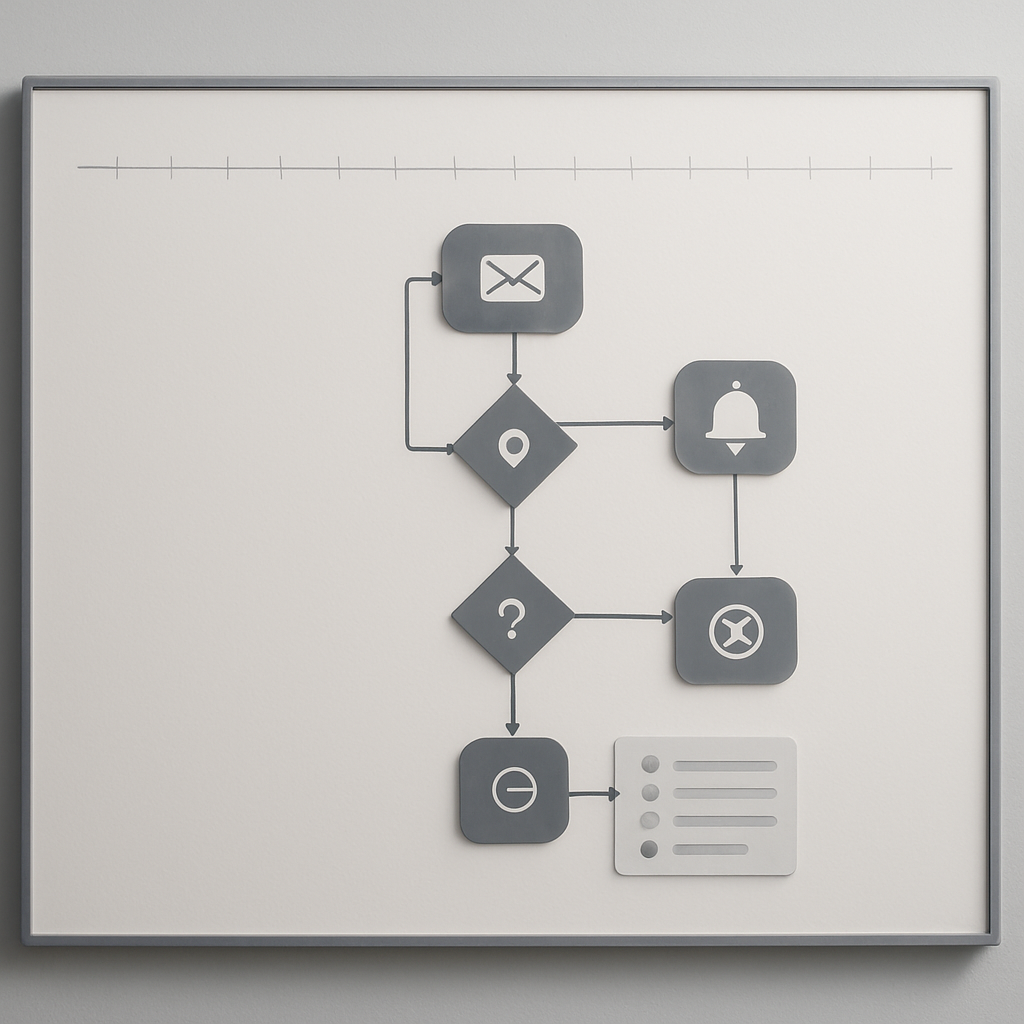
Effective use of CRM systems requires ongoing training and strategic alignment across teams.

‘Implementing Automated Alerts for Potential Attrition Signals

‘Automated alerts serve as an early warning system for potential attrition signals within your customer base. These alerts can be configured within your CRM or other analytics platforms to notify teams when specific thresholds are crossed—such as decreased usage rates or negative feedback trends.

Testing Interventions: Strategies to Re-engage At-Risk Customers

Implementing targeted interventions for at-risk customers is essential for reducing customer attrition. This strategy is best suited for businesses that have established metrics to identify potential churn and can leverage data-driven insights to craft tailored re-engagement initiatives.

However, a notable limitation is that not all interventions will resonate with every customer. Misjudging the preferences or needs of a specific segment can lead to wasted resources and further disengagement. Thus, understanding the nuances of your customer base is critical.

For example, a fitness studio might conduct A/B testing on two different re-engagement email campaigns targeting members who haven’t attended classes in over two weeks. One campaign offers a discount on their next class, while the other highlights new class offerings that align with their past attendance patterns. By analyzing which campaign yields a higher response rate, the studio can refine its approach to maximize re-engagement.

  • Use A/B testing to evaluate different re-engagement tactics.
  • Monitor customer responses to refine future strategies.
  • Utilize segmentation to tailor messages based on behavior.

[Teams often miscalculate the impact of re-engagement offers by assuming that discounts alone will suffice. While financial incentives can be effective, they may not address deeper issues causing disengagement, such as poor service quality or lack of personal connection.]

[Important: Focus on understanding customer motivations rather than just offering discounts.]

A/B Testing Different Re-Engagement Tactics

[A/B testing allows businesses to experiment with various messaging strategies and promotions to determine what resonates most with at-risk customers.] By systematically varying elements such as subject lines, content format, or call-to-action buttons in email campaigns, teams can gain insights into effective engagement techniques.

[For example, if a fitness studio runs an A/B test comparing an email highlighting new yoga classes versus a message promoting a limited-time discount on membership renewal, they can track metrics like open rates and click-through rates. This data reveals which approach better captures interest and encourages action.]

[The goal should be to optimize communication based on direct feedback from customer interactions rather than relying solely on assumptions about what might work.]

[Crafting Targeted Campaigns Based on Attrition Indicators]

  • Analyze behavior patterns leading up to attrition.
  • Develop communications that directly address these behaviors.
  • Focus on creating value propositions aligned with individual interests.

[By utilizing behavioral data effectively, studios can enhance member experiences and significantly mitigate churn risk.]

Evaluating the Effectiveness of Retention Offers and Incentives

Once retention offers are in place, evaluating their effectiveness against defined success metrics is crucial for continued improvement. Businesses should track not only immediate responses but also longer-term engagement trends following these interventions.

For instance, if a fitness studio implements a referral program encouraging current members to bring friends in exchange for rewards, monitoring referral sign-ups alongside retention rates over time helps assess whether this initiative leads to sustained engagement.

  • Establish clear metrics for assessing offer performance.
  • Consider both short-term spikes in engagement and long-term retention impacts.
  • Gather qualitative feedback from participants about their experiences.

[Effective evaluation requires ongoing adjustment; what works today may not resonate tomorrow.]

Building a Company Culture Focused on Customer Retention

A company culture that prioritizes customer retention is essential for reducing customer attrition. This is particularly effective for businesses that rely heavily on long-term relationships, such as fitness studios or subscription services. When every team member understands the importance of retaining customers, it creates a unified approach to customer success.

However, one limitation of fostering this culture is the potential for misalignment among different departments. Teams may have varying priorities or metrics for success, which can create friction and dilute overall efforts toward retention. Without a cohesive strategy, initiatives can become disjointed and less effective.

For instance, consider a fitness studio where front desk staff are trained to recognize signs of disengagement during member interactions. If a member expresses dissatisfaction about class availability, the staff can escalate this concern to management while also offering immediate solutions like alternative classes. This proactive approach enhances the member’s experience and demonstrates that their feedback is valued.

Many organizations overestimate the effectiveness of training alone without integrating it into daily practices. A common misjudgment is assuming that once employees receive training, they will automatically apply what they’ve learned in real-world situations. Continuous reinforcement through regular meetings and shared goals is necessary to ensure that customer retention remains top of mind.

Training Teams to Recognize Signs of Attrition Early

‘Training staff to identify early warning signs of customer attrition fits best when there are clear indicators defined within the organization. For example, if members who typically attend three classes weekly start dropping off to only one or two classes, it should signal potential dissatisfaction.

‘However, relying solely on training can lead to oversights; employees might miss subtler signs due to high workloads or distractions from other tasks. The key is not just training but creating an environment where these observations are encouraged and discussed frequently.

Action Point: Encourage open dialogue among staff about customer interactions during team meetings.

  • Implement regular check-ins with teams to discuss attrition signs.
  • Encourage sharing of experiences related to customer feedback.