
 Divya Ghughatyal
If you want to turn more leads into demos and deals, these sales automation use cases cut the guesswork and give repeatable steps you can run this month. This article lays out eight high-impact workflows with triggers, compact workflow templates, sample SMS and email copy, KPIs to track, and tool recommendations. The emphasis is practical – multichannel sequences, fast first-response, and data and consent hygiene so you measure real conversion lift, not just engagement.
1. Instant Lead Response and Qualification Sequence
Immediate contact wins intent. Leads that hear from you within minutes behave differently than leads contacted hours later — they are warmer, more likely to book a demo, and easier to qualify. That gap is the low-hanging fruit in most sales funnels because it fixes a timing problem, not a product problem. With business automation handling instant follow-ups, lead routing, qualification, and scheduling, companies can engage prospects at the right moment without adding manual effort, improving both conversion rates and sales efficiency.
Why it works: rapid acknowledgment captures attention and sets expectations; a short qualification exchange separates high-intent prospects from noise without burning SDR time. CRM automation and lead scoring automation together let you move qualified prospects straight into a human queue while filtering the rest into nurture.
Workflow template and timing
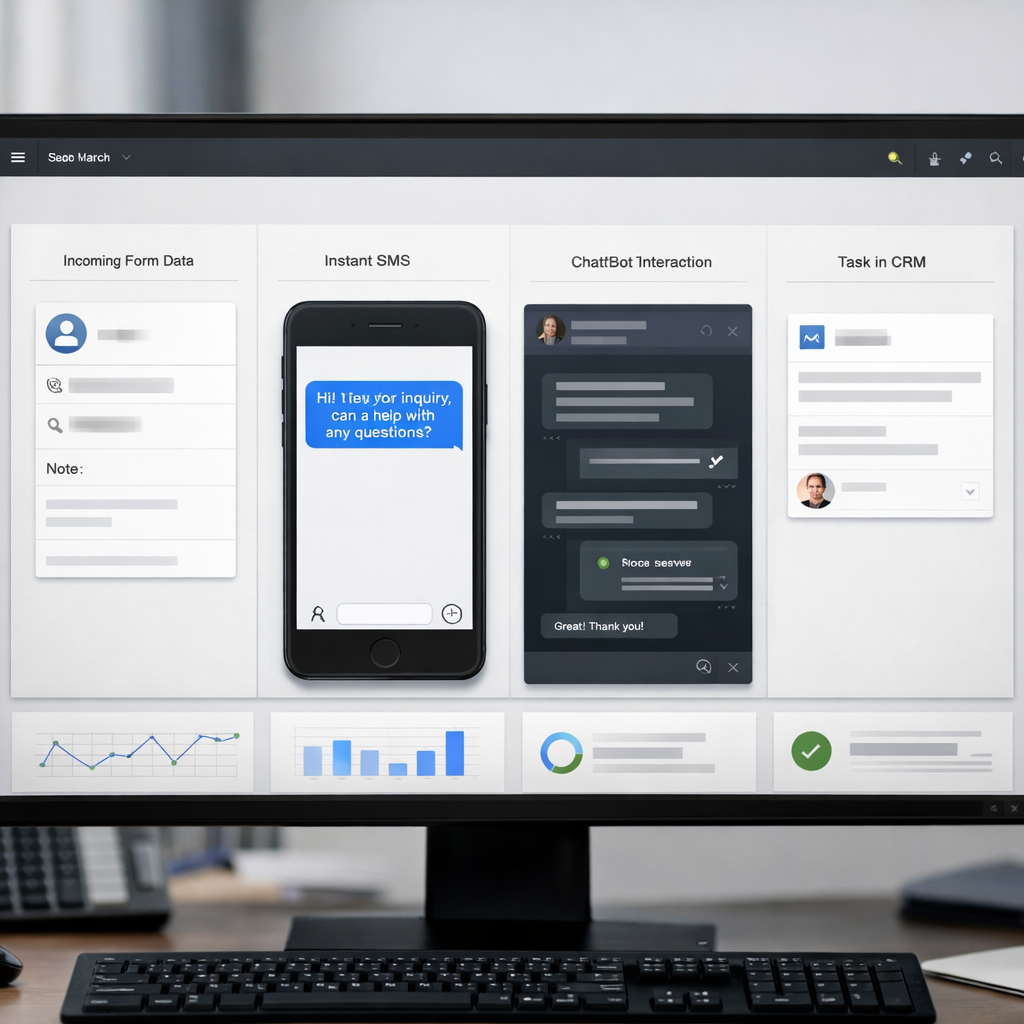
- Trigger (0 min): form submission or lead import — send an SMS within 60 seconds acknowledging receipt and offering a single action (book, reply, or quick question).
- Follow-up (5 min): send a short email with the value proposition and calendar link if no reply to SMS.
- Qualification bot (15 min): three-question bot (role, timeline, budget) via chat or SMS; route to SDR if two of three answers match your qualification matrix.
- Escalation (10 min after qualification): create task in HubSpot or Salesforce and push notification to assigned rep; if high score, also send a one-click calendar link in SMS.
- Fallback (24 hours): if no qualification, add to a mid-funnel nurture sequence with a personalized email and one SMS reminder.
Sample copy (SMS): Hello Alex, thanks for requesting info. Quick Q: are you evaluating solutions this month? Reply Yes or No. If Yes: Great — book 15 minutes here: Book time.
KPIs to track: time-to-first-contact, lead response rate, qualified lead rate, demo booking rate, and lead-to-opportunity conversion. Expect initial wins in response and booking rates within 2–4 weeks; statistically significant lift in conversion often appears after 6–12 weeks when volume stabilizes.
Trade-off and limitation: prioritizing speed increases false positives and routing errors if your qualification logic is too permissive. Fast workflows must be paired with simple, defensible qualification rules and a low-friction human handoff — otherwise SDRs waste time on unqualified chatter.
Practical consideration: consent and data hygiene are prerequisites — send SMS only to opted-in numbers and store consent in the CRM. Use CRM automation to log every interaction so attribution and downstream conversion can be measured.
Concrete example: A single-location boutique gym replaced manual follow-up with an instant SMS plus a 3-question chat bot. Within the first month the gym doubled the number of trial bookings routed to trainers because high-intent trialists were identified and booked automatically within 10 minutes of the lead filling the form.
Tool judgement: start with existing CRM automation (HubSpot or Salesforce) plus an SMS provider (Twilio or Gleantap) rather than building a bespoke solution. That combination covers CRM automation, SMS delivery, and simple bot logic without long engineering cycles.
Key stat: leads contacted within 5 minutes convert materially better — multiple studies show a 30–60 percent uplift in booking or contact rates. See HubSpot and Salesforce for supporting data.
Next consideration: build the 60-second acknowledgement and a 15-minute qualification branch first, instrument lead-to-demo conversion, then iterate qualification rules every two weeks based on false-positive rates.
2. Multichannel Lead Nurture Sequence for Mid-Funnel Prospects
Direct point: mid-funnel prospects respond better to a coordinated mix of email, SMS or WhatsApp, and a single social touch because each channel solves a different friction. Email carries assets and proof, SMS/WhatsApp forces short, actionable CTAs, and social nudges humanize the outreach. Design the sequence to be adaptive – not a fixed drip – so channel switches happen based on engagement signals.
Compact 2-week workflow template
- Day 0 Email: send a tailored asset tied to the trigger (pricing guide, product comparison, or class schedule) with one measurable CTA.
- Day 2 SMS/WhatsApp: short reminder that references the asset and offers a 15 minute booking link or reply keyword – keep it under 25 words.
- Day 5 Case Study Email: industry-specific proof with a clear next step and an alternate CTA for a recorded walkthrough.
- Day 8 Social Touch: LinkedIn connection message or comment from a named rep referencing the earlier outreach – no pitch, one line of relevance.
- Day 12 Incentive Email: limited-time offer or slot availability to create urgency; include one-click booking or upgrade link.
- Day 14 Human Handoff or Pause: if lead score crosses your threshold, create an SDR task for a live call; if not, pause and re-evaluate cadence later.
Practical tradeoff: aggressive multichannel increases lift but also increases opt-outs and SDR workload if you do not gate the handoff with lead scoring. Use simple behavioral triggers to escalate to human outreach – for example any click plus an asset download should push the lead to the SDR queue. If you skip scoring, you will waste reps time on low intent leads.
Measurement and branching rules: treat engagement as the branching logic. If email open plus click occurs, skip the Day 2 SMS and send a personalized Day 1 SMS that sets up a call. If email unopened after 48 hours, prioritize SMS first. Run a date-based A/B test comparing email-only versus multichannel to measure delta on demo bookings and opportunity creation. Use HubSpot for sequence ideas and Twilio for channel best practices.
- KPIs to track: engagement rate per channel, reply rate, demo conversion rate from nurture, time-to-book, and cost per demo.
- Benchmarks to expect: teams using coordinated SMS plus email commonly see measurable demo booking lift versus email-only; treat any 10 percent lift as a successful pilot and scale from there.
- Tools: use Outreach or SalesLoft to orchestrate cadences, ActiveCampaign or Klaviyo for content variants, LinkedIn Sales Navigator for social touches, and Gleantap for SMS and WhatsApp delivery.
Concrete example: a regional fitness franchise flags leads that viewed class schedules and pricing as mid-funnel. They send the pricing guide Day 0, an SMS Day 2 with a one-tap trial booking keyword, a WhatsApp follow-up if unresponsive, and a staff-assigned call only when the lead clicks the booking link or replies. The sequence gives staff fewer low-value calls and higher show rates for trials.
Judgment you will not hear often: half-baked multichannel sequences fail because teams copy templates without fresh targeting. The single best improvement is not more messages but smarter branching and asset relevance. Focus on two audience segments in the pilot and tune the asset-channel pairing before scaling to all mid-funnel leads.
Key takeaway: use short, channel-appropriate messages and branch on engagement. Gate human follow-up with a clear lead score to protect SDR capacity and keep the sequence efficient.
3. Booking and Appointment Confirmation plus Reminder Automation
High impact, low friction: confirmations and timed reminders are the automation that pays back fastest by protecting scheduled demos, trials, and classes from no-shows. When done well this workflow improves attended-demo-to-deal conversion and reduces wasted SDR time; when done poorly it generates opt-outs and confusion.
Workflow template – exact steps to implement
- At booking (immediate): send an email confirmation with calendar invite and one-click reschedule link. Push a CRM task to the assigned rep and tag the record with appointment metadata.
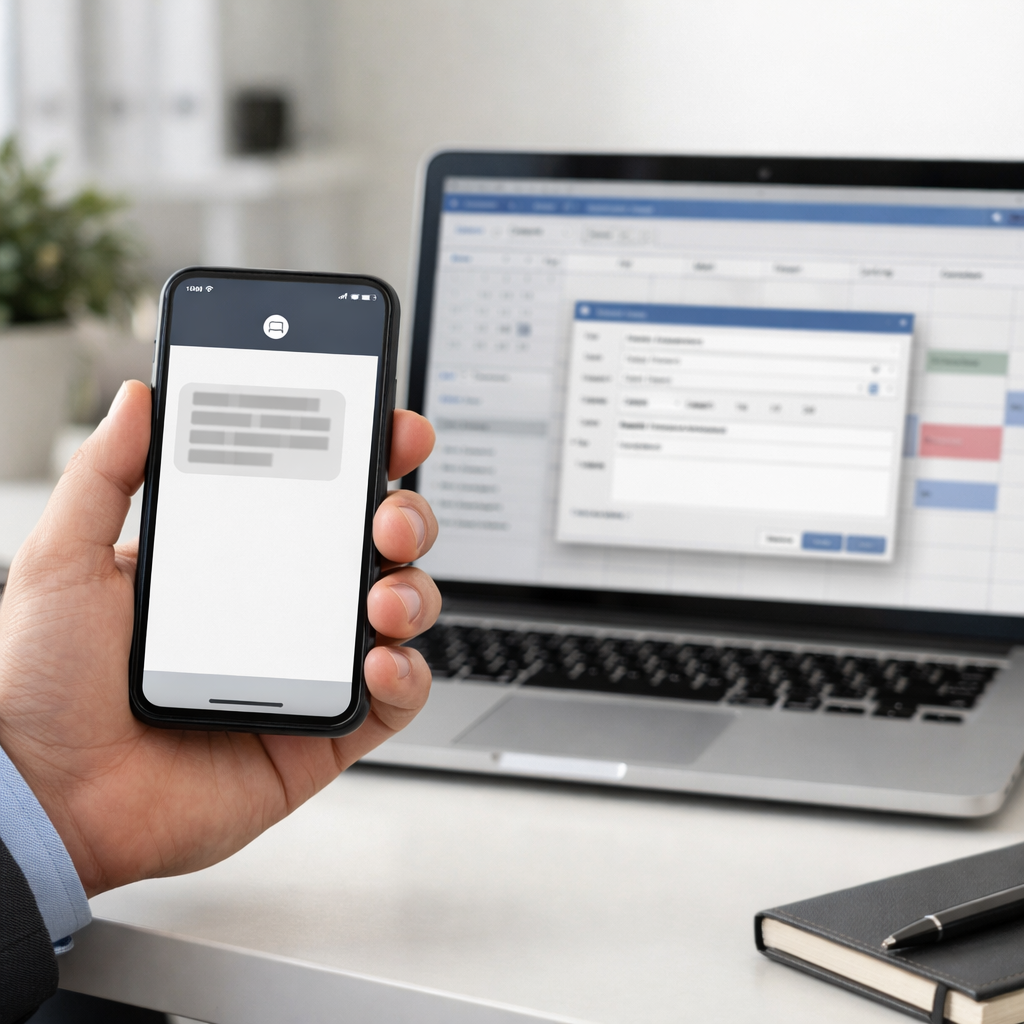
- 48 hours before: send SMS reminder with staff name and reschedule link. Keep text under 160 characters and include a single CTA.
- 24 hours before: email with agenda, speaker, and short value line. Attach any required prep material or meeting link.
- 1 hour before: SMS with one-tap join link or direct phone number. If no response to the 1 hour SMS, create an SDR follow-up task for a quick phone check within 30 minutes after the scheduled time.
- After no-show: automated reschedule message plus an option to escalate to a phone call if the lead replies with high intent.
Sample SMS copy: Reminder: Your 10 AM demo with Taylor is tomorrow. Need to reschedule? Reply RESCHED or click this link to pick a new time. Join link will arrive 1 hour before.
| Timing | Channel | Primary purpose |
| Booking (0 min) | Email + Calendar invite | Reduce friction and lock time in calendar |
| 48 hours | SMS | Confirm intention and enable reschedule |
| 1 hour | SMS with one-tap join | Last mile attendance push |
Concrete example: A mid-market fitness franchise automated class confirmations and reminders across email, SMS, and calendar invites. After adding a 48/24/1 hour SMS cadence and one-click reschedule, the franchise saw show rates move from 62 percent to 78 percent within six weeks and conversions from trial to membership improve proportionally because staff time was focused on attendees.
Trade-offs and limitations: do not treat reminders as a hammer. Excessive reminders increase opt-outs and damage brand trust. Limit reminders to three pre-event touches and always respect consent records in the CRM. Timezone handling, two-way reply routing, and reschedule flows are the operational pieces that fail most often in production.
Practical judgment: SMS is the single most effective channel for the 1 hour reminder; email is better for confirmations that need attachments or calendar invites. Use both.
Key metric to watch: show rate, reschedule rate, and opt-out rate. Expect a realistic show rate lift of 10 to 30 percent after implementing multichannel confirmations and reminders; keep opt-outs under 2 percent by limiting frequency and personalizing messages.
Tools and integrations: pair Calendly or Chili Piper for booking, HubSpot or Salesforce for CRM syncing, and Twilio or Gleantap for reliable SMS delivery and two-way handling. See Twilio guides for SMS best practices at Twilio docs and review delivery expectations in the Salesforce State of Sales report.
Operational checklist before launch: verify consent records, ensure calendar invites include correct timezone metadata, map two-way replies into the CRM or messaging inbox, and create a clear escalation rule so unanswered no-shows generate a human follow-up within 24 hours.
Next consideration: after initial stability focus on message branching based on lead intent – fewer reminders for low intent, prioritized personal outreach for high intent. That is where incremental conversion gains live.
4. Cart and Booking Abandonment Recovery
High-intent visitors who abandon are your easiest wins — they already chose product, time slot, or class. A tight recovery sequence that moves quickly, removes friction, and segments by value converts at materially higher rates than sending a generic abandoned-cart email three days later.
Why speed, channel and friction matter
Timing beats creativity. Send the first touch within 15-30 minutes. Use SMS or WhatsApp first for bookings and high-value carts because open and click rates are far higher; follow with email for richer content and proof. Trade-off: SMS drives speed but requires explicit opt-in and tight frequency controls — overuse trains customers to ignore messages or expect discounts.
Workflow template — prioritized, multistep, value-aware
- 0–30 minutes (SMS or WhatsApp): short recovery link and friction removal. Example: You left a booking for HIIT at 6 PM. Tap to complete — your spot is reserved for 20 minutes.
- 6 hours (email): cart summary + one strong testimonial + clear CTA. Use dynamic image of items/class and a single CTA button to reduce choice friction.
- 24 hours (SMS): urgency or social proof. Example: Still thinking? 2 people booked the last spot. Tap to rebook — no code needed.
- 72 hours (final touch, segmented): targeted incentive for high-value or high-margin carts only. Use a limited coupon or waived fee. Avoid blanket discounts — they condition abandonment behavior.
Segmentation matters more than extra touches. Prioritize recovery for high average order value and scarce inventory (popular classes, limited seats). For low-value items, use lighter cadence or email-only to protect margins. Use saved-payment tokens for one-tap recovery where PCI requirements are already handled by your checkout provider — do not build token storage yourself.
Concrete Example: A regional gym chain added a 20-minute SMS window after customers started membership sign-up but didn’t finish payment. The message linked to a one-tap payment experience using their ticketing provider’s tokenization. The sequence recovered a meaningful share of abandoned sign-ups quickly while keeping discounting rare — the priority was speed and low friction, not price incentives.
Benchmarks and KPI focus: target a 10–25 percent recovery rate for SMS-first flows, measure recovered revenue, recovered conversion rate, average recovered order value, and incremental ROI per campaign. Use campaign-specific coupon codes to attribute recovered revenue cleanly.
Measurement and testing: A/B test timing (15 vs 60 minutes) and incentive size only for high-value segments. Attribute with UTM parameters plus unique coupon codes and run short cohort comparisons to ensure the recovered revenue is incremental rather than cannibalized from future purchases.
Important: do not message without documented opt-in. For WhatsApp use pre-approved templates and respect opt-out rates. See Twilio messaging guides for compliance and best practices.
5. Automated Demo Follow-up with Task Escalation
Immediate, structured follow-up plus escalation closes the single biggest leak after demos — no response. When a demo finishes, the moment you lose rhythm you lose momentum. Automating the right sequence and attaching clear task SLAs prevents prospects from slipping and forces human attention where it matters.
Workflow template and triggers
Use a tight, deterministic workflow tied to lead score and deal value. Automate content delivery to the prospect and simultaneously create time-bound tasks for reps with escalation rules if those tasks are not completed.
- Trigger: Demo completed and call disposition logged in CRM with lead score above threshold or expected deal value above threshold.
- T0 (0 hours): Send thank-you email with recording, one-line value recap, and clear next-step CTA. Attach proposal placeholder if available.
- T24 (24 hours): Send tailored proposal or pricing summary via email and an SMS nudge if no reply or proposal viewed metric is false.
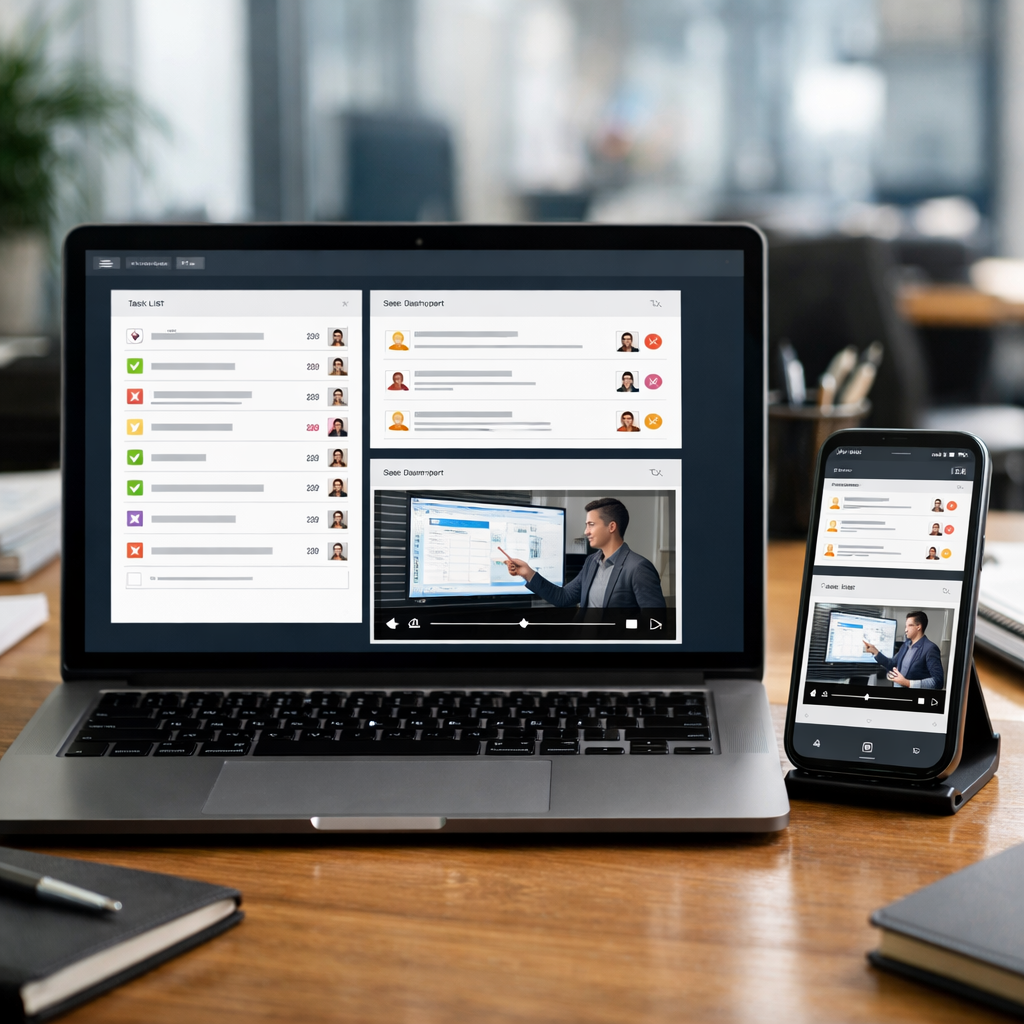
- T48 (48 hours): Auto-create SDR follow-up task with priority tag and 48-hour SLA. Include call recording link, key objection notes, and recommended next step.
- T120 (5 days): If task remains incomplete or prospect is unresponsive, escalate: reassign to manager, send internal Slack alert, and trigger a personalized executive email to prospect when appropriate.
| Trigger | Automated Action | Owner | SLA |
| Demo logged, score >= 60 | Send recording + proposal link | Automated system | Immediate |
| No reply after 24h | SMS nudge and email resend | Automated system | 24 hours |
| No task complete after 48h | Create SDR task with priority | Assigned SDR | 48 hours |
| Task incomplete after 5 days | Escalate to manager + alert | Sales manager | 5 days |
Practical limitation and trade-off: Escalation works only when your CRM data is reliable and dispositions are disciplined. Bad call logging or missing lead scores will create noise and pointless escalations. Limit escalation to deals above a value or score threshold to avoid manager burnout and reduce false positives.
Measure escalation quality, not just speed. Track follow-up completion rate and the conversion lift from escalated tasks separately from baseline follow-ups.
Sample copy: Email subject: Recap and next steps from your demo with Taylor. Email body: Thanks for your time today. Here is the recording and a one-page proposal based on what we discussed. If this looks good, pick a time to sign or reply and I will send the agreement. SMS: Hi Jordan — sending your demo recap and proposal link. Quick reply Book to schedule a call to finalize.
Key KPI to track: follow-up completion rate within SLA, demo-to-opportunity conversion, and percent of escalations that convert into opportunities. Expect a reasonable program to lift demo-to-opportunity conversion by about 10 to 20 percent depending on lead quality and volume.
Tools to combine: use HubSpot or Salesforce workflows to detect dispositions and create tasks, pair with Outreach or SalesLoft for task sequencing and reminders, and add Gleantap or Twilio for SMS nudges when email is ignored. For managers, surface escalations via Slack or Microsoft Teams so they are visible without logging into the CRM.
Concrete example: A midsize B2B operator used HubSpot workflows plus Gleantap SMS to automate post-demo tasks. Demos logged with score above 65 triggered the sequence above; within six weeks the team saw a 15 percent bump in demos converting to opportunities because no high-fit lead went more than 48 hours without a committed human follow-up.
What most teams get wrong: They automate messages but forget to automate accountability. Without tasks, the prospect gets content and the rep gets a dead inbox. The automation must create work with clear ownership, context, and an SLA, or it is just a better-looking form of neglect.
Next consideration: map escalation thresholds to deal economics and set a monthly review on false-positive escalations so you keep noise low and conversion lift high.
6. Upsell and Cross-sell Automation for Existing Customers
Start with usage, not gut. Upsell and cross-sell automation works only when it triggers from a reliable customer signal — usage thresholds, renewal windows, or a new feature adoption — rather than a calendar date or guesswork. When those signals are feeding your CRM, automated offers convert far better than cold post-purchase outreach.
Why this increases conversions. Offers timed to a real need (running out of credits, hitting a milestone, or coming up for renewal) land with context and urgency; recipients are already primed. Personalized, small-step asks — schedule a consult, click-to-upgrade, or a one-tap add-on purchase — win more than long-form pitches.
Workflow template — event-driven, low-friction path
- Trigger: capture event in product analytics or billing (example: 80 percent of plan usage, or 30 days before renewal).
- Message 1 (email): send personalized recap of usage + specific upgrade benefit and one-click upgrade link. Timing: immediately after trigger.
- Message 2 (SMS): 24–48 hours later if no click or response — short, action-focused nudge with direct reply option or cart link.
- Qualification step: if user clicks upgrade link but abandons, fire a 1-click cart recovery SMS after 30 minutes (behavioral fallback).
- Sales handoff: when user replies Upgrade or requests consult, create a CRM task for an account manager and tag the record with the trigger reason.
- Follow-up cadence: if no action in 7 days, deliver automated testimonial or ROI micro-case, then close the sequence or flag for segmented re-targeting.
Concrete Example: A boutique gym notices members hitting 80 percent of their monthly class credits. Trigger fires, sending an email showing classes used, recommending an unlimited plan with a one-click upgrade. If unopened, a 24-hour SMS offers a 7-day discounted upgrade and replies are routed to a membership rep via the CRM for immediate follow-up using content=null&utmsource=null&utmcampaign=null&utmmedium=null target=_blank>Gleantap.
- KPIs to track: upgrade conversion rate (triggered cohort), incremental MRR from upsells, time-to-upgrade, and churn rate for upgraded vs non-upgraded cohorts.
- Tool pairing: product signals from Mixpanel or Amplitude feeding triggers to your CRM (HubSpot, Salesforce); billing events from Chargebee/Recurly for renewal triggers; SMS via Twilio or Gleantap for one-tap offers.
Practical limitation and trade-off. High-frequency or poorly targeted upgrade attempts irritate customers and can raise churn. Prioritize precision over volume: test one trigger and one offer variant against a control cohort before scaling, and cap automated upgrade contacts per customer to two within a 30-day window.
Operational consideration. This automation depends on clean, near-real-time signals and a reliable billing integration. If product event accuracy is low, you will offer upgrades to the wrong segment and waste customer goodwill — fix signal quality first, not messaging cadence.
Key judgment: Timely, specific offers convert best. Generic, high-discount pushes rarely produce durable revenue gains and often cannibalize future full-price sales.
Start small: pick one trigger (usage or renewal), run A/B tests on offer messaging, and measure upgrade conversion and churn over a 90-day window before expanding to multiple segments.
Next consideration: validate the economics — calculate incremental lifetime value from typical upgrades and compare it to acquisition cost and discount depth before making the offer widely available.
7. Win-back and Re-engagement Sequences for Dormant Leads and Customers
Win-back programs work when they are surgical, not scattershot. Target the right dormant cohorts, pick the right channel, and calibrate incentives by predicted value before you spend budget chasing every inactive contact.
Who to target and the key trade-offs
Segment before you send. Separate dormant prospects from dormant customers and segment further by tenure, last activity type, and predicted lifetime value. The trade-off is simple: cheap blanket discounts scale but erode price integrity; targeted offers cost more up front to build but protect margin and deliver higher LTV per reactivation.
- Exclude low-potential leads. Use lead scoring to suppress contacts with low purchase probability so incentives go to prospects who matter.
- Respect channel consent. Only send SMS or WhatsApp to opt-in contacts; email-only reactivation has lower immediate conversion but also lower regulatory risk.
- Test non-monetary hooks. Re-engagement performs well with new features, updated schedules, or exclusive content before you try a discount.
- Limit frequency. Three to four touches over two weeks is typical. Exceeding that risks spam complaints and list fatigue.
Actionable workflow (practical, minimal variants)
- Day 0 — Email: Personalized update or product change plus a soft CTA (no discount). Example subject: We updated classes you asked for.
- Day 3 — SMS (opt-in only): Short offer or one-tap recovery link. Sample SMS: We miss you. Reactivate this week for 50 percent off your first month. Reply Reactivate.
- Day 7 — Email: A/B test incentive versus content. Variant A: limited discount. Variant B: invitation to exclusive event or onboarding call.
- Day 12 — Final touch: Short survey + small incentive for completing it. If user reactivates, push them into onboarding automation and tag cohort for LTV tracking.
- Gating rule — If no engagement after step 2 and score below threshold, pause sequence and dump to a long-term nurture list.
Concrete Example: A regional gym with many lapsed trialers found blanket 50 percent discounts produced one-off signups with high churn. They changed to a two-track win-back: high-score trialers received an SMS half-price offer plus a coach call; low-score trialers received an email highlighting new class types and a trial-extension link. Result: the targeted track produced fewer signups but the reactivated cohort had higher attendance and churn was half that of blanket discounts.
What teams misunderstand. Many equate reactivation volume with success. That is wrong. Measure reactivation against net revenue impact and cohort LTV, not just clicks. If reactivated customers have materially lower retention, you are paying to backfill churn without fixing retention drivers.
Benchmarks and next steps: Expect 2 to 8 percent reactivation rates for email-first programs and 5 to 15 percent when SMS is used for opt-in cohorts. Track cost per reactivated customer and 90-day LTV to judge whether incentives are sustainable. For multichannel SMS workflows and templates.
Practical limitation to plan for. If your CRM consent flags or phone hygiene are poor, SMS-driven win-backs will underperform and risk penalties. Fix data hygiene and consent capture first, then run a small pilot with proper suppression rules and A/B controls.

8. Gleantap Use Case: Multichannel Appointment Recovery and Membership Conversion
Concrete point: Combining SMS, WhatsApp, and email in a behavior-driven recovery sequence converts far more trial users and no-show prospects into paying members than single-channel follow up. Gleantap built this pattern working with gym operators who needed to recover last minute dropoffs and convert short trials without adding headcount.
Workflow template – 7 to 14 day recovery sequence
- Trigger: Trial end, class no-show, or abandoned booking detected in CRM. Use event timestamp to branch behavior.
- Day 0 – Immediate: 1-line SMS or WhatsApp confirming trial status and a single CTA to upgrade or reschedule. Include short deadline for an incentive if used.
- Day 2 – Engagement: Email with short video or testimonial reinforcing value and a clear upgrade path. Track opens for channel switching.
- Day 4 – Nudge: If email unopened, send WhatsApp template with same offer and a one-tap upgrade link. If user opens but does not convert, send SMS with limited time extension.
- Day 7 – Human handoff: If a reply indicates intent or high scoring behavior triggers, create an SDR task in CRM and send an internal Slack alert for same day follow up.
- Behavioral branching: If user books a paid class or upgrades, stop the sequence and push welcome series. If repeated nonresponse at Day 10, move to long term nurture.
Sample copy: SMS: Your 7 day trial ends tomorrow. Lock your membership now with 20 percent off – reply Join or tap the link to upgrade. WhatsApp template: Hi Name – your trial is ending. Upgrade now to keep access and get one free personal session.
| KPI | Target / Expected uplift |
| Trial-to-member conversion | Baseline +6 to +18 percent over 4 to 8 weeks with multichannel recovery |
| Booking recovery rate | 10 to 30 percent recovered bookings when SMS leads sequence |
| Show rate on recovered bookings | Improvement of 8 to 20 percent with WhatsApp + SMS reminders |
| Opt-out rate | Keep under 2 percent by limiting touches to 4 and offering easy unsubscribe |
| Time-to-first-response | Under 10 minutes for SMS increases chance of conversion – flag high intent leads automatically |
Tradeoff and limitation: Aggressive incentives will buy short term conversions but erode lifetime value and train prospects to wait for discounts. Use short term trial extensions or a free session as the first incentive rather than steep percentage discounts. Also plan for WhatsApp template approval and carrier level SMS deliverability differences – these factors affect timing and channel selection and are often underestimated.
Practical insight: The highest leverage optimization is the handoff rule – route any responder who uses keywords like Join, Upgrade, or Book directly to a salesperson within 30 minutes. In practice, sequences that combine automated recovery messaging with a fast human response convert at materially higher rates than fully automated funnels.
Concrete example: A 12 location gym used this exact Gleantap sequence. After syncing bookings, they ran a 14 day recovery flow that pushed WhatsApp at Day 4 for nonresponders and escalated to an SDR on Day 7. Results: a 14 percent lift in trial-to-member conversion and a 22 percent drop in unfilled trial slots within six weeks.
Implementation note: Sync Gleantap with your CRM to push qualified leads into SDR queues and use Gleantap analytics to test timing and channel mix.
Takeaway: Use behavior-based branching plus a fast human handoff threshold – that combination is what makes Gleantap style multichannel recovery convert trials into paying members without exploding marketing spend.
Frequently Asked Questions
Straight answer first: automation delivers measurable conversion lift quickly when you prioritize fast response, sensible sequencing, and clean measurement. The questions below focus on timelines, channel priorities, legal must-dos, and how to prove real revenue impact — not vanity metrics.
Timelines, measurement, and sample-size realities
What to expect and when: expect upticks in engagement within 2 to 4 weeks and clearer conversion lift in 6 to 12 weeks once your funnel gathers volume. If you have low lead volume, don’t rely on statistical tests alone; use micro-conversions (bookings, replies, reschedules) and rolling cohorts to detect movement.
Practical limitation: small datasets force you to run longer tests or use stronger gating (e.g., targeting high-intent segments only). Running a noisy A/B test that never reaches significance wastes time — instead prioritize operational metrics you can act on quickly, like time-to-first-contact and show-rate.
- How quickly can I expect conversion improvements? Initial response and show-rate improvements often appear in 2-4 weeks; measurable revenue change usually needs 6-12 weeks depending on lead volume and sales cycle. See Salesforce research for adoption benchmarks.
- Which channel to prioritize first? Start with a fast channel for first contact — SMS — and pair it with email for content. Multichannel works, but prioritize the channel that matches customer intent and permission; brands that overuse SMS damage conversion long-term.
- Minimum data and consent requirements? Keep timestamped opt-in records and capture the opt-in source in your CRM. For SMS and WhatsApp follow the TCPA/local rules and platform policies; Twilio has practical guides on consent handling at Twilio.
- How do I prove automation increased conversions, not just engagement? Use cohort or A/B tests that compare lead-to-opportunity and opportunity-to-deal rates, not open rates. Tag leads that entered the automation and measure downstream revenue per lead, with at least one full sales cycle of data.
- Can small teams run this effectively? Yes. Automation should reduce manual triage, not replace high-skill sales work. Automate qualification, scheduling, and reminders so your salesperson spends time on revenue-driving conversations.
- Common launch mistakes to avoid? Too many touches, not routing leads for human follow-up, using engagement as a proxy for conversion, and failing to store consent metadata are the biggest real-world failures.
Concrete example: A single-rep boutique gym implemented an SMS-first triage that asks the prospect preferred visit times and auto-schedules a trial slot into the rep’s calendar. The automation reduced scheduling back-and-forth and forced clear handoffs: any prospect who replies Yes and selects a time escalates to the rep with a task and calendar invite.
Judgment you won’t get from vendor slides: prioritize incrementality over activity. High open and click rates feel good but mean nothing if they do not change lead-to-demo or deal rates. Build measurement into the workflow before you scale messages or add incentives.
Key action: run a 4-week pilot that pairs an SMS acknowledgement within 1 minute plus a 24-hour reminder; tag those leads and compare their lead-to-demo conversion vs the prior 4-week cohort.
Next steps you can implement this week: 1) Add a pipeline tag in your CRM for leads entering automation; 2) build a one-message SMS acknowledgement sent within 1 minute of form submit; 3) create a 6-week dashboard tracking lead-to-opportunity and opportunity-to-deal for that tagged cohort.
Ready to Run Successful Marketing Campaigns and Grow Your Business?
Gleantap helps you unify customer data, track behavior patterns, and automate personalized campaigns, so you can increase repeat purchases and grow your business.
Ready to Run Successful Marketing Campaigns and Grow Your Business?
Gleantap helps you unify customer data, track behavior patterns, and automate personalized campaigns, so you can increase repeat purchases and grow your business.