
 Divya Ghughatyal
Not every automation moves the needle. This article maps business automation use cases to where they deliver the most ROI and shows the metrics, tool options, and six-step checklists you need to make fast, defensible investments. Expect concrete benchmarks, common failure modes, and practical implementation steps for lead routing, sales outreach, onboarding, billing, support triage, and re-engagement so you can prioritize automations that pay back in weeks, not quarters.
1. Lead Capture, Qualification, and Immediate Routing
High-impact fact: reducing lead response time is one of the fastest ways to increase conversion; automation that captures, qualifies, and routes inbound leads cuts lead decay and recovers opportunities that slip away within minutes.
Key metrics to watch: track lead response time, qualification rate, conversion to demo or opportunity, cost per converted lead, and sales cycle length. These map directly to pipeline velocity and CAC dilution.
Tools that work in practice: use ___CODE0 or CODE1 for native routing, CODE_2___ for lightweight integrations, and platform messaging via Twilio or Gleantap for an instant multichannel first-touch. For high volume, replace ad-hoc zaps with an event-driven connector or middleware to avoid latency and duplicate processing.
6-step implementation checklist
- Map sources: inventory every lead source and add a canonical source field to your CRM.
- Normalize data: enforce required fields (email/phone/utm) and run dedupe logic before routing.
- Define qualification rules: simple, measurable rules first (score threshold, firmographic gate).
- Build routing with SLAs: route in real time to queues and set SLA alerts for >X minutes unassigned.
- Automate first-touch: send an immediate multichannel acknowledgement (email + SMS or WhatsApp via Gleantap/Twilio) and schedule follow-up tasks for reps.
- Shadow test and measure: run shadow routing for 1–2 weeks, compare manual vs automated assignments, then toggle live and A/B the first-touch message.
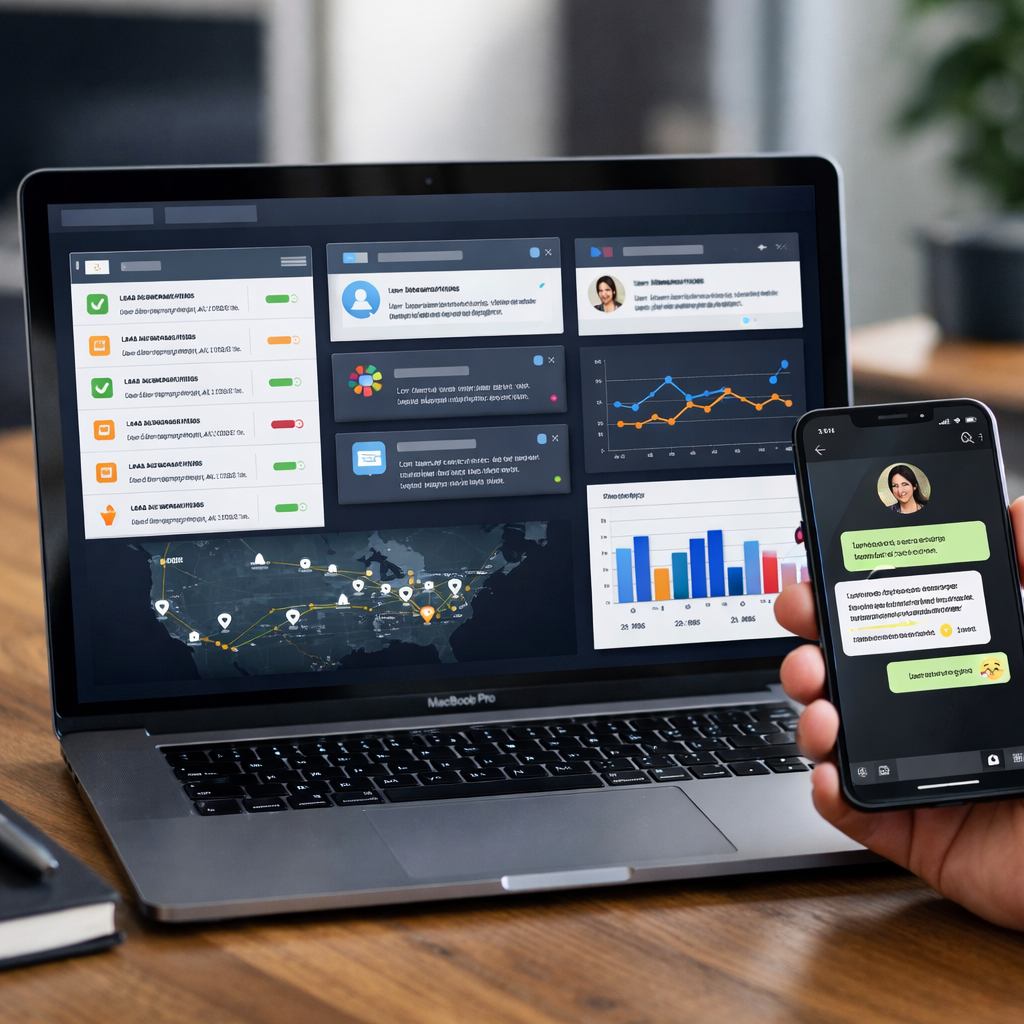
Concrete example: a mid-market SaaS setup uses HubSpot workflows to score inbound marketing leads. Leads scoring >=15 are routed to an SDR queue and trigger an automated WhatsApp message via Gleantap within 90 seconds, with an email and calendar link sent simultaneously. In pilot runs this pattern typically improves demo conversion and shortens time-to-first-meeting noticeably versus email-only outreach.
Practical trade-off: speed versus accuracy. Fast routing without reliable identity matching creates misassignments and frustrated reps. Prioritize canonical identifiers and dedupe before optimizing for sub-minute response times. If your data is noisy, modestly slower routing with better matching wins long-term.
Operational constraint: lightweight automations (simple zaps or email rules) get you quick wins but break at scale. Plan the second phase to move rules into CRM-native workflows or an integration layer so you avoid duplicated leads, missed SLAs, and reporting gaps — a point reinforced in Zapier’s playbook on what to automate first.
Measure uplift with a holdout: route 70% of leads automatically and keep 30% as manual control for 4–8 weeks to calculate true conversion lift and payback.
Key takeaway: aim for a multichannel first-touch inside 5 minutes and validate with an A/B or holdout test. Expect measurable ROI on lead routing automations within 4–12 weeks if you track conversion lift and cost per converted lead.
Next consideration: after you lock response time and matching, invest in conditional scoring and multi-touch sequences that escalate high-intent leads — but only after you have clean source mapping and reliable SLAs in place.
2. Sales Outreach Sequences and Automated Follow-up
Direct point: High-volume outreach succeeds only when sequences automate predictable work and preserve the human moments that win deals. Automating follow-up increases meetings per rep and recovers stalled opportunities, but it must be designed around channel timing, consent, and easy human takeover.
Why this delivers ROI
ROI drivers: Faster, consistent follow-up increases reply rates and booked meetings while freeing reps to negotiate and close. Track meetings booked per sequence, response rate, time saved per rep, and opportunities created from automated touches.
Trade-off to manage: Automation scales outreach but amplifies mistakes. Poorly synced contact data leads to duplicate touches and customer annoyance. Sequence complexity also raises maintenance cost – plan for content ownership and quarterly reviews.
A practical 6-step checklist
- Define outcome: meetings booked, demo attendance, or reply rate.
- Segment: build persona-based lists – do not use one-size-fits-all templates.
- Design cadence and channels: combine email + SMS/WhatsApp + a call at measured intervals.
- Integrate: sync CRM lead_id, calendar, and messaging platform to prevent duplicate outreach.
- Enable two-way handoff: route replies to the owning rep or a shared inbox within 5 minutes.
- Measure and iterate: run 2-week A/Bs on subject, cadence, channel mix; decommission failing paths.
Concrete example: A mid-market SaaS sales ops team implemented a three-touch sequence using ___CODE0 email, CODE1___ WhatsApp for SMS-like urgency, and a calendar-linked call. Within eight weeks they saw a measurable lift in demo attendance and a 30 percent reduction in manual follow-up time per rep because automated reminders handled no-shows and reschedules.
What most teams get wrong: They treat automation as a fire-and-forget. In practice you need dynamic templates, conditional branching for intent signals, and clear escalation rules. Multichannel is not additive unless identity and suppression lists are correct.
Quick benchmark: expect 8-20 percent reply rates from well-targeted email sequences, 20-40 percent when you add SMS or WhatsApp in the first three touches.
Implementation caveat: Ensure opt-in and compliance for WhatsApp and SMS. Use transactional vs promotional messaging rules appropriately and track deliverability separately from open/reply metrics.
Tools to consider: ___CODE0 or CODE1 for heavy cadence orchestration, CODE2 Sequences for SMBs, and CODE3___ when WhatsApp/SMS must be first-class channels. For lightweight integrations, use Zapier to bridge calendar and CRM events.

Takeaway: Automate the routine follow-ups and preserve the human touch for qualification and negotiation. If you cannot guarantee clean CRM identifiers and fast routing, postpone high-volume sequences until the data plumbing is fixed.
3. Customer Onboarding and Activation Automation
Direct point: Automating onboarding moves the largest slice of near-term value for most subscription and service businesses because it shortens time-to-value and prevents the early churn that kills lifetime revenue. Activation is not a single email sequence — it is a set of milestone-triggered interactions, measurement hooks, and human handoffs.
Key metrics to instrument: track time to first value, activation at 7 and 30 days, completion rate for onboarding checklist items, and the percent of users needing a human-assisted step. Those micro-conversions are the only way to tie an automated sequence to revenue impact.
6-step implementation checklist for high-impact onboarding
- Map the activation path: identify 3 to 5 critical actions that predict retention and tag them in your analytics.
- Build milestone triggers: fire messages on events not elapsed time – account created, first project, first API call, first payment.
- Use multichannel sequencing: combine email, in-app prompts, and SMS or WhatsApp for critical prompts; pick channels by user preference.
- Define escalation rules: when a user fails two milestones, route to a CS rep with context and last-touch history.
- Measure with holdouts: run a small control group to measure uplift before full rollout and track attribution.
- Iterate on content and cadence: A/B test subject lines, timing, and CTA clarity; drop anything that increases uninstalls or opt-outs.
Trade-off to accept: multichannel onboarding drives higher engagement but increases operational complexity and compliance risk. If you add WhatsApp or SMS, you must manage consent, template approvals, and message frequency. Investing in good identity stitching and consent flags up front saves time and reduces unsubscriptions.
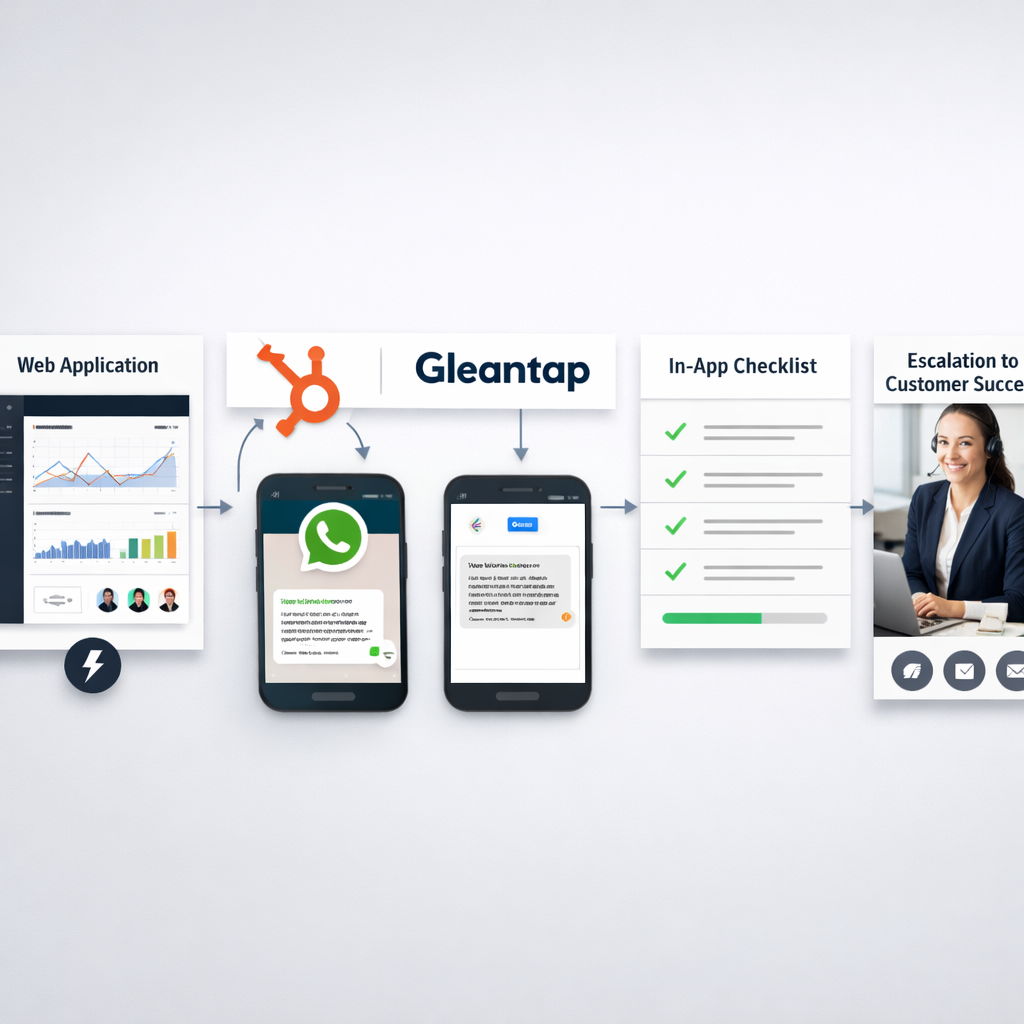
Concrete example: A mid-market SaaS product used HubSpot to detect account creation and pushed events to Gleantap. Gleantap sent a WhatsApp welcome with a three-step checklist and a one-click scheduler for a 15-minute walkthrough; users who completed the checklist within 7 days converted to paid at 2.4x the rate of those who received email-only onboarding. The hardware of that result was simple: event wiring, a short multichannel sequence, and an automatic rep handoff on stalled users.
Practical insight: Prioritize automating the single most predictive activation action first. Do not build a full orchestration before proving that completing action X correlates with retention.
Benchmarks to target: 7-day activation 20-50% depending on product touch level; onboarding completion 40-70% for guided flows. Expect initial iterations to underperform; aim for 20-40% relative improvement after two optimization cycles.
Measurement nuance: Attribution is messy — use randomized holdouts or time-based A/B tests rather than before/after comparisons. Small holdouts (5-10%) expose whether your messages causally lift activation or just accelerate already-willing users.
Next consideration: Once the core flow moves activation metrics, expand into behavior-based nudges for power-users and a recovery path for stalled customers.
4. Billing, Invoicing, and Subscription Management
Direct ROI driver: Automating billing and collections reduces days sales outstanding and prevents involuntary churn more quickly than almost any other finance automation. Manual invoicing and one-channel reminders leak revenue at scale; multi-step, multichannel recovery sequences recover payments and preserve customer relationships.
Key metrics to watch: days sales outstanding (DSO), failed payment recovery rate, churn caused by payment failure, AR automation coverage, and time spent per invoice. Aim to tie recovered revenue directly to each automation run so you can calculate payback on implementation.
Practical tradeoffs and constraints
Tradeoff: Aggressive dunning increases recovered revenue but damages customer trust if done without proper cadence, channel choice, or human-touch windows. Balance recovery with retention by segmenting customers by lifetime value and payment history before applying hard dunning rules.
Integration constraint: Billing automation only scales if entitlement and CRM systems are synchronized. If invoices, access rights, and support tiers are not aligned you will either cut off paying customers or keep nonpaying customers active. Implement a canonical identifier for accounts before full automation.
Compliance and channel selection: Email-only notices fail for many customers. Use SMS or WhatsApp for urgent payment attempts, but ensure consent and local rules are in place.
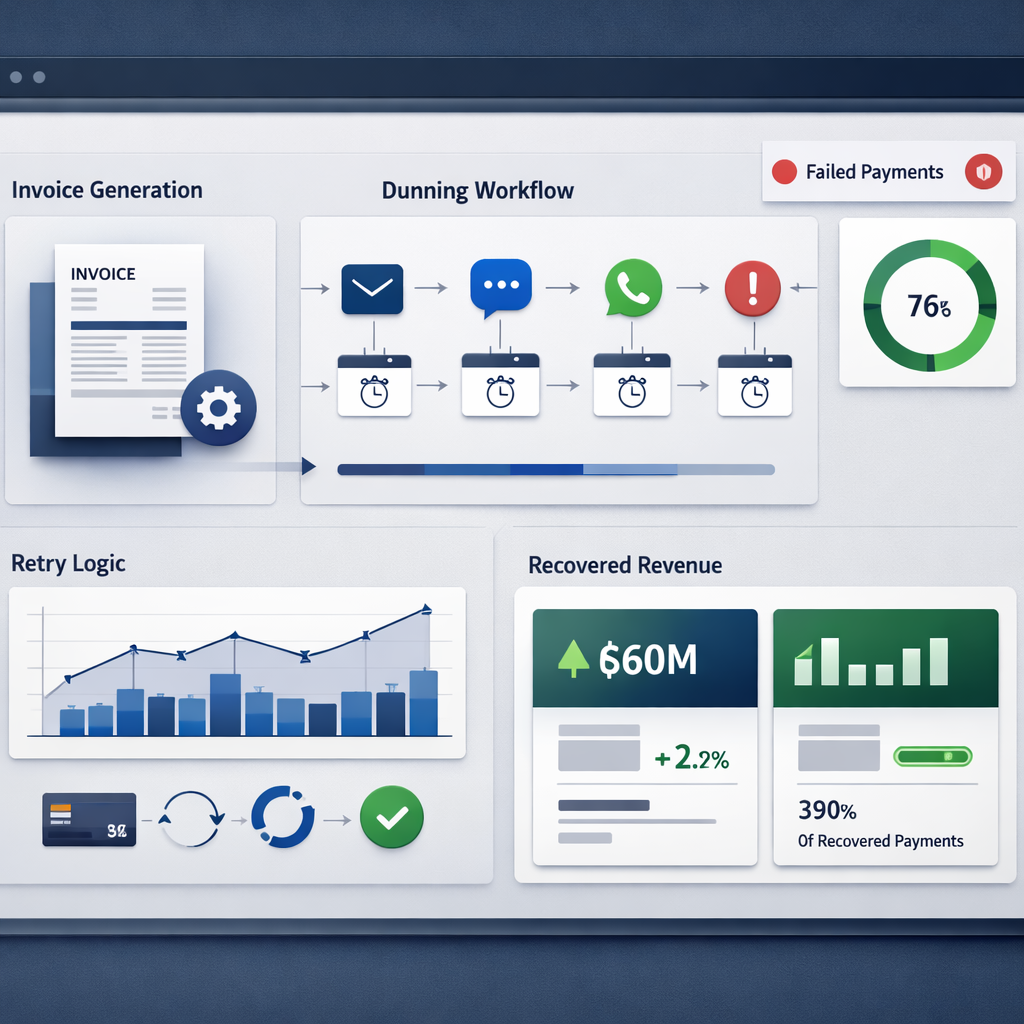
Concrete example: A mid-market SaaS vendor moved from single-email running to Stripe Billing for retry rules plus a Gleantap WhatsApp and SMS sequence. Within eight weeks they recovered roughly 40 percent of failed card charges that had previously gone uncollected, and involuntary churn dropped materially in the following quarter. The key change was adding short, personal messages and a one-click payment link rather than more email reminders.
6-step implementation checklist
- Map account identifiers: Ensure billing, CRM, and entitlement systems share a canonical account ID and currency/proration rules.
- Select tooling for your complexity: Use ___CODE0 for straightforward subscriptions, CODE1 or CODE2 for complex product catalogs and metered billing, and CODE3___ or your ERP for accounting sync.
- Design multichannel dunning: Create tiered retry and messaging rules that combine email, SMS, and WhatsApp; include one-click pay links and self-serve portals.
- Implement retry logic upstream: Configure payment gateway retries and webhook handling so system retries and messaging are coordinated and idempotent.
- Segment escalation rules: Only escalate to hard suspension or collections for high-risk segments; give high-value customers more recovery touchpoints and human outreach.
- Instrument and report: Track recovery per channel, recovery cost per dollar, DSO delta, and churn attribution; run a 90-day pilot and measure lift against a holdout group.
Common pitfalls: Ignoring tax and invoice compliance across regions, failing to handle partial payments and refunds correctly, and not throttling message frequency. Another frequent mistake is routing disputes straight to collections instead of to a human specialist for rapid resolution.
A realistic benchmark: multichannel dunning plus gateway retries often recovers 30 to 60 percent of failed payments within two weeks and can reduce DSO by 5 to 15 days for subscription businesses.
Final judgment: Billing automation is low risk and high impact when you treat it as both a technical integration and a customer experience problem. Automation that prioritizes quick, frictionless payment links and appropriate human escalation recovers cash without destroying lifetime value.
5. Customer Support Triage and Case Routing
Automation here pays off fast. Automating triage and routing reduces first response time and cost per ticket more predictably than many other service initiatives—but only when you standardize inputs and enforce SLAs at the routing layer.
What to measure. Track first response time, mean time to resolution (MTTR), tickets per agent, ticket deflection rate, and SLA breach percentage. These are the metrics that map directly to cost savings and CSAT improvements.
Practical trade-off. NLP and AI categorizers accelerate routing but introduce classification drift and false positives. If you rely on machine tagging, add conservative fallbacks: human review for edge cases, periodic retraining, and an easy one-click escalation path for customers.
6-step implementation checklist
- Standardize taxonomy: Define 8–12 ticket categories, associated SLAs, and required metadata fields.
- Instrument sources: Ensure every inbound channel creates a canonical customer id and context payload.
- Build routing rules: Combine keyword, intent, and skill-based rules; use workload-based balancing rather than pure round-robin.
- Ship KB-driven auto replies: Implement automated answers for the top 10 reasons and include knowledge base links in the initial response.
- Auto-escalation & SLA alerts: Create event-based escalations when SLAs are at risk and route high-priority cases to senior queues immediately.
- Monitor and iterate: Run weekly confusion-matrix reviews for NLP tags, sample escalations, and tune rules with real ticket data.
Concrete example: Configure Zendesk to ingest WhatsApp conversations through Gleantap, run an NLP classifier to tag intents, and auto-respond to common queries with KB links. Tickets tagged billing or refund are routed to the finance queue with a 1-hour SLA and an automated escalation to a manager if unassigned in 45 minutes.
In practice, teams that combine KB deflection with smart routing commonly cut first response time from hours to under 30 minutes and deflect 20–40% of repetitive tickets. That translates to fewer hires or the ability to reallocate senior agents to high-value work.
KPI targets: first response <30 minutes for priority 1, MTTR <24 hours for noncritical issues, ticket deflection 20–40%, SLA breach <2%.
Key takeaway: High-quality routing depends on data quality and observability. Automations that ignore missing metadata or lack monitoring will reduce cost briefly and create customer friction later — instrument everything and schedule weekly reviews.
6. Re-engagement, Upsell, and Churn Prevention Sequences
High-value rule: retaining and reactivating existing customers costs far less than acquiring new ones, so small percentage improvements move the profit needle quickly. Build sequences that treat churn as a behavior signal, not a calendar event.
Practical trade-off: deep behavioral segmentation improves lift but raises integration and data-quality costs. If your CRM lacks reliable usage or transaction events, simpler rules based on recency and spend often beat noisy, overfitted models.
Sequence design and channel strategy
Design principle: combine content and offer signals — product value reminders, social proof, and time-limited incentives — and sequence them across channels. Start with high-context channels like WhatsApp or SMS for one-to-one outreach, then follow up by email for details and documentation.
- Identify churn signals: recency, drop in usage frequency, failed payments, NPS declines, support ticket spikes
- Map by value: target customers with high LTV or strategic accounts first to protect the biggest revenue lines
- Select channels and cadence: 1–2 immediate, personalized messages on WhatsApp/SMS in the first 7 days, then an email summary and a human reach-out trigger if they fail to respond
- Offer design: prefer value-based offers (free consult, feature walkthrough, add-on credit) over blanket discounts to avoid margin erosion
- Measure with holdouts: always run a control group to measure incremental lift and avoid confusing correlation with seasonal behavior
Concrete example: a mid-market SaaS operator flags accounts with zero active usage for 21 days and ARR above threshold. The automated flow sends a personalized WhatsApp message showing recent activity metrics, followed by an SMS offering a 15-minute success call, then schedules an account manager task if there is no response. This reduced churn among targeted accounts and improved upsell-ready leads without wide discounting.
Common pitfall: blanket reactivation campaigns kill margin and train customers to wait for discounts. A better pattern is tiered interventions: non-monetary re-engagement first, targeted promotional offers only for high-value or high-susceptibility cohorts.
Measurement and governance: use holdout cohorts to report incremental revenue, not absolute conversion. Track reactivation rate, churn delta (percentage point change), upsell conversion within 90 days, and cost per recovered customer. Expect modest but meaningful lifts: typical reactivation rates land between 5 and 15 percent depending on channel mix and offer.
Benchmarks to aim for: reactivation rate 5–15%, upsell conversion 2–8%, churn reduction 1–4 percentage points. Use these as initial targets and validate with a 4–8 week holdout test.
Integration note: these sequences rely on reliable event plumbing between product telemetry, billing, and CRM. If you need a practical starting point, map a minimal event schema and automate the first two signals.
Takeaway: prioritize targeted, data-driven sequences that escalate from low-friction value nudges to selective offers and human outreach; measure with holdouts and avoid broad discounting that erodes lifetime margins.
7. Gleantap-Powered Customer Lifecycle Automations
Direct claim: Gleantap is a practical choice when you need two-way, multichannel lifecycle automations that start from CRM events and actually reach customers on the channels they use most — WhatsApp, SMS, and email — without a months-long engineering project.
What Gleantap brings that matters
Channel orchestration: Gleantap stitches CRM triggers to WhatsApp template messages, SMS, and email and preserves conversational state so follow-ups are context-aware. That matters because multichannel sequences outperform single-channel playbooks for onboarding and reactivation.
Practical trade-off: WhatsApp delivers higher open and response rates but requires template approvals, explicit opt-in, and stricter cadence controls. Expect a short setup overhead for template registry and compliance — but once defined, engagement gains typically justify the effort for high-value flows.
Integration limits to plan for: CRM sync latency, record-matching gaps, and webhook reliability are the usual failure modes. Build canonical identifiers in your CRM and test end-to-end events before switching live traffic to automated Gleantap workflows.
Concrete example
Concrete Example: A mid-market SaaS sales team used Gleantap to send an automated WhatsApp first-touch, follow-up SMS reminders, and two-way rescheduling messages tied to HubSpot demo-booked events. The pilot pushed lead response time under two minutes, lowered demo no-shows materially, and produced a clear uplift in demo-to-deal conversion within 8 weeks.
- Map stages: Identify the CRM events that should trigger messages (lead capture, demo booked, first-login, churn signal).
- Connect data: Link HubSpot or Salesforce via direct integration or ___CODE0 and verify CODE1___ consistency.
- Templates & consent: Create WhatsApp-approved templates and capture opt-in at point of lead entry.
- Build multichannel flows: Compose primary WhatsApp message, fallback SMS, then email; add conditional branches for no-response or negative responses.
- Human handoff: Route two-way replies to reps with SLAs and an escalation path for complex issues.
- Measure & iterate: Track lead response time, demo attendance, activation rate, and revenue influenced; hold a 10–20% control group for lift measurement.
Key takeaway: Start Gleantap pilots on high-volume, high-value triggers (inbound leads, demo reminders, billing dunning) where faster, two-way contact immediately moves revenue or retention metrics.
Practical judgment: Use Gleantap when you need speed-to-contact and conversational continuity without building a custom messaging stack. If your use case is low-volume or tightly regulated messaging, the setup and per-message costs may not pay back quickly — choose targeted pilots, not full-scope rollouts.
Note: Review WhatsApp Business API policies and ensure opt-in flows are captured in your lead forms to avoid compliance issues.
If you want a launch plan, run a 6–8 week pilot tied to inbound leads and measure lead response time, demo attendance, and conversion lift before expanding across lifecycle stages.
Frequently Asked Questions
Key point: Nearly every FAQ about business automation use cases collapses to two practical checks: can you measure the current manual cost, and can automation change it reliably at scale. If you cannot answer both, you are guessing the ROI.
How to validate ROI quickly
Fast pilot blueprint: Run a time bound test with clear baselines and owners. Capture current cost per transaction or time per task, set a conservative target lift, run the automation on a statistically meaningful slice, and compare conversion, time savings, or error reduction after 4 to 8 weeks.
- Baseline: record current volume and time or cost per unit
- Target: set a realistic uplift percentage and an absolute KPI threshold
- Sample: pick a representative channel or segment, not the easiest one
- Run: enable monitoring, logging, and rollback rules for 4 to 8 weeks
- Analyze: calculate savings minus implementation and monthly operating costs
Concrete example: Automating reconciliation between Stripe and QuickBooks using Zapier + a ruleset reduced a small finance teams manual reconciliation from 10 hours per week to 2 hours. At a fully loaded rate of 50 per hour that is 2,000 in annual savings; with a 1,200 integration and 50 monthly operating cost the payback came under three months.
Operational, governance, and compliance FAQs
- Who owns the automation: assign a single process owner and a technical owner for integrations – diffusion of responsibility kills automations over time
- Monitoring: instrument success and failure rates and surface them in a weekly ops dashboard; log and alert on exceptions
- Data and identity: ensure canonical identifiers across systems before automating routing or billing
- Consent and messaging: for WhatsApp and SMS implement explicit opt in, template approvals, and fallbacks to email to protect deliverability and compliance
- Rate limits and throttling: design retry and backoff logic for APIs to avoid outages
Practical tradeoff: Automation reduces human work but increases operational maintenance. Expect to allocate about 10 to 20 percent of projected annual savings to runbooks, monitoring, and periodic updates. Skimping here converts initial ROI into technical debt.
Takeaway: Validate with a short, measurable pilot, assign a process owner, and budget for ongoing operations. Without those three the best use cases for business automation use cases fail to sustain value.

Ready to Run Successful Marketing Campaigns and Grow Your Business?
Gleantap helps you unify customer data, track behavior patterns, and automate personalized campaigns, so you can increase repeat purchases and grow your business.
Ready to Run Successful Marketing Campaigns and Grow Your Business?
Gleantap helps you unify customer data, track behavior patterns, and automate personalized campaigns, so you can increase repeat purchases and grow your business.