
 Divya Ghughatyal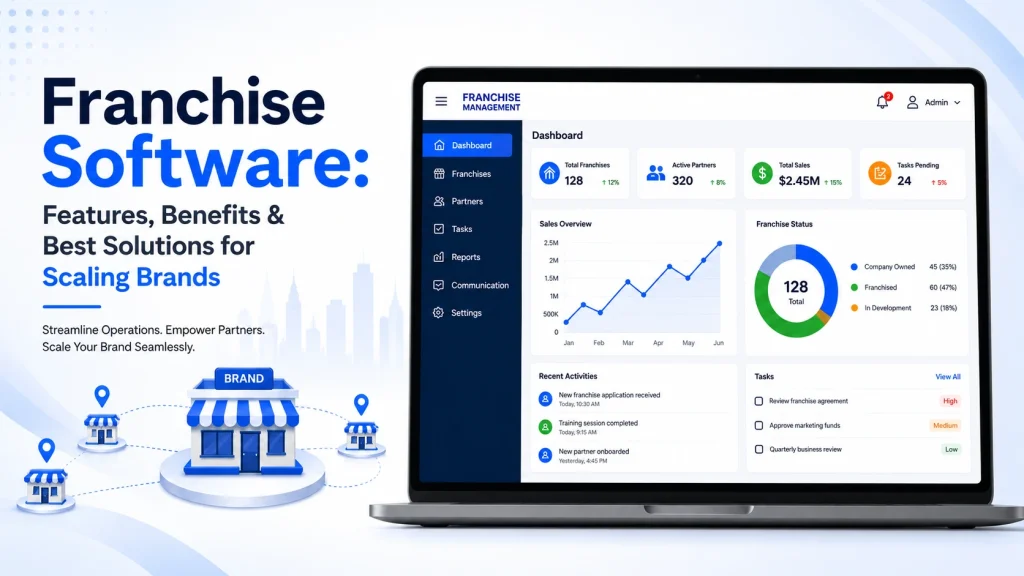
Scaling a franchise means fighting fragmented customer data, inconsistent local marketing, and manual royalty and compliance headaches; the right franchise software replaces those fire drills with repeatable processes. This guide breaks down the core features you cannot skip, the measurable business benefits and KPIs to expect, and the best vendor fits by use case so you can compare franchise management software options side by side. Read on for a practical, phased rollout checklist, a sample ROI worksheet, and vendor comparisons that help you choose a solution that actually scales.
Why franchise software is a strategic investment for scaling brands
Hard reality: fragmented operations cost growth. Without a franchise management system, customer records, marketing assets, and financial reporting live in different places and decisions get made with partial data. That adds variable customer experiences, slow lead follow up, and heavy manual work at corporate and franchisee levels.
What franchise software fixes. A focused franchise management system centralizes customer data, enforces multi-level permissions, automates local marketing, and standardizes reporting and royalty calculations. Those are not cosmetic changes; they convert operational drag into measurable levers such as lead response time, conversion rate, and hours spent on reconciliation.
Practical tradeoff you must accept. Buying franchise software is not only a license cost. Expect integration work with POS and accounting systems, governance overhead to lock down data ownership, and change management to bring franchisees on board. Overcustomizing early reduces upgradeability and raises total cost of ownership – choose configurable templates over bespoke builds unless you have enterprise scale and budget.
When a full franchise management system is the right next step
Use a full system when scale and complexity create measurable loss. If the network is above 10 to 15 locations, if royalty and compliance tracking are manual, or if marketing results vary wildly by location, a dedicated solution is the correct strategic move. For smaller groups with simple flows, a CRM plus marketing platform may be more cost effective until those pain points emerge.
Concrete example: A regional fitness brand piloted messaging-driven lead management across 4 locations using a messaging automation vendor. Integration with scheduling and POS cut lead response time from 24-48 hours to under 1 hour, lifted appointment conversion by about 35 percent, and reduced corporate reporting time by roughly 60 percent in the pilot window. The brand used that pilot to justify a phased rollout and tighter integration with payroll and accounting.
- Measure these outcomes during any pilot: lead response time, lead to appointment conversion, same-store revenue change, time spent on royalty reconciliation, and weekly active users by franchisee
- Integration priorities: POS, accounting (QuickBooks or Xero), scheduling, and marketing channels are must haves for accurate rollups
- Governance rule: define data ownership and SLA enforcement before integrations begin to avoid disputes later
Choosing franchise software is a strategic buy when the expected operational savings and revenue lift outweigh implementation complexity within 12 to 24 months.
Key action: run a 3 to 5 location pilot that includes POS and scheduling integration, track the five core KPIs above, and use results to negotiate scope and integration credits with vendors.

Next consideration: define pilot success criteria and the minimum integrations required to produce reliable KPI measurement. That step decides whether franchise software will be a cost center or a growth engine.
Core features to prioritize and why each matters
Start with the single source of truth. A centralized CRM that unifies contacts, transactions, and activity across locations is the foundation everything else builds on — without it you get duplicate work, conflicting customer records, and broken campaign measurement.
Feature breakdown and why it matters
- Centralized CRM: single customer view across stores and channels so marketing, support, and regional managers can target and measure consistently.
- Multi-level permissions & franchisee portal: role-based access that protects corporate data while giving franchisees the tools and autonomy they need; this prevents franchisee workarounds that create shadow systems.
- Marketing automation with templated campaigns: corporate-controlled templates plus controlled local edits — preserves brand voice while enabling local promos and compliance with local regulations.
- Lead capture, intelligent distribution & SLA enforcement: automated routing by territory, capacity, or round robin plus SLA timers so leads reach the nearest owner in minutes, not days.
- Royalty and fee tracking or accounting integrations: built-in royalty modules or tight integrations with accounting software mean fewer manual reconciliations and fewer royalty disputes.
- Reporting & dashboards with rollups: location, region, and corporate rollups for the KPIs you actually act on, not 100-page reports nobody reads.
- APIs & prebuilt integrations: POS, scheduling, payroll, and accounting connectors reduce data mapping work and keep downstream numbers correct.
- Security, data ownership & compliance controls: GDPR/CCPA support, encryption, and clear data ownership clauses — nonnegotiable for franchisors consolidating customer data.
- Mobile & offline capability: mobile franchise software features that keep sales and service functioning when connectivity is poor or field staff are on the go.
Practical trade-off: choosing an all-in-one franchise management system will simplify vendor management but usually forces compromises in best-of-breed functionality. If local messaging and lead handling are mission critical, pair a specialist messaging stack with your franchise management system rather than over-customizing one platform.
Integration nuance: prioritize data models and unique identifiers during vendor selection. If leads or customers can’t be reliably deduplicated between POS, CRM, and scheduling, your analytics and loyalty programs lie. Demand sample data mappings from vendors and test with real records during the pilot.
Concrete example: A 25-location fitness brand used a cloud-based franchise software CRM plus a messaging-focused platform for lead distribution. Online leads were captured, assigned to the nearest trainer within 2 minutes, and tracked back into the CRM; conversion rose because response time dropped and regional managers could see which messaging sequences worked.
What teams should prioritize first: if customer acquisition is your bottleneck, lock in lead capture/distribution and CRM deduplication. If royalties and compliance are chaotic, prioritize accounting integrations and reporting rollups. You cannot optimize both effectively without sequencing the rollout.
Key takeaway: prioritize Centralized CRM, Lead Distribution with SLA enforcement, Reporting rollups, and prebuilt POS/accounting integrations. These four reduce duplicate work, speed conversions, improve royalty accuracy, and give leadership actionable visibility.

Business benefits with real operational metrics and examples
Real change shows up in minutes, not reports. The clearest, fastest ROI from franchise software comes from reducing lead response time, standardizing reporting, and cutting manual admin for royalties and marketing. Expect measurable gains inside the first 3 to 6 months if you prioritize the right modules and run a proper pilot.
Key operational metrics and realistic targets
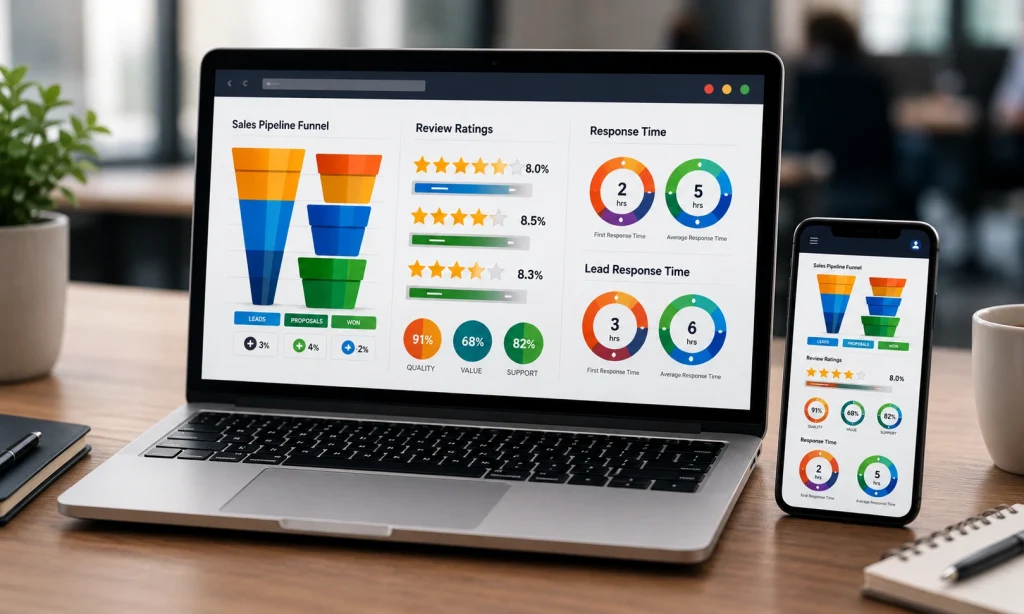
- Lead response time: target reduction from 24-72 hours down to under 1 hour for inbound leads. Faster responses commonly lift conversion by 20 to 40 percent when combined with automated follow up.
- Lead to sale conversion rate: an uplift of 15 to 35 percent is realistic when lead distribution SLAs and messaging automation are enforced.
- Administrative hours per location: expect a 30 to 60 percent reduction in weekly hours spent on reporting, royalty reconciliation, and manual campaign deployment after integrations with POS and accounting.
- Royalty/fee accuracy: move from error-prone manual spreadsheets to automated calculations and reconciliations to reduce disputes by 50 to 90 percent.
- Customer retention and LTV: automated reengagement flows and centralized CRM typically increase 12-month retention 5 to 15 percent, lifting lifetime value materially over 12 to 24 months.
Tradeoff to plan for: best-of-breed franchise software components such as messaging and lead management deliver faster business impact but require reliable integrations and governance. Full-suite franchise management systems reduce integration work but cost more up front and slow time to value. Choose based on your integration capability and how quickly you need the metrics to move.
Concrete example: A 45-location boutique fitness network implemented a messaging and lead distribution layer and integrated it with their POS and franchise CRM. Lead response time fell from roughly 36 hours to 10 minutes, lead to sale conversion climbed 28 percent, and franchise reporting time per week dropped from 10 hours to 3 hours per location. The brand used the messaging layer as a front end while retaining its existing accounting stack.
| Metric | Before | After (typical pilot) |
| Average lead response time | 36 hours | 10 minutes |
| Lead to sale conversion | 6% | 7.7% (+28%) |
| Admin hours per location per week | 10 hours | 3 hours |
| Royalty reconciliation disputes | Monthly disputes | Quarterly minor reconciliations |
Key takeaway: If you can only measure two things during a pilot, measure lead response time and royalty accuracy. Those move revenue and reduce friction between franchisor and franchisee.
Practical next step: run a 3 to 5 location pilot that tracks the metrics above, include a baseline period, and test both automation rules and integrations.

Implementation checklist and phased rollout plan
Reality check: most failures happen during rollout, not purchase. A tight checklist and a staged rollout remove risk and create measurable momentum across corporate, regionals, and franchisees.
Preselection and contract checklist
- Stakeholder alignment: Confirm executive sponsor, regional owners, IT lead, and a small group of franchisee champions.
- Define success metrics: Pick 3 primary KPIs (for example lead response time, lead-to-sale conversion, and weekly active users) and methods for measurement.
- Data audit: Inventory customer, lead, and financial data sources; note formats (___CODE0, CODE1___, export limitations).
- Must-have integrations: Prioritize POS, accounting (QuickBooks/Xero), scheduling, and SMS/email channels.
- Security & data ownership: Require data export rights, role-based access, and an incident response SLA.
- Contract terms: Ask for pilot pricing, integration credits, and staged payments tied to milestones.
Pilot stage: scope, timeframe, and success criteria
Pilot scope: Run 3 to 5 representative locations for 8 to 12 weeks — include one high-volume site, one low-volume site, and one atypical market. Keep the pilot limited: core CRM + lead routing + messaging automation before broader integrations.
- Define acceptance criteria: exact targets for each KPI and acceptable data sync error rates.
- Data migration plan: Migrate a subset of records first; validate with sampling and reconciliation rules.
- Support model: Vendor provides a dedicated onboarding manager and weekly status calls during the pilot.
Trade-off to accept: Integrating everything at once looks efficient but increases failure modes. Staged integrations cost time up front but reduce rollback risk and keep franchisees engaged.
Scale: integrations, training, and governance
- Integration order: Connect POS and CRM first (customer and transaction data), then accounting, then scheduling and marketing channels.
- Training model: Use train-the-trainer, role-based sessions, short video snippets, and an in-app help center. Schedule refresher sessions at 30 and 90 days.
- Governance: Create a steering committee, define data owners, and set a change-control process for templates, automations, and local marketing permissions.
Practical limitation: Franchisees vary in tech adoption. Expect ~10–20% of locations to need extra hand-holding; budget for field visits or paid onboarding credits rather than assuming remote training will be enough.
Concrete example: A regional fitness brand ran a pilot using a messaging-focused layer to manage inbound leads at four clubs. They enforced a 30-minute SLA, trained staff with two 60-minute sessions, and measured conversion lift and response time weekly — the pilot identified a single data mapping bug that, once fixed, removed 40% of duplicate leads during full rollout.
Key takeaway: Lock a short pilot with clear KPIs, require vendor support and integration credits in the contract, and stage integrations to protect franchisee operations.
If you want practical templates, use an RFP that includes integration mapping and SLA requirements, and review vendor responsiveness during the pilot.

Best franchise software solutions and where each fits
Direct point: Vendors fall into three practical buckets – full lifecycle suites, midmarket operations platforms, and best-of-breed specialty tools – and your choice should map to the single problem you need solved first, not the vendor logo. Scale and integration capability are the filters that expose which bucket you belong in.
| Vendor | Best fit | Strengths | Limitations |
| FranConnect | Enterprise franchisors 250+ locations | Comprehensive franchise lifecycle features – onboarding, compliance, reporting, franchise sales | Higher cost, longer implementation, can be heavy to customize |
| Naranga | Midmarket brands 50-250 locations | Strong operations, onboarding, and compliance workflows | Less flexible for highly unique workflows or deep CRM customizations |
| FranchiseSoft | Small to midmarket under 100 locations | Affordable franchise management and CRM basics | Simpler reporting and fewer integrations out of the box |
| FranchiseBlast | Brands prioritizing royalty accuracy and audit | Focused financial reconciliation and royalty reporting | Narrow scope – needs integrations for engagement and CRM |
| Salesforce | Enterprise needing deep CRM customization | Unlimited customization, advanced reporting, enterprise integrations | High implementation cost, requires consultants and governance |
| Gleantap | Multi-location brands prioritizing messaging and lead management | Fast lead distribution, messaging automation, multi-location engagement | Not a full franchise accounting or royalty system – pairs best with an ops suite |
Tradeoffs that matter in real deployments
Integration tradeoff: Choosing a suite reduces the number of integrations you manage but increases vendor lock and setup time. Choosing best-of-breed reduces lock and lets you pick best functionality per domain, but you must own the data model and identity of truth – that is where projects fail in year two.
- When to pick a suite: You have complex franchise sales, strict compliance, and need consolidated onboarding and royalties across countries.
- When to pick best-of-breed: Your primary pain is customer engagement or lead response and you already have accounting and POS systems you trust.
- Must-check integrations: POS, accounting, scheduling, SMS/email, single sign on – if the vendor lacks a reliable API expect costly middleware work
Concrete example: A 120-location fast casual chain used FranConnect for franchise onboarding and royalty rollups while deploying Gleantap for lead distribution and SMS campaigns. The result was clearer financial reconciliation at corporate and a measurable drop in lead response time at store level, because messaging responsibilities rested with a specialist tool rather than shoehorning communications into the ops suite.
If you must choose one area to prioritize first, pick customer data and lead distribution. Even robust royalty reporting is ineffective if you cannot respond to or convert leads consistently at the local level.
Judgment call: For 50 to 200 locations I usually recommend a modular approach – a midmarket ops platform plus a dedicated engagement layer – because it balances cost, speed, and control. For more than 250 locations or heavily regulated franchises, bite the complexity of an end-to-end suite or an enterprise CRM like Salesforce, but budget heavily for implementation and governance.
Next consideration – map the vendor fit to the problem you will measure in the first 90 days. Pick the tool that moves that needle fastest, not the tool with the most features.
Pricing, total cost of ownership, and sample ROI worksheet
Start with a hard number: most franchisors underbudget implementation and integration by 25–40%. Budgeting license fees alone is a dead end — TCO for franchise software is dominated by integrations, data cleanup, change management, and the first 12 months of support. If you skip those, you will miss the true payback timeline.
What to include in your three-year TCO
- Direct licensing: per location or per user fees and any tiered feature costs
- Implementation & integrations: mapping, API work, POS/accounting connectors, and middleware
- Data migration & cleanup: the hidden hours to consolidate customer and transaction histories
- Training & change management: initial sessions, role-based materials, and follow-up coaching
- Ongoing support & maintenance: SLA levels, premium support, and upgrade costs
- Hardware or terminals: if on-prem components or kiosks are required
- Opportunity costs / soft savings: reduced admin hours, faster lead response, higher conversion, lower churn
Practical tradeoff: buying a single-suite enterprise franchise management system reduces integration scope but raises license and customization costs. Choosing best-of-breed pieces like a messaging-first tool plus a franchise accounting connector keeps per-seat fees lower but increases integration and governance effort. Pick the path that matches your in-house integration capacity and how fast you need value.
Sample ROI worksheet (3-year view)
| Line item | Year 1 | Year 2 | Year 3 |
| License & hosting | $60,000 | $60,000 | $60,000 |
| Implementation & integrations | $75,000 | $10,000 | $10,000 |
| Data migration & cleanup | $20,000 | $0 | $0 |
| Training & change management | $15,000 | $5,000 | $5,000 |
| Annual support & maintenance | $12,000 | $12,000 | $12,000 |
| Hardware / terminals | $8,000 | $2,000 | $2,000 |
| Total costs | $190,000 | $89,000 | $89,000 |
| Saved admin hours (value) | $45,000 | $60,000 | $60,000 |
| Net new revenue (conversion + retention) | $120,000 | $180,000 | $200,000 |
| Net benefit (revenue + savings – costs) | $-25,000 | $151,000 | $171,000 |
| Cumulative ROI | -13% | 69% | 151% |
Concrete example: a 75-location fitness brand with average monthly revenue per location of $25,000 invested in cloud-based franchise software plus a messaging layer. Year 1 includes heavy integration to POS and scheduling and shows a small net loss while conversion and reengagement automation are fine-tuned. By Year 2 faster lead response and automated reengagement flow deliver measurable revenue lift and cover the initial investment — this mirrors real rollouts where Year 1 is stabilizing, Year 2 is scaling.
- How to use this worksheet: plug your license quote, one-time implementation estimate, and conservative revenue lift (start with 5–10% conversion improvement) then model payback months.
- Negotiation levers: ask vendors for pilot discounts, integration credits, and staged payments tied to success criteria. Vendors expect negotiation on integration scope — be explicit about which POS/accounting integrations are critical.
- Measurement guardrails: require the vendor to support exportable reports for lead response time, conversion, and royalty accuracy during the pilot (evaluate support responsiveness during this period).
Key takeaway: treat Year 1 as an operational investment with modest net benefit; real ROI usually arrives in Year 2 once integrations, training, and automated campaigns reliably reduce lead response time and administrative load.
Common implementation pitfalls and how to avoid them
Direct observation: implementation failures rarely come from the software itself; they come from mismatched expectations, incomplete processes, and unresolved operational edge cases. Address those first and the technology will follow.
Top implementation pitfalls and practical fixes
- Poor data mapping and hidden quality issues: migrating customer and location data without validating identifiers, address formats, or franchisee ownership history causes royalty and reporting errors. Fix: run a scoped data audit, map keys (location ID, tax IDs) and reconcile a sample set before full migration.
- Faulty lead routing and SLA gaps: ambiguous routing rules or lack of SLA enforcement turns leads into noise. Fix: implement deterministic routing, fallback rules, and automated SLA alerts tied to conversion KPIs.
- Neglecting local workflows and mobile UX: corporate desktop demos look fine until franchisees try tasks on a phone during peak service hours. Fix: test on real devices and include the busiest franchisees in usability tests.
- Early overcustomization: customizing workflows for a handful of locations creates upgrade blockers and long-term maintenance debt. Fix: lock a set of core templates and allow limited, versioned local overrides.
- Underestimating integration effort and costs: vendors promise APIs but actual mapping to POS, scheduling, and accounting is work. Fix: secure integration scoping and credits in the contract and require sandbox access for end-to-end tests.
- No clear data ownership or rollback plan: without exportable data and documented ownership, you’re stuck if you change vendors. Fix: contract explicit data export formats and a rollback timeline into the SOW.
- Low franchisee adoption: lack of incentives or visible value means the platform sits unused. Fix: attach a simple KPI to compensation or marketing funds and publicize quick wins to peers.
Concrete example: a 75-location fitness brand routed new leads to a central inbox without SLA rules. Local clubs saw fewer qualified tours and conversions dropped 30% in two months. After implementing deterministic routing, SLA timers, and local fallback routing, response time dropped under 1 hour and conversions recovered within six weeks.
Practical trade-off: moving fast reduces time-to-value but increases rework risk. Spend 10–20% of project time on verification (data samples, routing tests, mobile UX) to avoid 3x rework later.
Key takeaway: require sandbox environments, exportable data, and measurable acceptance criteria in the contract; those three items prevent 60–80% of vendor-related implementation headaches.
Judgment call: choose a vendor that supports iterative deployment and rollback rather than a single big-bang flip. If you must go big-bang, budget double for QA and have finance and franchisee leads sign off on acceptance gates. For vendor comparisons and categories, see G2 and vendor lifecycle guidance on FranConnect.
Frequently Asked Questions
Short answer: The questions you ask vendors should separate marketing polish from operational reality — focus on data ownership, integration points, and measurable pilot KPIs rather than feature checklists.
Practical FAQs operations teams actually need answered
- How is franchise software different from a standard CRM: Franchise systems are multi-tenant by design: they provide franchisee portals, hierarchical permissions, royalty and fee reporting, and rollup dashboards that a standard CRM does not deliver out of the box.
- Can I use Gleantap as my primary franchise platform: Gleantap is purpose-built for messaging automation and lead management; it works well as the customer engagement layer and can integrate with full franchise management suites for accounting and compliance.
- What KPIs should a pilot prove: Track lead response time, lead-to-sale conversion, weekly active franchisee users, and hours saved on manual reporting. Target reductions: lead response under 1 hour and a conversion lift in the 10-20% range are realistic benchmarks for engagement-focused pilots.
- How long will a rollout take and what cadence works: Expect 3 to 9 months. Run a 6- to 12-week pilot (3–5 representative sites), then a 60–120 day phased regional rollout with predefined success gates for integrations and adoption.
- Which integrations are nonnegotiable: POS, accounting (QuickBooks/Xero), scheduling/booking, and SMS/email channels. Confirm real-time syncing capabilities and whether the vendor supports webhooks or prebuilt connectors.
- Who owns the data and how portable is it: Demand contractual clarity on data ownership and a documented export process. Vendors that gate exports or charge for raw data dumps create real migration risk and increase TCO.
- What is the customization tradeoff: Customizing workflows or UI speeds initial adoption but slows vendor upgrades and increases support costs. Prioritize configurable templates and preserve minimal custom code to avoid long-term lock-in.
- Do I need offline or mobile-first features: If franchisees operate in areas with intermittent connectivity, pick a solution with mobile-first UX and offline caching for critical actions (lead capture, payments) — otherwise adoption collapses in day-to-day use.
Concrete Example: A 40-location regional fitness brand ran a 10-week pilot that layered a messaging-first tool onto their existing scheduling and POS. They reduced average lead response time from ~24 hours to ~45 minutes and reported a 12% lift in trial conversions; that pilot also exposed two missing POS fields the vendor had to add for proper revenue attribution.
Practical judgment: Best-of-breed solutions win when you have clear integration standards and internal ownership for the data model; if your IT resources are limited and you need one vendor responsible for everything, pick a suite and accept slower innovation but simpler governance.
Pilot KPI checklist: Lead response <1 hour | Lead-to-sale +10–20% | Weekly active franchisee users >70% | Reporting time per location reduced by 30%.
- Run three focused vendor demos using the same ops scenarios (lead routing, royalty report, POS exception).
- Negotiate a 90-day pilot with clear success metrics and a documented data export clause before signing long-term.
- Require a technical runbook from the vendor showing APIs, webhook behavior, and sample data mappings for your POS/accounting systems.
Recent blog posts
Back to blog
Ready to Run Successful Marketing Campaigns and Grow Your Business?
Gleantap helps you unify customer data, track behavior patterns, and automate personalized campaigns, so you can increase repeat purchases and grow your business.
Ready to Run Successful Marketing Campaigns and Grow Your Business?
Gleantap helps you unify customer data, track behavior patterns, and automate personalized campaigns, so you can increase repeat purchases and grow your business.