
 Marcus Webb
Customer Support Automation is how B2C SaaS companies stop support from becoming a cost sink by automating repeatable workflows, enabling self-service, and routing the right cases to human agents. It also plays a critical role in strengthening customer service automation strategies that improve consistency, scalability, and overall experience quality. This article shows product and operations leaders how to design, implement, and measure automation that reduces cost per ticket, speeds resolution, and protects retention, with concrete use cases, tooling recommendations, and an ROI template you can apply.
Why customer support automation is a strategic priority for SaaS and B2C businesses
Strategic point: Customer Support Automation stops support from being only an operational expense and turns it into a lever for retention and revenue. When automation is designed around real customer context and measurable outcomes, it reduces repeat contact, shortens resolution time, and creates predictable capacity you can plan against.
Trade-off to manage: Automation improves unit economics only if containment and escalation are balanced. High containment with poor escalation creates angry customers; aggressive escalation policies with weak automation erode cost savings. Set machine confidence thresholds and require contextual checks (membership status, recent transactions, upcoming bookings) before automations take irreversible actions like refunds or cancellations.
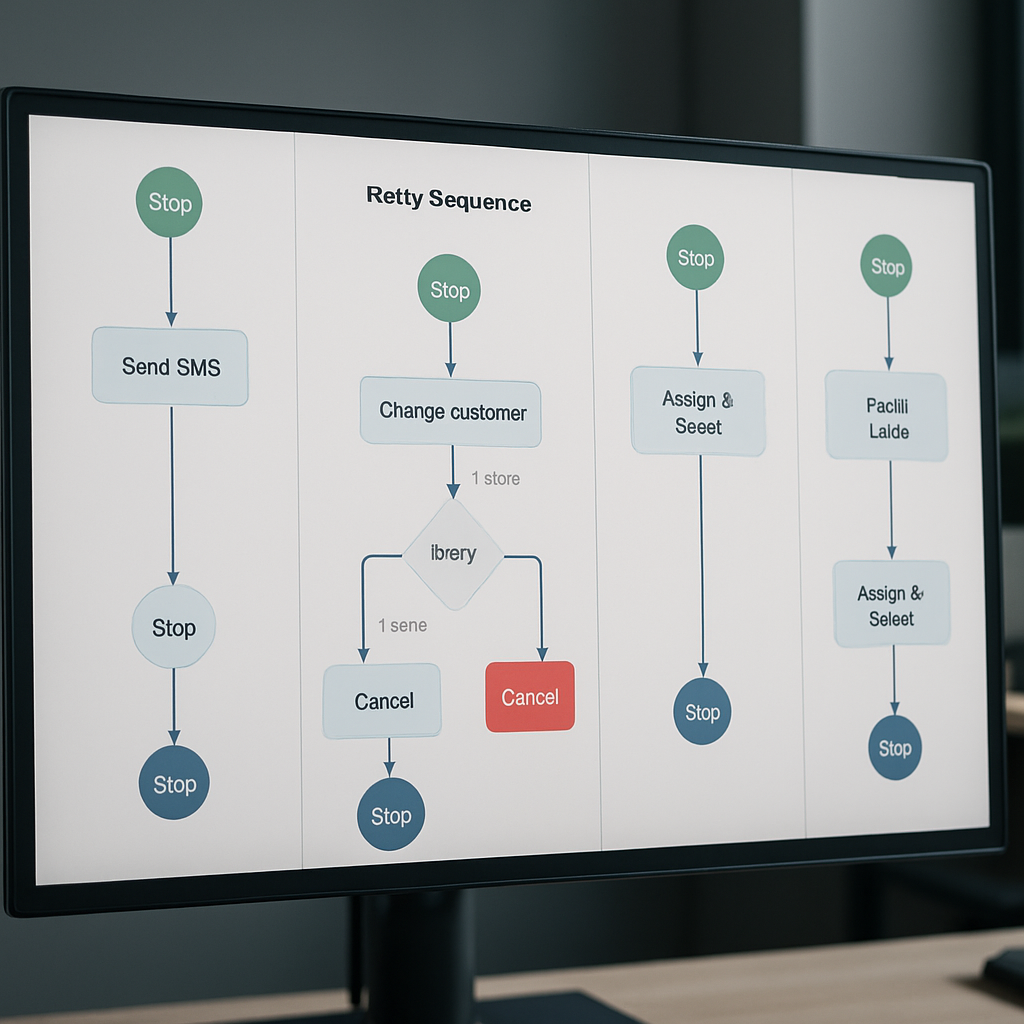
Concrete example: A B2C subscription app automates payment-failure recovery with a 3-step sequence: immediate email with retry link, an SMS the next day, and a personalized in-app notice with one-tap retry. The automation pre-populates the customer context for an agent if the flow fails, cutting manual triage time and shortening the payment recovery window without removing the human fallback.
Where automation delivers the most strategic value
- Cost containment: Automate highly repeatable tasks (billing status, password resets, booking confirmations) to lower cost per ticket while keeping agents for complex issues.
- Retention and revenue: Trigger timed, personalized outreach for churn-risk customers—automation that saves a subscription is worth many times the cost of a single ticket.
- Speed and consistency: Use automation to guarantee SLAs for first response and to remove variance between agents during peak periods.
- Surge capacity and seasonality: Automated flows handle spikes (promotions, holidays, cancellations) without proportional headcount increases, which matters for location-based businesses.
Common misunderstanding: Teams assume a chatbot alone will solve high volume. In practice, bots succeed only when they have a live link to reliable knowledge bases and a synchronized customer profile (CDP or CRM). Without those integrations, containment rates drop and customers escalate to phone or email, creating hidden operational churn.
Evidence to act: Industry research from Zendesk Customer Experience Trends and Forrester shows that the fastest ROI comes from automating high-frequency, low-complexity workflows and by coupling bots with seamless human handoffs.
Practical next consideration: Before buying tools, map your top five repeatable support flows, list the minimal customer attributes required for correct automation, and measure current handle time and volume—those inputs will determine whether you need conversational AI, workflow automation, or a CDP-first approach.
Core components of an effective customer support automation stack
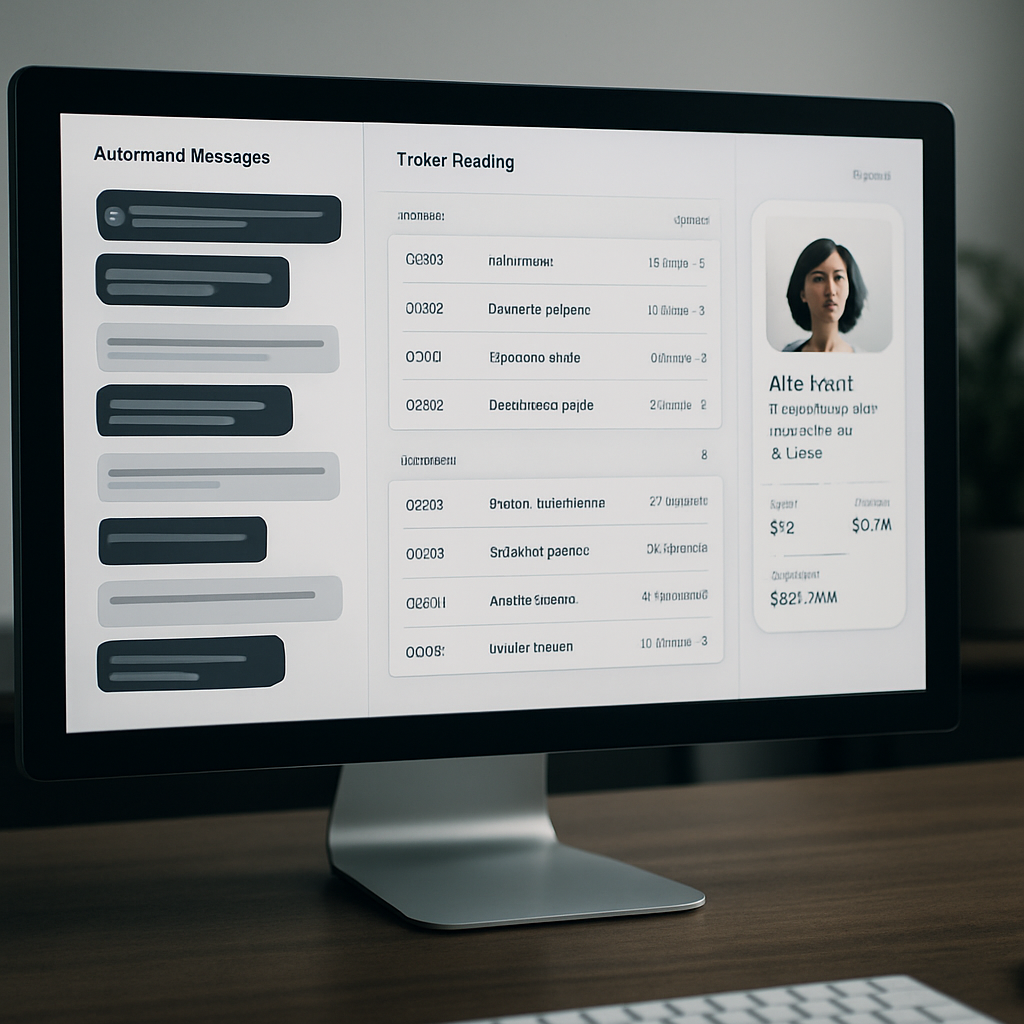
Direct point: A reliable Customer Support Automation stack is not a single bot or ticketing system — it is a small set of interoperable layers that together give automation context, control, and recoverability. Treat the stack as assembly lines, not islands.
The pragmatic stack — six interoperable layers
- Customer data layer (CDP/CRM): unified profile and event stream with customerid, subscriptiontier, last_activity, and consent flags.
- Knowledge layer: searchable KB, FAQ content, and templated responses exposed via API so all channels serve the same answers.
- Conversational layer: chatbots or virtual customer assistant that handle intents, slot-filling, and confidence scoring; use both rule-based flows and AI-driven intent classification.
- Orchestration & workflow engine: sequenced steps, retry logic, wait conditions, and agent handoff rules to make automations safe and reversible.
- Ticketing and routing layer: automated ticket creation, priority tagging, and pre-filled context for agents in your help desk.
- Channel & action adapters: SMS/voice gateways, in-app messaging, email, and webhooks so the same automation can run across channels.
Practical insight: The single biggest failure mode is missing context at handoff. If a bot escalates without pre-populating the ticket with recent events and a predicted intent, agents spend minutes stitching together history. Invest in the CDP-to-ticket sync first; sophisticated NLU without context is just a faster gate to frustration.
Trade-off to accept: More data improves personalization but raises maintenance and compliance work. Sync only the attributes that change decisioning (membership status, unpaid invoice ID, upcomingbookingid) and keep retention windows and consent rules explicit. Over-syncing every event creates brittle automations and makes debugging expensive.
Concrete example: A regional studio chain uses Gleantap as the customer data layer to push upcomingbookingid and membership_tier into its conversational platform. The bot confirms or reschedules classes and, on failed flows, opens a ticket in the help desk with the booking context and last three interactions pre-attached — agents immediately see why a human takeover is needed and resolve the issue faster.
Integration patterns and developer checklist
- API-first sync: prefer webhook/event streams and two-way APIs over batch CSV exports to keep real-time decisions accurate.
- Idempotent actions: design automation calls so retries don’t duplicate refunds or bookings.
- Confidence thresholds: surface suggestions when intent confidence is medium and take irreversible actions only when confidence is high or after explicit consent.
- Observability: emit standardized events for every automated step so you can trace containment, handoffs, and failures.
Key takeaway: For most B2C SaaS and location-based businesses, prioritize a CDP + orchestration engine + ticketing integration before upgrading NLU. That combination raises containment and makes escalation predictable.
Where teams waste time: Buying the most advanced AI without locking down identity resolution and event fidelity. Real-world AI-in-customer-service works only when the system reliably knows who it is talking to and what action the customer is trying to take.
Next practical step: Map three core automations you want to deploy (example: billing retry, appointment reminder, refund request) and list the minimal fields each needs from your CDP. Use that list to scope integrations with your vendor of choice — for platform guidance see Gleantap features and conversational design notes from Google Dialogflow.
High-value use cases for customer service automation by function and vertical
Direct point: Focus automation where repeatability and customer friction align. The fastest, lowest-risk wins are transactional tasks that customers expect to be instant and that currently generate predictable agent load.
Function-to-vertical playbook
| Function | High-value verticals | Typical automation pattern | Outcome to measure |
| Onboarding and setup | B2C SaaS, fitness studios, wellness chains | Automated multi-step welcome flows with progressive verification, how-to micro-lessons, and in-app checklist completion | Time-to-first-successful-use, activation rate |
| Billing and subscription management | Subscription apps, retail memberships, healthcare plans | Automated retry sequences, dunning messages by channel, one-click invoice view and self-serve plan changes | Recovery rate after payment failure, support costs for billing |
| Scheduling and capacity | Clinics, class-based studios, family entertainment centers | Two-way SMS/WhatsApp confirmations, smart waitlists that auto-offer freed slots, and no-show follow-ups | No-show rate, utilization of slots |
| Retention and churn intervention | Subscription retail, recurring wellness memberships | Triggered outreach based on inactivity signals and staged offers or support callbacks | Churn rate change for treated cohort vs holdout |
| Order and fulfillment updates | Retail chains, e-commerce addons | Automated shipment alerts, exception notifications, and self-serve return initiations | Inbound tracking inquiries, return completion time |
| Post-service feedback and routing | All verticals, especially hospitality and family venues | Segmented NPS or CSAT flows that route detractors to high-touch recovery workflows | Response rate, detractor-to-resolution time |
Practical insight: Channel choice changes effectiveness more than the AI model. Time-sensitive items like reminders land best over SMS or push; complex plan changes work better in-app or email where you can present choices. That means orchestration must be channel-aware and consent-driven, not single-channel by default.
Trade-off to accept: Prioritizing containment will cut volumes quickly, but aggressive containment without contextual data increases repeat contacts. Start by automating safe, reversible actions and ensure every automated path either records intent and recent events or pre-populates a ticket for smooth human takeover.
Concrete example: A regional clinic chains automated pre-visit screening and paperwork via SMS and an in-app link. Patients who completed pre-screening online arrived with forms already processed, reducing front-desk time by 40 percent and cutting same-day cancellations because required information was validated ahead of the appointment.
Key takeaway: Automations that reduce task friction at predictable touchpoints (payments, bookings, confirmations, and delivery updates) deliver the most reliable ROI. Reserve predictive, ML-driven interventions for when you have stable signals and a measurement plan.
Implementation judgment: Use deterministic automations first, then layer machine learning. Predictive churn or intent classifiers are powerful but fragile: they need clean event streams and regular retraining. If you lack that data hygiene, ML will misfire and create unnecessary agent work.
Measurement note: Validate each use case with a holdout or A/B test and tie results to business metrics, not just containment. Track downstream effects like retention lift, recovered revenue, or incremental bookings to justify scaling beyond ticket-cost savings. For tooling guidance see Gleantap features at Gleantap features and conversational design notes from Google Dialogflow.
Tools and platforms to build customer support automation
Direct point: For effective Customer Support Automation you need purpose-built layers, not a single silver-bullet vendor. Pick components by role: unified customer data, conversational surface, orchestration, and ticketing — then evaluate vendors on how well they hand context between those layers.
Where each vendor fits in a pragmatic stack
| Tool | Primary role | Best fit | Pricing signal | Notable constraint |
| Gleantap | CDP + campaign & orchestration | B2C and location-based businesses that need customer context and messaging automation | Often priced by contacts and active segments | Requires integration work to feed ticketing platforms for agent context |
| Zendesk | Help desk & ticketing backbone | Large contact centers and structured escalation workflows | Per-agent + add-on products | Rigid UI and higher incremental cost for omnichannel routing |
| Intercom | In-app conversational layer | Product-led apps needing contextual, proactive chat | Per-seat and conversation-based tiers | Can get expensive as conversations scale; less suited for heavy voice |
| Ada | No-code AI bot for self-service | Teams wanting quick self-service without ML ops | Interaction or conversation volume pricing | Limited custom NL capability for unusual intent sets |
| Drift | Conversational marketing and routing | Sales-driven flows and lead qualification | Conversation-based with enterprise add-ons | Focuses on revenue capture; support workflows need extra mapping |
| Salesforce Service Cloud | End-to-end enterprise support stack | Complex orgs with CRM-first architecture | Per-user enterprise licensing | High implementation cost and long change cycles |
| Twilio | Programmable SMS/voice and channels | Custom channel stacks and voice automation | Per-message and per-minute usage | Low-level building blocks require developer effort |
| Google Dialogflow | Conversational NLU and voice | Teams needing strong speech and language integrations | Usage-based for requests and audio processing | Out-of-the-box intent models need tuning and contextual data |
| Rasa | Open-source conversational platform | Control, privacy, and deep customization | Self-hosting or enterprise support fees | Requires ML and infra expertise to operate |
Practical judgment: No-code bots accelerate time-to-value, but they plateau. If you expect complex routing, refunds, or privacy-sensitive workflows, plan for a CDP-driven context layer (for example Gleantap) feeding either a commercial bot or a custom engine like Rasa or Dialogflow. Maintain the trade-off awareness that customization increases maintenance and operational cost.
- Integration checklist for production readiness: Ensure realtime identity sync, canonical event names, schema versioning, and consistent customer identifiers across systems.
- Operational safeguards to build: Rate-limit external actions, add idempotency keys for transactional calls, and require explicit confirmation for irreversible steps such as refunds.
- Cost signals to watch: Per-conversation pricing can balloon with proactive messaging; per-agent licenses affect scaling differently than per-message models.
Concrete example: A mid-market retail chain used Gleantap as the single source of truth, pushing order status and consent flags into an Ada bot for self-service shipment lookups and into Twilio for SMS exception alerts. When the bot could not resolve a case, the orchestration layer created a prefilled ticket in the help desk with the last four events and suggested intents, so agents saw context immediately and closed calls faster.
Key decision criterion: Prioritize the integration surface area you need first — channels you must cover, the minimal customer attributes for correct decisioning, and the acceptable latency for lookups — then pick tools that minimize the amount of custom plumbing between those points.
Limitation to accept: Vendor ecosystems are uneven. Intercom or Ada may solve chat fast but will not replace a ticketing system for complex escalations; Dialogflow gives better voice NLU but needs contextual data from a CDP. Expect to run hybrid stacks for years rather than a single vendor sweeping everything.
Next consideration: Build a short pilot that connects your CDP to one conversational channel and to ticket prefill. Measure containment, escalation time, and agent triage time. If those three improve, expand channels; if not, the issue is missing context not the bot model.
Implementation roadmap: from discovery to monitored rollout
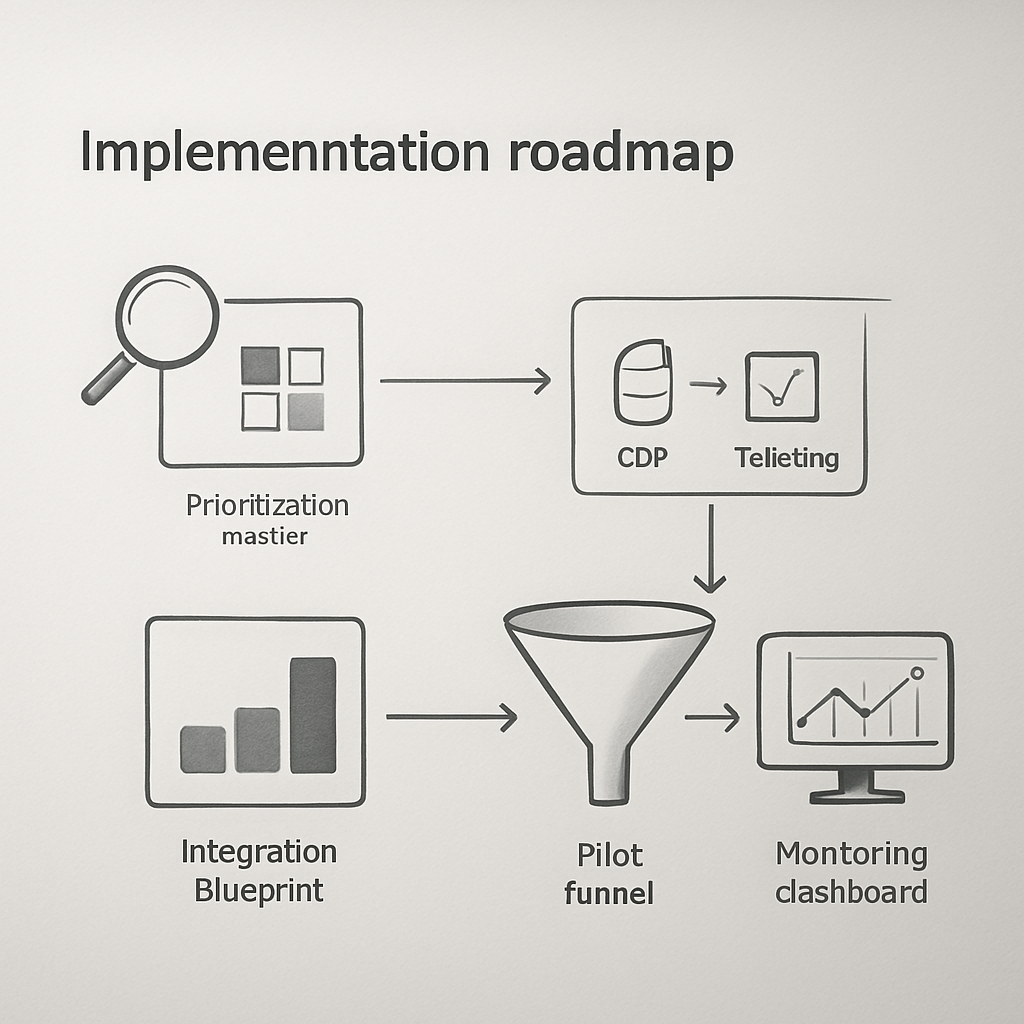
Start with real tickets, not theoretical use cases. Pull a representative sample of three weeks of support interactions across channels and tag them by intent, outcome, and repeat rate. That raw snapshot tells you which automations will reduce agent load versus which require human nuance.
Phase 1 — Discovery and sizing
Action: quantify frequency and cost per request for your top 10 intents. Use ticket metadata and a quick transcript skim to estimate average handling time and percent repeat contacts. Practical insight: a medium-volume intent with high re-open rates is usually a better short-term win than a very high-volume one with low repeat contact.
Phase 2 — Prioritization (do this decisively)
- Rank by expected ROI: multiply annual volume × average handle time × cost per hour, then estimate achievable containment percent.
- Risk check: mark actions that are irreversible (refunds, cancellations) and treat them as second-stage automations.
- Customer impact filter: prefer automations that improve speed for time-sensitive requests (scheduling, payment retries).
Phase 3 — Design, integrations, and safety
Integration blueprint: define the minimal attributes your automation needs and where they live. Common fields are customerid, subscriptionstatus, lastchargeattempt, upcomingbookingid, and consent.sms. Keep the sync one-way for initial pilots and add two-way updates after you verify idempotency. Trade-off: broader sync gives better personalization but increases test surface and regulatory risk.
Safety rules to bake in: require explicit confirmation for irreversible steps, add confidence thresholds for ML suggestions, and log every automated decision so agents can audit actions without guessing. Observability beats perfect NLU on early pilots.
Phase 4 — Build, test, and pilot
- Implement a narrow MVP: one channel, one intent, one cohort (for example, new customers in a single region).
- QA checklist: edge-case prompts, internationalization, rate limits, idempotency, and escalation wiring with prefilled context.
- Pilot metrics: containment rate, escalation time, ticket re-open rate, and CSAT for handoffs.
Concrete example: A regional retail chain piloted automated return-status lookups via SMS for 15% of online orders. The pilot reduced related inbound calls by 30% and cut average agent triage time because returned-ticket creations included order history and last-shipment event.
Phase 5 — Monitor, iterate, and govern
Operational cadence: run weekly containment reviews, capture failed automations for a rapid-fix backlog, and gate wider rollouts on stable CSAT and re-open rates over a 30-day window. Limitation to accept: some intents will never reach high containment without significant investment in data quality; treat those as ongoing hybrid flows rather than full automation targets.
Quick guardrail: deploy change flags and a 1% holdout cohort in every rollout to detect unintended downstream effects on churn or conversion.
Integration note: use your CDP to push essential attributes into chatbots and ticketing systems. If you need reference, see how Gleantap features recommends mapping event fields, and consult Dialogflow docs for NLU webhook patterns when you require intent enrichment.
Final consideration: treat the first full rollout as an operational change, not just a technical release. Train agents on how the bot surfaces context, set SLAs for human takeover, and budget 10 to 20 percent of initial savings for the first-year optimization effort.
Measuring business impact and calculating ROI
Bottom line: tie Customer Support Automation to money and retention metrics, not just fewer tickets. The real business case is a combination of reduced support spend, recovered revenue, and improved lifetime value from faster, more reliable customer journeys.
Which metrics to instrument first: use a small set of actionable KPIs you can measure end-to-end — containment rate, support cost per ticket, first response time, CSAT for handoffs, and a business metric such as churn rate or recovered revenue. Capture these as events so every automated step, handoff, and downstream conversion is queryable.
Practical ROI template and worked example
| Assumption / Formula | Value (example) |
| Annual human-handled tickets | 120,000 |
| Average cost per human-handled ticket (labor + overhead) | $9 |
| Expected containment uplift from automation | 18% |
| One-time implementation cost (integration, design, training) | $60,000 |
| Annual operating & tuning cost | $18,000 |
| Avoided tickets = annual tickets × containment uplift | 21,600 |
| Gross annual savings = avoided tickets × cost per ticket | $194,400 |
| Net first-year benefit = gross savings – implementation – ops | $116,400 |
| Simple payback period | ≈ 0.5 years |
Trade-off to recognize: quick wins usually come from high-volume, low-complexity intents. Those drive fast containment and clear cost savings. But focusing only on containment can obscure value from revenue-focused automations such as payment recovery or retention journeys, which deliver slower but larger returns. Measure both kinds of outcome and give the latter time to show impact.
How to attribute impact in practice: run a holdout or randomized A/B test for the pilot cohort and measure both direct ticket cost savings and downstream outcomes (retention, recovered revenue, upsell). Prefer a 5 to 10 percent holdout to detect changes in churn or revenue; smaller holdouts catch immediate quality regressions but miss longer-term business effects. Use time-series checks and seasonality controls when you cannot randomize.
Concrete example: a subscription fitness app automated billing retries for 5,200 failed payments per year. After deploying a three-message retry sequence with prefilled payment links and in-app prompts, recovered payments rose by 9 percent, producing roughly $14,040 in recovered subscription revenue the first year, on top of reduced billing-related tickets. The automation also pre-populated any unresolved cases into the help desk so agents could close remaining disputes 35 percent faster.
Common measurement pitfalls: teams commonly undercount the cost of running automation. Include vendor fees, message costs (SMS or voice), ongoing model tuning, and the time product and ops spend iterating flows. Also watch for leakage: customers who get automated messages and then call anyway produce hidden triage cost unless you capture and reconcile those paths in your events.
Key action: build a minimal ROI workbook now: list intent volume, current handle time, cost per hour, expected containment uplift, implementation cost, and projected revenue impacts. Use that workbook to decide whether to pilot a ticket-containment flow or a revenue recovery flow first. For integration patterns and field mapping see Gleantap features and for automation design notes consult Zendesk Customer Experience Trends.
Reporting cadence and dashboards: report fast-moving operational signals weekly (containment, escalation rate, re-open rate) and business outcomes monthly (retention lift, recovered revenue, net support spend). Hook those events into your BI tool or embedded analytics — Looker or Tableau work, or use built-in dashboards in your CDP — so finance and product can see the financial impact, not just operational improvement.
Next consideration: after you have baseline ROI, commit a small ongoing budget for data quality and model maintenance. Measurement will show you where automation breaks down; fund the fixes rather than pausing automation at the first sign of noise.
Common pitfalls and operational guardrails
Straight talk: Customer Support Automation fails more often from weak operations than weak models. Teams that treat automation as a deployment instead of an ongoing operating model end up with rising repeat contacts, confused agents, and brittle customer experiences.
Failure modes and concrete fixes
| Failure mode | How it shows up in operations | Practical guardrail |
| Bots answering without context | Customers get generic replies; agents see empty tickets with no history | Require a minimal context payload (customerid, recenteventsummary, upcomingbooking_id) on every escalation and validate presence before escalation |
| Automation acting on irreversible items | Incorrect refunds or cancellations that need manual reversal | Use an approval queue for transactions above a dollar threshold and add idempotency keys for action calls |
| Escalation that loses the conversational thread | Agent must ask the customer to repeat information or run duplicate checks | Auto-create tickets with the full transcript, predicted intent, confidence score, and the last three events attached |
| Over-aggressive containment | Customers attempt the same request across multiple channels, increasing total work | Limit proactive messages per user in a time window and add clear CTA to reach a human; monitor re-open and cross-channel repeat rates |
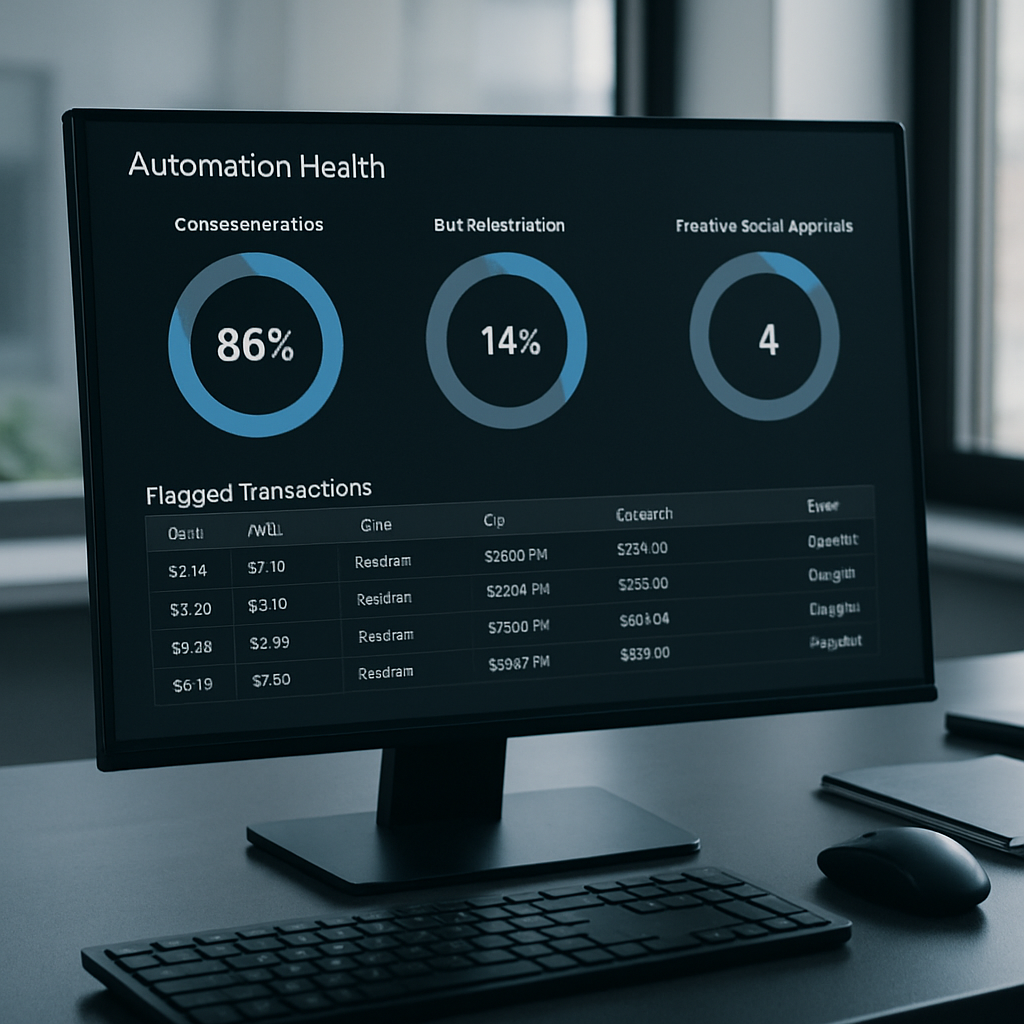
| Silent degradation after rollout | Containment drifts down after model updates or data-schema changes | Add health checks and alerting for containment, escalation rate, and botfallbackrate with automated rollback flags |
Trade-off to accept: Faster automation rollouts reduce ticket volume quickly but increase operational debt unless you budget time for maintenance. Expect at least one full-time equivalent worth of effort across product, ops, and data for the first six months after a major rollout.
Operational judgement: Confidence scores are useful but dangerous when treated as binary. Use three bands: high (automate), medium (suggest and require confirmation), low (route to agent). Tune thresholds per intent rather than globally; a missed password reset is different from a missed billing dispute.
Example in practice: A multi-location wellness operator automated class rescheduling and allowed the bot to issue refunds up to a small amount. When idempotency was missing, a handful of customers received duplicate refunds during a holiday spike. The fix combined a short manual approval window for any refund above the low threshold, added transaction idempotency, and surfaced pending refund candidates to a single ops dashboard for quick reconciliation. After that change the number of manual reversals dropped and agent time returned to planning work rather than firefighting.
Immediate guardrail to add: block irreversible actions behind confirmation + idempotency and require a prefilled ticket with transcript before any human takeover.
Measurement blind spots to close: Most teams track containment and CSAT but forget to correlate automated flows with downstream business signals like retention, payment recovery, or reactivation. Instrument every automated step as an event and link those events to the same user identifier your analytics use so you can run holdout tests and time-series checks.
Privacy and compliance constraint: Messaging across SMS, in-app, and email creates different consent obligations. Bake consent flags into your CDP and refuse to message on channels where consent is absent. For legal rules, consult Zendesk Customer Experience Trends and map your messaging cadence to documented consent states.
Operational checklist: 1) Validate minimal context fields on every escalation; 2) Enforce idempotency for transactional calls; 3) Add confidence bands and per-intent thresholds; 4) Expose transcripts and recent events to agents; 5) Monitor containment, fallback rate, and cross-channel repeat contacts weekly.
Final consideration: Treat guardrails as living rules, not a one-time spec. As you add channels, ML models, or business rules, expect new failure modes. Use small holdouts and a change-flag system to detect regressions before they reach all customers. If you want implementation patterns for safe context sync and orchestration, start with the integration examples in Gleantap features and the webhook patterns in Dialogflow docs.
Real-world examples and vendor-documented case studies
Practical observation: Vendor case studies are useful signal but not gospel. They show what is possible when automation sits on a clean data foundation, tight integrations, and an ops team committed to tuning flows. In plain terms: the headline gains in vendor write-ups assume you do the integration and governance work that most teams skip.
What vendors typically highlight: Case studies from vendors like Intercom, Ada, and Zendesk emphasize faster routing, higher self-service rates, and fewer routine tickets. Those successes almost always pair automated surfaces with prefilled context pushed into the help desk and clear escalation rules — the bot does the easy lift, the human finishes the edge cases.
Limitations to watch for: Vendor-reported containment improvements often omit the downstream costs: additional message fees, more complex agent workflows, and the work of reconciling failed automations. Expect trade-offs: high containment reduces ticket counts but can increase average triage complexity when the remaining issues are noisier or more ambiguous.
Concrete example: A national telehealth SaaS deployed a no-code bot for intake and symptom triage while routing anything above a confidence threshold to its ticketing system. The bot handled routine intake and pre-validated insurance and appointment data; when escalation occurred the ticket opened with the triage transcript and insurance verifier attached, so clinicians and agents spent less time gathering basics and more time on care decisions.
Judgment from practice: If your automation lacks realtime identity and event sync from your CDP, expect containment to stall. Vendors can build great NLU models, but without customer attributes like membership status, outstanding invoices, or recent booking history, bots make plausible-seeming but incorrect responses. Prioritize the small set of attributes that change decisioning rather than trying to sync everything at once.
How Gleantap fits in the evidence mix: For B2C and location-based operators, documented patterns show the fastest wins come from combining a unified customer layer with channel-first automations: booking confirmations, reminders, and payment-retry journeys. See real deployments and customer stories at Gleantap case studies for examples of that integration pattern in action.
Key takeaway: Validate vendor claims with a small pilot that measures agent triage time and downstream business metrics (retention, recovered revenue), not just initial containment. Require ticket prefill and transcript capture on every escalation before expanding a bot to more customers.
Frequently Asked Questions
Direct answer layout: Below are concise operational answers to the questions teams ask most when deploying Customer Support Automation. These are practical, no-fluff responses focused on what to do, what to avoid, and what to measure.
What is the difference between customer support automation and self-service
Short answer: Customer support automation covers proactive workflows, conversational bots, automatic routing, and backend orchestration that act or triage on behalf of agents. Self-service is a component of that system — searchable articles, FAQs, and portals where customers complete tasks without interacting with a system. They overlap but are not interchangeable: automation wires triggers, channels, and actions; self-service provides the canonical answers and UI customers rely on.
Which support tasks should I automate first
Priority rule: Automate high-frequency, low-ambiguity tasks that return clear time savings. Examples are credential resets, booking confirmations, invoice lookup, and shipment status. These reduce routine load quickly and let agents focus on exceptions. Trade-off: fast wins often plateau; reserve some effort and budget for the trickier, higher-value flows like payment recovery or churn interventions.
How do I measure whether automation actually reduced churn or increased revenue
Measurement approach: Use randomized holdouts or A/B cohorts and track both operational KPIs and business outcomes. Instrument automated steps as events tied to a single customer identifier, then compare retention, recovered payments, or LTV between treated and control groups. Practical insight: short pilots can show cost savings; only multi-week holdouts will reveal retention lift because churn is delayed and noisy.
How should automation handle conversations it cannot resolve
Handoff mechanics: When automation fails, hand off immediately with a prefilled ticket that includes the transcript, predicted intent, confidence score, and the last few customer events. Agents must see the why, not just the what. Limitation: if the system lacks identity or recent-event sync, handoffs still force agents to rebuild context. Fix the data flow before expanding escalation volume.
Do I need in-house AI expertise to implement conversational bots
Reality check: No-code platforms let you launch functional bots without ML teams. Use them for deterministic flows and clear-cut intents. For complex routing, speech, or private data workflows, expect to need engineering and data resources. Judgment: investing in a CDP and reliable identity sync produces more durable returns than early investment in custom NLU models.
What data do I need to feed automation to make responses personalized and accurate
Minimum fields to prioritize: customer_id, subscription or membership status, recent transactions or bookings, outstanding tickets, and channel consent. These let automation make correct routing and avoid embarrassing or incorrect actions. Trade-off: do not over-sync every event. Start with what changes decisioning and expand once observability is in place.
Concrete example: A city gym automated class rescheduling through SMS and in-app prompts. The automation verified membership status and recent bookings before offering reschedule slots. If the flow failed, it opened a ticket prefilled with the attempted rebooking options and the last two interactions; agents then resolved the case in a single exchange instead of asking for the same details twice.
Quick rule of thumb: prioritize data visibility and safe handoffs over model sophistication. Observability and prefilled context reduce agent triage time more reliably than marginal NLU improvements.
Next actions you can implement this week: 1) Pull your top ten intents and mark which require identity or a transaction id; 2) Build one pilot flow for a single channel that includes prefilled handoff data; 3) Add a 5 percent holdout cohort to measure downstream retention. These steps expose whether you need better data plumbing or smarter models.
Ready to Run Successful Marketing Campaigns and Grow Your Business?
Gleantap helps you unify customer data, track behavior patterns, and automate personalized campaigns, so you can increase repeat purchases and grow your business.
Ready to Run Successful Marketing Campaigns and Grow Your Business?
Gleantap helps you unify customer data, track behavior patterns, and automate personalized campaigns, so you can increase repeat purchases and grow your business.