
 Divya Ghughatyal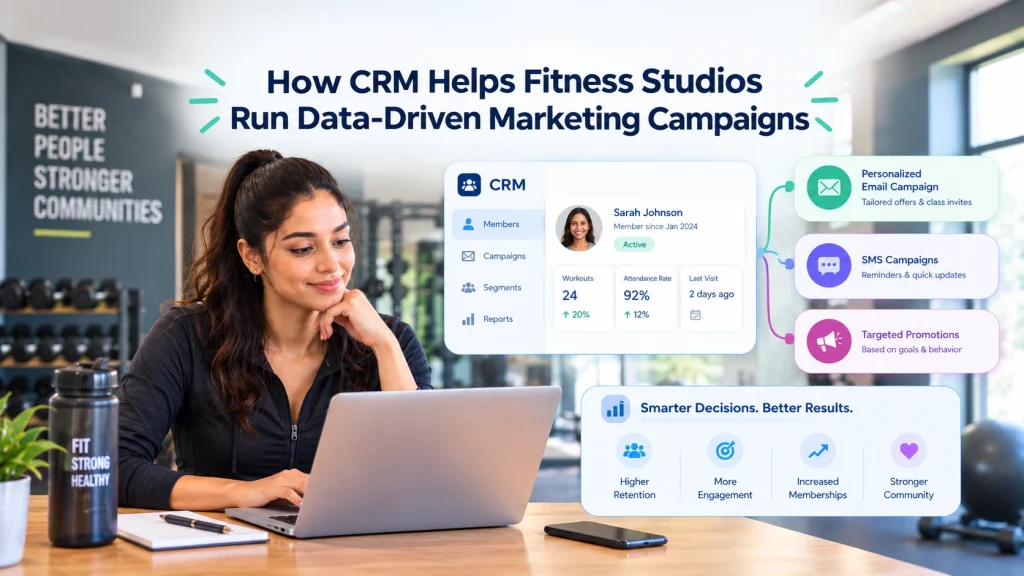
If your studio still runs marketing from spreadsheets and intuition, you are leaving members and revenue on the table. This post shows how a data driven gym marketing CRM, plus Gym CRM and Fitness Studios CRM tools, centralize leads, automate outreach, and deliver measurable campaigns, covering practical use cases and sales CRM workflows studios actually need. Read on for step-by-step actions to build segments, launch automated journeys, and track the handful of KPIs that prove campaign ROI.
Why shifting to data driven marketing matters for fitness studios
Immediate problem: many fitness studios run marketing from a handful of disconnected tools and spreadsheets, and the visible result is inconsistent follow up, unclear attribution, and unpredictable membership growth. When leads land in different places, staff miss them, outreach timing varies by person, and nobody can answer which ad or campaign actually paid for itself.
What a CRM changes about decision making
Single source of truth: a Gym CRM centralizes contact records, lead source, trial and attendance data, membership and payment status so marketing and sales act from the same record. That single record removes handoffs that create delay and forgotten leads, and it allows performance to be tied back to revenue instead of conjecture.
- Faster, consistent follow up: automation and task queues enforce a consistent cadence for outreach so warm leads do not go cold.
- Better targeting: segments built from attendance and trial activity let you stop blasting everyone and start sending messages that convert.
- Reliable measurement: capturing lead source and first payment date in the CRM makes simple attribution possible so you can compute cost per acquisition and return on ad spend.
Practical tradeoff: centralizing data works only if incoming sources are captured reliably and someone owns the data flow. Expect an initial investment in mapping fields, enforcing required fields at point of sign up, and a weekly clean up window. If you skip those steps measurement will still be unreliable and marketing decisions will be no better than guesses.
Real world application: a studio that moves trial signups and booking data into a Fitness Studios CRM can add a simple field for lead source at checkout, then use that field plus first payment date to attribute conversions. With that data visible the owner can stop pouring money into underperforming ads and reallocate spend to the channels that show positive cost per acquisition.
Expected outcomes and what to measure
What changes you can expect: clearer decisions about ad spend, higher lead to member conversion from consistent follow up, and reduced churn from targeted re engagement. These are not abstract benefits; they are measurable improvements in conversion rate, cost per acquisition, churn rate, and member lifetime value.
- Lead to member conversion: track conversion within the CRM from first contact to paid membership.
- Cost per acquisition: tie ad spend back to CRM recorded lead source and first payment.
- Churn and retention: use attendance and membership status fields to trigger re engagement before a member cancels.
Judgment call: do not assume every studio needs an enterprise CRM with endless customization. For most independent studios a gym marketing software or fitness CRM that integrates booking, payments, and messaging will deliver the biggest returns fastest. Platforms like Gleantap provide those direct integrations and pre-built workflows so you get from fragmented data to actionable campaigns faster.
Key takeaway: centralizing leads and member activity in a Gym CRM turns marketing from guesswork into repeatable actions. Expect to improve conversion and measurement only if you enforce data capture at first touch and assign ownership for data hygiene.
Next consideration: before you buy or build, confirm the CRM will sync with your booking and payment systems and record lead source at first contact.

Centralize member and lead data in the CRM
Centralize first. If contact records, trial notes, attendance, and payment status live in different systems you cannot run reliable, data driven campaigns. A CRM that holds each person as a single record becomes the source of truth for targeting, measuring, and automating outreach.
What to keep in the CRM
- Contact essentials: name, phone, email, preferred channel
- Acquisition metadata: lead source, campaign, first touch date
- Trial and membership state: trial start and end, membership status, renewal date
- Engagement signals: attendance history, last visit, class bookings
- Financial and ops flags: payment status, failed payments, freeze status
- Consent and preferences: marketing opt in, communication frequency
Key point: Without attendance and payment flags your campaigns will trigger at the wrong times and your reporting will overstate campaign impact. If booking history is missing, conversion and churn metrics will be noisy.
How to move data in without heavy IT work
- Start with a CSV import: export members, trials, and leads from booking and POS systems and map fields during import
- Set up a daily sync: use built in connectors or middleware to pull attendance and payment status once per day so segments stay current
- Enable direct integration where available: prefer built in integrations for real time triggers, but accept scheduled syncs if cost or effort is a constraint
- Log lead source at first contact: capture UTM, ad id, or source field on web forms and push that into the CRM at lead creation
Tradeoff to accept: Real time integrations reduce delays but cost more to maintain. Daily syncs are cheap and good enough for most campaigns, but expect a lag in immediately attributing first payment to last click.
Data hygiene rules that actually keep lists usable
- Enforce required fields at capture: email or phone plus at least one known lead source
- Deduplicate on email and phone: merge records weekly and keep an audit of merges
- Tag stale records: mark contacts with no activity for 12 months and move them to a suppression list
- Record consent and timestamps: keep opt in dates and channel preferences on the contact record
- Schedule a monthly cleanup: run a small team review to fix mapping errors and broken integrations
Practical insight: Many studios assume cleaning is a one time job. It is not. Plan for lightweight ongoing ownership rather than a single massive project. Assigning a staff member 2 hours per week prevents messy data from wrecking campaigns.
Concrete Example: Import a weekly export from your booking system with trial start dates and class visits, then add a field for lead source captured on your forms. Use the CRM to build a segment of trial users who have not attended within 3 days and trigger an automated SMS plus a sales task for follow up.
If your CRM cannot store attendance and payment flags at the contact level it will not support accurate attribution or churn measurement.
Action checklist: import core fields, enable daily attendance sync, enforce required lead source, set dedupe rule on phone and email, log consent timestamps.
Next consideration: Assign ownership for the data flow, test your first sync, and verify that lead source and first payment link up before you build segments.
Build actionable segments for targeted campaigns
Start with segments that map to a clear next action. Segmentation is not an exercise in neat data buckets. It is a way to direct specific messages and sales activity to people who will respond. If a segment does not trigger a different message, cadence, or sales task, it wastes time and creates noise.
High value segments to create first
- Warm leads: contact captured in the last 30 days with a recorded lead source and at least one follow up task pending
- Trial attendees: trial started in the last 14 days, attended at least one class, not converted to membership
- Inactive members: members with zero visits in the last 30 to 90 days depending on studio norms
- Upcoming renewals: memberships expiring in 30 days with no active renewal payment method
- High value members: top 10 to 20 percent by revenue or visit frequency for loyalty and referral asks
Use behavioral signals before profile variables. Attendance frequency, time since last visit, class booking pattern, and trial engagement are more predictive than age or stated goals. Build rules that use recency and frequency first, then layer demographic or campaign source if volume supports it.
Practical rules for segment maintenance
- Make segments dynamic: base lists on live CRM fields and events so they update automatically when a member books, pays, or visits
- Set expiry rules: add an automatic removal condition such as no activity for 90 days or conversion to membership so segments do not accumulate stale contacts
- Limit overlap and fatigue: assign a single campaign owner per contact and suppress contacts already in an active journey for a defined window
- Enforce minimum population thresholds: do not deploy a paid ads or email blast to a segment with fewer than your threshold contacts – test with manual outreach first
A key tradeoff to accept. Microsegmentation raises open and conversion rates but increases campaign management overhead. Small studios with low lead volume should prefer broader segments and stronger messaging rather than many niche lists. As volume grows, narrow segments become more valuable.
Key takeaway: Start with 4 to 6 practical segments tied to different workflows. Use dynamic rules, expiration, and suppression to keep lists fresh and actionable.
Concrete example of an actionable segment
Concrete Example: Create a segment for trial attendees who attended at least one class but did not purchase within 7 days. Trigger a three message sequence: instructor tip email on day 2, limited time offer on day 5, and a sales call task on day 8. Automating that sequence in a Gym CRM reduces manual follow up and raises conversion because actions are consistent and timely.
Common misunderstanding. Many studios think more segments automatically equals better results. In practice the right test is whether a segment leads to a different message, cadence, or staff action and whether you can sustain that process. If the studio cannot operationally act on a segment, collapse it.

Next consideration: After segments are working, tie each to one KPI – conversion, reactivation rate, or retention – and measure it weekly.
Automate marketing journeys that map to the member lifecycle
Start with the lifecycle stages, not the channels. Build automation around the steps people take from first contact to long term member: lead, trialer, active member, at risk, and lapsed. When journeys mirror those stages they become measurable workflows instead of scattershot messaging.
Core journeys every studio should automate
- Lead nurture to membership: multi touch sequence combining email, SMS, and a staff follow up task if there is no response within 48 hours.
- Trial conversion sequence: timed reminders before and after first visit plus an automated offer window triggered by trial end date.
- Renewal and payment follow up: reminders before renewal, escalation if payment fails, and a retention offer if a member expresses cancel intent.
- Re engagement series: attendance based triggers that reduce cadence for low responders and invite back via targeted class offers.
Practical trigger rules matter more than fancy messaging. Use event triggers where possible – first booking, attendance record, failed payment, or a tagging action in your CRM – rather than fixed calendar dates alone. Event triggers keep journeys relevant and reduce wasted sends.
Cadence, personalization, and the staff handoff
Set simple cadence rules and a single handoff point. For example: three automated touches in seven days for a new lead, then create a sales task for staff. That handoff is the one place automation pauses and human follow up takes over. Too many automated touches before staff involvement lowers conversion.
Tradeoff to plan for. Automation increases consistency but can reduce the urgency for staff to act if ownership is unclear. Assign responsibility explicitly: who reviews paused journeys, who completes manual follow ups, and who escalates stalled opportunities.
Concrete Example: A trial conversion journey sends an SMS the day before the first class with a preparation checklist, an email the evening of the first class asking for feedback, and a targeted offer three days after the trial ends. If the member does not convert by day five the CRM creates a priority follow up task for a sales coach. This sequence combines behavioral triggers, timed messaging, and a clear human touchpoint.
Measurement to bake into every journey. Track conversion rate per journey, time to conversion, message response rate, and the ratio of automated closes to staff-assigned closes. Use the CRM to tie the first payment date back to the journey that created the lead so you can calculate cost per acquisition accurately.
- Monitor conversion and engagement weekly for the first six weeks after launch.
- Pause or reduce cadence when open and reply rates fall by more than 30 percent.
- Require a manual review for any journey with a conversion rate below your studio baseline after 90 days.
Limitations you must accept up front. Automation is only as good as your data feeds. If booking or payment data is delayed or missing you will trigger irrelevant messages. Integrations with booking and payments are not optional for accurate journeys; platforms like Gleantap make those integrations practical for studios but you still must validate data flows regularly.
Key takeaway: Automate the repetitive touches that do not require judgment, pause automation where a human decision is needed, and measure journey outcomes in the CRM so every workflow can be improved or shut down based on results.
Next consideration. After you launch three core journeys, use A B testing on one element at a time – subject line, send time, or a single offer – and let the CRM show which change improves conversion. If you need templates or fitness specific workflows consider platforms geared to gyms; Gleantap includes prebuilt journey templates and booking integrations to shorten launch time.
Use sales CRM workflows to convert leads into paying members
Direct assertion: A disciplined sales CRM workflow is the single most effective way to close more leads without adding headcount. When the CRM enforces the next action, records activity, and ties to payment outcomes, studios stop losing prospects to inconsistent follow up and vague handoffs.
Define a lean pipeline and required actions
- Stage 1 – New lead: Capture lead source and assign owner within 15-60 minutes. Create an automated task to send a confirmation SMS and schedule a call.
- Stage 2 – Contacted: Log call outcome, set next step (email, trial booking, follow up) and apply a lead score based on engagement.
- Stage 3 – Trial scheduled: Send automated reminders and an upbeat onboarding message. Create one task for a staff check-in after the first visit.
- Stage 4 – Trial attended: Mark attendance, trigger a conversion sequence and assign a follow up meeting or offer.
- Stage 5 – Offer made: Record the offer terms and follow up deadlines. Use reminders to prevent missed closes.
- Stage 6 – Member: Confirm payment date and membership details in the CRM. Close the deal and move the contact to member nurturing.
Practical insight: Response time and consistency beat fancy scripts. Fast, predictable follow up increases conversion, but it requires either available staff or automations that hand off to staff at the right moments. The tradeoff is simple: automate routine touchpoints and reminders, but preserve manual interventions for negotiation and relationship moments.
Workflow detail: Use tasks, automated reminders, and status changes as the contract between marketing and sales. Enforce required fields before a lead can advance – for example, contact method and lead source. That prevents creep of unqualified records into later stages and keeps reporting accurate for cost per acquisition and conversion rate calculations.
Concrete example: A studio routes new leads into the CRM, assigns them to an on-shift salesperson, and sets an automated SMS within 30 minutes. If the lead books a trial, the CRM schedules a 24-hour reminder and a staff check-in after the first visit. The lead is only marked as converted when the CRM records the first successful payment.
Measurement and coaching: Track activity metrics not vanity measures. Monitor number of outreach attempts per lead, time to first contact, trial-to-member conversion by salesperson, and deals lost with reasons. Use weekly activity dashboards to coach staff on follow up quality. Tie conversion outcomes back to lead source so marketing can optimize spend.
Integration note: Workflows are only reliable when the CRM sees booking and payment events. Ensure your CRM syncs with your booking system and payments so a trial attendance or membership payment updates the contact automatically. Platforms like Gleantap integrate membership and lead data to make these handoffs measurable and reduce manual updates; use that integration to prevent stale status fields.
Aim for a documented SLA on first contact, a mandatory task for each pipeline move, and a recorded payment event before closing a deal.
Limitation to watch: Overcomplicating the pipeline with too many microstages reduces clarity and increases administrative work. Keep stages tight, make required actions simple, and resist creating new stages unless they change behavior or reporting. If a studio chooses excessive lead scoring rules, expect higher maintenance and occasional false negatives where good prospects are filtered out.
Operational step list – implement in two weeks: 1) Build the six-stage pipeline above, 2) Create task templates and two automated messages (initial contact and trial reminder), 3) Map booking and payment events to CRM fields, 4) Set a weekly activity report and conversion dashboard, 5) Train staff on logging calls and completing tasks.
Key metric to protect first: time to first contact. Improve this and conversion lifts follow. If you cannot meet a 60 minute SLA with staff, automate an immediate acknowledgement and a 24 hour follow up sequence to maintain momentum.
Next consideration: after the pipeline is running, lock down the reporting fields you will use for attribution and conversion. That will let marketing and operations make clear decisions on ad spend and sales staffing without arguing about data.

Measure the small set of metrics that prove campaign impact
Key point: Track a focused set of metrics that directly link marketing activity to revenue and retention. Too many metrics create noise; choose the handful that answer the question: did this campaign add paying members or reduce churn.
Core KPIs to track
- Lead volume by source: Number of leads attributed to each channel. This is the input your funnel needs.
- Lead to member conversion rate: Percentage of leads that become paying members within a defined window. Use 30 or 60 days depending on typical trial length.
- Cost per acquisition (CPA): Total spend on a channel divided by new members attributed to that channel.
- Member churn rate: Percentage of members who cancel in a period. Use monthly and rolling 90 day windows.
- Member lifetime value (LTV): Average revenue per member over expected membership life. Use conservative retention assumptions for planning.
| KPI | Simple formula | Why it matters |
| Lead to member conversion | New paying members / Leads in period | Shows whether leads are qualified and whether follow up is working |
| CPA | Marketing spend / New members | Tells you if an acquisition channel is economically viable |
| Churn rate | Members lost / Active members | Directly impacts growth and LTV |
| LTV | Average monthly revenue x Average membership months | Sets the ceiling for how much you can spend to acquire a member |
| Lead volume by source | Count of leads tagged by source | Needed to calculate conversion and CPA correctly |
Practical attribution approach: Capture lead source at first contact in the CRM and record the first payment date. Use that pair to attribute new members to campaigns for simple first touch attribution. This is not perfect for multi touch funnels, but it is reliable, auditable, and fast to implement when integrating booking and payments into a Gym CRM.
Tradeoff to accept: First touch attribution undercounts influence from later channels and offline sales conversations. Do not pretend it gives precise ROI for complex funnels. Use it to decide where to scale or stop spend, then layer more advanced attribution only if spend justifies the complexity.
Integration requirement: Accurate metrics depend on clean data flows – lead source capture, trial and attendance events, and payment records must land on the same contact record. If systems are fragmented you will misattribute members and miscalculate CPA.
Concrete example: A studio runs a social ads campaign for trials and captures the ad id as lead source in the CRM. Twenty lead book trials and five convert to paying members within 30 days. If ad spend was 500, CPA equals 500 divided by 5 which is 100 per new member and conversion rate is 25 percent.
Reporting cadence and format
- Weekly quick check: Lead volume by source and pipeline movements. Look for sudden drops or spikes that signal tracking errors or campaign issues.
- Monthly performance review: CPA, conversion rate, churn, and LTV by channel. Use month over month and rolling 90 day comparisons.
- Quarterly decisions: Channel level ROI and budget reallocation. Only scale channels with stable conversion and acceptable CPA.
Do not chase perfect attribution before you can act. Start with first touch tracked in the CRM and clean data flows. Add deeper analytics after you have consistent volume and a reproducible reporting cadence.
Useful reference: For a practical discussion of attribution models and common pitfalls see Google Analytics on attribution.
Next consideration: Confirm your CRM records lead source and first payment date reliably, then lock your weekly and monthly reports before changing campaign budgets.
Practical implementation checklist and staff responsibilities
Start here: assign clear ownership before you touch data or automation. Without a named owner, imports stall, segments diverge, and campaigns run on stale records. This section gives a tight, actionable checklist and the minimum role breakdown a studio needs to launch data driven gym marketing CRM workflows in 30 days.
30-day launch checklist
- Select or confirm CRM: pick a system that supports contact syncing with your booking and payments. Consider solutions built for studios; for example, review CRM Sales Automation, Gym Sales, Fitness Software – Gleantap for fitness-specific workflows.
- Map and import data (days 1–5): export contacts, lead source, trial status, membership status, attendance and payment dates. Required fields first, email or phone, lead source, and first visit date. Do a small pilot import, resolve duplicates, then import the full file.
- Build core segments (days 6–10): create warm leads, trial attendees, inactive members (30+ days no-shows), and upcoming renewals. Keep rules simple and event-driven so segments update automatically.
- Create three automated journeys (days 11–18): lead nurture, trial conversion, and renewal reminders. Define exact triggers: e.g., trial start date triggers a 7-day and 2-day-before end message sequence. Keep the cadence conservative to avoid over-messaging.
- Define the sales pipeline (days 19–22): standardize stages and required activity per stage (call logged, trial booked, offer made). Use the CRM to auto-assign tasks and set SLA reminders for follow up.
- Connect booking and payment data (days 23–26): integrate or schedule daily syncs so conversions and churn are reflected in contact records. Without this link marketing signals will misattribute new members.
- Set reporting and cadence (days 27–30): build weekly dashboard for lead volume, conversion rate, and CPA; set monthly LTV and churn reporting. Share a one-page report with the team and set a weekly 20-minute review.
Who does what
- CRM owner (usually GM or head of ops): final decision maker, approves imports, enforces data rules, runs weekly review. This person signs off on consent records and messaging compliance.
- Data steward (can be part-time): owns imports, duplicate resolution, and a monthly cleanup cadence. Keeps required fields populated and documents source mappings.
- Marketing lead: builds segments, creates campaign copy templates, and reviews performance metrics. Escalates creative or segmentation changes if engagement drops.
- Sales closer / front-desk: executes pipeline tasks, logs calls and walk-ins, marks trial outcomes. Their timely logging is essential for attribution and follow up automation.
- Integrations owner (ops or vendor): ensures booking and payment syncs run, monitors failed syncs, and coordinates with vendors. If you use Gleantap, this role checks the integration health and mapping.
Concrete Example: designate the general manager as CRM owner and a front-desk lead as data steward. The data steward runs the initial CSV import and daily duplicate report; the marketing lead builds the three automated journeys while the sales closer follows the standardized pipeline tasks.
Important: automation without ownership creates noise. If nobody fixes bad data, campaigns will spam contacts and damage conversion.
Operational requirement: collect explicit marketing consent and store it on contact records before launching campaigns. Link booking and payment systems to the CRM so first payment dates auto-update attribution.
Trade-off to manage: move fast or perfect data, pick one to start. Rapid launches expose problems quickly but need a daily cleanup routine. Taking too long to perfect mappings delays measurable impact. In practice, start with a minimal working import and a short cleanup cadence, then iterate.
Final judgment: studios succeed when responsibilities are realistic and time-boxed. A part-time data steward plus a clear CRM owner beats an all-hands approach. If you need a platform that already fits fitness workflows and reduces integration work, evaluate Fitness CRM & Marketing Automation for Gyms, Gleantap as part of your selection process.

Common pitfalls and simple safeguards
Plain fact: CRM work for fitness studios breaks more often from human process failures than from software limitations. Bad data, unchecked automations, and unclear ownership create noisy campaigns, wasted ad spend, and annoyed members. Fixes are procedural and low-cost if you apply them before scaling.
Top pitfalls studios run into
- Poor data hygiene: Missing or inconsistent lead fields and duplicate member records make segmentation and attribution useless.
- Over-segmentation: Chopping audiences into tiny slices increases relevance but kills statistical power and raises campaign cost per conversion.
- Automation without guardrails: Fully automated journeys that never pause or escalate can convert unsubscribes, create conflicting messages, or miss soft signals requiring human touch.
- No attribution control: If booking and payment systems are not tied to the CRM you cannot tell which ad or sequence produced a paying member.
- No single owner: When no one owns data quality and campaign performance, fixes never happen and errors compound.
Trade-off to accept: Tighter personalization improves open and click rates, but it demands more reliable data and ongoing maintenance. If your team cannot commit to weekly checks, reduce personalization depth until you can.
Simple safeguards you can apply this week
- Enforce minimum fields at capture: Require contact, lead source, and consent on every web or in-studio form so records are usable for attribution and segmentation.
- Automate dedupe and flagging: Run a daily or weekly duplicate check and flag uncertain matches for manual review rather than merging aggressively.
- Limit concurrent segments per contact: Allow a contact to be active in two relevant segments max so messaging stays coherent and fatigue is reduced.
- Staged automation rollout: Turn on one automated journey at a time, monitor the first 100 recipients, then expand. This limits blast errors and messaging conflicts.
- Weekly KPI quick-check: Every Monday review three numbers, new leads by source, 7-day trial-to-pay conversion, and unsubscribe rate, before changing campaigns.
- Consent audit and audit trail: Store opt-ins in the CRM and run a monthly consent audit to avoid compliance risk.
- Ownership and naming conventions: Assign a data owner and enforce clear naming for segments, automations, and campaign tags so fixes are traceable.
Integration consideration: If booking or payments are not connected to the CRM you will misattribute new members. Choose CRM solutions that support quick syncs with your scheduling and payment systems; many fitness platforms integrate directly with tools like Gleantap to keep lead source and first-payment dates aligned.
Concrete example: Use a staged conversion flow for trial attendees: run an automated 7-day reminder sequence, but add a rule that any trial attendee who books three classes within 10 days is moved to a high-touch queue for a phone outreach task. That hybrid approach preserves automation efficiency while protecting conversion moments that need human follow up.
Key safeguard: Do not scale a campaign until you have reliable attribution and at least 90 days of clean data.
Next consideration: Pick one safeguard to implement now, required capture fields or a staged automation rollout, and make that a standard operating procedure. Small, enforced steps prevent the common cascade of errors that turns data driven gym marketing CRM efforts into noise instead of growth.
Frequently Asked Questions
Practical framing: these answers cut to what a studio needs to decide and act on, timelines, data you must capture, integration limits, and simple fixes for common failures. Gleantap is built to pull booking, lead, and payment records into one contact timeline, which is the exact capability that answers most of the questions below.
How soon can a studio expect to see results after launching CRM driven campaigns?
Short answer: you should see operational improvements in follow up within 2–4 weeks and measurable conversion moves in 4–8 weeks if your data is clean and you run enough volume. If your lead flow is low, expect slower measurable changes.
Concrete example: A studio imports two months of recent leads, enables trial-to-member automation (one SMS and two emails), and enforces a daily follow-up task for warm leads. Within six weeks the staff reported dramatically fewer missed follow-ups and clear improvement in trial-to-paid conversions, even before aggressive ad spend changes.
What minimal data should be tracked in the CRM to run effective campaigns?
- Required core fields: contact name, phone, email, and consent status
- Acquisition data: lead source, campaign UTMs or referral tag
- Member signals: trial start/end, first payment date, membership status
- Behavioral signals: attendance or booking frequency and last visit
- Financial flags: payment status, renewal date, and churn reason
Can a CRM measure which ad or campaign brought a new member?
Yes, with limits. Capture lead source or UTM on first contact and record the date of first payment; that single-touch attribution ties a member to the initial campaign in your CRM. Do not expect perfect multi-touch attribution unless you integrate web analytics and ad platforms. For more on attribution basics see Google Analytics. Gleantap and similar fitness CRMs will capture first-touch fields, but validate UTM capture and test the flow before you scale and spend.
How does automation affect staff workload?
Net effect: automation removes repetitive outreach and enforces follow up consistency, but it requires ongoing supervision. The trade-off is front-loaded work: mapping journeys, writing messages, and setting rules. If you skip monitoring, campaigns go stale and staff get more inbound complaints, not fewer.
What privacy and consent steps should studios take when running CRM campaigns?
- Collect explicit consent at point of capture and store the opt-in source and timestamp in the CRM
- Keep an audit trail for every contact action (opt-in, opt-out, preference changes)
- Offer clear unsubscribe and preference links in emails and respect SMS regulations in your region
- Document your retention policy and purge or archive inactive contacts on a regular cadence
What is the most common reason CRM projects fail in fitness businesses?
Cause of failure: poor data quality and no single owner. In practice this looks like missing lead sources, duplicate contacts, and nobody responsible for fixes. The straightforward fix is assignment: a data owner, required fields at capture, weekly de-duplication, and a simple SLA for new lead follow up.
Can the CRM integrate with scheduling and payment systems used by studios?
Yes, but check three things before you commit: sync cadence (real-time vs nightly), field mapping (do booking events show as attendance on the contact timeline), and error handling (how failed payments or duplicate records are flagged). Prefer direct integrations over manual CSVs, they save time and reduce attribution errors.
Key action: pick one core campaign (trial conversion or renewal reminders), ensure the five minimal fields are captured at first contact, and assign a data owner. That single focus fixes most early CRM failure modes.
Next steps you can implement this week: 1) Add or enforce lead source and consent fields at capture, 2) Build one automated journey and schedule a weekly KPI check, 3) Assign a staff owner for data hygiene and integrations.



Ready to Run Successful Marketing Campaigns and Grow Your Business?
Gleantap helps you unify customer data, track behavior patterns, and automate personalized campaigns, so you can increase repeat purchases and grow your business.
Ready to Run Successful Marketing Campaigns and Grow Your Business?
Gleantap helps you unify customer data, track behavior patterns, and automate personalized campaigns, so you can increase repeat purchases and grow your business.