
 Divya Ghughatyal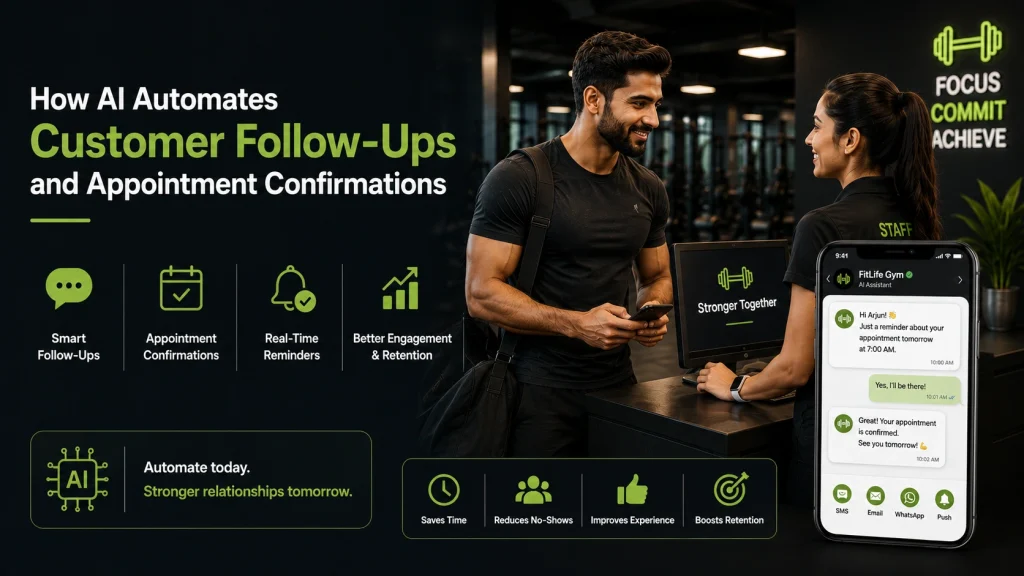
Missed appointments drain revenue and staff time, and AI customer follow ups turn manual reminders into timely, personalized outreach that lifts confirmations and cuts no-shows. This practical how-to walks owners and managers of appointment-driven businesses through designing, implementing, and optimizing AI-driven follow-up and appointment confirmation workflows using Gleantap and common integrations. You will get channel-specific message templates, two-way rescheduling flows, a non-technical implementation checklist, and the KPIs and A/B tests to prove ROI within 30 to 90 days.
How AI changes customer follow-ups at the operational level
AI shifts follow-ups from manual execution to decision automation that operates against live appointment state and customer intent. Instead of staff calling or blasting the same reminder, AI layers personalization, intent detection, and routing rules on top of your booking data so messages, timing, and next actions vary per customer without daily manual work.
Core AI capabilities that matter to operations
- Personalization engine: Uses stored profile fields and service context to swap templates and cadence so messages are relevant. Operational impact: higher reply and confirmation rates with fewer follow-ups required.
- Intent detection and slot handling: Reads free text replies to identify confirm, cancel, reschedule, or ask for more info. Operational impact: two-way flows complete reschedules automatically and free staff from repetitive tasks.
- Response routing and prioritization: Scores replies and routes urgent or ambiguous conversations to staff while automating routine confirmations. Operational impact: staff only intervene where human judgment is needed.
- Automated decision rules: Business rules control escalation, retry counts, and channel fallbacks. Operational impact: consistent handling across locations and lower error rates than manual processes.
- Measurement and feedback loop: Tracks confirmation rate, time-to-confirm, and no-shows to automatically tweak message timing or escalate failing segments. Operational impact: continuous improvement without reengineering workflows.
Practical trade-off: Automation reduces routine work but increases dependence on clean data and accurate slot inventory.** If appointment slots in your booking system are stale or customer contact and consent flags are incomplete, AI will automate mistakes at scale. Plan a short data audit before rollout and stage automation on a fraction of appointments while monitoring early errors.
Concrete example: A mid-size fitness studio replaced same-day staff calls with an AI-driven SMS sequence that used customer profile and class type to tailor copy. Within six weeks the studio reported a move from about 60 percent confirmation to roughly 82 percent, handled 70 percent of reschedules automatically through quick-reply slots, and reduced staff follow-up time by two hours per day. That level of operational change freed managers to focus on retention rather than chasing confirmations.
Operational judgment that matters: Intent detection is not perfect out of the gate and will misclassify edge cases. Do not fully remove human oversight. Set conservative escalation rules for any reply that the AI is less than 90 percent confident about, and measure false positives weekly. Over-automation without escalation creates frustrated customers and hidden workload when staff have to undo errors.
- Quick ops checklist: Verify consent flags, ensure slot inventory is live, configure fallback routing to staff, and instrument confirmation and no-show KPIs from day one.
- Start small: Roll automation into one service type or location for 30 days, learn error modes, then expand.
- Channel strategy: Use SMS for immediate confirmations, add WhatsApp where customers prefer it, and reserve email for receipts and longer details.
Key takeaway: AI delivers the biggest operational returns when it automates predictable, high-volume tasks and routes uncertainty to humans. For practical guidance on reminder best practices see Twilio appointment reminders and for evidence on personalization lift see McKinsey personalization at scale.
Appointment confirmation sequences that work: channels, timing, and cadence
Key point: A small set of channel-specific reminders, timed to the appointment risk profile, beats blasting the same message across every channel. Use AI customer follow ups to adjust cadence dynamically – increase touchpoints for high-risk bookings and reduce them for low-risk repeat clients.
Channel-specific cadences and tradeoffs
Each channel has a practical sweet spot. Use SMS for fast confirmations, WhatsApp where customers expect conversational detail, and email for longer information and receipts. Reserve phone calls for high-value or high-complexity appointments and as a final escalation when automated flows fail.
| Channel | Recommended sequence | Best use case | Tradeoff |
| SMS | 72 hours before, 24 hours before, 2 hours before + automated reschedule options | High immediacy confirmations and two-way rescheduling | Highest open rates but subject to TCPA rules and opt-in requirements |
| 48 hours before, 12 hours before, 1 hour before – use quick reply buttons | Markets with high WhatsApp adoption and richer media (maps, forms) | Requires prior opt-in and varies by country availability | |
| At booking, 7 days before for long-lead services, 24 hours prior with details | Delivering prep instructions, consent forms, and receipts | Lower immediate reply rate; good for documentation not confirmations | |
| Phone call | Outbound call only if no response after automated attempts or for VIPs | Complex scheduling, payment issues, or sensitive conversations | Most expensive in staff time; use sparingly |
Ready-to-use templates you can drop into automation
- Initial confirmation: Hi {FirstName}, your {Service} with {Provider} is booked for {AppointmentTime} at {Location}. Reply YES to confirm or RESCHEDULE to change. Reply STOP to opt out.
- 24-hour reminder (SMS): Hi {FirstName}, reminder of your {Service} tomorrow at {AppointmentTime}. Reply RESCHEDULE to see new times or CONFIRM to keep this slot.
- 2-hour last reminder (SMS): Hi {FirstName}, your appointment is in 2 hours. Reply ARRIVE when you are on your way or RESCHEDULE to change. Need help? Reply HELP.
- Automatic reschedule prompt: We have openings on {Date1} at {Time1} and {Date2} at {Time2}. Reply 1 or 2 to pick a new time or reply MORE to see additional options.
- Cancellation acknowledgement: Your appointment on {AppointmentTime} has been canceled. If you would like to rebook, reply REBOOK or visit {link}. We look forward to seeing you.
- No-show follow-up: We missed you today at {AppointmentTime}. Reply RESCHEDULE to pick a new time or CALL to speak with staff. If there was an issue, let us know so we can improve.
Practical insight: Use a simple risk score – factors like new client, first visit, long lead time, or high-ticket service – to decide whether to run the full 3-message SMS sequence or a lighter 1-message check. AI can apply that score in real time and throttle volume to avoid over-messaging.
Concrete example: A neighborhood salon moved confirmation calls to an automated SMS sequence: 72 hours, 24 hours, and 2 hours. The system offers two-way rescheduling via quick replies and routes ambiguous replies to staff. Within eight weeks staff outbound confirmations dropped by roughly half and the salon reclaimed two hours of front desk time per day for customer service tasks.
Judgment: Do not overestimate automation. AI-driven sequencing works only when the underlying data is accurate – appointment time, staff, and consent flags must be kept current. When calendar syncs are flaky or opt-in is unclear, automation creates confusion, not higher confirmations. Verify integrations before scaling cadence.
If you have poor data or unreliable calendar sync, keep cadence conservative and prioritize fixing integrations over adding more messages.
Next consideration: test two variables in parallel – timing window and channel mix. A simple A/B test of 24 hours versus 48 hours before the appointment and SMS only versus SMS plus WhatsApp will reveal the best combination for your clientele. Use Twilio appointment reminder guidance for messaging mechanics and HubSpot follow-up templates for email versions, and link results to customer records.
Designing AI-driven rescheduling and two-way flows
Key point: Rescheduling is a decision problem, not a scripting problem. Build the flow as a set of clear checks – intent, availability, confirmation, update, escalation – and treat the AI as the decision engine that executes those checks reliably.
Decision logic you must design
- Intent detection first: parse the reply to label intent as confirm, cancel, reschedule, question, or escalate. If confidence is low, run one clarifying prompt rather than guessing.
- Inventory check: if intent is reschedule, query calendar or booking platform in real time for available slots that match service, staff, and location constraints.
- Offer strategy: present 2 to 4 relevant alternatives, ordered by business priority – e.g., same staff, same week, peak hours avoided if no-staff-preference.
- Confirmation rule: require an explicit confirmation phrase or a quick-reply tap before committing to calendar changes. Avoid one-step auto-swaps for low-confidence replies.
- Update and notify: on confirmation, update calendar, CRM, and notify staff. If update fails, rollback and send an apology with escalation details.
Practical tradeoff: aggressive automation reduces friction but increases risk of misbookings. In practice, start conservative – require explicit customer confirmation or a click-through on the first 30 days, then widen trust for high-trust segments.
Common reply patterns and the flow outcome
| Customer reply example | AI action | When escalate to human |
| Yes I will be there | Mark confirmed, send short ETA reminder, update CRM | Never unless conflicting calendar entry detected |
| Can I move to next Tuesday 3pm | Check availability, offer 3pm if free, ask for final confirm, hold tentative slot | If requested time conflicts or service mismatch |
| I need to cancel | Ask if want a reschedule link, cancel slot on confirmation, log cancellation reason | If patient mentions urgent health or payment dispute |
| Talk to someone | Route to staff, include full chat transcript and priority tag | Always – customer requested human |
Concrete example: A neighborhood salon receives the text I need to move from a client. The AI detects reschedule intent with high confidence, checks the salon calendar via integration, offers two slots later that week, and sends a quick-reply button for the client to select. When the client taps a button, the system marks the new slot, cancels the old one, updates the CRM, and sends the stylist a notification – all without staff intervention.
Limitation to plan for: short, ambiguous replies like sure or maybe are the AI failure point. Do not auto-change bookings on ambiguous language. Configure a clarifying question and a confidence threshold; anything below that threshold must either ask a follow-up or route to staff.
- Fallback rules to set now: escalate after two failed clarification attempts or after 5 minutes without a selectable response for time-sensitive appointments.
- Priority routing: escalate VIP clients, last-minute cancellations inside 24 hours, and any mention of refunds, medical symptoms, or payment issues.
- Inventory safety: implement a tentative hold window – 10 to 15 minutes – when offering slots via messaging links to avoid double-booking.
Do not over-automate ambiguous scenarios. A small percentage of human interventions prevents large operational failures and reduces reschedule reversals.
Recommended defaults to start with: confidence threshold 0.7, tentative hold 10 minutes, clarify after one low-confidence reply, escalate after two total exchanges or when customer requests human help. Track reschedule success rate and error rate weekly and relax rules only when error rate falls below 1 percent.
If you want a quick operational reference, use the Twilio guide on two-way workflows for best practices and tie this design into Gleantap customer profile and calendar integrations to keep the orchestration layer simple and auditable.
Next consideration: choose conservative defaults and measure two metrics from day one – reschedule completion rate and reschedule error rate – then loosen automation rules only when error rate is reliably low.
Implementation checklist for non-technical operators
Start here: verify your data and workflows before you turn on automation. Small data errors and missing integrations are the real causes of failed campaigns, not the AI. Fixing them first saves hours of support time and prevents embarrassing customer messages.
Pre-launch validation
- Required customer fields: confirm every record has customer name, primary phone number, timezone, appointment time, service type, staff assignment, and a documented opt-in timestamp.
- Consent and opt-out: include a visible consent flag in the profile and an opt-out token in every SMS. Keep a record of opt-ins with date and channel to support compliance.
- Calendar sync check: verify two-way sync with your booking system or Google/Outlook calendar and run a 24-hour test booking to confirm updates propagate.
- Channel configuration: confirm SMS/WhatsApp numbers are provisioned and display correctly to customers; test message encoding for emojis and international characters.
- Timezone and localization: run sample messages for customers in different timezones to ensure reminders land at business-appropriate hours.
- Duplicate and invalid contact handling: set rules to suppress duplicates and flag records with invalid numbers or carrier bounce history.
Staging tests and message previews
Do a dry run: send all message templates to a small internal test group that includes front-desk staff and at least one outside number. Confirm message tokens, links, and reply parsing behave as expected.
- Send the full cadence for a single appointment to test sequencing and cancellation/reschedule paths.
- Simulate common replies: confirm, cancel, reschedule, ask for more info; verify AI intent detection routes correctly.
- Test fallback routing by forcing ambiguous replies and confirming the system escalates to a human.
Day-one live checklist and short-term monitoring
- Enable a soft launch: limit automation to a percentage of daily bookings (start at 10 to 25 percent) to observe behavior without risking all appointments.
- Daily dashboard checks: monitor confirmations, opt-outs, and message failures each morning for the first two weeks.
- SLA for human escalation: assign a staff member to respond to escalations within a fixed window, e.g. two business hours during operating hours.
- Throttle and carrier safety: apply per-number send limits and pause sequences if carrier errors exceed 1 percent in a day to avoid blocking.
- Record changes: log every automated reschedule or cancellation with who initiated it and a timestamp for reconciliation.
Concrete Example: a dental clinic with 150 weekly appointments starts automation on 20 percent of bookings. They set a two-hour SLA for escalations, test reschedule links in staging, and run daily checks for confirmation and opt-outs. Within three weeks they move to 60 percent coverage after adjusting message wording that reduced opt-outs by half.
Trade-off to accept: aggressive cadences increase confirmations but also raise opt-outs and risk carrier filtering. Start conservative, measure opt-out rate and message failure rate, then expand cadence only if opt-outs remain below your acceptable threshold.
Key action: store consent metadata, test with real phone numbers in production-like conditions, and implement a staffed escalation path before increasing coverage. For technical best practices on carrier rules and timing see Twilio appointment reminders.
What to track first: confirmation rate, opt-out rate, message delivery failures, reschedule conversion rate, and number of escalations. Use these to decide when to widen rollout or revert templates. If you use Gleantap, consult the content=null&utmsource=null&utmcampaign=null&utmmedium=null target=_blank>customer profile settings to ensure consent and contact fields sync correctly.
Measuring success: KPIs, reporting, and A/B tests to run
Start with two business-level signals: confirmation rate and staff hours saved. If those move in the right direction you have a real program, not just shiny automation.
- Confirmation rate – percent of appointments confirmed before the window you define (e.g. 24 hours).
- No-show rate – percent of scheduled appointments where the customer did not arrive and did not cancel in time.
- Reschedule completion rate – percent of reschedule attempts completed through automation without human help.
- Response rate – percent of messages that generate any customer reply; useful for channel and template testing.
- Messages per confirmed appointment – shows efficiency and over-messaging risk.
- Average staff time spent on follow-ups – tracked weekly to convert time saved into labor cost savings.
| KPI | How to calculate | Target/benchmark |
| Confirmation rate | Confirmed appointments / total outreach attempts | Aim for +5 to +15 percentage points after optimization |
| No-show rate | No-shows / scheduled appointments | Drop of 20-50% is realistic when two-way flows are active |
| Reschedule completion | Reschedules completed via automation / reschedule attempts | 70%+ shows a robust flow |
| Messages per confirmed appointment | Total messages sent / confirmed appointments | Keep under 3 in most service businesses |
Reporting cadence, segmentation, and attribution
Weekly dashboard, daily incident feed. Put confirmation rate, no-show rate, and message volume on a weekly dashboard; surface daily exceptions where AI failed to classify intent or a reschedule flow stalled. Segment by channel, service type, staff member, and customer cohort – new versus returning – to find where automation helps most.
Practical consideration: your numbers come from three systems – booking platform, messaging provider, and your automation layer. Verify timestamps align and use a unique appointment ID for joins.
A/B tests that move the needle
Run narrow tests with clear primary metrics. Tests that try to change timing and channel at once produce noise. Pick one variable, measure confirmation rate and messages per confirmed appointment, and run until you have a stable result.
- Timing test – 48 hours versus 24 hours before appointment. Primary metric: confirmation rate. Secondary: response latency. See timing notes in Twilio best practices.
- Channel mix – SMS only versus SMS plus WhatsApp. Primary metric: response rate and cost per confirmation.
- Personalization level – generic template versus service- and staff-specific message. Primary metric: confirmation rate increase per incremental personalization.
- CTA type – quick-reply confirm versus link-to-scheduler. Primary metric: reschedule completion rate and messages per confirmed appointment.
- Escalation rule – auto-escalate after one unanswered message versus after three. Primary metric: staff time and unresolved cases.
Sample size and run-time rule of thumb. For most small and midsize service businesses aim for at least 200 contactable appointments per arm or run each test for 2 to 4 weeks, whichever comes later. Smaller samples will produce misleading swings.
Concrete Example: A 5-provider dental clinic ran an A/B test: ARM A sent a 24-hour SMS with a personalized service reference, ARM B sent a 24-hour generic SMS. After 4 weeks ARM A increased confirmation rate from 68 percent to 78 percent, cutting expected weekly no-shows by roughly one per provider. The clinic converted that into about $1,200 monthly recovered revenue versus the automation cost.
Quick ROI formula: (Baseline no-show rate – New no-show rate) x Appointments per month x Average appointment value – Messaging and subscription cost = Net monthly impact.
Trade-off to watch: chasing tiny confirmation uplifts can cost more in message fees and customer annoyance than it returns. Prioritize tests that reduce no-shows or meaningfully cut staff time, not vanity metrics.
Next consideration: set automated alerts for intent detection failures and stalled reschedules so you fix broken flows before bad data skews your A/B results.
Takeaway: measure the business outcomes first, test one variable at a time, and treat the automation layer as both a messaging engine and a source of operational alerts you act on weekly.
Common implementation pitfalls and best practices for sustained optimization
Most failed deployments fail at the operations layer, not the AI layer. Teams install AI customer follow ups quickly and assume the system will self-optimize. In practice the gaps are data quality, error handling, escalation rules, and governance – the places that produce customer confusion, duplicate messages, and compliance risks.
Top implementation pitfalls to watch for
- Over-reliance on intent detection. Intent models are good but not perfect; false positives can reschedule or cancel appointments incorrectly if you don’t require explicit confirmation for high-impact actions.
- Data sync problems. Missing or stale appointment records create double bookings or repeated reminders. Do not assume your calendar sync is instantaneous – build buffers and locks.
- Mixing transactional and promotional content. Using the same automated follow up for confirmations and marketing increases opt-outs and hurts customer engagement.
- No human escalation path. Bots handle common answers, but unresolved or ambiguous cases must route to staff quickly or response rates drop and customer frustration rises.
- Rate-limiting and carrier filtering. Aggressive cadence and too many short-message variations can trigger carrier throttles or spam filtering, reducing deliverability.
Practical trade-off to accept: aggressive personalization improves confirmations but increases regulatory and privacy risk. If you push too much profile data into messages you may cross customers from transactional to promotional territory – that requires explicit consent and different opt-out handling.
Concrete Example: A midsize dental clinic automated confirmations and allowed the AI to suggest reschedule slots. A calendar sync lag produced two simultaneous confirmations for the same chair. The clinic fixed this by adding a 3-minute slot lock, routing any overlapping confirmations to a human scheduler, and flagging the original records for audit. No-show reductions continued, but the human escalation prevented revenue-sapping double bookings.
Best-practice checklist for sustained optimization
- Start with a narrow pilot. Limit to one service type, one staff group, and one channel for 30 days. Collect confirmation rate, response rate, opt-outs, and escalations daily.
- Own data hygiene. Maintain canonical fields: customer name, consent flag, appointment id, last-sync timestamp, and channel preference.
- Separate transactional and marketing flows. Keep appointment confirmations strictly transactional and route promotions through separate opt-in workflows to protect deliverability and customer retention.
- Define hard escalation rules. Set thresholds for ambiguity (for example, two failed intent matches or customer replies containing certain keywords) that immediately route to staff within a defined SLA.
- Version templates and test monthly. Treat templates as living assets. Run controlled A/B tests on wording, timing, and channel mix every 30 days and retire poor performers.
- Monitor model drift and false-action logs. Track instances where the AI suggested an action that was reversed by staff; review weekly and retrain or adjust intent thresholds.
- Instrument audit trails and reporting. Keep message logs, consent records, and calendar change events for 90 days to answer disputes and refine automation rules.
Rule of thumb: run the pilot, then expand only when confirmation rate improves and escalation volume drops for three consecutive weeks.
Operational KPI to watch during scale: if opt-out rate exceeds 0.5% after two weeks, pause the rollout and review message tone, frequency, and consent messaging.
One more judgment: automation reduces staff time fastest when you accept partial automation. Keep the AI focused on routine confirmations and reschedules, and invest human time where the business risk is highest – exceptions, payments, and sensitive clinical issues.
For implementation patterns and message-level guidance see operational best practices on Twilio appointment reminders. Next consideration: assign clear ownership for ongoing optimization – a named person who reviews weekly reports and owns A/B testing.
Frequently Asked Questions
Most operator questions fall into three buckets: timing and templates, when automation should stop and a human should take over, and how to measure whether the workflow is actually saving money. These answers assume you already have basic reminders running and are moving to AI customer follow ups to scale two-way interactions and reduce manual work.
Quick, operational answers
- How soon will no-shows drop? Many practices see measurable drops within 2–4 weeks, with clearer gains after 60–90 days when you optimize messages and cadence. Expect iteration — the first deployment is a baseline, not the final answer.
- Which channel should be primary? Use SMS as the default for immediate confirmations, add WhatsApp where your customers prefer it, and keep email for receipts and prep instructions. Track channel response rates and move low-responders to a different channel, not more messages.
- What confidence threshold should I set for intent-driven actions? Set automated action only when intent confidence is high — a practical starting point is 0.75–0.85. Below that, route to a short clarification prompt or escalate to a staff reviewer.
- How many messages can I send before I risk complaints? Practical cap: two reminders per appointment plus one last-minute check. Exceeding three messages in a short window raises complaint risk and fatigue; test lower frequency first.
- How fast should a human respond when routed? SLA goals: under 1 hour during business hours, under 4 hours off-hours for non-urgent items. If you cannot meet those SLAs, widen automation allowances and raise the confidence threshold to reduce escalations.
- What do I log for audits and troubleshooting? Log timestamped message content, detected intent and confidence score, action taken, and consent flag. Tie logs back to the appointment record in your CRM so you can reconcile mismatches quickly.
Trade-off to accept: aggressive automation reduces staff time but increases the chance of edge-case errors — wrong slot bookings, missed consent flags, or tone mismatch. Start conservative on automated booking changes and widen as performance proves safe.
Specific concerns operators bring up
- What about false positives in intent detection? When intent detection misclassifies an ask as reschedule and auto-moves appointments, you break trust. Use a two-step confirmation before committing calendar changes when confidence is less than 0.9.
- How to handle integration failures (calendar or CRM out of sync)? Add rollback rules: if calendar update fails, notify staff and send the customer a message that a human will follow up within your SLA. Alert frequency should be throttled to avoid noise.
- Are template responses allowed for regulated industries? You can use templates for logistics but avoid automated medical advice or billing negotiations. Document consent in the customer record and keep sensitive conversations for staff.
Concrete example: A local physical therapy clinic switched to AI-enabled two-way confirmations and set a conservative intent threshold of 0.8 for auto-reschedules. Within six weeks they halved the staff time spent on follow-ups and improved same-day confirmations, while keeping a human-in-loop for ambiguous replies.
Important: store opt-ins and opt-outs with timestamps, include a simple opt-out message in SMS, and consult counsel for complex TCPA or international compliance questions.
Metric to watch now: Confirmation rate per channel and the percent of automated actions that were later corrected by staff. If corrections exceed 5–8%, tighten confidence thresholds or add an extra confirmation step.
Where to read more or get hands-on examples: For operational best practices on two-way messaging see the Twilio appointment reminders guide and for playbooks that map to customer profiles check the Gleantap customer profile page.
Next actions you can implement this week: 1) Set an intent-confidence gate (start 0.75–0.85) and log every automated change. 2) Cap reminders to three per appointment and monitor complaint rates. 3) Define a 1-hour business-hours SLA for human escalation and add an automated fallback message when integrations fail. After two weeks, review the correction rate and adjust thresholds or templates.


Ready to Run Successful Marketing Campaigns and Grow Your Business?
Gleantap helps you unify customer data, track behavior patterns, and automate personalized campaigns, so you can increase repeat purchases and grow your business.
Ready to Run Successful Marketing Campaigns and Grow Your Business?
Gleantap helps you unify customer data, track behavior patterns, and automate personalized campaigns, so you can increase repeat purchases and grow your business.