
 Divya Ghughatyal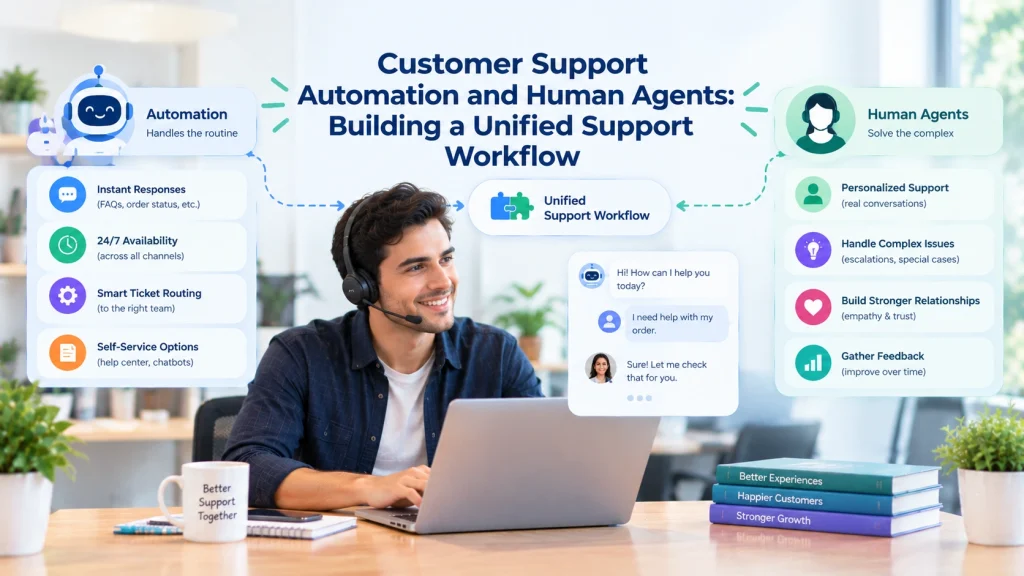
For B2C teams managing high volumes and rising costs, balancing customer support automation with human customer service is no longer optional. This guide walks you through mapping your customer journey, choosing the right automation tools, designing smooth bot-to-agent handoffs, and tracking the metrics that prove ROI. Whether you are exploring AI chatbots B2C solutions for the first time or refining an existing setup, this article will help you build a workflow where automation and human agents work together, not against each other.
1. Understanding the Customer Journey and Where Automation Fits
Before you automate anything, you need a clear picture of how customers reach out and what they need. Start by reviewing your inbound contacts across every channel, web chat, WhatsApp, SMS, email, and phone. Look at what customers are asking for, how often those requests come in, and how long each one takes to resolve.
The goal is to separate requests that follow a predictable pattern from those that need a real person’s judgment. Some requests, like order status checks or password resets, follow the same steps every time. These are strong candidates for automation. Others, like billing disputes or complaints about a damaged product, require empathy, flexibility, and decision-making that only a human agent can provide.
To organize this, rank your most common request types by three factors: how often they come in, how complex they are, and how much they affect the customer’s experience. Requests that are high-volume and low-complexity should move to the top of your automation list. Requests that are complex or emotionally sensitive should stay with your human team.
If you use a platform like Gleantap, you can tie these automation signals to a unified customer profile so that both your bots and your agents are reading from the same history. This shared view prevents the frustrating experience where a customer has to repeat themselves after being transferred.
One important thing to keep in mind: automating everything is not the goal. The real value comes from automating the right things, the repetitive, high-volume tasks that eat up your team’s time, so your agents can focus on the conversations that truly need a human touch.
2. Choosing the Right Type of Automation for Your Support Needs
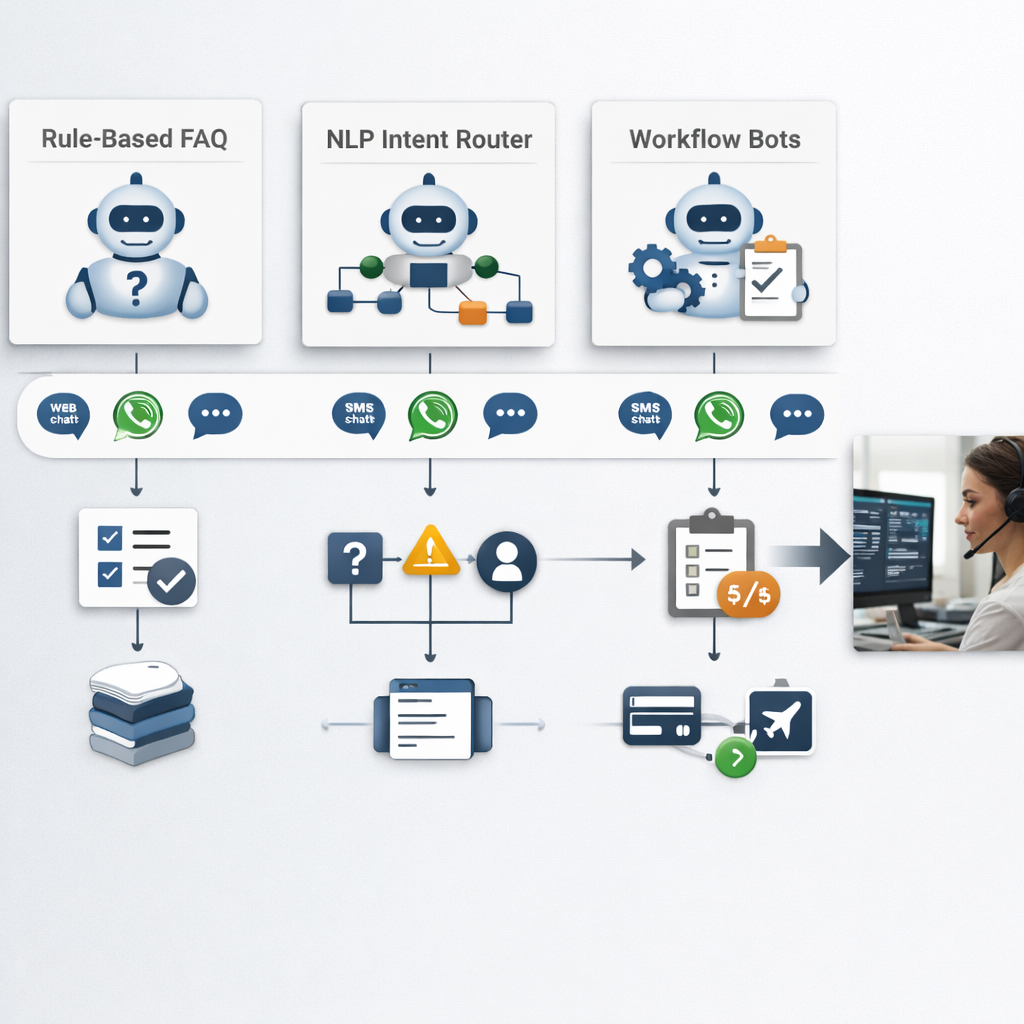
Not all automation is the same. The type you choose should match the outcome you are trying to achieve, not just what sounds impressive on a feature list. There are three main categories to consider.
FAQ and rule-based bots are the simplest and cheapest option. They work well for straightforward questions with fixed answers, like store hours, return policies, or shipping timelines. They are fast to set up but can feel rigid when customers phrase things in unexpected ways.
Intent-routing bots are a step up. These understand what the customer is asking and route them to the right team or workflow. They handle more variety in how customers phrase their questions and can direct conversations more accurately across departments and channels.
Workflow bots are the most capable. These connect directly to your backend systems, your order management platform, your payment processor, your CRM, to actually complete tasks. They can pull up an order status, process a refund under a certain threshold, or book an appointment without any human involvement. AI chatbots B2C solutions in this category deliver the strongest return on investment when the right systems and data connections are in place.
The right choice depends on where you are today. If your backend systems are not well connected or your data is spread across multiple tools, jumping straight to workflow bots can create more problems than it solves. Start with what your current setup supports and build from there.
A quick way to decide: if the request has a yes-or-no answer, a rule-based bot works. If the request needs to be understood and routed, an intent-routing bot fits. If the request involves looking something up or completing a transaction, a workflow bot is the way to go.
Before you build, define your success criteria. Know what containment rate you are aiming for, what customer satisfaction score is acceptable, and what the maximum escalation rate should be. Having these benchmarks in place from the start keeps your team aligned and gives you clear signals on whether things are working.
3. Designing Conversation Flows with Clear Escalation Points
The most important thing in any automated conversation flow is knowing when to stop. Every bot interaction should have a clear point where it recognizes it cannot help and hands the conversation to a human, and the customer should see that transition happening.
Good escalation design starts with capturing the customer’s intent early. Ask one focused question to understand what they need, rather than running them through a long series of prompts. If the bot can resolve the issue, it should do so and confirm the outcome. If it cannot, it should escalate immediately with full context.
There are several signals that should trigger an escalation. The most obvious is when the customer directly asks for a human, this should always be honored right away. Similarly, if the bot has failed to resolve the issue after two or three attempts, continued retries will only increase frustration.
The customer’s language also matters. Words and phrases related to disputes, complaints, or legal concerns should move the conversation to a human agent immediately. Requests that fall outside the bot’s scope, such as those involving exceptions or unusual situations, should go to an agent as well. And anything involving a high-value transaction or sensitive account information should always have human oversight.
When the bot escalates, it should package everything it has collected, the customer’s request, any order numbers or account details, what the bot already tried, and any files or photos the customer shared, and pass it all to the agent. The customer should receive a message letting them know they are being transferred, along with an estimated wait time.
The balance to strike is between being too aggressive with escalation, which drives up agent workload, and being too conservative, which frustrates customers who feel stuck with a bot that cannot help. Use your customer satisfaction scores and repeat contact rates to find the right threshold, and adjust it regularly based on what you see in the data.
4. Building Agent Workflows That Complement Automation
When a conversation moves from a bot to a human agent, the agent’s experience matters just as much as the customer’s. If the agent has to spend the first minute piecing together what happened, the time saved by automation is wasted.
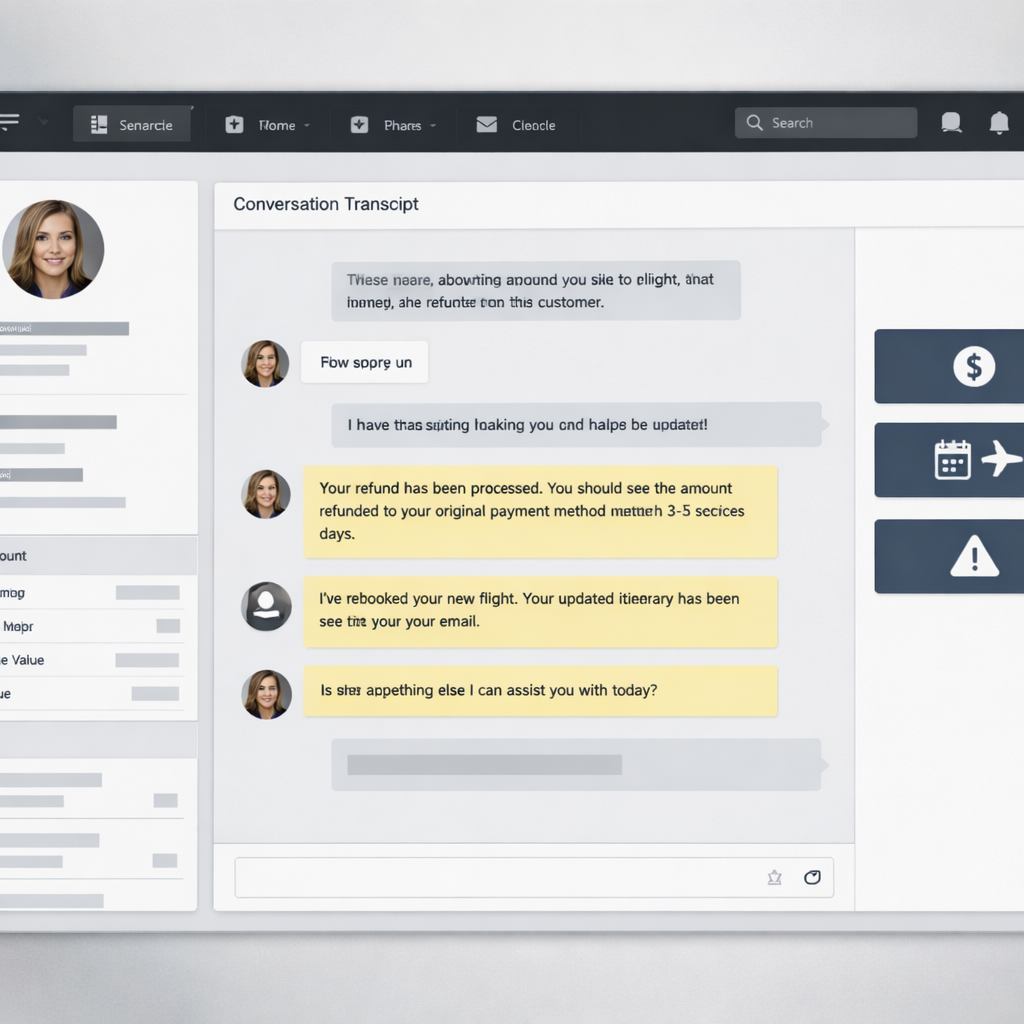
The agent’s workspace should show everything they need in one place: the customer’s profile, their purchase history, the conversation so far, what the bot already tried, and any files or photos the customer shared. This unified view eliminates the back-and-forth of asking the customer to repeat information.
On top of that, give agents quick-action tools for the most common tasks they handle after a bot escalation. One-click actions for refunds, rebookings, credits, or specialist escalations save time and reduce errors. These should come with the right fields pre-filled based on what the bot already collected.
Keep your agent playbook simple. The flow should be: read the conversation summary, verify the customer’s identity using what the bot already captured, resolve the issue or route it to the right specialist, fill in the required fields, and close with a confirmation message that tells the customer what to expect next.
CRM automation plays a big role here. When your CRM is connected to both your bot and your agent tools, the handoff becomes seamless. The agent sees the full customer history, not just the current conversation, but past purchases, previous support interactions, and any loyalty or account status details. This context helps agents resolve issues faster and makes the customer feel recognized.
Involve your agents in designing these workflows. They know which steps add value and which ones just add clicks. A small group of experienced agents can help you decide which quick actions are truly useful and which fields are necessary for reporting. When agents feel ownership over the tools, adoption goes up and resistance goes down.
5. Handoff Mechanics: Moving Smoothly Between Bot and Agent
The handoff is the moment of truth in a unified support workflow. If it goes well, the customer barely notices the switch. If it goes poorly, the customer feels like they are starting over.
There are two main types of handoffs. A warm handoff means the agent joins the conversation in real time, the customer does not have to wait or re-explain. A cold handoff means the conversation becomes a ticket that goes into a queue for the next available agent.
Warm handoffs deliver a better experience because the customer stays in the same conversation thread and the agent has full context immediately. The downside is that they require an agent to be available right away, which demands careful staffing. Cold handoffs are easier to manage with smaller teams but add friction. If you use cold handoffs, make sure the customer gets a clear message about what to expect, estimated response time, an option for a callback, and a confirmation that their information has been saved.
The context that gets passed during a handoff should include the customer’s intent, key details like order numbers or account identifiers, the last few messages from the bot conversation, any files or photos the customer shared, and a tag explaining why the bot escalated.
Your service level agreements should reflect the priority of each type of request. High-priority issues like disputes or large refunds should have a short initial response window, ideally under 15 minutes. Standard requests like returns or billing questions can have a window of about an hour. Lower-priority information requests can be handled within a few hours. When an SLA is missed, the system should automatically escalate, notify a supervisor, offer the customer a callback, or move the ticket to a specialist queue.
Using CRM automation to track these handoffs gives you visibility into where things break down. You can see how long handoffs take, how often customers have to repeat information, and which types of escalations lead to the longest resolution times. This data is what lets you continuously improve the process.
6. Measuring What Matters: KPIs for a Unified Support Workflow
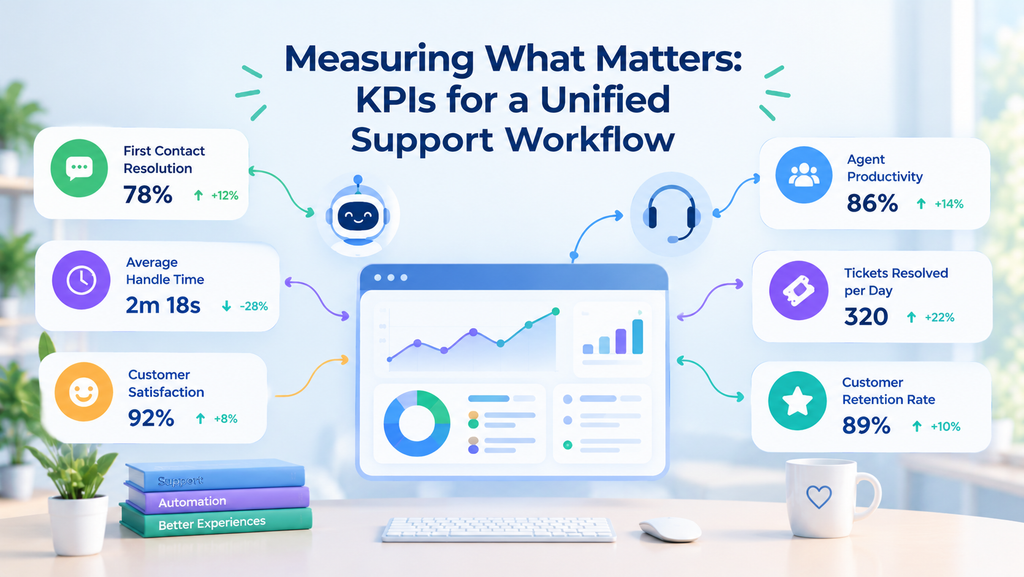
You cannot improve what you do not measure, but measuring the wrong things can be just as harmful. The most common mistake in customer support automation is celebrating a high containment rate, the percentage of conversations the bot handles without escalation, without checking whether customers were actually satisfied.
Containment rate is useful as a capacity metric. It tells you how much work the bot is absorbing. But it should never be your only success metric. Pair it with customer satisfaction scores broken down by how the issue was resolved, by the bot alone, by an agent after bot escalation, or by an agent from the start. This tells you whether automation is actually helping or just deflecting.
Repeat contact rate is another critical metric. If a customer comes back within a few days with the same issue, the first interaction did not truly resolve it. A rising repeat contact rate alongside a rising containment rate is a red flag, it means the bot is closing conversations that should not have been closed.
Escalation resolution time tracks how long it takes to resolve an issue after it moves to a human agent. This metric ties your automation performance directly to your agent workload and SLA compliance.
Set up your dashboards to serve three audiences. Your support operations team needs a real-time view of queues, response times, and SLA compliance. Your product team needs a view of flow performance and where bots are failing. Your leadership needs a view of cost trends, satisfaction trends, and overall ROI.
A good guardrail: do not expand automation to new request types unless customer satisfaction for bot-resolved tickets stays within a few points of your baseline, and your escalation failure rate stays below an acceptable threshold.
7. Rolling Out Your Unified Support Workflow
Launching a unified support workflow is best done gradually. Start with one high-volume, low-complexity request type and run it on a single channel. This keeps the scope manageable and gives you clean data to learn from.
Begin by capturing your baseline metrics for the request type you are automating, current satisfaction scores, handle time, repeat contact rate, and cost per contact. These become your benchmarks for judging whether automation is delivering value.
Route a small percentage of traffic to the bot at first. Monitor the results closely, read the conversation logs, and have your agents flag any cases where the bot missed something or where the handoff felt rough. Use this feedback to adjust your escalation triggers and conversation flows before increasing volume.
Gleantap lets you track customer interactions across channels in a single profile, so you can maintain visibility into customer conversations regardless of how customers reach out.
Assign clear ownership for your ongoing operations. Someone should own the weekly dashboard review, someone should own the list of improvements and fixes, and someone should manage how staffing adjustments align with automation changes. This structure keeps the system healthy as it scales.
The most important discipline is to keep measuring after launch, not just during the rollout. Customer behavior changes, your product changes, and your support needs change. A workflow that works well today may need adjustments in a few months. Build in regular reviews and be willing to adjust automation based on what the data tells you. Human customer service and automation are not a set-it-and-forget-it combination, they require ongoing attention to stay in balance.
Frequently Asked Questions
Which B2C requests should always go to human agents?
Disputes, legal or compliance matters, emotionally charged issues, and any request where the customer has explicitly asked for a person. Use your bot to collect context and background information before transferring, this saves the agent time even when the request itself cannot be automated.
How do I know if automation is improving the customer experience?
Track satisfaction scores by resolution path, repeat contact rate, and escalation resolution time. Compare these to your pre-automation baseline for the same request types. If satisfaction holds steady or improves and repeat contacts do not rise, your automation is working.
What information should the bot pass to the agent during a handoff?
At minimum: the customer’s intent, the last few bot messages, any collected details like order numbers or account identifiers, and a tag explaining why the bot escalated. If the customer shared photos or files, those should transfer too.
Can bots handle payments or refunds?
Yes, for routine, low-risk transactions when connected to secure payment systems with proper verification. Set a threshold above which refunds require human review, and always route disputes or chargebacks to an agent.
How do I get my agents to adopt new tools?
Give them tools that save time, pre-filled fields, one-click actions, and conversation summaries that eliminate repetitive work. Involve them in designing the workflows and use their feedback to improve escalation triggers. When agents see measurable workload reduction, adoption follows naturally.
What is the biggest mistake teams make with support automation?
Assuming that higher containment automatically means lower costs. Poorly designed automation can create repeat contacts and frustrated customers that end up costing more than the original manual process. Always pair containment metrics with satisfaction and repeat contact data to get the full picture.



Ready to Run Successful Marketing Campaigns and Grow Your Business?
Gleantap helps you unify customer data, track behavior patterns, and automate personalized campaigns, so you can increase repeat purchases and grow your business.
Ready to Run Successful Marketing Campaigns and Grow Your Business?
Gleantap helps you unify customer data, track behavior patterns, and automate personalized campaigns, so you can increase repeat purchases and grow your business.