
 Divya Ghughatyal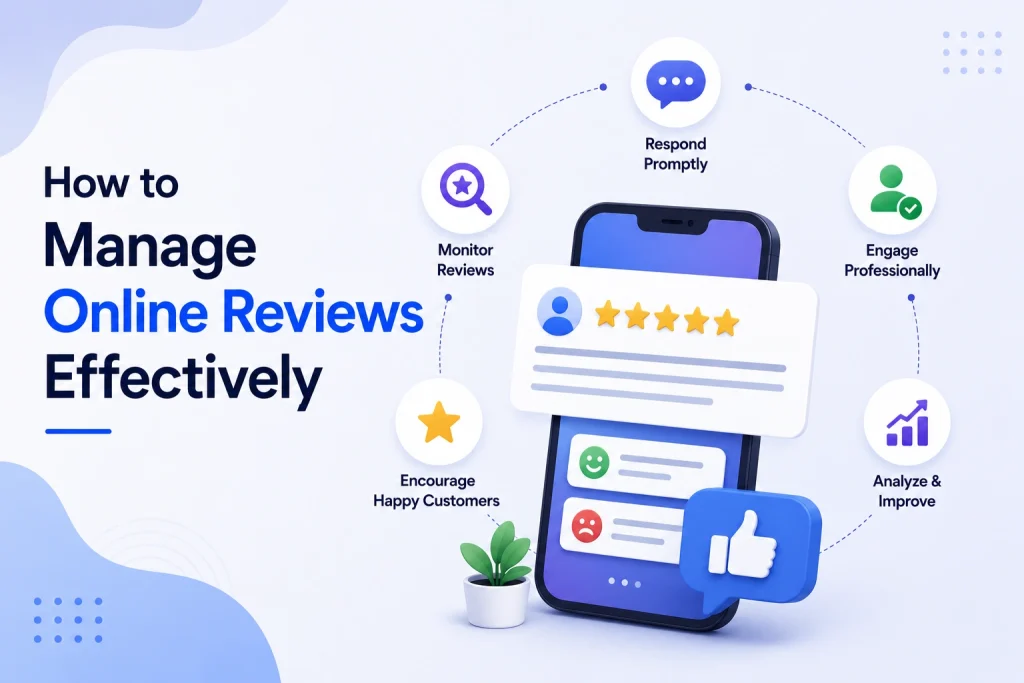
Customer reviews scattered across Google, Yelp, Facebook and niche sites quietly decide whether new customers find and trust your business. This guide shows how to manage online reviews with a practical, step-by-step system to monitor, respond, solicit, and turn feedback into operational improvements. You will get ready-to-use response templates, sample SMS and email asks, KPIs to track, and a 30-60-90 quick-start plan you can implement this month.
1. Centralize monitoring and assign ownership
Start with a single source of truth. If your reviews live in five different places and five different people check them, nothing gets fixed reliably and bad experiences slip through the cracks.
What a centralized dashboard must do
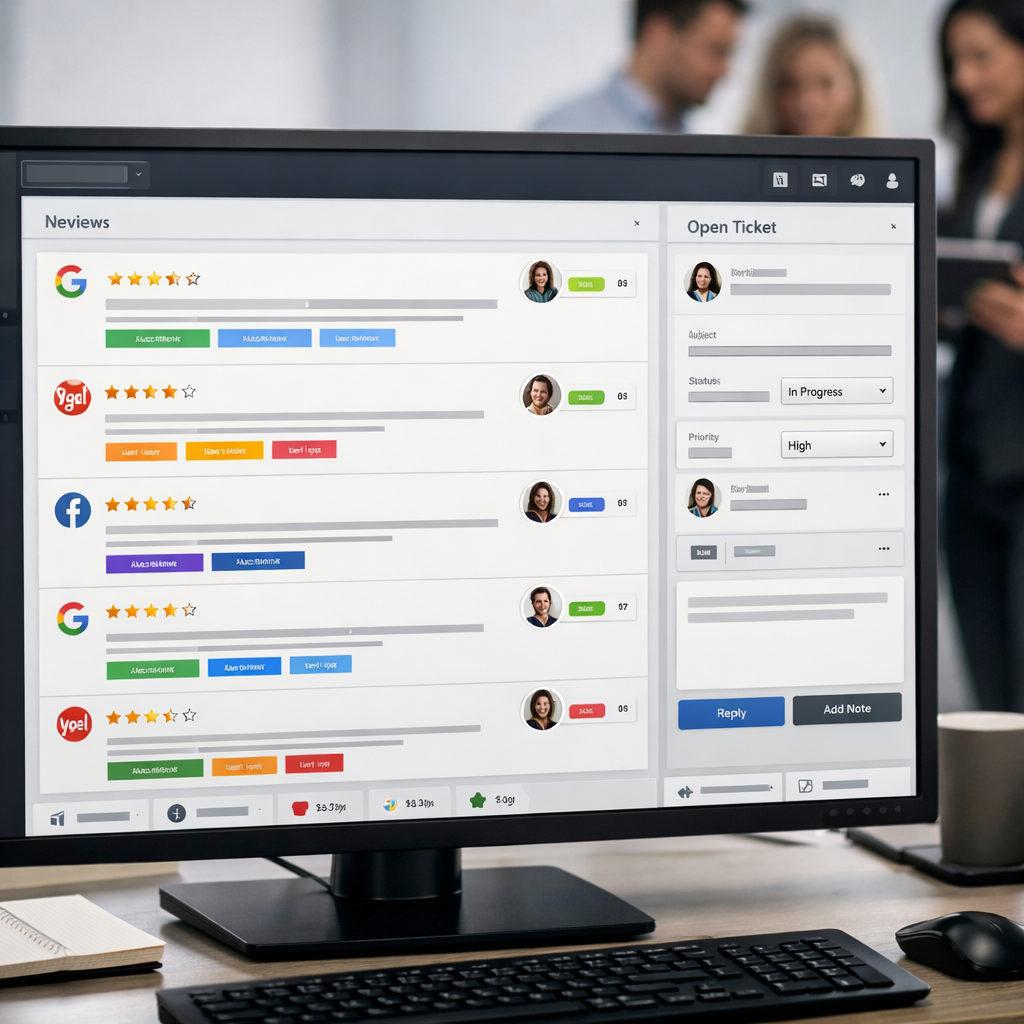
Consolidate, tag, and route. Your dashboard should pull in Google Business Profile, Yelp, Facebook Pages, TripAdvisor and any niche sites, show new items in one feed, let you tag by location/service, and create a ticket or task when a review needs follow-up. Use an aggregator like ReviewTrackers, Podium, or Gleantap to avoid manual polling and missed alerts. See Google Business Profile Help for native settings and BrightLocal for why velocity matters.
- Feed: unified list of all new reviews across platforms
- Tags: location, service type, sentiment, escalation level
- Routing: automatic assignment to owner or ops queue
- Audit trail: timestamps, screenshots, and reply history stored with the ticket
- Alerts: multi-channel (email, SMS, Slack) for high-priority items
Assigning ownership — practical rules
Designate primary responders plus backups. Assign one responder per shift or location and a secondary owner for absences. Make the role explicit in the employee task list and tie it to measurable SLAs: respond to negative reviews within 24 hours; other reviews within 48 hours.
Set routing rules and escalation paths. Low-severity praise gets an automated thank-you template with personalization; operational complaints create a support ticket for the manager; legal or safety issues escalate to leadership immediately. Document who approves refunds or compensation so responders don’t stall decisions.
A practical trade-off. Cheap manual monitoring looks attractive, but it fails once volume or platforms grow. Aggregation tools cost money but buy consistent response times and reliable audit trails. If your business is single-location with low review volume, native alerts may suffice; if you have multiple locations, the cost of an aggregator is usually justified within a single quarter of lost leads or reputational damage avoided.
Concrete Example: A downtown gym used native alerts for Google and Facebook for two years and still missed weekend complaints. They onboarded Gleantap, created tags for class instructors and equipment issues, assigned a morning-shift responder and a manager backup, and reduced median response time from 72 hours to 10 hours. The faster routing meant operations fixed a recurring towel-supply problem within a week.
Don’t make ownership an informal chore. Written roles, SLAs, and a backup are what stop one missed review from becoming multiple lost customers.
Key takeaway: Centralization without ownership still fails. A dashboard plus clearly documented responders, routing rules, and escalation cut response time and turn reviews into operational fixes.
Next consideration: After centralizing and assigning ownership, the immediate next step is to build your response playbook so owners have ready templates and clear escalation rules to act fast and consistently.
2. Build a response playbook with tested templates
Start with rules, not scripts. A playbook is a set of clear decision rules plus modular templates that your team can apply and adapt. The playbook prevents ad hoc replies, reduces legal risk, and keeps brand voice consistent while allowing frontline staff to personalize where it matters.
Core components every playbook needs
- Scope and ownership: which platforms to cover and who responds during each shift
- Response SLAs: target times for negative reviews, neutral reviews, and positive reviews
- Template library: short public replies and paired private-message scripts for follow up
- Escalation rules: specific triggers that create a support ticket or require leadership review
- Tone guide and legal guardrails: words to avoid, privacy rules, and how to decline to discuss specifics publicly
- Testing and metrics: how to A B test replies and which KPIs to monitor
Practical insight: Templates that look too polished become robotic; templates that are too loose become inconsistent. The best compromise is modular templates built from short blocks – acknowledgement, empathy line, remediation offer, and next step – that responders can mix and match and still stay within SLAs.
Sample templates to copy and adapt
- Positive public reply: Thank you Name for the kind words about service detail. We are glad you enjoyed it and hope to see you back for next action.
- Neutral public reply: Thanks Name for the feedback. We appreciate the note about issue detail and will use it to improve. If you have two minutes, please message us so we can learn more.
- Negative public reply (remediation first): We are sorry to hear this, Name. That is not the experience we aim for. Please message us at contact channel or call phone so we can make this right within 48 hours.
- Private follow up after negative review: Hi Name, thanks for connecting. I am the location manager. Can you confirm the date and time so I can investigate and offer a resolution? I will follow up within 24 hours.
- Abusive or defamatory public reply: We take all feedback seriously and are reviewing this matter. We will respond after we complete our investigation. If you have additional details please contact contact channel.
Concrete example: A member posts that an evening spin class was overcrowded. Public reply: Thanks Sarah for the feedback about last nights spin class. We are sorry the class felt crowded. Please DM us your preferred class time so we can offer a complimentary rebook and investigate spacing. Private follow up: Hi Sarah, thanks for messaging. The instructor and front desk are reviewing roster numbers for that date. We can move you into a smaller class or issue a credit if you prefer. I will confirm by tomorrow afternoon.
Testing and measurement: Do not treat templates as set and forget. A B test short versus specific apologies, or a public resolution summary versus only private follow up, and measure two outcomes: whether the reviewer updates their rating and whether the incident generates a service change. Track these in your review analytics dashboard and adjust copy that reduces escalation rates.
Trade off to accept: Heavily templated replies scale and stay compliant but lose warmth. Manual personalization scales poorly. The practical solution is automation that inserts customer name and context, plus a mandatory human review for any review with star rating below 3 or containing flagged keywords.
Key takeaway: Build short, modular templates, pair every public reply with a private remediation script, and enforce a human review for high risk cases.
3. Ethically solicit more verified reviews
Verified reviews drive trust and search visibility. The work here is not clever wording – it is a repeatable, auditable flow that sends the right ask at the right time, routes unhappy customers into private remediation, and produces reviews that platforms will keep.
Step-by-step flow you can implement this week
- Pick the trigger: Use a clear post-interaction event – check-out, class attendance, completed appointment, or a paid purchase. Timing matters – 12 to 48 hours after the interaction is usually best for accurate, actionable feedback.
- Choose primary channel and fallback: SMS first for local consumer businesses, email second, QR code on receipts or counters as a low-friction in-person option, and in-app prompts where you have a logged-in user base. Keep messages under 160 characters for SMS and one clear CTA.
- Design the ask with routing logic: Single CTA that opens the review platform on a mobile device. If the customer responds with negative feedback instead of posting publicly, route that reply to a private ticket or manager so issues are remediated before they escalate.
- Follow-up cadence and limits: Send one reminder 48 to 72 hours after the first ask. Stop after two messages to avoid annoyance. Log opt-outs and respect frequency limits per customer to prevent damage to brand image.
- Measure and tag: Capture which platform the review lands on, whether it was verified, and the review source. Tag by location, service type, and promoter/detractor. Use those tags to report review velocity and conversion lift.
Practical trade-off: Asking every customer increases volume but increases negative public reviews unless you have a fast remediation path. Prioritizing recent and repeat customers improves conversion, but avoid selecting only likely promoters because that becomes review gating and raises platform and compliance risk.
Compliance note: Never condition a discount or benefit on a positive public review, and avoid steering only satisfied patrons to post publicly. When you have a material relationship to disclose, follow FTC guidance. Use neutral, non-contingent language in your asks.
Concrete example: A neighborhood gym triggers an automated SMS 24 hours after class check-in. If the reply is positive the system sends a one-click link to the Google Business Profile review form; if the reply indicates a problem it opens a staff ticket and schedules a manager call. The gym stops most public negatives by resolving problems privately and converts more satisfied members into verified reviews.
Important: Always offer a private feedback channel in the same message so dissatisfied customers can raise issues without posting publicly.
Post-visit SMS and short email follow-ups are the highest-converting review generation techniques for local businesses. Centralize those replies in your CRM or review management software such as Gleantap to keep the process auditable and scalable.
One operational limitation to accept: Automated asks scale, but they also scale mistakes. Poor timing, generic copy, or failing to route negatives will multiply public complaints. Put a 24-hour human review window on any automation that flags negative keywords or repeat-low scores.
Next consideration: Decide your triggers, pick which platforms you will prioritize, and then build the routing rules so positive replies flow to public review pages and negatives flow into remediation. Measure review velocity and response-to-remediation time as your primary success metrics.

4. Manage negative and fake reviews step by step
Treat negative and fake reviews like incidents you must triage, not reputational annoyances to bury. A repeatable, evidence-first process reduces emotional responses, speeds resolution, and protects your legal options if escalation is necessary.
Five-step triage to handle any damaging review
- Acknowledge publicly within your SLA. Post a brief, neutral reply that says you are looking into the matter and provide a private contact path. This signals activity to future customers while you investigate.
- Capture and preserve evidence. Screenshot the review, note timestamps, copy any linked profiles, and pull internal records like attendance logs, receipts, CCTV stills, or staff shift notes.
- Investigate internally with a named owner. Assign one person to verify facts and collect supporting documents within 48 hours. Document findings and recommended remediation steps in the ticket.
- Remediate offline then follow up publicly. Offer a concrete fix or compensation privately when appropriate, then update the public reply with a concise resolution note so readers see closure without exposing private details.
- Escalate or request removal only when criteria are met. If the review is fraudulent, defamatory, or violates platform rules, file a removal request and attach your evidence. Escalate to legal counsel for extortion or repeated malicious attacks.
Document everything before you ask platforms to act. Platforms want proof. For Google removal requests see Google Business Profile Help Center. For any attempt to coerce removal, preserve timestamps and correspondence because platforms and courts treat escalation as a factual inquiry.
| Review type | Immediate public action | Next step |
| Genuine negative with details | Empathetic public reply + private contact | Investigate, offer remediation, request update |
| Obvious fake – no details or same text across accounts | Short public note that you will investigate | Collect evidence, flag to platform, escalate if repeated |
| Defamatory or extortionate | Minimal public acknowledgement that you are reviewing | Preserve evidence, notify legal, file platform appeal |
Concrete example: A gym receives a one-star review claiming a staff member stole a locker. The manager screenshots the review, pulls the member check-in record and locker assignment, checks CCTV timestamps, and emails the evidence to the legal owner. After an internal review shows the accuser was never on site that day, the manager files a removal request with Google and posts a short public reply noting the allegation is under review.
Practical limitation and trade-off: Removal is rarely fast and often fails unless platform policies are clearly violated. In practice, a well-worded public reply that shows you investigated and offered remediation wins more with prospective customers than an invisible removal. Chasing removal aggressively can escalate attention and costs with little benefit unless the content is blatant fraud or legal harm.
Judgment that matters in practice: Prioritize readers over vanity. If a negative review is factual but wrongheaded, correcting the record publicly while offering to make it right converts skeptical prospects. Reserve platform appeals and legal escalation for cases that are provably false, defamatory, or part of an organized attack.
Key takeaway: Respond publicly fast, gather evidence methodically, and escalate removal or legal action only when proof is clear.
5. Convert reviews into product and marketing improvements
Reviews are operational data, not just marketing copy. Treat every public review as a signal: some will flag product or service flaws, others are ready-made social proof. If your process stops at thanking the reviewer, you miss both problem-solving opportunities and low-effort marketing assets.
Operational-to-marketing workflow
- Capture and tag: funnel every review into a central dashboard and tag by sentiment, topic (cleanliness, staff, wait times), location, and promoter status. Use review analytics or review management software to automate tags where possible.
- Triage: route actionable negatives to operations with a ticket (include reviewer contact, timestamp, and suggested fix). Route high-value positives to marketing for permission-based reuse.
- Verify & prioritize: aggregate tags weekly and surface recurring issues with volume and velocity metrics. Prioritize fixes that affect conversion or safety first.
- Operational fix: assign an owner and deadline. Record the change in your CRM or process tracker so the next batch of reviews can confirm improvement.
- Market the result: request permission to use a strong quote, add it to your website or ad creative, and test a landing page that includes recent review snippets versus a control.
| Review signal | Owner | Immediate action |
| Multiple complaints about late class starts | Operations manager | Adjust schedule, retrain staff, add buffer time; monitor 30-day post-change reviews |
| Several five-star mentions of a trainer | Marketing manager | Ask for permission to reuse quote; add to trainer profile and run targeted social ad |
| One-off abusive or fake review | Reputation specialist or manager | Flag to platform, document evidence, and escalate per platform removal process |
Concrete Example: A neighborhood gym flagged recurring comments about crowded evening classes. Operations added a second 6:30pm slot and updated booking limits; after three weeks they saw reduced crowding comments and a measurable uptick in class retention. Marketing then pulled a short member quote about the improved experience into an Instagram ad, which outperformed the previous creative by 18 percent.
Trade-off to watch: turning every positive into publicity backfires if you ignore permissions and context. Always request explicit consent before reusing a review in paid creative, and avoid cherry-picking a handful of glowing comments to claim broad improvement. Small-sample bias will mislead you and your customers.
Practical judgment: the highest ROI comes from pairing review tagging with operational ownership — fix repeat problems first, then amplify the fixes with verified testimonials.
Tip: Centralize review data into customer profiles so you can measure whether fixes reduce complaint frequency.
Compliance and limits: be mindful of platform rules and FTC guidance when reusing reviews. Obtain permission, disclose material connections when needed, and avoid manipulating public sentiment. For why consumers rely on reviews and how volume matters, see the BrightLocal survey at Local Consumer Review Survey.

Next consideration: assign owners for tagging and build a weekly review digest that automatically routes recurring topics to operations and marketing — that single habit converts scattered feedback into measurable improvements.
6. Define metrics and measure impact
Start with outcomes, not vanity numbers. Track the handful of metrics that link reviews to business results – visibility, conversions, and operational fixes – then stop chasing everything else.
Core metrics and how to use them
- Average star rating – weighted average across major platforms. Useful for brand perception and click through; treat small monthly swings as noise unless you have dozens of reviews.
- Review velocity – new reviews per week or month. This is the strongest lever for local visibility and freshness signals on map results.
- Response metrics – response rate and median response time. Fast, public replies improve perception and reduce churn even when rating does not change.
- Sentiment trend – percent positive mentions and common complaint tags. Use to prioritize operational fixes.
- Review-driven conversion – conversion rate on pages or listings that show reviews versus controls. This ties review activity to revenue.
- Removal and dispute rate – number of reviews flagged and outcome. High rates indicate either repeated fake reviews or process failures.
| Metric | How to calculate | Why it matters | Practical monthly target |
| Average star rating | Platform weighted average (Google, Yelp, Facebook) | Influences click through and trust | Improve by 0.1 – 0.3 over 90 days |
| Review velocity | Count of new verified reviews / month | Drives local pack visibility and recentness | Increase by 20 – 40 percent in first 90 days |
| Median response time | Time between review posted and public reply | Signals attentiveness; reduces negative fallout | Under 24 hours for negatives |
| Review-driven conversion | Conversion rate on pages showing recent reviews vs control | Direct revenue correlation | Lift of 5 percent or more is meaningful |
Tradeoff to accept. Prioritizing velocity over rating is often the right call for local businesses – more recent reviews increase visibility and bring steady traffic even if the average rating moves slowly. Chasing a perfect average rating invites gaming and short term tactics that backfire with platform enforcement.
Concrete Example: A mid size gym used Gleantap to centralize review collection and set a dashboard alert for weekly review velocity. In 60 days monthly reviews rose 35 percent and median response time dropped to 12 hours. The gym measured a 10 percent uplift in trial signups from its Google Business Profile listing during the same period by comparing clicks and conversions in Google Analytics.
Measure trends, not daily noise. Use weekly buckets for review counts and monthly windows for rating movement to avoid overreacting to single events.
Essential KPI set: average star rating, review velocity, median response time, sentiment trend, review-driven conversion. Track these on a single dashboard and review weekly.
Practical measurement steps – set baselines in week one, build a weekly dashboard in Gleantap or ReviewTrackers, and run a monthly conversion correlation with Google Analytics. Use BrightLocal to benchmark local expectations and Google Business Profile Help for platform specific rules.
Limitation and nuance. Sentiment analysis and automated tagging save time but they misclassify industry specific terms and sarcasm. Always validate automated themes against a manual sample of reviews each month before making operational changes.
Next consideration – convert one metric into an experiment. Pick review velocity or response time, run a 30 day change in workflow, measure conversion impact, then scale what moves the needle.
7. Automate for scale without losing personalization
Automation should remove manual busywork, not human judgment. Use automation to do repetitive tasks reliably — routing, tagging, sending single-action review asks — and keep people in the loop for nuance, remediation, and relationship-building.
A three-layer automation framework
- Triggers (when): Use explicit events from booking or POS systems (class attendance, checkout, completed service) and time-based triggers (24–72 hours after visit). Keep triggers auditable so you can backtrack why a message was sent.
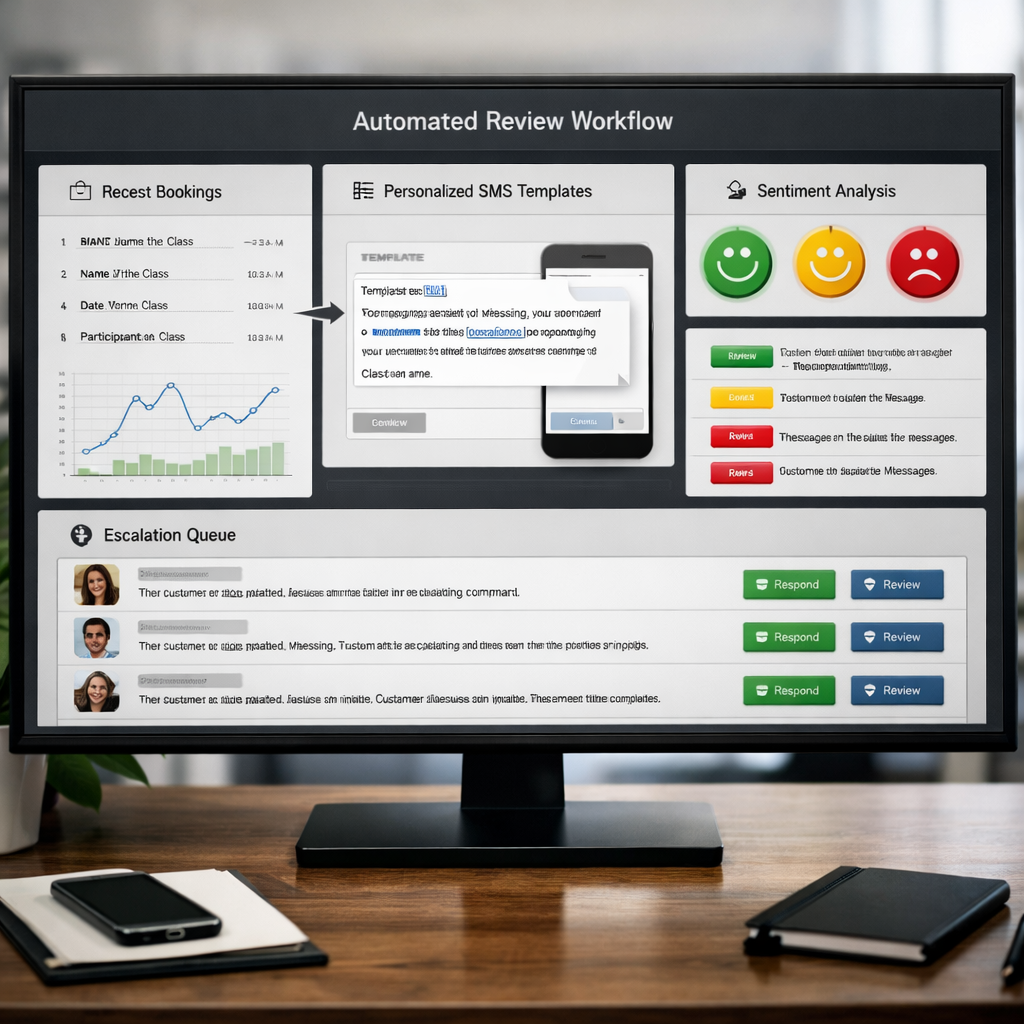
- Personalization (what): Insert dynamic tokens like {first_name}, {service}, {staff_member}, and {visit_date}. Use conditional logic to vary copy by segment — new customer, repeat customer, high-LTV member — instead of one-size-fits-all blasts.
- Human-in-loop (who): Automate low-risk replies and triage; escalate high-risk or ambiguous cases to a human queue. Define explicit handoff rules so escalations carry context: original review text, sentiment score, recent tickets, and a suggested next step.
Practical guardrails and trade-offs. Automation increases throughput but introduces two real risks: over-automation that sounds robotic, and automation drift where sentiment models or conditional rules begin misclassifying messages. Limit automation frequency per customer (for example, one review request per 30 days), include an opt-out, and require manual approval for any reply that the system flags as high-impact (legal claims, health issues, extortion).
Concrete example: A fitness studio triggers a 24-hour SMS after class completion. The message uses tokens to read, Hi {firstname}, thanks for coming to {classname} yesterday — if you enjoyed it, tap the link to leave a short review. Positive responses open a one-click path to the review page; negative responses create a ticket with the member profile and assign to the floor manager for a follow-up call within 12 hours.
What works in practice (and what does not). Templated, personalized asks convert; generic blasted requests do not. Machine tagging of sentiment is useful but not infallible — expect a 5–15 percent error rate depending on language and context. Plan for that error rate by sampling automated replies weekly and routing misfires to retraining or copy adjustments.
Measure and iterate. Track automation KPIs: automation success rate (messages that complete without human touch), false escalation rate, conversion from ask to posted review, and time-to-resolution for escalated issues. Run A/B tests on timing, copy, and channels.
Key takeaway: Automate routine review asks and triage to gain scale, but keep human oversight for escalation and relationship work. Aim to automate ~60–70 percent of flows while preserving a clear manual path for the rest.
8. Common compliance pitfalls and platform rules
Non-compliance has real costs. Beyond a removed review, violations can lead to listing suspension, lost visibility in local search, and exposure to regulatory complaints that take time and money to resolve.
Vendor and contract risks. Many review management vendors ask for broad rights to collect, display, and syndicate reviews. That sounds efficient, but it can create two problems: ownership ambiguity when you want to reuse reviews in ads, and procedural mismatches with platform policies when vendors use batch workflows that platforms interpret as spam.
Common pitfalls and how to handle them
- Selective forwarding or gating disguised as workflow: Some tools request private feedback first and only publish positive replies publicly. Platforms and search engines treat that as review gating — risky even if well intentioned.
- Bursting patterns and source diversity: Sending thousands of identical SMS links at once or relying on one channel (same carrier numbers or IPs) creates an unnatural spike that triggers spam detection. Pace asks and mix channels for organic-looking velocity.
- Employee, family, or internal accounts posting positive reviews: This is routinely flagged. Maintain a clear policy prohibiting staff from posting as customers and audit suspicious accounts before replying publicly.
- Syndication and reuse without consent or attribution: Republishing third-party reviews in ads or on your site without consent or proper disclosure can violate FTC endorsement rules. When using a review as a testimonial in paid media, follow FTC disclosure guidance.
- Removing or altering reviews through vendor API tricks: Some platforms forbid manipulating or hiding negative reviews via APIs. If a vendor suggests removal workflows that bypass platform tools, get legal and platform confirmation first.
- Insufficient documentation for appeals: Platforms ask for timestamps, transaction IDs, and screenshots. If you lack logs that tie a reviewer to a visit, appeals fail.
Platform differences matter. Google, Yelp, Facebook, and niche sites each have distinct removal workflows and thresholds. Read the platform help pages — for example, follow the procedures in Google Business Profile Help when you submit a review removal or suspension appeal.
Practical trade-off. Aggressive automation raises volume fast but increases risk of flags and suspensions. Conservative pacing with higher-quality targeting produces fewer short-term reviews but preserves long-term listing health and avoids costly appeals.
Concrete Example: A multi-location gym ran a one-day SMS blast that drove a sharp spike in Google reviews from the same provider number. Google temporarily suspended one location for suspected fake activity. The team recovered the listing by providing attendance logs, pausing the campaign, and switching to staggered SMS plus QR codes. Recovery took three weeks and cost revenue while the listing’s local visibility dropped.
- Immediate actions to reduce compliance risk: Audit vendor contracts for data and usage rights; require vendor logs showing timestamps and destination links; stop any workflow that filters out negative feedback before publishing.
- Operational controls: Limit daily review invites per location, diversify channels (SMS, email, on-receipt QR codes), and maintain a 30-day log of who received invites and when.
- Evidence and appeals: Save screenshots, booking records, transaction IDs, and correspondence in a central profile like your Gleantap customer profile so you can produce them during platform disputes.
If a workflow looks like it is optimizing for 5-star counts rather than accurate, verifiable customer signals, stop and redesign it.
Key takeaway: prioritize transparent, auditable processes over fast volume. Keep vendor agreements tight, pace your solicitations, preserve logs for appeals, and treat platform rules as operational constraints—not optional best practices.
Frequently Asked Questions
Straight answer first: focus your resources where reviews influence buying decisions and where you can reliably act on feedback. These FAQs give short, operational answers you can apply today — not theory.
High-value, practical FAQs
- Q: Which platforms should I prioritize if I can only do one or two? A: Prioritize the platform that drives local discovery and bookings for your business—usually Google Business Profile and the local platform customers consult most (Yelp for restaurants, Facebook for community businesses). If you use a scheduling system, connect platforms that integrate with it for automated triggers. See Google Business Profile help for verification steps.
- Q: Should I respond to every single review? A: Respond to all negative and neutral reviews and to top positive reviews (high detail, recent, or from high-LTV customers). Low-effort generic positives can be batched with a short thank-you. The trade-off: full coverage boosts perception but increases labor; route low-priority replies to templates and reserve personalized responses for high-impact items.
- Q: How do I handle a reviewer who makes false claims about an employee? A: Publicly acknowledge that you are investigating, move the conversation offline, and collect documentation. If the claim is demonstrably false, follow the platform removal process and keep records. If it escalates, involve counsel—but don’t escalate publicly yourself.
- Q: Can employees ask customers for reviews? A: Yes, frontline staff can invite reviews, but keep asks neutral and standardized. Avoid scripting staff to steer only satisfied customers to public review pages; that becomes review gating and risks removal under platform rules and FTC guidance.
- Q: What if I get a sudden surge of negative reviews across platforms? A: Treat it as a potential coordinated attack. Pause automated solicitations, document timestamps and IP patterns if available, report to platforms, and issue a short public holding reply while you investigate. Focus first on containment, then remediation.
Practical insight: platforms rarely remove borderline or opinion-based complaints. Expect removals only when content violates clear policy. That means the faster, better route is mitigation: quick public replies, private remediation, and asking satisfied customers to post fresh, legitimate reviews to drown out noise.
Limitation to accept: review removal is unreliable and slow. Investing too much time chasing removals wastes resources you could use to improve operations or generate honest reviews. Treat appeals as part of a broader mitigation plan, not the primary remediation channel.
Concrete Example: A 45-member fitness studio found four negative Google reviews after a trainer left. Management publicly responded to each within 12 hours offering to discuss offline, opened tickets for affected members, and sent a targeted SMS to recent attendees asking for feedback. Within two weeks the studio had seven new reviews averaging 4.6 stars and resolved the underlying scheduling problem.
What people get wrong: many owners assume templates alone are enough. Templates scale consistency but do not replace an operational loop that closes the feedback (ticket -> fix -> public follow-up). Without that loop, you’ll reduce noise but not recurring complaints.
Quick rules to follow now: 1) Respond publicly and promptly; 2) Move sensitive details offline; 3) Document everything for platform appeals; 4) Prioritize platforms by revenue impact; 5) Replace chasing removals with generating verified positive reviews via neutral asks and tools like Gleantap.
Next actions (concrete): 1) Pick two platforms to prioritize this month and enable native alerts; 2) Create one 40-word public reply template for negatives and one 20-word thank-you for positives; 3) Run a one-week suppression of automated review asks if you detect suspicious review spikes; 4) Start a weekly two-minute review digest in your team meeting to assign actionable follow-ups.


Ready to Run Successful Marketing Campaigns and Grow Your Business?
Gleantap helps you unify customer data, track behavior patterns, and automate personalized campaigns, so you can increase repeat purchases and grow your business.
Ready to Run Successful Marketing Campaigns and Grow Your Business?
Gleantap helps you unify customer data, track behavior patterns, and automate personalized campaigns, so you can increase repeat purchases and grow your business.