
 Divya Ghughatyal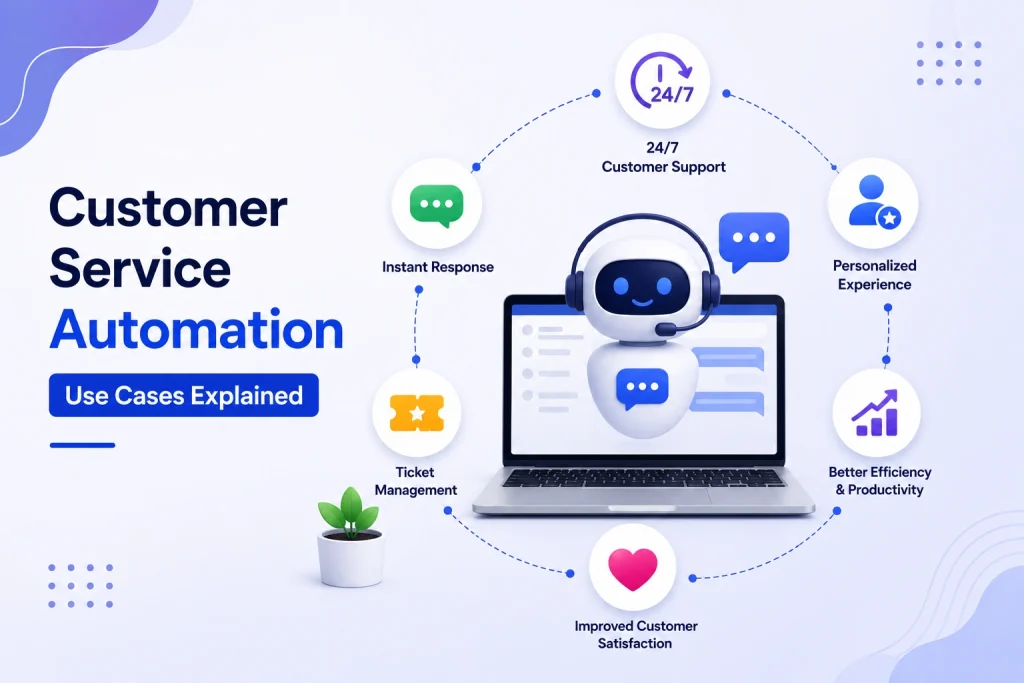
If your support team is drowning in repetitive tickets, missed bookings, or slow responses, targeted automation can reclaim time and protect revenue. This article breaks customer service automation use cases into concrete, high-impact plays you can build in 30 days. For each use case you get the business problem, channel-specific flows for WhatsApp, SMS, email and web chat, sample message copy, KPIs to measure, and a short real-world example so you can pick one and run a pilot.
Set objectives and metrics before automating
Start with the business outcome, not the bot. Many teams build chatbots or ticket routing because the technology is available, then wonder why customers complain or a project fails to move the needle. Decide which one or two outcomes you will measure first – for example reduce cost per ticket, shorten time to first response, or increase booking completion rate – and treat every automation as a hypothesis tied to those outcomes.
Map objectives to KPIs and acceptance criteria
Choose 2–3 KPIs per objective. For each objective pick a primary KPI and one or two secondaries that catch side effects. Example: if objective is reducing agent load, primary KPI is ticket deflection rate; secondaries are escalation rate and CSAT to ensure quality does not drop.
| Objective | Primary KPI | Secondary KPIs | Sample target |
| Reduce cost per ticket | Ticket deflection rate | Escalation rate, Avg handle time | Deflection 15 to 30 percent; escalation < 20 percent |
| Speed first response | Time to first response | CSAT, Abandonment rate | Messaging channels < 5 minutes; email < 2 hours |
| Increase activation or bookings | Conversion rate from automation flow | Time to first value, 30-day retention | Activation lift +10 percent; retention +5 points |
Practical constraint – data and sample size matter. You cannot reliably measure deflection or CSAT from a five-day pilot with 50 interactions. Run a four- to six-week pilot or until you have several hundred interactions per channel. Make sure your CRM and booking system provide clean joins so you can map messages to outcomes like booking completed or refund issued.
Trade-off to decide up front. Pushing for aggressive deflection often increases wrong resolutions and damages satisfaction. Set an explicit escalation threshold – for example escalate any conversation with negative sentiment, repeated failed intents, or CSAT below baseline – and accept a smaller deflection target in exchange for stable CSAT while you iterate.
Concrete example: A gym using Gleantap prioritized appointment no-shows as the highest-cost problem. They set an objective to reduce no-shows and measured booking completion and inbound reschedule calls. After a six-week pilot of automated confirmations and two SMS reminders, no-show rate dropped into the expected 20 to 40 percent range and inbound admin calls declined, while CSAT remained flat because they limited automation to transactional messages and added clear reschedule CTAs.
- Acceptance criteria example: Automation approved if deflection >= 15 percent, escalation <= 20 percent, and CSAT within 2 points of baseline.
- Channel-specific targets: Measure each channel separately. WhatsApp/SMS should have faster first response targets than email.
- Monitoring: Create dashboards for primary KPIs and add alerts when escalation or negative sentiment trend rises for two consecutive days.
Key takeaway: Establish clear objectives, map them to measurable KPIs, and set acceptance criteria before you build. Aim for conservative deflection targets initially and monitor CSAT and escalation closely.

Next consideration: After you define targets, design the smallest flow that can test the hypothesis and instrument it to the KPIs above.
Use case 1: FAQ and knowledge base triage with chatbots
Straight to the point: FAQ triage chatbots are the fastest way to cut repetitive tickets and free up agents—when you treat them as a routing and deflection layer, not as an answer-all replacement. Real gains come from precise intent matching, short scripted answers, and predictable escalation rules.
How the automation flow should look
- Trigger: user opens web chat, sends WhatsApp message, or texts SMS; booking or order webhook can also start the flow.
- Classify intent: NLU (Dialogflow, Ada, or vendor built-in) maps the message to a KB topic or intent.
- Deliver answer: return the matching knowledge article or a 1–2 sentence scripted reply with a single clear CTA (link to FAQ, button to reschedule, or tracking number).
- Measure confidence: if model confidence < threshold or user says not helpful, escalate to human with conversation transcript and suggested tags.
- Close or follow up: if resolved, trigger a 1-question CSAT in channel after a short delay; if unresolved, route for agent handling and tag for UX improvement.
Channel choices matter. Website chat is best for discovery and long sessions; WhatsApp handles appointment and account queries with higher open rates for appointment-driven businesses; SMS is the reliable fallback for customers not on WhatsApp. Use multi-channel orchestration so the same KB answers feed all channels and handoffs preserve history.
Practical limitation: NLU will misclassify—especially for local business jargon, shorthand, and misspellings. Do not push chatbots live without a 4–6 week supervised training phase where humans correct intents and refine top-10 phrases. If escalation rate exceeds your acceptance criteria, simplify answers and lower the confidence threshold for human handoff.
| Channel | When to use / trade-off |
| Website chat | Fast context for browsing customers; better for guided KB flows but lower availability outside business hours unless automated. |
| Higher engagement for appointment and transactional queries; template restrictions require pre-approved messages for outbound. | |
| SMS | Universal delivery and simple templates; poor UX for long troubleshooting and higher cost per message in some markets. |
Key acceptance criteria: aim for 15–30% ticket deflection on mature FAQ triage, escalation rate under 10% for low-complexity intents, and stable CSAT within ±5 points of baseline. Track deflection, escalation ratio, time to resolution, and post-interaction CSAT together.
Concrete example: Amtrak Julie handles schedule and refund questions to deflect millions of simple tickets; for local use, gyms using Gleantap automate class cancellations and membership FAQs over WhatsApp so front-desk teams only handle edge cases and personalized onboarding. Both examples highlight routing to humans when confidence is low.
Common misjudgment: teams often measure success by deflection alone. That mistake hides friction—if deflection rises but CSAT falls, the bot is creating work for customers. Measure escalation quality and CSAT, and insist that every escalation includes the bot transcript and suggested tags so agents can fix the KB and reduce repeat escalations.
Start with the top 10 repeat questions, train supervised intents for those, and launch a pilot for 4–6 weeks before expanding the KB coverage.
Next step: run a small pilot on your busiest channel with the top 10 intents, link the bot to your KB, and instrument deflection and CSAT.
Use case 2: Appointment and booking management
Appointment automation prevents expensive no-shows and endless reschedule calls when done as a small set of reliable actions — not as a flood of reminders. Focus on confirmation, a minimal reminder sequence, an easy reschedule path, and a clear escalation rule to a human when things go off-script.
Recommended automation flow
- Trigger: Booking created in POS/booking system via webhook or calendar sync.
- Immediate confirmation: Send transactional message with one-click add to calendar and a one-tap reschedule link.
- Reminder sequence: Send 24-hour and 2-hour reminders (channel-dependent) with clear actions: confirm, reschedule, cancel.
- If no-show: Wait a short backoff (30–60 minutes), then send a polite follow-up with rebooking CTA and optional charge/forfeit note if policy applies.
- Escalation: If customer replies with complex requests, payment issues, or complaint language, auto-tag and route to a human agent with conversation history.
- Data write-back: Update booking status in CRM and free up the slot automatically when a cancellation is confirmed.
Channel guidance and trade-offs: Use WhatsApp or SMS as your primary reminder channels for gyms and local services because they get immediate attention; use email for confirmations or longer instructions. Trade-off: WhatsApp templates require pre-approval and stricter opt-in handling, SMS has per-message cost, and email has lower immediacy. Combine channels in a fallback sequence rather than blasting every channel at once.
Message templates and trigger rules (practical examples)
- Confirmation (immediate, SMS or WhatsApp): Thanks for booking your [Class Name] on June 12 at 6:00 PM. Reply 1 to confirm, or tap to reschedule: [reschedule link].
- 24-hour reminder (WhatsApp preferred): Reminder: Your session is tomorrow at 6:00 PM. Need to move it? Tap to reschedule or reply MOVE.
- 2-hour reminder (SMS if no WhatsApp): Coming up at 6:00 PM. Reply HELP for changes or call us at 555-0123.
- No-show follow-up (automated): We missed you today. Book a replacement class at 20% off with this link: [rebook link]. If billing or medical issues prevented attendance, reply HELP to speak with us.
Limitation to plan for: Automated rescheduling works only when your booking system supports one-click tokenized links or pre-authenticated flows. If your calendar requires manual agent confirmation for edits or refunds, automation will create friction — reduce scope and route more cases to humans until integrations are improved.
Operational consideration: Add business rules to protect revenue and fairness: enforce cancellation windows, require deposits for high-value bookings, and auto-release slots after X minutes of no response. Those rules reduce abuse but increase agent escalations when exceptions occur; capture reason codes to speed manual handling.
Concrete example: A boutique gym integrated Gleantap with Mindbody to send confirmations, a 24-hour WhatsApp reminder, and a 2-hour SMS fallback. The flow included a one-tap reschedule link that opened the member’s booking page; within three months they cut no-shows by around 30% and reduced inbound reschedule calls by half, while flagging complex payment exceptions to staff.
Key metric and acceptance criteria: Aim for a 20–40% reduction in no-shows and a 30–50% reduction in reschedule phone calls. Acceptance: escalation rate under 10% and CSAT for handled reschedules equal to baseline. Track slot utilization and cost-per-message to validate ROI.
Next consideration: If you don’t yet have reliable webhook integration, run a 4–6 week pilot using scheduled exports and segmented SMS/WhatsApp blasts. Use data from that pilot to justify building a direct calendar or booking-system integration — the automation only scales when the data pipeline is dependable.

Use case 3: New customer onboarding and activation sequences
Activation is where most revenue is lost — a purchase or sign-up is not the same as a retained, active customer. Automations that move a new customer to a first meaningful action – first class booking, first product use, first app session – deliver the fastest measurable ROI because they convert acquisition spend into behavior you can measure and optimize.
A practical activation flow you can deploy in 7 days
Use a progressive, behavior-driven drip that mixes WhatsApp/SMS for short CTAs and email for longer instruction. Trigger the sequence from the purchase event in your CRM or booking system, then branch on signals such as app open, booking click, or class sign-up.
- Day 0 – Welcome (WhatsApp or SMS): Thanks for joining. Book your first class – one-tap link to available slots. Offer 10 percent off a trainer session if they book in 48 hours.
- Day 1 – How-to email: Short 3-step setup: download app, book class, what to bring. Include a short video or image for orientation.
- Day 3 – Social proof nudge (WhatsApp): See how other members use their first week – recommend two beginner classes based on time-of-day preference.
- Day 5 – Task reminder and micro-incentive (SMS): You haven’t booked your first class. Book now and get a free towel for your first visit.
- Day 7 – Milestone check and human escalation: If no booking or app activity, route to a concierge agent for a 1:1 outreach call or personalized plan.
Sample WhatsApp copy: Hi Sara – welcome to FitLocal. Book your first class now with this link and save 10 percent: [booking link]. Need help? Reply and we can book for you. Short, direct, CTA-first.
Key measurements you must track: activation rate (first booked class or first product use), time to first value (days), 30- and 90-day retention, and escalation rate from automation to agent. Track conversion by channel so you know whether WhatsApp or email is driving first actions.
| KPI | What to expect / target range |
| Activation rate (30 days) | Lift of 8 to 20 percent versus baseline when sequencing incentives and reminders |
| Time to first value | Target under 7 days; each additional day raises early churn risk |
| Escalation rate | Keep under 12 percent for the flow – higher means the automation is unclear or mis-targeted |
Acceptance criteria: Automation is acceptable if activation improves and escalation stays under 12 percent while CSAT for newly onboarded customers remains at or above baseline.
Trade-off and limitation: Aggressive, incentive-heavy sequences move the needle fast but can mask product gaps. If activation only rises when you give away perks, you have a product experience problem, not a messaging problem. Also, personalization at scale requires clean data – automated flows perform poorly when contact info, membership type, or timezone are wrong.
Concrete example: A group of boutique fitness studios using Gleantap set a Day 0 WhatsApp welcome with a one-tap class booking link, followed by Day 3 social-proof nudges. They saw a 15 percent increase in first-class bookings within 30 days and cut manual onboarding calls by half. When members did not book by Day 7 the flow created a high-priority task in the CRM for a human concierge to call.
Judgment: Prioritize behavioral triggers over time-based only sequences. A single booking click should end the drip – chasing users who already acted costs credibility.
Next consideration: After the pilot, split test incentive versus content-first variants and measure time to first value as your primary success signal. If incentives win but retention lags, shift effort from incentives to improving the first-session experience.
Use case 4: Order status, proactive updates, and delivery notifications
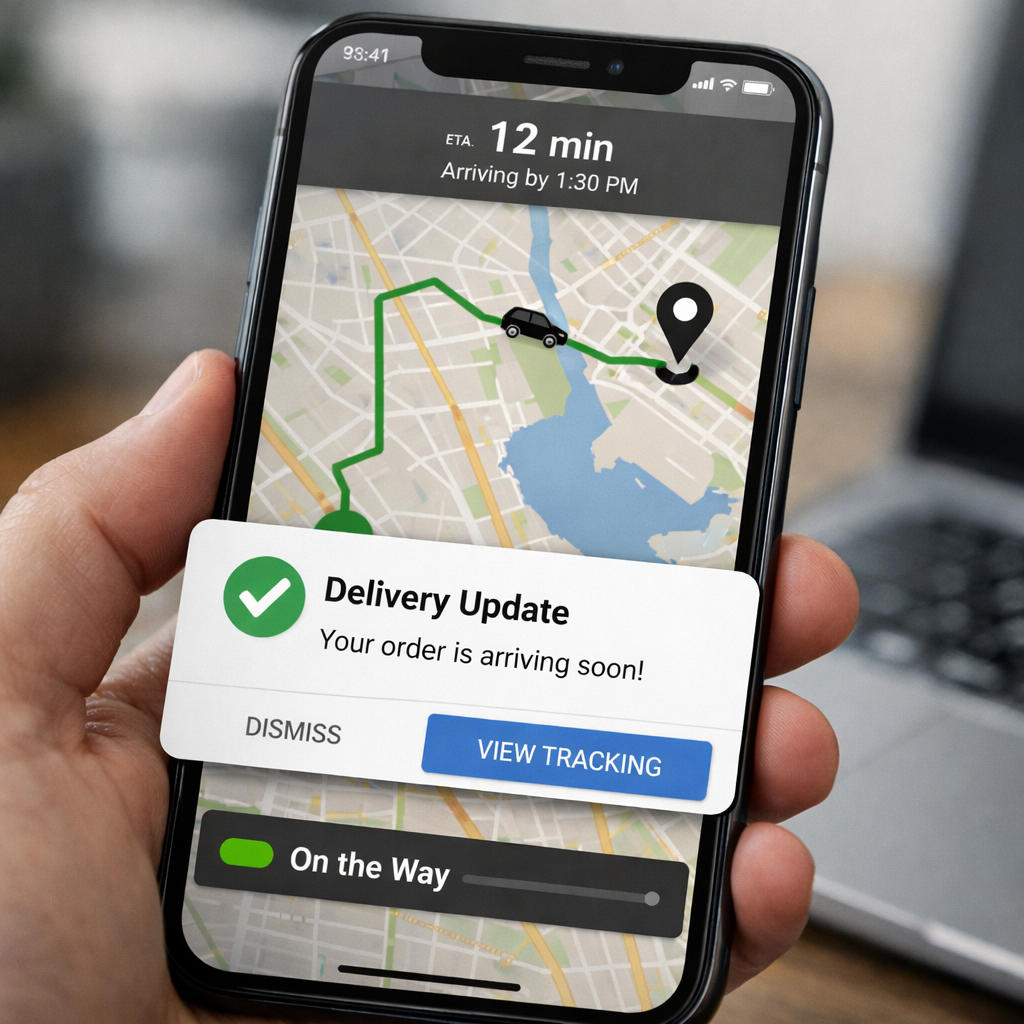
Direct point: Proactive order and delivery notifications are one of the highest-impact customer service automation use cases because they convert predictable information into fewer support interactions and higher perceived reliability.
Why this matters now: Customers expect real-time status and clear next steps. Proactive messages remove uncertainty that otherwise drives high-volume status check tickets, reducing load on agents while improving CSAT.
Practical flow, prioritized events, and channel choice
Flow in one line: Order event -> enrichment with tracking ETA -> conditional notification -> exception detection -> escalate to agent only for anomalies.
- Prioritized events: order confirmation, shipment with tracking link, out for delivery with ETA, delivery completed, delivery exception or delay, return initiated.
- Channel rules: use SMS or WhatsApp templates for time sensitive updates, email for receipts and detailed timelines, in-app push for active app users. Reserve voice only for high-value or failed delivery escalations.
- WhatsApp constraint: WhatsApp Business templates require pre-approval – plan templates and translations ahead of launch to avoid delays.
Message content tip: Keep the first line actionable – for example SMS: Delivered – Your order #12345 arrived at 14:12. Reply HELP for support or TRACK for live map. WhatsApp can include a tracking link and a one-tap report button for delivery issues.
Trade-offs, limitations, and implementation considerations
Trade-off – frequency versus signal: Sending more events increases perceived responsiveness but quickly creates notification fatigue and opt outs. Prioritize high-signal events and combine low-signal updates into a single digest when possible.
Data quality dependency: Automated updates are only as good as carrier and order system events. If carrier webhooks are unreliable, automation will generate false exceptions and unnecessary escalations. Build a short buffering window – wait for duplicate carrier events before classifying an exception.
Cost and ROI: Transactional SMS costs and WhatsApp template fees matter for volume. Map expected ticket deflection against messaging cost to confirm ROI before enabling all events. For many SMBs the sweet spot is shipping, out for delivery, and exception alerts.
Escalation rules, KPIs, and a concrete example
- Escalation rules: escalate after two failed delivery events or customer replies with ISSUE, or if CSAT after delivery is below threshold.
- KPIs to track: ticket deflection rate for order inquiries, average handle time for post-delivery issues, percentage of exceptions resolved without agent, CSAT for delivered orders.
- Example: Dominos style tracking shows real-time status and map, which removes the need for most status calls. Amazon style multi-channel updates – email then SMS then in-app – minimize missed messages and reduce status-check tickets substantially.
| KPI | Reason to track |
| Ticket deflection rate (order queries) | Shows direct reduction in inbound volume from proactive updates |
| Exception escalation rate | Measures whether automation is surfacing real problems or creating noise |
| CSAT on delivery | Ensures deflection is not happening at the expense of customer experience |
Key takeaway: Expect order notifications to deflect 15 to 30 percent of order-status tickets when paired with accurate tracking data and clear escalation rules. Validate with a four to six week pilot before broad rollout.
Concrete implementation note: Integrate order events into your CRM and tag contacts with preferred channel.
Next consideration: After you prove deflection and CSAT improvements, invest in richer two-way flows for exceptions that collect photos and timestamps before handing to an agent – that reduces handle time and improves first contact resolution.
Use case 5: Returns, refunds, and claims automation
Returns are a repeatable headache and one of the clearest places to recover cost with automation. A structured automation flow that collects evidence, applies eligibility rules, and only escalates exceptions will reduce manual work and speed refunds without damaging satisfaction.
Concrete automation flow
- Trigger: Customer initiates a return via WhatsApp, web chat, or returns form after purchase.
- Collect: Automated prompts request order ID, purchase date, reason, and photo or video evidence. Use WhatsApp for media capture and one-tap replies.
- Validate: Rules engine checks return window, SKU eligibility, and order payment status against CRM or order system.
- Decide: Auto-approve low-risk claims and generate prepaid label or refund; route medium/high-risk or high-value claims to a specialist queue with the full transcript and assets.
- Close and survey: Send refund confirmation plus a short CSAT micro-survey and tag the CRM for trend analysis.
Channel guidance: Use WhatsApp for two-way evidence collection and quick clarifying questions, SMS for short status updates and links, and email for formal receipts and policy details. Do not ask customers to upload photos to obscure portals when WhatsApp or email will do.
Validation rules and escalation triggers that matter
- Hard rules: return window, original payment present, SKU flagged as returnable.
- Soft rules requiring checks: photos missing or low-quality, mismatch between reported and visible damage, high ticket value above a configurable threshold.
- Fraud flags: repeated returns on same account within short period, mismatched shipping and billing addresses, high refund amount compared to typical order value.
- CX triggers for human handoff: ambiguous customer language, repeated failed automations, or negative CSAT response during the flow.
Practical trade-off: Automate routine, low-value returns aggressively and accept some false positives in approvals because the marginal cost of an occasional incorrect refund is often lower than the operational cost of manual reviews. For high-value items, keep tighter guardrails and require human sign-off. In practice, targeting 60 to 70 percent automation of returns is realistic for most retailers; pushing past that usually raises fraud and policy risk materially.
Concrete example
Concrete Example: A regional fitness apparel seller routes return requests from WhatsApp into a Gleantap flow that asks for order ID and two photos. Orders under 50 currency units that meet the photo and window checks get an automated label and refund issued within 24 hours. Complex cases create a Zendesk ticket with the complete transcript and media attached for an agent to review.
What people underrate: teams often treat returns as legal or finance problems and overcomplicate rules. That slows refunds and harms NPS. Instead, start with a narrow, well-instrumented set of rules and iterate using sampled manual audits to tune thresholds. Make the human handoff easy for agents by passing all context and evidence, not just a link.
| Metric | Target for an effective automated returns flow |
| Percentage processed without agent intervention | 60 – 70% |
| Average time to refund | < 24 hours for auto-approved |
| Cost per return | Reduce by 30 – 50% vs manual processing |
| Return-related CSAT | Maintain at or above baseline |
Acceptance criteria for launch: implement the flow for a subset of SKUs, achieve at least 50% agentless processing within four weeks, maintain CSAT parity, and keep fraud exceptions below 2% of auto-approved refunds.
Hands-on judgment: prioritize media-capable channels like WhatsApp for returns. If you cannot collect clear evidence in one exchange, escalate early. Faster refunds buy loyalty; delayed, manual back-and-forth costs more in churn than a modest increase in approval error.
Use case 6: Customer feedback, NPS, and automated recovery
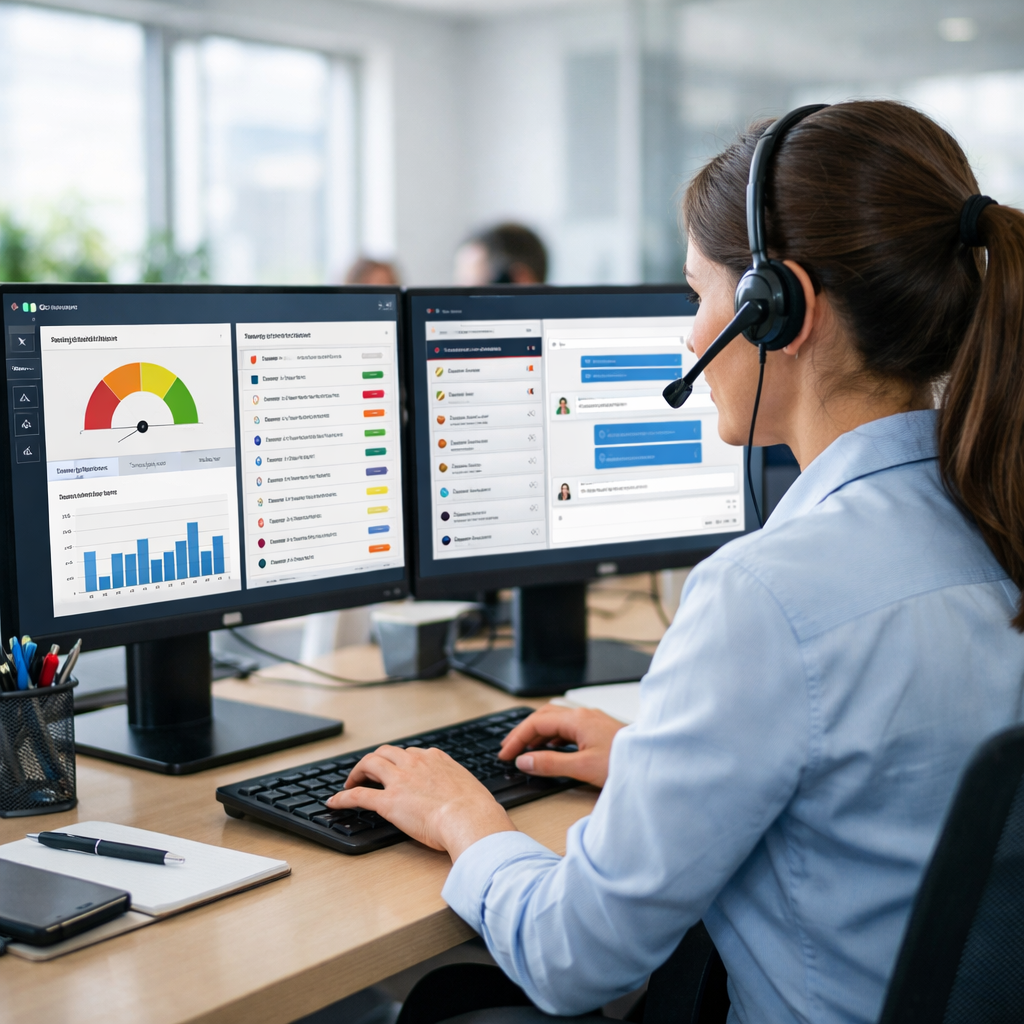
NPS without a recovery path wastes opportunity. Sending surveys is cheap; closing the loop quickly on detractors is where retention and revenue move. Automate the collection of feedback, then automate triage and human follow-up so negative signals convert into recoveries, not passive data points.
Recommended automation flow and triggers
- Trigger: send a short, one-question NPS at a contextual moment (for gyms: after second visit or 7 days post-trial). Timing matters more than frequency.
- Deliver: use SMS or WhatsApp for one-tap responses and higher open rates; email for longer-form follow-up. Keep the initial ask single-click to maximize response.
- Triage: route responses 9-10 -> passive promoters (add to advocacy path); 7-8 -> monitor and nudge; 0-6 -> start recovery automation immediately.
- Recovery automation: immediate empathetic message asking for a brief reason, offer a remediation path (manager call, voucher, or one free session), and create a high-priority ticket in the helpdesk with full context and transcripts.
- Human SLA: require a live outreach within 24 hours for true detractors and 48 hours for passive cases that repeat negative signals.
- Measure and iterate: track detractor conversion rate, incremental retention of recovered customers, and CSAT post-recovery rather than raw NPS alone.
Practical trade-offs and limitations. Incentives speed responses but bias scores; do not use vouchers as the first line unless you want inflated NPS that masks real problems. Automated apologies or credits that do not route to humans will reduce churn only for simple service failures — complex issues need a skilled agent. Also expect response rates to vary by channel: SMS/WhatsApp 10 to 25 percent, email lower but better for detailed feedback.
Concrete example: A local fitness studio used Gleantap to send an SMS NPS 72 hours after a member’s second class. Scores 0 to 6 triggered an automated WhatsApp asking for a quick reason and offering a manager call; the workflow created a tagged ticket in the CRM and flagged the member for a 24-hour outreach SLA. Within three months the studio saw a measurable reduction in churn among recent detractors and fewer surprise cancellations during the next billing cycle.
Key judgment: prioritize speed and context over raw response volume — reaching a detractor within a day and showing you acted is far more valuable than collecting a lot of slow, anonymous responses.
What most teams get wrong. They treat NPS as a vanity metric and batch responses into weekly reports. In practice, automated recovery must be immediate, tied to a clear escalation path in your helpdesk, and instrumented so you can measure incremental retention from recovery actions. If you cannot guarantee a 24-hour human follow-up, reduce the number of detractors sent to agents by adding stronger self-resolution steps that capture usable context for the agent later.
Set acceptance criteria before you launch: target a detractor response-to-contact time under 24 hours, aim to convert at least 20% of contacted detractors to neutral/promoter within 30 days, and track retention lift for recovered customers as the primary ROI metric.
Next consideration: connect your NPS workflow to reporting that ties recovered detractors to revenue or lifetime value, and run an A/B test on recovery offers (manager call vs voucher) to avoid systematic bias in your feedback data.
Use case 7: Churn prediction and winback workflows
Direct point: Predicting churn early and pairing that signal with a tiered winback workflow is one of the highest-leverage customer service automation use cases for appointment-driven SMBs. When done right it recovers revenue that would otherwise be lost and shifts support effort from reactive firefighting to targeted reactivation.
Signals to use: Build your churn signal from concrete behaviors you already capture in your systems: calendar no shows, drop in booking frequency, fewer app logins, payment retries, declining class check ins, and declining engagement with emails or messages. Do not rely on a single indicator; use a short window of combined signals to reduce false positives.
Practical approach for SMBs
Model choice and tradeoff: For most small and medium operators a simple rules based score will outperform a complex ML model in the early stage. Rules are transparent, quick to validate, and inexpensive. Reserve machine learning for when you have months of labeled outcomes and at least several thousand customer records. The tradeoff is precision versus speed: rules get you running now, models may reduce wasted offers later.
- Example signals and thresholds: 14 days without booking, payment retry in 7 days, or 50 percent drop in visit frequency over 30 days
- Scoring cadence: run daily to catch short windows and avoid late interventions
- Segmentation: split at risk into High Value (LTV above threshold) and Standard; apply different offer tiers
Winback workflow structure: Start with lightweight automated outreach on WhatsApp or SMS, escalate to email for longer form offers, and hand off to a human concierge only after nonresponse or clear intent. Use a three tier sequence: gentle reminder and value reminder, targeted incentive, personal concierge outreach. Timing matters; most reactivations happen within 72 hours of the first message.
- Day 0: WhatsApp or SMS message reminding customer of benefits and upcoming classes with one tap booking link
- Day 3: Follow up with a tailored incentive for High Value members and a milder nudge for Standard members
- Day 7: Escalate to human outreach for anyone who clicks but does not convert, or who replies with intent
Practical limitations and tradeoffs: Expect false positives. Every automated incentive has a cost and some recovered customers would have returned without the offer. Track cost per recovered customer and compare to historic LTV. Also watch for offer fatigue and channel saturation; rotating message timing and varying incentives reduces diminishing returns.
Concrete example: A boutique gym using Gleantap configured a 14 day inactivity rule that triggered a WhatsApp first message with a one tap rebook link. Members who did not respond were sent a targeted discount two days later and then routed to a member concierge for a phone outreach. The studio reported most reactivations in the first 72 hours and used the pilot to refine which incentives actually improved retention without cannibalizing future revenue.
Key metric priorities: conversion rate on winback offers, cost per recovered customer, change in monthly churn rate, and percent of recoveries requiring human follow up.
Start with a small pilot segment of 500 to 1,000 customers and two incentive tiers. Accept the pilot if winback conversion exceeds your break even threshold and cost per recovered customer is less than 20 percent of projected 12 month LTV. If not, tighten thresholds or reduce offers.
Next consideration: Run a four to six week pilot, compare recovered revenue to incentive spend, and tune thresholds to reduce false positives before scaling the workflow across channels and locations.
Implementation roadmap and five plug-and-play templates
Start here: follow a short, iterative roadmap so automation produces measurable results instead of noise. The six steps below are the minimum you need to move from idea to repeatable automation that you can measure, audit, and hand off to operations.
- Prioritize by impact and effort: score candidate use cases on expected ticket deflection, time saved per interaction, and integration complexity. Pick one high-impact, low-integration option first – examples include FAQ triage or booking reminders.
- Define KPI targets and acceptance criteria: set concrete targets – for example ticket deflection 15 to 30 percent, escalation under 8 percent, and no drop in CSAT. Decide success thresholds before you launch the pilot.
- Map data and integrations: document the data fields you need (customer ID, booking status, order ID, last interaction) and confirm webhooks or CRM sync. Bad data kills automated routing and personalization faster than bad copy.
- Build flow and copy for channels: prototype message sequences for WhatsApp, SMS, email, and web chat. Include explicit escalation points and canned context to pass to agents.
- Run a focused pilot: pick a representative segment (10 to 25 percent of volume or a geographic slice), run 4 to 6 weeks, and collect the predefined KPIs. Keep the pilot small so you can iterate quickly.
- Measure, iterate, then scale: review the pilot weekly, fix voice/tone or routing issues, then expand by channel or audience. Lock monitoring dashboards before full rollout.
Five plug-and-play templates
| Template | Trigger | Channels | Success criteria |
| FAQ triage chatbot | Incoming support query | Website chat, WhatsApp, SMS | Deflection rate 20%+, escalation under 10% |
| Appointment reminder flow | Booking confirmation webhook | WhatsApp, SMS, email | No-show reduction 20 to 40%, fewer reschedule calls |
| 7-day onboarding drip | Post-purchase or sign-up | Email + WhatsApp | Activation uplift 10%+, improved 30-day retention |
| Return processing form | Return/claim initiated in portal or chat | Web form, WhatsApp | Percent processed without agent 60%+, time to resolution cut in half |
| NPS recovery sequence | NPS response low score | SMS, WhatsApp, email | Detractor recovery rate 15%+, response rate 20%+ |
Template samples and acceptance criteria:
FAQ triage chatbot sample copy: Hi, I can help with billing, bookings, or hours. Reply with 1 for billing, 2 for bookings, 3 for other. If unresolved after two attempts, escalate to agent with transcript.
Appointment reminder sample copy: Reminder: Your class at 6:00 PM on Thursday is confirmed. Tap to reschedule [reschedule link]. Reply STOP to opt out. Success criteria: two-step reminder sequence produces a 20 to 40 percent drop in no-shows and reduces inbound reschedule calls by at least 30 percent.
7-day onboarding drip sample copy: Day 1 email: Welcome and how to get started. Day 3 WhatsApp: Quick tip and 1-click class booking. Day 7 email: Invitation to a free one-on-one with our trainer. Success criteria: increase in first booking within 7 days and 30-day retention lift.
Return processing sample flow: Trigger -> automated form to collect order number and photo -> rules engine checks policy -> auto-approve label generation or route to returns specialist. Success criteria: 60 percent of returns processed without agent and median time to resolution under 48 hours.
NPS recovery sequence sample copy: We are sorry your experience fell short. Can we call to make it right? Reply YES for a callback or NO to receive a coupon. Success criteria: response rate above 20 percent and at least 15 percent of detractors converted to neutral or promoters after recovery.
Practical trade-offs and operational constraints: WhatsApp template approval and rate limits create a planning overhead – you will need approved templates before launching transactional reminders at scale. Also prioritize identity resolution up front; automation that cannot reliably match a message to a customer record will cause more work than it saves. Finally, measure changes over a full billing or appointment cycle to avoid false positives from short-term spikes.
Concrete example: A boutique gym used Gleantap to run the appointment reminder template for 25 percent of new bookings over a 5-week pilot. The pilot produced a 30 percent reduction in no-shows and cut inbound reschedule calls by about 35 percent. The team kept a human fallback for any reschedule requests that required manual payment changes.
Key monitoring dashboard: track deflection rate, escalation ratio, CSAT, time to resolution, and conversion uplift. Set alert thresholds so a drop in CSAT or jump in escalations pauses automated outbound messaging until you investigate.
Next consideration: pick one template that maps to your highest volume pain and run a 4 to 6 week pilot with the acceptance criteria defined above.
Common pitfalls, how to avoid them, and when to involve humans
Straight talk: automation breaks when it is designed to be clever instead of reliable. Teams deploy chatbots and workflow rules that look good in demos but fail under real customer variance — ambiguous wording, mixed intents, or emotional language. That failure shows up as rising escalations, lower CSAT, and trust lost faster than you can fix templates.
Top pitfalls that actually cost you time and customers
- Over-triage with weak intent models: Bot answers wrong and marks a ticket resolved. The customer has to repeat themselves to a human later.
- No clear handoff contract: Handoffs that drop context or require the customer to re-state details create friction and longer handle times.
- Policy blind spots: Automations that make refund or contract decisions without guardrails create legal and financial risk.
- Channel mismatch and tone failure: Using SMS for complex questions or a robotic tone on WhatsApp increases frustration.
- Scaling before monitoring: Rolling out broadly without KPIs, A/B tests, and sampling means errors scale as well.
How to avoid these pitfalls in practice
- Set conservative thresholds: Use high-confidence thresholds for automated resolutions. If intent confidence < 80 percent, show an answer but queue the conversation for human review.
- Design a one-click handoff: Pass full transcript, metadata, and recent customer actions to the agent UI so the agent can act immediately. Measure dropped-context rate weekly.
- Build guardrails for money and policy actions: Route refunds above a dollar limit, contract changes, or legal phrases automatically to a specialist queue with a required SLA.
- Channel-fit mapping: Reserve SMS/WhatsApp for transactional, short flows and email for long-form or policy communications. Test tone with real customers — not product teams.
- Instrument every step: Track deflection rate, escalation rate, time-to-human, and CSAT per flow. Run a four-week pilot and only scale when targets hold.
When to involve humans: bring a person in early on cases with negative sentiment, repeat failed attempts, ambiguous intents, or any mention of refunds, cancellations, or safety issues. A practical rule: if an interaction cycles twice between bot and user without resolution, escalate automatically.
Trade-off to acknowledge: tighter automation thresholds improve safety but reduce deflection. If your goal is cost cutting only, expect customer satisfaction to fall. The right balance is operational: accept lower deflection while you improve models and agent workflows, then tighten thresholds.
Concrete example: A subscription-based gym used a chatbot to handle membership pauses. The bot applied a strict rule that paused memberships only with exact membership ID formatting; many users typed nicknames and the bot rejected them, creating angry tickets and churn. The fix was simple: accept fuzzy matching, add a one-click human fallback after two failures, and tag these incidents for weekly transcript reviews.
Key takeaway: automate fast, repeatable tasks — but codify escalation triggers (confidence thresholds, negative sentiment, monetary actions, retry counts) before you scale.
Next consideration: set a governance rhythm: weekly transcript QA, monthly model retrain, and a quarterly review of which automations should be tightened or relaxed. This prevents silent failures that erode trust.
Frequently Asked Questions
Practical reality: most FAQ conversations are not about which AI to buy — they are about who owns the automation, how it hands off to people, and what success looks like. The technical pieces are straightforward; the operational decisions break or make results.
Operational FAQs
- Who should own automations? Assign a clear owner in business operations or CX, not engineering. That person owns intent mapping, copy, escalation rules, and the KPI dashboard.
- How many channels is too many? Start with one high-value channel and a fallback. For appointment-driven businesses that means WhatsApp or SMS first, then email for long-form. Adding channels before you stabilize flows multiplies maintenance costs.
- How do I prevent orphaned escalations? Build a monitoring queue and a daily SLA check. If handoff messages sit unresolved for more than your SLA, route to a manager and trigger a notification to the automation owner.
Practical insight: automations create invisible work unless you instrument handoffs. Teams often celebrate deflection metrics while ignoring rising time-in-queue for escalations. That undermines CSAT faster than the initial ticket deflection helps your cost line.
Measurement and ROI FAQs
- What KPIs actually convince leadership? Present deflection rate, average handle time saved (AHT delta), cost per handled contact, and CSAT trend. Show both absolute savings and percent change over a baseline period.
- How long to run a pilot? Aim for four to six weeks or a sample of several hundred interactions. Stop early if CSAT falls or escalations exceed thresholds.
- Can automation ever increase costs? Yes — poorly configured bots increase repeat contacts and require manual correction. Model worst-case additional touches when you calculate ROI.
Trade-off to acknowledge: pushing aggressive deflection targets will usually increase false-negatives — cases incorrectly marked resolved — and those generate bigger, more expensive follow-ups. Better to accept a lower deflection and keep escalation frictionless.
Compliance, Templates, and Tone
WhatsApp and SMS templates require discipline. Keep templates pre-approved where required, log opt-ins, and limit promotional content on transactional threads. Tone matters: brief, helpful messages reduce misunderstandings and escalations more than clever marketing language.
Quick rule: for any automation that touches billing or refunds, require agent confirmation before issuing credits. That prevents costly mistakes and preserves dispute audit trails.
Concrete example: A mid-size gym piloted a WhatsApp onboarding flow and initially routed every unclear intent to the full support team. Escalations flooded the queue because agents were not trained to accept partial handoffs. After declaring a dedicated escalation lane, documenting handoff expectations, and running a 2-week agent training, average time-to-resolution fell by 30 percent while deflection stayed steady.
- When to choose a vendor vs build: pick a vendor if you need channel connectors, prebuilt templates, and compliance workflows now. Build only when you have distinct IP or a complex integration strategy that vendors cannot support.
- A/B testing tips: test timing and CTA first, then message content. Changes to intent classification require a separate validation window.
Next actions: pick one operational owner, define two KPIs (one efficiency, one CX), create a 4-week pilot plan with SLA thresholds for escalations, and publish a single escalation playbook to agents.
Takeaway: prioritize operational rules and handoffs before optimizing intent models. Good governance prevents automation from becoming invisible technical debt.
Ready to Run Successful Marketing Campaigns and Grow Your Business?
Gleantap helps you unify customer data, track behavior patterns, and automate personalized campaigns, so you can increase repeat purchases and grow your business.
Ready to Run Successful Marketing Campaigns and Grow Your Business?
Gleantap helps you unify customer data, track behavior patterns, and automate personalized campaigns, so you can increase repeat purchases and grow your business.