
 Divya Ghughatyal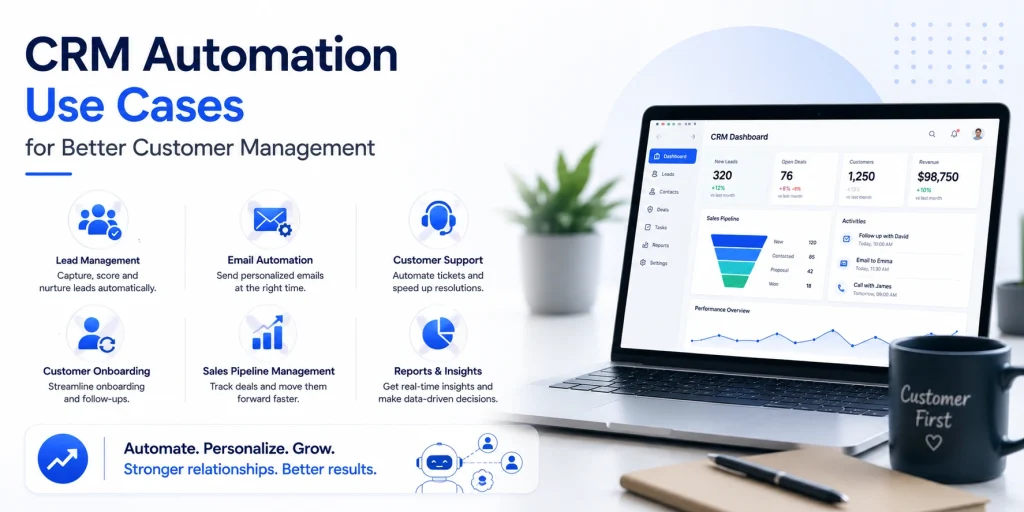
CRM automation use cases can stop your team from wasting hours on repetitive tasks and turn friction points into predictable outcomes. This article lays out seven high-impact CRM automation use cases across acquisition, onboarding, retention, and post-purchase support, with a short description, a step-by-step checklist you can run with minimal developer help, the exact metrics to track, and a real-world example that shows how Gleantap fits into the flow. Read on to pick the automations that speed response, reduce churn, and lift measurable revenue without overloading your team.
1. Automated lead capture and qualification
Straight talk: if your sales team is still waiting for leads to trickle in from email or clipboard notes, you are losing customers the moment they raise their hand. Automated lead capture and qualification stops that bleed by making first response near instant and surfacing only the leads worth human attention.
What it does: Automates ingestion from web forms, Facebook Lead Ads, chat widgets and inbound calls, enriches records with basic enrichment and intent signals, then applies initial qualification tags or a lead score so your reps get the right leads at the right time.
Implementation checklist
- Connect sources: Use native integrations or connectors like Zapier to pipe leads from forms, Facebook, Typeform and chat into your CRM. See HubSpot templates for common mappings at HubSpot CRM automation examples.
- Map fields: Map form fields to canonical contact properties and add source and campaign tags. Clean mapping prevents orphaned leads and duplicate records.
- Set scoring rules: Create a simple score with 3 to 5 signals – source, recent engagement, expressed intent. Start conservative to avoid false positives.
- Immediate outreach: Trigger an automated welcome SMS or email within 5 minutes. Use SMS for time sensitive offers. Gleantap templates can send an SMS welcome plus a first class pass automatically.
- Assign ownership: Route high scoring leads to reps by territory or product interest. Lower scoring leads enter a nurture queue.
- Monitor and tweak: Review score thresholds weekly for the first month, then monthly. Track false positives and reassign rules as patterns emerge.
Channels and tools
- Lead sources: Facebook Lead Ads, web forms, call tracking.
- Integration: Zapier or native CRM connectors for no developer work.
- Outreach: SMS and email via Gleantap for immediate welcome and offers.
- Enrichment and analysis: Basic enrichment services and CRM reporting for lead source ROI.
Metrics to track
- Time to first contact: target under 5 minutes for inbound leads.
- Lead to MQL conversion rate: measure lift after automation.
- Response rate to welcome message: indicates message effectiveness.
- Qualified lead volume vs false positives: to calibrate scoring.
Practical limitation: Lead scoring is useful but fragile. If you build many signals at launch you will surface noisy leads and frustrate reps. Start with a small, business aligned score and add signals only after you can measure the marginal value of each one.
Concrete example: A boutique gym routes Facebook lead ads into the CRM, applies a score based on recent activity and membership intent, and triggers a Gleantap SMS within two minutes offering a free class pass. Leads above threshold are auto assigned to the location sales rep for same day follow up, increasing trial bookings without adding headcount.
Judgment: Fast first contact matters more than perfect personalization at lead capture. Use quick, relevant messages to secure a conversation, not to close the sale. Over-optimizing message copy before you can reliably reach leads wastes time.
Important: enforce consent and opt out options for SMS and email at capture. Poor consent collection breaks deliverability and compliance.
Quick win KPI: Reduce median time to first contact to under 5 minutes and expect a measurable lift in lead to MQL conversion within 4 to 12 weeks.
2. Lead routing and multi step nurture sequences
Fast, correct routing is the conversion lever most teams underinvest in. Assigning a lead to the right person or location within minutes and then following up with a tailored, time‑bound nurture sequence converts far more often than generic mass emailing.
Core setup and practical checklist
- Map routing rules first. Decide primary keys for routing – geography, product interest, source, and lead score. Keep rules deterministic so you can audit why a lead went to a rep.
- Implement fast assignment. Use CRM workflow automation for immediate ownership. If rules are complex, fall back to a default pool so no lead sits unassigned.
- Build 3 to 6 step nurture sequences per persona. Typical cadence: immediate SMS or email, follow up at 48 hours, value add at day 5, escalation or special offer at day 10.
- Set escalation and SLA timers. If no contact within X hours escalate to a team lead and send a gentle reminder to the lead offering a self serve option.
- Add lead scoring that feeds routing. Use source weight, engagement events, and explicit intent fields. Route high score leads to senior reps or VIP queues.
- Track ownership fairness. Monitor lead distribution and adjust rules so workload does not cluster on a few reps.
Practical routing trade off to accept. The more granular your rules the better the match, but complexity increases maintenance cost and error risk. Start with a small set of clear rules and expand only when you can measure improved outcomes.
Nurture sequence design choices that matter
Channel sequencing wins over channel blasting. Use email for detailed content and receipts, SMS for urgent prompts and confirmations, and an optional conversational handoff on WhatsApp for high intensity leads. Limit frequency per channel and respect preferences to avoid fatigue.
- Trigger rules – immediate assign + welcome message; non response triggers call attempt or SMS reminder at 48 hours.
- Personalization rules – use product interest and recent activity to swap messages and offers in the sequence.
- Escalation rules – after two failed contact attempts route to a different rep or schedule an automated nurture that reduces urgency.
What teams commonly misunderstand. Many assume complex AI routing is required. In practice a small set of deterministic rules plus a lead score gives 80 percent of the uplift with far less upkeep. Save advanced models for high volume programs where you can run tests and measure lift.
Concrete example: A franchised auto service chain routes inbound online leads by zip code to the nearest branch. The workflow sends an immediate SMS via Gleantap confirming estimated wait times, a 48 hour reminder with an online booking link, and a day five email with a first time offer if there was no booking. The result is faster bookings and reduced abandoned leads because ownership and follow up are automatic.
| Trigger | Action |
| New inbound lead | Immediate assign to branch + SMS welcome via Gleantap |
| No response in 48 hours | Automated call reminder to rep + second SMS with booking link |
| No response after 10 days | Lower urgency nurture with value content and an expiring offer |
Measure these KPIs: time to first contact, lead to opportunity conversion, lead velocity by routing rule, lead distribution fairness, and SLA compliance rate.
Key takeaway – Prioritize speed then precision. Implement simple deterministic routing and short tailored nurture sequences first, then iterate with lead scoring and channel testing.
3. Personalized onboarding and welcome journeys
Immediate activation matters. Customers who see clear value in the first week are far more likely to stay; if your onboarding does not produce first value within the first 7 days you are trading retention for hope. Personalization is not a luxury here — it is the lever that turns a generic welcome into a behavior-driving path. See the McKinsey findings on personalization for context.
Step-by-step checklist to build a personalized onboarding journey
- Map first value. Identify one measurable milestone that defines success for new customers in their first 7 days – first login, first purchase, first class attended, first item added to cart.
- Create conditional branches. Build 3 branches: engaged (hit milestone within 48 hours), slipping (no activity by day 3), and inactive (no activity by day 7). Each branch gets a different cadence and channel mix.
- Assemble content by channel. Use email for how-to content, SMS for time sensitive nudges, and in app or chat for contextual prompts. Keep SMS short and actionable; link to a single CTA.
- Set event triggers and properties. Trigger on events such as first login, product activation, or class check in. Make sure the triggering event is a reliable, single source of truth in your CRM and instrumented as a property.
- Insert human checks. Add a manual touchpoint for high value customers at day 7 – a coach call or account manager email. Automation should escalate rather than replace people.
- Add frequency caps and consent checks. Enforce channel frequency limits and confirm opt ins before using SMS or WhatsApp. Log consent timestamps in the contact record.
- Measure and iterate. A/B test subject lines and SMS CTAs, but only change one variable at a time so you know what moved the metric.
Trade offs and practical limits. Highly granular personalization helps conversion but increases maintenance cost. If your CRM data is messy, small segments with tailored messages will fail faster and look worse. Start with 3-4 segments that drive different behaviors, not dozens of micro segments that require constant upkeep. Use segmentation to reduce noise, not to justify more messages.
Channels and tools to use. Email for detailed onboarding content, SMS for urgent nudges and confirmations via Gleantap, and in app messages for contextual prompts. If you need templates and cadence ideas see Gleantap guidance on email automation.
| Metric | Why it matters | Target to watch first 30 days |
| Time to first value | Predicts early retention and long term LTV | Under 7 days |
| Onboarding completion rate | Shows whether content and flows are effective | > 60% for core milestone |
| 7 to 30 day retention | Direct measure of onboarding impact on churn | Improve by 5-15 percentage points after changes |
Concrete example: A mid sized fitness studio automates a three step welcome journey using Gleantap. New members receive a welcome email with class schedules, an SMS reminder to book their first class on day 2, and a coach check in at day 7 if they havent attended. The studio found that adding the day 2 SMS lifted first class attendance by a measurable amount while the day 7 human touch repaired problems automation could not.
Key takeaway: Automate to get customers to first value quickly, but design automation to escalate to humans for high value or stalled accounts. Focus on a small set of reliable triggers and measurable milestones before expanding personalization.
Next consideration: Choose the single milestone that most directly correlates with retention for your business and automate that path first. Measure, then add one personalization branch at a time.
4. Win back and churn prevention campaigns
Hard fact: most lapsed customers are reachable and reactivatable, but the wrong approach turns a recoverable customer into a permanently discounted account. Focused automation can pull back high value customers without eroding price integrity.
Checklist – build a defendable win back flow
- Define inactivity signals – pick signals that match your business rhythm, for example no purchase in 30 60 90 days, falling visit frequency over two months, or subscription downgrade events.
- Segment by value and reason – split lapsed customers into VIPs, regulars, and low value; add behavior tags like cart abandoner, churn after price hike, or service issue.
- Create progressive treatments – start with low cost re engagement such as personalized recommendations, follow with soft incentives like loyalty points, and reserve straight discounts for high value cohorts.
- Choose channels and cadence – use SMS for fast nudges, email for richer content, and social retargeting for offer reinforcement. Limit to 3 contact attempts across channels over 14 days unless manually escalated.
- Add human review rules – route VIPs or customers flagged by negative NPS to a human agent before sending discounts.
- Measure and iterate – run A B tests on messaging, timing, and offer size; track cohort performance and update triggers monthly.
Practical trade off: deep personalization costs time and clean data. If your CRM has fragmented contact fields or duplicate records, automated win back campaigns will either miss people or send inappropriate offers. Fix basic data hygiene first or expect wasted spend.
Signals matter more than time windows. Instead of relying only on a days since last purchase trigger, combine engagement signals – decreasing purchase frequency, lower basket size, fewer opens and clicks – to reduce false positives and preserve marketing budget.
Concrete Example: A regional apparel retailer segments customers who have not purchased in 75 days but previously spent over 300 in the last year. The automation sends a personalized SMS showcasing new arrivals based on past categories. If there is no click in 4 days the flow escalates to a time limited VIP voucher and flags the customer for a follow up call if they are in the top tier.
Why discounts backfire in practice. Repeated blanket discounts train customers to wait for re activation offers. In real operations the best performing win back flows mix value added content, tailored recommendations, and limited incentives tied to future behavior – for example loyalty points that unlock after the next purchase.
Use tools that support conditional branching and channel orchestration. CRM workflow builders paired with SMS platforms like Gleantap allow you to apply behavioral triggers, send dynamic content, and switch channels automatically.
Key metric to watch: track re activation rate for the targeted cohort and cost per re engaged customer. A good test goal is to improve cohort re activation by at least 20 percent versus baseline within 60 to 90 days while keeping average incentive spend per re activated customer within acceptable LTV thresholds.
Next consideration: run small A B tests that vary messaging tone and incentive type, and protect margin by excluding low LTV customers from price based win back tracks. Use the test results to standardize who gets offers and who gets content only.
5. Appointment reminders and no show reduction
Straight to the point: automated reminders reduce no shows only when they are timely, actionable, and connected to real availability. Sending generic reminders the day before is better than nothing, but it is the combination of confirm/reschedule actions, real time calendar sync, and waitlist fills that actually frees up revenue and staff time.
Implementation checklist
- Map every appointment trigger: send a confirmation at booking, a 48 hour reminder, a 24 hour reminder, and a same day 90 minute reminder for high no show services.
- Integrate calendars: connect Google Calendar, Calendly, or your booking tool so availability and cancellations are live; without this you will double book or miss refill opportunities.
- Make messages two way: include one click confirm and one click reschedule buttons in SMS and email; route reschedules into the booking flow automatically.
- Build a waitlist flow: when someone cancels, auto-notify the next person on the waitlist with a short expiry window to claim the slot.
- Define deposit or cancellation policies: test deposits for high value services only and measure booking conversion impact before rolling out widely.
- Track and alert staff: send missed confirmation alerts to staff or ops dashboards so teams can proactively call or offer the slot same day.
| When | Channel | Primary CTA | Why it matters |
| At booking | Email + SMS | Confirm booking | Sets expectations and captures consent for messages |
| 48 hours before | SMS | Confirm or reschedule | Gives time to refill or prepare |
| 24 hours before | SMS with staff name | Confirm or reschedule | Personalization improves response |
| 90 minutes before | SMS or WhatsApp | Quick confirm or automated check in | Reduces last minute no shows and fills same day slots |
Practical tradeoff: deposits and strict cancellation fees lower no shows but also lower conversion and increase friction for new customers. Start with soft nudges and waitlist automation first. Only add deposits for repeat offenders or for appointments that are hard to fill.
Operational constraint: two way SMS is effective but breeds inbound replies. If your staff cant handle replies, route them to a lightweight chatbot or to a triage inbox with SLA rules. Bad automation that creates unanswered inbound messages damages trust faster than reminders improve attendance.
Concrete Example: A dental clinic integrated its booking system with Gleantap to send an immediate booking confirmation and three SMS reminders. The messages included a one click reschedule link and a waitlist notification that filled 30 percent of cancellations within 2 hours. The clinic cut no shows and recovered same day revenue without adding deposits.
Compliance and consent reminder: always capture explicit messaging consent and include clear opt out options. For US operations review TCPA requirements; for other regions check local SMS and WhatsApp rules.
Metrics to watch: no show rate, confirmed appointment rate, same day fill rate, average revenue recovered per canceled slot, and inbound reply volume. Track these weekly for four to eight weeks after launch to catch timing or content issues.
Judgment call: prioritize automated confirmations and reschedule links before trying penalties. If your business has predictable, high demand slots then a short deposit test is reasonable. Use the data to decide whether deposits reduce net revenue or simply move cancellations out earlier where you can refill them.
Next consideration: after the reminder flow is stable, add small personalization variables like staff name, service type, and last visit date to increase confirmations, and connect the data to your reporting so reminders become a predictable lever for revenue recovery.
6. Cross sell and upsell orchestration
Cross sell and upsell succeed when timing beats creativity. Push the right offer when a customer is already engaged or showing increased usage, not when they are asleep in their inbox. CRM automation lets you detect those moments and deliver short, persuasive sequences that move customers from interest to purchase without manual chasing.
Implementation checklist
- Define product affinity rules. Map which products naturally bundle or add value together and capture that mapping in your CRM (e.g., membership -> private sessions, toothbrush -> whitening kit).
- Choose the trigger signals. Use purchase event, usage thresholds (X visits in Y days), feature adoption, or lifecycle stage changes as triggers for orchestration.
- Segment by value and sensitivity. Create segments for high-LTV, mid-LTV, coupon-sensitive, and non-discount segments — treat VIPs differently.
- Build a 3-step sequence. Step 1: educational value message; Step 2: targeted offer or trial; Step 3: urgency or social proof follow-up. Space messages 2–5 days apart depending on channel.
- Channel mix and fallbacks. Primary channel: email for rich content. Secondary: SMS for time sensitive offers via Gleantap. Fallback path: push or WhatsApp if email unopened after two days.
- Set limits and personalization rules. Frequency caps, last-offer cooldowns, and dynamic placeholders (name, last purchase, usage stat).
- A/B test creative and price. Run small tests on offer type (discount vs value-add) and copy to protect margin.
- Monitor and route results. Create alerts for top responses so sales or success teams can act on high-intent replies.
Practical constraint: Don’t assume every high-frequency user is ready to buy more. Usage can indicate habit or an unsatisfied need. Test an educational message before a price offer to reduce discounting and to increase perceived value.
Metrics, trade-offs, and segmentation to watch
| Metric | Why it matters | Target / How to use |
| Attach rate | Direct measure of how often the upsell/cross sell converts | Track by segment; expect 2–8% in early tests |
| Revenue per targeted customer | Shows net lift accounting for offers and discounts | Compare cohort revenue before and after orchestration |
| Incremental margin | Protects profitability—discounts can hide damage | Calculate margin after discount and acquisition cost |
| Offer fatigue rate | How quickly engagement drops when you message the same customer | Monitor opens, clicks, and opt-outs by campaign |
Trade-off judgment: Discount-first strategies boost short-term attach rates but erode margins and train customers to wait for offers. In practice, start with low-cost value-adds or trials, then test modest price incentives only for price-sensitive segments.
Integration note: Use CRM triggers for behavior signals and send offers via Gleantap for reliable SMS delivery and sequencing; tie responses back to the CRM to close the loop.
Pitfall to avoid: Over-personalization without signal accuracy. If your purchase history or usage data is stale, dynamic offers will misfire, causing awkward messages and opt-outs. Clean data first.
Concrete example: A fitness studio flags members who attend small group classes three times in two weeks. Triggered automation sends an educational email about benefits of private training, follows up with an SMS offering a first-session discount via Gleantap, then a reminder with a testimonial three days later. The studio measures attach rate and incremental revenue per member and limits offers to one per 90 days to avoid fatigue.
What people get wrong: Many teams treat cross sell as a single push. It is a sequence that blends value, timing, and channel control. Successful orchestration requires product mapping, conservative frequency controls, and measuring margin impact — not just conversion counts.
Next consideration: If your CRM lacks reliable product affinity data, prioritize a small manual mapping project and a conservative test segment. Automation will scale only if the rules reflect real buying behavior and protect margin.
7. Post purchase support and ticket automation
Immediate confirmations reduce anxiety. When a customer files a return, complaint, or warranty request, the single most impactful automation is an instant acknowledgement that contains next steps and an expected SLA. That short message cuts inbound follow ups and sets a measurable expectation the rest of your flow can meet.
Implementation checklist for reliable post purchase support
- Capture canonical ticket data: Use a single support form or email parsing rule so every ticket records order ID, SKU, purchase date, and preferred channel.
- Immediate automated receipt: Send an email + SMS receipt that states the SLA, next steps, and a ticket ID. Use SMS only for critical updates or high value customers.
- Automated classification: Apply rules or keyword tags to classify returns, refunds, shipping issues, and technical faults. Add a fallback tag for unclassified items to trigger manual triage.
- Routing and SLA escalation: Route by issue type and product team. Automate escalation at 24 and 72 hour marks if unresolved, and notify managers by Slack or email.
- Resolution confirmation and NPS: After agent closes the ticket, send a short satisfaction survey and capture sentiment for reporting.
- Close-the-loop automations: Trigger post resolution flows like refund processed SMS, return label email, or follow up product care tips.
- Monitor and retrain: Weekly reports on misclassified tickets to refine keywords and edge-case rules.
Practical tradeoff: Automation speeds resolution but can create false closures when the system misclassifies nuanced issues. Always include a simple human review path for VIP customers and for tickets tagged with ambiguous or negative sentiment.
Which metrics prove this works
- First response time – measurable immediately after receipt automation
- Time to resolution – aim to reduce this by a clear percentage within 8 weeks
- SLA breach rate – percent of tickets that miss your promised SLA
- Post-resolution CSAT or NPS – direct measure of customer sentiment
- Ticket reopens – flags premature or incorrect resolutions
Concrete example: An online apparel retailer automated ticket receipts and classification. Returns and refund requests were routed to a dedicated returns queue while sizing questions went to product specialists. Customers received an SMS when their return label was scanned and an email once refund processed; the retailer cut follow up inquiries by 35 percent and reduced average time to resolution for refunds.
Tooling and integrations: Use your CRM ticketing features for simple queues, or integrate with Zendesk or Intercom for advanced routing. Use Gleantap for SMS updates in critical moments and to maintain consent records.
Key point: Prioritize correct classification and SLA promises over flashy multi channel status updates. A slow but accurate human handoff beats a fast, incorrect automation every time.
Quick wins: automate ticket receipts, route returns to a single queue, and send one SMS update for refund processed. Track SLA breach rate and ticket reopen rate in your first 30 days.
| Trigger | Automated action | Recommended channel |
| Return requested via form | Create ticket, send return label email, SMS when label scanned | Email + SMS via Gleantap |
| Refund issued | Send refund confirmation and CSAT survey | Email (rich) + optional SMS for VIPs |
| Technical fault reported | Route to product team and escalate after 48 hours | CRM ticketing + Slack alerts |
Next consideration: After you stabilize receipts and routing, focus on sentiment signals and refund pain points that cause repeat tickets; fixing those reduces volume and makes automation sustainable.
Frequently Asked Questions
Short answer first: CRM automation use cases deliver fast operational wins but require deliberate monitoring, governance, and simple experiments to prove impact. Automations that reduce manual customer handoffs are the easiest wins; automations that replace human judgment need controls.
Quick answers to the top operational questions
- How quickly can I expect results? Early operational gains like reduced manual tasks and faster response show in days. Conversion and retention lifts usually need 4 to 12 weeks to be statistically credible because of cadence and cohort behavior.
- Which metrics prove ROI? Start with time to first contact, funnel conversion rates tied to the workflow, and a revenue metric such as average order value or LTV for upsell flows. Use cohort tracking so you do not confuse seasonality with impact.
- How do I avoid over messaging customers? Use explicit frequency caps, channel preferences, and staged escalation. Build a suppression list for anyone who ignores or unsubscribes for 30 days to prevent fatigue.
- Do I need an engineer? Most workflows are buildable with CRM workflow builders, connectors like Zapier, and platforms such as Gleantap for omnichannel messaging. Reserve engineering for real time integrations or complex data enrichment.
- How important is data hygiene? Critical. Bad data breaks triggers and personalization, biases A B tests, and creates false negatives in reporting. Deduplicate, standardize phone and email formats, and enforce required fields on capture forms.
Practical trade off: Automating owner assignment speeds follow up but reduces context. If you automate routing aggressively, add a 24 hour human review window or include recent interaction notes in the first automated message so owners inherit context rather than cold leads.
Measurement insight: Use a holdout group when possible. Running a 10 to 20 percent holdout will show net lift from an automation versus business as usual. Without a holdout, improvements attributed to automation will often be overstated because of concurrent changes.
Concrete Example: A regional gym rolled out an automated lead routing plus two step SMS nurture via Gleantap. They kept a 15 percent holdout of new leads, measured time to first contact and 30 day trial conversion, and discovered the automation increased trial starts by 18 percent while reducing time to first contact from 8 hours to 90 minutes.
Common misconception: People assume more personalization equals better results. In practice, poorly targeted personalization looks like spam. Prioritize accurate segmentation signals and use simple conditional logic rather than trying to personalize every line of copy.
Key operational rule: monitor delivery and response metrics weekly for the first 8 weeks, and set automatic alerts for deliverability drops, unsubscribe spikes, or SLA misses.
Compliance and channels: Respect consent and local regulations for SMS and WhatsApp. Use email for long form content and receipts; use SMS for urgent confirmations or time sensitive offers.
Next actions you can implement this week: 1) Pick one pain point (lead follow up or appointment no shows). 2) Build a minimal workflow with a 10 20 percent holdout. 3) Add frequency caps and suppression rules. 4) Monitor the three metrics in the info box and iterate weekly.
Ready to Run Successful Marketing Campaigns and Grow Your Business?
Gleantap helps you unify customer data, track behavior patterns, and automate personalized campaigns, so you can increase repeat purchases and grow your business.
Ready to Run Successful Marketing Campaigns and Grow Your Business?
Gleantap helps you unify customer data, track behavior patterns, and automate personalized campaigns, so you can increase repeat purchases and grow your business.