
 Divya Ghughatyal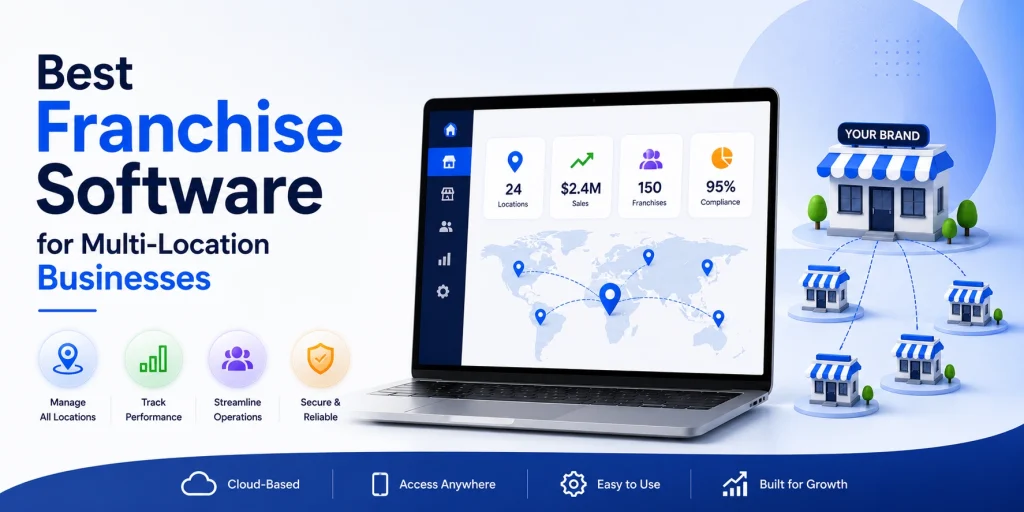
Choosing the best franchise software, use case, gleantap for your multi-location business means matching vendor strengths to the problems you actually need solved — local marketing, POS and payments, workforce, compliance, or central reporting. This article compares purpose-built options across those categories, explains where Gleantap fits as a location-aware messaging and retention layer, and gives a 30-day shortlist plus an implementation playbook you can use to pilot and scale. You will get concise vendor takeaways, key integrations, and practical tips to cut rollout friction and measure conversion and retention impact by location.
Gleantap
Core point: Gleantap is not a full franchise management system. It is a purpose built messaging and retention layer that converts leads and keeps customers engaged at scale for multi location service brands.
Where Gleantap adds the most value
Use case focus: Gleantap excels when your immediate objective is improving lead to visit conversion, reducing churn, and automating location aware communications across many units. It is built around two way SMS and lifecycle automation rather than territory governance or accounting consolidation.
- Standout capability: two way SMS and MMS for real time conversational follow up that increases contact rates versus email.
- Location aware segmentation: target people by the specific club, studio, or store they visited to avoid irrelevant blasts and improve engagement.
- Lifecycle automations: trigger sequences for new leads, trial attendees, lapsed customers, and membership renewals.
- Retention analytics: per location campaign performance so area directors can see what messages actually move the needle.
Practical limitation: Gleantap requires reliable membership, lead, or POS data to reach its ROI potential. Without event level data or timely sync to upstream systems your targeting will be blunt and outcomes will be inconsistent across locations.
Trade offs you will make
Trade off: pick Gleantap when you want immediate channel performance and operational simplicity at the customer touchpoint. Do not pick it to replace franchise operations, territory management, or consolidated financial reporting. Expect to run Gleantap alongside an operations platform or POS.
- Integration work: bidirectional or near real time sync to your membership system or POS matters. One time CSV imports limit automation and make measurement harder.
- Compliance overhead: SMS requires clear opt in, opt out handling, and local number management – plan for legal review and sign up flows.
- Cost structure: message volume pricing can escalate with large-scale campaigns and high frequency engagement, so measure incremental lift per campaign.
Concrete example: A 40 location boutique fitness brand used Gleantap to run automated class reminders and a lapsed member reengagement sequence. Class reminders reduced no shows by roughly 20 percent at participating locations. The reengagement sequence recovered about 10 percent of members who had not visited in 60 days, with measurable variance by market that informed local offer testing.
Implementation insight: map the event stream you need before buying. Identify the single most reliable source for visit or membership events, get that feed into Gleantap, launch 1 to 2 high priority automations, then measure lift by location. Use the results to negotiate message volumes and to justify adding additional integrations.
Gleantap fits best as the marketing and retention layer in a best of breed franchise stack. Treat it as the engine that drives contact and conversions, not as the system of record for franchise governance.
Key takeaway: If lead conversion and reducing churn are near term priorities, Gleantap will deliver faster time to value than larger franchise systems. If you lack clean visit or membership data, fix that first or the platform will underperform.
FranConnect
FranConnect is built for franchisors that treat governance, onboarding, and compliance as the product. It is not a lightweight scheduling tool or a local-marketing platform; it is an enterprise franchise relationship management system designed to centralize processes across many locations and enforce brand standards at scale.
Primary use case and strengths
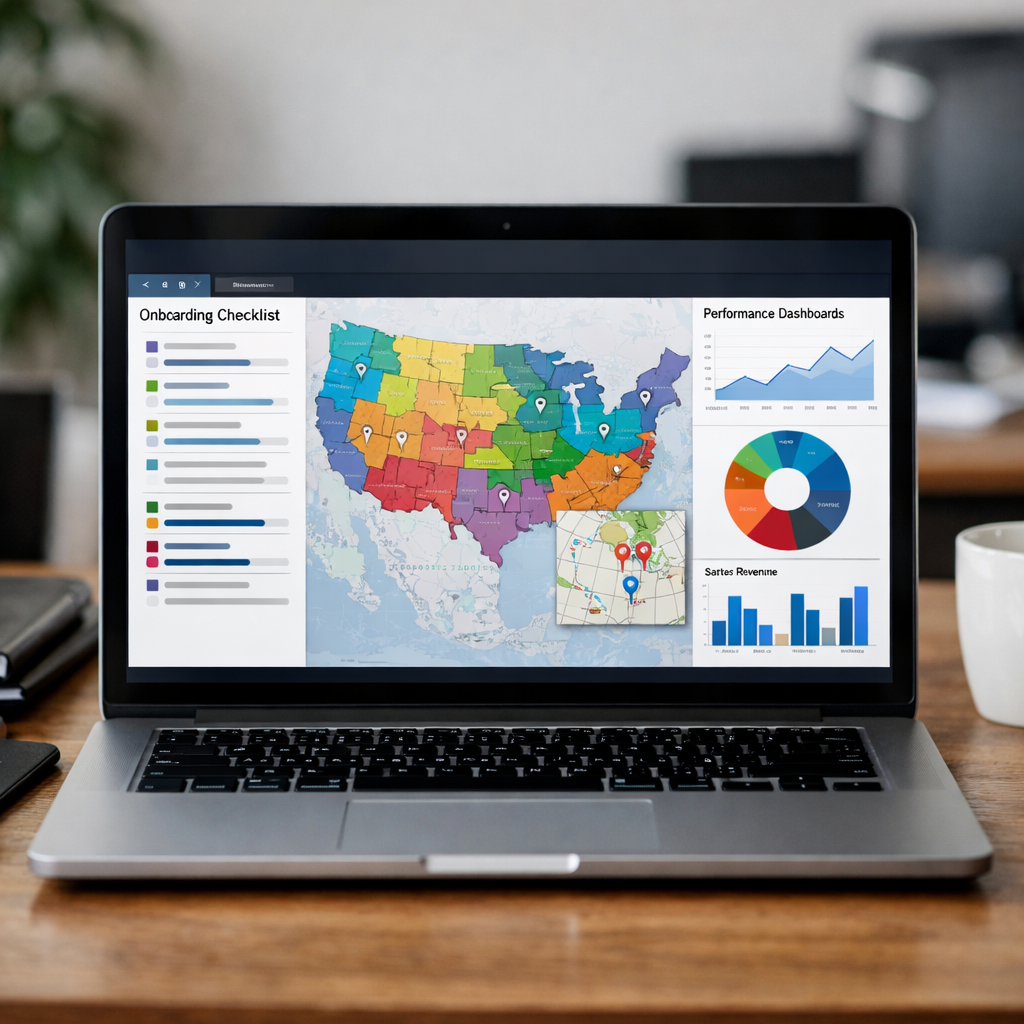
FranConnect excels when your core problem is inconsistent execution across units: onboarding, performance tracking, territory management, and standardized reporting. Expect detailed audit trails, checklists, and dashboards that let corporate see which franchisees are following SOPs and which need remediation.
- Centralized onboarding: detailed, configurable checklists and milestone tracking for new franchisees.
- Field operations workflows: task assignment, site visits, and corrective action plans with status reporting.
- Territory and lead management: control lead routing and territory assignments to avoid channel conflict.
- Compliance tracking: document management, certifications, and audit-ready records.
- Performance dashboards: multi-level rollups that benchmark franchisees and regions.
- API and integrations: connectors for accounting, CRM, SSO, and custom POS integrations via APIs.
Typical integrations and pricing considerations: FranConnect commonly integrates with QuickBooks and enterprise ERPs, major CRMs, and single sign-on providers. Pricing is quoted and scale-dependent; in practice this means the platform is cost-effective only once you have 50+ units or complex governance needs. For market validation and peer comparisons see G2 franchise management category and Software Advice franchising guides.
Trade-off to accept: implementation is deliberate. Data cleanup, chart-of-accounts alignment, and process mapping are prerequisite work. If you need quick local marketing wins or immediate lift in lead-to-sale conversion, FranConnect alone won’t move the needle fast; pair it with a specialist messaging platform for customer-facing activity.
Concrete example: A franchisor with 200 fitness studios used FranConnect to standardize new-franchise onboarding: mandatory equipment checks, staff certification tracking, and a 12-step opening checklist. Within a year they reduced time-to-first-sale by coordinating marketing approvals and ensuring all locations passed a go-live audit before customer-facing promotions ran.
- Pilot small: run FranConnect on a single region for a single process such as new-franchise onboarding before broad rollout.
- Map processes first: document current workflows and required integrations (accounting, POS, CRM) so implementation focuses on must-haves.
- Prioritize data hygiene: require a standardized chart of accounts or build mapping layers up front to avoid garbage-in garbage-out consolidation.
Judgment: If your primary need is corporate governance, auditability, and standardized franchise operations at scale, FranConnect is one of the few platforms that actually solves that problem. If your primary need is increasing local conversion or retention, you will still need a best-of-breed marketing/messaging layer such as Gleantap.
Key takeaway: Best suited for 50+ unit franchisors with complex governance needs. Budget for a 6–12 week pilot and expect broader rollouts to take 6–12 months when integrations and data standardization are required.
Next consideration: Decide whether your immediate priority is tightening franchise governance or improving local customer conversion—FranConnect solves the former; for the latter add a focused messaging tool and integrate the two.
Toast
Direct point: Toast is a restaurant first POS and payments platform that earns its place in franchise stacks when the business needs integrated ordering, payments, and kitchen workflows across multiple sites. It is not a silver bullet for franchise management, but for foodservice operators Toast reduces friction between ordering, fulfillment, and reconciliation in ways generic franchise software cannot.
Standout features that matter for multi location operators
- Unified payments and processing: Streamlines reconciliation across locations and supports offline mode so stores can keep running during network blips.
- Menu and promotion control: Push menu changes and limited time offers centrally while preserving location specific modifiers and pricing where needed.
- Online ordering and delivery integrations: Native ordering, delivery routing, and integration with third party delivery partners to keep orders consistent with in store POS.
- Kitchen Display System and order routing: Real time routing to KDS or printers reduces mistakes at scale, which improves throughput and guest experience.
- Labor and inventory modules: Shift scheduling, time capture, and ingredient level inventory tied to sales for tighter COGS control per unit.
- Hardware and terminals optimized for restaurants: Touchscreen terminals, handhelds for tableside ordering, and durable kitchen hardware built for high volume environments.
Practical tradeoff: Toast accelerates revenue workflows for restaurants but introduces vendor lock in around payments and hardware. That lock in is a deliberate tradeoff – easier operations up front versus higher switching costs later. For franchise groups that value predictability and fast rollout of menu and promos, that tradeoff usually pays off. For non restaurant franchises the hardware and payment centric model becomes unnecessary overhead.
Integration note: Use Toast as the transactional source of truth for sales and visit events, then push that data into your retention layer. For messaging and customer lifecycle automation you should integrate Toast with a specialist like Gleantap so lead events, trial visits, and churn signals become actionable for automated campaigns. This keeps payments and operations in Toast and customer messaging in a system built for retention.
Concrete example: A 30 location fast casual chain used Toast to centralize menu updates and route online orders to the nearest kitchen display. After standardizing modifier logic and launching a single promotional upsell across all sites, average order value rose 7 percent and order accuracy improved, cutting refund volume by nearly half in high traffic windows.
Implementation considerations and gotchas
- Map payment flows before you switch: Confirm merchant terms, interchange fees, and whether you will retain existing gift card balances or migrate them.
- Pilot where complexity is highest: Choose a busy location with full menu and high order variety to stress test KDS, modifiers, and delivery integrations.
- Treat hardware logistics as a project: Shipping, staging, and POS training create the longest delays. Build contingency plans for hardware failures and network downtime.
- Plan integrations from day one: Identify the customer data you need to send to your marketing and CRM systems – sales, visits, refunded orders – and validate those endpoints before wide rollout.
- Avoid overcustomizing early: Keep initial configuration close to out of the box. Heavy customization increases rollout time and complicates future upgrades.
Key takeaway: Pick Toast when restaurant specific features – integrated payments, online ordering, KDS, and inventory tied to menu items – are core to your business. If your primary priority is customer messaging and retention across locations, pair Toast with a specialist like Gleantap rather than forcing Toast to be your marketing system.

Next consideration: After you commit to a POS like Toast, lock the integration plan with your retention and reporting vendors and budget for the payment migration timeline. If you need third party evaluation of franchise software categories see G2 franchise management for peer reviews and category comparisons.
Yext
Yext is the fast path to consistent public-facing location data — but it is not a plug-and-play growth engine. For multi-location franchises the real value is eliminating incorrect listings, managing hours and services centrally, and reducing the manual work that otherwise produces lost calls and bad customer experiences.
What Yext actually solves for franchises
Centralized canonical data: Yext creates a single source of truth for address, hours, services, and phone numbers and pushes that out to Google, Apple Maps, Facebook, and a long tail of directories. That reduces data drift — the common cause of missed bookings and frustrated customers at scale.
Local discovery and SEO leverage, with limits. Yext improves structured data and local signals, which helps discovery, but incremental organic traffic gains taper once the basics are fixed. If your listings are already mostly accurate, expect smaller lifts than vendors imply — measurable wins come from fixing the worst offenders first.
Key trade-offs and practical considerations
- Cost vs. scale: Pricing is location-based. For 100+ locations the line item adds up quickly — budget accordingly and prioritize locations where discovery drives revenue.
- Governance friction: Central updates are powerful, but franchisees often own local social pages and review responses. Plan a governance model that combines central control for critical fields with local permissions for promos and reviews.
- Measurement challenges: Listings fixes improve impressions and calls, but tying that to revenue requires integration to POS or booking systems. Without that, ROI claims are plausible but hard to prove.
Integration and overlap. Yext is not a CRM or messaging tool. Expect overlap with local marketing platforms and review management vendors; pick which system owns each data field and enforce it in contracts and SOPs.
Operational pain points that crop up in real deployments. Duplicate listings, suppressed or claimed profiles, and legacy franchisee pages are common. Expect a cleanup phase that can take weeks for medium chains and months for large, inconsistent portfolios.
Concrete use case
Concrete Example: A 60-location fitness franchise centrally corrected inconsistent class availability and schedule information via Yext, then measured a 22 percent increase in Google Maps direction requests and a 14 percent increase in phone calls from location pages over three months. The team tied those listing-driven calls back to trial signups by matching call-tracking numbers to the CRM, which made the ROI defensible to franchisees.
Judgment: Buy Yext if your locations suffer from visible listing errors, frequent schedule changes, or brand compliance issues that cost bookings. Do not buy it expecting dramatic organic growth without a cleanup plan and integrations to link impressions to conversions.
Key takeaway: Yext solves data consistency and discovery problems that compound across locations. Treat it as a governance and distribution layer — budget the cleanup, define ownership for every field, and connect listing metrics to bookings or POS data before you claim revenue impact.
Deputy
Straightforward claim: Deputy is one of the most practical workforce scheduling tools for multi-location operators because it turns messy shift planning into enforceable rules and predictable labor costs. It is not a cure all – its value depends on disciplined time capture and a reliable demand signal from POS or reservation systems.
Standout features and integrations
- Rule based scheduling: Enforce break rules, overtime thresholds, and availability windows centrally so managers cannot create costly schedules by habit.
- Forecasting tied to sales or bookings: Use historical sales or booking data to suggest shift coverage and labor budgets when integrated with a POS or reservation system.
- Mobile employee app: Shift swaps, clock in with geolocation, and push notifications reduce admin overhead at the location level.
- Time and attendance compliance: Accurate time capture, approved timesheets, and built in approvals reduce payroll errors and audit exposure.
- Labor cost controls and reporting: Schedule cost estimates versus budgets, variance reports by location, and exportable payroll files.
- Typical integrations: Payroll providers, major POS systems, and HRIS platforms; plan to connect your sales or booking system early for accurate forecasting.
Key limitation: If you implement Deputy without integrating a reliable demand source – POS transactions, class bookings, or footfall data – the built in forecasting becomes guesswork. That creates a false sense of control and will not reliably reduce overtime or understaffing.
When Deputy matters for franchised operations
Practical insight: Deputy is highest ROI where hourly labor is the single largest controllable cost and schedules vary by daypart or class. For stores or studios with fixed staffing per location it adds less value than a simple timesheet tool.
Tradeoff to accept: Centralizing scheduling enforces brand labor standards but reduces some local manager flexibility. Successful chains protect a small slice of local autonomy – e.g., one promotional shift per week – while locking down the rest.
Implementation tips that actually work
- Pilot with 3 locations: Choose one high variance location, one stable location, and one underperforming location to validate forecasting assumptions.
- Map data flows first: Identify the POS or booking system that will feed demand. Without that integration do not trust forecasted labor budgets.
- Train managers on overrides: Create a short override protocol and track override frequency as a metric of process mismatch.
- Enforce a uniform chart for time codes: Standardize time off, training, and administrative hours so consolidated reporting is meaningful.
Concrete example: A 20 location boutique fitness franchise connected Deputy to its class booking system and defined availability windows per instructor. Within 60 days the chain cut last minute understaffing by ensuring instructors were scheduled based on booked classes rather than historical guesswork, improving class fill and reducing the cost per attendee.
Takeaway: Deputy reduces labor waste only when it is fed accurate demand signals and when managers stop scheduling by habit. Pair it with POS or booking integrations and a short override governance policy to lock in benefits.

Next consideration: If your priority is improving customer retention through targeted messaging, consider pairing Deputy with a messaging platform.
FranchiseBlast
FranchiseBlast delivers the clearest consolidated financial view you can buy for a franchise network, but it only surfaces useful intelligence when the underlying bookkeeping is reliable. The product excels at standardizing KPIs, rolling up unit P&Ls, and producing peer benchmarks — which makes it an excellent governance and coaching tool for franchisors who demand quantitative performance management.
Key trade-off: FranchiseBlast gives you apples-to-apples dashboards only if you invest up front in a translation layer and monthly discipline. Expect time and operational friction setting up GL mappings, reconciling one-off entries, and agreeing on KPI definitions before the benchmarks are trustworthy.
Practical setup checklist
- Map once, reuse often: build a mapping template that translates local chart of accounts to the franchisor standard and version control it.
- Agree KPI definitions: define contribution margin, labor as percent of sales, same-store sales, and vendor cost treatments in writing so comparisons are meaningful.
- Set cadence and ownership: require monthly P&L uploads or automated syncs, assign a reconciliation owner at each franchise, and enforce a 48 hour correction window for flagged anomalies.
- Peer grouping: create benchmarking cohorts by unit size, revenue band, and regional cost structure to avoid misleading averages.
- Alerting: configure automated outlier alerts for things that matter – sudden payroll spikes, negative gross margin, or large owner draws.
Integration nuance: FranchiseBlast connects to QuickBooks and common ERPs, but the quality of that connection varies by accounting setup. QuickBooks Online with consistent classes and locations is easy to ingest. Desktop installations or bespoke ERPs usually require a CSV staging step and additional mapping work. Plan for a 2 to 8 week technical onboarding depending on how automated your franchises are.
What people get wrong: many franchisors assume presenting a dashboard fixes poor accounting. It does not. In practice FranchiseBlast becomes a governance tool — it points at problems but does not reconcile them for you. If you skip training bookkeepers and skip common templates, benchmarks will reflect noise not performance.
Concrete Example: A 90 unit service franchise used FranchiseBlast to consolidate monthly P&Ls and discovered one region consistently reported advertising as an owner expense rather than a local store expense. After standardizing the category and rerunning three months of data the franchisor found actual local marketing spend was 2 points higher than reported, which changed royalty incentive calculations and targeted support for that region.
FranchiseBlast is best used as a financial governance layer — not a fix for poor bookkeeping. Expect to invest in mapping, training, and a short parallel-run before benchmarks are actionable.
Implementation rule of thumb: run a 90 day parallel period where FranchiseBlast runs side-by-side with existing reports. Treat the first 3 months as calibration, not truth.
If your goal is consolidated financial transparency and royalty accuracy at scale, FranchiseBlast is appropriate when you have 40 plus units or complex royalty and vendor relationships.
Next consideration: before you buy, ask for a sample dataset import and review how your real GL maps into their schema — that one exercise reveals the true cost of getting useful benchmarks.
How to choose the right stack for your multi-location business
Start with the outcome you need, not the vendor name. List the single most important business result you want in the next 90 days for growth, operations, and retention. If you cannot state those outcomes in a sentence each, you are not ready to shortlist.
A four‑lens selection framework
Lens 1 – Outcome fit. Does the product solve the specific problem you listed? For example, if your immediate need is converting trial visits to paid memberships, mark messaging and lifecycle automation as mandatory rather than optional.
Lens 2 – Data flows and ownership. Ask where the source of truth lives for leads, memberships, transactions, and staff timesheets. If different vendors think the source of truth is their silo, you will get data fights later.
Lens 3 – Adoption friction. Evaluate who must change behavior: head office only, managers, or every front line employee. The more people who must change, the higher the training and governance burden.
Lens 4 – Time to measurable value. Vendors that promise enterprise feature parity can take months. Prioritize something that moves a metric you care about inside 60 to 90 days.
Practical tradeoffs to acknowledge up front
- Speed vs coverage: Single platform vendors reduce integration work but often lack category leading features. Best of breed gives capability wins at the cost of integration work.
- Central control vs local autonomy: Tight central control preserves brand but kills local promotional agility. Decide which locations need approved autonomy and bake it into permissions.
- Clean data requirement: Powerful reporting and automation assume clean, mapped data. If franchisee accounting and POS setups vary wildly, expect mapping and ETL costs.
Concrete example: A 25 location fitness operator prioritized a new POS and delayed marketing automation. Conversion stayed flat. After adding a messaging layer focused on trial follow up and lapsed member reengagement they saw measurable lift within eight weeks. Using a specialist messaging tool reduced the time to execute campaigns and avoided overloading the POS vendor with features it was not built for.
Concrete checklist to validate vendors in 30 days
- Define 3 success metrics and baselines – pick one for growth, one for operations, one for retention with current numbers.
- Map required integrations – lead sources, POS/memberships, accounting, payroll, listings, review sites. Confirm if vendor has native connectors or requires middleware.
- Request sample syncs – insist on seeing a proof of concept with your data or a dataset like yours so you can validate mapping and latency.
- Ask about data ownership and exports – can you get raw exports in .xlsx or CSV on demand and on schedule?
- Pilot permissions and local controls – show the UI a local manager would use and confirm ability to run approved local campaigns or price changes.
- Cost worksheet – include subscription, per message or transaction fees, integration middleware, and vendor implementation hours.
If a vendor cannot demonstrate a live sync to one of your core systems in 10 business days, treat their integration claims skeptically.
Key takeaway: In practice most franchisors succeed with best of breed: pick category leaders for POS, listings, workforce, finance, and messaging, then enforce data contracts and a short pilot to prove the stack works together.
Where Gleantap fits. Treat Gleantap as the marketing and retention layer that sits on top of your POS or membership system to deliver location aware, two way messaging and lifecycle automation. If conversion and churn are priority metrics, a messaging specialist usually delivers faster, measurable wins than waiting on a broader franchise management suite.

Implementation playbook and first 90 days
Start here: the first 90 days is not a full rollout — it is a value proof. Pick a narrow set of outcomes you can measure (conversion, churn, or time saved), run a tight pilot, and force decisions about data ownership and integrations up front.
Phase 1 — Weeks 0 to 2: align, baseline, and pick pilots
- Define 2 clear objectives: choose one growth metric and one operations metric (example: trial-to-paid conversion and time to reconcile daily sales).
- Select 2–4 pilot locations: pick a mix of one high-performing and one average-performing unit to avoid biased results.
- Assign data owners: name who owns lead, POS, and membership data at HQ and franchisee level; document where the source-of-truth lives.
- Capture baselines: export 30–90 days of historical data for selected metrics so you can run apples-to-apples comparisons.
- Governance rules: set message templates, local promotion limits, and opt-in/consent process to avoid TCPA and brand risks.
Phase 2 — Weeks 3 to 6: connect systems and activate high-impact flows
- Integrate core systems first: sync POS/membership and lead sources before CRM or accounting; without that the messaging layer cannot segment correctly.
- Launch 2 automations: start with a new-lead follow-up flow and a lapsed-customer reengagement sequence — keep content centrally approved but locally taggable.
- Run a controlled test: hold 1–2 locations as controls or A/B test messages to isolate lift from seasonality.
- Train frontline staff: 30–60 minute practical sessions for managers on how automated messages tie to in-store behaviors and redeem codes.
Phase 3 — Weeks 7 to 12: measure, iterate, and document
- Measure against baseline: compare conversion, churn, and AOV by location and control group at day 30 and day 90.
- Iterate quickly: change timing, message copy, or audience segments for the lowest-performing flow first — don’t rebuild the whole stack.
- Document SOPs: capture approval workflows, data mappings, and escalation paths so franchisees can repeat the process.
- Decide rollout gates: require minimum lift thresholds and operations readiness (data sync reliability, training completion) before scaling.
Practical trade-off: prioritize speed over perfect data. Clean data is ideal but chasing perfection kills momentum. Put a mapping layer in place (even a simple CSV-to-CRM process) to get working results, then tighten data hygiene during wider rollout.
Concrete example: A 30-location quick-service restaurant integrated its POS with a messaging platform to send two-week lapsed-customer offers. By A/B testing offer size and message timing across six pilot stores they identified a variant that lifted redemptions by 18 percent and reduced churn in the pilot group; the control stores showed no change. That short, measurable win funded the next 200-store rollout.
Important consideration: messaging and retention platforms like Gleantap work fastest when membership and POS events stream in reliably. If you treat the messaging tool as a silo you will see short-term gains but fail to operationalize them across franchisees.
Most operators see measurable lift from targeted messaging within 60 to 90 days — but only if baseline data and one reliable integration (POS or CRM) are in place first.
Next consideration: before scaling, lock the governance model—who can run local promotions, how approvals flow, and how revenue is attributed back to locations.
Frequently Asked Questions
Straight answer first: these are the questions that actually tilt vendor selection and pilot design, not the vendor marketing lines. Below are concise, practice-oriented answers with the tradeoffs you will face when choosing franchise software for multi-location operations.
Quick, practical FAQs
- Which system should I prioritize for a 25-location franchise with limited IT resources: Prioritize the one that fixes the single biggest revenue or cost leak. If conversion and recurring revenue are weak, start with a location-aware messaging tool that automates lead follow-ups and lapsed-customer reengagement. If franchise compliance or accounting is the pain point, start with a franchise operations or finance rollup. The wrong choice is picking the shiniest all-in-one because integration work will still fall on your team.
- Can Gleantap replace a full franchise management system: No. Gleantap replaces or augments marketing and retention workflows — two-way SMS, lifecycle automations, and location segmentation. It will not replace onboarding workflows, detailed territory management, or consolidated accounting. Treat Gleantap as the messaging layer in a best-of-breed stack and enforce data contracts with your operations system.
- How critical are integrations and what fails in practice: Critical. Focus on reliable, real-time sync for POS/membership, lead sources, and accounting. The common failure mode is partial or delayed sync that generates duplicate contacts or missed messages. Insist on deduplication, clear ownership of the contact record, and a test plan that exercises edge cases (refunds, membership freezes, bulk imports).
- What timeline should I expect to see ROI from messaging automation: Expect early signals in 30–45 days and credible results in 60–90 days if you run controlled tests. Use matched-location A/B tests to isolate lift rather than comparing before/after across the whole chain.
- How do I manage franchisee resistance: Give local teams controlled autonomy: allow approved local promotions, a small local marketing budget, and a clear SLA for support. Use incentive design (shared savings or bonus for conversion lift) rather than mandates. Train the first-line managers, not just the franchisor team.
- Single vendor or best-of-breed — which creates less operational debt: Best-of-breed gives category-leading features but increases integration work and governance needs. A single-vendor stack reduces integration points but often sacrifices depth in specialist areas like messaging, POS, or financial benchmarking. Choose based on the complexity of your use cases and your ability to enforce standards.
Tradeoff to watch: pricing models vary widely — per-location, per-user, per-message, or percentage-of-revenue. Pick the model that scales linearly with your expected usage. Per-message plans can look cheap early and expensive once campaigns scale; per-location plans can penalize seasonal units.
Concrete example: A regional fitness group ran a 10-location pilot using a messaging vendor integrated with their gym management system. They deployed two flows: immediate trial follow-up and a 30-day lapsed-member reactivation sequence. After eight weeks they saw a measurable increase in trial-to-paid conversions in the test group versus control locations and discovered that location-specific messaging timing mattered more than message copy — so they adjusted send windows per time zone and membership behavior.
What buyers misunderstand: vendors often claim results from aggregated customers. Real-world gains require clean data, ownership of the contact record, and a disciplined test-and-learn cadence. If your franchisees are not willing to follow simple SOPs for lead handling, even the best messaging tool will underperform.
Pilot checklist (use this before procurement): 1) Pick 6–12 matched pilot locations; 2) Define 2 primary metrics (e.g., trial conversion, churn rate); 3) Confirm real-time POS or CRM sync; 4) Get legal sign-off on SMS consent and compliance; 5) Set a 60–90 day test window with a control group.
Next actions: pick one measurable hypothesis, assemble a 60–day pilot team (franchisor lead + 2 franchisees + IT/ops contact), lock integrations and compliance checks, and run the pilot with a control group. Measure lift by location and bake the results into your rollout decision.

Ready to Run Successful Marketing Campaigns and Grow Your Business?
Gleantap helps you unify customer data, track behavior patterns, and automate personalized campaigns, so you can increase repeat purchases and grow your business.
Ready to Run Successful Marketing Campaigns and Grow Your Business?
Gleantap helps you unify customer data, track behavior patterns, and automate personalized campaigns, so you can increase repeat purchases and grow your business.