
 Divya Ghughatyal
If you are under pressure to cut costs and show quick wins, this post maps specific automation examples in business to vendors, measurable KPIs, and three-step implementation checklists. Eight industry-focused sections, from manufacturing to fitness, include real case notes and common pitfalls so you can pick pilots that return value in 30 to 90 days.
Manufacturing: Predictive Maintenance and Automated Quality Inspection
Direct point: Predictive maintenance plus automated visual inspection removes the largest invisible cost on the shop floor – unplanned downtime and scrap that quietly destroy throughput and margins.
How this typically looks in practice
Core setup: Install vibration, temperature, current, or acoustic sensors on critical assets and cameras over key stations, stream telemetry to an edge or cloud analytics engine, and surface actionable alerts into your maintenance system or operator panels. Edge inferencing for camera feeds reduces false alerts and latency; cloud models are useful for longer-term trend analysis and fleet-level benchmarking.
- Vendors and tools: Siemens MindSphere, PTC ThingWorx, IBM Maximo for CMMS integration, Cognex for machine vision, ABB robotics for automated handling, and AWS IoT Greengrass for edge analytics
- Common integrations: connect alerts to maintenance ticketing, ERP for spare-part reservations, and SCADA/HMI for operator escalation
- Data sources: PLC outputs, OPC-UA streams, camera frames, and historical maintenance logs
KPIs you must measure
- Reduction in unplanned downtime hours (target a measurable percent within the pilot period)
- Decrease in scrap or defect rate on inspected lines
- Mean time between failures (MTBF) and mean time to repair (MTTR)
- Maintenance cost per unit of output and percent of interventions that were preventive vs reactive
3-step implementation checklist
- Identify the top 1-2 failure modes that cause the biggest downtime or scrap for a single production line and instrument those assets with sensors or camera endpoints.
- Run a time-boxed pilot (30-90 days) using an edge analytics platform or IIoT stack and tune simple threshold alerts before introducing ML models; integrate alerts with your maintenance ticketing or CMMS.
- Define escalation rules, spare-part workflows, and an exceptions queue so operators see only high-confidence interventions; iterate thresholds with operator feedback.
Practical trade-off: Edge inference reduces alert noise and keeps latency low, but increases hardware and deployment complexity. Cloud models are easier to iterate but can flood you with low-confidence signals if you skip threshold tuning. In practice, start with condition-based thresholds and add ML for anomaly scoring once you have clean labeled events.
Concrete example: Bosch implemented predictive diagnostics on key production assets and reported measurable reductions in machine downtime by flagging bearing failures and lubrication issues before they cascaded. FANUC uses Cognex machine vision on assembly lines to catch micro-defects that human inspectors missed, reducing scrap and downstream rework.
Key takeaway: Run a focused pilot on one high-impact asset class. If you cut unplanned downtime by 20 percent on that line within 90 days you have a commercial case to scale.
Further reading: Broader automation adoption trends can help justify investment decisions — see growth and case studies in automation at McKinsey and vendor references from UiPath.

Retail: Inventory Replenishment and Personalized Post Purchase Engagement
Direct point: Retailers get measurable returns fastest by splitting automation into two linked problems: inventory replenishment to prevent lost sales, and post-purchase engagement to turn every order into repeat revenue. Both are automation examples in business that pay within 60 to 90 days when done pragmatically.
Practical trade-off: Inventory automation reduces stockouts but increases carrying cost risk if reorder logic is naive. Post-purchase flows lift repeat purchases with near-zero inventory risk but can create message fatigue if sequencing is careless. Prioritize the one that fixes your immediate revenue leaks — lost sales from stockouts or low repeat rate — then add the other.
3-step implementation checklist
- Segment SKUs by velocity and margin: Tag top 10 percent fast movers separately from long tail; set dynamic safety stock for high-velocity items and higher lead-time buffers for low-margin SKUs.
- Automate post-purchase journeys with timed behavioral triggers: Use Klaviyo, Gleantap, or your CRM to send an order confirmation, a usage tip or sizing guide at day 3, and a cross-sell 7–14 days later; include an easy returns link to reduce friction.
- Close the loop with inventory alerts: Wire reorder triggers from POS/ERP (Shopify Flow, NetSuite) to your procurement queue or Zapier integration; route exceptions (discrepancies, unexpected return spikes) into a human review queue with SLAs.
Tool note: Shopify Flow and Klaviyo are low-friction for omnichannel retailers; NetSuite and Zebra hardware scale for larger operations. Use Zapier or a middleware like Workato only when you lack native connectors — they speed deployment but add another moving part to monitor.
| KPI | 90-day target (practical) |
| Stockout rate | Reduce by 40–60% for top 20% SKUs |
| Time to replenishment | Cut median reorder-to-shelf time by 30–50% |
| Repeat purchase rate | Increase by 8–15% with a 3-message post-purchase flow |
| Post-purchase NPS | Improve by 2–4 points via helpful follow-ups and returns ease |
Limitation to watch: Historical velocity alone fails when promotions, seasonality, or returns distort demand. Use moving-window velocity, adjust for upcoming promotions, and monitor returns as a separate signal to avoid overbuying.
Concrete example: Stitch Fix uses automated replenishment signals and personalized follow-ups to increase repeat purchases; many DTC brands using Klaviyo report single-digit to low-teen lifts in repeat rate within two months after launching post-purchase sequences. These are classic automation examples in business where marketing automation and inventory management feed the same revenue funnel.
Judgment: If you must pick one starting point, begin with post-purchase sequencing. It requires fewer system changes, tracks revenue lift directly, and reduces churn from poor unboxing experiences. Move to inventory automation once your POS-to-ERP sync is reliable and you have a basic safety stock model in place.
Key takeaway: Start with buyer-facing automation for fastest ROI, then automate replenishment once you have clean sales and returns data.
Next consideration: When you scale, add exception analytics and a periodic review cadence for reorder thresholds. Without that discipline, automated orders drift and nullify early gains.
Healthcare: Automated Patient Reminders and Prior Authorization Workflows
What this solves: Automated reminders and authorization workflows cut avoidable appointment loss and free clinical staff from repetitive paperwork so care moves faster and revenue is less volatile.
High impact use case: Combine multi channel appointment reminders with an RPA driven prior authorization pipeline. Reminders reduce no shows and last minute cancellations. RPA and rule based automation push completed forms and supporting documentation into the EHR or payer portals so authorizations close days faster than manual submission.
Vendors and tools that actually work in real clinics
- Epic and Cerner – native messaging modules and clinical workflow tools for large health systems
- Twilio Programmable Messaging – SMS and voice reminders with two way confirmation Twilio
- UiPath – RPA for screen scraping and back office automation UiPath
- Klara – patient communication platform focused on secure messaging Klara
- Kiosk and secure link providers – for collecting documents and signatures before visits
| KPI | Common target to justify a pilot |
| No show rate | Reduce by 15 to 25 percent within 90 days |
| Time to prior authorization | Cut cycle time by 40 percent for routine authorizations |
| Staff hours on scheduling and auth | Reduce manual hours by 30 percent for targeted clinic cohorts |
Concrete example: Mount Sinai implemented automated SMS and phone reminders for high no show specialty clinics and reported measurable declines in same day cancellations and administrative rework. Mercy One deployed RPA bots to gather prior authorization documents from multiple systems and feed them into the EHR and payer portals, shortening authorization cycles and reducing denials related to missing paperwork.
Practical tradeoffs and limitations: Automation in healthcare is constrained by privacy rules, variable EHR connectivity, and patient contact quality. RPA is useful where APIs are absent but is brittle when screen layouts change. Message fatigue and consent requirements mean aggressive cadence backfires. Plan for human escalation for clinical exceptions.
- 3 step implementation checklist: Identify the highest no show clinics or the authorization type with largest delay and extract baseline metrics
- Enable multi channel reminders starting with SMS and automated voice; include confirmation and easy reschedule links and track responses
- Automate document collection and use RPA or API integrations to submit authorizations; route exceptions to a small human queue with SLA targets
Aim to run a 60 to 90 day pilot on a single clinic or authorization type with clear KPIs. If no show rate does not drop by at least 15 percent, revisit message timing and patient contact quality before expanding.
Quick implementation judgment: Start small where contact information is already reliable and workflows are repeatable. Prioritize authorizations for high revenue or high delay procedures. Integration complexity is the real time sink, not the messaging logic.

Next consideration: validate HIPAA compliance and patient consent for your chosen message channel before you run the pilot.
Finance and Accounting: Automated Invoice Processing and Reconciliation
Straight to the point: automating invoice intake, PO matching, and reconciliation slashes month-end close time and errors — but projects fail when teams ignore exceptions and supplier onboarding. Focus on exception containment first, not 100 percent automation.
What good automation actually automates
Practical scope: Start with inbound AP—capture invoices, run OCR extraction, auto-match to PO/GRNs, post clean matches to the ERP, and route exceptions to a human queue. That sequence captures the largest time-savings while keeping control over edge cases like PO-less invoices and rate disputes.
- Vendors to evaluate: BlackLine for reconciliation and close workflows, Tipalti for high-volume AP and global payments, UiPath or Automation Anywhere for RPA flows and legacy screen automation, ABBYY or UiPath Document Understanding for invoice OCR and data extraction.
- KPIs to track: days payable outstanding (DPO), median time to process an invoice, percent of invoices auto-validated without human touch, exception rate, and cost per invoice processed.
- Common success threshold: aim to auto-process 60–80 percent of invoices in the first phase; the remaining exceptions are where process and training yield further gains.
3-step implementation checklist
- Pilot the lowest-friction queue: choose PO-backed suppliers with electronic invoices or PDFs, configure OCR templates, and measure baseline processing time and error rate.
- Apply deterministic rules first: implement business-rule matching in the ERP (amount, PO number, supplier) and integrate a reconciliation layer such as BlackLine or a native ERP module; reserve RPA for screens without APIs.
- Create an exceptions SLA and feedback loop: route mismatches to a human queue with clear SLAs, capture correction data to retrain OCR/ML models, and report on exception root causes weekly.
Trade-off and warning: OCR and ML look good on marketing decks but they need clean, consistent invoice formats and ongoing training. Expect diminishing returns if you try to auto-extract highly variable supplier invoices before you have 10,000+ labeled examples or strong exception handling.
Operational considerations: e-invoicing adoption, supplier onboarding for structured invoices, and handling of early-pay discount optimization are often overlooked. Automating for straight-through processing without a supplier change program limits achievable automation rates.
| Vendor | Best fit |
| BlackLine | Month-end reconciliation, balance sheet automation, ERP-integrated close |
| Tipalti | High-volume AP, mass payouts, global remittances |
| UiPath / Automation Anywhere | RPA for legacy screens, orchestration, and task automation where APIs are missing |
| ABBYY / UiPath Document Understanding | Invoice OCR and data extraction, especially semi-structured documents |
Concrete example: GE scaled an RPA and reconciliation program across divisional finance teams to reduce manual reconciliation hours and accelerate close cadence. Using a mix of RPA for legacy system interaction and a reconciliation platform, teams reported faster matching and fewer late adjustments during month end.
Key takeaway: an initial target of auto-processing 60 percent of invoices and reducing manual touch time by 50 percent in 90 days is realistic.
Next consideration: when you measure pilot success, prioritize exception rate reduction and supplier enablement before broadening scope — that sequence protects cash flow and supplier relationships while delivering measurable ROI.
Logistics and Supply Chain: Shipment Tracking and Dynamic Route Optimization
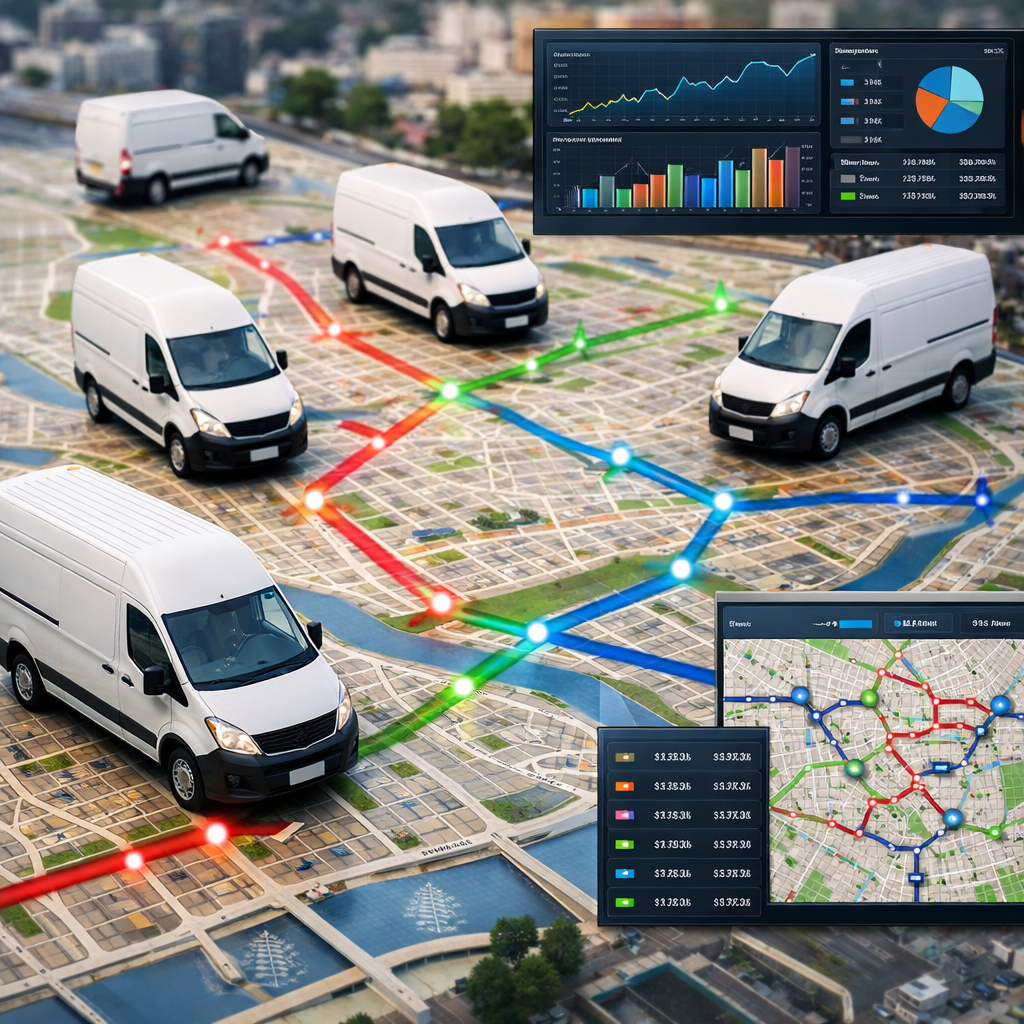
Immediate point: Real-time visibility often delivers faster, reliable ROI than fancy route optimization alone. Shipment tracking and ETAs cut customer inquiries and detention fees in days; dynamic routing reduces miles and labor costs but requires tighter operational discipline to realize savings.
What to automate and why
Core automation areas: Instrumentation and a visibility layer for live ETA and exception detection, automated customer ETAs and proactive alerts, and a route optimization engine that updates plans when delays, cancellations, or new orders arrive.
- Visibility and tracking: FourKites, project Flexport integration, or a TMS with telematics connectors to collect GPS, status scans, and carrier updates
- Route optimization: Route4Me, Descartes, and commercially available TMS modules for last-mile dynamic re-routing
- Customer communications: Twilio or platform built messaging to push automated ETAs, proof of delivery, and delay notifications
KPIs that matter: On time delivery rate, average delivery time per stop, route efficiency (miles per stop), fuel cost per mile, and customer inquiry volume. Track manual hours saved and reductions in detention or exception handling cost to justify the project.
- Instrument freight and vehicles with GPS and status events – prioritize high-volume lanes and last-mile drivers first
- Deploy a visibility layer (FourKites or TMS connector) to generate ETAs and exception alerts; feed those events into an automated customer messaging workflow
- Pilot dynamic routing on a single depot – integrate route engine, enforce driver constraints, measure miles, on-time rate, and customer inquiries for 30-90 days
Concrete example: A regional carrier implemented Route4Me to consolidate same-day deliveries across three depots. Within 60 days the carrier cut route miles and driver hours by double digits while customer support calls about ETAs fell significantly after automated SMS ETAs were enabled. Large integrators like DHL and UPS use similar stacks – telemetry plus dynamic planning – to shave delivery variance and reduce exceptions.
Practical limitation and trade-off: Dynamic routing optimizes for distance and time but often conflicts with driver availability, customer appointment windows, and labor rules. If the routing engine does not enforce human constraints, the theoretical fuel savings will not materialize and driver churn can rise. Start with visibility and ETA automation to buy time while refining route rules.
Common misjudgment: Teams expect routing to be plug and play. Integration friction – inconsistent telematics, missing carrier updates, and stale location data – is the usual blocker. Invest in data quality and agree on a single source of truth for location and status before tuning the optimizer.
Automate visibility and customer ETAs first to reduce support load; add dynamic routing once you have clean location data and enforced driver constraints.
Key metric to start with – percentage reduction in customer inquiries about delivery status. It is often the fastest measurable win and funds broader route optimization work.
Hospitality: Automated Pricing and Guest Communication
Direct assertion: Demand-driven pricing combined with timely, personalized guest messaging produces more predictable incremental revenue than broad marketing spend and fixes two persistent hospitality problems at once: low ancillary conversion and poor guest experience consistency.
How this automation is applied
Use case: Pair a revenue management system (RMS) that nudges rates based on demand signals with automated guest communication flows that handle confirmations, pre arrival offers, upsells, and post stay recovery and review collection. The RMS captures market data and inventory signals; the messaging engine turns those signals into timely, personalized touchpoints.
Vendors and integration points
Typical stack: Use an RMS such as Duetto or Oracle Revenue Management integrated with your PMS (for example Oracle Hospitality). Pair guest messaging and reputation with tools like Revinate and two way channels via Twilio. Light integration orchestration can be handled by middleware or a PMS native connector.
KPIs to measure
- RevPAR improvement: incremental RevPAR attributable to automated pricing moves
- Booking conversion rate: lift on direct bookings after price optimization or targeted offers
- Upsell revenue per guest: ancillary spend from pre arrival offers and in stay promos
- Review score and response time: change in average rating and speed of recovery on negative feedback
3-step implementation checklist
- Integrate and validate data: connect PMS rate and availability feed to an RMS and reconcile inventory between systems; run a integrity check on rate pushes for 14 days before automating.
- Build messaging sequences: create pre-arrival, upsell, and post-stay flows in your messaging tool; segment by stay date, booking channel, and guest value so offers are relevant.
- Pilot, monitor, and guardrails: run the pilot on a subset of rooms or dates, monitor RevPAR and opt out rates, and apply caps to automated price moves and message frequency.
Practical limitation and tradeoff: Dynamic pricing creates a tension between revenue optimization and brand trust. Large, frequent rate swings frustrate repeat direct bookers and can push guests to OTAs for perceived price stability. Mitigate this with explicit caps on net rate movement, blackout windows for loyalty members, and visible justification in offers (for example limited time upgrade at X rate).
Operational consideration: Messaging automation must respect consent, language preference, and local regulations. Overmessaging is the fastest route to opt outs and poor reviews. Route messages with a human escalation option for any negative guest reply to protect reputation.
Concrete example: Boutique hotels often use Duetto for RMS and Revinate for guest messaging. One three property group integrated their PMS with Duetto and set pre-arrival SMS offers for parking and room upgrades through Revinate. The automation increased direct bookings and raised ancillary conversion while front desk staff spent less time on manual offers and follow ups.
Start small: run pricing automation on a subset of inventory and pair every upsell message with a clear call to action and one click purchase path.
Key metric to track in the pilot: measure incremental RevPAR and upsell conversion within 30 to 90 days, and monitor opt out and complaint rates weekly.
Takeaway: Prioritize a small, measurable pilot that ties RMS changes to a single messaging flow and track RevPAR and guest opt outs; if pricing moves are uncapped or messaging is left untargeted you will win short term revenue but lose repeat guests and brand trust.
Marketing and Sales: Lead Scoring, Nurture Flows and Conversational Bots
Cold leads become revenue when you stop treating every inbound contact the same. Implementing lead scoring, behavior-driven nurture flows, and conversational bots converts low-effort engagement into measurable pipeline acceleration — this is where many automation examples in business deliver fastest ROI.
Where automation actually wins (and where it fails)
Practical insight: Scoring plus automated routing wins when you couple it to a short SLA for human follow up. Bad bot handoffs and stale scoring models are the two common failure modes: bots capture volume but not intent, and scoring decays as product, ICP, or channels change.
Trade-off to accept: Automate early touches aggressively (email, SMS confirmations, micro-content) but keep qualification and negotiating steps human-led for high-value deals. That balance preserves customer experience while reducing wasted seller time — automation for scale, humans for judgment.
Tools and where to use them
- HubSpot / Salesforce Pardot / Marketo: CRM-native lead scoring, nurture workflows, and reporting.
- Drift / Intercom: Conversational bots and real-time routing to sales or booking flows.
- Zapier / Workato: Lightweight cross-system automation connecting chat, CRM, calendar, and analytics.
- Analytics + CDP (RudderStack, Segment): Unify behavioral events before you score; scoring without clean events is guesswork.
KPIs to track (what actually proves impact)
| KPI | Why it matters |
| Lead to opportunity conversion | Shows scoring + nurture quality, direct revenue signal |
| Sales qualified lead (SQL) rate | Measures noise-filtering: higher SQL% = fewer wasted seller hours |
| Time to first contact | Correlates strongly with conversion; automation shortens this reliably |
| Pipeline velocity / demo bookings | Captures end-to-end effect on sales cycle speed |
3-step implementation checklist
- Define and weight your scoring model. Start with 6–8 signals you can measure today (company size, pages visited, content downloaded, product trials, email opens, demo requests) and map score bands to actions.
- Build behavior-triggered nurture flows and SLAs. Use workflows to send immediate confirmations, educational nudges, and handoff triggers. Create a hot route for >X points and set a sales SLA for follow up.
- Deploy conversational capture for off hours and routing. Configure bots to capture intent (use form + qualifying questions), tag the CRM, and trigger the hot route or schedule a meeting automatically.
Concrete example: A mid-market SaaS sales org layered Drift on top of HubSpot, configured a 75-point scoring threshold for immediate routing, and used a two-step bot to capture intent off hours. The result: median time to first meaningful contact dropped from multiple hours to under 10 minutes and demo bookings rose materially when paired with the SLA-driven handoff.
What people get wrong: Many teams treat scoring as a set-and-forget rule. In practice, scores drift; you must review model performance monthly and retire signals that simply echo email opens or repeat the same behavior. Also avoid overly aggressive bot questioning — longer bot scripts reduce capture rates.
Key takeaway: Start with a minimal scoring model, automate immediate low-effort touches, and enforce a strict sales SLA for hot leads. Track lead-to-opportunity conversion and time to first contact for 30–90 days to validate impact.

Fitness and Gyms: Membership Onboarding, Churn Recovery, Referral and Reputation Automations with Gleantap
Direct impact: Automating member lifecycles with SMS and WhatsApp delivers the fastest, measurable ROI in fitness operations — onboarding, trial-to-paid conversion, and short-term churn recovery are the low-hanging fruit. Gleantap is built for this use case and connects to systems like Mindbody and Zen Planner so you can trigger timely messages from real membership events.
Core automations and where they move the needle
- Onboarding journey: timed SMS/WhatsApp sequence after sign-up that reduces confusion and increases first-visit rates by sending class recommendations, trainer intros, and a single CTA to book.
- Churn recovery flow: behavior-triggered winback when a member misses X visits or an upcoming card fails — escalate from automated text to a personalized call if untouched.
- Referral and incentives: automated referral links with trackable codes and one-click reward delivery to both referrer and referee once a conversion is confirmed.
- Reputation automation: post-visit review prompts routed to Google/Apple for positive responders and to a private recovery flow for detractors to prevent public negative reviews.
Vendors and integrations: Gleantap for SMS/WhatsApp automation, Mindbody or Zen Planner for membership events, Zapier for light data glue, and Mailchimp or Klaviyo as email complements. Use native connectors first — they reduce data lag and avoid brittle screen-scrape workarounds.
KPIs to use and realistic targets
- Trial to paid conversion: target a +10–20% lift within 60–90 days using onboarding sequences.
- 30–90 day churn: aim for a 5–15% relative reduction from targeted reactivation campaigns.
- Referral conversion rate: expect 2–6% for incentivized digital referrals; higher with personalized asks.
- Review volume and average rating: double the number of five-star reviews sent to public sites while catching negative feedback privately.
Concrete example: A boutique studio synced Mindbody triggers to Gleantap and launched a 7-day onboarding SMS series with a mid-sequence trial reminder and a referral push on day 14. Within 90 days the studio reported an 18 percent improvement in trial-to-paid conversion and a measurable drop in 30-day churn from the cohort exposed to the workflows.
Practical trade-offs and limits: SMS performs best for short, action-oriented prompts; it is not a substitute for deep relationship building. Watch message cadence and consent — over-messaging increases opt-outs and complaints. WhatsApp delivers higher engagement but requires template approvals and stricter sign-up handling. Also expect membership data hygiene to be the gating factor: inaccurate class attendance or payment status will create false triggers and erode trust.
3-step implementation checklist
- Map the signals: identify 4 concrete triggers (trial start, first visit, 7-day no-show, payment failure) and confirm the field names in Mindbody/Zen Planner.
- Build minimal journeys in Gleantap: create an onboarding sequence, a churn recovery flow, and a referral/review path; keep each flow to 3–5 messages initially and include human escalation points.
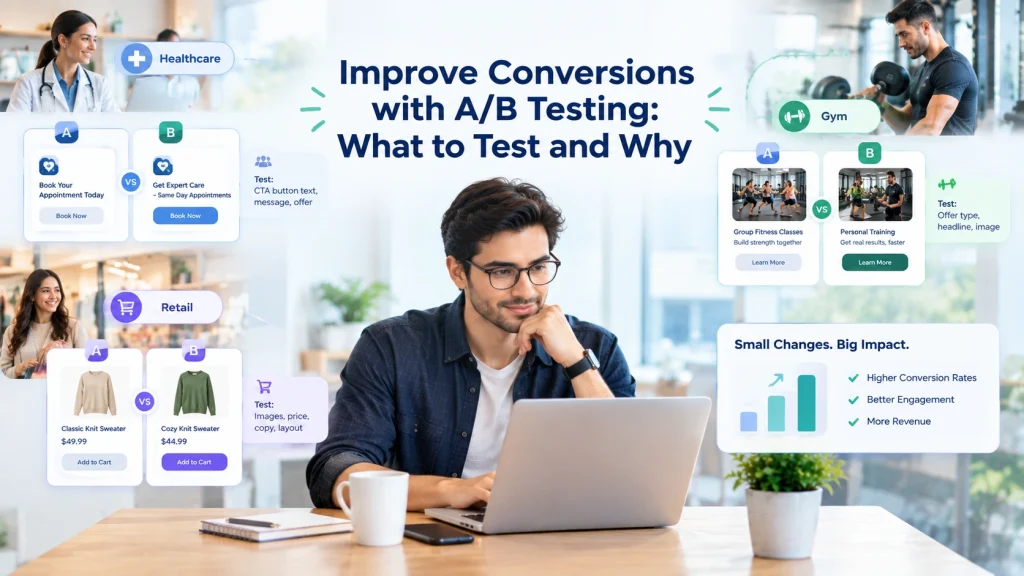
- Run a controlled pilot: A/B test the flows on a subset of new trials for 60–90 days, measure the KPIs above by cohort, then scale the winning variant.
Key takeaway: Start with a single, high-volume trigger (trial start or missed visits). Expect to prove impact within 60–90 days and use cohort analysis to isolate lift.
Important: prioritize data accuracy and opt-ins before scaling. Fixing false triggers is cheaper than dialing down message frequency after you lose member trust.
Next consideration: After the pilot, treat segmentation as the lever for further lift — separate first-timers, lapsed members, and high-value accounts and tune messages and incentives per segment.
Frequently Asked Questions
Practical answer first: pick automations that change a measurable business outcome in 60 to 90 days and that do not rely on perfect data or heavy engineering to start. This rule sorts the useful pilots from the ones that become expensive shelfware.
How to choose the first pilot
- Find a tight metric: start with a single KPI you can measure reliably – recovered revenue, booking fill rate, or hours saved per week.
- Pick a high frequency process: the more times the process runs, the faster you see impact and learn – daily or weekly beats monthly.
- Limit scope: automate one channel and one outcome. Expand only after the pilot proves the math.
Concrete example: an independent ecommerce shop implemented an abandoned cart workflow using Klaviyo for email and a vendor for SMS. They ran a 60 day pilot, recovered 12 percent of lost carts, and scaled the same workflow to 40 percent of their catalog without adding developers.
Short answers to frequent questions
- Which projects return fastest: customer touchpoints like onboarding, appointment reminders, and cart recovery plus simple finance automations such as invoice matching typically produce visible ROI quickly.
- How to measure a pilot: pick 2 to 3 KPIs, capture a baseline, define the test window, and treat results as directional not perfect unless sample sizes are large.
- Do I need developers: not initially. Low code platforms and vendor workflows let you move fast. Expect to involve developers when you need reliable, high volume integrations.
- RPA versus API: use APIs if available for stability and lower maintenance. Use RPA for legacy systems when rewiring is impractical, but budget for brittle maintenance.
- Can automation damage experience: yes if it sends repetitive or poorly timed messages. Build personalization rules, opt outs, and human escalation paths from day one.
- Common project killers: fragmented data, vague success criteria, trying to automate rare exceptions, and skipping realistic rollback plans.
Practical tradeoff: speed versus robustness. Low cost, low code automations get you results quickly but often require rework as volume or edge cases grow. Invest early in durable data contracts for automations you plan to keep.
Implementation judgment: do a deliberately small pilot with a cleanup sprint baked in. If you delay cleaning input data and business rules until after the pilot, you will see inflated early gains that vanish during scale.
Key takeaway: prioritize automations where the business case is arithmetic – high volume times small lift equals material dollars. Use short pilots, measure baseline, and plan for a maintenance budget when you scale.
Specific fitness and local business note: if you are in fitness, map trial and early churn cohorts before automating. Use a platform that connects to your membership system so you automate against accurate membership states.
Run pilots where outcome is measurable, automation volume is high, and the data is good enough to act on.
Next actions you can take this week: 1) pick one process that runs daily and map its inputs, outputs, and current manual steps, 2) define the one KPI you will improve and collect a one month baseline, 3) choose a low code vendor or workflow tool and build a two week pilot with built in rollback and human review.
Ready to Run Successful Marketing Campaigns and Grow Your Business?
Gleantap helps you unify customer data, track behavior patterns, and automate personalized campaigns, so you can increase repeat purchases and grow your business.
Ready to Run Successful Marketing Campaigns and Grow Your Business?
Gleantap helps you unify customer data, track behavior patterns, and automate personalized campaigns, so you can increase repeat purchases and grow your business.