
 Divya Ghughatyal
If your studio still sends one-size-fits-all blasts, you are missing the moments that turn trials into long-term members. A gym email marketing CRM ties member profiles, booking and attendance data, and engagement signals into dynamic segments and automated flows so you can send the right message at the right moment. This guide walks through the exact fields to capture, ten high-value segments, eight ready-to-use campaign templates with triggers and KPIs, and how to attribute bookings to email so you can boost conversions, reduce churn, and drive upsells.
Why a gym CRM is the foundation for targeted email campaigns
Concrete point: a gym email marketing CRM that only stores contacts will not drive targeted campaigns—what matters is the CRM’s ability to unify scheduling, attendance, transactions, and engagement events in one real-time profile. Without that, personalization is guesswork and timing is wrong; both kill conversion.
What the CRM must centralize
- Member profile and preferences: name, email, phone, preferredclasstype, membershipstatus, personaltrainer_id.
- Transactional data: membershipstartdate, membershiptype, payments, averagebooking_value, refunds.
- Behavioral and attendance events: bookingcreated, bookingcancelled, classcheckedin, noshow, lastvisitdate, classesattended_30d.
- Engagement signals: email opens, clicks, SMS replies, NPSscore, referralcount.
- Operational flags: paymentfailed, pausedmembership, trialenddate, donotemail / communication_preferences.
Why this matters: combining these streams lets you build if/then automations that act on real behavior instead of assumptions. For example, suppress a trial-conversion offer if the member booked a class in the last 48 hours; trigger a reactivation sequence only for members with low attendance and high past spend.
Practical trade-off: centralization adds integration and data governance work. Real-time webhooks are better for booking/attendance triggers; nightly batch syncs are cheaper but cause mistimed emails. Decide which events must be real-time (bookings, check-ins, payment failures) and which can tolerate delay (monthly revenue totals).
Concrete example: a six-location boutique studio connected its booking platform and CRM so class check-ins pushed immediately. Their trial-to-member conversion rose by 12 percent after replacing one-size-fits-all blasts with a three-step trial conversion drip tied to first booking. Separately, a 90-day reactivation workflow that targeted members with lastvisitdate > 60 days reduced churn by about 7 percent versus the previous quarter—findings that align with segmentation benefits reported by HubSpot and member-retention trends from IHRSA.
Integration note: common scheduling platforms to push into the CRM are Mindbody, Glofox, Vagaro, Zen Planner, and Club OS. The critical requirement is event-level data (booking and attendance events), not just a member export. If your vendor can only accept nightly CSVs, expect lower campaign performance from mistimed triggers and higher false positives in reactivation lists.
Key takeaway: segmentation and timing drive the biggest lifts. Studies show segmented campaigns outperform generic blasts—make event-level syncs and a single source-of-truth membershipstatus your first implementation priorities.
Judgment: many studios treat CRM selection as a contact-list decision and regret it later. Choose a gym CRM for its data model and integrations first, email features second. If you cannot get reliable, event-level data into the CRM, plan to fix that before investing heavily in complex email flows—otherwise you’ll automate the wrong behavior.

Next consideration: validate integration latency, pick which events need webhooks, and establish the single source-of-truth field for membership_status before you design any targeted flows.
Essential member fields to capture and how to structure them
Your CRM is only useful if the fields map to decisions you actually make. Capture the data that drives segmentation, automation triggers, and revenue attribution before you chase completeness. Too many vanity fields create maintenance debt and broken automations.
Core fields to collect and why they matter
| Field (exact name) | Type | Sample value | Primary use |
| first_name | text | Jamie | Personalization token in subject lines and CTAs |
| last_name | text | Rivera | Reporting, merged identities |
| email (canonical) | [email protected] | Primary delivery address; dedupe key | |
| phone | phone | +1-555-555-1212 | SMS confirmation and urgent reminders |
| membership_status | enum (trial, active, paused, canceled) | trial | Segment rules and triggers |
| membership_start_date | date | 2026-06-01 | Onboarding and anniversary flows |
| last_visit_date | date | 2026-07-10 | At-risk and reactivation logic |
| classes_attended_30d | integer | 3 | Engagement score and suppression |
| average_booking_value | currency | 45.00 | Targeting for upsells and PT offers |
| preferred_class_type | text | Spin | Personalized content and subject lines |
| personal_trainer_id | id | PT_238 | Cross-sell and trainer-specific promos |
| referral_source | text | Facebook lead ad | Channel ROI and lookalike targeting |
| consent_email | boolean/timestamp | true / 2026-07-01T14:30Z | Legal compliance and suppression |
| birthday | date | 1990-08-18 | Birthday offers |
| NPS_score | integer | 9 | Service recovery and VIP segmentation |
Practical segment example: Build an At-Risk segment with these rules: membership_status == active AND last_visit_date <= 30 days ago AND classes_attended_30d < 2. Use that segment to trigger a reactivation email series and a single targeted SMS reminder. This exact rule keeps the campaign focused and limits wasted sends.
- Consideration – pick a canonical key: Use email as the canonical identifier for marketing because phone numbers change and SMS consent requirements differ. Keep a separate external_id that maps to your scheduling system (Mindbody, Glofox, Vagaro) to reconcile bookings.
- Trade-off – telemetry vs. noise: Track attendance counters like classes_attended_30d and visits_90d rather than every class detail unless you plan to run class-level targeting. Storing every check-in bloats the database and complicates real-time segmentation.
Data hygiene rules you must enforce: Implement dedupe rules on email at import, keep source_of_truth flagged per field (for example, membership_status_source = mindbody), and timestamp every sync with last_synced_at. If two systems disagree, prefer the scheduling system for booking/attendance and the CRM for communication preferences.
Key takeaway: Prioritize fields that drive actions: identity, consent, status, recent behavior, spend, and preference. Everything else is optional until you can reliably keep those five updated in real time.
Concrete example: A three-studio boutique chain used classes_attended_30d, last_visit_date, and membership_status to build an At-Risk segment. After launching a two-email reactivation flow targeted only to that segment, their attendance for the cohort rose 18 percent and paid conversions increased by 7 percent over 60 days. The lift was traceable because they kept external_id mapped to bookings for attribution.
Judgment: Many studios try to collect every demographic and fitness goal on day one. That rarely improves conversion. Capture what informs an immediate action or automation. If you later need deeper personalization, add fields with a plan to maintain them and a clear owner responsible for syncs and validation.
Segmentation playbook for studios with exact audience definitions
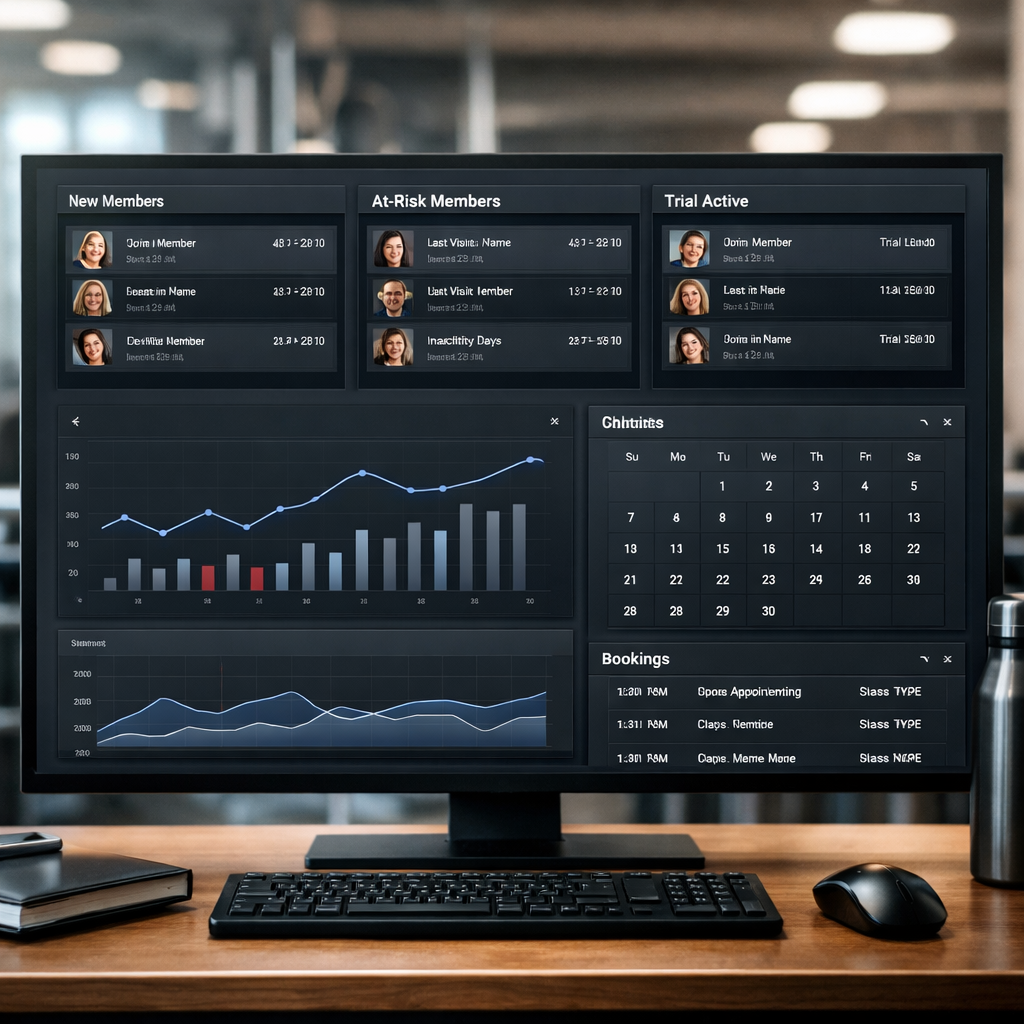
Segmentation converts data into action. Below are precise audience definitions you can drop into a gym email marketing CRM to run targeted fitness email campaigns that move behavior instead of just collecting opens.
Ten ready segments with exact rules, subject line, and KPI
| Segment | Exact criteria (use CRM fields) | Subject line example | Primary KPI |
| New Leads | leadcreateddate <= today – 7 days AND membership_status IS NULL | Welcome to [Studio] {first_name} – book your intro | Lead to trial booking rate |
| New Members 0-30 Days | membershipstartdate >= today – 30 days | Welcome aboard {first_name} – your first month plan | First 30 day attendance rate |
| Trial Active | membershiptype = trial AND trialend_date >= today | Your free trial ends soon {first_name} – reserve now | Trial to paid conversion |
| At-Risk Members | membershipstatus = active AND lastvisitdate BETWEEN today – 60 AND today – 31 AND classesattended_30d < 2 | We miss you {first_name} – try a free class on us | Reactivation booking rate |
| Lapsed Members | lastvisitdate <= today – 90 OR membershipstatus = canceled AND canceleddate BETWEEN today – 365 AND today – 30 | Come back and save – special return offer | Reactivation conversion within 30 days |
| High-Value Members | annualspend > 1000 OR visits90d > 20 | An exclusive offer for our top members {first_name} | Upsell revenue per email |
| Personal Training Clients | personaltrainerid IS NOT NULL AND active_sessions > 0 | Book your session with {trainer_name} this week | Session booking CTR |
| Class Pass Holders – Low Balance | membershiptype = pass AND passremaining <= 3 | Only a few classes left – renew your pass | Pass renewal rate |
| Referrers | referralcount >= 1 AND lastreferral_date >= today – 180 | Thank you {first_name} – double reward for your next referral | New member referrals per email |
| Birthday This Month | MONTH(birthday) = MONTH(today) | Happy birthday {first_name} – enjoy a free class | Birthday offer redemption rate |
Practical tradeoff: deeper segmentation increases relevance and conversion but creates smaller lists and more maintenance. If a segment regularly has fewer than 200 contacts, prefer a shared campaign with dynamic content blocks instead of a separate flow.
Dynamic segments, refresh cadence, and exclusions
- Refresh cadence: update time-based segments nightly and event-driven segments in real time where possible so booking and attendance events change membership state immediately.
- Canonical source rule: pick one system for membershipstatus changes – if scheduling is authoritative keep Mindbody or Glofox as the source of truth and write a sync rule so CRM membershipstatus follows that feed.
- Exclusion lists: always exclude contacts with donotemail = true and suppress members who booked within 48 hours when running trial conversion or reactivation campaigns to prevent mixed messages.
- Avoid overlap: add priority tags to campaigns. For example, priority: trialconversion > welcomeseries > promotional_blast so a trial contact gets only the highest priority flow.
Limitation to watch: segmentation only helps if your data is accurate. Small mismatches in lastvisitdate or duplicated member records will push people into wrong flows and damage trust. Invest 15 to 30 minutes weekly in a simple dedupe and bounce review to keep segments useful.
Concrete studio use case
Concrete Example: A four-location boutique studio created the At-Risk Members segment and launched a 3-email reactivation series with a single CTA to book a complimentary class. They suppressed members who had booked in the prior 14 days and monitored reactivation bookings as the KPI. Within six weeks they reactivated enough members to justify keeping the sequence and increasing cadence for the smallest performing location.
Targeting works only when you control message overlap. Fewer, cleaner segments with reliable suppression outperform many hyper-niche lists that are stale or noisy.
Targeted email campaign templates and automation flows for gyms
Practical point: A handful of modular, behavior-driven email flows will deliver most of your ROI — not an endless stream of one-off promotions. Build eight focused automations, wire them to booking and attendance events, and reuse the same blocks (welcome, social proof, offer, CTA) so you can test and scale quickly.
Eight campaign templates (compact reference)
| Campaign | Trigger | Cadence | Primary CTA | Target KPI |
| Welcome Series for New Members | membershipstartdate | Day 0, Day 3, Day 10 | Book your first class | Open > 50%, CTR to booking > 15% |
| Trial Conversion Sequence | trialstartdate | 0–3–7 days (3 emails) | Activate paid membership | Conversion lift >= 10% vs baseline |
| Onboarding to First Class Flow | lead books first intro or downloads schedule | 24h, 48h after sign-up | Reserve first class | Click-to-book > 20% |
| Class Reminder and Upsell | booking created / 24h before class | 24h before, 2h before | Add a class pack or PT | Attendance rate > 80%; upsell CTR 3–6% |
| Reactivation Sequence for Lapsed Members | lastvisitdate > 60 days | Day 0, Day 7, Day 21 | Come back with limited offer | Reactivation >= 4–6% (varies by baseline) |
| Membership Renewal Reminder | membershipenddate – 30 days | 30, 14, 3, 0 days | Renew now (auto-renew option) | Renewal rate lift 5–15% |
| Personal Training Upsell | visits_30d >= 6 OR interest tag added | Email, follow-up in 7 days | Book free consultation | Consult bookings per email > 2–4% |
| Referral Invitation Program | NPSscore >= 9 OR referralcount >= 1 | Email then reminder at 14 days | Send referral link / invite | Referral rate per send 1–3% |
Trade-off to plan for: aggressive cadences increase short-term response but also complaint/unsubscribe risk. Use engagement-based suppression: after two consecutive non-opens in 60 days move the contact to a reduced-frequency stream. That small concession reduces deliverability problems later.
Full example: Trial Conversion flow (complete automation)
Trigger rule: a contact enters the flow when trial_start_date is set and membership_status is trial. Suppress if contact books a paid membership or has opted out of marketing.
- Email 1 — Welcome + how to book (within 24 hours): Subject: Welcome, first_name — book your first class today; Preheader: Quick steps to get started; Hero: One-sentence benefit (accessibility, class variety), 2 quick class suggestions based on preferred_class_type; CTA: Book now (link to booking page). KPI: Open > 50%, CTR > 18%.
- Wait 48 hours — Conditional split: If clicked CTA or booked a class, tag as engaged and exit to onboarding maintenance stream. If not clicked, send Email 2.
- Email 2 — Trainer & social proof (day 3): Subject: Meet personal_trainer_name who helps beginners succeed; Preheader: See class times that fit your week; Hero: short trainer bio + member quote + schedule snapshot; CTA: Reserve your spot. KPI: CTR > 12%, bookings attributable to email tracked via UTM.
- Wait 4 days — If no booking by day 7 send Email 3: Subject: Trial ends soon — 20 percent off first month; Preheader: Offer expires in 72 hours; Hero: limited-time discount plus urgency line; CTA: Activate membership. KPI: Trial->paid conversion >= 10% (campaign).
- Post-conversion path: On purchase, send confirmation email, cancel remaining trial flow emails, and add to welcome/onboarding sequence for new members.
KPI to calculate revenue per email: if average first-month value is $80 and campaign converts 10 of 1,000 trials to paid, revenue per email = (10 * $80) / 1,000 = $0.80. Use that to compare against ad spend and staff time.
Automation logic considerations: include booking-based suppression (if booking occurs within 48 hours suppress conversion emails), attendance branching (if checked-in three times within 14 days transition to a retention stream), and time-based expirations (remove trial contacts from flow when trialenddate passes). Keep flows readable: use clear tags and a single source of truth for membership_status to avoid duplicate sends.
A/B testing quick plan: test subject line on 20 percent sample, run 48 hours, evaluate on CTR and booking conversion. If result statistically meaningful, roll variant to remainder. Do not test cadence and creative at the same time — isolate variables.
Key takeaway: Prioritize trial conversion and onboarding flows first — they produce the fastest revenue lift. Measure with UTM-tagged booking links and a booking-source field so you can tie email clicks to actual paid memberships.
Practical judgment: Many studios try to personalize every sentence and overcomplicate flows. Start with the three personalization tokens that move metrics — first_name, preferredclasstype, and nearbylocation — and get the timing right. Then iterate on copy and offers using small A/B tests.
Writing and design tactics to maximize conversions from studio emails
Direct approach outperforms cleverness. For studio emails the goal is a specific behavior — book a class, claim a trial, renew a membership. Every line of copy and every design choice should make that action faster and clearer.
Subject lines, preheaders, and the first impression
Short and tactical beats poetic. Use 30 to 50 characters, lead with a benefit or name, and add urgency only when real. The preheader should complete the offer or CTA; treat it like the second subject line.
- Formula: [First name] + [Benefit] or [Benefit] + [Urgency]
- Use the preheader to clarify the CTA rather than restating the subject
- Avoid hype words that trigger spam filters like Free, Guarantee, or Act Now when they are unnecessary
- Hi Jamie — Your free class at 6pm is waiting
- Save your spot: 7am Bootcamp 2 spots left
- Claim your 7-day trial — starts this week
- We miss you — 20 off your next month
- New class schedule for your neighborhood
- Trainer match ready for you, Jamie
- Confirm your booking for Saturday at 9am
- Your trial ends in 3 days — special offer inside
- Quick check in: did you enjoy your session?
- Limited PT spots: book a consult this week
- Bring a friend for free this Thursday
- Renew today and keep your current rate
Body structure that converts
One idea, one CTA. Start with a one-sentence hero that states the action, follow with a short social proof line and a clear button. Secondary links can live below the fold. Readers skim—make the button visible without scrolling on mobile.
Concrete Example: Class reminder copy. Hi Jamie, your 6pm Spin class is booked for tonight. Reply STOP to cancel or tap Book to add a friend. Button: View class details. Reactivation copy. Jamie, you were missed last month. Come back this week and get 30 off your next month. Button: Reactivate membership.
Personalization with limits. Use tokens like firstname, preferredclasstype, and lastvisit_date. But do not over-personalize fields you cannot guarantee — bad fallbacks look worse than generic copy. Always set sensible fallbacks such as Member or your next class.
Design rules and accessibility tradeoffs
- Mobile-first: single column, 44px tap targets for buttons, keep hero CTAs above the fold
- Images: use one hero image plus optimized thumbnails; heavy image emails lower deliverability and slow load
- Contrast and alt text: accessible color contrast and alt text for every image improve clarity and cater to screen readers
- Dynamic content: show local class times or trainer photos dynamically, but provide plain-text fallbacks to avoid broken personalization
Tradeoff to accept. Heavily designed, magazine-style emails look nice but convert worse on transactional pushes like trial conversion. Use richer design for monthly newsletters; use lean, action-first templates for flows driving bookings and revenue.
A single, prominent CTA that opens the booking flow will outperform multiple equal-weight CTAs in every trial conversion and class reminder sequence.
Practical rule: build two templates — a lean transactional template for automated flows and a richer template for monthly promos. Keep both under the same brand system so testing and switching between them is fast.
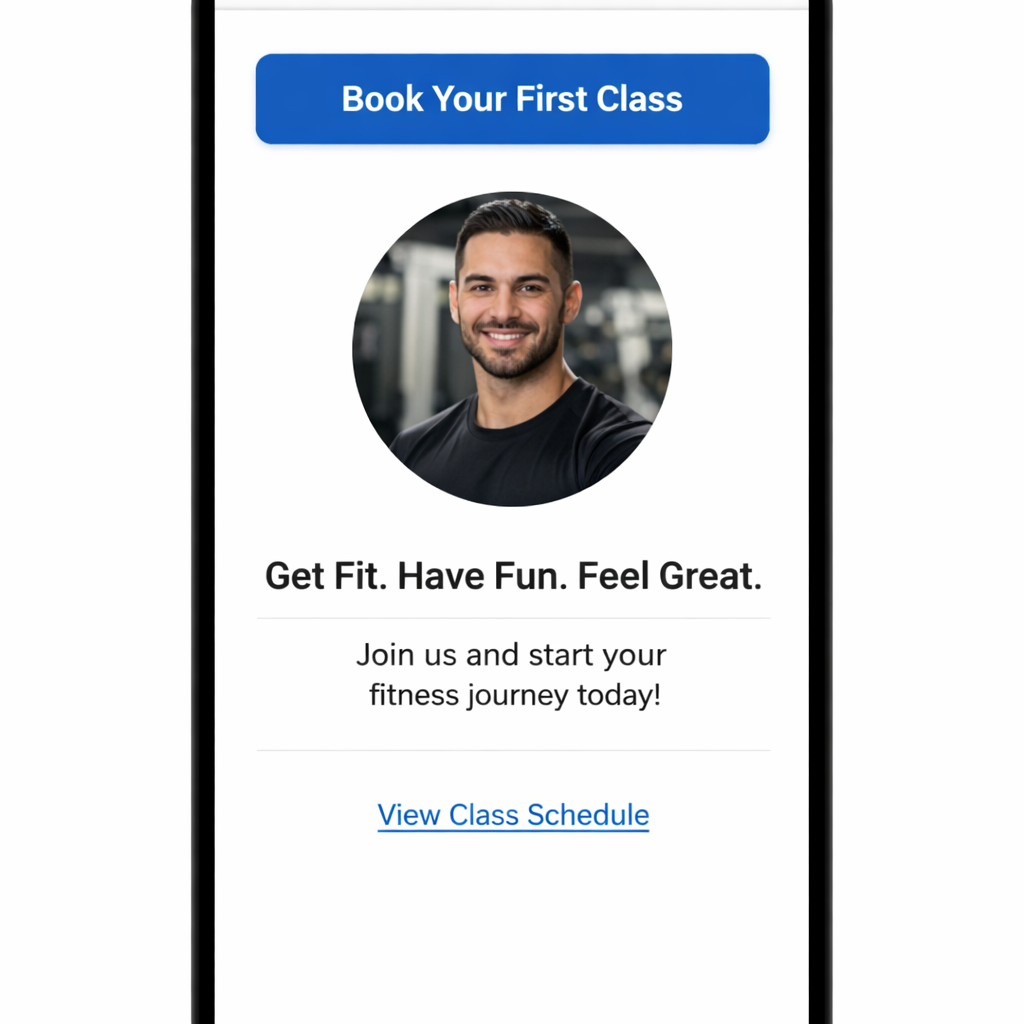
Final takeaway: optimize for the action you need. Write one-line heroes, keep CTA friction low, use personalization sparingly with fallbacks, and prefer simple designs in automated flows. Next consideration — pair these templates with timing and suppression rules so members do not receive conflicting messages.
Automation logic, triggers, and A/B testing plans
Start with single-source truth for triggers. If your CRM doesn’t receive booking, attendance, and payment events in near real-time you will build flows that are noisy and will annoy members — suppression logic becomes guesswork instead of precision.
Common triggers and practical if/then logic
- Booking Created: start confirmation and pre-class reminder sequence; if booking cancelled within 24 hours then send cancellation follow-up with rebook CTA.
- Class Checked In: add attendance to behavior counter; if attendancecount14d >= 3 then move to upsell flow for PT offers.
- No-show: immediately add to no-show suppression and send re-engagement with one-off discount; if no-show_count >= 2 then flag for manual outreach.
- Trial Start / Trial End: trigger trial conversion series; if member books within 48 hours then suppress later trial nudges and enroll in new-member onboarding.
- Payment Failed: pause membership benefits, notify member, and kick off dunning workflow with staged increasing urgency.
- Lead Form Submission: initial welcome series + scheduling prompt; if lead books within 7 days then swap to member onboarding and stop lead nurture.
Practical trade-off: aggressive automation increases conversions but raises message fatigue risk.** Use behavior-based suppression (recent booking, recent open, recent SMS) rather than fixed time windows where possible — it reduces conflicting offers but requires reliable event data from systems like Mindbody or Glofox.
Wait steps, conditional splits, and suppression best practices
- Wait steps: prefer short waits (24–72 hours) for trial flows, longer waits (7–14 days) for reactivation to let behavior settle.
- Conditional splits: base them on behavior captured in CRM (bookedlast7d, openedlastemail, attended3in_14d). Always include an else branch to avoid dead-ends.
- Cross-channel suppression: maintain a single suppression list for urgent reminders so members don’t get both SMS and email for the same event.
- Conflict resolution: highest-priority transactional messages (booking confirmation, payment failed) should always suppress promotional flows for 24 hours.
Concrete example: A class reminder flow sends Email A at 48 hours, Email B at 12 hours, plus an SMS 2 hours before class. If the member checks in, the automation increments attendancecount14d; when that value hits 3 the CRM automatically starts a Personal Training upsell sequence and suppresses further reminder emails for that member for 30 days.
A/B testing plan template — stop guessing, measure what moves revenue
Test one variable at a time. If you test subject line and CTA together you will not learn which change drove bookings. Prioritize conversion metrics over opens — CTR or booking conversion is what pays the bills.
| Parameter | Recommended value |
| Sample split | 20 percent test sample, 80 percent holdout or roll to winner |
| Minimum sample | 500 recipients OR 25 conversions per variant (whichever comes first) |
| Duration | 48–72 hours for opens/CTR; 7–14 days for booking conversions |
| Primary KPI | Click-to-book conversion (or direct booking attributed revenue) |
| Statistical rule | 95 percent confidence or pragmatic minimum lift of 10% for time-limited offers |
- Plan: choose variable (subject line, CTA copy, send time).
- Segment: pick clean segment with clear intent (trialending7d, newmembers0_30d).
- Sample: run on 20 percent; measure primary KPI for defined window.
- Decide: promote winner to remaining 80 percent or continue test if inconclusive.
- Holdout: maintain a control group (5–10 percent) when measuring revenue impact over 30–90 days.
Limitation and judgment: strict statistical significance is ideal but impractical for small studios. If you cannot hit minimums, run sequential creative tests and prioritize operationally meaningful lifts (booking uplifts that cover the cost of the offer). Always document tests to avoid repeating the same experiment.
Run tests that measure bookings or revenue, not just opens. For gyms, the conversion that matters is the booking or paid membership change.
Key takeaway: Build automation around real events, suppress aggressively across channels, and test one variable with conversion-focused KPIs. If your CRM syncs with scheduling systems in real time you can avoid most common automation errors.
Next consideration: set a testing cadence and calendar so experiments don’t overlap with promotions or seasonal spikes.
Measuring campaign performance and tying email activity to studio revenue
Key point: Measuring opens and clicks is necessary but not sufficient; studios must connect email clicks to bookings and transactions inside the CRM to calculate revenue per email and true ROI.
Key KPIs and exact formulas to track
- Open rate: opens / emails delivered
- Click-through rate (CTR): unique clicks / emails delivered
- Click-to-booking conversion: bookings from email clicks / unique clicks
- Booking-to-revenue conversion: sum(revenue from bookings attributed to campaign) / bookings attributed
- Revenue per email: total revenue attributed to campaign / emails delivered
- Churn reduction delta: baseline churn rate – post-campaign churn rate (compare same cohort window)
- LTV uplift: (average LTV of exposed cohort – average LTV of control cohort) / control cohort LTV
Formula in practice: If 1,200 emails delivered produce 72 clicks, 18 bookings, and those bookings produce $5,400 in revenue, revenue per email = $5,400 / 1,200 = $4.50. Use that number to compare channels and justify spend on email creative or list rental.
Attribution, windows, and the limits you should accept
Practical insight: Last-click attribution overstates email influence when members interact across channels. Use UTM parameters and a booking_source field in your gym management system to capture whether a booking followed an email click, but expect some leakage when members call or return later without clicking.
- Attribution window: use 7-day and 30-day windows and report both. Short windows show direct response. Longer windows capture assisted conversions and LTV impact.
- Multi-touch reality: credit part of revenue to email when it appears earlier in the member journey. If you need a single number, use a weighted attribution rule in the CRM rather than blind last-click.
- Causal measurement: run a holdout test (5 to 10 percent of eligible audience do not receive the campaign) to measure incremental revenue. This costs potential short-term revenue but gives the only reliable ROI signal.
Trade-off: Holdout tests produce clear answers but require discipline. Smaller studios sometimes refuse holdout groups because each missed email feels like money left on the table. That bias makes reported lifts optimistic. If you cannot run holdouts, at minimum run time-based control windows and be conservative when claiming impact.
Concrete example: measuring a trial conversion sequence
Concrete Example: A studio sends 3 automated emails during a 14-day trial sequence to 800 trials. CRM records 64 clicks and 22 bookings where booking_source equals email click. Average first-month membership value is $120. Attributed revenue = 22 * $120 = $2,640. Revenue per email = $2,640 / 800 = $3.30. Running the same sequence with a 10 percent holdout showed a 12 percent incremental increase in paid conversions for the exposed group, confirming causality rather than correlation.
| Campaign type | Benchmark target |
| Welcome series | Open rate > 50 percent, click-to-booking conversion > 8 percent |
| Trial conversion | Conversion lift >= 10 percent vs baseline; revenue per email $2 to $6 typical |
| Reactivation | Open rate 25 to 40 percent, conversion 3 to 7 percent |
| Renewal | Open rate > 40 percent, renewal uplift 5 to 15 percent |
Reporting cadence and dashboards that actually inform decisions
- Weekly: delivery, opens, CTR, bounces, unsubscribes, and top campaigns by clicks.
- 30/60/90-day cohorts: follow trial cohorts to track trial-to-paid conversion and early churn; report LTV at 90 days to capture retention effect.
- Monthly revenue attribution: revenue per campaign, cost to produce, and ROI. Include both direct booking revenue and an assisted revenue column.
- Experiment dashboard: list active holdouts, sample sizes, outcome metrics, and statistical significance flags before you declare a winner.
Use UTM tagging on booking links and feed booking_source into your CRM or gym management system so reports tie back to the right campaign. If your scheduling platform integration is weak, export transaction and booking reports weekly and join them by email address or member ID to maintain attribution integrity.
Important: If you track only opens and clicks you will overestimate impact. Tie clicks to booking and revenue data in the CRM and use holdout tests for incremental measurement.
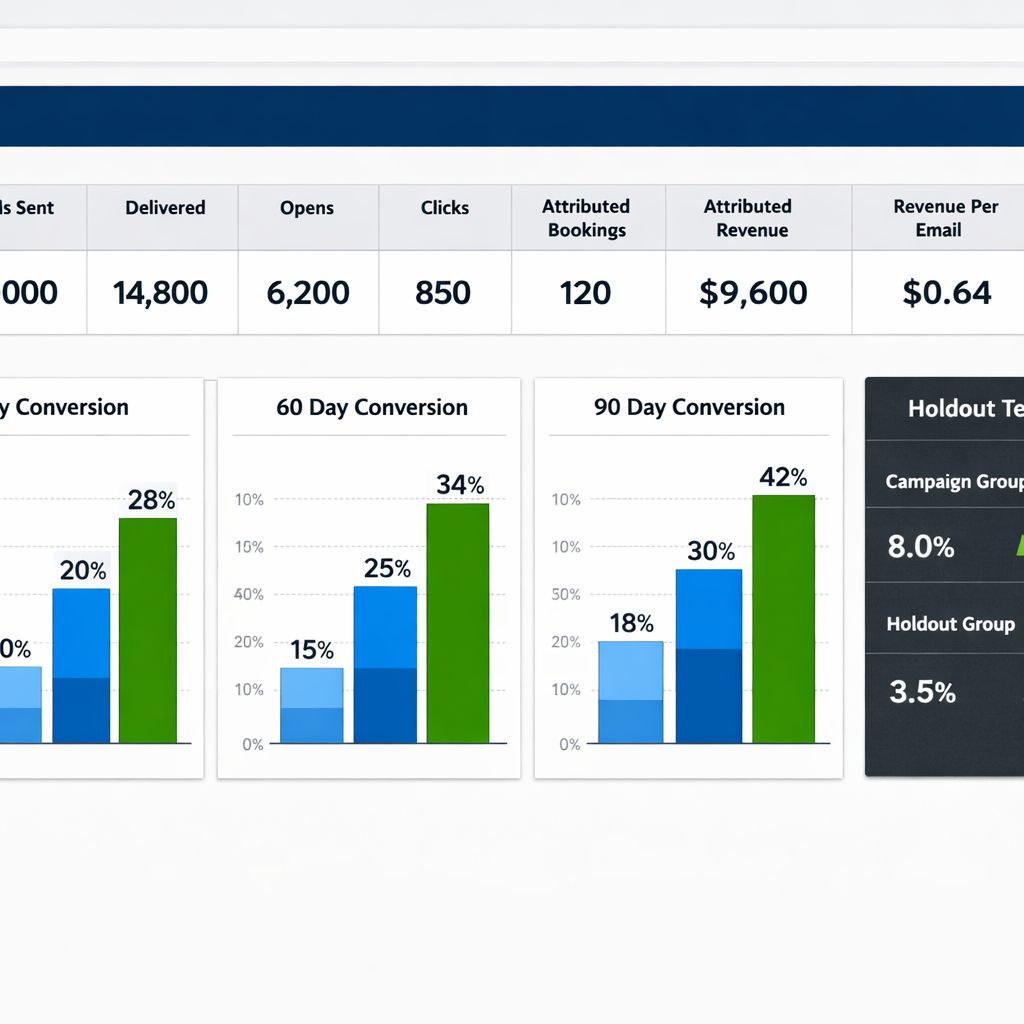
Next consideration: Build these attribution fields and a simple cohort dashboard in your fitness CRM first, then allocate budget and creative efforts to campaigns that show both short-term bookings and measurable LTV uplift.
Deliverability, compliance, and list hygiene for gyms
Key point: Inbox placement is the gating factor for any gym email marketing CRM program. You can have perfect segmentation and dazzling creative, but if messages land in spam or are throttled by the provider, revenue impact is zero. Treat deliverability as an operational discipline, not an IT checkbox.
Practical deliverability checklist
| Task | Why it matters | Timing / owner |
| Authenticate sending domain with SPF and DKIM | Prevents spoofing and improves inbox placement | One-time setup – marketing manager + provider |
| Warm new sending domain and IP | Builds reputation; prevents sudden spam flags | 2-4 week ramp before full sends |
| Remove hard bounces within 72 hours | Hard bounces signal bad list and hurt deliverability | Ongoing – automation rule |
| Suppress repeated non-openers | Keeps engagement rate healthy and reduces complaints | Quarterly review – marketing |
| Monitor complaint rate and unsubscribes | High rates require immediate cadence and content change | Weekly dashboard – operations |
Compliance essentials: Gyms must capture channel-specific consent at signup and honor unsubscribe requests promptly. For studios operating in Canada and Europe, follow CASL and GDPR rules for consent storage and proof. Store consent metadata – source, form, timestamp, and exact wording – inside the CRM so you can answer regulatory inquiries or filter lists by lawful basis.
- Do not pre-check marketing checkboxes at the front desk or on web forms; make consent explicit.
- Separate consent for email and SMS – membership management software often conflates these so confirm the CRM maps them to distinct fields.
- Unsubscribe link on every marketing email and honor unsubscribe within 10 business days; transactional emails can be separate but respect preferences.
Trade-off to accept: Double opt-in raises list quality and reduces complaints but will shrink your usable list by 10 to 30 percent depending on how the studio captures leads. If your immediate priority is aggressive acquisition, single opt-in will grow numbers faster; if retention and conversion from existing trials matter more, prefer double opt-in to protect deliverability and engagement.
Concrete example: A three-location studio migrated to a new gym email marketing CRM and sent a promotional blast to the entire member table the first week. The studio used the same domain for transactional receipts and promotions. Within 48 hours the complaint rate spiked and their ESP temporarily limited sends while reputation recovered. The fix combined warm-up of a dedicated marketing domain, removal of 8 percent hard bounces, and a 6-email re-engagement stream that asked inactive members to confirm interest. Deliverability normalized over three weeks and booking attribution from emails increased.
- Re-engagement flow: Send a 3-step re-engagement sequence to addresses with no opens in 90 days, then suppress if no response; this protects sender score.
- Role and generic address purge: Remove addresses like admin@, info@, and test@ because they often bounce or trigger filters.
- Segmented frequency caps: Apply per-person caps (for example 3 marketing emails per week) and a global cadence for promotional periods to avoid member fatigue.
Important: treating email reputation as concerted maintenance – warm-up, hygiene, consent records, and suppression – delivers better ROI than any subject-line tweak.
If you integrate scheduling platforms like Mindbody or Glofox, map booking and attendance events to the CRM so engagement signals can automatically suppress or prioritize emails.
Next consideration: Decide whether to centralize sends under one authenticated domain for reputation simplicity or use location-level subaccounts for targeted messaging; centralization simplifies deliverability management while subaccounts improve localization but increase operational overhead.
Frequently Asked Questions
Direct answers studios can act on now. Below are the operational FAQs you will actually need when configuring a gym email marketing CRM and running targeted campaigns — not theory, but the mapping, cadence, and trade-offs you will face the first month live.
What data should I import first when connecting my scheduling software to a CRM?
Priority import: member contact info, membershipstartdate, membership_status, booking history, class attendance, and transaction history. Those fields let you build conversion-driving segments the same week you connect the systems.
Operational tip: sync cadence matters as much as fields. A nightly bulk import delays timely triggers; a 5–15 minute incremental sync makes trial and booking-driven emails useful. Decide which system is the canonical source for membership_status to prevent flip-flopping records.
Concrete example: when syncing Mindbody, map Mindbody.status to CRM.membership_status, set incremental sync to 10 minutes, and apply a rule: if Mindbody and CRM disagree on cancellations, Mindbody wins. That prevents a cancelled record from reactivating because of stale CRM data.
How often should I email members without causing churn?
Practical rule: limit marketing sends to 1–3 per week per engaged member, fewer for low-engagement segments. Engagement-based throttling is the only scalable approach.
Trade-off to accept: aggressive suppression increases deliverability but may miss revenue opportunities from occasional reactivation messages. Counter with a low-frequency re-engagement path that uses different creative and stronger incentives before suppressing permanently.
Which email campaign typically produces the fastest ROI for a studio?
Short answer: trial conversion and onboarding sequences. They change behavior during the retention-critical first 30 days and usually deliver quick, measurable lifts.
Caveat: the magnitude of ROI depends on offer and timing. Heavy discounting increases short-term conversions but lowers LTV; test price vs timing rather than assuming bigger discounts always win.
How do I prove an email campaign increased bookings or revenue?
Start simple: use UTM-tagged links and populate a booking_source field in your scheduling software when a booking originates from an email click. Then run a short holdout test: suppress the campaign for a 10–20 percent random sample and compare booking rates over 30 days.
Real-world limitation: multi-touch customer journeys make pure attribution messy. Holdouts are the most defensible way to claim incremental revenue; avoid relying only on last-click attribution.
Can I coordinate email with SMS in the same automation?
Yes — and you must plan channel roles. Use email for rich content, onboarding, and upsell narratives; use SMS for urgent reminders, confirmations, and conversational two-way asks. Always implement suppression logic so a member does not receive both channels for the same touch within a narrow window.
Practical timing rule: for reminders, send the SMS 2–4 hours before class and the email 18–24 hours prior. If a member opts out of email but accepts SMS, flip to SMS-first workflows.
What are realistic KPIs for a membership renewal email?
Benchmark targets: aim for an open rate > 40 percent and a conversion lift of 5–15 percent versus baseline. Expect variance by membership tier and tenure — high-value members usually respond better to personalized outreach and phone follow-up.
Judgment: treat renewal emails as a multi-touch program. One transactional reminder rarely moves the needle; combine email with a 1:1 reach for members above a revenue threshold.
How should studios handle members who prefer not to receive marketing emails?
Respect preferences programmatically. Maintain explicit preference fields in the CRM (emailoptin, smsoptin, contact_tier) and wire them into suppression logic. Do not rely on a single unsubscribe flag to control all channels.
Compliance note: keep consent records and timestamps for GDPR/CASL, and use a preference center that lets members pick transactional-only vs marketing. If members opt out of marketing email but not transactional, you can still send receipts and booking confirmations.
Quick takeaway: run a 10–20 percent holdout when testing high-impact campaigns, set sync frequency to 5–15 minutes for booking-driven triggers, and use engagement-based throttling before permanently suppressing members.
- Action 1: Map membership_status and bookings first, set incremental sync to 10 minutes, and confirm canonical source rules with ops.
- Action 2: Implement engagement scoring and a 1–3 sends/week cap per engaged member, with a special re-engagement path for non-openers.
- Action 3: Run a small holdout to measure incremental revenue before rolling a campaign wide; track booking_source and UTM links for attribution.
Recent blog posts
Back to blog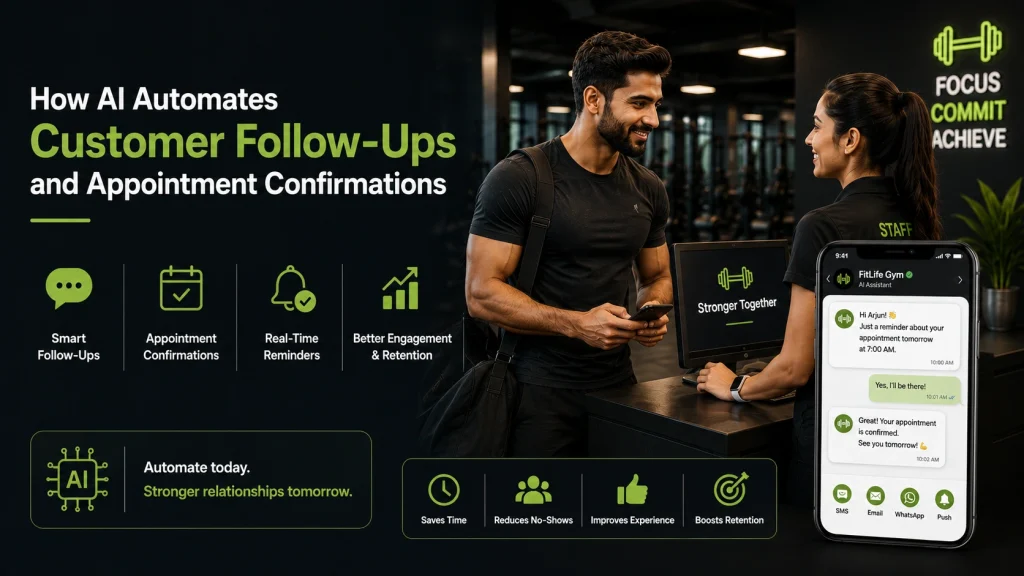

Ready to Run Successful Marketing Campaigns and Grow Your Business?
Gleantap helps you unify customer data, track behavior patterns, and automate personalized campaigns, so you can increase repeat purchases and grow your business.
Ready to Run Successful Marketing Campaigns and Grow Your Business?
Gleantap helps you unify customer data, track behavior patterns, and automate personalized campaigns, so you can increase repeat purchases and grow your business.