
 Divya Ghughatyal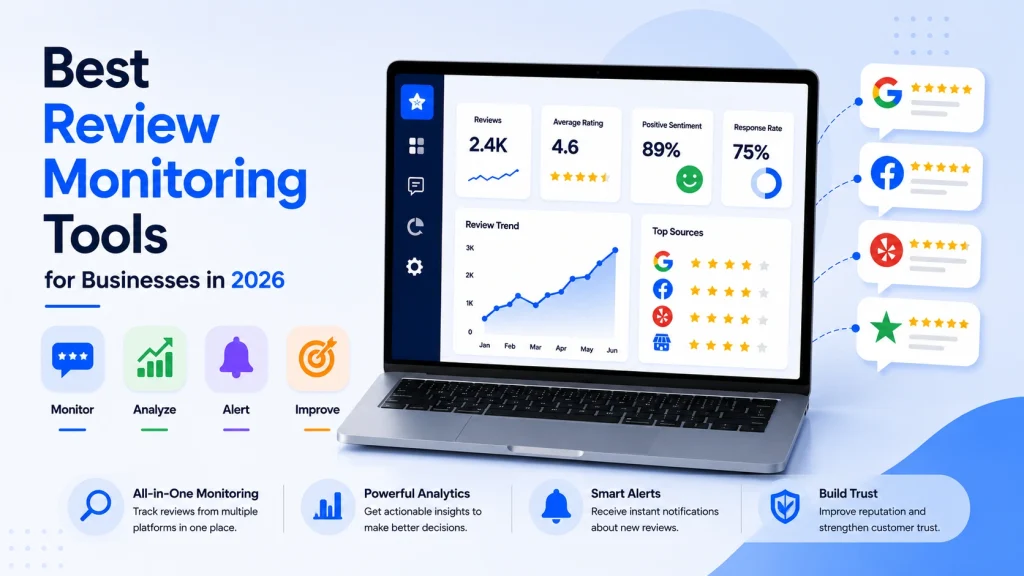
Choosing the right review monitoring tools in 2026 is a business decision, not a nice-to-have – reviews influence conversion, local search, and the daily workload for your team. This article compares the leading platforms on aggregation, response workflows, sentiment analysis, pricing, and integrations, and recommends the best fit by company size and use case. Each vendor entry includes a quick verdict, realistic pricing guidance, and a 30-day pilot checklist so you can shortlist a tool and start proving ROI fast.
1. Gleantap
Practical point: Gleantap is not a full blown reputation platform — it is a messaging and conversational marketing tool that becomes valuable for review monitoring when used as the review solicitation and engagement engine feeding a review aggregator or Google Business Profile workflow.
Where Gleantap adds real value
Key strength: the website chat to SMS handoff. Converting anonymous web visitors into permissioned SMS conversations creates a review opportunity window that email usually misses. That conversion step is the difference between a bounce and a one tap review invite.
- SMS driven review requests: configurable, timed follow ups after a completed service or transaction.
- Website chat to text: captures on site conversations and continues them as SMS so you can ask for a review while the experience is fresh.
- Customizable conversational flows: branch on sentiment in replies to route happy customers to a review link and unhappy customers to support.
- Integrations: native web chat plus Zapier and CRM connectors for syncing customers and pushing review links into Google or other platforms.
Tradeoff to accept: Gleantap excels at generating review volume via messaging but it is not designed to aggregate and surface reviews from dozens of external platforms at scale. For multi site governance or competitor review analysis you will need a secondary aggregator or a Zapier workflow to push collected reviews into a review monitoring dashboard.
Practical setup consideration: capture explicit SMS consent during the chat handoff and throttle invites by engagement score. Overmessaging damages response rates and increases opt outs faster than you expect. Use conversational cues to send a review link only after a positive interaction to stay within platform rules and reduce negative posts.
Concrete example: A 30 location boutique gym connects website chat to Gleantap, then triggers an SMS review invite 24 hours after class attendance. Happy respondents are routed a one tap Google review link; neutral or unhappy replies open a support ticket into the gym CRM via Zapier. In practice this pattern drives faster, higher intent reviews because the request follows an active conversation rather than an impersonal email.
- When to choose Gleantap: your customer contact is messaging heavy and you want higher conversion on review solicitations without changing frontend systems.
- When not to choose Gleantap alone: you need enterprise grade review aggregation, competitive benchmarking, or automated sentiment auditing across dozens of niche review sites.
- Pricing note: subscription plus usage based SMS costs; request volume pricing if you send thousands of messages a month.
Use Gleantap as the review acquisition engine and pair it with a review aggregation tool for monitoring and reporting.
Pilot checklist (practical): build one conversational flow that ends with a review invite, map consent capture in your chat, A B test two message variants for 2 weeks, track review conversion rate and opt out rate, and forward unhappy replies into your CRM for triage.
Next consideration: if you need basic review management plus the messaging lift, try Gleantap for solicitations and connect results into a monitoring layer like ReviewTrackers or BrightLocal.
2. Podium
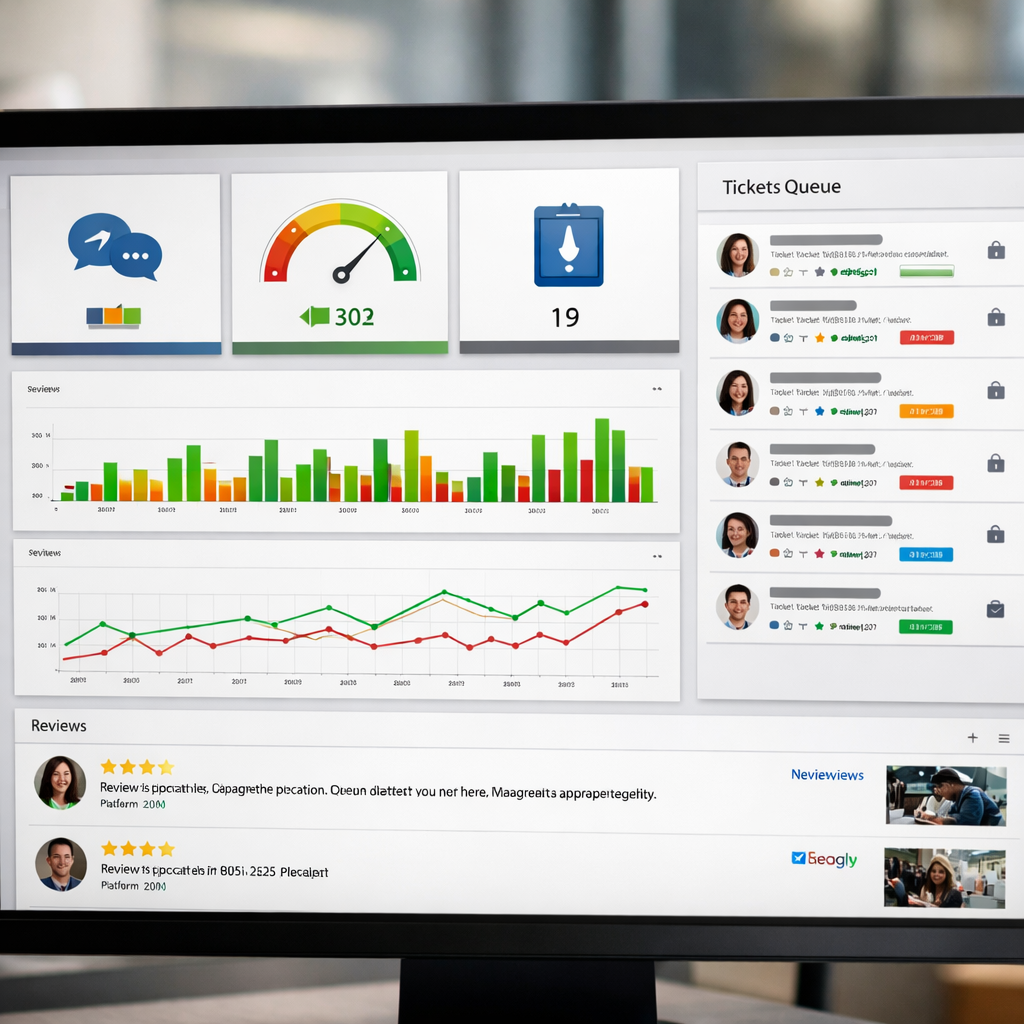
Podium is a messaging-first review monitoring tool built around SMS workflows rather than dashboards. For businesses that run on front-desk interactions and phone callbacks, Podium turns those touchpoints into review invites, payment collection, and one unified conversational inbox — which changes the operational playbook compared with traditional review aggregation tools.
Core strengths: Podium excels at review solicitation by SMS, webchat-to-text handoffs, and a single inbox that blends messages, reviews, and payments. Its design fundamentally prioritizes speed of contact and follow-up, not advanced review analysis or deep cross-site benchmarking.
- Key features: SMS review invites, unified conversational inbox, webchat funneling into SMS, payment collection, basic review aggregation
- Integrations: Google Business Profile via native connectors and partner apps, Facebook, common CRMs and practice management systems, and Zapier for custom workflows
- Typical pricing pattern: seat plus modular features with messaging costs; expect costs to rise quickly under heavy SMS volume or multiple seats
Practical trade-off: Podium converts conversations into reviews very reliably, but that focus creates two limits. First, if you need enterprise-grade sentiment analysis, competitor benchmarking, or consolidated governance across 100s of locations, Podium is weaker than enterprise reputation platforms. Second, SMS-driven volume is great until messaging costs and opt-in management become a billing and compliance headache — plan for that in your monthly TCO.
Operational consideration: Podium works best when the front desk or service team owns the review workflow. Expect to change staff routines: asking for permission to text, tagging completed services in the POS or CRM to trigger invites, and training staff to manage the conversational inbox in real time. If you try to run Podium as a pure marketing tool without operational alignment, response rates will underperform.
Concrete example: A dental practice using Podium routes appointment checkout into an automated SMS that asks for feedback and links to Google Reviews. Within weeks the practice saw faster answers to patient concerns because messages arrived in the same inbox the staff already used for appointment reminders. They reduced negative review escalation by routing angry replies into a triage folder the office manager monitors during business hours.
Judgment: Choose Podium when your customer interactions are real-time and in-person — salons, dental, home services — and you want faster review collection tied to payments and messaging. Avoid it if your priority is deep review analysis, multi-site governance, or the lowest per-location cost for passive monitoring.
30-day pilot checklist
- Connect one Google Business Profile and verify reviews are appearing in the Podium inbox (Google Business Profile guide).
- Create an SMS review invite template and confirm opt-in language and opt-out handling to stay compliant.
- Configure webchat-to-SMS handoff so online leads drop into the same inbox as walk-ins.
- Train one staff member to handle the conversational inbox and escalate negative replies to management.
- Measure three KPIs: review conversion rate from SMS, average response time in the inbox, and change in one-star reviews week-over-week.
Expected outcome: In practice SMS review invites frequently deliver 2x–3x the conversion rate of email invites. Use that gain to justify messaging costs — but budget for higher monthly spend as volume scales.
When to combine tools: If you already run SMS campaigns through another platform, connect Podium via Zapier or a CRM integration rather than replacing everything. For example, link website chat or payment receipts to Podium and keep deeper analysis in a separate reputation platform or BI tool.
3. ReviewTrackers
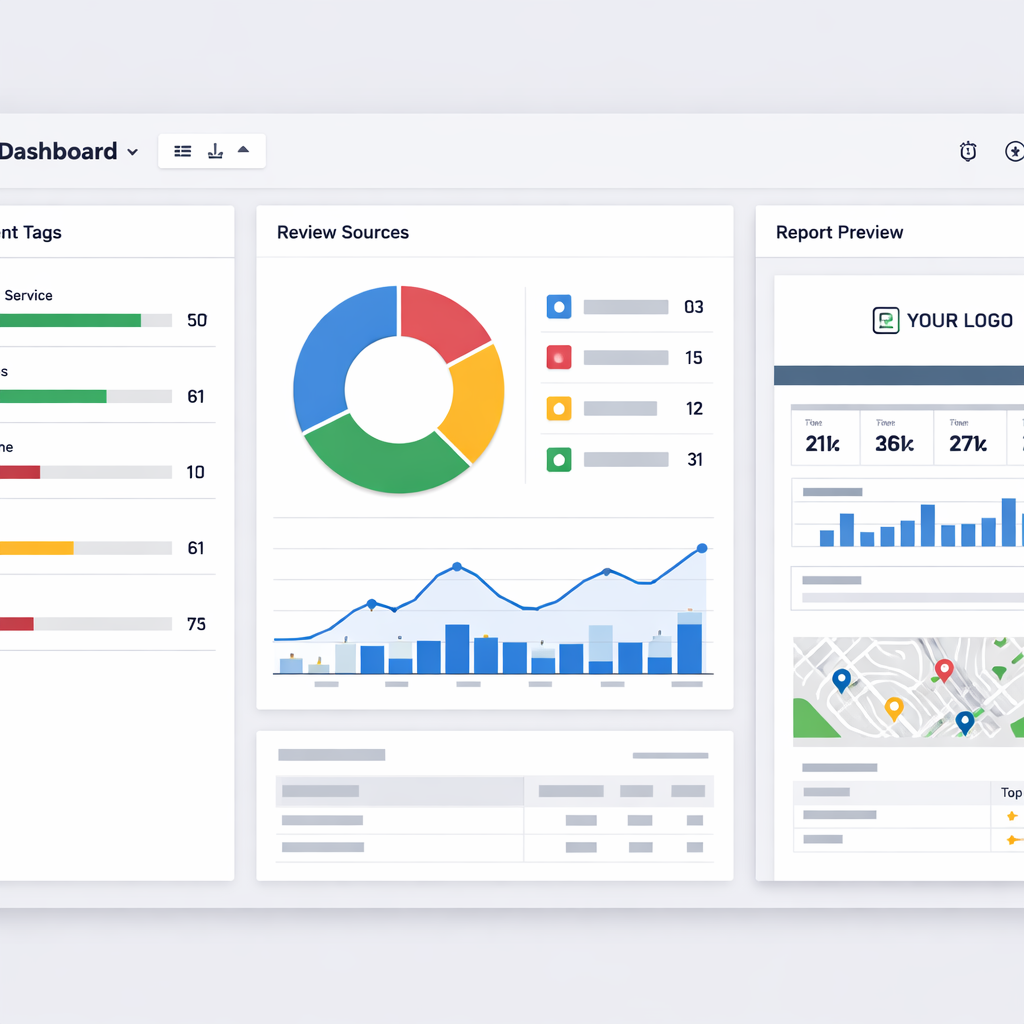
Bottom line: ReviewTrackers is a reporting-first review monitoring tool that saves agencies and local marketing teams time on client reporting and triage. It aggregates reviews reliably across mainstream sites, surfaces location-level trends, and packages that data into clean, client-ready dashboards rather than replacing a messaging stack.
Where ReviewTrackers adds real value
- Clean, client-ready dashboards: location and rollup views that agencies can white label and schedule as PDFs or interactive links.
- Review aggregation and source breakdown: counts and trends by platform so you can see whether Google Reviews, Yelp, Facebook, or niche directories are driving sentiment changes.
- Sentiment tagging and filters: automatic sentiment labels for triage and customizable tags for internal workflows.
- Automated alerts and exports: negative review alerts plus CSV and API exports for feeding BI tools or ticketing systems.
- Mid-market pricing model: per location with tiered features – predictable for small portfolios but watch the math when scaling to dozens of locations.
Practical tradeoff: ReviewTrackers is optimized for visibility and reporting, not for being the hub of SMS-driven review solicitation or conversational response automation. If your priority is to run high-volume SMS review asks and manage replies inside the same product, you will end up pairing ReviewTrackers with a messaging tool via Zapier or an API. See ReviewTrackers for feature details and evaluate integration limits before you commit.
Concrete example: A regional dental marketing agency used ReviewTrackers to onboard 10 clinic clients and cut weekly reporting creation from three hours to 20 minutes by using scheduled white-label dashboards. They routed negative review alerts to a Slack channel and used an automated Zap to create follow up tasks in their CRM, improving response SLA without changing front desk workflows.
- Pros: Fast client reporting, easy location comparisons, solid review aggregation and export features.
- Cons: Limited native messaging or review solicitation automation; sentiment tagging works best for English and common phrases so spot checks are still required.
- Integration note: Use ReviewTrackers for monitoring and reporting, then connect a messaging specialist like Gleantap for SMS-driven review solicitation and webchat handoff.
Key takeaway: Choose ReviewTrackers when your priority is tidy, repeatable reporting and multi-location visibility. If you need to increase review volume through automated SMS or conversational flows, plan to pair ReviewTrackers with a messaging platform and validate API or Zapier throughput in a pilot.
Judgment: In practice ReviewTrackers pays for itself where reporting overhead is the bottleneck – agencies and local marketers get time back and better client transparency. It is not the best single-vendor solution for businesses that want both heavy review solicitation and replies inside one inbox.
4. Reputation.com
Direct verdict: Reputation.com is an enterprise-first reputation and listings platform built for governance, competitive benchmarking, and centralized analytics — not for low-cost, lightweight review monitoring.
Core capability snapshot: The product combines review aggregation and response workflows, a proprietary reputation score, large-scale listings management, CX surveys, and competitive benchmarking across markets. It plugs into enterprise BI and CRM systems and offers approval workflows and role-based controls for large ops teams.
- Key features: review monitoring, reputation scoring, advanced analytics and segmentation, listings and NAP governance, survey management, escalation routing.
- Integrations to check: Google Business Profile, enterprise CRMs and ticketing systems, data warehouses and BI tools, and common social platforms — request specifics during procurement.
- Pricing model: enterprise contracts with per-location components; expect custom quotes and minimums rather than a self-serve monthly plan.
Practical trade-offs and what matters in evaluation
Trade-off — governance versus agility: Reputation.com shines when you need strict controls across many locations: centralized dashboards, role-based approvals, and audit trails. That structure adds complexity and slows local teams. If you need fast, conversational SMS-driven review solicitation and local staff autonomy, a messaging-first tool or pairing with a platform like Gleantap is a better fit.
Limitations to watch: The AI sentiment and reputation scoring are serviceable for trend detection but require calibration. Expect false positives on sarcasm, industry-specific jargon, and multilingual reviews unless you invest time labeling examples. Also budget for change management: an enterprise rollout will need training, SLA definitions, and possibly extra headcount to run the response and escalation workflows.
Unique strength: Competitive benchmarking. Reputation.com can profile competitors at scale and surface where poor sentiment correlates with lost visibility or listings inconsistencies. For large brands that treat reputation as a corporate KPI, that level of market context is useful and rare among mid-market tools.
Concrete example: A regional healthcare network with tens of clinics would use Reputation.com to centralize reviews, apply a unified reputation score per clinic, and automatically route negative reviews to a compliance queue in the hospital quality system. That lets corporate quality leads monitor trends and force approvals on replies while local clinic managers keep day-to-day visibility for follow-up.
Buyer judgement: Choose Reputation.com if you manage dozens to thousands of locations and need governance, consistent brand messaging, and cross-market analytics. Do not choose it if your priority is low-cost, SMS-first review solicitation or a fast, nimble setup for a single-location business.
Key next step: Request a scoped pilot with 5 representative locations, insist on live data export to your BI, and include a manual verification phase for the sentiment model. Without those, the reputation score will be interesting but operationally unusable.

Where to learn more: See vendor details on Reputation.com and align any evaluation with your integration checklist: Google Business Profile, CRM/ticketing hooks, BI exports, and the capacity to pair with SMS or conversational review solicitation tools if you need higher review conversion.
5. Yext
Direct verdict: Yext is not a deep review analysis tool — it is a listings and knowledge management platform that gives you control over distributed business information, and that control indirectly improves review discoverability and local SEO.
Why Yext matters for review monitoring
Core strength: Yext excels at ensuring your name, address, hours, menus, and product details are consistent across directories, which reduces customer confusion and the negative reviews that follow incorrect information. Its review aggregation and reply features are solid for basic monitoring, and the platform pushes data into search knowledge panels where potential reviewers first form impressions.
- Listings first: best in class for directory distribution and correction, which improves local visibility.
- Integrated replies: central inbox for review replies across many directories, useful for governance and compliance tracking.
- Knowledge management: structured data and Answers features help surface up-to-date facts in local search results, lowering friction that causes poor ratings.
Practical tradeoffs and limitations
What you sacrifice: Yext is not built to replace a dedicated reputation platform. If your priority is advanced sentiment analysis, automated triage, or SMS-driven review solicitation at scale, you will find limitations. Yext handles alerts and basic analytics, but its review analysis and conversational tooling lag behind messaging-first vendors and specialist review analysis software.
Cost and packaging: pricing is modular and often bundled into listings, reviews, and knowledge products. That modularity gives flexibility but also creates opaque total cost if you need listings plus deeper review workflows and APIs.
Integration note: Yext will centralize many directories, but it rarely replaces specialized SMS or webchat workflows.
Concrete use case
Concrete example: A regional fast-casual restaurant chain had inconsistent hours and menu items across directories causing a spike in negative reviews after customers found closed locations. Using Yext to correct listings and push updated menus reduced inaccurate-location complaints within six weeks, while centralized review alerts let ops respond to the handful of true service complaints faster.
Real-world nuance: That improvement came from fixing information sources, not from better sentiment software. Yext reduced avoidable complaints; for sentiment-driven prioritization and automated escalation you still need a specialist review monitoring tool or an integrated messaging system.
- Best fit: multi-location retail, restaurants, healthcare practices, and franchises that need strict control over public business data.
- Not a fit: operations that want advanced review analysis, multi-channel automated response workflows, or native SMS review solicitation at scale.
Operational pilot checklist (first 30 days)
- Sync accuracy: audit and sync core listings for 10 representative locations and correct NAP and hours.
- Enable review alerts: set up real-time notifications for new reviews and a negative-review rule to route items to operations.
- Measure baseline: capture current review volume, average rating, and number of listing errors for those 10 locations.
- Run a control test: update listings and push knowledge changes for half the group; track change in inaccurate-review incidents and search impressions.
- Integration test: connect one messaging tool via Zapier or API and verify a review alert creates a task in your ops inbox.
Key takeaway: Pick Yext when controlling distributed business facts is your priority. It reduces avoidable negative reviews by fixing truth at the source, but pair it with a messaging or review-analysis tool if you need aggressive solicitation, sentiment triage, or automated response workflows.
6. Gleantap
Practical point: Gleantap is not a full blown reputation platform — it is a messaging and conversational marketing tool that becomes valuable for review monitoring when used as the review solicitation and engagement engine feeding a review aggregator or Google Business Profile workflow.
Where Gleantap adds real value
Key strength: the website chat to SMS handoff. Converting anonymous web visitors into permissioned SMS conversations creates a review opportunity window that email usually misses. That conversion step is the difference between a bounce and a one tap review invite.
- SMS driven review requests: configurable, timed follow ups after a completed service or transaction.
- Website chat to text: captures on site conversations and continues them as SMS so you can ask for a review while the experience is fresh.
- Customizable conversational flows: branch on sentiment in replies to route happy customers to a review link and unhappy customers to support.
- Integrations: native web chat plus Zapier and CRM connectors for syncing customers and pushing review links into Google or other platforms.
Tradeoff to accept: Gleantap excels at generating review volume via messaging but it is not designed to aggregate and surface reviews from dozens of external platforms at scale. For multi site governance or competitor review analysis you will need a secondary aggregator or a Zapier workflow to push collected reviews into a review monitoring dashboard.
Practical setup consideration: capture explicit SMS consent during the chat handoff and throttle invites by engagement score. Overmessaging damages response rates and increases opt outs faster than you expect. Use conversational cues to send a review link only after a positive interaction to stay within platform rules and reduce negative posts.
Concrete example: A 30 location boutique gym connects website chat to Gleantap, then triggers an SMS review invite 24 hours after class attendance. Happy respondents are routed a one tap Google review link; neutral or unhappy replies open a support ticket into the gym CRM via Zapier. In practice this pattern drives faster, higher intent reviews because the request follows an active conversation rather than an impersonal email.
- When to choose Gleantap: your customer contact is messaging heavy and you want higher conversion on review solicitations without changing frontend systems.
- When not to choose Gleantap alone: you need enterprise grade review aggregation, competitive benchmarking, or automated sentiment auditing across dozens of niche review sites.
- Pricing note: subscription plus usage based SMS costs; request volume pricing if you send thousands of messages a month.
Use Gleantap as the review acquisition engine and pair it with a review aggregation tool for monitoring and reporting.
Pilot checklist (practical): build one conversational flow that ends with a review invite, map consent capture in your chat, A B test two message variants for 2 weeks, track review conversion rate and opt out rate, and forward unhappy replies into your CRM for triage.
Next consideration: if you need basic review management plus the messaging lift, try Gleantap for solicitations and connect results into a monitoring layer like ReviewTrackers or BrightLocal.
6. BirdEye
Direct point: BirdEye earns its place when review monitoring must be more than alerts — when reviews feed tickets, surveys, and operational workflows across many locations.
Feature snapshot: BirdEye aggregates reviews from Google, Facebook, Yelp and many vertical sites, offers SMS and email review requests, CX surveys, sentiment dashboards, and a ticketing workspace that routes issues to operations or support teams.
What it does well
- Multi location governance: location level dashboards and permission controls make it realistic to manage 10s or 100s of outlets without losing auditability
- CX integration: surveys and ticketing tie negative feedback directly into remediation workflows instead of leaving it as unmanaged noise
- Review solicitation at scale: built in SMS and email flows that can be scheduled and templated, which helps scale review generation across a distributed team
Practical tradeoff: Pricing is module plus per location which keeps small pilots cheap but makes total cost of ownership jump quickly for mid sized rollouts. Expect to trade simplicity for governance; the platform is powerful but not lightweight.
Limitations to plan for: Sentiment analysis and automated triage are useful signals but require manual verification. Also budget for onboarding time and training — teams frequently under estimate change management when turning reviews into formal tickets.
Concrete use case
Concrete example: A regional dental group piloted BirdEye across five clinics to centralize reviews and automate escalation. They used a ticket rule that alerted practice managers for any review below three stars and ran an SMS solicitation for patients after appointments. Within the first month the group saw faster routing of complaints to local managers and clearer follow up records between front desk and clinical staff.
Judgment call: If your priority is operational control and customer recovery rather than pure messaging-first review lift, BirdEye is a top candidate.
- Integrations to verify: Google Business Profile (help), Salesforce, Zendesk, Zapier
- Pricing model to check: per location base fee plus optional modules for surveys, ticketing and API access
- Operational caution: confirm how negative review alerts reach the right person during off hours and whether SLA escalation is configurable
Key takeaway: BirdEye is best when you need reviews to feed operations and CX programs across multiple locations. Expect stronger governance and reporting at the cost of higher pricing and a steeper onboarding curve.
7. BrightLocal
Direct point: BrightLocal is the practical, budget-minded choice when your primary goal is tying review trends to local search performance rather than running messaging-first review campaigns. It combines review aggregation with local rank tracking, citation auditing, and white labeled reporting — features agencies and local SEO teams actually use every week.
What it does well: BrightLocal surfaces where reviews live, how average ratings change by location, and whether increases in review volume correlate with improvements in the local pack for target keywords. The platform makes audits and client reporting quick: built in report templates, scheduled exports, and a local search grid that shows visibility across neighborhoods.
Important tradeoff: BrightLocal is not a messaging hub. It provides review monitoring and review request links, but not native two way SMS workflows, conversational inboxes, or advanced automated review response automation. If you need to drive high-volume solicitations by SMS or manage replies centrally, plan to pair BrightLocal with a messaging tool like Gleantap.
Concrete use case
Concrete Example: A small SEO agency managing 20 single-location clients uses BrightLocal to run weekly local rank reports and to monitor review counts across Google, Facebook, and niche local directories. The agency sends BrightLocal review links in email campaigns and pairs them with SMS invites run through Gleantap, which lifts review conversion by 2x and shows measurable correlation between review increases and higher placement in the local pack for priority keywords.
What people misunderstand: Many buyers assume review monitoring platforms all include equally capable sentiment analysis and response automation. BrightLocal focuses on signal and SEO visibility – its sentiment and AI capabilities are light compared with enterprise reputation platforms. Treat its sentiment tags as directional rather than definitive for escalation workflows.
- Unique strengths: white labeled reporting, local rank grid, citation monitoring, transparent agency pricing
- Primary limitations: limited native messaging and response automation, lighter AI sentiment features, fewer enterprise governance controls
- Best fit: agencies and local businesses that need SEO plus review tracking on a budget
Pilot checklist (first 30 days): Connect Google Business Profile and 5 top directories, set up location groups, create a weekly white labeled report template, enable review tracking for priority locations, and run a two week review link campaign paired with an SMS follow up via Gleantap to measure incremental uplift.
If you care about local rankings and client-ready reports first, BrightLocal gives the best value. If you need SMS-driven solicitation and a conversational inbox, pair BrightLocal with a messaging platform.
Key takeaway: BrightLocal is the cost effective, SEO-forward option for agencies and local teams. Use it to prove the link between reviews and local visibility, then plug in an SMS or messaging stack for higher-volume review generation and two way engagement.
Frequently Asked Questions
Practical premise: most FAQ concerns are not about feature lists but about operational fit – how the tool will slot into current workflows, the real costs over a year, and what it will actually change for staff. Pick answers that force a decision, not a feature comparison.
Key tradeoff: prioritize either review aggregation and analytics or messaging and solicitation. Tools that excel at aggregation and governance add value to enterprise reporting. Tools that excel at SMS and webchat convert customers into reviews faster. You rarely get both at the same price point.
Quick answers most buyers need
- Which capability should I check first: native Google Business Profile integration and negative review alerts – without those you lose operational value fast.
- How do pricing models affect selection: per location pricing favors many small locations; per message pricing favors low volume but active messaging workflows. Calculate expected messages per month and multiply through 12 months before comparing vendor quotes.
- Is AI sentiment analysis reliable: treat sentiment scores as a triage signal only. Use them to surface likely negative reviews for human review rather than as the final truth.
- Do I need review solicitation workflow or just monitoring: if your goal is growth in review volume, pick a messaging centric solution or pair a monitoring tool with an SMS vendor like Gleantap to drive solicitations.
- What legal or policy constraints matter for SMS solicitations: ensure permission based opt in, clear opt out, and avoid incentivizing reviews in a way that breaches platform policies.
Concrete example: A 12 location gym operator measured response time and review growth during a three month pilot. They used a mid market aggregator for dashboards and connected Gleantap to send post visit SMS review requests. The result was a 40 percent increase in Google Reviews while keeping average response time below 24 hours by routing negative alerts to operations managers.
Common mistake: over indexing on dashboard aesthetics when the real problem is broken process. A shiny online reviews dashboard is useless if there is no owner for negative review escalation or if SMS invites land in a marketing queue that is never monitored.
Language and accuracy limitation: if you operate in multiple languages verify vendor support for those languages. Sentiment models deteriorate quickly with slang, mixed language entries, or industry specific jargon.
Important: do not treat sentiment scores as KPI targets. Track human reviewed escalation rates, review conversion from solicitations, average response time, and net review delta as primary performance metrics.
Tactical next steps you can apply this week: map the three review sites most important to your locations, list required integrations (Google Business Profile, CRM, Zapier), run a 30 day pilot with one location measuring review volume, response time, and review conversion from SMS invites, and calculate annual TCO including messaging costs.


Ready to Run Successful Marketing Campaigns and Grow Your Business?
Gleantap helps you unify customer data, track behavior patterns, and automate personalized campaigns, so you can increase repeat purchases and grow your business.
Ready to Run Successful Marketing Campaigns and Grow Your Business?
Gleantap helps you unify customer data, track behavior patterns, and automate personalized campaigns, so you can increase repeat purchases and grow your business.