
Integrating CRM with Your Customer Engagement Platform for Better Insights

If fragmented records and slow personalization are costing renewals, tying your CRM to a customer engagement platform is the fastest way to get usable signals. This practical how-to covers CRM integration, customer data platform, unified customer insights and walks you through choosing the right architecture, defining a canonical data model, syncing events in real time or batch, and activating high-value segments that drive retention. Expect vendor examples (HubSpot, Salesforce, Segment, Zapier, Fivetran, Gleantap), checklists, and an adaptable 8-week rollout you can use for a small or mid-market business.

Why linking your CRM to a customer engagement platform delivers actionable insights

Direct payoff: connecting your CRM to a customer engagement platform turns static CRM records into living, actionable customer profiles so teams can personalize, prioritize, and measure in ways spreadsheets never allowed. When you merge CRM software attributes with event streams and campaigns, you get unified customer insights that drive faster decision-making across marketing, sales, and operations.

  • Fix fragmented views: Merge membership, booking, payment, and support data so a single profile shows lifecycle stage, recent behavior, and consent status.
  • Enable timely actions: With real-time data synchronization you can trigger lifecycle messages (renewal reminders, trial nudges) when they matter, not days later.
  • Improve measurement: Unified data lets you attribute conversions to channels, measure campaign lift, and compare cohorts reliably.
  • Reduce manual work: Eliminate spreadsheets and ad-hoc exports by centralizing segmentation and activation in the engagement platform.

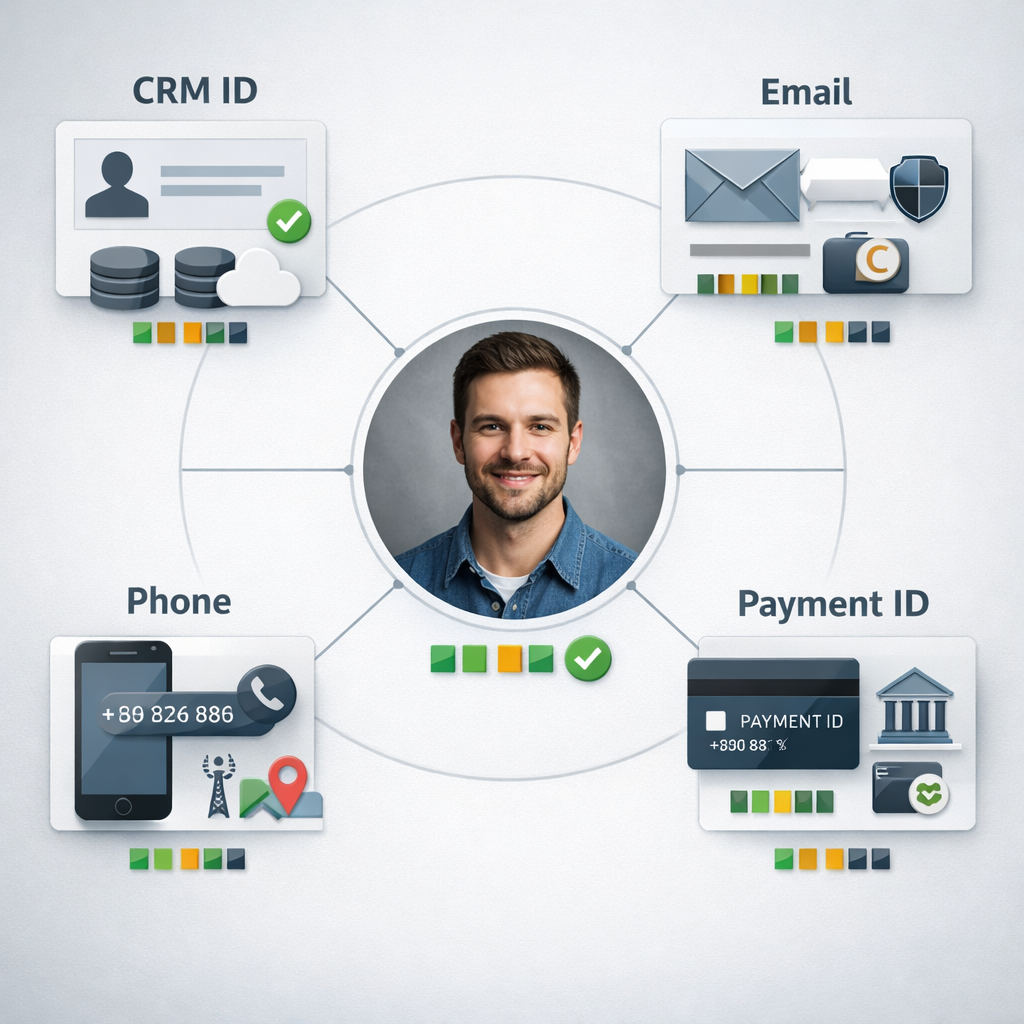
Important tradeoff: identity resolution is the difference between insight and noise. If you rely only on email or CRM contact ID without cross-checking phone numbers and external payment IDs, you will undercount activity and create duplicate profiles. Choosing the canonical identifier is a business decision: midsize teams often pick CRM contact ID plus email/phone fallbacks; larger shops invest in a CDP for probabilistic matching. See Segment for event and identity patterns.

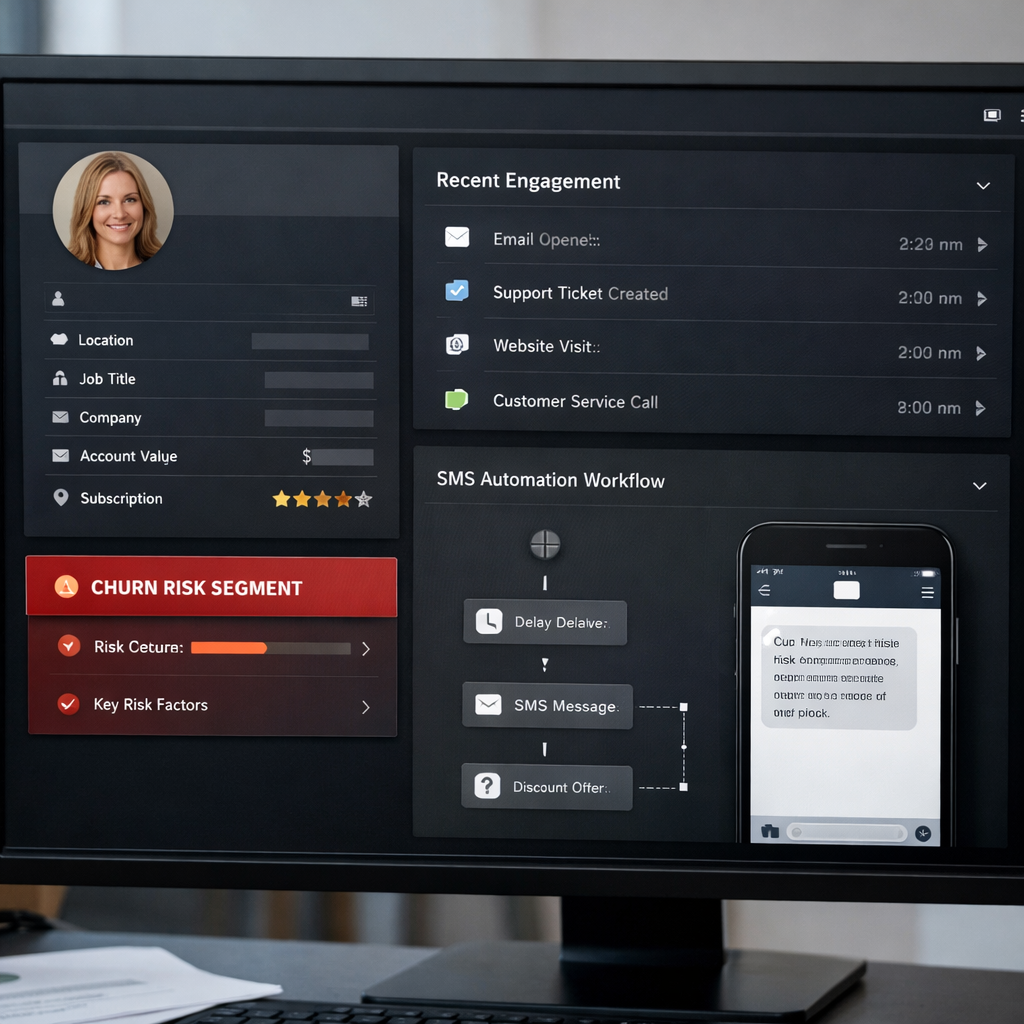
Concrete example: A boutique gym using HubSpot syncs membership fields and lifecycle stages into Gleantap while streaming visit and class booking events. The combined profile exposes members with long tenure but falling visit frequency; the gym runs an automated SMS sequence offering a free personal training session to that segment and measures reactivation rate. That single integration moves a reactive retention process into an automated, measurable workflow — and the team can see campaign performance in both sales analytics and the engagement platform.

Practical limitation: real-time personalization requires stable, low-latency event ingestion. If your systems can only support nightly batch syncs (common with simple CRM connectors or ETL tools), you still get solid analytics and segmentation but you lose immediate lifecycle triggers. The common, practical solution is a hybrid: real-time webhooks for critical events and nightly ETL for aggregated metrics and BI.

Actionability requires measurement discipline. Define the small set of KPIs you will use to decide if the integration is working — for example, churn lift for a retention campaign, campaign conversion rate, and data sync success rate. Use control groups when you pilot automated messages so you can attribute lift rather than assume it.

Business outcomeImmediate KPI to track
Faster segmentation and activationTime from event to message (hours), segment size
Improved campaign conversionConversion rate, uplift vs control group
Earlier churn detectionReactivation rate, churn rate over 30/60/90 days
Centralized reportingNumber of manual exports avoided, reconciliation error rate

Key takeaway: CRM integration with a customer engagement platform is not just data plumbing — it changes what you can automate and measure. Prioritize identity rules, pick real-time for actions that must be immediate, and insist on pilot tests with control groups before full rollout. 
Choose the right integration architecture for your business

Start with the outcome you need, not the shiny tool. Choose an architecture that delivers the identity resolution, latency, and governance your use cases require — then map vendors to that architecture. Picking a connector because it is easy today can create identity drift, bad personalization, and costly rework later.

Practical architectures and when they make sense

There are three pragmatic patterns you will choose between: native connectors/webhooks, customer data platform (CDP) / event stream, and ETL/middleware to a data warehouse. Each solves a different problem and brings tradeoffs around latency, control, and engineering cost.

ArchitectureWhen to chooseProsConsTypical tools
Native connectors / webhooksSmall business, fast wins, simple record syncsQuick setup, low cost, limited engineeringWeak identity resolution, brittle at scale, inconsistent field mappingHubSpot native integrations, Gleantap connectors, Zapier
CDP / event streamNeed real-time personalization, cross-source identity resolution, many event sourcesStrong identity stitching, real-time routing, centralized event schemaAdds cost, requires schema discipline, can lock you into CDP modelSegment or other CDPs
ETL / middleware to warehouseAnalytics-first orgs, complex joins, BI and long-term storageRobust governance, repeatable transforms, great for BINot real-time (usually), requires engineering, higher latency for personalizationFivetran for managed ETL

Practical insight: most small and single-location businesses should not over-engineer with a full CDP. Start with native connectors for core profile syncs and add a CDP or ETL when you need cross-source identity or repeatable event schemas for multi-channel personalization.

Concrete example: A boutique gym uses HubSpot native sync to push contact updates and lifecycle stages into Gleantap for retention messaging, while sending app opens and check-in events through Segment to resolve identities in real time. This hybrid approach gave them immediate personalized campaigns from Gleantap and a single event stream for later analysis in their warehouse via Fivetran.

  • Decision rule 1: If you need sub-5 minute triggers and per-customer personalization, prefer CDP/event streaming or webhooks over nightly ETL.
  • Decision rule 2: If BI and governed metrics are primary, put an ELT pipeline and warehouse at the center and accept higher personalization latency.
  • Decision rule 3: For limited engineering resources, choose native connectors but enforce a canonical identifier policy now to avoid future dedup work.

Trade-off to watch: CDPs give identity and speed but can create vendor lock-in on event schemas; ETL gives control for analytics but sacrifices immediacy for engagement.

Key takeaway: Use a hybrid architecture in practice—real-time event routing for engagement and identity, plus ETL to your warehouse for governed analytics. Reserve native connectors for quick wins, not long-term architecture.

Design a unified customer data model and identity resolution strategy

Key point: a usable unified model is a strict contract, not a wish list. Decide the minimal set of identifiers and attribute types you’ll rely on before you start wiring connectors.

Core elements to include in the model

  • Canonical identifiers: CRM contact ID, email, phone, and external payment or booking system customer ID. Use a single primary key in your engagement store for joins.
  • Attribute types and freshness: Mark fields as profile attribute, event, or derived metric (e.g., engagementscore). Record a lastupdated timestamp for every attribute.
  • Field-level authority: For each field decide which system is authoritative (CRM for lifecyclestage, payments for transactionamount).
  • Consent metadata: Store consent boolean, timestamp, and source system to support suppression and DSARs.
  • Confidence score and match history: Keep a match confidence value and the last few merge actions for audit and rollback.

Trade-off to plan for: storing everything denormalized makes real-time personalization fast but increases storage and reconciliation complexity. Keep event streams separate from canonical profile attributes when you need accurate historical analytics.

Practical identity resolution patterns

Deterministic first, probabilistic only if necessary. Start with exact-match rules (email, CRM ID, phone). Add deterministic fallbacks (email + phone, paymentcustomerid) and reserve probabilistic matching for high-value segments where false merges are acceptable and you can budget manual review.

  1. Primary match: CRM contact ID.
  2. Secondary match: verified email (exact).
  3. Tertiary match: phone number normalized to E.164.
  4. Fallback: payment processor customerid or bookingsystem_id.
  5. Manual review queue for low-confidence merges with confidence < 0.7.
IdentifierMatch PriorityAuthoritative SourceNotes
crmcontactid1HubSpot / SalesforceUsed for lifecycle_stage and lead ownership
email2CRM (if verified) or signup formNormalize to lowercase; track verification status
phone3Payment or booking systemNormalize to E.164; prefer SMS consent present
paymentcustomerid4Stripe / MindbodyAuthoritative for transactions and LTV calculations

Concrete example: A boutique gym uses HubSpot as the CRM and Stripe for payments; when a member updates their email in HubSpot, the system treats HubSpot as authoritative for contact info but Stripe remains authoritative for transaction history. The integration sets crmcontactid as primary; if the incoming event from Gleantap contains an email that does not match any CRM record, the system creates a new profile and flags it for reconciliation rather than auto-merge.

Common mistake: teams rush to probabilistic matching because it sounds sophisticated. In practice for SMBs and local chains, deterministic rules plus a simple manual review flow catch the majority of edge cases and avoid costly false positives.

Design the model for the use cases you need now. Prioritize reliable identifiers, field-level authority, and consent metadata. You can expand to probabilistic matching later once reconciliation and monitoring are mature.

Testing and governance: build reconciliation reports that compare authoritative source values to the engagement profile daily and surface mismatches. Automate alerts for sudden jumps in unmatched events or duplicate profiles; link those alerts to a triage playbook.

For reference on identity and event patterns, see Segment docs and CRM mapping practices in the HubSpot integration guide. If you use Gleantap Customer Profile as your engagement store, map authoritative fields there and push aggregated data to your warehouse for analytics.
Next consideration: pick your initial authoritative sources and build the deterministic matching rules and reconciliation reports before enabling any automatic merges.

Plan data synchronization patterns: real-time events versus batch syncs

Practical rule: choose real-time for behavior that changes what you say to a customer in the next few minutes; use batch for analytics and stable profile attributes. Real-time is expensive and operationally heavy — do not default to it because it sounds modern.

Tradeoffs you must accept up front

Latency vs cost: real-time streams require persistent connections, retries, and monitoring; they increase API usage and CDP costs. Batch windows reduce operational overhead but introduce stale decisions. Decide which KPIs need minute-level freshness and which tolerate hours of lag.

Complexity vs observability: real-time makes reconciliation and debugging harder. Batch ETL gives easy reconciliation because you can compare daily aggregates. If your team lacks engineering bandwidth, prefer more limited real-time events and rely on nightly batches for everything else.

PatternTypical latencyCost/complexityBest toolsPrimary use cases
Webhooks / event streamsSeconds to minutesMedium to highSegment, Kafka, platform webhooksImmediate personalization, cart recovery, transactional messages
Nightly batch ETLHours (daily)Low to mediumFivetran, CSV exports, DB dumpsAggregated reporting, BI, daily churn cohorts
Hybrid (real-time + batch)MixedMediumSegment + Fivetran or CDP + warehouseReal-time triggers + nightly reconciliation and analytics

Implementation checklist and operational controls

  • Classify events: tag each event as urgent, useful, or analytic aggregate. Only urgent events (renewal due, failed payment, check-in no-show) go real-time.
  • Idempotency: deliver events with a stable event_id and support retries without duplication on the engagement platform.
  • Sequence and versioning: include sequence numbers or last_updated timestamps so late-arriving updates don’t overwrite newer data.
  • Consent propagation: sync consent flags in real time for marketing channels and apply suppression at the engagement platform immediately.
  • Reconciliation: run nightly reconciliation reports that compare CRM authoritative attributes to the engagement store and flag mismatches.
  • Failure handling: implement dead-letter queues and alerting for webhook failures or ETL job errors; plan backfills for missed windows.

Concrete Example: a boutique gym sends class no-show events to Gleantap via a webhook so members receive a same-day SMS with a make-up offer. The gym also runs a nightly ETL to the warehouse via Fivetran to update cohort revenue and lifetime value metrics used by the analytics team.

Common mistake: teams send every telemetry event in real time, creating noise, high costs, and throttling. In practice, pick a short list of business-critical events for streaming and push everything else to nightly jobs for the data warehouse or BI tools like Looker or BigQuery.

Actionable judgment: for most small and mid-market businesses, implement a hybrid approach: 5-10 real-time events that drive customer messaging and lifecycle actions, and use nightly batch syncs for full-profile merges and analytics.

Key takeaway: categorize events into urgent (real-time), high-volume low-value (sample or aggregate), and analytical (batch). This simple classification prevents event bloat and keeps costs predictable.

Next consideration: after you choose patterns, document them in your integration runbook: event list, SLAs, retry policy, and the reconciliation query you will run every morning. If you need vendor guidance, see Segment docs for event ingestion patterns and HubSpot for CRM webhook options.

Activate unified segments and build analytics that drive action

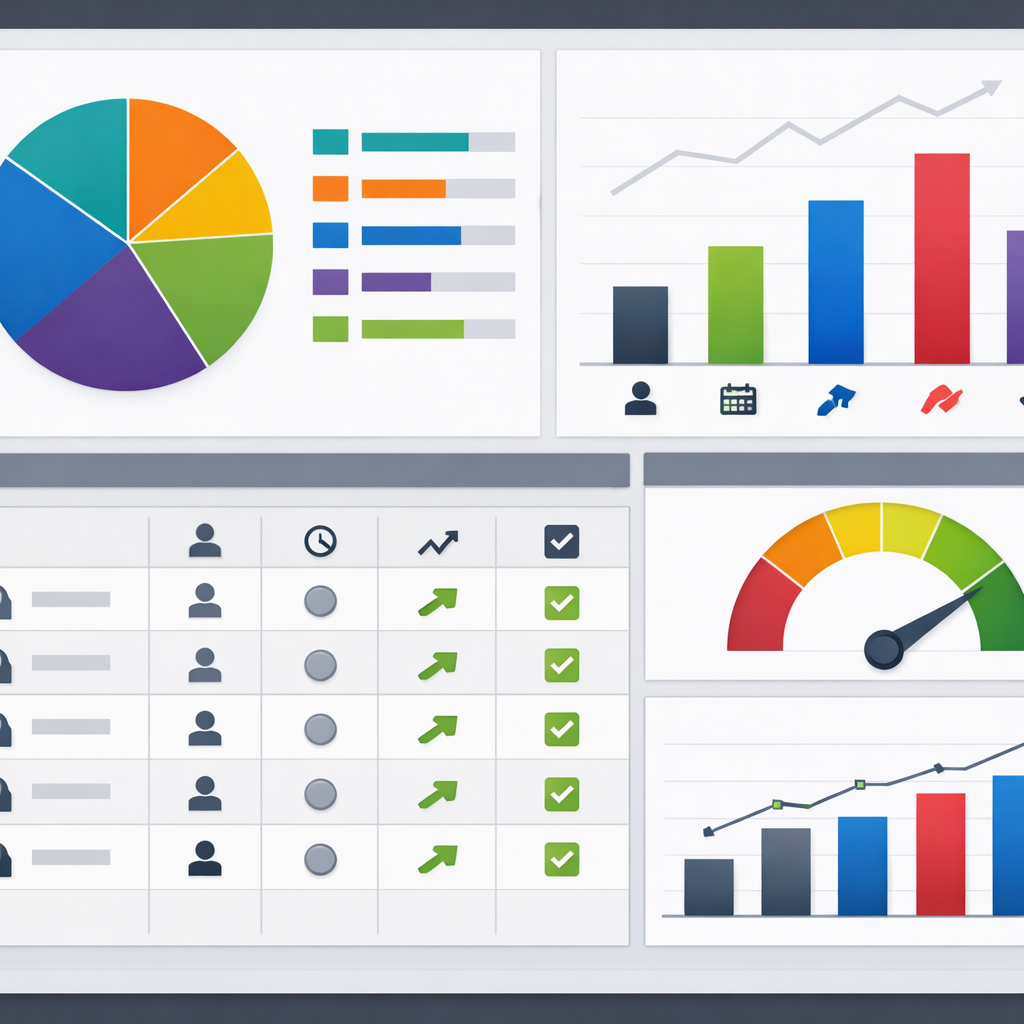
Start with operational segments, not theoretical profiles. Marketing teams waste weeks building infinite microsegments that never get used. Pick five high-value segments you can act on immediately, wire those into your CRM integration and engagement workflows, and measure whether each segment produces a measurable change in behavior.

Step-by-step activation checklist

  1. Define the business action: choose the outcome the segment should change, for example reduce churn by 10% or lift renewals by 15 percent.
  2. Translate signals into rules: pick 3–6 signals (profile + behavioral) that define the segment; avoid more than one temporal window per rule.
  3. Create a canonical segment ID: record the query logic and authoritative fields in a mapping doc so the segment is reproducible across CRM, CDP, and analytics.
  4. Push to activation layer: publish the segment to your engagement platform so messages, journeys, and webhooks can consume it in real time or near real time.
  5. Instrument measurement: build a simple A/B or holdout test and track conversion events in your analytics warehouse or BI tool.
  6. Automate checks: set up daily reconciliation and alerting for segment membership drift and sync failures.
SegmentSignals (examples)Immediate ActionPrimary KPI
At-risk membersmembershipstatus=active; lastvisit>30 days; engagement_score<40Send personalized SMS with class credit and local coach CTA7-day rebooking rate
High-LTV prospectsleadscore>80; websitepurchases>0; trial_attendance>1Invite to VIP offer and one-to-one onboarding callConversion to paid membership
Lapsed renewalsmembershiprenewaldue in 14 days; payment_failed=trueAutomated email plus retargeted ad; escalate to sales if unpaid after 3 daysRenewal completion rate

Concrete example: A boutique gym maps HubSpot lifecycle_stage plus booking events pulled into Gleantap to create an At-risk members segment. When a member falls into the segment, Gleantap triggers an SMS workflow offering a free class and a coach call; the team runs a three-week holdout to measure rebooking lift and compares revenue retention against the control group. Use this pattern to move from descriptive dashboards to direct revenue actions.

Practical limitation to accept up front: higher precision segments require higher quality data and tighter identity matching. Expect diminishing returns: adding more signals reduces false positives but shrinks reach. In practice, aim for segments that capture 10–30 percent of the target population so campaigns are both personalized and measurable.

Key operational metrics to monitor: segment membership count, sync latency, message delivery rate, conversion lift (A/B), and reconciliation mismatch rate. Track these daily during a pilot and weekly after rollout.

Analytics wiring judgment: push actionable events and segment membership into your warehouse for cohort and retention analysis rather than trying to run heavy analytics inside the engagement tool. Use tools like Segment or managed ETL to stream membership events to BigQuery or Snowflake and run business intelligence in Looker or similar platforms.

Activate fewer segments well. Five operational, measurable segments will outperform 30 theoretical ones every time.
Next step: pick the highest-value segment from your checklist, set up a 2–4 week pilot with a holdout, and instrument three KPIs before you scale the activation across channels. See Get a Complete View of Your Customers with Gleantap Customer Profile for an example of using unified profiles to drive these activations.

Implementation checklist and sample 8 week project plan

Start with accountability. Assign a single project owner, a technical lead, and a marketing owner who will sign off on success metrics such as churn reduction, campaign conversion lift, and data sync reliability.

Practical implementation checklist

  • Stakeholders and scope: Document systems to integrate (CRM, payment processor, booking system, engagement platform), owners, and which environments exist (prod, sandbox).
  • Success metrics and SLOs: Define KPIs and operational SLOs such as sync success rate > 99%, dedupe error rate < 1%, and max data latency for personalization (eg 30 seconds or nightly batch).
  • Canonical identifiers: Finalize your primary ID hierarchy (CRM contact ID, email, phone, external customer ID) and the match rules for merges.
  • Field mapping and transformations: Produce a field mapping spreadsheet with authoritative source, transformations, and retention rules. Include consent fields with timestamp and source.
  • Connector and auth checklist: Verify API limits, OAuth or key rotation, webhook retry policies, and security review before enabling writes to production.
  • Test plan and test data: Create test cases for create, update, merge, suppression, and rollback. Use realistic test records that exercise edge cases like duplicate emails and missing phone numbers.
  • Pilot segmentation and A B testing design: Define a pilot group (5 10 percent), control cohort, KPIs and measurement window before broad rollout.
  • Monitoring and reconciliation: Build daily reconciliation reports and alerts for anomalous volumes, schema changes, and failed syncs.
  • Rollout and training: Prepare runbooks for support teams, update CRM processes, and train marketing on new segments and workflows.
  • Compliance and retention: Map GDPR/CPA obligations to fields, ensure suppression lists are bi directional, and document data lineage for audits.

Tradeoff to accept up front. You will not map every field in week one. Prioritize identifiers, membership status, consent, and 3 to 5 high value events. Trying to onboard a full schema in the pilot phase increases risk and delays measurable outcomes.

Sample 8 week project plan

Week(s)Key activities and deliverables
Week 0 to 1Discovery: inventory systems, confirm stakeholders, finalize success metrics, capture rate limits and auth needs.
Week 2Data mapping: complete field mapping sheet, canonical ID rules, consent fields, and sample CSVs for test records.
Week 3 to 4Build connectors and staging: configure webhooks or Segment tracking, set up sandbox syncs, implement dedupe logic, run automated test cases and reconciliation reports.
Week 5Pilot: run targeted campaign to a small segment with control group, monitor latency, data quality, and campaign lift over defined window.
Week 6 to 8Rollout and stabilize: full rollout, dashboards for KPI monitoring, scheduled reconciliations, team training, and postmortem with actionable backlog.

Concrete example: A boutique gym integrates HubSpot contacts to Gleantap using a native connector for profiles and Segment for event streaming. They pilot a churn prevention campaign in week 5 targeting members with low attendance and a recent billing issue; the pilot uses an A B test to measure open to retention conversion over 30 days and validates real time triggers before full rollout.

Judgment call for small teams. If you lack engineering bandwidth, use native connectors or middleware like Zapier for the pilot, but codify identity and consent rules as if you were building a CDP. Quick wins with poor data hygiene create technical debt that doubles effort when you move to a CDP or ETL later.

Operational checkpoint: Before full rollout, ensure daily reconciliation passes for 7 consecutive days and that sync failure alerts are actionable with documented runbooks.

Next consideration: after rollout, iterate on scoring and add one new event source at a time. For practical guides on connectors and CDP patterns see the HubSpot integrations guide at HubSpot, Segment for event ingestion patterns, and Fivetran for managed ETL approaches.

Common pitfalls and how to avoid them

Straight talk: integrations fail more from operational mistakes than from technical limits. Getting CRM integration, customer data platform, and unified customer insights working requires firm rules, not optimistic wiring.

  • Pitfall: Relying on a single fragile identifier. Many teams assume email alone will match records. Reality: emails change and payments, bookings, and marketing systems often use different keys. Fix by enforcing a canonical ID strategy and using secondary matchers like phone number and external customer ID.
  • Pitfall: Trying to unify everything in real time. Real-time everywhere adds cost and brittle failure modes. Use event streaming for action-critical signals and batch ETL for aggregated analytics – see tradeoffs with Segment and Fivetran.
  • Pitfall: Overloading the event schema with noise. Sending every UI click or debug event bloats the engagement platform and hides business signals. Limit events to business meaning – membership changes, payment events, visits, and cancellations.
  • Pitfall: No documented authoritative source per field. Conflicting values create identity drift. Declare authoritative systems for ownership, implement overwrite rules, and record last-updated metadata on profiles.
  • Pitfall: Ignoring consent propagation and suppression. Consent stored in CRM but not enforced in the engagement platform causes compliance and deliverability failures. Sync consent flags, timestamps, and suppression lists as first-class fields.
  • Pitfall: No reconciliation or alerting. Sync jobs silently fail or miscount. Build daily reconciliation reports that compare record counts, recent update timestamps, and volume deltas – set alerts when thresholds break.

Concrete example

Concrete Example: A boutique gym using HubSpot and Gleantap began sending renewal SMS to members with duplicate records. The cause was inconsistent customer IDs between the booking system and CRM. The team enforced a canonical customer_id, added a deduplication step before messaging, and synced a suppression list from HubSpot to Gleantap; churned members stopped receiving confusing duplicate offers.

Tradeoff to accept: aiming for zero duplicates in real time can stall the project. In practice, accept a small, measurable duplicate rate early, provide suppression guards to stop outreach duplication, and iterate on identity resolution. Move to stricter dedupe only when the business can justify the engineering cost.

PitfallWhy it mattersPractical fix
Mismatch in lifecycle stagesSegments and automation trigger incorrectlyAgree on lifecycle definitions, map CRM stages to engagement states, publish the mapping document
Unmonitored connector failuresCampaigns miss targets and data lagsSet SLAs, add health checks, and email or Slack alerts for sync errors
Too many event typesHigh cost and poor signal-to-noiseLimit to 8-12 business-critical events and version the schema

Key action: create a one-page integration runbook that lists canonical identifiers, authoritative sources per field, allowed event types, consent fields, reconciliation checks, and the person responsible for triage.

Next step: pick the top two failure modes from your runbook and fix them during a small pilot – for example, canonical ID enforcement and daily reconciliation – before you scale the integration across channels.

Gleantap integration examples and recommended field mappings

Direct mapping wins or fails integrations. Spend more time on which system is authoritative for each field than on connection mechanics. Poor field rules create duplicates, incorrect messaging, and wasted spend.

Recommended minimal mapping

CRM fieldGleantap profile fieldTypeDirectionNotes
contactid / CRMcontact_idcustomer_idattributeCRM -> GleantapCanonical identifier. Use CRM contact id plus email fallback
emailemailattributeCRM -> GleantapLowercase, trimmed; verify format before upsert
phonephoneattributeCRM -> GleantapNormalize to E164; prefer verified phone if available
createdate / createdatjoin_dateattributeCRM -> GleantapSet once only; do not overwrite with imports
membership_statusmembership_statusattributeBidirectionalEnum mapping required; CRM authoritative for purchases
lastactivitydatelastvisitdateattributeEvent -> Gleantap / nightly overwritePrefer event stream for accuracy; fallback to CRM timestamp
lastpaymentamountavgtransactionvalueaggregate attributeWarehouse -> GleantapCalculate in warehouse or CDP; sync as metric
consentemail, consentsmsconsentemail, consentsmsattributeCRM -> GleantapStore timestamp and source; honor suppression lists

Practical insight: Map small, authoritative sets first. Real world integrations break when teams try to mirror every CRM custom field. Start with identity, consent, membership state, and 2 business events such as payment and class booking.

HubSpot to Gleantap example

Concrete Example: A boutique gym uses HubSpot contact records plus Gleantap for messaging. They push HubSpot contact id, email, lifecycle stage, and membership_status to Gleantap on contact create and update via the native connector, while class bookings are sent as events from the booking system to Gleantap to drive churn risk scoring.

Tradeoff to accept: Using a native connector is faster but often passive on events. If you need immediate triggers on bookings or payments use webhooks or a CDP like Segment for event-level delivery rather than relying solely on periodic attribute syncs.

Salesforce to Gleantap via Segment example

Concrete Example: A mid-market chain with Salesforce uses Segment to stream account updates and opportunity stages to Gleantap. Salesforce remains authoritative for contract and renewal fields, Segment supplies real-time events for app opens and session data, and Gleantap uses both to trigger renewal reminders and personalized offers.

  • Field level rules: Declare authoritative source per field and include an update timestamp. If timestamps conflict use the most recent write from the authoritative system.
  • Enum and value mapping: Map CRM picklists to Gleantap enums during ingestion. Do not accept free text for membership_status or you will fragment segments.
  • Sync cadence: Profile attributes can run hourly or nightly; business events that drive messaging should be real time via webhooks or Segment.

Operational recommendation: Publish a living field mapping document with versioning and a sample record per mapping. Run a weekly reconciliation that flags records where email, phone, or membership_status differ between CRM and Gleantap.

Final takeaway: Lock down identity rules and a minimal authoritative field set before expanding mappings. After that, automate schema checks and add event types iteratively so your segmentation and messaging stay reliable as volume grows.

Frequently Asked Questions

Straight answer first: integrating a CRM with a customer engagement platform is rarely a single-switch task — expect configuration decisions, testing cycles, and a small backlog of reconciliation issues that you must plan to operate, not one-off fix and forget.

Practical FAQs and recommended actions

  • How long will this take for a small business: 1–3 weeks for a minimal, connector-driven setup; 4–8 weeks if you add identity rules, consent capture, or a CDP. Plan extra time for reconciliation and a 2-week pilot to validate live behavior.
  • Which data should go first: Start with canonical identifiers (email, phone, CRM contact ID), membership/status fields, and consent flags. Add critical events (payments, renewals, visits) next — avoid bulk event ingestion until identity is stable.
  • Real-time vs batch tradeoff: Real-time enables timely personalization and lifecycle triggers but raises cost and failure surface. Batch reduces costs and complexity but delays actionability. For most SMBs, hybrid works: webhooks for renewals and payments, nightly batches for aggregated analytics.
  • Will a CDP replace my CRM for analytics: No. A CDP is for unified event and identity handling; your CRM remains the source of record for leads, deals, and sales activity. Use a CDP or a unified profile in Gleantap for runtime personalization and route aggregated data to a warehouse for BI. See Segment docs for event patterns and HubSpot CRM integration guides for connector options.
  • How do I measure sync health: Track three KPIs: sync success rate, reconciliation delta (records in CRM vs engagement store), and field-level drift (percent of key fields mismatched). Automate daily reconciliation and alert on >1% drift for core attributes.
  • What about consent and compliance: Treat consent flags as first-class attributes. Store timestamp and source of consent, and sync suppression lists to the engagement platform. Avoid sending marketing PII until consent state is verified.

Concrete example: A three-location retail chain used HubSpot plus Square for POS and initially pushed transactions through Zapier into Gleantap. They saw duplicate profiles because many in-store purchases had no email. The team fixed it by switching to a composite identity (phone + CRM contact ID), rejecting low-confidence merges, and adding a consent capture prompt at POS — duplicate rate dropped ~80% and targeted SMS campaigns reached the right audience.

A common misconception: teams often believe more events equals better personalization. In practice, unfiltered event noise buries signals and increases platform costs. Be ruthless: instrument only events that change state or enable action.

Key takeaway: Prioritize identity, consent, and a small set of business-critical events. Real-time for actions you can act on immediately; batch for reporting. This balance limits costs and operational overhead while delivering measurable lift.

When to escalate to a CDP or ETL: If you have more than five data sources, frequent schema changes, or need cross-channel identity resolution at scale, move from native connectors to a CDP or managed ETL like Fivetran for stability and governance. For straightforward two-system syncs, native connectors or middleware keep time and budget predictable. See Fivetran docs for managed ETL patterns.

Troubleshooting quick wins: 1) Run a sample-day reconciliation before go-live; 2) enforce canonical ID on all record creations; 3) add a suppression webhook from CRM to prevent accidental sends; 4) keep a one-week rollback window for recent profile merges.

Next steps you can take right now: 1) Export a 7-day sample of CRM contacts and engagement events and run a quick-matching exercise to estimate identity gaps; 2) define three acceptance tests (create, update, opt-out) and automate them; 3) set up daily reconciliation emails and one alert for sync failures so you catch problems before campaigns run.

Top Features to Look for in a Customer Engagement Platform

This guide walks marketing and operations leaders through the specific features that drive retention and revenue and shows the KPIs, demo scorecard questions, and tradeoffs you should use to build a measurable shortlist. It explains how to evaluate the best customer engagement software for integration, omnichannel orchestration, AI personalization, experimentation, and compliance so you can pick a platform that scales without blowing up headcount. Choosing the Right Customer Engagement Platform for Scale starts with a focused checklist of capabilities, not vendor hype. 

1 Unified Customer Profile and First-Party CDP

Bottom line: a reliable marketing program starts with one trustworthy customer record. Without deterministic identity stitching and low-latency event ingestion, even the best customer engagement software will send the wrong message to the wrong person at the worst time — and you will lose trust faster than you gain conversions.

What to expect from a first-party CDP and unified profile: persistent profile attributes, event history, resolved identifiers (email, phone, membership id), and a queryable store that updates in near real time. This is not a reporting cache — it must power decisioning for orchestration, personalization, and analytics across POS, booking systems, mobile, and web.

KPIs to validate during procurement

  • Identity match rate: percentage of events that map to an existing profile across sources (goal: maximize for active cohorts).
  • Profile update latency: time from an event (booking, payment, app activity) to availability on the profile store (real-world target: seconds to a few minutes).
  • Duplicate profile reduction: measured before and after onboarding—tracks cleanup effectiveness.
  • Profile completeness score: proportion of profiles with key attributes (phone, membership id, consent flags).
  • False merge rate: frequency of incorrect merges — small numbers matter more than high match rates.

Demo scorecard questions to use live: Ask vendors, How do you ingest events from our booking system and POS? What is your typical identity resolution match rate and how do you report false merges? Do you support both deterministic and probabilistic matching, and can we tune thresholds? Also test the API by pushing a booking event during the demo and watching the profile materialize.

Trade-off to evaluate: aggressive probabilistic matching raises match rates but increases risk of incorrect merges that break loyalty programs and billing workflows. In practice, mid-market B2C firms are better off prioritizing deterministically linked identifiers (membership id, phone, email) and using probabilistic joins only for enrichment or cold-start modeling.

Concrete example: A multi-location fitness chain normalized membership id from the POS, booking records from Mindbody, and mobile app events. After mapping canonical ids and enabling sub-minute ingestion, they cut duplicate profiles by 45% and started triggering missed-class reengagement within 30 minutes of a no-show — a clear, attributable lift in class recovery revenue.

Vendor signals that matter: look for platforms that pair event collectors like Segment or RudderStack with a profile store (mParticle, Treasure Data) or an integrated option that exposes profile APIs. Check prebuilt connectors for your systems and Gleantap features for examples tailored to membership businesses.

Run a short POC that pushes 1,000 real events from your booking and POS systems, then request a dedupe report and profile latency metric. Claims on spreadsheets rarely match live ingestion behavior.

Practical next step: map your canonical identifiers and pick three high-velocity events (first booking, payment failure, class no-show) to validate end-to-end latency and correct profile resolution.

2 Omnichannel Orchestration and Native Channel Support

Bottom-line observation: Omnichannel success is not about checking every channel box — it is about predictable routing, coordinated throttling, and deterministic fallback so a high-value message arrives once, on the channel that produces the best outcome for that customer.

Native vs integrated channels: Native channels (built-in SMS, email, push, web messaging) give you tighter control over latency, delivery retries, suppression lists, and carrier relationships. Platforms that rely entirely on external providers via connectors can work, but expect higher operational overhead: extra API hops, separate dashboards, and inconsistent suppression behavior across systems.

How to evaluate the best customer engagement software for omnichannel

  • Measure delivery SLAs: ask for p95 latency for transactional and campaign sends, not just average latency.
  • Fallback success rate: what percent of messages fall back to an alternate channel within your configured window?
  • Suppression consistency: does a single unsubscribe or DNC flag prevent sends across all channels instantly?
  • Concurrency and throttling: messages per second limits and rate-limit handling during peak events such as flash sales or payment failures.

Practical trade-off: Choosing a platform with many native channels increases reliability and reduces integration work, but it often raises cost and vendor lock-in. If your team lacks engineering bandwidth, prefer a vendor that offers the primary channels you need natively and clear export APIs so you can escape later if necessary.

Concrete example: A multi-location studio chain used a marketing platform for email and push while sending SMS through a separate provider. During peak renewal season they accidentally sent duplicate reminders because the two systems did not share suppression state. They resolved it by moving SMS into the orchestration layer and implementing a single suppression API; recovery cut complaint rates and reclaimed staff time previously spent reconciling lists.

Operational considerations: Carrier rules and regional regulations change often — your vendor should surface carrier error codes, support automatic retries or alternate routings, and expose reporting for deliverability troubleshooting. Also confirm how the platform handles transactional versus promotional classification, since misclassification harms deliverability and compliance.

POC checklist: during a demo, trigger a high-priority transactional event and watch end-to-end behavior — delivery latency, fallback activation, suppression enforcement, and any UI or API gaps. Ask the vendor to run the same test for an international phone number if you have cross-border customers.

Demo task: Simulate a missed-payment event and verify the platform will: 1) pause promotional sends to that profile, 2) attempt SMS then fallback to email after your configured delay, and 3) log the decision path in the activity feed.

Vendor signals to watch: look for platforms that document channel SLAs, publish carrier-level error handling, and provide unified suppression APIs. Examples for orchestration patterns and programmable messaging include Twilio blog for messaging primitives and orchestration examples, and vendor implementations that bundle channels natively such as those described on the Gleantap features page.

Next consideration: If you must integrate external providers, insist on contract-level SLAs for delivery visibility and a tested export path for suppression and message history. That prevents the most common failure mode: silent duplicates and fractured customer experiences that erode trust faster than any single campaign can earn it.

3 AI-driven Personalization and Recommendations

Clear point: AI personalization returns the most value when it reduces decision friction for marketers — not when it replaces their judgment. Practical systems deliver targeted product, content, or action recommendations that are observable, measurable, and auditable across channels.

Systems to expect include real-time scoring for propensity (likelihood to convert, churn, or attend), item-to-user recommenders (next class, product, or content), and content selection layers that choose subject lines or images per user. The technical requirement is fast, reliable inference tied to first-party signals so a recommendation can be used instantly by email, SMS, web, or in-app workflows.

Vendor validation — what actually matters in a demo

Ask for demonstration artifacts, not promises. Request a live scoring of a sample of your profiles during the demo, and check latency, coverage, and why certain items were suggested. Verify the vendor exposes the input features used for each score and how you can access those features for reporting or downstream ML.

  1. Step 1: Map the signals you already collect (bookings, no-shows, payments, app opens) and identify two high-leverage outputs to model (eg, churn risk and next-class recommendation).
  2. Step 2: Run a short pilot that uses model outputs only to prioritize messages for a small segment, not to automate billing or critical flows.
  3. Step 3: Instrument incrementality tests (holdout groups) so you measure true lift versus correlation.
  4. Step 4: Require explainability: each recommended action must show the top three factors that produced it so business teams can trust and tune behavior.
  5. Step 5: Define an operational SLA for inference — p95 latency and throughput limits — and test it under expected peak concurrency.

Trade-off to accept: out-of-the-box recommenders buy speed but not longevity. Template recommenders will get you early wins, but mature programs require either a vendor feature store or the ability to import your own model scores via API. If your team lacks data science bandwidth, prefer platforms that provide clear export hooks so you can graduate to custom models later without a data migration.

Real-world application: A regional wellness studio used an AI score to pick three classes to surface in its weekly push notification. For users flagged as high churn risk, the system prioritized low-capacity classes and an incentive offer; for active users it suggested a premium workshop. The studio phased the feature by running a 30-day holdout to confirm incremental rebookings before scaling the feed across all locations.

Important: model coverage beats marginal precision early. A modestly accurate model that scores 80% of your active profiles will usually produce more impact than a highly precise model that only covers 10%.

Operational metrics to require during procurement: model coverage (percent of active profiles scored), end-to-end inference SLA (p95 latency), feature transparency (top contributing features per prediction), and drift detection cadence (how often the vendor surfaces degraded performance). Also confirm export APIs so you can archive scores and run offline audits.

Pitfalls teams miss: vendors often conflate personalization with dynamic content insertion. Personalization should change the proposition, not just the name token in an email. Also test cold-start handling for new customers and low-activity users — a fallback rule set must be explicit and measurable, otherwise high-value profiles will be ignored.

If you want working examples and implementation guides, review vendor case notes on model explainability and scoring Braze resources and explore engineering-focused writeups on messaging primitives at the Twilio blog. For a hands-on feature map tailored to membership businesses see Gleantap features.

Next consideration: before you let a model control promotion allocation, define guardrails for spend and customer experience — set frequency caps per customer, require a human-review path for high-cost incentives, and monitor incremental ROI continuously. That containment is the difference between an experiment that scales and an automated program that blows budget and trust.

4 Journey Orchestration and Automation Builder

Hard truth: a visual journey builder is only useful if it enforces safe, stateful logic for long-running programs. Many vendors sell pretty canvases that collapse when you need month-long branches, backfill, or audit trails; that failure mode creates more manual firefighting than automation saves.

A production-grade automation builder must do four things reliably: maintain per-user state across pauses and re-entries, allow backfill of historical cohorts without duplicating sends, expose the decision path for every message, and let non-technical staff edit low-risk flows while keeping high-risk paths locked. If your team lacks an engineer for daily fixes, favor platforms that separate editable marketing steps from guarded system steps.

How the best customer engagement software should handle journeys

Expect event-triggered flows that can run for 12 months or more, with conditional branching based on real-time profile attributes and external signals (payment status, class attendance, membership tier). Practical constraint: long-running journeys need snapshotting and idempotency so edits do not re-run completed steps unintentionally. Ask for a demo of the edit-and-backfill controls during procurement.

  1. KPIs to validate: average time to deploy a new journey (hours, not days), percent of journeys using automated backfill correctly, send duplication rate after edits (target: near 0%), and retention delta attributable to automated journeys over a 90-day window.
  2. Operational probes to run in a demo: create a 6-month winback flow, enroll a test cohort, change a mid-flow message, and observe whether the edit triggers duplicate sends or logs a safe-edit event.
  3. Governance checks: ability to lock steps (billing, cancellations), role-based editing, and an activity feed that shows why a profile exited or branched within a journey.

Trade-off to accept: builders that offer deep control (conditional scripting, custom code actions) require better testing discipline and more engineering oversight. If your goal is speed and low headcount, pick a platform with robust templates and operational guardrails; if you need full control over edge cases, accept the overhead of a sandbox and release process.

Real-world use case: A regional fitness operator implemented a staged onboarding flow that begins at first booking, waits 3 days for attendance, then branches: attendees get upsell messages; no-shows enter a reengagement sequence with a single incentive. The team used safe-edit mode to tweak messaging after two weeks and relied on the platform’s backfill to apply the update only to profiles still mid-journey — preventing duplicate incentives and preserving margins.

Most teams misunderstand backfill: it is not a free way to retroactively send the same campaign to everyone. Backfill must be scoped by state, time window, and suppression rules. If a vendor treats backfill as a bulk-send button, that is a red flag.

  • Implementation tip: catalog your core lifecycle flows first (onboarding, engagement, payment failure, churn prevention) and instrument the exact event and profile attributes each flow requires.
  • Testing tip: run journeys in a staging workspace with the same data cadence and use holdouts so you can measure incrementality before scaling.
  • Integration tip: ensure the journey engine consumes events with sub-minute latency for time-sensitive paths like payment retries and missed-appointment nudges.

Design journeys for reparability: require idempotent actions, visible decision logs, and a rollback path so a failed automation can be fixed without re-traumatizing customers.

During demos, demand a live scenario: push a payment-failure event, confirm the journey pauses while billing is retried, then simulate a successful retry to see the flow continue. If the vendor cannot run this end-to-end in the demo, budget time for a POC.

If you want concrete templates for membership lifecycles, review vendor examples from Braze Canvas and Iterable workflows, test Salesforce Marketing Cloud Journey Builder for enterprise-grade governance, and compare how Gleantap features implement guarded templates for fitness and wellness programs. The final decision is about matching operational maturity: pick the level of control your team can maintain consistently.

5 Real-time Analytics, Attribution and Experimentation

Straight to the point: fast event streams are only useful when you can turn them into directional decisions and measurable dollars. Real-time ingestion without an experiment and attribution discipline turns dashboards into noise and wastes marketing budget.

Why this matters now: modern campaigns act on seconds — a missed payment alert or a last-minute class reminder only works if the data and decisioning are live. At the same time, channel proliferation makes naive last-touch metrics misleading. You need both low-latency signals and a framework that proves which actions actually move retention or revenue.

How the best customer engagement software supports experiments

Platforms that earn the label best customer engagement software combine three capabilities: sub-minute event availability, built-in split testing and holdouts, and cross-channel attribution that links exposures to outcomes. Do not accept a vendor that only exports logs for offline analysis; you need the experiment engine and attribution logic close to the orchestration layer so you can run rapid iterations and trust the results.

KPIWhat to measure and why
Experiment detection timeTime from deployment to a statistically actionable signal. Shorter windows enable faster pivots, but watch for false positives when volumes are low.
Incremental liftTrue improvement vs holdout, not relative CTR. Use holdouts to measure whether a campaign created net conversions or simply shifted timing.
Cross-channel contributionProportion of conversions attributable to each channel after controlling for exposure sequencing. Prefer algorithmic or mixed models over naive last-touch.
Attribution latency and completenessHow long after an event the platform will reconcile exposures to conversions and what percent of conversions it can link across devices and sessions.

Practical trade-off: real-time attribution and experimentation increase compute and storage costs and require stricter event hygiene. If you try to detect small lifts on low-volume segments in real time, you will either run underpowered tests or chase noise. Prioritize near-real-time signals for high-frequency actions and batch robust experiments for low-velocity outcomes.

Concrete example: a retail chain rerouted flash-sale spend mid-day after a real-time experiment showed email converted better for loyalty members while paid social worked for new prospects. They used a 24-hour holdout to verify incrementality, shifted budget automatically, and captured the outcome to their product analytics tool for post-mortem. That operational loop required both the experiment primitives in the engagement platform and integration with Amplitude for deeper funnel analysis.

Common mistake to avoid: vendors often present multi-touch models as fact. In practice, algorithmic attribution is sensitive to missing identifiers and cross-device gaps. Treat model outputs as directional and validate them with randomized holdouts before using them to reallocate significant budget.

Require a demo where the vendor runs a live A/B with a holdout and shows the end-to-end timeline: event ingestion, decisioning, delivery, and attribution reconciliation. If they cannot produce that in a POC, assume the platform will add weeks to your learning cycle.

Next consideration: instrument canonical conversion events up front, keep experiments simple and well-powered, and demand exportable raw results so your finance or analytics teams can audit claims. For implementation templates and integration notes see Gleantap features.

6 Behavioral Segmentation and Lifecycle Management

Hard fact: you will not increase retention reliably by spraying offers at demographic buckets. Behavioral segments that update from live events are the mechanism that turns first-party signals into timely interventions that can actually change customer behavior.

Operational value: treat segmentation as both a measurement lens and an activation primitive. Segments must be queryable, actionable across channels, and anchored to persistent lifecycle stages (for example new, active, at-risk, lapsed) so your campaigns can apply different business rules and experiments against each stage.

How to vet behavioral segmentation in the best customer engagement software

Key metrics to request during procurement: ask vendors to show live numbers for segment evaluation latency (time from event to segment membership change), segment coverage (percent of your active base eligible for dynamic segments), and signal-to-action lift (measured improvement in the target KPI after a segment-targeted flow). Also demand exportable cohort retention curves so you can compare lifecycle stage performance over time.

Practical trade-off: highly granular, dozens-of-micro-segments look sophisticated but create testing and operational problems. Small segments reduce statistical power, increase churn in audience composition, and multiply activation rules across channels. Start with a short list of high-impact behavioral definitions and treat further granularity as a later optimization once you can measure incremental lift.

  • Demo checks for every vendor: Can segments be defined on live event windows (for example, no app opens in 7 days AND last booking > 30 days)?
  • Activation scope: Are dynamic segments immediately available to all channels (SMS, email, push, web) or do some channels require exports?
  • Edit safety: If you change a segment definition, does the system support backfill controls and show which profiles will be added or removed before actions fire?

Concrete example: a regional fitness operator created an at-risk-7 segment that combined 7-day inactivity, a recent missed class, and a decline in app engagement. When a member entered that segment the platform immediately ran a prioritized sequence: an in-app nudge, an SMS reminder, then a coach outreach if no response. The team validated impact with a 30-day holdout and observed an increase in rebookings among the treated group.

Integration reality: some platforms compute segments on query-time (fast for ad-hoc analysis) while others evaluate membership continuously (fastest for triggers). Continuous evaluation is superior for time-sensitive flows but costs more in compute and may require event-hygiene discipline. If your use cases include missed-payment or last-minute class rescue, insist on sub-minute evaluation.

Implementation tips that matter: standardize event names (booking.created, payment.failed, class.attended), create a concise catalog of 6-8 lifecycle segments to start, and maintain a mapping document that ties each segment to the downstream journey and KPI to avoid orphaned audiences. Make sure segments are surfaced in the UI and via API so operations and analytics teams can both use them without re-creation.

Do not confuse behavior-derived segments with static lists. Dynamic segments must be auditable, triggerable, and testable. Require the vendor to run a live segment change during the demo and show which messages are scheduled as a result.

Vendor signals to prefer: live activation across channels, explicit lifecycle stage support, backfill controls, and clear costs for continuous segment evaluation. For data-layer and segment feeding, see Segment and for practical orchestration examples check Braze resources. For vertical-specific lifecycle templates se eGleantap features.

7 Integrations, APIs, and Data Portability

Key point: Integration capability is a gating factor — the platform either becomes the connective tissue for your business or it creates a second silo. Evaluate APIs and connectors as operational features, not optional extras, because integrations determine how quickly you can automate lifecycle moments and recover when things break.

What to insist on beyond connector counts

Practical requirement: The best customer engagement software for a B2C operator provides streaming ingestion (webhooks or CDC), SDKs for mobile/web, bidirectional APIs for profile and event updates, and reliable bulk export for archives and audits. Prebuilt connectors save time, but the platform must also let you run a full data sync and expose raw event logs so analytics and finance teams can validate outcomes.

  • Operational KPIs to measure: average time to onboard a new data source, webhook delivery success rate, API error and retry rates, and completeness of exported records (fields present / expected).
  • Interoperability checks: support for JSON schemas, CDC, SFTP/CSV exports, and the ability to accept third-party model scores via API.
  • Governance points: versioned schema support, field-level consent/suppression flags, and documented backup/restore procedures.

Trade-off to accept: Prebuilt, opinionated integrations speed launch but can lock you into a data model. If your business relies on non-standard identifiers (membership id, location codes), prefer platforms that publish schema contracts and let you transform data during ingestion. That reduces future migration friction.

Vendor demo checklist (what to run live)

  1. Full sync test: Ask the vendor to perform a one-time sync of membership, booking, and payment history and provide a completeness report you can audit.
  2. Webhook reliability run: Push 200 test events to a temporary endpoint and watch delivery, retries, and failure handling.
  3. Export and restore: Request a bulk export of a representative cohort, then import it into a staging workspace to confirm field mappings and restore behavior.
  4. APIs under load: Verify documented rate limits, and request a p95 response-time metric for profile read/write under expected concurrency.

Integration reality check: Lightweight automation tools like Zapier are useful for ad hoc flows, but they are fragile for high-volume lifecycle automation. Use Zapier for proofs-of-concept, not for core billing or churn-prevention paths where missed events cost revenue.

Practical use case: A regional wellness operator validated a vendor by wiring live events from Mindbody, Stripe, and their mobile app during a POC. The initial sync revealed mismatched membership identifiers; the vendor provided a mapping layer and webhook replay capability so missed triggers were backfilled without duplicating communications — saving a week of manual cleanup and preventing incorrect cancellation notices.

Require at least one scheduled full-data export and a tested restore during the POC. Portability is not just a checkbox — it is insurance against vendor failure and a negotiating lever during procurement.

Vendor signals to prefer: public API docs, SDKs, published rate limits, webhook dashboards, and explicit connector support for systems you use (for example Mindbody, Stripe, Shopify, and HubSpot). Tools like Segment or Zapier are useful in the stack, but make sure the engagement platform exposes the raw hooks you need.

Final consideration: prioritize platforms that let you validate a full end-to-end sync and provide exportable raw events — that portability is the single best protection against future migrations or compliance audits.

8 Privacy, Security, and Compliance Controls

Bottom line: Security and privacy are operational features, not optional wrappers. A platform that cannot prove who touched what data, when, and why will slow audits, block campaigns, and expose you to fines and reputational damage.

Practical controls to require from any vendor

  • Access governance: role based controls, single sign on (SAML/OIDC), and fine grained permissions so business users can run campaigns without elevated rights.
  • Immutable audit trails: searchable, tamper evident logs that show reads, writes, exports, and suppression changes tied to user id and API key.
  • Data lifecycle rules: configurable retention, automated archival, and reversible suppression so you can implement retention policies per region or product line.
  • Data residency and routing: ability to restrict storage or processing to specific regions to meet local rules and reduce cross border risk.
  • Encryption posture: strong encryption in flight and at rest, plus documented key management model and options for customer managed keys if required.
  • Right to be forgotten and export: automated workflows to extract or remove an individual record end to end, including third party connectors and backups.

Why this matters in practice: Controls matter because real incidents do not look like worst case movies. They are slow leaks, mis-routed exports, or forgotten test datasets that surface during an audit. Responding fast is what limits cost and customer harm, not promises about future roadmap.

Common procurement failures and how to avoid them

Failure mode: vendors provide high level compliance badges but hide the operational hooks. Do not accept a checkbox SOC 2 statement without the operational details you need to run your business.

  1. Ask for the playbook: request a documented process for a rights request including SLAs and sample delivered exports.
  2. Test exports: during a POC, run a full export for a representative cohort and verify deletion or anonymization on the vendor side.
  3. Simulate an incident: require the vendor to show their alerting and containment steps for a leaked API key or misconfigured connector.

Tradeoff you must accept: stricter controls increase implementation time and sometimes cost. For mid market B2C, pick the minimal set that secures customer trust and supports audits – then automate the rest. Over-engineering for enterprise scale before you need it is the quickest way to stall a rollout.

Concrete example: A regional healthcare provider discovered audit logs missing key export events during an annual review. They paused marketing sends, required the vendor to replay the export and provide cryptographic evidence of deletion for affected records, and negotiated a contractual remediation SLA. The vendor supplied a complete trace within 48 hours, which avoided regulatory escalation and allowed the provider to resume campaigns with a verified suppression list.

Require live evidence during the demo: do not accept screenshots. Ask to run a rights request and a targeted export for a test user so you can verify timing, completeness, and deletion behavior.

Key negotiable items to include in contracts: response SLAs for rights requests, scope of audit access, data return format, destructive delete confirmation, and options for customer managed keys. These are the terms that protect you after go live.

One practical judgment: The single most telling signal of vendor maturity is how they handle edge cases – expired backups, replayed webhooks, or connector errors. If a vendor cant demonstrate tested controls for these events in a POC, expect months of firefighting later.

For concrete documentation and implementation checklists see Gleantap features and high level compliance guidance from Gartner.

Frequently Asked Questions

Straight answer up front: the questions teams ask during procurement separate plausible vendors from the ones that will add months of work and confusion. Focus your queries on measurable outputs (latency, match rates, incremental lift) and on vendor behavior under failure — not glossy feature lists.

How should I use KPIs to compare vendors during demos? Ask for raw, auditable metrics and a short live test. Demand samples for profile update latency, identity match rate, webhook delivery success, and the vendor’s recent example of incremental conversion lift for a similar client. Do not accept spreadsheet averages without the underlying logs or a POC you can run yourself.

Minimum channel set for a mid-market B2C business is pragmatic, not aspirational: require native email and SMS plus either push or web messaging. The key is that the platform must orchestrate routing and suppressions across those channels in one decisioning layer so you do not get duplicate sends or inconsistent suppression behavior.

Can we bring our own ML models? Yes in most mature stacks, but verify the integration pattern. Good vendors accept scored outputs via API or a feature-store import, support server-side scoring hooks, and provide latency SLAs for model-driven decisioning. If you expect sub-minute decisions, confirm p95 inference latency and throughput limits before committing.

Is real-time ingestion always necessary? Not always — it depends on the use case. Prioritize real-time for onboarding triggers, payment failure flows, and last-minute reengagements; accept batch for long-term lifecycle analytics and monthly retention analysis. The trade-off is cost: continuous, low-latency evaluation increases compute and monitoring overhead.

What practical first automation should a fitness or wellness operator implement? Build a compact onboarding path: confirmation at booking, a 72-hour prep tip, a 24-hour reminder, a 90-minute nudge, and a 48-hour post-visit feedback + incentive. Instrument a 30-day holdout to measure incremental rebookings and set a frequency cap to avoid over-messaging.

How do I evaluate data privacy posture in procurement? Request operational evidence: a recent SOC 2 report, a documented rights-request playbook with SLAs, and the ability to run a targeted export & delete during the POC. Screenshots are not sufficient — require live runs so you can time the full workflow end to end.

How long should a POC run and what should it prove? Target 2–6 weeks. The POC must cover a full-data sync, at least one live journey, webhook replay, suppression enforcement, and a small randomized holdout test to validate incremental lift. Use the POC to expose mapping issues and to confirm export/restore behavior — those are the things that block production launches.

Concrete Example: A family entertainment center ran a 3-week POC to validate international SMS routing and fallback. During the test they discovered the vendor’s fallback rule defaulted to a promotional email for certain regions. The team switched to a transactional email fallback, re-ran the test, and avoided a potential spike in spam complaints when they rolled out a summer campaign.

Common procurement pitfall most teams miss: Vendors will quote median numbers that mask tail behavior. Insist on p95 metrics and a replayable event log. If a vendor hesitates to provide logs or to run a live failure scenario in a demo, treat that as a material red flag.

Negotiation levers to include in contracts: export & restore guarantees, rights-request SLAs, documented retention policies, and an exit data pack delivered within a fixed window. These items are cheaper while negotiating than during an emergency.

Practical next steps you can run this week:

  • Run a micro-POC: push 500 real events from your booking and POS systems and verify profile materialization and dedupe.
  • Test a live journey: trigger a payment-failure flow and confirm suppression, fallback routing, and the activity audit trail.
  • Validate ML integration: import a small set of scored profiles or callout a model endpoint and measure p95 latency.
  • Execute a rights request: during the POC, request export and deletion for a test user and time the full process.
  • Require raw logs: insist the vendor hands over the event stream for a sample period so your analytics team can run independent checks.

Final judgment: vendors that survive these practical probes and deliver clean, replayable logs plus exportable data are rare. Prioritize those operational guarantees over shiny UX features — they are what keep programs stable as you scale.