
 Sarah Kim
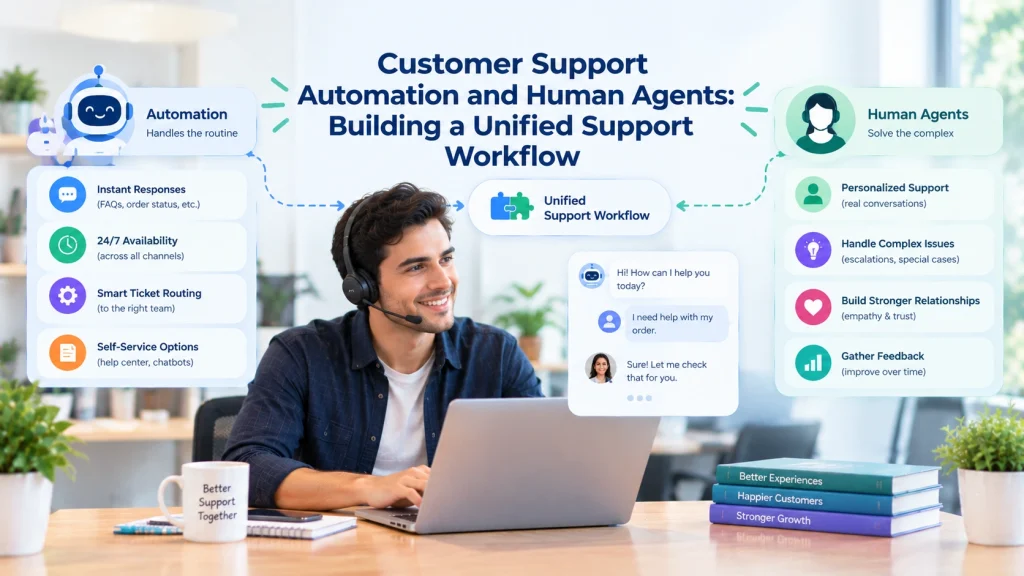
If your support team feels buried under booking questions, payment issues, and routine requests, the right automation wired into your CRM can cut response times and lift resolution rates without turning customers into numbers. Customer Service Automation: What It Is, Use Cases, Tools & Real Business Impact explains how businesses streamline support while improving efficiency and customer experience. This guide shows how to plan, implement, and measure CRM customer service automation for B2C operations — with concrete integration patterns, data-model rules, pilot steps, and KPIs tailored to fitness clubs, wellness studios, retail, healthcare clinics, and family entertainment centers. Expect step-by-step recipes you can pilot in 6-8 weeks, plus the compliance and rollback controls needed to keep personalization and data quality intact.
Why integrate customer service automation with your CRM
Key point: CRM customer service automation is not about replacing agents, it is about making every automated touch carry CRM context so customers get correct, timely outcomes instead of generic replies.
What changes when you integrate: When automation can read membership status, last purchase, consent flags, and recent tickets from the CRM you stop building blind automations. That context lets you route high value customers to human agents, suppress unnecessary outreach, and surface the right KB article or form without a human in the loop.
Where the business value shows up
- Faster correct responses: Automated replies that use CRM context reduce back and forth and fix simple cases in-channel.
- Higher agent throughput: Agents spend less time on repetitive tasks and more time on complex issues that need judgement.
- Better personalization at scale: Using CRM fields produces automated messages that read like human replies and preserve brand tone for members and VIPs.
- Lower misrouting and escalations: Identity stitched across POS, booking, and CRM prevents duplicate tickets and erroneous closures.
Practical limitation: Real-time, bi-directional sync is ideal but costly to build and maintain. Native connectors give speed to deployment but often fail on edge cases like merged profiles or custom CRM objects. Plan for a hybrid approach where critical events are pushed in real time via webhooks and historical enrichment happens with periodic syncs.
Concrete example: A mid sized fitness chain wires automated waitlist messaging into its CRM so class openings only notify eligible members. The automation checks membership tier and recent attendance before sending the invite and auto-creates a ticket if the member replies with issues. That prevents false positives, reduces agent triage, and preserves the member experience.
Judgment call: Teams often over automate early. Start by automating read only actions and confirmations, not irreversible operations like refunds or membership cancellations. Include mandatory human handoffs for edge cases and surface the CRM record and rationale to the agent to speed resolution.
Quick checklist: Ensure a canonical customer ID exists, store consent flags in the CRM, map the small set of canonical fields automation needs, pick an integration pattern that matches engineering capacity, and instrument telemetry for containment and escalation rates.
Next consideration: If you need implementation details, examine connector options in your CRM ecosystem and read integration patterns from vendors and platforms like Gleantap Features, Zendesk, and Twilio before committing to a design.
Core integration patterns and when to use them
Core point: Pick the integration pattern to match the problem you need to solve, not the technology your team prefers. Prioritize how fresh the data must be, how many systems must participate, and who will own ongoing maintenance.
Pattern breakdown at a glance
| Pattern | When to choose it | Typical latency | Maintenance profile | Key trade-off |
| Native connector (built-in CRM integrations) | Small teams or simple use cases where the CRM already supports the channel | Near real-time to minutes | Low — vendor maintains the connector | Fast to deploy but limited when you have custom objects or complex routing |
| API-first (REST/webhook bi-directional sync) | Enterprises with custom CRM schema, strict identity needs, or high message volume | Sub-second to seconds | High — needs engineering and monitoring | Powerful and precise but requires robust error handling and mapping logic |
| Middleware (Zapier, Make, integration platform) | Rapid proofs-of-concept or teams with no engineering bandwidth | Seconds to minutes depending on platform | Medium — less code but connectors can break and scale poorly | Easy to build but often brittle at scale and for complex data transformations |
| Hybrid (batch enrichment + event-driven hooks) | When historical data fuels decisions but live events drive conversations | Events real-time, enrichment hourly/daily | Medium-high — requires orchestration and schema governance | Good balance, but you must manage two sync modes and reconcile conflicts |
Practical insight: If your automations need customer context to decide routing or to suppress outreach (for example membership status or recent charge failures), treat the CRM as the system of record and surface only the minimal fields the automation platform needs. That reduces mapping drift and makes retries simpler when webhooks fail.
- Low engineering capacity: Start with native connectors or middleware to validate the use case, but instrument production logs so you can see missed matches and edge cases.
- High volume or compliance needs: Invest in API-driven syncs with idempotent endpoints and replayable event queues; cheap connectors will break under load and during audits.
- Custom objects or loyalty tiers: Use API-first or hybrid. Connectors rarely understand bespoke membership business logic and will misroute or omit critical attributes.
Concrete example: A regional wellness studio used a webhook-driven API sync to enforce eligibility for discounted rebooking. The webhook carried the booking event to the automation layer which queried the CRM for membership tier and last visit; ineligible requests were blocked and a ticket created for manual review. This prevented incorrect discounts and cut manual verification time by more than half.
Judgment: Many teams over-index on low-cost quick wins and never switch to a durable integration. Budget for a staged migration: validate with connectors, then harden the top 3 flows with API-driven integration and monitoring.
Action checklist: map your critical events, pick the simplest pattern that meets latency and compliance needs, implement observability (event replay, DLQs), and plan a rollback where the automation can be paused without data loss.
For implementation references, review connector capabilities in your CRM and consider platforms purpose-built for B2C orchestration like Gleantap Features. If you plan conversational channels, check message delivery and webhook behavior against Twilio messaging docs before committing to a pattern.
Data model, identity stitching, and canonical fields
Hard truth: most automation failures trace back to bad identity work. If your automation platform and CRM do not agree on who a customer is and which fields are authoritative, automated routing, suppressions, and personalization will produce errors that look like bugs to customers and audits.
Canonical customer record: what to store and who owns it
Minimum canonical schema: Keep this small and explicit so every integration can implement it fast. At minimum you need external_id(CRM contact id), primary_phone, primary_email, membership_status, last_activity_date, consentsms, and consent_email. Add lifetime_value, preferred_channel, and last_ticket_id only if you will use them to change routing or escalation logic.
Ownership model: Declare the system-of-record per field in the schema as fieldsource. Store a last_synced_at_timestamp and a source_origin tag with every profile. That makes it trivial to debug which system overwrote a value and prevents the automation layer from accidentally becoming the canonical source for membership_status or billing flags.
Identity stitching strategies and trade-offs
Deterministic first, probabilistic second: Use exact matches on external_id, phone, or email to link records. Only fall back to probabilistic joins (name + address + recent booking) for enrichment, and never use those matches to authorize irreversible actions like refunds or cancellations. Probabilistic matches reduce manual merge work but carry false-merge risk—treat low-confidence matches as suggestions for manual review.
Merge governance: Never auto-merge on a single changing field such as phone number. Implement a merge queue with confidence scores, an audit trail, and a rollback path. For B2C membership businesses, incorrect merges are more damaging than duplicate profiles because they misattribute payments and loyalty.
Event taxonomy and canonical fields mapping
Standardize events: Define a small event vocabulary your automation expects: message_received, ticket_created, payment_failed, appointment_booked, check_in, no_show, refund_initiated. Each event must carry event_id, external_id (customer), source_system, and time_stamp so retries do not create duplicate tickets or messages.
Mapping rule: For each event map exactly which canonical fields the automation will read and which it may write back to the CRM. For example, a payment_failed_event should read membership_status, last_payment_date, and consent_sms and write a last_ticket_id and escalation flag only after human review for high-value accounts.
Operational limitation: Real-time bi-directional syncs are ideal but introduce complexity: race conditions, out-of-order events, and schema drift. Avoid trying to sync every CRM field; instead publish a stable contract of 8–12 fields and version it. Versioning prevents surprise failures when a CRM admin renames a custom field.
Example in practice: A regional retail chain used a hashed externalidtied to POS receipts and the booking system. When a customer submitted a return via chat, the automation layer used the hashed id to attach the correct purchase history and check membership_status before approving an instant refund. Cases that failed the deterministic check were routed to a fraud specialist with the candidate matches and confidence scores.
Quick implementation checklist:
– Define the canonical fields and assign field_source for each.
– Implement deterministic matching first (external_id, phone, email).
– Add probabilistic joins with confidence scores and manual merge flow.
– Require eventid + idempotencykey on all events to avoid duplicates.
– Version your schema and expose lastsyncedat for troubleshooting.
Judgment: Conservative identity rules win in B2C. Prioritize correct routing for high-risk actions over broad automated coverage. It is better to escalate a case to a human than to automate an irreversible action on a low-confidence match.
Next consideration: after you lock the canonical schema and matching rules, instrument merge failures and low-confidence matches as KPIs so the team can measure whether your stitching is improving or creating new manual work.
Automation recipes and sample workflows for B2C verticals
Practical premise: Deliver automations as tiny, testable transactions that read CRM state, decide, act, and write a minimal result back. Large, all-in-one flows fail more often than they succeed because of race conditions, edge cases, and data mismatches.
Fitness clubs — membership-driven class and billing workflows
Workflow sample: Automate membership renewal nudges and class rescheduling using a three-step orchestration: (1) event membershipexpires30d triggers a targeted offer, (2) automation reads membership_tier, last_attended, and consent_sms from the CRM, (3) if member engages, create a task follow_up_sales or complete renewal via human-approved link. Keep the automation read-heavy; require human approval for discounts or refunds.
Wellness studios — appointment confirmations and no-show containment
Workflow sample: Send an initial confirmation, a prep reminder 48 hours before, and a two-way check-in 1 hour before class. On a negative reply (reschedule or cancel) the automation checks cancellation_policy, opens a ticket, and offers rebooking. Trade-off: richer conversational flows increase engineering and QA effort — build the two-way state machine only for high-value appointment types first.
Healthcare clinics — intake, consent, and urgent escalation
Workflow sample: Patient completes a pre-visit intake form; the automation validates consent flags before writing the record to the CRM and creating an appointment note. If the intake contains urgent keywords, promote the ticket to an escalation queue and attach an audit trail. Limitation: for regulated data never persist free-text clinical answers in ephemeral logs — route them through a secure EHR integration or hashed references only.
Retail and family entertainment — order flows and incident reports
Workflow sample: After a purchase or visit, trigger an order-status sequence that syncs POS sales with CRM external_id, sends delivery/update messages, and auto-creates return tickets when the customer replies with return intents. For in-venue incidents, staff scan a QR to open a prefilled form; automation assigns severity, notifies the manager channel, and schedules a follow-up survey.
- Idempotency and state: Use an idempotency_key for every inbound event so retries do not create duplicate tickets or messages.
- Human-in-loop thresholds: Define clear signal thresholds (value, ambiguity, regulatory risk) that force manual review before irreversible actions.
- Channel cost vs. value: Reserve SMS for time-sensitive or revenue-impacting messages; use email or app push for low-urgency communications to control costs.
- Testing edge cases: Simulate merged profiles, delayed webhooks, and partial consent to discover brittle branches before production.
Pilot recipe: Choose one high-frequency, low-risk flow (appointment reminders or order status). 1) Map the minimal CRM fields required. 2) Implement deterministic matching only. 3) Add idempotencykeyand eventid. 4) Release to 10% of users, instrument failures and false positives, then expand. For orchestration tooling see Gleantap Features and check delivery behavior with Twilio messaging docs.
Judgment: The best early wins are automations that prevent obvious manual steps and expose a clear rollback path. Do not attempt full conversational automation across every product line at once — validate with a narrow flow, bake observability into the code path, and harden the small number of automations that move the needle.
Implementation roadmap and pilot plan
Start small and treat the integration like a release pipeline. Build a minimal, testable automation that reads a handful of canonical CRM fields, performs one safe action, and writes back a single result. Rapid feedback beats grand designs that fail under real traffic and mixed data quality.
- Phase 0 — Discovery (1 week): Inventory systems, message volumes, top customer journeys, and the owner for each field in the canonical record. Produce a heatmap of high-frequency, low-risk flows to prioritize — pick the one that reduces agent touchpoints without requiring irreversible actions.
- Phase 1 — Contract and build (2 weeks): Declare a stable contract: 8–12 fields, external_id, and consent_flags for events. Implement deterministic matching only, add webhook retries and a dead-letter queue, and create smoke tests that simulate merged profiles and delayed events.
- Phase 2 — Canary pilot (2–4 weeks): Release to a small slice of customers (5–15%) or a couple of locations. Run live monitoring for delivery failures, match confidence, unintended escalations, and customer replies. Use canary metrics to decide whether to rollback, iterate, or expand.
- Phase 3 — Harden and automate observability (ongoing): Add replayable queues, alerting on webhook error rates and false-match incidents, and SLA dashboards for containment, escalation, and CSAT. Create runbooks for pause, rollback, and manual takeover.
- Phase 4 — Scale (variable): Migrate the highest-value flows to durable API-driven syncs, version the field contract, and schedule monthly reviews to retire flaky automations or add new deterministic joins.
Pilot timeline and governance checkpoints
Week 0–1: finalize contract, map RACI, and prepare test data. Week 2–3: deploy canary to 5–15% and run daily triage for false positives. Week 4+: expand only after meeting acceptance criteria and stabilizing webhook/retry errors. Stop criteria must be explicit — e.g., a spike in misrouted tickets, consent violations, or webhook failure rate above your error budget.
Practical trade-off: Speed of deployment is tempting, but expanding before fixing identity and DLQ behavior creates operational debt. Opt for slower, validated rollouts over broad botched launches that increase manual work and customer complaints.
Concrete example: A fitness chain piloted a membership renewal automation for two branches. They targeted expiring members with confirmed consent_sms and deterministic matches only, routed ambiguous matches to a manual queue, and limited the offer to a standard renewal (no discounts). The pilot ran as a 6-week canary: engineers tracked webhook retries and match confidence; CSAT and manual touch volume were the go/no-go signals for expansion.
Key judgment: Do not automate irreversible actions in the pilot. Prove read-heavy automations first, then add write capabilities behind approvals and human-in-loop gates.
Next consideration: after a successful pilot, schedule a technical debt sprint to convert brittle connectors to durable APIs, lock the schema version, and add governance so each new automation is treated as a monitored product with clear rollback and escalation paths.
Instrumentation, KPIs, and measurement templates
Start by instrumenting decisions, not only outcomes. When automation reads CRM fields to decide routing or to suppress outreach, you must log the decision inputs, the rule evaluated, and the action taken. Without that telemetry you will never know whether failures come from bad data, brittle rules, or delivery failures.
What to capture for every automated interaction
Minimum event payload: record event_id, external_id, rule_id, decision_outcome, timestamp, channel, delivery_status, and match_confidence. Match confidence is the single field that separates safe automation from risky automation—treat anything below your threshold as a human handoff.
| KPI | Definition | Primary data source | Quick calculation | Operational target (example) |
| First response time (FRT) | Time from customer message to first automated or human response | [CRM] message events + automation logs | median(response_time) grouped by channel | Under 15 minutes for digital channels |
| Automation containment | Share of inbound conversations resolved without human agent | Automation outcomes + ticketing system | resolved_by_automation / total_inbound | 20–40% for mature knowledge-backed bots |
| False-positive escalation rate | Automations that created a ticket unnecessarily | Automation logs + ticket dispositions | unnecessary_tickets / automation_runs | Under 3% for high-volume flows |
| Incremental renewal lift | Revenue or renewals attributable to automated outreach vs control | A/B experiment cohorts in CRM + billing | (renewal_rate_treatment – renewal_rate_control) * avg_revenue_per_member | Depends on cohort; show as absolute $ and % |
| Match-confidence failure rate | Events routed to manual review due to low identity confidence | Matching service + automation logs | low_confidence_count / total_matches | Track trend toward 0; accept short-term higher during migration |
Practical trade-off: heavy instrumentation increases storage and analyst work. Capture raw payloads for 7–14 days, then persist only hashed identifiers and aggregated metrics for long term. This keeps audits reproducible while limiting PII proliferation.
Measuring impact: experiment design and attribution
Design experiments at the customer level, not the message level. Randomize cohorts in the CRM by external_id and hold routing, timing, and offer constant between variants. Measure both short-term support load (tickets avoided, handle time saved) and downstream revenue signals (renewals, upgrades) with at least one billing cycle of lag.
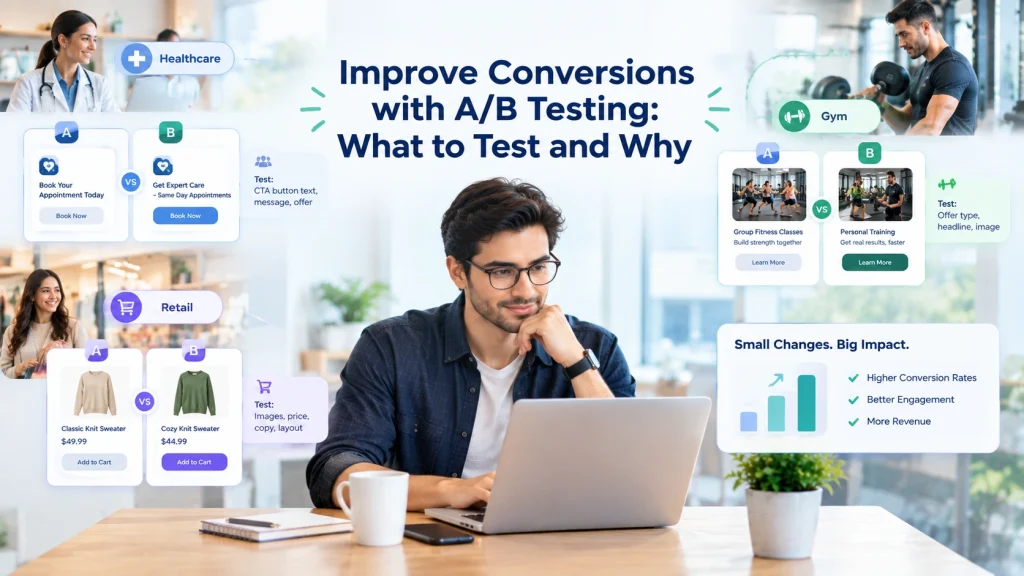
Concrete Example: A fitness chain A/B tests an automated renewal sequence. Group A receives the sequence, Group B receives a manual email. After one billing cycle calculate incremental renewal lift with renewal_rate_treatment – renewal_rate_control and multiply by avg_lifetime_value to get incremental revenue. Track also ticket volume and CSAT for the same cohorts to avoid revenue gains that degrade experience.
- Alert rules to add immediately: high webhook failure rate, automation containment below expected floor, sudden spike in false-positive escalations.
- Sampling and logging policy: full logs for canary cohorts, aggregated metrics for production; purge raw text that contains PII after the retention window.
- Attribution caution: do not claim revenue uplift from outreach unless cohorts are randomized and you control for seasonality and channel overlap.
Key recommendation: instrument decisions-first (inputs + rule + outcome) and run controlled experiments before expanding write-capable automations.
Measurement template starter: store an events table with columns event_id, external_id_hash, rule_id, decision, confidence_score, action_sent, delivery_status, ticket_id, created_at. Use this table to compute containment, false-positive escalations, and match-confidence trends. For delivery testing, compare against provider docs like Twilio messaging docs. For orchestration capabilities see Gleantap Features.
Next step: pick three indicators to watch during your canary—match-confidence failure rate, automation containment, and false-positive escalations—and make them gating metrics. If any one of them breaks your stop criteria, pause the automation, review decision logs, and roll back the single rule rather than the whole system.
Security, consent, and compliance controls
Immediate reality: failed consent and sloppy logging are the single biggest operational risk when you put CRM customer service automation into production. Automations that send the wrong channel, to an opted-out contact, or that retain regulated free-text can trigger complaints, fines, and lost trust far faster than any uptime incident. According to timetoreply, reliable customer service tools should include built-in consent management, audit trails, and compliance safeguards to help teams avoid these risks while maintaining efficient customer communication.
Controls that stop incidents before they start
- Consent registry: persist per-channel consent with consent_source, consent_timestamp, and consent_version in the CRM so every automation can check the exact legal basis before sending.
- Channel suppression sync: maintain live suppression lists (SMS, WhatsApp, email) and push them to the messaging provider via API; never rely on local caches longer than your retry window.
- Signed webhooks and mutual TLS: authenticate inbound events to prevent spoofed triggers and ensure idempotency keys are validated before any write-back to the CRM.
- Role-based write gates: require elevated approvals for automations that perform irreversible actions (refund, cancel_membership) and log the approver id with the action.
- PII minimization and hashing: store only the fields needed for routing; use hashed external_id in operational logs and redact free-text that contains health or payment details.
- Immutable audit trail: stream decisions (inputs, rule_id, outcome) to a tamper-evident log for audits and fast forensics; keep raw payloads short-term only.
Trade-off to accept: keeping detailed consent receipts and raw payloads makes audits straightforward but increases PII surface and storage costs. The pragmatic approach is layered: keep full payloads for 7–14 days for debugging, then persist a hashed event summary and the consent proof indefinitely.
Practical limitation: many connectors and middleware do not propagate opt-outs reliably under error conditions. If your integration layer can lose a suppression update, assume the worst: design automations to check live consent from the CRM for any outbound campaign rather than relying on cached provider lists.
Concrete example: A family entertainment center sells tickets online and uses WhatsApp for delivery messages and promos. At checkout the system records explicit WhatsApp opt-in with a consent_version and legal text. The automation reads that field before sending a promotional sequence; if the message contains a safety incident (staff report of injury), the flow writes a secure case to the CRM, redacts the incident text in ephemeral logs, and elevates the ticket to a human with the unredacted record only accessible to clinicians and compliance via RBAC.
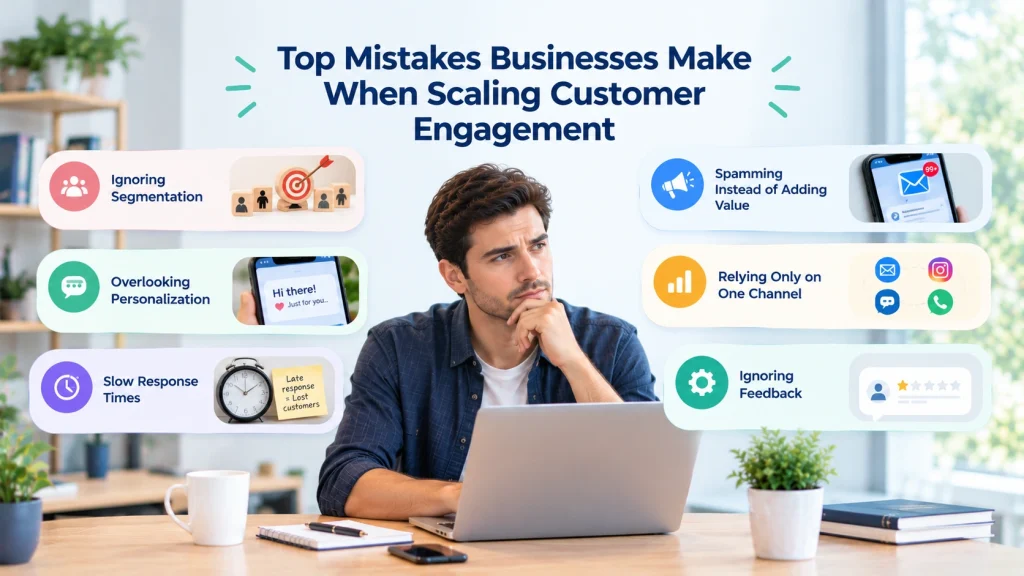
Judgment: prioritize detection and safe-fail behavior over automation reach. It is better to pause a campaign when consent checks fail or a webhook behaves oddly than to attempt complex recovery later. Teams routinely underestimate the operational burden of post-hoc consent reconciliation.
When you implement this: store consent as canonical fields in the CRM and propagate them via bi-directional API to your messaging provider, authenticate webhooks per Twilio messaging docs, and keep a visible consent history in the agent UI so human reviewers can validate decisions quickly. For orchestration and consent propagation tools see Gleantap Features.
Key control bundle: live consent checks + per-channel suppression sync + signed webhooks + RBAC for irreversible actions. Log decisions with hashed ids for audits and retain raw payloads only short-term.
Next consideration: wire legal and ops into change control so every automation that touches personal data has an approved consent policy, a test that simulates opt-out scenarios, and a rollback plan that can be executed in minutes.
Common pitfalls, troubleshooting checklist, and operational playbooks
Immediate reality: Automation behaves perfectly in a sandbox and imperfectly in production. The failure modes are operational — not theoretical — and you need reproducible playbooks before the first canary blows up.
Top failure patterns I’ve seen
Failure pattern – identity drift: When the automation and CRM disagree about who the customer is, messages go to the wrong person or automations apply incorrect business rules. Consequence: misrouted tickets, inappropriate refunds, and damaged trust. Fixing this later costs more than building conservative matching rules up front.
Failure pattern – consent mismatch: Opt-out changes in one system that never propagate to the other. Consequence: regulatory exposure and unhappy customers. Treat the CRM consent flag as canonical and make live checks mandatory for outbound sequences.
Practical troubleshooting checklist (ordered)
- Verify identity confidence: Query recent match scores for affected external_id and confirm deterministic joins; if scores are low, mark events for manual review.
- Check the DLQ and replay queue: Inspect dead-letter items, note failure reasons, and attempt controlled replays to a staging path before replaying to production.
- Inspect decision logs: Pull the rule evaluation trace (inputs, rule_id, outcome) for the failing interaction to see whether bad data or a logic change caused the action.
- Validate consent at send time: Cross-check per-channel consent fields in the CRM; if a mismatch exists, pause the campaign and run remediation.
- Provider health check: Correlate delivery failures with provider status pages and rate-limit errors; if provider throttling is the issue, throttle the automation or switch channels.
- Roll-forward mitigation: If the flow is harmful, toggle the automation to read-only or route to a manual queue; document the exact change and the person who made it.
Trade-off to accept: Pausing an automation reduces short-term throughput and may push volume to agents, but continuing a broken automation amplifies errors and customer harm. Err on the side of containment over coverage.
Operational playbooks you can adopt today
Playbook – incident triage (5 steps): 1) Scope the blast radius (affected customers, flows, channels). 2) Freeze the offending rule or move it to a manual queue. 3) Create a dedicated incident thread with RACI (ops, eng, product, legal). 4) Prioritize remediation (data fix, replay, schema rollback). 5) Communicate to stakeholders and affected customers with a precise, traceable message.
Playbook – backfill and customer remediation: When messages were missed or incorrect, do not bulk resend without human review. Instead: identify impacted external_id hashes, create templated personal outreach (with apology and corrective action), and log the remediation in the CRM with a public audit note.
Playbook – manual takeover: Equip agents with a single-click takeover button that pauses automation for the customer, attaches the decision trace to the ticket, and records the agent id and reason. This reduces toggling and supports quick recovery.
Concrete example: A mid-sized fitness operator experienced duplicate class invites after a webhook broker started re-delivering events. They paused the invite rule, inspected the DLQ, and replayed deduplicated events to a staging path. They then sent a targeted apology and a single free class credit to affected members; ticket volume dropped and CSAT recovered in two days.
Key judgment: Build cheap, executable playbooks before you scale automations. Real-world resilience comes from quick containment, clear ownership, and decision-level logs — not from hoping your connector never fails.
Real-world integrations and examples
Direct observation: In production the integration that survives is the one built around operational realities — who owns fixes at 2am, how failures are surfaced, and which system is allowed to make irreversible changes.
How teams actually wire automation to CRMs
Common architecture in practice: Teams combine a lightweight event bus, a short-term enrichment lookup to the CRM, and a small set of write-back actions gated by human approval. That keeps the automated decision path short and observable while preventing accidental writes to billing or membership state.
Practical trade-off: Using a middleware or native connector accelerates pilots but creates blind spots for observability and replay. In other words, you can get to market fast, but you will pay later in longer incident triage and more manual remediation unless you add explicit event logging and a dead-letter process.
- When low friction matters: Use native connectors for simple notification flows (confirmations, reminders) so ops can own changes without engineering involvement.
- When auditability matters: Use API-driven, event-first architectures that persist event_id and decision_trace for each automated action.
- When scale or custom objects matter: Build durable syncs and idempotent write endpoints; connectors will mis-handle bespoke membership logic and loyalty tiers.
Concrete Example: A regional fitness club implemented Gleantap to orchestrate SMS reminders and track failed payments. The automation listens for a payment_failed event, queries the CRM for membership status and recent payments, and only creates a ticket if the deterministic match is strong; ambiguous cases are queued for agent review. This reduced noisy agent work and avoided false refund approvals.
Another real use case: A multi-location clinic uses Twilio conversational flows linked to Salesforce so appointment reminders are two-way. When a patient replies reschedule, the bot checks availability via a lightweight API call, tentatively holds the slot, and writes a pending change to the CRM while flagging the case for human confirmation if conflicts appear. The key is short-lived holds and explicit human gating for final writes to the calendar.
Judgment you should apply: If your business tolerates occasional manual fixes better than customer-facing errors, prioritize fast pilots with connectors but plan to harden the top 2–3 flows to API-driven integrations within the first two quarters. Do not treat a connector proof as production architecture without adding decision logs, DLQs, and role-based write gates.
Key takeaway: Design for failure and for human takeover. Ship fast with connectors or middleware, but instrument every decision, dead-letter every ambiguous event, and convert high-impact flows to API-first integrations. For orchestration that understands membership logic see Gleantap Features and validate delivery/webhook behavior against Twilio messaging docs.
Frequently Asked Questions
Direct point: This FAQ focuses on operational tradeoffs and decision criteria you will actually need when wiring CRM customer service automation into production, not marketing talk.
Q: How does CRM customer service automation move the needle on membership retention? A: Automations that use CRM context to target at risk members and trigger timely touchpoints reduce friction in the renewal path. Practical caveat: the lift comes from correct targeting and sequencing, not message volume. If identity or consent is wrong, you amplify churn instead of preventing it.
Q: Which integration approach should a small chain choose first? A: Start with built in connectors or an integration platform to prove value quickly. Reserve engineering time to harden only the highest impact flows into API driven syncs. The tradeoff is speed now versus operational debt later; plan for a staged migration so pilots do not become fragile long term.
Q: What minimal fields must be synchronized between CRM and automation? A: At minimum sync a canonical id, primary phone, primary email, membership status, last activity date, and per channel consent flags. Treat additional enrichment fields as optional until you have stable matching and clear use cases that justify the added mapping work.
Q: Can automation handle two way conversations and bookings reliably? A: Yes, but only with explicit conversational state, conflict detection, and human handoff gates. Implement short lived holds for tentative bookings and require manual approval for final writes when match confidence is low.
Concrete Example: A multi location clinic connected Twilio conversational flows to Salesforce so patients can reschedule by message. The bot places a tentative hold via a lightweight availability API and writes a pending change to CRM; conflicts escalate to staff with the decision trace attached. This reduced call volume while keeping staff in the loop for final confirmations.
Q: How do I avoid automation feeling impersonal? A: Use CRM attributes to drive message variants and show the reason for an automated action in the message (for example membership tier or last visit). Always include a clear, low friction path to human help and instrument the handoff so agents see why the automation acted.
Q: What are the most important measurement and safety checks during a pilot? A: Gate on match confidence failures, automation containment, and false positive escalations. Log decision inputs and outcomes so you can diagnose whether failures are caused by data, rule logic, or delivery.
Key judgment: Prioritize conservative, observable automation that reduces agent work without increasing risk. Automate confirmations and read only flows first, then add writes behind approvals and clear telemetry.
Actionable next steps: 1) Pick one low risk, high frequency flow to pilot; 2) Define the 8 canonical fields and set field ownership in the CRM; 3) Run a 6 week canary with decision logging, DLQ, and explicit stop criteria.
Next concrete actions you can implement now: 1) Add a match confidence score to your events and block automated final writes below your threshold. 2) Expose the decision trace to agents in the ticket UI. 3) Create a one click pause for any automation per customer so agents can take over immediately.
Ready to Run Successful Marketing Campaigns and Grow Your Business?
Gleantap helps you unify customer data, track behavior patterns, and automate personalized campaigns, so you can increase repeat purchases and grow your business.
Ready to Run Successful Marketing Campaigns and Grow Your Business?
Gleantap helps you unify customer data, track behavior patterns, and automate personalized campaigns, so you can increase repeat purchases and grow your business.