
 Divya Ghughatyal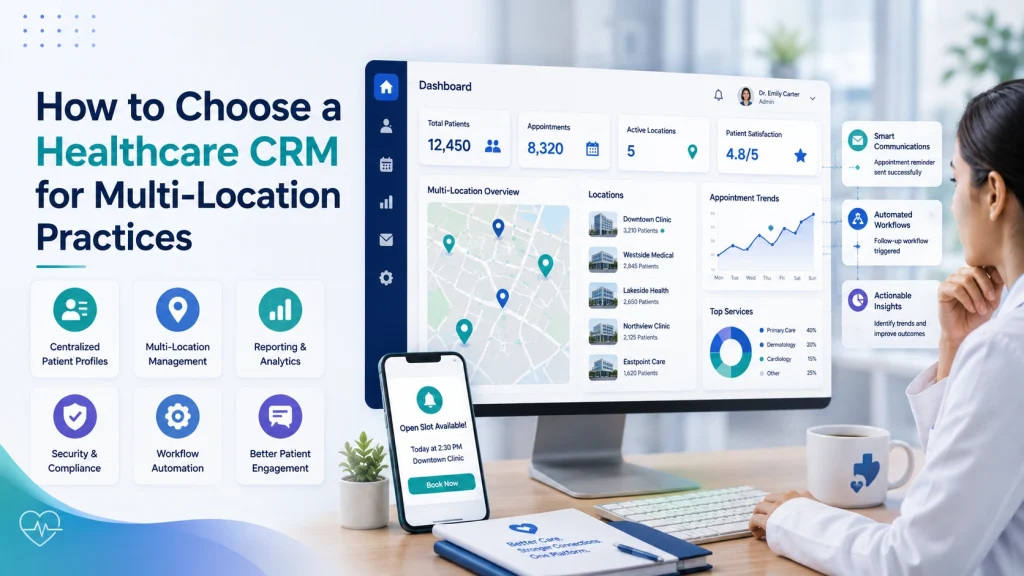
Buying healthcare CRM software for one clinic is a contained decision. If the reminder templates are clumsy or the reporting is thin, the office manager builds a workaround and everyone moves on. Buying it for eleven clinics is a different exercise, because every weakness multiplies, across eleven sets of front-desk habits, eleven appointment books, several time zones, and often more than one EHR instance underneath.
That multiplication is why choosing a healthcare CRM for multi-location practices should be judged on measurable operational change rather than demo polish: fewer no-shows, higher recall completion, fewer inbound scheduling calls, a consistent patient experience regardless of which door someone walks through, and one set of numbers the central office actually trusts.
What follows is a working framework: how to define those outcomes, how to evaluate vendors, how to stress-test integration and matching before you sign, and how to structure a pilot that tells you the truth rather than confirming the sales deck.
1. Start with outcomes, not a feature list
Feature lists are easy to compare and nearly useless as a decision tool, because in a slide every vendor’s list looks identical. Start instead with the operational changes you expect each location to show within two quarters, and how you will prove they happened.
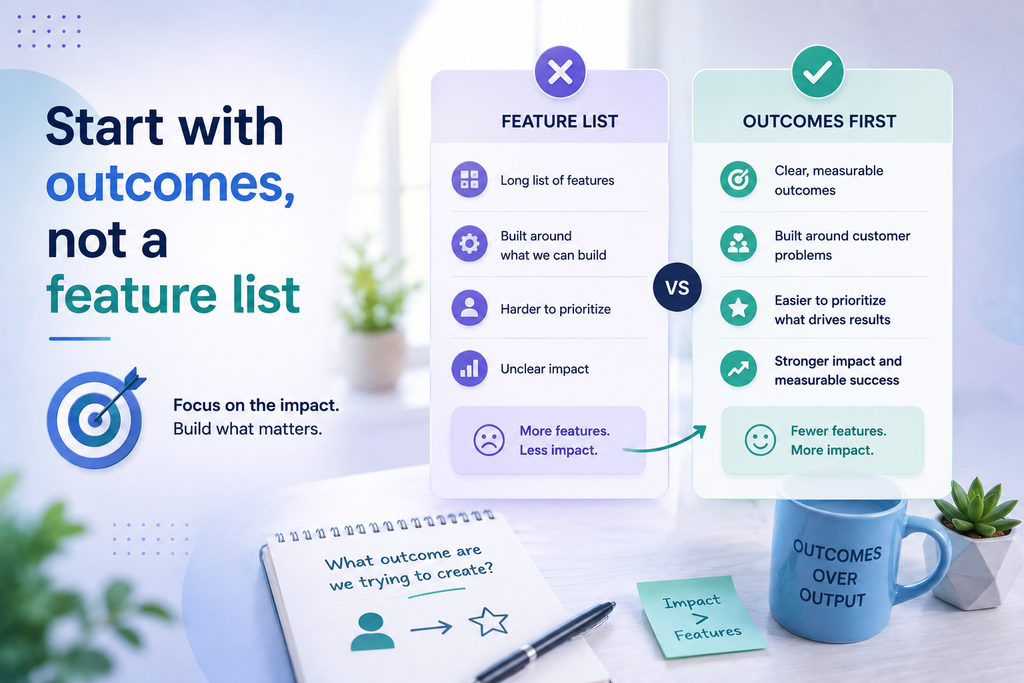
Set central KPIs, then tier the targets by site. The central office needs normalized metrics; individual locations need targets that reflect their patient mix, hours, and staffing. A flat “15 percent fewer no-shows everywhere” reads well in a board deck and quietly sets up half your sites to fail.
Consider two clinics that both report a 14 percent no-show rate. At the first, most patients book five or more weeks out and lose track of the appointment. At the second, patients are commuters deciding at 7 a.m. whether a 9 a.m. slot is realistic. The first improves with a longer reminder ladder and frictionless rescheduling; the second with a same-morning confirmation and a waitlist that refills a slot within the hour. Identical symptoms, different mechanisms, and a portfolio-wide target obscures both.
Before you compare vendors, pin down:
- Primary KPIs: no-show rate, recall completion rate, inbound scheduling call volume, appointment fill rate, and staff hours returned per week.
- Secondary KPIs: message response rate, opt-out rate by channel, time-to-fill after a recall, and revenue recovered from completed recalls.
- Data prerequisites: a clean 90-day baseline exported from the EHR, standardized location identifiers, and an agreed sync frequency.
It also helps to write a short use-case matrix before demos begin. Not every site needs the same workflows: reminders and two-way rescheduling matter everywhere, while pre-visit intake, lab result notifications, or billing follow-up may only be worth configuring at two or three locations. Rank each use case by expected impact against implementation effort, and you will enter vendor conversations knowing which capabilities are load-bearing and which are pleasant extras. That ranking is what keeps a healthcare CRM evaluation from becoming a comparison of everything against everything.
Design for attribution now, not later. Roll out in staggered waves and hold a matched group of comparable clinics off the platform. Without a control cohort you cannot separate the software’s effect from a staffing change, a seasonal swing, or a new provider joining. Put the measurement plan in the contract: baseline export, agreed KPI definitions, and a 90-day validation window. That single clause prevents most ROI disputes twelve months in.
2. The healthcare CRM features that change daily operations
Once outcomes are defined, the feature conversation narrows quickly. Three capabilities do most of the real work; the rest determine whether those three are safe to run across every site.
Communication That Works in the Real World
Look for a platform that can handle reminders across SMS, email, and messaging apps, while giving patients a simple way to respond or reschedule.
The key is to look beyond how many messages were sent. You also need to know how many actually reached patients, which ones failed, and whether the system tried another channel when needed.
Ask vendors to show:
- Delivery tracking: Can you see whether each message was delivered or failed?
- Automatic retries: What happens when a message does not go through?
- Channel fallback: Can the system switch to another approved channel when appropriate?
- Two-way communication: Can patients reply, confirm, cancel, or reschedule without staff having to start over?
- Clear reporting: Can each location see what worked, what failed, and where follow-up is needed?
The goal is simple: don’t measure communication by messages sent. Measure whether patients actually received and acted on them.
Unified Patient Profiles Across Locations
Picture a patient who sees dermatology at your north-side clinic on Monday and primary care downtown on Thursday. If those two records never resolve into one person, she receives two unrelated reminder threads, the opt-out she sent Monday is honored at one location and ignored at the other, and the downtown front desk cannot see what was already discussed. Multiply that across a quarter and the experience feels like dealing with strangers who share a logo.
Patient matching should be simple to trust and easy to check. Look for tools that can spot likely duplicate patients, flag uncertain matches for staff to review, and keep a clear record of any merges or changes. Ask the vendor to show how it handles duplicates using a sample of your own records, not just clean demo data.
Multi-site administration and consent
Central governance with role-based access, per-location templates and hours, correct time zone handling, and explicit control over what a site can override. Consent deserves its own line item: opt-outs captured anywhere must suppress outbound messages everywhere, instantly, and write back to the EHR where policy requires it.
Reporting that both audiences trust
Cross-location dashboards for the central team, per-site drill-downs for managers, message-level metrics, and clean exports so finance can validate the savings independently rather than taking them on faith.
3. Integration Determines Whether Your Data Stays Connected
A platform can look great on its own, but the real test is how well it works with the systems you already use. If patient and appointment information does not move reliably between systems, you can end up with another data silo instead of one connected view.
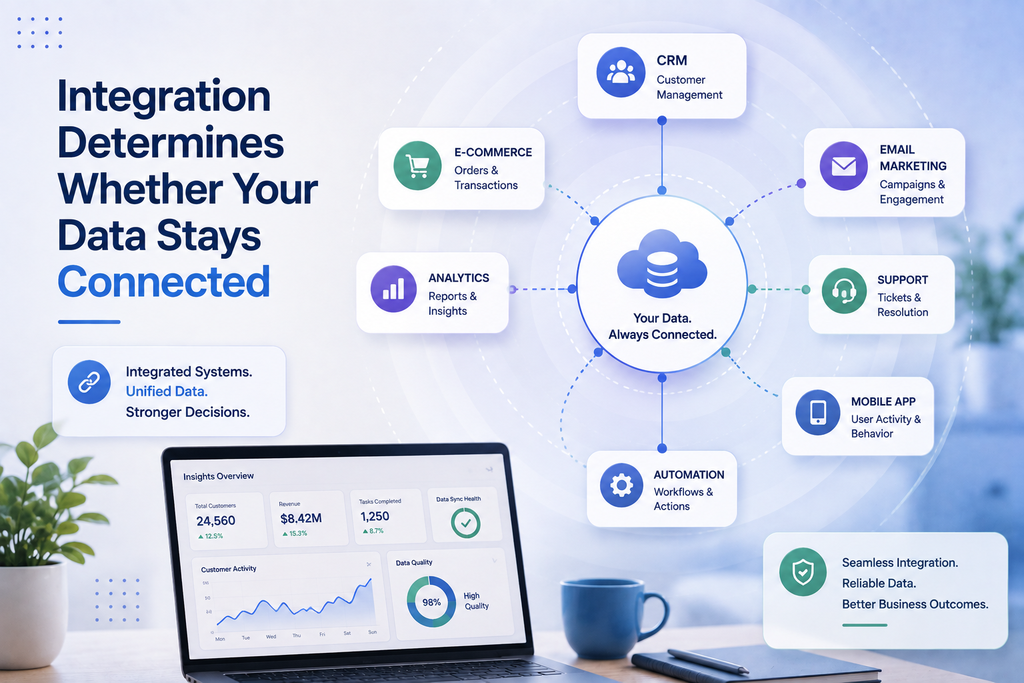
Before choosing a vendor, get clear answers to these questions:
- What systems does it connect to? Ask whether the vendor already works with your specific EHRs or whether a custom connection is required.
- How often does information update? Ideally, important changes such as cancellations and reschedules should appear quickly, not the next day.
- How are duplicate patients handled? Ask how the system identifies the same patient across different locations and what happens when two records do not match.
- Which system has the final say? Be clear about where patient details, appointments, and communication preferences are managed. Changes should not be overwritten unexpectedly.
- Does it work across locations? Staff should be able to see the right patient information when someone moves from one location to another, without creating a new record.
- What happens when something goes wrong? Ask how the vendor identifies failed updates, alerts your team, and fixes missing or incorrect information.
Make the integration test part of the vendor evaluation, not just a sales demo. Ask each finalist to show three things live: resolve duplicate patient records, update an appointment and show the change across systems, and carry an opt-out from one location to another.
If a vendor cannot demonstrate these basic workflows without significant preparation, that is worth considering before you move forward.
For patient matching, the ONC patient matching guidance is a useful reference.
4. Check Security and Compliance
For a multi-location healthcare group, security is not just an IT issue. It affects how safely you can automate patient communication and manage data across locations. Don’t rely on promises, ask for proof.
These six requirements should be the minimum standard:
- A signed Business Associate Agreement (BAA) that clearly lists any third-party vendors handling patient data.
- Encryption that protects data both when it is stored and when it is being transferred.
- Audit logs that show who accessed or changed information, with the ability to filter activity by location.
- Secure user access controls, including role-based permissions and multi-factor authentication for administrators.
- Independent security validation, such as a recent SOC 2 report or penetration test.
- A documented incident response plan that explains how security issues are handled and how customers are notified.
In multi-site organizations, the biggest risk is usually not a sophisticated cyberattack. More often, it is someone having more access than they need or staff following different processes at different locations.
If an account is misused at one clinic, you should be able to quickly answer questions such as:
- Who accessed the information?
- Which location did it come from?
- What data was viewed or shared?
- Was the patient’s consent properly recorded?
Location-specific audit logs make these answers easy to find. Without them, even a small issue can become a time-consuming investigation across every site.
One important trade-off to understand is that stronger encryption can sometimes limit search, reporting, and automation features. Before making a decision, discuss which data needs the highest level of protection and which data must remain searchable for daily operations.
Healthcare security guidance provides a good starting point, but your organization should decide what additional safeguards are needed based on its own risk level.
5. Why Adoption Can Be a Multi-Location Challenge
A platform can meet every technical requirement and still fail if staff do not use it consistently. If front-desk teams find the system slow, confusing, or harder than their current process, they will often fall back to phone calls, spreadsheets, and manual work. The expected efficiency gains never happen.

Watch for these common issues:
- Too much complexity. Keep the interface simple for each role. Schedulers should only see the tools and information they need to do their job.
- Switching between multiple systems. If staff have to constantly move between the EHR and another application to find information, usage drops. Look for solutions that integrate directly into existing workflows.
- Limited training. One training session at launch is rarely enough. Use local champions, quick refresher sessions, and ongoing support during the first few weeks.
- No way to provide feedback. Staff need an easy way to report issues and suggest improvements. Regularly review feedback and communicate what has been fixed or changed.
- Too much or too little local flexibility. Every location has slightly different needs, but core processes should remain consistent. Standardize key templates and workflows while allowing limited local customization where necessary.
When measuring success, focus on behavior rather than activity.
Instead of counting how many messages were sent, track:
- How many reminders were sent automatically instead of manually.
- How often staff reuse approved templates.
- Daily usage by different staff roles.
- Time saved during patient interactions.
These metrics show whether the platform is actually becoming part of daily operations.
6. Look at the Total Cost, Not Just the License
A common mistake is to compare platforms based only on how much they charge per user or location. Before choosing a platform, first estimate how many messages you will actually send each month.
Think about reminders, recalls, marketing campaigns, two-way conversations, and other messages. Then use these numbers when discussing pricing with vendors.
The total cost can include:
- Setup costs: Moving your data, connecting the platform to your existing systems, setting everything up, testing, and making custom changes. These costs can become high if you use multiple EHR systems or need a lot of customization.
- Monthly fees: This may include the basic platform cost, plus extra charges for each user or location. Costs can increase quickly when you have many locations.
- Message costs: You may pay extra for sending and receiving text messages. Large campaigns can increase your monthly bill significantly, especially when messages need to be sent again or patients reply.
- Extra work: If your EHR is upgraded or you want to add a new workflow, the vendor may charge you extra for making those changes.
- Support and training: You may also need to pay for employee training, ongoing support, and help with getting your team to use the system properly.
- Leaving the platform: If you decide to switch to another system, there may be costs for moving your data, disconnecting integrations, or migrating to a new platform.
The main thing to remember is that a cheaper monthly plan does not always mean a cheaper platform overall. Some platforms have a low monthly fee but charge more for messages and extra services. Others offer larger packages with lower message costs but require you to commit to a minimum amount or a longer contract.
When negotiating, try to get a clear limit on extra service costs, predictable pricing for additional messages, setup fees linked to specific milestones, and confirmation that your patient data and communication history belong to you and can be exported without extra charges.
7. Choose the CRM Based on What You Actually Need
Not every CRM is built for the same purpose. Most platforms started by solving one specific problem, and that focus still affects what they do best today.

So, decide what problem you need to solve first, and then look for platforms that are strongest in that area. Don’t choose a platform just because its demo has a long list of features.
Messaging-focused platforms are mainly built for sending messages and communicating with patients. They are usually quick to set up and work well for appointment reminders, recall campaigns, and handling incoming messages. They are a good choice for clinics that mainly want to reduce no-shows and phone calls. However, they may not offer much flexibility when it comes to managing complex patient data.
Enterprise platforms are large, powerful systems that can be customized in many ways. They can handle complex data and processes, but they usually take longer to set up and require experienced people to manage them. They can make sense for large hospital systems, but may be more than a smaller healthcare group actually needs.
Recall and reputation platforms are often designed for dental and specialty practices. They are usually very good at bringing patients back for appointments and managing online reviews. However, they may not be as strong when you have multiple EHR systems or need to combine patient information across different locations.
Scheduling and intake platforms focus mainly on the patient’s first steps, such as booking an appointment, checking in, filling out forms, and sometimes making payments. These platforms are a good fit if your biggest problem is making registration and appointment booking easier. However, they may not be as strong for marketing and long-term patient communication.
The practical takeaway is simple: choose a platform based on your biggest problem, not the number of features it offers.
For example, if your biggest problem is patients receiving the same message multiple times, look for a platform that is specifically good at identifying and combining patient information. Test it on that problem first. If it works well, then move forward with pricing and a larger contract.
8. Build a pilot that is allowed to fail
Choose three to five sites and eight to twelve weeks. Anything shorter mistakes ordinary scheduling variance for impact; anything longer delays the decision and burns goodwill.
Pick sites that expose failure modes, not showcase sites. Include one high-volume location, one low-volume or rural site, and one structurally awkward case, a specialty clinic, a second EHR instance, and a bilingual patient population. That mix surfaces throttling limits, matching errors, and template gaps while they are cheap to fix.
Set up each participating site with a 90-day baseline export, a matched control cohort held off the platform, and a named owner for every metric: operations for no-show rate, patient outreach for recall completion, data stewardship for duplicate rate, site managers for response rate and staff time saved.
Agree the rollback criteria in advance. A sustained rise in no-shows or an opt-out rate above roughly 3 percent should trigger a pause, not a debate about whether it counts. Define what “pass” means numerically before week one, so the week-ten decision is arithmetic rather than politics.
A workable rhythm across 90 days: spend the opening fortnight on scope, the BAA, baseline exports, and named owners; weeks two to four on data mapping, matching rules, and a dry run of syncs; weeks three to six on training and a soft launch to internal test contacts, with throttles and opt-out handling live from the first message. Run real campaigns and weekly KPI reviews through week ten, then reserve the final fortnight for the decision, scale up, extend, or roll back.
The most common mistake is treating the pilot as an extended demo. It has to be a miniature of production: real patients, real volume, real escalation paths, and someone on call when a sync fails at 6 a.m. If you cannot run it that way at five sites, it will not go better at forty.
Three problems account for most disappointing pilots: matching rules that were never tuned on real data, sync latency that produces stale or contradictory messages, and low staff adoption from workflow friction. All three are fixable during a pilot and expensive after a full rollout.
9. Three demo scenarios worth more than a feature matrix
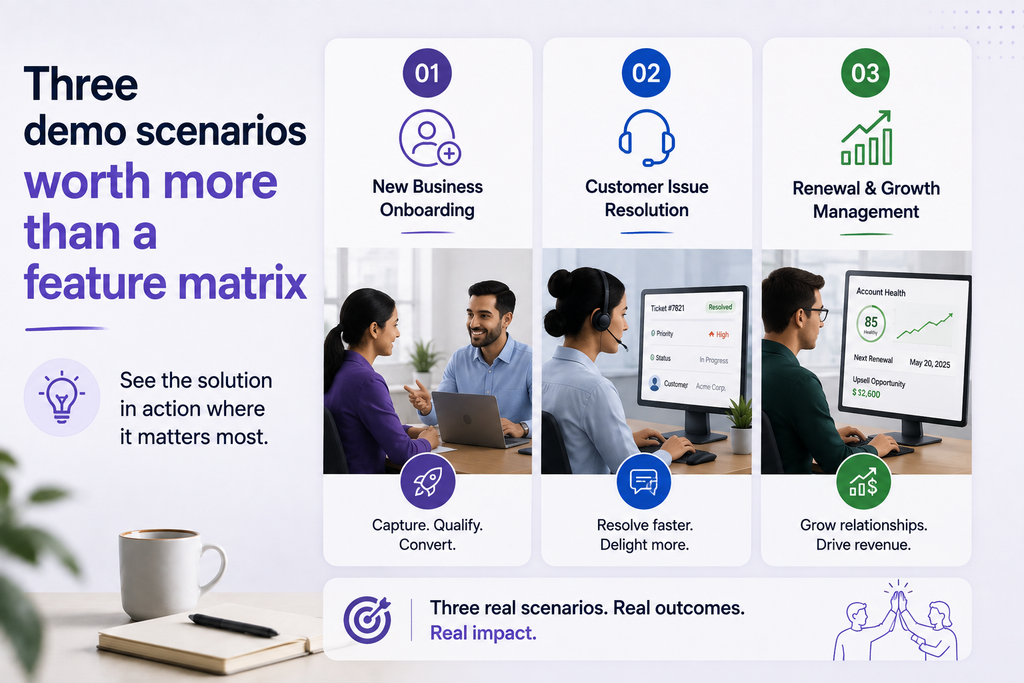
Ask every finalist to run these live, and capture what happens:
- Duplicate resolution. Give them a realistic sample and ask them to identify and resolve cross-site duplicates, then show the audit trail for automated merges and demonstrate an unmerge.
- A patient moving between locations. Simulate a patient who was first seen at one clinic and later books an appointment at another location within the group. Ask how patient history, preferences, consent records, and communication settings follow the patient, and whether staff at the new location can access the right information without creating a duplicate record.
- A 48-hour appointment change. Walk through how site schedules update, which fields are authoritative, and what happens to messages already queued, are they cancelled, modified, or sent anyway?
- Opt-out then reschedule. Simulate a patient who opts out by SMS and calls a different location two days later to rebook. How is the opt-out honored, and how does the second site know?
The answers to those three scenarios predict production behavior better than any comparison grid.
Where to go from here
Define the outcomes, tier the targets by site, test integration and matching on your own data in a sandbox, and pilot on the locations most likely to break the system. A platform that clears that sequence will hold up as you add locations.
If unified profiles and cross-site messaging are where your evaluation is centered, see how Gleantap’s Healthcare CRM helps organizations manage patient engagement across multiple locations, and bring the three demo scenarios above to the conversation.

Ready to Run Successful Marketing Campaigns and Grow Your Business?
Gleantap helps you unify customer data, track behavior patterns, and automate personalized campaigns, so you can increase repeat purchases and grow your business.
Ready to Run Successful Marketing Campaigns and Grow Your Business?
Gleantap helps you unify customer data, track behavior patterns, and automate personalized campaigns, so you can increase repeat purchases and grow your business.