
 Divya Ghughatyal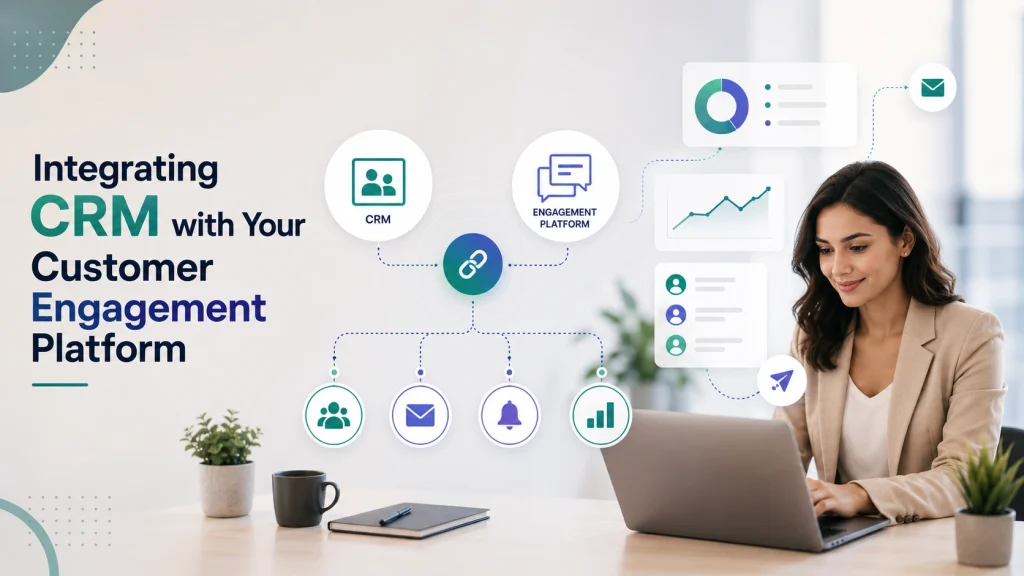
If fragmented records and slow personalization are costing renewals, tying your CRM to a customer engagement platform is the fastest way to get usable signals. This practical how-to covers CRM integration, customer data platform, unified customer insights and walks you through choosing the right architecture, defining a canonical data model, syncing events in real time or batch, and activating high-value segments that drive retention. Expect vendor examples (HubSpot, Salesforce, Segment, Zapier, Fivetran, Gleantap), checklists, and an adaptable 8-week rollout you can use for a small or mid-market business.
Why linking your CRM to a customer engagement platform delivers actionable insights
Direct payoff: connecting your CRM to a customer engagement platform turns static CRM records into living, actionable customer profiles so teams can personalize, prioritize, and measure in ways spreadsheets never allowed. When you merge CRM software attributes with event streams and campaigns, you get unified customer insights that drive faster decision-making across marketing, sales, and operations.
- Fix fragmented views: Merge membership, booking, payment, and support data so a single profile shows lifecycle stage, recent behavior, and consent status.
- Enable timely actions: With real-time data synchronization you can trigger lifecycle messages (renewal reminders, trial nudges) when they matter, not days later.
- Improve measurement: Unified data lets you attribute conversions to channels, measure campaign lift, and compare cohorts reliably.
- Reduce manual work: Eliminate spreadsheets and ad-hoc exports by centralizing segmentation and activation in the engagement platform.
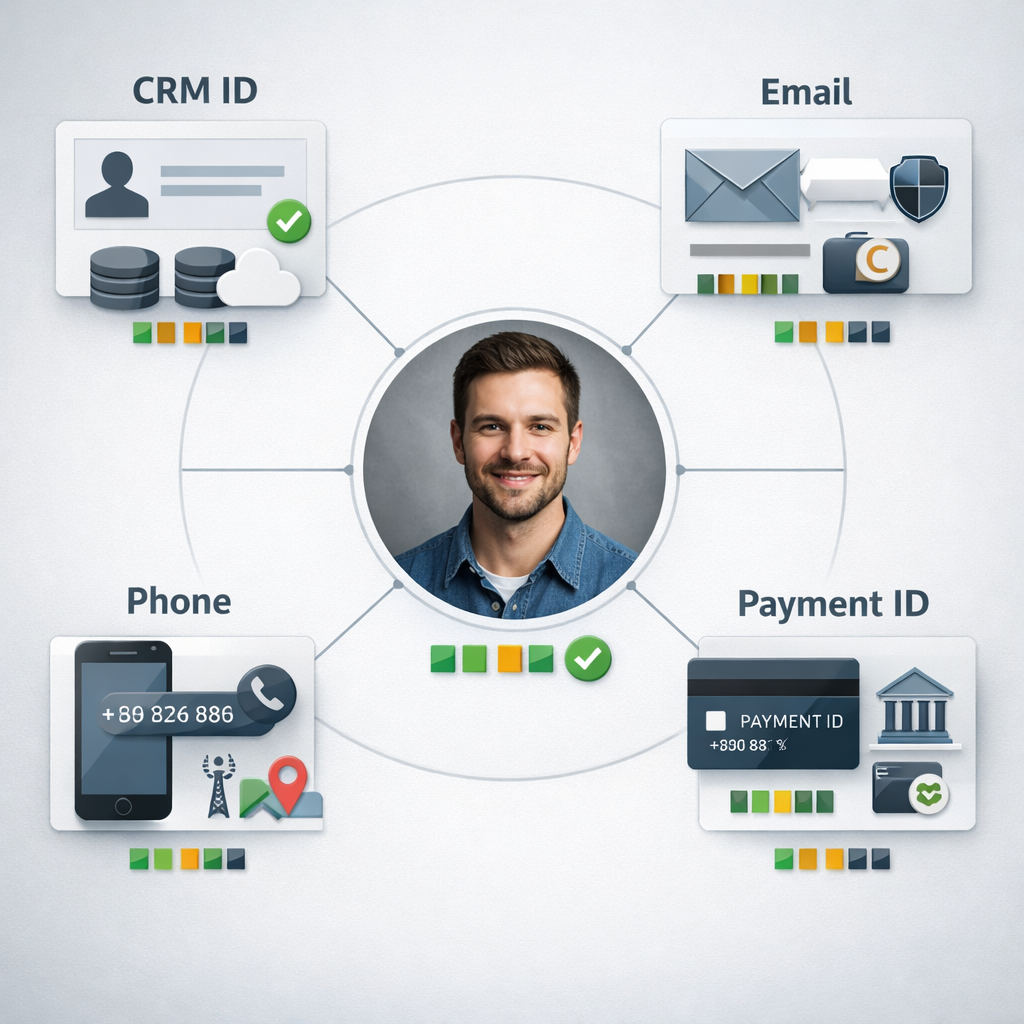
Important tradeoff: identity resolution is the difference between insight and noise. If you rely only on email or CRM contact ID without cross-checking phone numbers and external payment IDs, you will undercount activity and create duplicate profiles. Choosing the canonical identifier is a business decision: midsize teams often pick CRM contact ID plus email/phone fallbacks; larger shops invest in a CDP for probabilistic matching. See Segment for event and identity patterns.
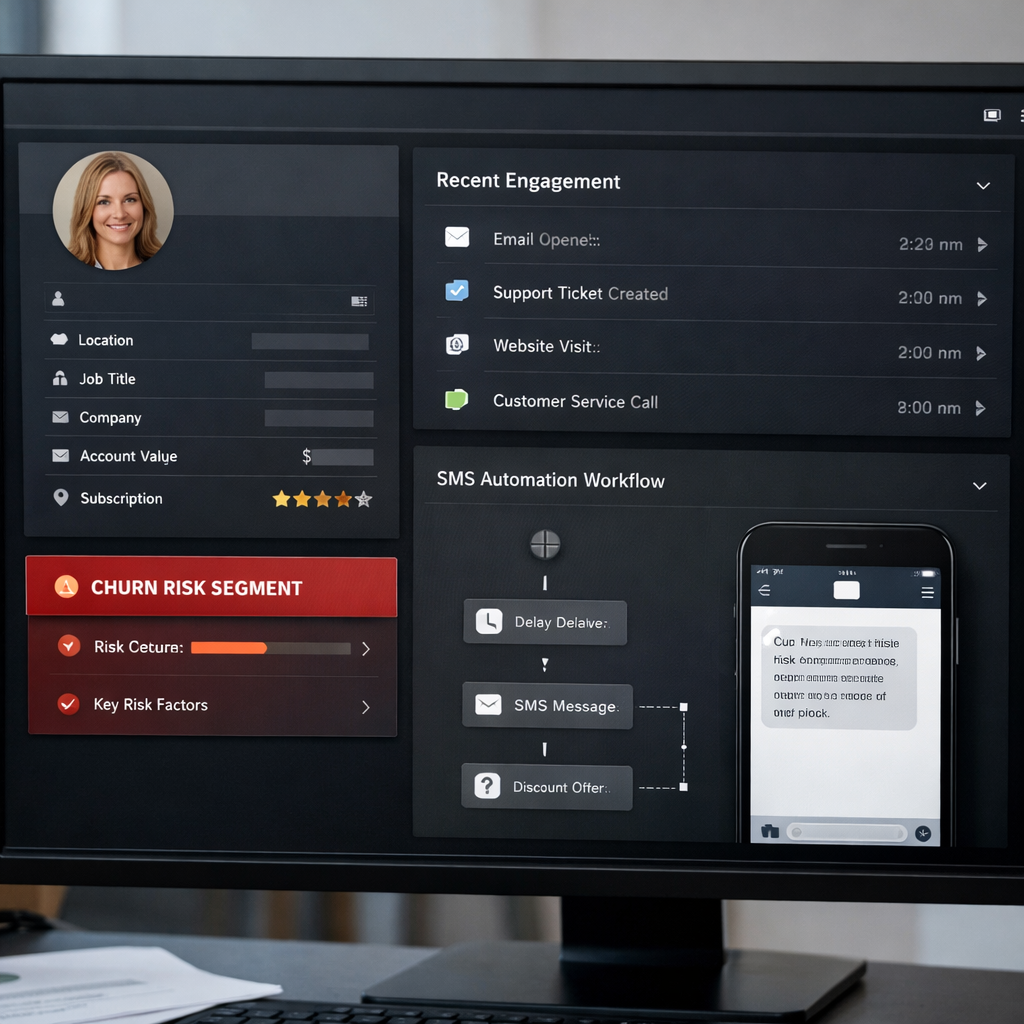
Concrete example: A boutique gym using HubSpot syncs membership fields and lifecycle stages into Gleantap while streaming visit and class booking events. The combined profile exposes members with long tenure but falling visit frequency; the gym runs an automated SMS sequence offering a free personal training session to that segment and measures reactivation rate. That single integration moves a reactive retention process into an automated, measurable workflow — and the team can see campaign performance in both sales analytics and the engagement platform.
Practical limitation: real-time personalization requires stable, low-latency event ingestion. If your systems can only support nightly batch syncs (common with simple CRM connectors or ETL tools), you still get solid analytics and segmentation but you lose immediate lifecycle triggers. The common, practical solution is a hybrid: real-time webhooks for critical events and nightly ETL for aggregated metrics and BI.
Actionability requires measurement discipline. Define the small set of KPIs you will use to decide if the integration is working — for example, churn lift for a retention campaign, campaign conversion rate, and data sync success rate. Use control groups when you pilot automated messages so you can attribute lift rather than assume it.
| Business outcome | Immediate KPI to track |
| Faster segmentation and activation | Time from event to message (hours), segment size |
| Improved campaign conversion | Conversion rate, uplift vs control group |
| Earlier churn detection | Reactivation rate, churn rate over 30/60/90 days |
| Centralized reporting | Number of manual exports avoided, reconciliation error rate |
Key takeaway: CRM integration with a customer engagement platform is not just data plumbing — it changes what you can automate and measure. Prioritize identity rules, pick real-time for actions that must be immediate, and insist on pilot tests with control groups before full rollout.
Choose the right integration architecture for your business
Start with the outcome you need, not the shiny tool. Choose an architecture that delivers the identity resolution, latency, and governance your use cases require — then map vendors to that architecture. Picking a connector because it is easy today can create identity drift, bad personalization, and costly rework later.
Practical architectures and when they make sense
There are three pragmatic patterns you will choose between: native connectors/webhooks, customer data platform (CDP) / event stream, and ETL/middleware to a data warehouse. Each solves a different problem and brings tradeoffs around latency, control, and engineering cost.
| Architecture | When to choose | Pros | Cons | Typical tools |
| Native connectors / webhooks | Small business, fast wins, simple record syncs | Quick setup, low cost, limited engineering | Weak identity resolution, brittle at scale, inconsistent field mapping | HubSpot native integrations, Gleantap connectors, Zapier |
| CDP / event stream | Need real-time personalization, cross-source identity resolution, many event sources | Strong identity stitching, real-time routing, centralized event schema | Adds cost, requires schema discipline, can lock you into CDP model | Segment or other CDPs |
| ETL / middleware to warehouse | Analytics-first orgs, complex joins, BI and long-term storage | Robust governance, repeatable transforms, great for BI | Not real-time (usually), requires engineering, higher latency for personalization | Fivetran for managed ETL |
Practical insight: most small and single-location businesses should not over-engineer with a full CDP. Start with native connectors for core profile syncs and add a CDP or ETL when you need cross-source identity or repeatable event schemas for multi-channel personalization.
Concrete example: A boutique gym uses HubSpot native sync to push contact updates and lifecycle stages into Gleantap for retention messaging, while sending app opens and check-in events through Segment to resolve identities in real time. This hybrid approach gave them immediate personalized campaigns from Gleantap and a single event stream for later analysis in their warehouse via Fivetran.
- Decision rule 1: If you need sub-5 minute triggers and per-customer personalization, prefer CDP/event streaming or webhooks over nightly ETL.
- Decision rule 2: If BI and governed metrics are primary, put an ELT pipeline and warehouse at the center and accept higher personalization latency.
- Decision rule 3: For limited engineering resources, choose native connectors but enforce a canonical identifier policy now to avoid future dedup work.
Trade-off to watch: CDPs give identity and speed but can create vendor lock-in on event schemas; ETL gives control for analytics but sacrifices immediacy for engagement.
Key takeaway: Use a hybrid architecture in practice—real-time event routing for engagement and identity, plus ETL to your warehouse for governed analytics. Reserve native connectors for quick wins, not long-term architecture.
Design a unified customer data model and identity resolution strategy
Key point: a usable unified model is a strict contract, not a wish list. Decide the minimal set of identifiers and attribute types you’ll rely on before you start wiring connectors.
Core elements to include in the model
- Canonical identifiers: CRM contact ID, email, phone, and external payment or booking system customer ID. Use a single primary key in your engagement store for joins.
- Attribute types and freshness: Mark fields as profile attribute, event, or derived metric (e.g., engagementscore). Record a lastupdated timestamp for every attribute.
- Field-level authority: For each field decide which system is authoritative (CRM for lifecyclestage, payments for transactionamount).
- Consent metadata: Store consent boolean, timestamp, and source system to support suppression and DSARs.
- Confidence score and match history: Keep a match confidence value and the last few merge actions for audit and rollback.
Trade-off to plan for: storing everything denormalized makes real-time personalization fast but increases storage and reconciliation complexity. Keep event streams separate from canonical profile attributes when you need accurate historical analytics.
Practical identity resolution patterns
Deterministic first, probabilistic only if necessary. Start with exact-match rules (email, CRM ID, phone). Add deterministic fallbacks (email + phone, paymentcustomerid) and reserve probabilistic matching for high-value segments where false merges are acceptable and you can budget manual review.
- Primary match: CRM contact ID.
- Secondary match: verified email (exact).
- Tertiary match: phone number normalized to E.164.
- Fallback: payment processor customerid or bookingsystem_id.
- Manual review queue for low-confidence merges with confidence < 0.7.
| Identifier | Match Priority | Authoritative Source | Notes |
| crmcontactid | 1 | HubSpot / Salesforce | Used for lifecycle_stage and lead ownership |
| 2 | CRM (if verified) or signup form | Normalize to lowercase; track verification status | |
| phone | 3 | Payment or booking system | Normalize to E.164; prefer SMS consent present |
| paymentcustomerid | 4 | Stripe / Mindbody | Authoritative for transactions and LTV calculations |
Concrete example: A boutique gym uses HubSpot as the CRM and Stripe for payments; when a member updates their email in HubSpot, the system treats HubSpot as authoritative for contact info but Stripe remains authoritative for transaction history. The integration sets crmcontactid as primary; if the incoming event from Gleantap contains an email that does not match any CRM record, the system creates a new profile and flags it for reconciliation rather than auto-merge.
Common mistake: teams rush to probabilistic matching because it sounds sophisticated. In practice for SMBs and local chains, deterministic rules plus a simple manual review flow catch the majority of edge cases and avoid costly false positives.
Design the model for the use cases you need now. Prioritize reliable identifiers, field-level authority, and consent metadata. You can expand to probabilistic matching later once reconciliation and monitoring are mature.
Testing and governance: build reconciliation reports that compare authoritative source values to the engagement profile daily and surface mismatches. Automate alerts for sudden jumps in unmatched events or duplicate profiles; link those alerts to a triage playbook.
For reference on identity and event patterns, see Segment docs and CRM mapping practices in the HubSpot integration guide. If you use Gleantap Customer Profile as your engagement store, map authoritative fields there and push aggregated data to your warehouse for analytics.
Next consideration: pick your initial authoritative sources and build the deterministic matching rules and reconciliation reports before enabling any automatic merges.
Plan data synchronization patterns: real-time events versus batch syncs
Practical rule: choose real-time for behavior that changes what you say to a customer in the next few minutes; use batch for analytics and stable profile attributes. Real-time is expensive and operationally heavy — do not default to it because it sounds modern.
Tradeoffs you must accept up front
Latency vs cost: real-time streams require persistent connections, retries, and monitoring; they increase API usage and CDP costs. Batch windows reduce operational overhead but introduce stale decisions. Decide which KPIs need minute-level freshness and which tolerate hours of lag.
Complexity vs observability: real-time makes reconciliation and debugging harder. Batch ETL gives easy reconciliation because you can compare daily aggregates. If your team lacks engineering bandwidth, prefer more limited real-time events and rely on nightly batches for everything else.
| Pattern | Typical latency | Cost/complexity | Best tools | Primary use cases |
| Webhooks / event streams | Seconds to minutes | Medium to high | Segment, Kafka, platform webhooks | Immediate personalization, cart recovery, transactional messages |
| Nightly batch ETL | Hours (daily) | Low to medium | Fivetran, CSV exports, DB dumps | Aggregated reporting, BI, daily churn cohorts |
| Hybrid (real-time + batch) | Mixed | Medium | Segment + Fivetran or CDP + warehouse | Real-time triggers + nightly reconciliation and analytics |
Implementation checklist and operational controls
- Classify events: tag each event as urgent, useful, or analytic aggregate. Only urgent events (renewal due, failed payment, check-in no-show) go real-time.
- Idempotency: deliver events with a stable event_id and support retries without duplication on the engagement platform.
- Sequence and versioning: include sequence numbers or last_updated timestamps so late-arriving updates don’t overwrite newer data.
- Consent propagation: sync consent flags in real time for marketing channels and apply suppression at the engagement platform immediately.
- Reconciliation: run nightly reconciliation reports that compare CRM authoritative attributes to the engagement store and flag mismatches.
- Failure handling: implement dead-letter queues and alerting for webhook failures or ETL job errors; plan backfills for missed windows.
Concrete Example: a boutique gym sends class no-show events to Gleantap via a webhook so members receive a same-day SMS with a make-up offer. The gym also runs a nightly ETL to the warehouse via Fivetran to update cohort revenue and lifetime value metrics used by the analytics team.
Common mistake: teams send every telemetry event in real time, creating noise, high costs, and throttling. In practice, pick a short list of business-critical events for streaming and push everything else to nightly jobs for the data warehouse or BI tools like Looker or BigQuery.
Actionable judgment: for most small and mid-market businesses, implement a hybrid approach: 5-10 real-time events that drive customer messaging and lifecycle actions, and use nightly batch syncs for full-profile merges and analytics.
Key takeaway: categorize events into urgent (real-time), high-volume low-value (sample or aggregate), and analytical (batch). This simple classification prevents event bloat and keeps costs predictable.
Next consideration: after you choose patterns, document them in your integration runbook: event list, SLAs, retry policy, and the reconciliation query you will run every morning. If you need vendor guidance, see Segment docs for event ingestion patterns and HubSpot for CRM webhook options.
Activate unified segments and build analytics that drive action
Start with operational segments, not theoretical profiles. Marketing teams waste weeks building infinite microsegments that never get used. Pick five high-value segments you can act on immediately, wire those into your CRM integration and engagement workflows, and measure whether each segment produces a measurable change in behavior.
Step-by-step activation checklist
- Define the business action: choose the outcome the segment should change, for example reduce churn by 10% or lift renewals by 15 percent.
- Translate signals into rules: pick 3–6 signals (profile + behavioral) that define the segment; avoid more than one temporal window per rule.
- Create a canonical segment ID: record the query logic and authoritative fields in a mapping doc so the segment is reproducible across CRM, CDP, and analytics.
- Push to activation layer: publish the segment to your engagement platform so messages, journeys, and webhooks can consume it in real time or near real time.
- Instrument measurement: build a simple A/B or holdout test and track conversion events in your analytics warehouse or BI tool.
- Automate checks: set up daily reconciliation and alerting for segment membership drift and sync failures.
| Segment | Signals (examples) | Immediate Action | Primary KPI |
| At-risk members | membershipstatus=active; lastvisit>30 days; engagement_score<40 | Send personalized SMS with class credit and local coach CTA | 7-day rebooking rate |
| High-LTV prospects | leadscore>80; websitepurchases>0; trial_attendance>1 | Invite to VIP offer and one-to-one onboarding call | Conversion to paid membership |
| Lapsed renewals | membershiprenewaldue in 14 days; payment_failed=true | Automated email plus retargeted ad; escalate to sales if unpaid after 3 days | Renewal completion rate |
Concrete example: A boutique gym maps HubSpot lifecycle_stage plus booking events pulled into Gleantap to create an At-risk members segment. When a member falls into the segment, Gleantap triggers an SMS workflow offering a free class and a coach call; the team runs a three-week holdout to measure rebooking lift and compares revenue retention against the control group. Use this pattern to move from descriptive dashboards to direct revenue actions.
Practical limitation to accept up front: higher precision segments require higher quality data and tighter identity matching. Expect diminishing returns: adding more signals reduces false positives but shrinks reach. In practice, aim for segments that capture 10–30 percent of the target population so campaigns are both personalized and measurable.
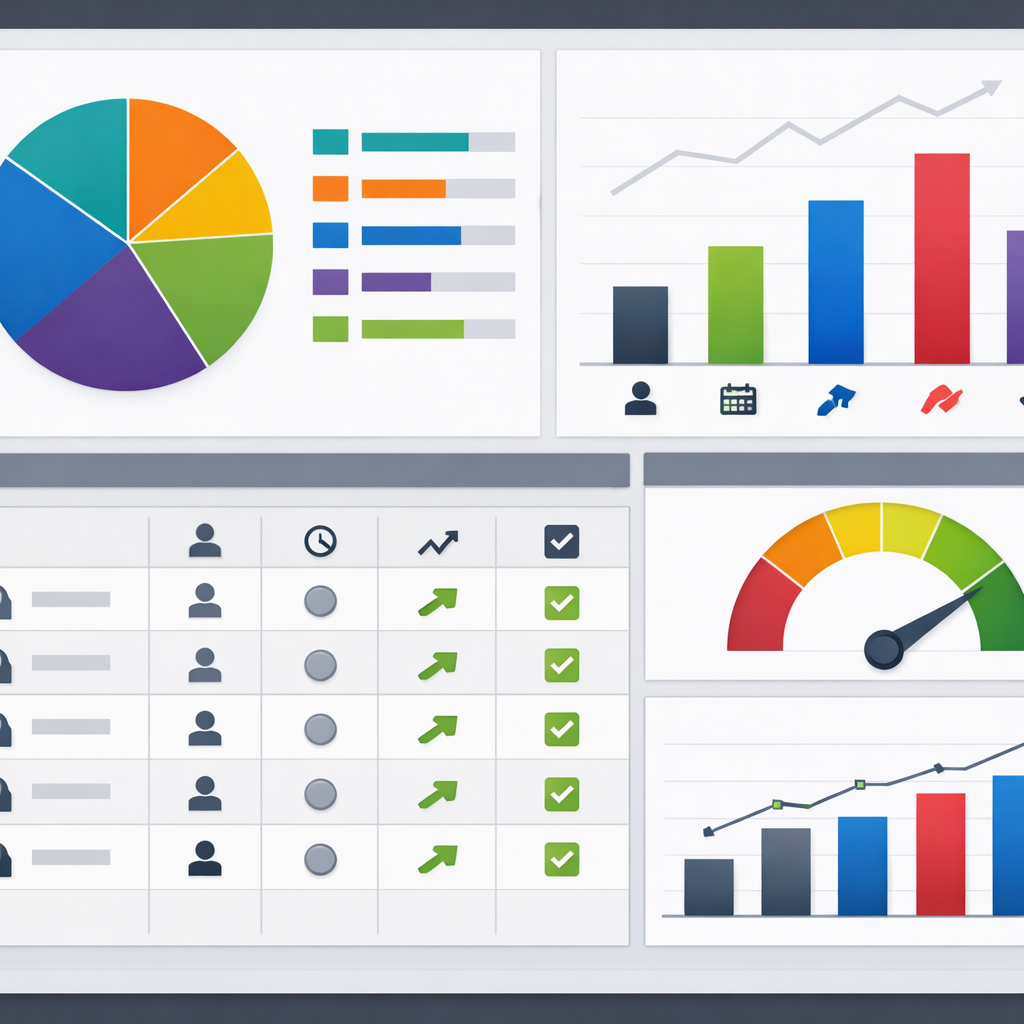
Key operational metrics to monitor: segment membership count, sync latency, message delivery rate, conversion lift (A/B), and reconciliation mismatch rate. Track these daily during a pilot and weekly after rollout.
Analytics wiring judgment: push actionable events and segment membership into your warehouse for cohort and retention analysis rather than trying to run heavy analytics inside the engagement tool. Use tools like Segment or managed ETL to stream membership events to BigQuery or Snowflake and run business intelligence in Looker or similar platforms.
Activate fewer segments well. Five operational, measurable segments will outperform 30 theoretical ones every time.
Next step: pick the highest-value segment from your checklist, set up a 2–4 week pilot with a holdout, and instrument three KPIs before you scale the activation across channels. See Get a Complete View of Your Customers with Gleantap Customer Profile for an example of using unified profiles to drive these activations.
Implementation checklist and sample 8 week project plan
Start with accountability. Assign a single project owner, a technical lead, and a marketing owner who will sign off on success metrics such as churn reduction, campaign conversion lift, and data sync reliability.
Practical implementation checklist
- Stakeholders and scope: Document systems to integrate (CRM, payment processor, booking system, engagement platform), owners, and which environments exist (prod, sandbox).
- Success metrics and SLOs: Define KPIs and operational SLOs such as sync success rate > 99%, dedupe error rate < 1%, and max data latency for personalization (eg 30 seconds or nightly batch).
- Canonical identifiers: Finalize your primary ID hierarchy (CRM contact ID, email, phone, external customer ID) and the match rules for merges.
- Field mapping and transformations: Produce a field mapping spreadsheet with authoritative source, transformations, and retention rules. Include consent fields with timestamp and source.
- Connector and auth checklist: Verify API limits, OAuth or key rotation, webhook retry policies, and security review before enabling writes to production.
- Test plan and test data: Create test cases for create, update, merge, suppression, and rollback. Use realistic test records that exercise edge cases like duplicate emails and missing phone numbers.
- Pilot segmentation and A B testing design: Define a pilot group (5 10 percent), control cohort, KPIs and measurement window before broad rollout.
- Monitoring and reconciliation: Build daily reconciliation reports and alerts for anomalous volumes, schema changes, and failed syncs.
- Rollout and training: Prepare runbooks for support teams, update CRM processes, and train marketing on new segments and workflows.
- Compliance and retention: Map GDPR/CPA obligations to fields, ensure suppression lists are bi directional, and document data lineage for audits.
Tradeoff to accept up front. You will not map every field in week one. Prioritize identifiers, membership status, consent, and 3 to 5 high value events. Trying to onboard a full schema in the pilot phase increases risk and delays measurable outcomes.
Sample 8 week project plan
| Week(s) | Key activities and deliverables |
| Week 0 to 1 | Discovery: inventory systems, confirm stakeholders, finalize success metrics, capture rate limits and auth needs. |
| Week 2 | Data mapping: complete field mapping sheet, canonical ID rules, consent fields, and sample CSVs for test records. |
| Week 3 to 4 | Build connectors and staging: configure webhooks or Segment tracking, set up sandbox syncs, implement dedupe logic, run automated test cases and reconciliation reports. |
| Week 5 | Pilot: run targeted campaign to a small segment with control group, monitor latency, data quality, and campaign lift over defined window. |
| Week 6 to 8 | Rollout and stabilize: full rollout, dashboards for KPI monitoring, scheduled reconciliations, team training, and postmortem with actionable backlog. |
Concrete example: A boutique gym integrates HubSpot contacts to Gleantap using a native connector for profiles and Segment for event streaming. They pilot a churn prevention campaign in week 5 targeting members with low attendance and a recent billing issue; the pilot uses an A B test to measure open to retention conversion over 30 days and validates real time triggers before full rollout.
Judgment call for small teams. If you lack engineering bandwidth, use native connectors or middleware like Zapier for the pilot, but codify identity and consent rules as if you were building a CDP. Quick wins with poor data hygiene create technical debt that doubles effort when you move to a CDP or ETL later.
Operational checkpoint: Before full rollout, ensure daily reconciliation passes for 7 consecutive days and that sync failure alerts are actionable with documented runbooks.
Next consideration: after rollout, iterate on scoring and add one new event source at a time. For practical guides on connectors and CDP patterns see the HubSpot integrations guide at HubSpot, Segment for event ingestion patterns, and Fivetran for managed ETL approaches.
Common pitfalls and how to avoid them
Straight talk: integrations fail more from operational mistakes than from technical limits. Getting CRM integration, customer data platform, and unified customer insights working requires firm rules, not optimistic wiring.
- Pitfall: Relying on a single fragile identifier. Many teams assume email alone will match records. Reality: emails change and payments, bookings, and marketing systems often use different keys. Fix by enforcing a canonical ID strategy and using secondary matchers like phone number and external customer ID.
- Pitfall: Trying to unify everything in real time. Real-time everywhere adds cost and brittle failure modes. Use event streaming for action-critical signals and batch ETL for aggregated analytics – see tradeoffs with Segment and Fivetran.
- Pitfall: Overloading the event schema with noise. Sending every UI click or debug event bloats the engagement platform and hides business signals. Limit events to business meaning – membership changes, payment events, visits, and cancellations.
- Pitfall: No documented authoritative source per field. Conflicting values create identity drift. Declare authoritative systems for ownership, implement overwrite rules, and record last-updated metadata on profiles.
- Pitfall: Ignoring consent propagation and suppression. Consent stored in CRM but not enforced in the engagement platform causes compliance and deliverability failures. Sync consent flags, timestamps, and suppression lists as first-class fields.
- Pitfall: No reconciliation or alerting. Sync jobs silently fail or miscount. Build daily reconciliation reports that compare record counts, recent update timestamps, and volume deltas – set alerts when thresholds break.
Concrete example
Concrete Example: A boutique gym using HubSpot and Gleantap began sending renewal SMS to members with duplicate records. The cause was inconsistent customer IDs between the booking system and CRM. The team enforced a canonical customer_id, added a deduplication step before messaging, and synced a suppression list from HubSpot to Gleantap; churned members stopped receiving confusing duplicate offers.
Tradeoff to accept: aiming for zero duplicates in real time can stall the project. In practice, accept a small, measurable duplicate rate early, provide suppression guards to stop outreach duplication, and iterate on identity resolution. Move to stricter dedupe only when the business can justify the engineering cost.
| Pitfall | Why it matters | Practical fix |
| Mismatch in lifecycle stages | Segments and automation trigger incorrectly | Agree on lifecycle definitions, map CRM stages to engagement states, publish the mapping document |
| Unmonitored connector failures | Campaigns miss targets and data lags | Set SLAs, add health checks, and email or Slack alerts for sync errors |
| Too many event types | High cost and poor signal-to-noise | Limit to 8-12 business-critical events and version the schema |
Key action: create a one-page integration runbook that lists canonical identifiers, authoritative sources per field, allowed event types, consent fields, reconciliation checks, and the person responsible for triage.

Next step: pick the top two failure modes from your runbook and fix them during a small pilot – for example, canonical ID enforcement and daily reconciliation – before you scale the integration across channels.
Gleantap integration examples and recommended field mappings
Direct mapping wins or fails integrations. Spend more time on which system is authoritative for each field than on connection mechanics. Poor field rules create duplicates, incorrect messaging, and wasted spend.
Recommended minimal mapping
| CRM field | Gleantap profile field | Type | Direction | Notes |
| contactid / CRMcontact_id | customer_id | attribute | CRM -> Gleantap | Canonical identifier. Use CRM contact id plus email fallback |
| attribute | CRM -> Gleantap | Lowercase, trimmed; verify format before upsert | ||
| phone | phone | attribute | CRM -> Gleantap | Normalize to E164; prefer verified phone if available |
| createdate / createdat | join_date | attribute | CRM -> Gleantap | Set once only; do not overwrite with imports |
| membership_status | membership_status | attribute | Bidirectional | Enum mapping required; CRM authoritative for purchases |
| lastactivitydate | lastvisitdate | attribute | Event -> Gleantap / nightly overwrite | Prefer event stream for accuracy; fallback to CRM timestamp |
| lastpaymentamount | avgtransactionvalue | aggregate attribute | Warehouse -> Gleantap | Calculate in warehouse or CDP; sync as metric |
| consentemail, consentsms | consentemail, consentsms | attribute | CRM -> Gleantap | Store timestamp and source; honor suppression lists |
Practical insight: Map small, authoritative sets first. Real world integrations break when teams try to mirror every CRM custom field. Start with identity, consent, membership state, and 2 business events such as payment and class booking.
HubSpot to Gleantap example
Concrete Example: A boutique gym uses HubSpot contact records plus Gleantap for messaging. They push HubSpot contact id, email, lifecycle stage, and membership_status to Gleantap on contact create and update via the native connector, while class bookings are sent as events from the booking system to Gleantap to drive churn risk scoring.
Tradeoff to accept: Using a native connector is faster but often passive on events. If you need immediate triggers on bookings or payments use webhooks or a CDP like Segment for event-level delivery rather than relying solely on periodic attribute syncs.
Salesforce to Gleantap via Segment example
Concrete Example: A mid-market chain with Salesforce uses Segment to stream account updates and opportunity stages to Gleantap. Salesforce remains authoritative for contract and renewal fields, Segment supplies real-time events for app opens and session data, and Gleantap uses both to trigger renewal reminders and personalized offers.
- Field level rules: Declare authoritative source per field and include an update timestamp. If timestamps conflict use the most recent write from the authoritative system.
- Enum and value mapping: Map CRM picklists to Gleantap enums during ingestion. Do not accept free text for membership_status or you will fragment segments.
- Sync cadence: Profile attributes can run hourly or nightly; business events that drive messaging should be real time via webhooks or Segment.
Operational recommendation: Publish a living field mapping document with versioning and a sample record per mapping. Run a weekly reconciliation that flags records where email, phone, or membership_status differ between CRM and Gleantap.
Final takeaway: Lock down identity rules and a minimal authoritative field set before expanding mappings. After that, automate schema checks and add event types iteratively so your segmentation and messaging stay reliable as volume grows.
Frequently Asked Questions
Straight answer first: integrating a CRM with a customer engagement platform is rarely a single-switch task — expect configuration decisions, testing cycles, and a small backlog of reconciliation issues that you must plan to operate, not one-off fix and forget.
Practical FAQs and recommended actions
- How long will this take for a small business: 1–3 weeks for a minimal, connector-driven setup; 4–8 weeks if you add identity rules, consent capture, or a CDP. Plan extra time for reconciliation and a 2-week pilot to validate live behavior.
- Which data should go first: Start with canonical identifiers (email, phone, CRM contact ID), membership/status fields, and consent flags. Add critical events (payments, renewals, visits) next — avoid bulk event ingestion until identity is stable.
- Real-time vs batch tradeoff: Real-time enables timely personalization and lifecycle triggers but raises cost and failure surface. Batch reduces costs and complexity but delays actionability. For most SMBs, hybrid works: webhooks for renewals and payments, nightly batches for aggregated analytics.
- Will a CDP replace my CRM for analytics: No. A CDP is for unified event and identity handling; your CRM remains the source of record for leads, deals, and sales activity. Use a CDP or a unified profile in Gleantap for runtime personalization and route aggregated data to a warehouse for BI. See Segment docs for event patterns and HubSpot CRM integration guides for connector options.
- How do I measure sync health: Track three KPIs: sync success rate, reconciliation delta (records in CRM vs engagement store), and field-level drift (percent of key fields mismatched). Automate daily reconciliation and alert on >1% drift for core attributes.
- What about consent and compliance: Treat consent flags as first-class attributes. Store timestamp and source of consent, and sync suppression lists to the engagement platform. Avoid sending marketing PII until consent state is verified.
Concrete example: A three-location retail chain used HubSpot plus Square for POS and initially pushed transactions through Zapier into Gleantap. They saw duplicate profiles because many in-store purchases had no email. The team fixed it by switching to a composite identity (phone + CRM contact ID), rejecting low-confidence merges, and adding a consent capture prompt at POS — duplicate rate dropped ~80% and targeted SMS campaigns reached the right audience.
A common misconception: teams often believe more events equals better personalization. In practice, unfiltered event noise buries signals and increases platform costs. Be ruthless: instrument only events that change state or enable action.
Key takeaway: Prioritize identity, consent, and a small set of business-critical events. Real-time for actions you can act on immediately; batch for reporting. This balance limits costs and operational overhead while delivering measurable lift.
When to escalate to a CDP or ETL: If you have more than five data sources, frequent schema changes, or need cross-channel identity resolution at scale, move from native connectors to a CDP or managed ETL like Fivetran for stability and governance. For straightforward two-system syncs, native connectors or middleware keep time and budget predictable. See Fivetran docs for managed ETL patterns.
Troubleshooting quick wins: 1) Run a sample-day reconciliation before go-live; 2) enforce canonical ID on all record creations; 3) add a suppression webhook from CRM to prevent accidental sends; 4) keep a one-week rollback window for recent profile merges.
Next steps you can take right now: 1) Export a 7-day sample of CRM contacts and engagement events and run a quick-matching exercise to estimate identity gaps; 2) define three acceptance tests (create, update, opt-out) and automate them; 3) set up daily reconciliation emails and one alert for sync failures so you catch problems before campaigns run.
Recent blog posts
Back to blog
Ready to Run Successful Marketing Campaigns and Grow Your Business?
Gleantap helps you unify customer data, track behavior patterns, and automate personalized campaigns, so you can increase repeat purchases and grow your business.
Ready to Run Successful Marketing Campaigns and Grow Your Business?
Gleantap helps you unify customer data, track behavior patterns, and automate personalized campaigns, so you can increase repeat purchases and grow your business.