
On this page
- Customer Service Automation: What It Is and Core Components
- Tangible Benefits for Modern B2C Businesses
- Use Cases by Vertical with Concrete Examples
- Tools and Vendors: How to Choose and When to Use Them (including Gleantap)
- Implementation Roadmap: From Pilot to Scale
- Measuring ROI and Real Business Impact with a Worked Example
- Risks, Limitations, and Compliance Considerations
- Actionable Checklist and Next Steps for B2C Operators
- Frequently Asked Questions
For B2C leaders facing rising contact volumes and thin support teams, the benefits of customer service automation are concrete: lower cost per contact, faster responses, and personalized engagement at scale. This post shows where customer service automation and Customer Support Automation deliver measurable gains, and which workflows to automate first. Read on for Customer Service Automation: What It Is, Use Cases, Tools & Real Business Impact, plus a practical pilot checklist and KPIs you can use in the next 30 to 60 days.
Customer Service Automation: What It Is and Core Components
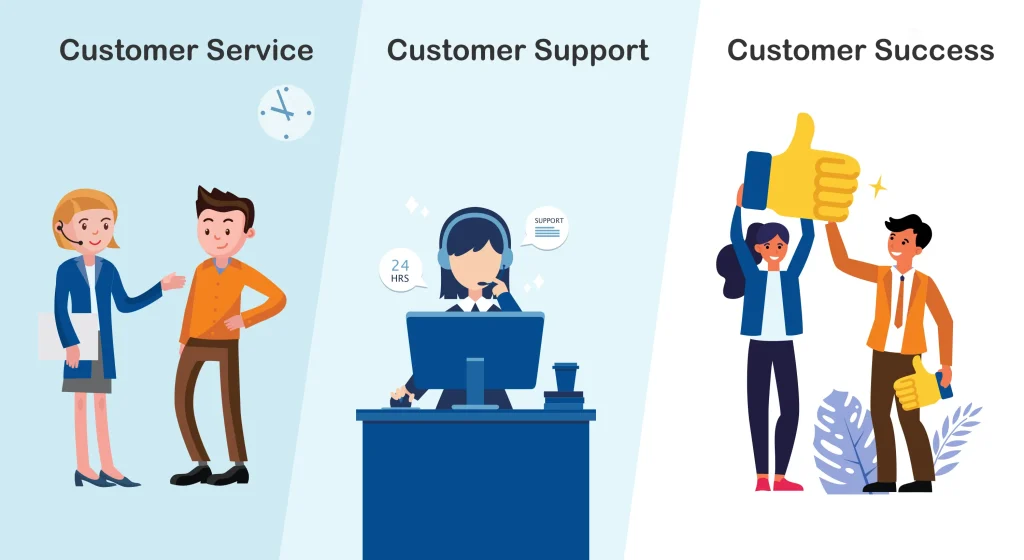
Core assertion: Customer service automation is an orchestration layer that routes predictable work, automates repetitive actions, and surfaces the right customer context when a human needs to step in. It is not a single chatbot or ticketing tool — it is the combination of automation engines, knowledge, integrations, and escalation rules that change how work flows across channels and teams.
Core components and where they sit in the stack
- Chatbots and virtual assistants: automated conversational front ends that handle common intents and collect context before escalation (examples: Dialogflow, Rasa, Ada).
- Automated messaging workflows: timed and trigger-based campaigns for reminders, confirmations, and proactive outreach (examples: Twilio, Gleantap).
- Ticketing and routing automation: rule-based assignment, SLA enforcement, and priority routing inside systems like Zendesk or Salesforce Service Cloud.
- Knowledge base and self-service portals: searchable articles, decision trees, and guided flows that deflect contacts and ensure consistent answers.
- IVR and voice bots: speech-driven flows for high-volume phone tasks; useful where voice remains a primary channel (Amazon Connect, Genesys).
- Robotic process automation (RPA) for back-office tasks: automating repetitive backend steps such as refunds, account updates, or cross-system lookups (UiPath examples).
- AI triage and classification: intent classification, sentiment detection, and recommended responses that reduce average handle time and improve escalation accuracy.
Practical trade-off: automation delivers the most value when it reduces manual routing and repetitive work, but it requires disciplined data hygiene and integration effort up front. Poorly integrated bots amplify frustration — misrouted intents, stale knowledge, and missing CRM context turn a small automation gain into a CX problem. Build integrations to membership, booking, and billing systems early; skip vanity automations that don’t access customer state.
Concrete example: A 2,000-member fitness club automated class reminders, waitlist alerts, and a billing-dispute triage flow tied to its membership system. Within two months the club reported a sharp drop in routine calls and emails, smoother handoffs for exceptions, and higher class attendance from timely reminders — the automation handled context capture so agents spent less time asking basic questions.
What people often misunderstand: many teams expect turnkey AI to fix accuracy issues. In practice, accuracy improves when you combine a compact set of intents, solid KB articles, and continuous monitoring. Start small, measure intent accuracy, and keep humans in the loop for ambiguous cases rather than over-training models on noisy transcripts.
Customer Service Automation: What It Is, Use Cases, Tools & Real Business Impact all depend on clean integrations, clear escalation rules, and incremental pilots that prove deflection and response-time gains.
Key setup checklist: integrate with your CRM/POS, map top 5 intents, create or audit 10 knowledge base articles, set escalation SLAs, and define success metrics (deflection rate, first response time, and reduction in handle time).
Tangible Benefits for Modern B2C Businesses
Direct operational impact: Customer service automation reduces routine workload and shortens response cycles, turning previously reactive teams into proactive engines. For B2C operators that manage bookings, memberships, or orders, automation moves predictable tasks off agent queues so humans handle only exceptions that require judgement.
Where the savings and scale actually show up
Lower variable costs: Automating repeatable contacts — order status, appointment confirmations, basic billing checks — lowers cost per interaction because those interactions no longer need a full-service seat. Calculate savings from deflection by multiplying average handle time by hourly labor cost and the volume of deflected contacts; that simple model gives a defensible ROI for pilots.
- Faster outcomes: Automated acknowledgements and triage cut initial wait from hours to seconds, improving customer sentiment and preventing escalation.
- Personalization at scale: When automation reads CRM state and behavioral signals, messages are relevant rather than generic, which raises conversion and reduces churn.
- Revenue lever: Timely automated nudges for renewals, add ons, or reactivations drive measurable lifts in retention and spend without adding headcount.
- Consistency and compliance: Scripted responses tied to a single knowledge source reduce variance and the risk of incorrect regulatory language in sensitive verticals.
Practical tradeoff: There is a point of diminishing returns. High-variance, high-emotion issues still require human care; automating them wastes engineering effort and creates friction. Prioritize high-volume, low-complexity intents for initial automation and accept that some pathways must route to a human quickly.
Concrete example: A regional retail chain automated order tracking, returns initiation, and loyalty enrollment across SMS and web chat. Within eight weeks the chain measured a 30 percent drop in phone contacts and a 10 percent rise in same-store repeat purchases where the automation suggested related items at delivery confirmation. Agents spent more time resolving complex exceptions and less time on status lookups.
Measurement to focus on: Track contact deflection rate, time to meaningful answer (not just first response), resolution yield on automated flows, and incremental revenue per automated touch. Use these metrics to compare automation performance against staffed handling and iterate on the flows that underperform.
Key consideration: Customer Support Automation only delivers when automation has accurate customer state and clear escalation rules. Invest in integrations with booking, billing, and CRM systems up front, and define a human-in-the-loop policy for ambiguous or sensitive cases.
Customer Service Automation: What It Is, Use Cases, Tools & Real Business Impact belong together — automation without a use case or measurement plan is guesswork, and a measurement plan without integrated data is blind.
Next consideration: When you scope a pilot, pick one high-volume flow, instrument the right metrics, and connect to your CRM. If you want a vendor that combines customer data, messaging orchestration, and lifecycle campaigns for B2C operators, see Gleantap features for a concrete example of how these pieces fit together.
Use Cases by Vertical with Concrete Examples
Practical assertion: Automation works when it targets predictable, high-frequency touchpoints that currently eat agent time or block revenue. Below are realistic scenarios for five B2C verticals, each with the concrete flows to automate, measurable KPIs to watch, and a real operational tradeoff to plan for.
Fitness clubs and studios
Primary flows: automated class confirmations, dynamic waitlist handling, membership renewal nudges, and billing-dispute triage tied to the booking system. Why it matters: these flows are high-volume and time-sensitive; fixing them raises attendance and reduces inbound calls.
- KPIs to track: deflection rate, booked-attendance lift, time-to-resolution for billing issues
- Tradeoff to accept: investing in two-way SMS or WhatsApp increases immediacy but requires more guardrails around templates and opt-ins
Concrete example: A 12-location boutique chain automated waitlist offers and last-minute class push-notifications via SMS. Over ten weeks the chain reported an 18 percent increase in filled classes and cut staff reschedule work by nearly half, freeing managers to focus on retention programs.
Wellness studios and salons
Primary flows: appointment booking/rescheduling, pre-appointment intake and screening, and automated post-service product recommendations. These reduce no-shows and create tidy cross-sell moments immediately after a service.
- KPIs to track: no-show rate, average additional spend per post-service message, booking conversion after reminder
- Tradeoff to accept: high personalization improves conversions but depends on clean appointment and POS data; partial data produces awkward recommendations
Healthcare clinics (non-emergency)
Primary flows: appointment reminders with secure intake forms, automated post-visit follow-ups and medication reminders, and simple triage for admin questions. Automation here reduces missed appointments and improves adherence, but compliance is non-negotiable.
- KPIs to track: appointment no-shows, completion rate of digital intake, secure message escalation percentage
- Tradeoff to accept: you must use HIPAA-ready vendors and limit sensitive content in SMS; that increases vendor and contract overhead
Retail (ecommerce and omnichannel)
Primary flows: order-status notifications, returns initiation with automated label creation, chatbot-guided product discovery, and post-purchase NPS tied to loyalty triggers. Well-designed flows cut repeat contacts and keep customers confident during slow shipping windows.
- KPIs to track: contact volume for order inquiries, return completion time, conversion uplift from product suggestions
- Tradeoff to accept: automating returns leverages fulfillment APIs; weak integrations shift work downstream to warehouse teams
Family entertainment centers
Primary flows: group booking automation, automated party upsell and add-ons during checkout, digital waiver collection and express check-in. These reduce front-desk congestion and increase average spend per booking.
- KPIs to track: booking conversion, upsell attach rate, check-in throughput (minutes per group)
- Tradeoff to accept: faster check-ins can expose safety compliance gaps; automated waivers must be legally validated per jurisdiction
Key point: pick the vertical flow that ties directly to revenue or avoided cost. Automate the small set of intents that deliver measurable lifts and integrate them with the system that owns the truth (POS, booking, or membership platform).
Pilot recommendation: choose one flow per location type, run a 6–8 week test, instrument deflection and revenue metrics, and include a human fallback for 10–15 percent of ambiguous cases.
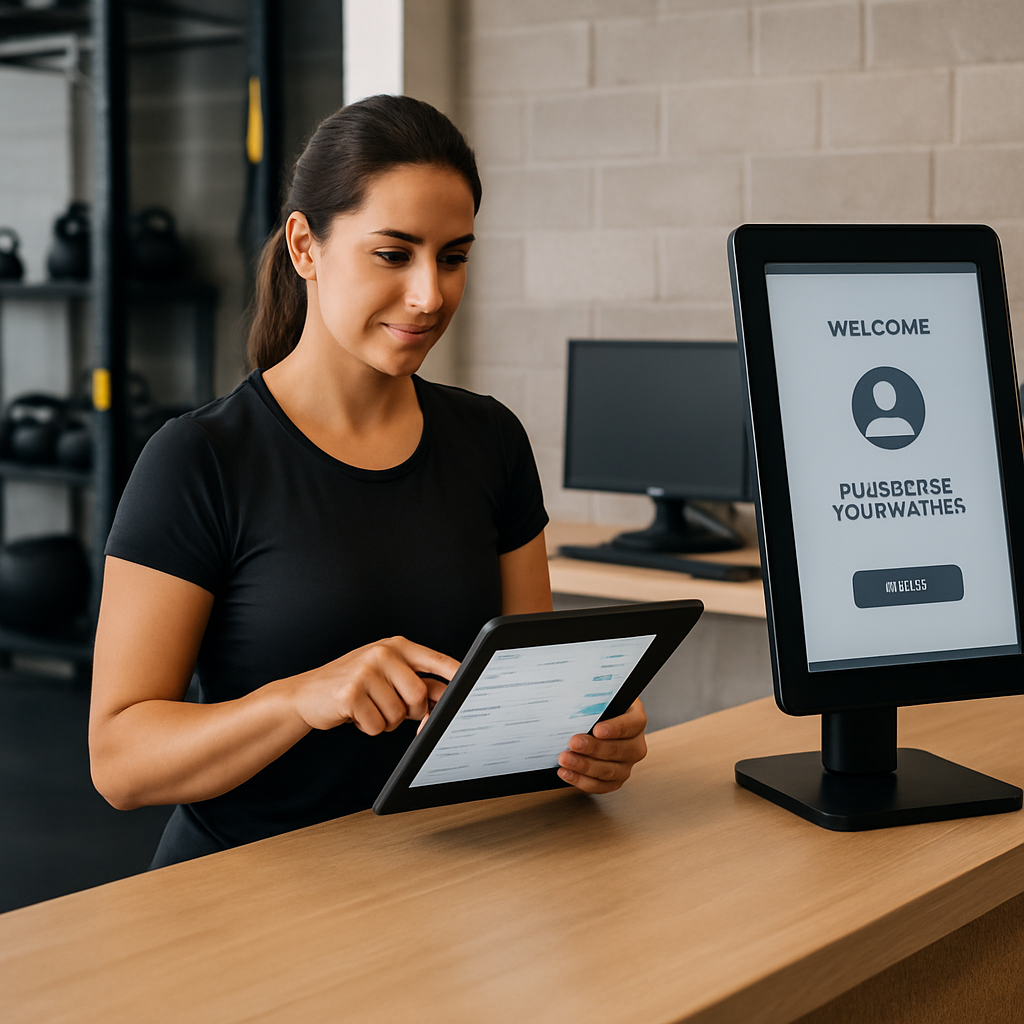
Judgment: Customer Service Automation: What It Is, Use Cases, Tools & Real Business Impact becomes actionable at the vertical level. Generic bots rarely move KPIs; the systems that win are those that pair channel-appropriate automation with tight integration to the operational system of record and deliberate escalation rules. Next consideration: pick the highest-impact flow in your stack and instrument it end-to-end before expanding.
Tools and Vendors: How to Choose and When to Use Them (including Gleantap)
Bottom line: pick tools by the work they must own, not by logo or hype. This section connects vendor selection to practical outcomes in Customer Service Automation: What It Is, Use Cases, Tools & Real Business Impact so you buy for measurable gains — lower contact cost, faster responses, and higher retention — rather than feature checklists.
Match vendor archetype to the problem you need solved
Orchestration-first platforms are built to unify profiles, triggers, and multi-channel journeys; they suit B2C operators focused on lifecycle-based retention and automated outreach. Gleantap is an example here — it bundles segmentation, messaging (SMS, email, WhatsApp), and lifecycle workflows so you can move from pilot to live without heavy engineering. See Gleantap features.
Conversational-first vendors (Intercom, Ada) are strongest when you need quick in-app chat, guided product support, or a polished bot experience. They help reduce simple contacts fast but often need an orchestration layer for lifecycle work.
Ticketing and case management suites (Zendesk, Freshdesk, Salesforce Service Cloud) win when you have complex routing, enterprise SLAs, or deep case histories. They are not lightweight messaging engines — expect configuration work to connect automated journeys.
Programmable channels and CCaaS (Twilio, Amazon Connect, Genesys) are tools for engineering-heavy teams that want full control over messaging, voice, and scale. Use them when you need custom flows or high-volume telephony, but budget for developer time.
Custom NLU frameworks (Rasa, Dialogflow) are only worth it when your intents are complex, multilingual, or require on-prem control. Most B2C pilots do better with a managed bot and a strong orchestration layer under it.
Decision checklist (ordered priorities)
- Integration first: Can it read and write the system of record (POS, membership, bookings)? Without that, automation is brittle.
- Channel coverage: Does it support the channels your customers actually use (SMS, WhatsApp, email, voice)?
- Compliance: Does the vendor meet regulatory needs (HIPAA, TCPA, GDPR) and offer a BAA if required?
- Operational ownership: Can non-engineers build and iterate on flows, or will every change need dev time?
- Pricing fit: Is pricing per-contact, per-seat, or consumption-based — and does that align with your expected volume?
- Analytics and attribution: Can you measure deflection, revenue lift, and time-to-resolution out of the box?
- Vertical experience: Has the vendor shipped solutions in your industry (e.g., fitness, clinics, retail)?
- Exit and lock-in: How hard is it to export flows, customer segments, and conversation history?
Practical tradeoff: Choosing a single vendor that promises everything is tempting but risky. Platforms that centralize profiles and journeys (like Gleantap) speed up pilots for retention and lifecycle automation, but if you later need advanced contact-center routing or highly specialized NLU, you may layer in a ticketing system or a custom bot. Plan integrations upfront to avoid rebuilding orchestration later.
Concrete example: A regional community health clinic selected Gleantap to run appointment reminders and secure intake links over SMS and WhatsApp while keeping patient records in their EHR. The clinic required a BAA and simple segmentation by appointment type; the pilot cut no-shows and reduced front-desk calls, while escalation paths sent complex clinical questions to nurses through the clinic’s ticketing system.
Judgment: For most B2C operators prioritizing retention and throughput, start with an orchestration-first tool that includes messaging and segmentation. Reserve heavy investment in custom NLU or CCaaS until after you prove deflection and business impact. Integration with the source-of-truth system is the single most important vendor capability.
Key takeaway: buy the platform that owns customer state and multi-channel delivery. If your vendor cannot reliably access membership/booking/billing data, the benefits of customer service automation will be limited — expensive automations that fail to personalize are worse than none.
Implementation Roadmap: From Pilot to Scale
Direct point: Treat a pilot as a bounded experiment that must prove both operational savings and safe customer experience before you expand. Successful pilots are small, measurable, and deliberately narrow — they validate integration, intent accuracy, escalation, and real impact on business KPIs.
MVP scope and governance
MVP rule: Automate one high-frequency, low-ambiguity flow and one adjacent exception path. This gives you both deflection data and quality checks for failures without exposing customers to broad automation mistakes.
- Week 0 — Preparation (7–10 days): Assemble stakeholders (ops, CX, engineering, legal), map the customer touchpoints involved, and agree on three success metrics and SLA thresholds.
- Weeks 1–3 — Build and connect: Implement the minimal integration to your source systems (booking, POS, billing), author canonical responses and decision rules, and set up escalation routing for uncertain cases.
- Weeks 4–8 — Live pilot with cohorts: Run automation for a controlled customer cohort, log every automated interaction, and capture both quantitative metrics and representative transcripts for human review.
- Weeks 9–12 — Analyze and iterate: Compare cohorts (automation vs control) on chosen KPIs, tune intent models and scripts, and fix integration gaps that produce false positives or stale data.
- Post-pilot — Scale plan: Define rollout phases by channel and intent complexity, estimate incremental infrastructure and support costs, and document governance (who can change flows, how frequently, and audit trails).
Practical trade-off: Speed to market costs technical debt. A quick pilot that skips robust data mapping will show short-term wins but create brittle automations that break when upstream schemas change. Budget a small engineering sprint for durable connectors rather than one-off exports.
Operational insight: You must instrument the pilot to measure not just volume deflected but quality of outcome — for example, resolution within X hours, follow-up escalation rate, and customer feedback on automated replies. These tell you whether saved agent minutes translate to preserved or improved CSAT.
Concrete example: A family entertainment center piloted automating party-booking confirmations, digital waiver collection, and an upsell message for add-on packages. The automation read booking status from the POS, sent a timed waiver link, and routed ambiguous waiver questions to staff. Over eight weeks the center reduced front-desk check-in time for parties and captured a measurable uptick in paid add-ons during the pilot cohort.
Common mistake: Teams over-index on intent coverage instead of interaction quality. Covering many intents badly creates customer friction; covering a few intents well produces clear ROI. Prioritize depth over breadth in the first rollout.
Key pilot metrics to collect: baseline contact volume for the flow, deflection percentage, escalation ratio (automations → human), time-to-resolution for automated cases, CSAT for automated interactions, and revenue lift tied to automated prompts. Use A/B cohorts to attribute changes.
Next operational step: If you want a platform that combines customer profiles, lifecycle messaging, and rapid pilot execution for B2C operators, review how Gleantap features map to your integration needs. Tie decisions back to the original success metrics before broad rollout.
Customer Service Automation: What It Is, Use Cases, Tools & Real Business Impact is only realized when pilots are scoped tightly, instrumented for outcome quality, and governed so failures route quickly to human operators.

Measuring ROI and Real Business Impact with a Worked Example
Practical premise: Finance and operations stakeholders will sign off only when automation maps to cash or predictable retention gains. Translate deflection and handle-time savings into dollars, and then show how faster, contextual outreach moves the revenue needle.
Worked example – a mid-sized fitness club
Scenario setup: A 4,500-member club runs a six-week pilot automating membership renewal reminders and a billing-dispute triage flow across SMS and chat. The pilot targets predictable, repeatable interactions that current agents handle with an average handle time of 8 minutes and a fully loaded labor cost of $25 per hour.
| Metric | Baseline / month | Pilot / month | Delta | Monthly monetary impact |
|---|---|---|---|---|
| Inbound contacts for target flows | 900 | 405 | -495 | |
| Average handle time | 8 min | 0 min for deflected | 66 saved hours | $1,650 labor savings |
| Incremental renewals attributed to timely outreach | n/a | 30 additional renewals | 30 | $1,800 additional monthly revenue |
| Estimated monthly vendor + SMS spend | $0 | $1,200 | -$1,200 | -$1,200 |
| Net monthly benefit | $2,250 |
Annualized view: Multiply monthly net benefit to get an annual net of about $27,000. That converts to a near 2x payback on a modest vendor and messaging bill in month 6 of the pilot. These are conservative assumptions; improve the outcome by increasing intent accuracy and by embedding targeted upsell prompts into the renewal flow.
Important tradeoff: Quick operational wins are visible in weeks – reduced queue, faster acknowledgements, fewer repetitive questions. Revenue and retention signals take longer. If you claim revenue lift too early, you will mistake correlation for causation. Expect to run cohorts for 8 to 12 weeks before treating retention changes as attributable to automation.
Attribution in practice: Randomized holdouts are the least ambiguous method. Split expiring members into control and treatment cohorts, send automation to treatment only, and compare renewal rates after one renewal cycle. Use cohort-based lifetime value calculations to convert incremental renewals into projected revenue.
- Quick test design: Randomize 20 percent of eligible customers into a control group.
- Instrument outcomes: Capture renewals, churn, follow-up contacts, and downstream purchases tied to automated messages.
- Time window: Use at least one full billing cycle plus 4 weeks of lag for retention signals.
- Quality checks: Review conversational transcripts for misroutes and set a 10 to 20 percent human-review quota on automated replies during the pilot.
Common measurement mistakes: Teams often double-count benefits – adding labor savings and headcount reductions without recognizing that some saved capacity will be redeployed rather than cut. Also avoid using raw message open rates as a proxy for business impact. Measure outcomes people care about – renewals, resolved disputes, and time-to-resolution – not vanity interaction metrics.
How this ties to Customer Service Automation: What It Is, Use Cases, Tools & Real Business Impact: The worked example above shows why connecting automation to the system of record matters. Without membership and billing integration you cannot reliably identify expiring customers or resolve disputes automatically; that kills both deflection and conversion benefits. If you want a platform that bundles segmentation, multi-channel messaging, and lifecycle workflows to accelerate pilots, review Gleantap features as a practical starting point.
Bottom line takeaway: Demonstrable ROI requires two streams – short-term operational savings from deflection and longer-term revenue or retention lift from timely, personalized automations. Design pilots to prove both separately, then combine them for the full business case.
If you measure only volume deflected you will undercount risk. Measure outcome quality – resolution, escalation rate, and genuine revenue conversions – to capture the real business impact.
Risks, Limitations, and Compliance Considerations
Straight statement: Automation cuts repetitive work but introduces operational and regulatory risks that can nullify efficiency gains if you treat it as a set-and-forget solution.
Operational risk: Poorly scoped automations create failure modes that inflate, rather than reduce, agent effort. Common scenarios include misrouted escalations, stale knowledge leading to incorrect answers, and automation that hides rather than resolves edge-case work. The trade-off: faster bulk handling versus an increased share of harder-to-resolve exceptions.
Where projects actually break
- Workflow gaps: Integrations that miss fields (e.g., membership tier, billing flags) create false-negatives and orphaned tickets.
- Channel constraints: Messaging platforms impose template rules or opt-in requirements that delay campaigns or lead to delivery failures.
- Model drift: NLU accuracy degrades unless you retrain on fresh transcripts and deliberate edge-case samples.
Regulatory exposure: SMS and automated calls trigger TCPA obligations in the US; European customers trigger GDPR controls. For healthcare scenarios you must use HIPAA-ready vendors and execute a BAA before exchanging protected health information. These are not legal niceties — missteps lead to fines and business disruption. See Gartner for context on automation growth and attendant compliance focus.
Practical mitigation: Design human-in-the-loop gates for any intent that carries financial, legal, or clinical consequences. Log every automated decision with an audit trail, enforce explicit opt-ins for SMS/WhatsApp, and use secure links or portals for sensitive data rather than raw channel messages.
Example in practice: A small clinic deployed appointment reminders over SMS but initially included appointment reasons in the message body. After reviewing security posture the team switched to a generic reminder with a secure intake link, signed a BAA with the vendor, and routed any clinical questions to nurses via the clinic ticketing system. That change preserved response speed while eliminating a direct HIPAA exposure vector.
Hard judgment: Many teams underinvest in governance and overestimate how quickly advanced NLU will reach production quality. Avoid expanding intent coverage until you have a repeatable review cadence, error-rate thresholds, and escalation SLAs. Otherwise, you scale friction, not value.
Minimum compliance checklist: BAA (if healthcare), documented opt-in records for messaging, templates pre-approved for WhatsApp/SMS, audit logs for automated actions, SLAs for escalation, and quarterly model review with a 10-20% transcript sampling plan.
Customer Service Automation: What It Is, Use Cases, Tools & Real Business Impact matters here — pick tools that can both execute automated journeys and provide the governance primitives (consent capture, auditability, secure links) needed to reduce legal and operational risk. For a practical starting point, review Gleantap features to confirm they meet your compliance checklist before pilot launch.
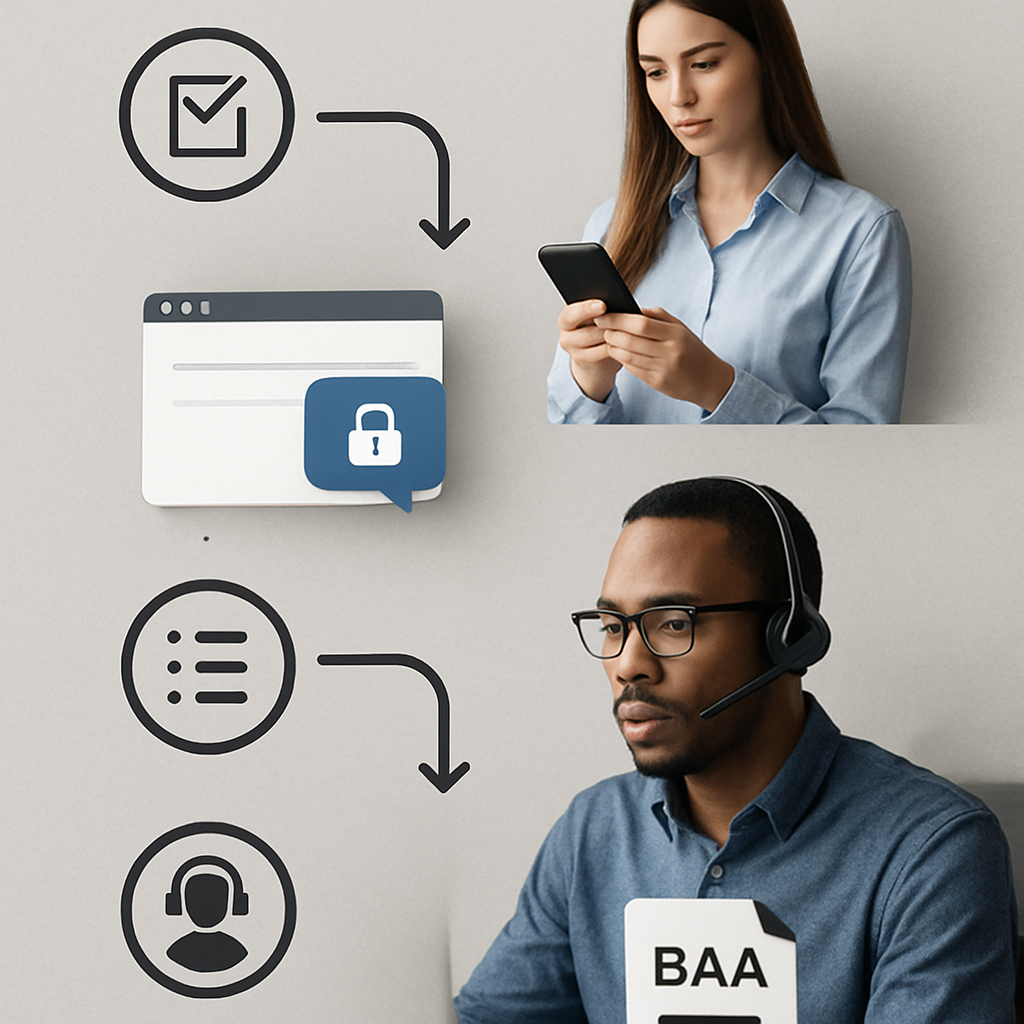
Decide governance before scaling: if you cannot prove safe escalation, auditable decisions, and consent controls for one pilot flow, do not double the scope.
Actionable Checklist and Next Steps for B2C Operators
Start small, measure fast. Prioritize one or two high-frequency, low-complexity flows you can instrument end-to-end and prove in 6–8 weeks — then expand. This section gives a prioritized, role-driven checklist and a decision rule set so you and your team can move from idea to pilot without overbuilding or overpromising.
Prioritized pilot checklist (owner, outcome, timeframe)
- Map the flow (Ops, 2–3 days): Identify the exact steps customers take today and the data fields required to resolve the interaction (booking ID, payment status, membership tier).
- Lock KPIs and control group (CX/Analytics, 1 day): Define one primary outcome (e.g., resolution in 24 hours or renewal rate lift) and a randomized holdout for attribution.
- Confirm data access (Engineering, 1 week): Ensure read/write access to the system of record; build a durable connector rather than relying on CSV exports.
- Author canonical responses (CX, 3–5 days): Draft short, tested messages and decision rules; include explicit human-escalation triggers.
- Implement the pilot (Vendor/Platform, 2–3 weeks): Configure journeys, templates, and escalation routing; set message cadence and consent capture.
- Run and sample-review (Ops, 6–8 weeks): Monitor automated interactions daily, sample transcripts weekly, and collect CSAT from participants.
- Analyze and decide (Leadership, 1 week): Compare treatment vs control on your chosen KPI, then either iterate or scale with documented guardrails.
Practical constraint: automation that cannot access current customer state is effectively just a broadcast tool. If your automation cannot verify booking or payment status at runtime, it will create noise, not value. Prioritize connectors to the single system that most affects the flow.
Vendor decision shorthand
- Must-have: native or low-code connector to your POS/booking system, secure opt-in capture, and auditable escalation logs.
- Should-have: multichannel delivery (SMS + WhatsApp + email) and simple segmentation so messages are context-aware rather than generic.
- Nice-to-have: built-in lifecycle templates and vertical case studies that shorten configuration time; consultative onboarding is valuable for non-technical teams.
Trade-off to plan for: cheaper per-message pricing often comes with higher implementation effort. If a vendor charges less per SMS but lacks connectors, your engineering cost will erode savings. Contrast total cost to deploy, not just unit pricing.
Concrete example: A five-location pilates studio automated class waitlist offers and immediate payment-failure notifications tied to its booking system. The pilot ran for eight weeks with a randomized control; the automated waitlist filled more classes and reduced follow-up calls. Managers reclaimed time to run member outreach and the studio measured a net lift in attended classes for the treatment cohort.
What teams misunderstand in practice: many treat AI as a replacement for governance. In reality, you need a routine for human review, error thresholds, and rollback. Set an error-rate ceiling (for example, stop automations for an intent if misclassification exceeds X percent over two weeks) and require manual review before expanding coverage.
Actionable next step: pick one flow, secure access to the system of record, and run a 6–8 week randomized pilot with clear escalation rules. If you need a platform that combines segmentation, multi-channel messaging, and fast pilot setup for B2C operators, evaluate Gleantap features against your connector needs.
Final judgment: for most B2C operators the fastest path to measurable benefits of customer service automation and Customer Support Automation is to buy an orchestration-first product with the right connectors and treat advanced NLU as a second phase. Prove deflection, response quality, and business impact first; build complexity only when those outcomes are stable.
Customer Service Automation: What It Is, Use Cases, Tools & Real Business Impact is actionable only when pilots are tightly scoped, instrumented for outcomes, and governed with human-in-the-loop controls.
Frequently Asked Questions
Direct answer first: the core benefits of customer service automation — faster responses, lower variable costs, and scalable personalization — materialize only when you pair automated channels with accurate customer state and clear escalation rules. Customer Support Automation without those two elements is mostly noise; with them it reliably reduces routine workload and frees humans for higher-value work.
Which interactions should my team automate right away?
Priority rule: pick high-volume, predictable tasks where resolution logic is binary or follows a short decision tree. Examples include confirmations, status lookups, simple billing checks, and scheduled reminders. Automating these moves measurable minutes out of queues. Trade-off: avoid trying to automate emotionally charged or ambiguous cases early; those cost more to get right and create more rework than they save.
How do I prove the financial return of automation?
Measurement you can act on: establish baseline metrics for the flow (monthly contacts, average handle time, fully loaded labor rate), run a controlled pilot with a holdout cohort, and convert saved agent minutes into dollars. A practical formula: (deflected contacts × average handle time in hours × loaded hourly wage) − automation operating cost = net monthly benefit. Limitation: some saved capacity will be redeployed to proactive initiatives rather than headcount reduction, so present both cash and capacity value to stakeholders.
Will automation hurt the customer experience?
Short answer: it can, but it usually improves CX when designed around context and fast escalation. Automation that lacks access to membership, booking, or purchase state produces generic replies that frustrate customers. Practical judgment: invest one sprint in durable connectors to your system of record before expanding conversational scope — that single change eliminates most annoying, impersonal interactions.
How soon will we see results?
Timing pattern: operational signals (reduced queue length, faster acknowledgements) appear within 2–8 weeks; reliable revenue or retention signals require 8–12 weeks and a cohort-based comparison. Consideration: don’t claim long-term retention wins until you have a full billing or renewal cycle and randomized controls — early upticks can be misleading.
What must healthcare teams do differently?
Compliance constraints: require a vendor that will sign a BAA, encrypt data at rest and in transit, and avoid sending protected health information over plain SMS. Operational trade-off: choosing HIPAA-ready tools increases vendor and contractual complexity but is non-negotiable; design automations to surface secure intake links rather than embedding sensitive details in messages.
Build vs buy: where should we start?
Practical shortlist: start with an orchestration-focused vendor if your objective is retention and lifecycle automation; pick a conversational-first tool when in-app support and guided flows are the priority. Judgment call: most B2C operators get faster, safer wins from a managed orchestration product because it reduces integration and governance overhead. Evaluate vendors for data portability and export of flows so you avoid lock-in when you need custom routing or NLU later. For a B2C-oriented example, review how Gleantap features couple segmentation and messaging with lifecycle workflows.
Concrete example: A regional online retailer automated return-label generation and delivery-status updates via SMS tied to its order system. The automation removed repetitive status-check calls, reduced agent lookups, and left staff to handle exceptions such as damaged shipments. Because the flow validated order IDs at runtime, the retailer avoided many false-positive escalations that typically occur with template-only systems.
Quick rule of thumb: Automate an intent only if it either saves at least 50 agent hours per month or is tied to a measurable revenue lever (renewals, upsells, lower churn). If neither threshold is met, the effort rarely justifies the integration cost.
Common misconception: advanced NLU is not the first bottleneck — data access, consent capture, and escalation policies are. Teams that skip those governance elements end up with high error rates and poor customer outcomes even if their NLU model is technically accurate.
One concrete next set of actions you can run this week: identify one repeatable flow that touches your system of record; record baseline contacts and handle time; create a small, scriptable message and an escalation rule; run a two-week holdout pilot and collect transcripts for review. Tie this pilot back to the playbook in Customer Service Automation: What It Is, Use Cases, Tools & Real Business Impact to ensure you measure both operational and revenue outcomes.

Written by
Marcus Webb
Marcus is a B2C marketing strategist with over 8 years of experience in lifecycle marketing, SMS campaigns, and customer retention. He specialises in helping multi-location businesses reduce churn and build long-term customer loyalty.
Recent blog posts
Back to blog

Ready to Run Successful Marketing Campaigns and Grow Your Business?
Gleantap helps you unify customer data, track behavior patterns, and automate personalized campaigns, so you can increase repeat purchases and grow your business.
Ready to Run Successful Marketing Campaigns and Grow Your Business?
Gleantap helps you unify customer data, track behavior patterns, and automate personalized campaigns, so you can increase repeat purchases and grow your business.